engine HONDA CIVIC 2022 Owner's Manual
[x] Cancel search | Manufacturer: HONDA, Model Year: 2022, Model line: CIVIC, Model: HONDA CIVIC 2022Pages: 700, PDF Size: 13.98 MB
Page 111 of 700
uuGauges and Driver Information Interface uGauges
110
Instrument Panel
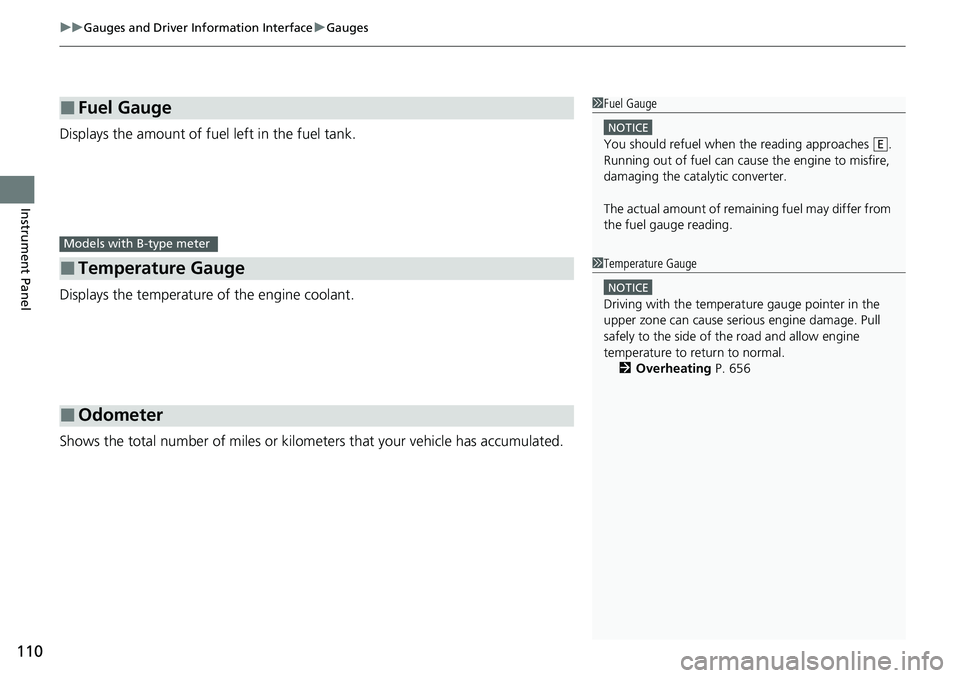
Displays the amount of fuel left in the fuel tank.
Displays the temperature of the engine coolant.
Shows the total number of miles or kilome ters that your vehicle has accumulated.
■Fuel Gauge
■Temperature Gauge
■Odometer
1Fuel Gauge
NOTICE
You should refuel when the reading approaches .
Running out of fuel can cause the engine to misfire,
damaging the cata lytic converter.
The actual amount of remain ing fuel may differ from
the fuel gauge reading.E
Models with B-type meter
1 Temperature Gauge
NOTICE
Driving with the temperat ure gauge pointer in the
upper zone can cause serious engine damage. Pull
safely to the side of th e road and allow engine
temperature to return to normal. 2 Overheating P. 656
Page 114 of 700
113
uuGauges and Driver Information Interface uDriver Information Interface
Continued
Instrument Panel
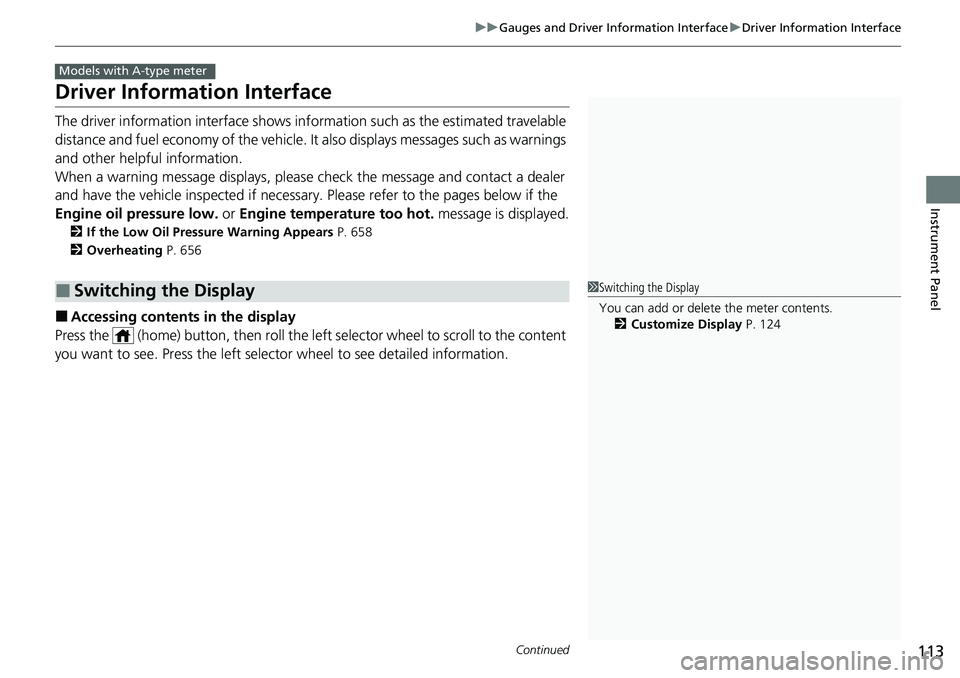
Driver Information Interface
The driver information interface shows information such as the estimated travelable
distance and fuel economy of the vehicle. It also displays messages such as warnings
and other helpful information.
When a warning message displays, please check the message and contact a dealer
and have the vehicle inspected if necessary . Please refer to the pages below if the
Engine oil pressure low. or Engine temperature too hot. message is displayed.
2If the Low Oil Pressure Warning Appears P. 658
2 Overheating P. 656
■Accessing contents in the display
Press the (home) button, then roll the le ft selector wheel to scroll to the content
you want to see. Press the left sele ctor wheel to see detailed information.
■Switching the Display
Models with A-type meter
1Switching the Display
You can add or delete the meter contents.
2 Customize Display P. 124
Page 122 of 700
Continued121
uuGauges and Driver Information Interface uDriver Information Interface
Instrument Panel
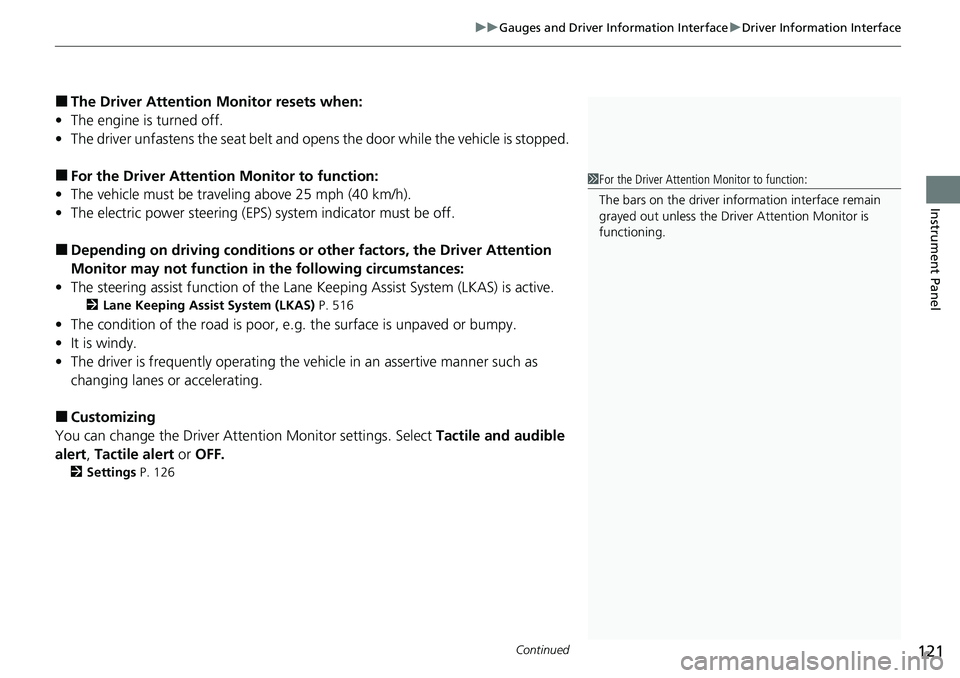
■The Driver Attention Monitor resets when:
• The engine is turned off.
• The driver unfastens the seat belt and ope ns the door while the vehicle is stopped.
■For the Driver Attention Monitor to function:
• The vehicle must be traveling above 25 mph (40 km/h).
• The electric power steering (EPS) system indicator must be off.
■Depending on driving conditions or other factors, the Driver Attention
Monitor may not function in the following circumstances:
• The steering assist function of the Lane K eeping Assist System (LKAS) is active.
2Lane Keeping Assist System (LKAS) P. 516
•The condition of the road is poor, e.g. the surface is unpaved or bumpy.
• It is windy.
• The driver is frequently op erating the vehicle in an assertive manner such as
changing lanes or accelerating.
■Customizing
You can change the Driver Atte ntion Monitor settings. Select Tactile and audible
alert , Tactile alert or OFF.
2Settings P. 126
1For the Driver Attention Monitor to function:
The bars on the driver information interface remain
grayed out unless the Driv er Attention Monitor is
functioning.
Page 131 of 700
130
uuGauges and Driver Information Interface uDriver Information Interface
Instrument Panel
*1:Default Setting Setup Group Customizable Features
Description Selectable Settings
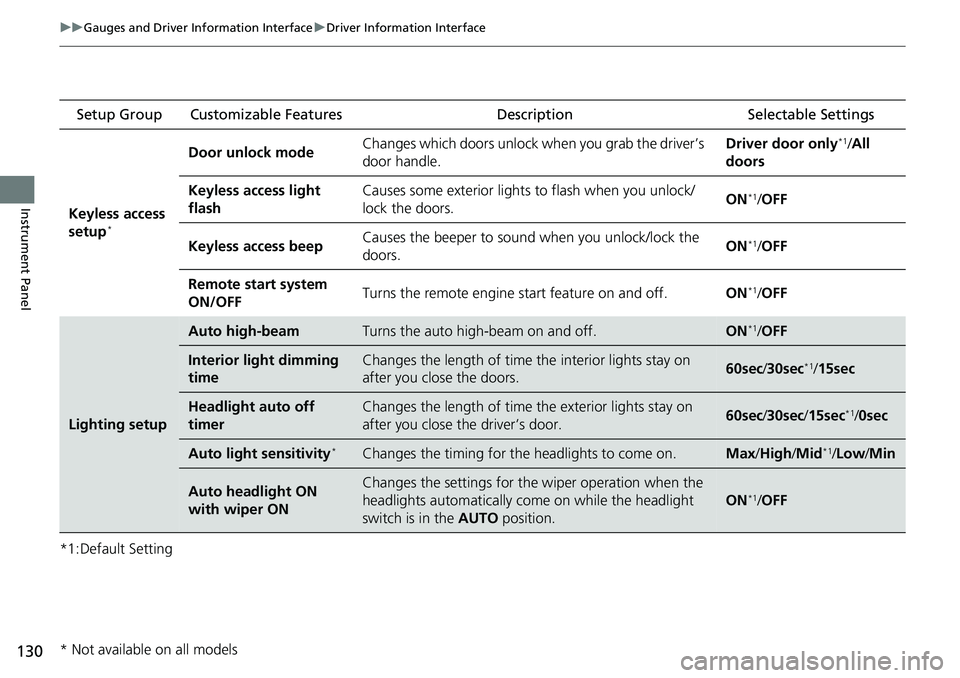
Keyless access
setup
*
Door unlock mode Changes which doors unlock when you grab the driver’s
door handle. Driver door only*1/
All
doors
Keyless access light
flash Causes some exterior lights to flash when you unlock/
lock the doors.
ON
*1/
OFF
Keyless access beep Causes the beeper to sound when you unlock/lock the
doors.
ON
*1/
OFF
Remote start system
ON/OFF Turns the remote engine start feature on and off.
ON
*1/OFF
Lighting setup
Auto high-beamTurns the auto high-beam on and off.ON*1/OFF
Interior light dimming
timeChanges the length of time the interior lights stay on
after you close the doors.60sec /30sec*1/15sec
Headlight auto off
timerChanges the length of time the exterior lights stay on
after you close the driver’s door.60sec /30sec /15sec*1/0sec
Auto light sensitivity*Changes the timing for the headlights to come on.Max/High/ Mid*1/Low /Min
Auto headlight ON
with wiper ONChanges the settings for th e wiper operation when the
headlights automatically come on while the headlight
switch is in the AUTO position.
ON*1/OFF
* Not available on all models
Page 139 of 700
138
uuGauges and Driver Information Interface uDriver Information Interface (Right Side Area)
Instrument Panel
Driver Information Inte rface (Right Side Area)
The driver information interface shows in formation such as the estimated travelable
distance and fuel economy of the vehicle. It also displays messages such as warnings
and other helpful information.
When a warning message displays, please check the message and contact a dealer
and have the vehicle inspected if necessary . Please refer to the pages below if the
Engine oil pressure low. or Engine temperature too hot. message is displayed.
2If the Low Oil Pressure Warning Appears P. 658
2 Overheating P. 656
Models with B-type meter
Page 147 of 700
uuGauges and Driver Information Interface uDriver Information Interface (Right Side Area)
146
Instrument Panel
■The Driver Attention Monitor resets when:
• The engine is turned off.
• The driver unfastens the seat belt and op ens the door while the vehicle is stopped.
■For the Driver Attention Monitor to function:
• The vehicle must be traveling above 25 mph (40 km/h).
• The electric power steering (EPS) system indicator must be off.
■Depending on driving conditions or other factors, the Driver Attention
Monitor may not function in the following circumstances:
• The steering assist function of the Lane Keeping Assist System (LKAS) is active.
2Lane Keeping Assist System (LKAS) P. 516
•The condition of the road is poor, e.g. the surface is unpaved or bumpy.
• It is windy.
• The driver is frequently op erating the vehicle in an assertive manner such as
changing lanes or accelerating.
■Customizing
You can change the Driver Attention Monitor settings. Select Tactile And Audible
Alert , Tactile Alert , or OFF.
2Customized Features P. 363
1For the Driver Attention Monitor to function:
The bars on the driver information interface remain
grayed out unless the Driv er Attention Monitor is
functioning.
Page 154 of 700
153
Controls
This chapter explains how to operate the various controls necessary for driving.
Clock.................................................. 154
Locking and Unlocking the Doors Key .................................................. 156
Low Remote Key Signal Strength...... 158
Locking/Unlocking the Doors from the Outside .......................................... 159
Locking/Unlocking the Doors from the
Inside ............................................. 166
Childproof Door Locks ..................... 168
Auto Door Locking/Unlocking .......... 169
Opening and Closing the Trunk ....... 170
Security System Immobilizer System .......................... 173
Security System Alarm ...................... 173 Windows
........................................... 176
Moonroof*........................................ 179
Operating the Switches Around the Steering Wheel ENGINE START/STOP Button............. 180
Turn Signals ..................................... 182
Light Switches.................................. 183
Fog Lights
*...................................... 186
Daytime Running Lights ................... 186
Auto High-Beam .............................. 187
Wipers and Washers ........................ 190
Rear Defogger/Heat ed Door Mirror
*
Button ........................................... 192 Brightness Control ........................... 193
Brightness Control ........................... 194
Adjusting the Steering Wheel .......... 195
Mirrors
Interior Rearview Mirror ................... 196
Power Door Mirrors ......................... 197
Seats .................................................. 198
Interior Convenience Items .............. 207
Climate Control System Using Automatic Climate Control .... 222
Automatic Climate Control Sensors......227
Models with A-type meter
Models with B-type meter
* Not available on all models
Page 157 of 700
156
Controls
Locking and Unlocking the Doors
Key
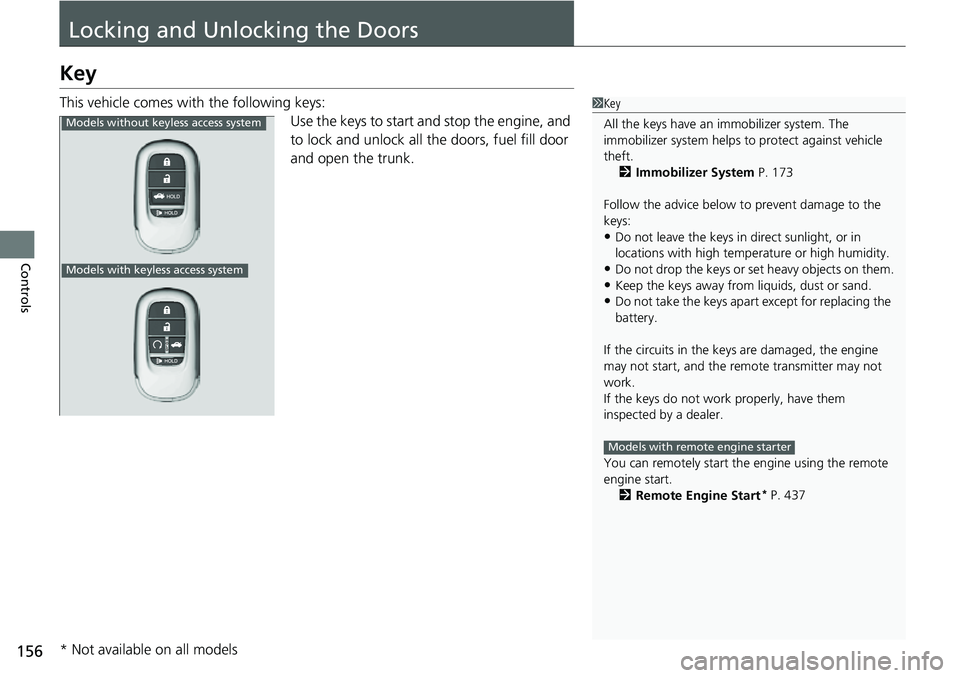
This vehicle comes with the following keys:Use the keys to start and stop the engine, and
to lock and unlock all the doors, fuel fill door
and open the trunk.1Key
All the keys have an immobilizer system. The
immobilizer system helps to protect against vehicle
theft. 2 Immobilizer System P. 173
Follow the advice below to prevent damage to the
keys:
•Do not leave the keys in direct sunlight, or in
locations with high temperature or high humidity.
•Do not drop the keys or set heavy objects on them.•Keep the keys away from liquids, dust or sand.
•Do not take the keys apart except for replacing the
battery.
If the circuits in the keys are damaged, the engine
may not start, and the remote transmitter may not
work.
If the keys do not work properly, have them
inspected by a dealer.
You can remotely start the engine using the remote
engine start.
2 Remote Engine Start
* P. 437
Models with remote engine starter
Models without ke yless access system
Models with keyless access system
* Not available on all models
Page 158 of 700
157
uuLocking and Unlocking the Doors uKey
Controls
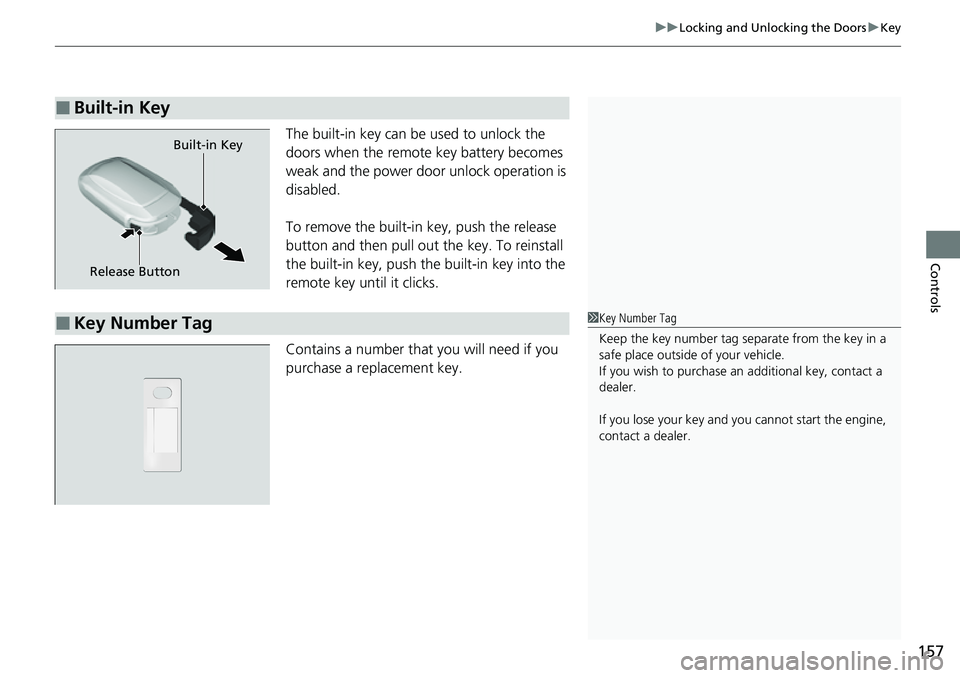
The built-in key can be used to unlock the
doors when the remote key battery becomes
weak and the power door unlock operation is
disabled.
To remove the built-in key, push the release
button and then pull out the key. To reinstall
the built-in key, push the built-in key into the
remote key until it clicks.
Contains a number that you will need if you
purchase a replacement key.
■Built-in Key
Built-in Key
Release Button
■Key Number Tag1 Key Number Tag
Keep the key number tag separate from the key in a
safe place outside of your vehicle.
If you wish to purchase an additional key, contact a
dealer.
If you lose your key and you cannot start the engine,
contact a dealer.
Page 159 of 700
158
uuLocking and Unlocking the Doors uLow Remote Key Signal Strength
Controls
Low Remote Key Signal Strength
The vehicle transmits radio waves to locate the remote key when locking/unlocking*
the doors and fuel fill door, opening* the trunk, or starting the engine.
In the following cases, locking/unlocking
* the doors, opening* the trunk, or starting
the engine may be inhibited or operation may be unstable:
• Strong radio waves are being tra nsmitted by nearby equipment.
• You are carrying the remote key together with telecommunic ations equipment,
laptop computers, cell phone s, or wireless devices.
• A metallic object is touching or covering the remote key.
1Low Remote Key Signal Strength
Communication between the remote key and the
vehicle consumes the remote key's battery.
Battery life is about two years, but this varies
depending on re gularity of use.
The battery is consumed whenever the remote key is
receiving strong radio waves. Avoid placing it near
electrical appliances such as televisions and personal
computers.
* Not available on all models