display HONDA CIVIC 2023 Owners Manual
[x] Cancel search | Manufacturer: HONDA, Model Year: 2023, Model line: CIVIC, Model: HONDA CIVIC 2023Pages: 840, PDF Size: 26.53 MB
Page 582 of 840
uuHonda Sensing ®u Adaptive Cruise Control (ACC) with Low Speed Follow*
580
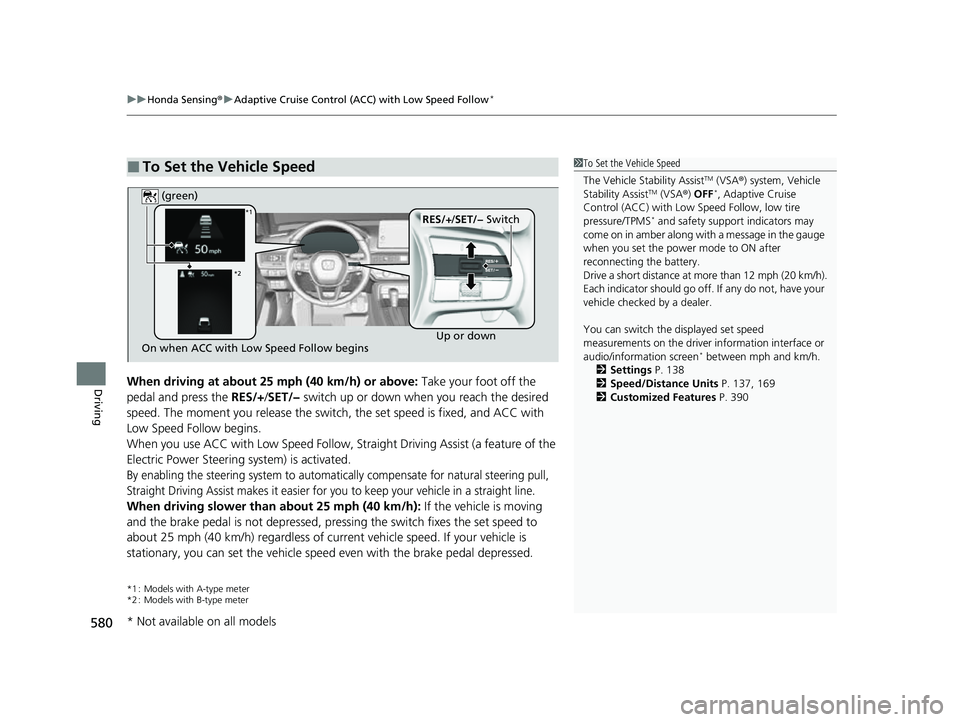
DrivingWhen driving at about 25 mph (40 km/h) or above: Take your foot off the
pedal and press the RES/+/SET/− switch up or down when you reach the desired
speed. The moment you release the switch, the set speed is fixed, and ACC with
Low Speed Follow begins.
When you use ACC with Low Speed Follow, Stra ight Driving Assist (a feature of the
Electric Power Steering system) is activated.
By enabling the steering system to automatically compensate for natural steering pull,
Straight Driving Assist makes it easier for you to keep your vehicle in a straight line.
When driving slower than about 25 mph (40 km/h): If the vehicle is moving
and the brake pedal is not depressed, pres sing the switch fixes the set speed to
about 25 mph (40 km/h) regardless of current vehicle speed. If your vehicle is
stationary, you can set the vehicle speed even with the brake pedal depressed.
*1 : Models with A-type meter
*2 : Models with B-type meter
■To Set the Vehicle Speed1 To Set the Vehicle Speed
The Vehicle Stability Assist
TM (VSA ®) system, Vehicle
Stability AssistTM (VSA ®) OFF*, Adaptive Cruise
Control (ACC) with Low Speed Follow, low tire
pressure/TPMS
* and safety suppor t indicators may
come on in amber along with a message in the gauge
when you set the power mode to ON after
reconnecting the battery.
Drive a short distance at more than 12 mph (20 km/h).
Each indicator should go off. If any do not, have your
vehicle checked by a dealer.
You can switch the displayed set speed
measurements on the driver information interface or
audio/information screen
* between mph and km/h.
2 Settings P. 138
2 Speed/Distance Units P. 137, 169
2 Customized Features P. 390On when ACC with Low Speed Follow begins Up or down
RES/+
/SET/− Switch
(green)*1
*2
* Not available on all models
23 CIVIC HATCHBACK TYPE R-31T406100_03.book 580 ページ 2022年6月23日 木曜日 午後9時28分
Page 596 of 840
uuHonda Sensing ®u Adaptive Cruise Control (ACC) with Low Speed Follow*
594
Driving
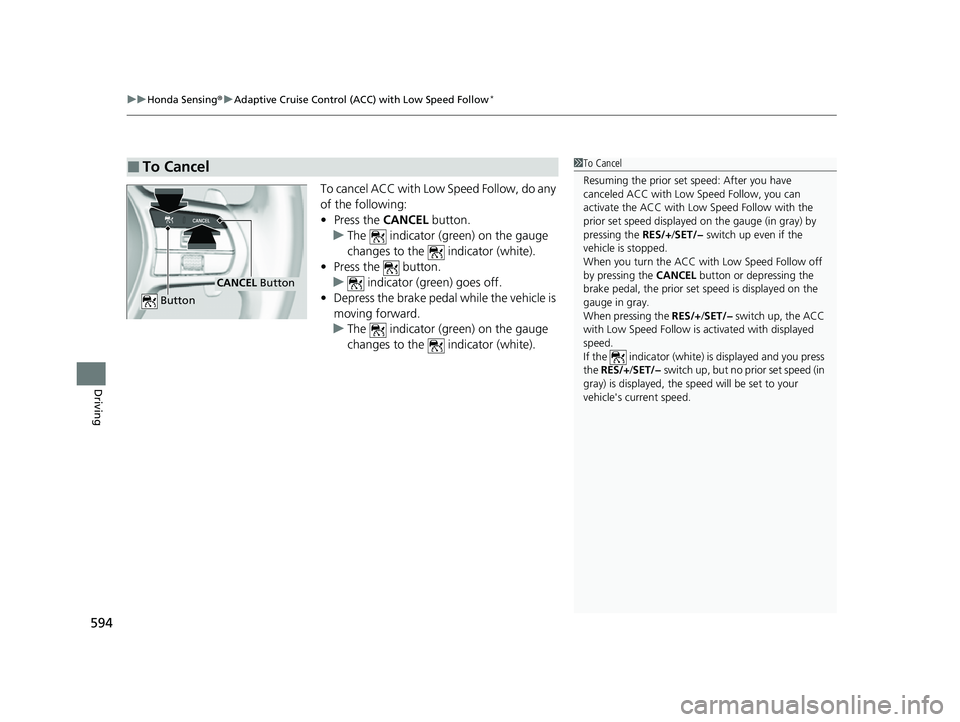
To cancel ACC with Low Speed Follow, do any
of the following:
• Press the CANCEL button.
u The indicator (green) on the gauge
changes to the indicator (white).
• Press the button.
u indicator (gr een) goes off.
• Depress the brake pedal while the vehicle is
moving forward.
u The indicator (green) on the gauge
changes to the indicator (white).
■To Cancel1To Cancel
Resuming the prior set speed: After you have
canceled ACC with Low Speed Follow, you can
activate the ACC with Low Speed Follow with the
prior set speed displayed on the gauge (in gray) by
pressing the RES/+/SET/− switch up even if the
vehicle is stopped.
When you turn the ACC with Low Speed Follow off
by pressing the CANCEL button or depressing the
brake pedal, the prior set speed is displayed on the
gauge in gray.
When pressing the RES/+/SET/− switch up, the ACC
with Low Speed Follow is activated with displayed
speed.
If the indicator (white) is displayed and you press
the RES/+ /SET/− switch up, but no prior set speed (in
gray) is displayed, the sp eed will be set to your
vehicle's current speed.
CANCEL Button
Button
23 CIVIC HATCHBACK TYPE R-31T406100_03.book 594 ページ 2022年6月23日 木曜日 午後9時28分
Page 598 of 840
uuHonda Sensing ®u Adaptive Cruise Control (ACC) with Low Speed Follow*
596
Driving
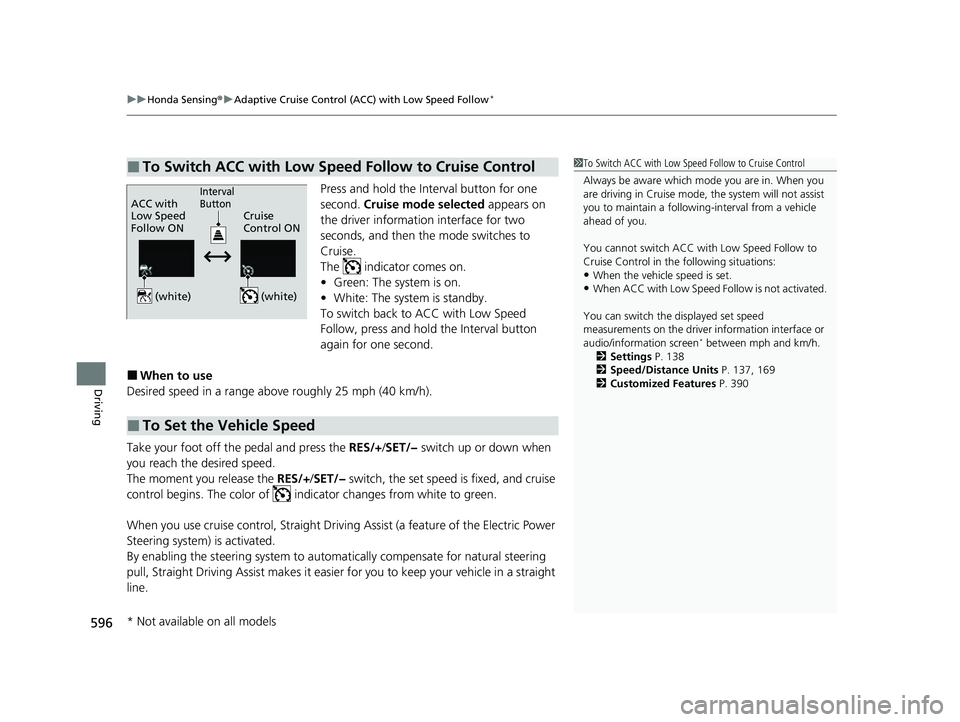
Press and hold the Interval button for one
second. Cruise mode selected appears on
the driver information interface for two
seconds, and then the mode switches to
Cruise.
The indicator comes on.
• Green: The system is on.
• White: The system is standby.
To switch back to ACC with Low Speed
Follow, press and hold the Interval button
again for one second.
■When to use
Desired speed in a range above roughly 25 mph (40 km/h).
Take your foot off the pedal and press the RES/+/SET/− switch up or down when
you reach the desired speed.
The moment you release the RES/+/SET/− switch, the set speed is fixed, and cruise
control begins. The color of indicator changes from white to green.
When you use cruise control, Straight Driv ing Assist (a feature of the Electric Power
Steering system) is activated.
By enabling the steering system to automa tically compensate for natural steering
pull, Straight Driving Assist makes it easier for you to keep your vehicle in a straight
line.
■To Switch ACC with Low Speed Follow to Cruise Control1 To Switch ACC with Low Speed Follow to Cruise Control
Always be aware which mode you are in. When you
are driving in Cruise mode, the system will not assist
you to maintain a following-interval from a vehicle
ahead of you.
You cannot switch ACC with Low Speed Follow to
Cruise Control in the following situations:
•When the vehicle speed is set.
•When ACC with Low Speed Follow is not activated.
You can switch the displayed set speed
measurements on the driver information interface or
audio/information screen
* between mph and km/h.
2 Settings P. 138
2 Speed/Distance Units P. 137, 169
2 Customized Features P. 390
ACC with
Low Speed
Follow ON Cruise
Control ONInterval
Button
(white) (white)
■To Set the Vehicle Speed
* Not available on all models
23 CIVIC HATCHBACK TYPE R-31T406100_03.book 596 ページ 2022年6月23日 木曜日 午後9時28分
Page 599 of 840
597
uuHonda Sensing ®u Adaptive Cruise Control (ACC) with Low Speed Follow*
Driving
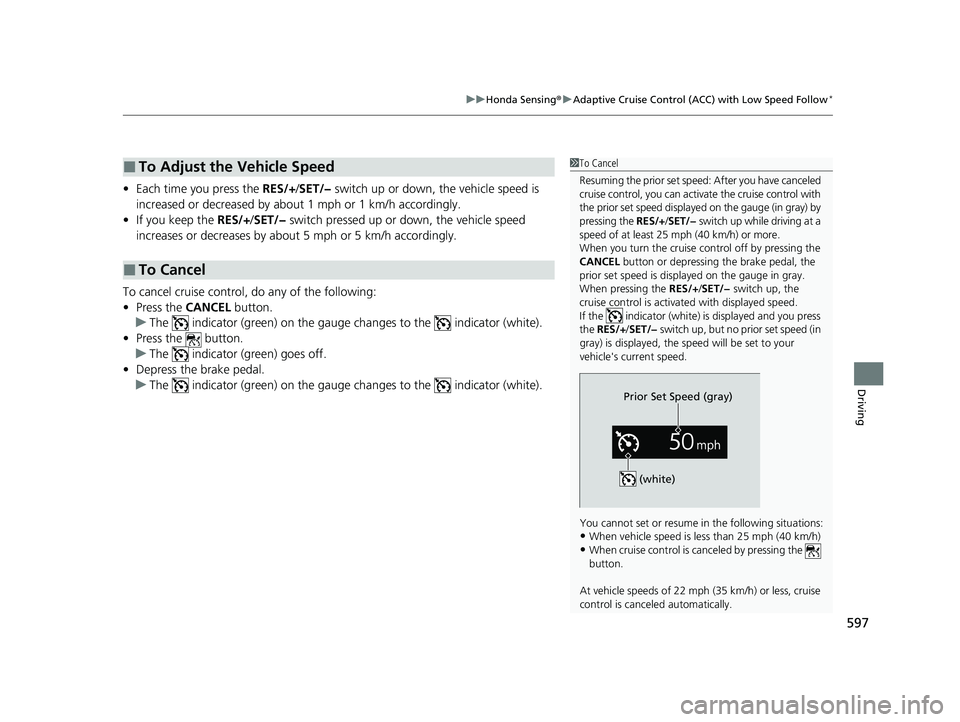
• Each time you press the RES/+/SET/− switch up or down, the vehicle speed is
increased or decreased by about 1 mph or 1 km/h accordingly.
• If you keep the RES/+/SET/− switch pressed up or down, the vehicle speed
increases or decreases by about 5 mph or 5 km/h accordingly.
To cancel cruise control, do any of the following:
• Press the CANCEL button.
u The indicator (green) on the gauge changes to the indicator (white).
• Press the button.
u The indicator (green) goes off.
• Depress the brake pedal.
u The indicator (green) on the gauge changes to the indicator (white).
■To Adjust the Vehicle Speed
■To Cancel
1To Cancel
Resuming the prior set speed: After you have canceled
cruise control, you can activa te the cruise control with
the prior set speed displayed on the gauge (in gray) by
pressing the RES/+/SET/− switch up while driving at a
speed of at least 25 mph (40 km/h) or more.
When you turn the cruise control off by pressing the
CANCEL button or depressing the brake pedal, the
prior set speed is displayed on the gauge in gray.
When pressing the RES/+/SET/− switch up, the
cruise control is activated with displayed speed.
If the indicator (white) is displayed and you press
the RES/+ /SET/− switch up, but no prior set speed (in
gray) is displayed, the sp eed will be set to your
vehicle's current speed.
You cannot set or resume in the following situations:
•When vehicle speed is less than 25 mph (40 km/h)
•When cruise control is canceled by pressing the
button.
At vehicle speeds of 22 m ph (35 km/h) or less, cruise
control is canceled automatically.
Prior Set Speed (gray)
(white)
23 CIVIC HATCHBACK TYPE R-31T406100_03.book 597 ページ 2022年6月23日 木曜日 午後9時28分
Page 602 of 840
uuHonda Sensing ®u Adaptive Cruise Control (ACC)*
600
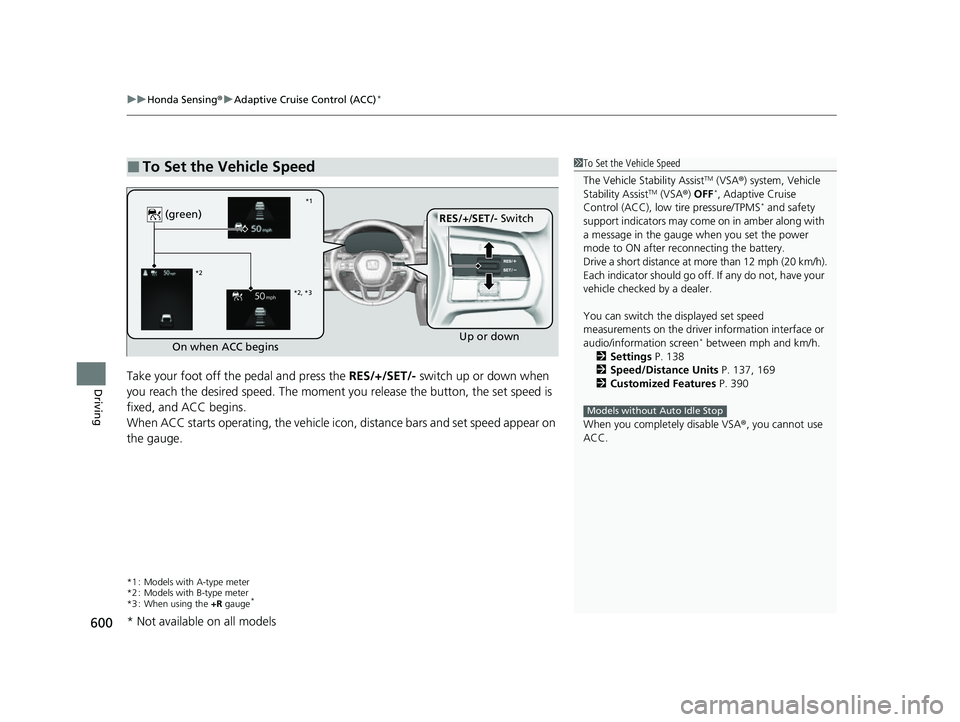
DrivingTake your foot off the pedal and press the RES/+/SET/- switch up or down when
you reach the desired speed. The moment y ou release the button, the set speed is
fixed, and ACC begins.
When ACC starts operating, the vehicle ic on, distance bars and set speed appear on
the gauge.
*1 : Models with A-type meter
*2 : Models with B-type meter
*3 : When using the +R gauge
*
■To Set the Vehicle Speed1To Set the Vehicle Speed
The Vehicle Stability Assist
TM (VSA ®) system, Vehicle
Stability AssistTM (VSA ®) OFF*, Adaptive Cruise
Control (ACC), low tire pressure/TPMS* and safety
support indicators may come on in amber along with
a message in the gauge when you set the power
mode to ON after re connecting the battery.
Drive a short distance at more than 12 mph (20 km/h).
Each indicator should go off. If any do not, have your
vehicle checked by a dealer.
You can switch the displayed set speed
measurements on the driver information interface or
audio/information screen
* between mph and km/h.
2 Settings P. 138
2 Speed/Distance Units P. 137, 169
2 Customized Features P. 390
When you completely disable VSA® , you cannot use
ACC.
Models without Auto Idle Stop
On when ACC begins Up or down
RES/+
/SET/- Switch
(green)
*1
*2
*2, *3
* Not available on all models
23 CIVIC HATCHBACK TYPE R-31T406100_03.book 600 ページ 2022年6月23日 木曜日 午後9時28分
Page 615 of 840
Continued613
uuHonda Sensing ®u Adaptive Cruise Control (ACC)*
Driving
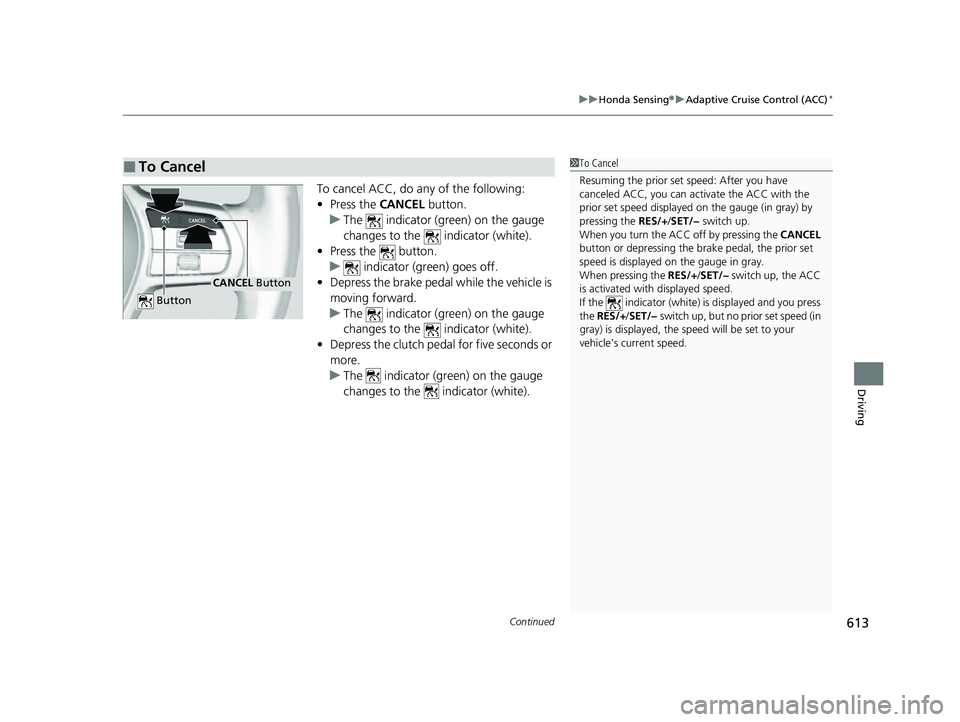
To cancel ACC, do any of the following:
• Press the CANCEL button.
u The indicator (green) on the gauge
changes to the indicator (white).
• Press the button.
u indicator (green) goes off.
• Depress the brake pedal while the vehicle is
moving forward.
u The indicator (green) on the gauge
changes to the indicator (white).
• Depress the clutch pedal for five seconds or
more.
u The indicator (green) on the gauge
changes to the indicator (white).
■To Cancel1To Cancel
Resuming the prior set speed: After you have
canceled ACC, you can activate the ACC with the
prior set speed displayed on the gauge (in gray) by
pressing the RES/+/SET/− switch up.
When you turn the ACC off by pressing the CANCEL
button or depressing the br ake pedal, the prior set
speed is displayed on the gauge in gray.
When pressing the RES/+/SET/− switch up, the ACC
is activated with displayed speed.
If the indicator (white) is displayed and you press
the RES/+ /SET/− switch up, but no prior set speed (in
gray) is displayed, the sp eed will be set to your
vehicle's current speed.
CANCEL Button
Button
23 CIVIC HATCHBACK TYPE R-31T406100_03.book 613 ページ 2022年6月23日 木曜日 午後9時28分
Page 618 of 840
uuHonda Sensing ®u Adaptive Cruise Control (ACC)*
616
Driving
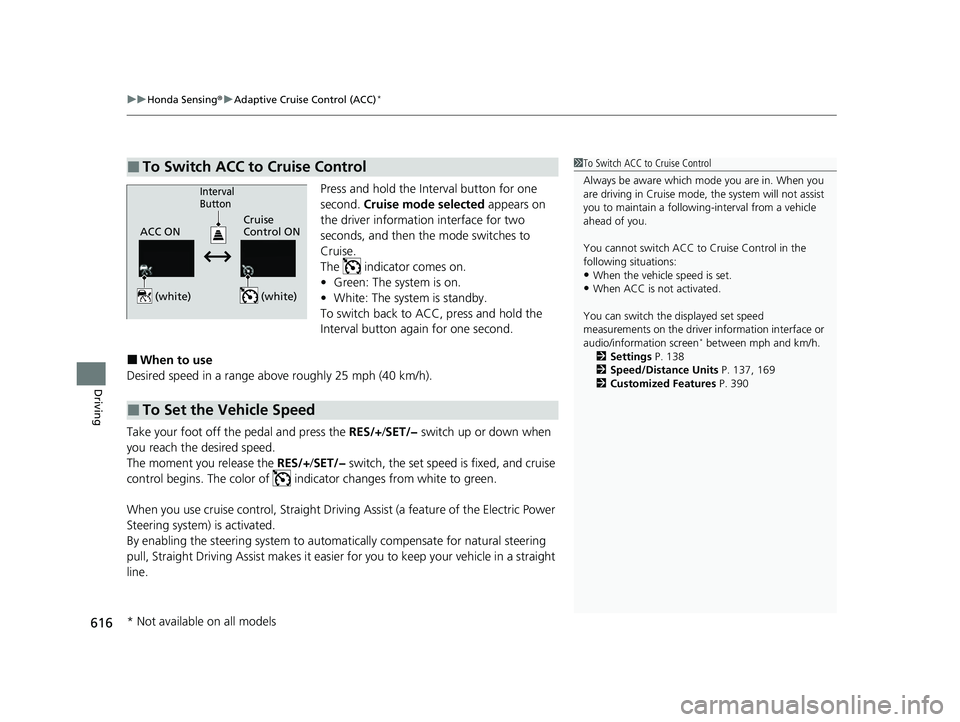
Press and hold the Interval button for one
second. Cruise mode selected appears on
the driver information interface for two
seconds, and then the mode switches to
Cruise.
The indicator comes on.
• Green: The system is on.
• White: The system is standby.
To switch back to ACC, press and hold the
Interval button again for one second.
■When to use
Desired speed in a range above roughly 25 mph (40 km/h).
Take your foot off the pedal and press the RES/+/SET/− switch up or down when
you reach the desired speed.
The moment you release the RES/+/SET/− switch, the set speed is fixed, and cruise
control begins. The color of indicator changes from white to green.
When you use cruise control, Straight Driv ing Assist (a feature of the Electric Power
Steering system) is activated.
By enabling the steering system to automa tically compensate for natural steering
pull, Straight Driving Assist makes it easier for you to keep your vehicle in a straight
line.
■To Switch ACC to Cruise Control1 To Switch ACC to Cruise Control
Always be aware which mode you are in. When you
are driving in Cruise mode, the system will not assist
you to maintain a following-interval from a vehicle
ahead of you.
You cannot switch ACC to Cruise Control in the
following situations:
•When the vehicle speed is set.
•When ACC is not activated.
You can switch the displayed set speed
measurements on the driver information interface or
audio/information screen
* between mph and km/h.
2 Settings P. 138
2 Speed/Distance Units P. 137, 169
2 Customized Features P. 390
ACC ONCruise
Control ON
Interval
Button
(white) (white)
■To Set the Vehicle Speed
* Not available on all models
23 CIVIC HATCHBACK TYPE R-31T406100_03.book 616 ページ 2022年6月23日 木曜日 午後9時28分
Page 619 of 840
617
uuHonda Sensing ®u Adaptive Cruise Control (ACC)*
Driving
• Each time you press the RES/+/SET/− switch up or down, the vehicle speed is
increased or decreased by about 1 mph or 1 km/h accordingly.
• If you keep the RES/+/SET/− switch pressed up or down, the vehicle speed
increases or decreases by about 5 mph or 5 km/h accordingly.
To cancel cruise control, do any of the following:
• Press the CANCEL button.
u The indicator (green) on the gauge changes to the indicator (white).
• Press the button.
u The indicator (green) goes off.
• Depress the brake pedal.
u The indicator (green) on the gauge changes to the indicator (white).
• Depress the clutch pedal for five seconds or more.
u The indicator (green) on the gauge changes to the indicator (white).
■To Adjust the Vehicle Speed
■To Cancel
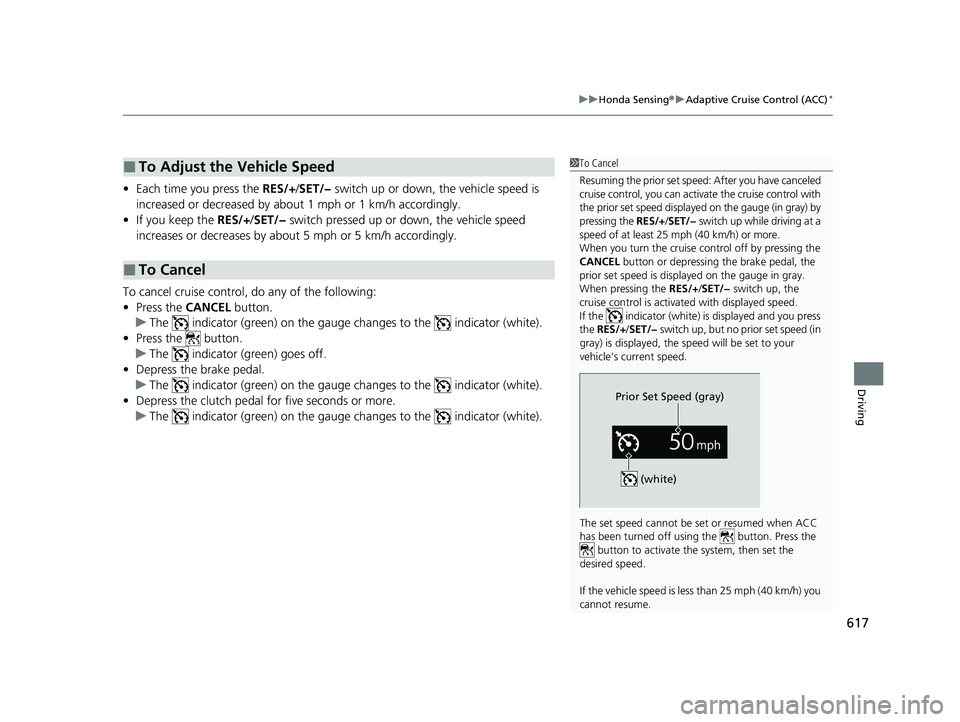
1To Cancel
Resuming the prior set speed: After you have canceled
cruise control, you can activa te the cruise control with
the prior set speed displayed on the gauge (in gray) by
pressing the RES/+/SET/− switch up while driving at a
speed of at least 25 mph (40 km/h) or more.
When you turn the cruise control off by pressing the
CANCEL button or depressing the brake pedal, the
prior set speed is displayed on the gauge in gray.
When pressing the RES/+/SET/− switch up, the
cruise control is activated with displayed speed.
If the indicator (white) is displayed and you press
the RES/+ /SET/− switch up, but no prior set speed (in
gray) is displayed, the sp eed will be set to your
vehicle's current speed.
The set speed cannot be set or resumed when ACC
has been turned off usi ng the button. Press the
button to activate the system, then set the
desired speed.
If the vehicle speed is less than 25 mph (40 km/h) you
cannot resume.
Prior Set Speed (gray)
(white)
23 CIVIC HATCHBACK TYPE R-31T406100_03.book 617 ページ 2022年6月23日 木曜日 午後9時28分
Page 620 of 840
618
uuHonda Sensing ®u Lane Keeping Assist System (LKAS)
Driving
Lane Keeping Assist System (LKAS)
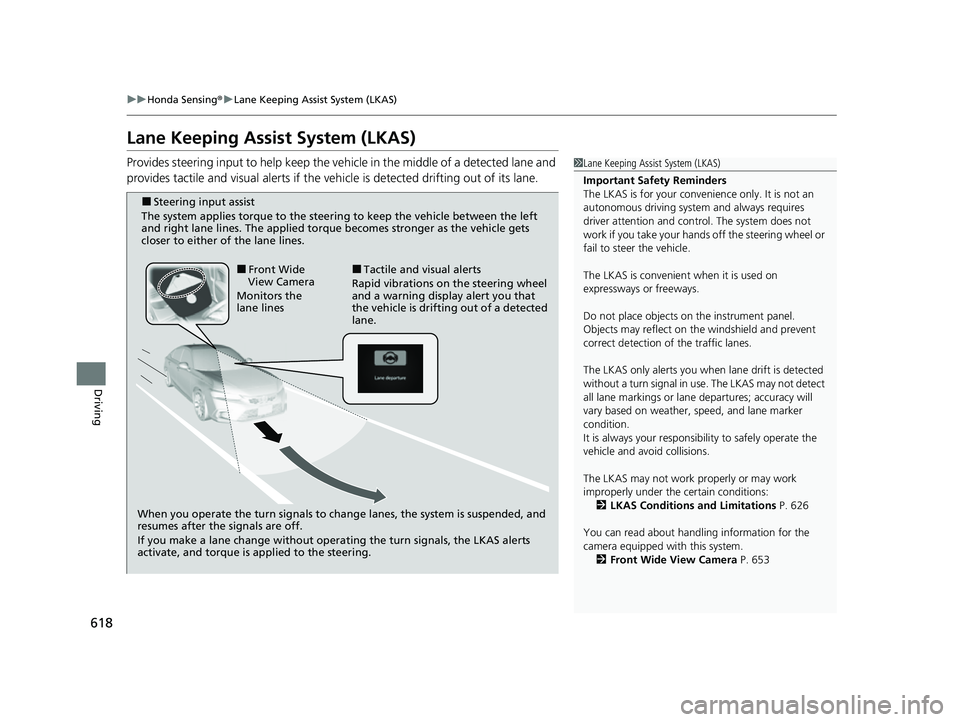
Provides steering input to help keep the vehicle in the middle of a detected lane and
provides tactile and visual alerts if the ve hicle is detected drifting out of its lane.1Lane Keeping Assist System (LKAS)
Important Safety Reminders
The LKAS is for your convenience only. It is not an
autonomous driving system and always requires
driver attention and control. The system does not
work if you take your hands off the steering wheel or
fail to steer the vehicle.
The LKAS is convenient when it is used on
expressways or freeways.
Do not place objects on the instrument panel.
Objects may reflect on th e windshield and prevent
correct detection of the traffic lanes.
The LKAS only alerts you when lane drift is detected
without a turn signal in use. The LKAS may not detect
all lane markings or lane departures; accuracy will
vary based on weather, speed, and lane marker
condition.
It is always your responsibility to safely operate the
vehicle and avoid collisions.
The LKAS may not work properly or may work
improperly under the certain conditions:
2 LKAS Conditions and Limitations P. 626
You can read about handling information for the
camera equipped with this system. 2 Front Wide View Camera P. 653
When you operate the turn signals to chan ge lanes, the system is suspended, and
resumes after the signals are off.
If you make a lane change without operating the turn signals, the LKAS alerts
activate, and torque is applied to the steering.
■Front Wide
View Camera
Monitors the
lane lines■Tactile and visual alerts
Rapid vibrations on the steering wheel
and a warning display alert you that
the vehicle is drifting out of a detected
lane.
■Steering input assist
The system applies torque to the steering to keep the vehicle between the left
and right lane lines. The applied torque becomes stronger as the vehicle gets
closer to either of the lane lines.
23 CIVIC HATCHBACK TYPE R-31T406100_03.book 618 ページ 2022年6月23日 木曜日 午後9時28分
Page 622 of 840
620
uuHonda Sensing ®u Lane Keeping Assist System (LKAS)
Driving
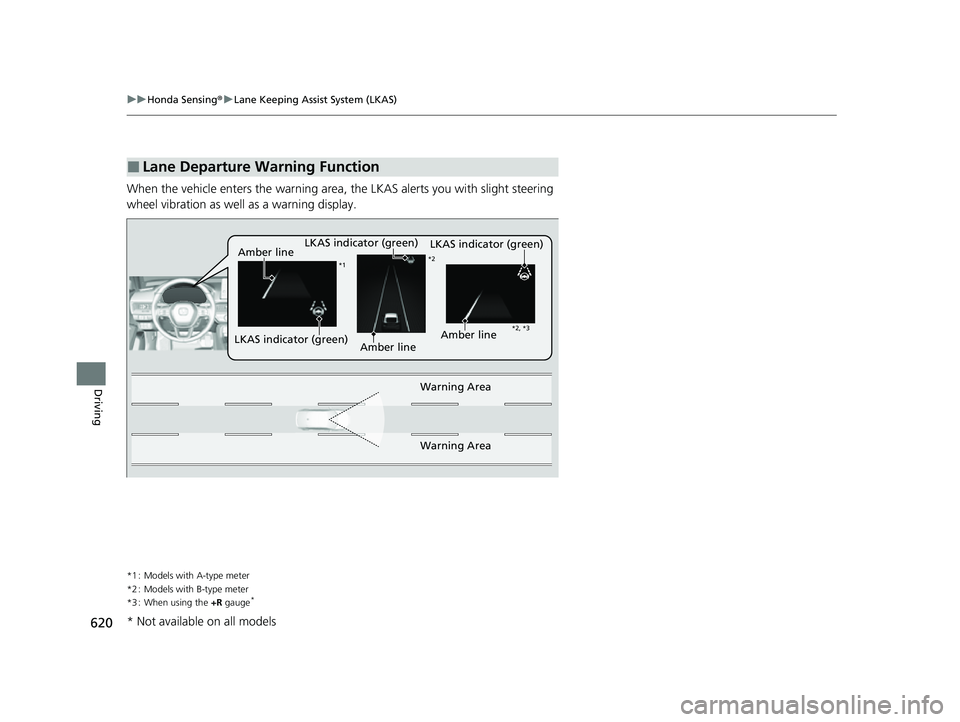
When the vehicle enters the warning area, the LKAS alerts you with slight steering
wheel vibration as well as a warning display.
*1 : Models with A-type meter
*2 : Models with B-type meter
*3 : When using the +R gauge
*
■Lane Departure Warning Function
LKAS indicator (green)
Amber line
Warning Area
Warning Area
*1 *2
*2, *3
Amber lineLKAS indicator (green)
LKAS indicator (green)Amber line
* Not available on all models
23 CIVIC HATCHBACK TYPE R-31T406100_03.book 620 ページ 2022年6月23日 木曜日 午後9時28分