air condition HONDA CIVIC 2023 User Guide
[x] Cancel search | Manufacturer: HONDA, Model Year: 2023, Model line: CIVIC, Model: HONDA CIVIC 2023Pages: 840, PDF Size: 26.53 MB
Page 253 of 840
Continued251
uuClimate Control System uUsing Automatic Climate Control
Controls
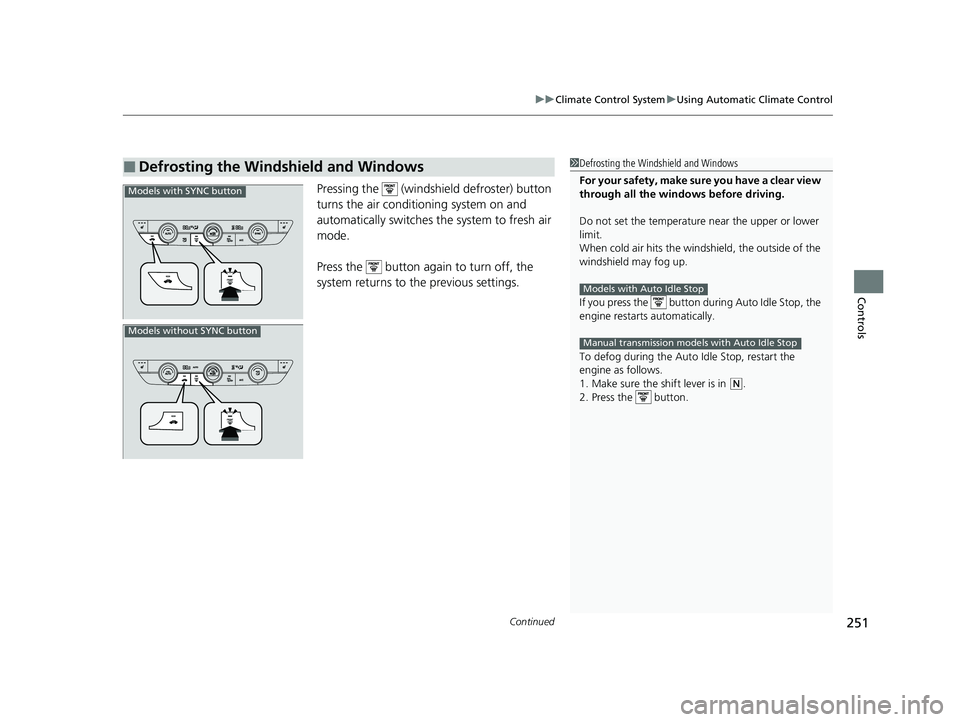
Pressing the (windshield defroster) button
turns the air conditioning system on and
automatically switches th e system to fresh air
mode.
Press the button again to turn off, the
system returns to the previous settings.
■Defrosting the Windshield and Windows1 Defrosting the Windshield and Windows
For your safety, make sure you have a clear view
through all the windows before driving.
Do not set the temperatur e near the upper or lower
limit.
When cold air hits the windshield, the outside of the
windshield may fog up.
If you press the button during Auto Idle Stop, the
engine restarts automatically.
To defog during the Auto Idle Stop, restart the
engine as follows.
1. Make sure the shift lever is in
( N.
2. Press the button.
Models with Auto Idle Stop
Manual transmission models with Auto Idle Stop
Models with SYNC button
Models without SYNC button
23 CIVIC HATCHBACK TYPE R-31T406100_03.book 251 ページ 2022年6月23日 木曜日 午後9時28分
Page 367 of 840
365
uuGeneral Information on the Audio System uHonda App License Agreement
Continued
Features
(b) Restrictions on Use. The licenses granted under this AGREEMENT do not perm it you to use the SOFTWARE or SERVICES on a device
other than your VEHICLE. As a condition of using the SOFT WARE and SERVICES, you agree that you may not and will not:
6. Intellectual Property Rights. All title and intellectual property rights in and to the SOFTWARE and SERVICES, the accompanying
DOCUMENTATION, and all copies of the SOFTWARE or SERVICES are owned by HONDA, PROVIDERS, or their suppliers or licensors. This
AGREEMENT does not grant you any rights in connection with any trademarks or serv ice marks of HONDA, PROVIDERS, or their licensors,
affiliates, or suppliers. (1) copy, download, distribute, mo
dify, publish, sell, rent, lease, lend, license, sublicense, reuse, or create derivative work s of the
SOFTWARE or SERVICES or any of the content or other material within the SOFTWARE or SERVICES, including without limitation,
HONDA or PROVIDER names, logos, or any other trademarks of HONDA or PROVIDERS or used in association with the SOFTWARE or
any SERVICES, except as required to use the SOFTWARE or SERVICES in accordance with this AGREEMENT, any applicable PROVIDER
TERMS, and the DOCUMENTATION;
(2) access or use the SOFTWARE or SERVICES in any manner intended to damage or impair the operation of the SOFTWARE or SERVICES
or interfere with anyone else's use an d enjoyment of the SOFTWARE or SERVICES;
(3) access or attempt to access any system or server on which the SOFTWARE or SERVICES is hosted or modify or alter the SOFTWARE
or SERVICES in any way;
(4) use the SOFTWARE or SERVICES for any unlawful purpose, or in violation of any third party rights;
(5) use the SOFTWARE or SERVICES in violation of any applicable traffic regulations, rules or laws, including but not limited t o any driver
distraction laws, rules or regulations;
(6) violate the terms of this AGREEMENT, any HONDA TERMS, any PROVIDER TERMS or other applicable third-party terms, conditions,
and privacy policies; or
(7) reverse engineer, decomp ile, disassemble, attempt to derive the source code of, nor permit others to reverse engineer, deco mpile,
or disassemble, or attempt to derive the source code of the SOFT WARE or SERVICES, except and only to the extent that such activity is
expressly permitted (a) by applicable law no twithstanding this limitation or (b) the terms of applicable free or opensource sof tware
licenses.
23 CIVIC HATCHBACK TYPE R-31T406100_03.book 365 ページ 2022年6月23日 木曜日 午後9時28分
Page 378 of 840
376
uuGeneral Information on the Audio System uLegal Information on Apple CarPlay/Android Auto
Features
YOU EXPRESSLY ACKNOWLEDGE AND AGREE THAT USE OF APPLE CARPLAY OR ANDROID AUTO (“THE APPLICATIONS”) IS AT YOUR
SOLE RISK AND THAT THE ENTIRE RISK AS TO SATISFACTORY QUALITY, PERFORMANCE, ACCURACY AND EFFORT IS WITH YOU TO THE
MAXIMUM EXTENT PERMITTED BY APPLICABLE LAW, AND THAT TH E APPLICATIONS AND INFORMATION ON THE APPLICATIONS IS
PROVIDED “AS IS” AND “AS AVAILABLE,” WITH ALL FAULTS AND WITHOUT WARRANTY OF ANY KIND, AND HONDA HEREBY
DISCLAIMS ALL WARRANTIES AND CONDITIONS WITH RESPECT TO TH E APPLICATIONS AND INFORMATION ON THE APPLICATIONS,
EITHER EXPRESS, IMPLIED OR STATUTORY, INCLUDING, BUT NOT LIMITED TO, TH E IMPLIED WARRANTIES AND/OR CONDITIONS OF
MERCHANTABILITY, SATISFACTORY QUALITY, FITNESS FOR A PART ICULAR PURPOSE, ACCURACY, QUIET ENJOYMENT, AND NON-
INFRINGEMENT OF THIRD PARTY RIGHTS. NO ORAL OR WRI TTEN INFORMATION OR ADVICE GIVEN BY HONDA OR AN AUTHORIZED
REPRESENTATIVE SHALL CREATE A WARRANT Y. AS EXAMPLES, AND WITHOUT LIMITATION, HONDA DISCLAIMS ANY WARRANTY
REGARDING THE ACCURACY OF DATA PROVIDED BY THE APPL ICATIONS, SUCH AS THE ACCURACY OF DIRECTIONS, ESTIMATED
TRAVEL TIME, SPEED LIMITS, ROAD CONDITIONS, NEWS, WEATHER, TRAFFIC, OR OTHER CONTENT PROVIDED BY APPLE, GOOGLE, THEIR
AFFILIATES, OR THIRD PARTY PROVIDERS; HONDA DOES NOT GUARANTEE AGAINST LOSS OF APPLICATION DATA, WHICH MAY BE LOST
AT ANY TIME; HONDA DOES NOT GUARANTEE THAT THE APPLICATION S OR ANY SERVICES PROVIDED THROUGH THEM WILL BE
PROVIDED AT ALL TIMES OR THAT ANY OR ALL SERVICES WILL BE AVAILABLE AT ANY PA RTICULAR TIME OR LOCATION. FOR EXAMPLE,
SERVICES MAY BE SUSPENDED OR INTERRUPTED WITHOUT NOTICE FOR REPAIR, MAINTENANCE, SECURITY FIXES, UPDATES, ETC.,
SERVICES MAY BE UNAVAILABLE IN YOUR AREA OR LOCATION, ETC. IN ADDITION, YOU UNDERSTAND THAT CHANGES IN THIRD PARTY
TECHNOLOGY OR GOVERNMENT REGULATION MAY RENDER THE SERVICES AND/OR APPLICATIONS OBSOLETE AND/OR UNUSABLE.
TO THE EXTENT NOT PROHIBITED BY LAW, IN NO EVENT SHALL HONDA OR ITS AFFILIATES BE LIABLE FOR PERSONAL INJURY, OR ANY
INCIDENTAL, SPECIAL, INDIRECT OR CONSEQUENTIAL DAMAG ES WHATSOEVER, INCLUDING, WITHOUT LIMITATION, DAMAGES FOR
LOSS OF PROFITS, CORRUPTION OR LOSS OF DATA, FAILURE TO TRANSMIT OR RECEIV E ANY DATA, BUSINESS INTERRUPTION OR ANY
OTHER COMMERCIAL DAMAGES OR LOSSES, ARISING OUT OF OR RELATE D TO THE APPLICATIONS OR YOUR USE OF OR INABILITY TO
USE THE APPLICATIONS OR INFORMATION ON THE APPLICATIONS, HOWEVER CAUSED, REGARDLESS OF THE THEORY OF LIABILITY
(CONTRACT, TORT OR OTHERWISE) AND EVEN IF HONDA WERE AD VISED OF THE POSSIBILITY OF SUCH DAMAGES. SOME STATES AND
JURISDICTIONS DISALLOW THE EXCLUSION OR LIMITATION OF LI ABILITY FOR DAMAGES, SO THESE LIMITATIONS AND EXCLUSIONS MAY
NOT APPLY TO YOU. IN NO EVENT SHALL HONDA'S TOTAL LIABILIT Y TO YOU FOR ALL DAMAGES (OTHER THAN AS MAY BE REQUIRED
BY APPLICABLE LAW IN CASES INVOLVING PERSONAL INJURY) EXC EED THE AMOUNT OF FIVE DOLLARS ($5.00). THE FOREGOING
LIMITATIONS WILL APPLY EVEN IF THE ABOVE STA TED REMEDY FAILS OF ITS ESSENTIAL PURPOSE.
■DISCLAIMER OF WARRANTIES; LIMITATION ON LIABILITY
23 CIVIC HATCHBACK TYPE R-31T406100_03.book 376 ページ 2022年6月23日 木曜日 午後9時28分
Page 483 of 840
481
uuBluetooth® HandsFreeLink ®u HondaLink ® Assist
Continued
Features
HondaLink ® Assist
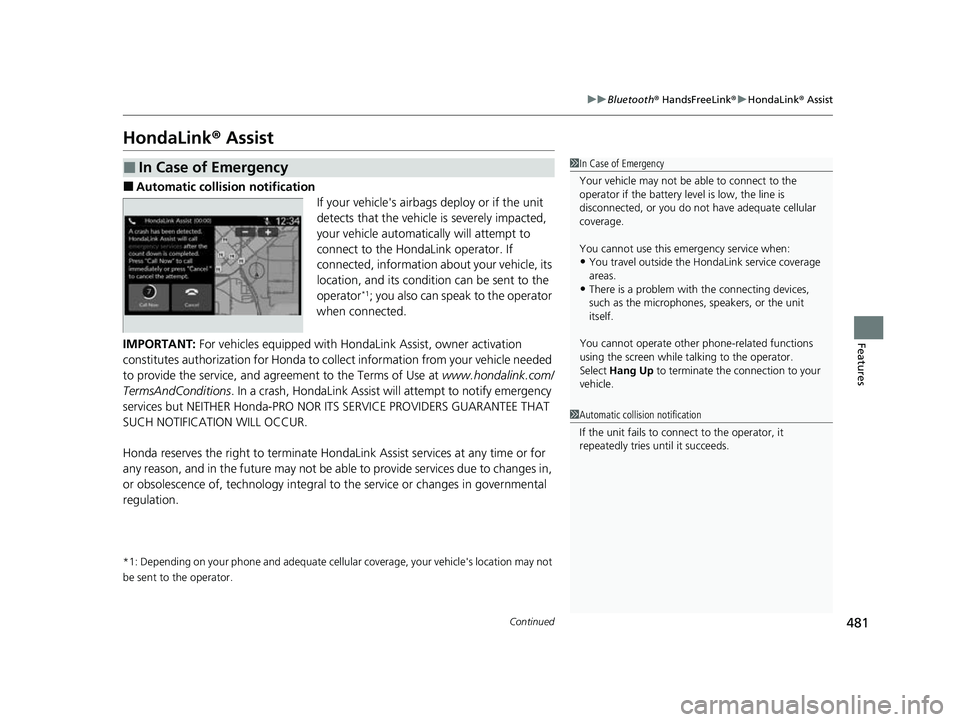
■Automatic collis ion notification
If your vehicle's airbags deploy or if the unit
detects that the vehicle is severely impacted,
your vehicle automatically will attempt to
connect to the HondaLink operator. If
connected, information ab out your vehicle, its
location, and its condition can be sent to the
operator
*1; you also can speak to the operator
when connected.
IMPORTANT: For vehicles equipped with Ho ndaLink Assist, owner activation
constitutes authorization for Honda to collect information from your vehicle needed
to provide the service, and agreement to the Terms of Use at www.hondalink.com/
TermsAndConditions . In a crash, HondaLink Assist will attempt to notify emergency
services but NEITHER Honda-PRO NOR ITS SERVICE PROVIDERS GUARANTEE THAT
SUCH NOTIFICATION WILL OCCUR.
Honda reserves the right to terminate HondaLink Assist services at any time or for
any reason, and in the future may not be ab le to provide services due to changes in,
or obsolescence of, technology integral to the service or changes in governmental
regulation.
*1: Depending on your phone and adequate cellular coverage, your vehicle's location may not
be sent to the operator.
■In Case of Emergency1 In Case of Emergency
Your vehicle may not be able to connect to the
operator if the battery level is low, the line is
disconnected, or you do not have adequate cellular
coverage.
You cannot use this emergency service when:
•You travel outside the H ondaLink service coverage
areas.
•There is a problem with the connecting devices,
such as the microphones, speakers, or the unit
itself.
You cannot operate othe r phone-related functions
using the screen while talking to the operator.
Select Hang Up to terminate the connection to your
vehicle.
1 Automatic collision notification
If the unit fails to connect to the operator, it
repeatedly tries until it succeeds.
23 CIVIC HATCHBACK TYPE R-31T406100_03.book 481 ページ 2022年6月23日 木曜日 午後9時28分
Page 488 of 840
486
Driving
Before Driving
Driving Preparation
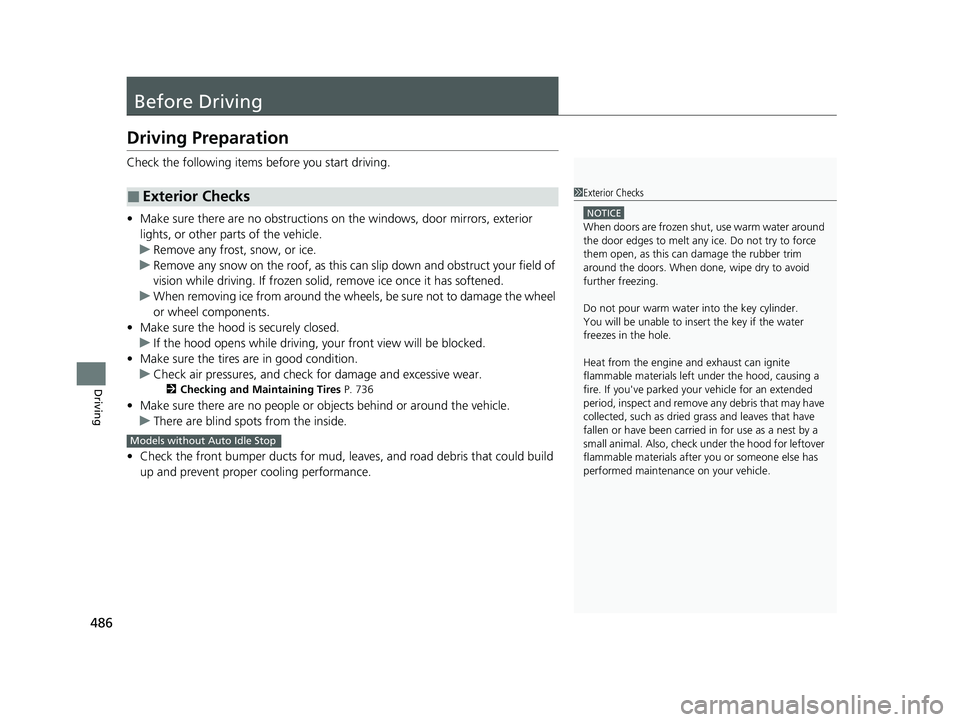
Check the following items before you start driving.
• Make sure there are no obstructions on th e windows, door mirrors, exterior
lights, or other parts of the vehicle.
u Remove any frost, snow, or ice.
u Remove any snow on the roof, as this can slip down and obstruct your field of
vision while driving. If frozen solid , remove ice once it has softened.
u When removing ice from around the wheel s, be sure not to damage the wheel
or wheel components.
• Make sure the hood is securely closed.
u If the hood opens while driving, your front view will be blocked.
• Make sure the tires are in good condition.
u Check air pressures, and check for damage and excessive wear.
2Checking and Maintaining Tires P. 736
•Make sure there are no people or ob jects behind or around the vehicle.
u There are blind spots from the inside.
• Check the front bumper ducts for mud, le aves, and road debris that could build
up and prevent proper cooling performance.
■Exterior Checks1 Exterior Checks
NOTICE
When doors are frozen s hut, use warm water around
the door edges to melt any ice. Do not try to force
them open, as this can damage the rubber trim
around the doors. When done, wipe dry to avoid
further freezing.
Do not pour warm water into the key cylinder.
You will be unable to insert the key if the water
freezes in the hole.
Heat from the engine and exhaust can ignite
flammable material s left under the hood, causing a
fire. If you've parked y our vehicle for an extended
period, inspect and remove any debris that may have
collected, such as dried grass and leaves that have
fallen or have been carried in for use as a nest by a
small animal. Also, check under the hood for leftover
flammable materials after you or someone else has
performed maintenance on your vehicle.
Models without Auto Idle Stop
23 CIVIC HATCHBACK TYPE R-31T406100_03.book 486 ページ 2022年6月23日 木曜日 午後9時28分
Page 537 of 840
535
uuWhen Driving uVehicle Stability AssistTM (VSA ®), aka Electronic Stability Control (ESC), System
Continued
Driving
Vehicle Stability AssistTM (VSA ®), aka Electronic
Stability Control (ESC), System
VSA ® helps stabilize the vehicle during cornering if the vehicle turns more or less
than what was intended. It also assists in maintaining traction on slippery surfaces.
It does so by regulating engine outp ut and selectively applying the brakes.
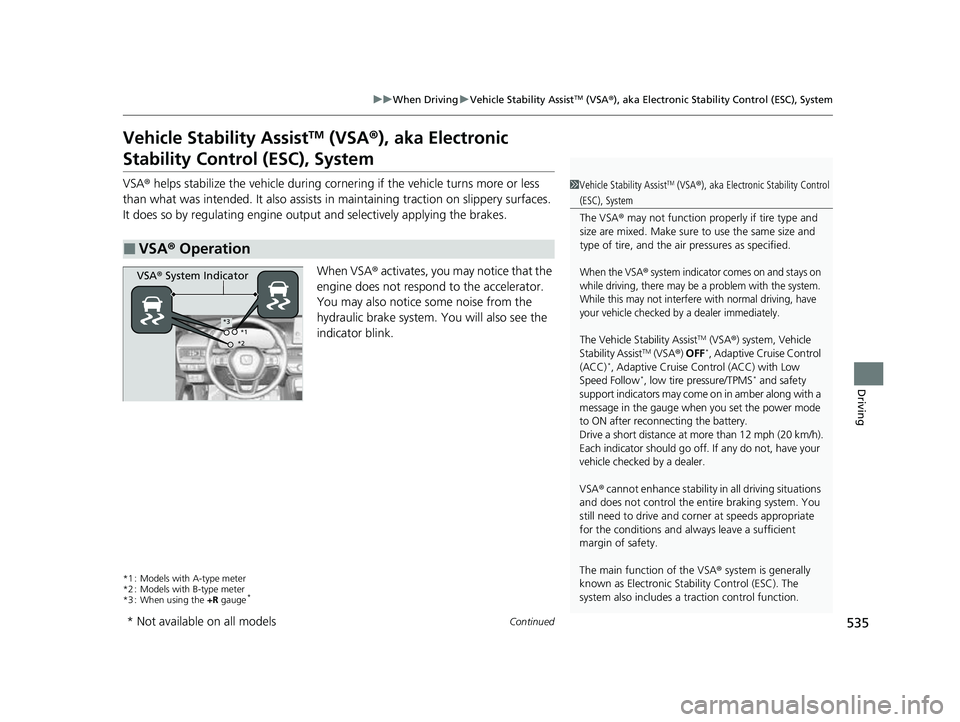
When VSA ® activates, you may notice that the
engine does not respond to the accelerator.
You may also notice some noise from the
hydraulic brake system. You will also see the
indicator blink.
*1 : Models with A-type meter
*2 : Models with B-type meter
*3 : When using the +R gauge
*
■VSA ® Operation
1 Vehicle Stability AssistTM (VSA® ), aka Electronic Stability Control
(ESC), System
The VSA ® may not function properl y if tire type and
size are mixed. Make sure to use the same size and
type of tire, and the air pressures as specified.
When the VSA® system indicator comes on and stays on
while driving, there may be a problem with the system.
While this may not interfere with normal driving, have
your vehicle checked by a dealer immediately.
The Vehicle Stability AssistTM (VSA ®) system, Vehicle
Stability AssistTM (VSA ®) OFF*, Adaptive Cruise Control
(ACC)*, Adaptive Cruise Control (ACC) with Low
Speed Follow*, low tire pressure/TPMS* and safety
support indicators may come on in amber along with a
message in the gauge when you set the power mode
to ON after reconn ecting the battery.
Drive a short distance at more than 12 mph (20 km/h).
Each indicator should go off. If any do not, have your
vehicle checked by a dealer.
VSA ® cannot enhance stability in all driving situations
and does not control the entire braking system. You
still need to drive and corner at speeds appropriate
for the conditions and alwa ys leave a sufficient
margin of safety.
The main function of the VSA ® system is generally
known as Electronic Stability Control (ESC). The
system also includes a traction control function.
VSA® System Indicator
*1
*2*3
* Not available on all models
23 CIVIC HATCHBACK TYPE R-31T406100_03.book 535 ページ 2022年6月23日 木曜日 午後9時28分
Page 629 of 840
627
uuHonda Sensing ®u Lane Keeping Assist System (LKAS)
Continued
Driving
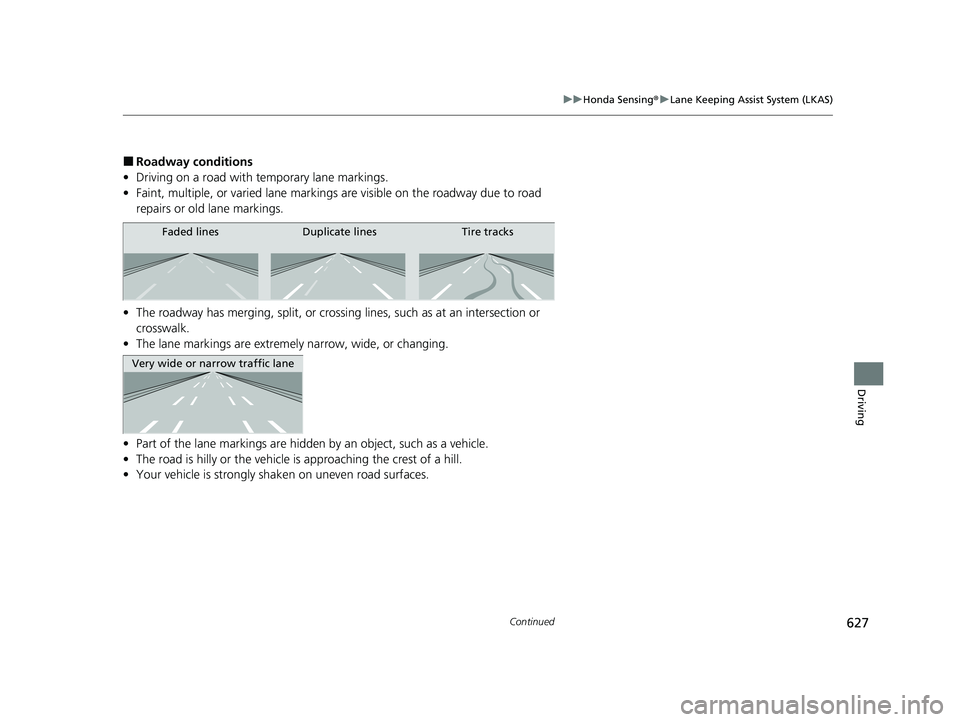
■Roadway conditions
• Driving on a road with temporary lane markings.
• Faint, multiple, or varied lane markings are visible on the roadway due to road
repairs or old lane markings.
• The roadway has merging, split, or crossi ng lines, such as at an intersection or
crosswalk.
• The lane markings are extremel y narrow, wide, or changing.
• Part of the lane markings are hidden by an object, such as a vehicle.
• The road is hilly or the vehicle is approaching the crest of a hill.
• Your vehicle is strongly shaken on uneven road surfaces.
Faded lines Duplicate lines Tire tracks
Very wide or narrow traffic lane
23 CIVIC HATCHBACK TYPE R-31T406100_03.book 627 ページ 2022年6月23日 木曜日 午後9時28分
Page 638 of 840
636
uuHonda Sensing ®u Traffic Jam Assist*
Driving
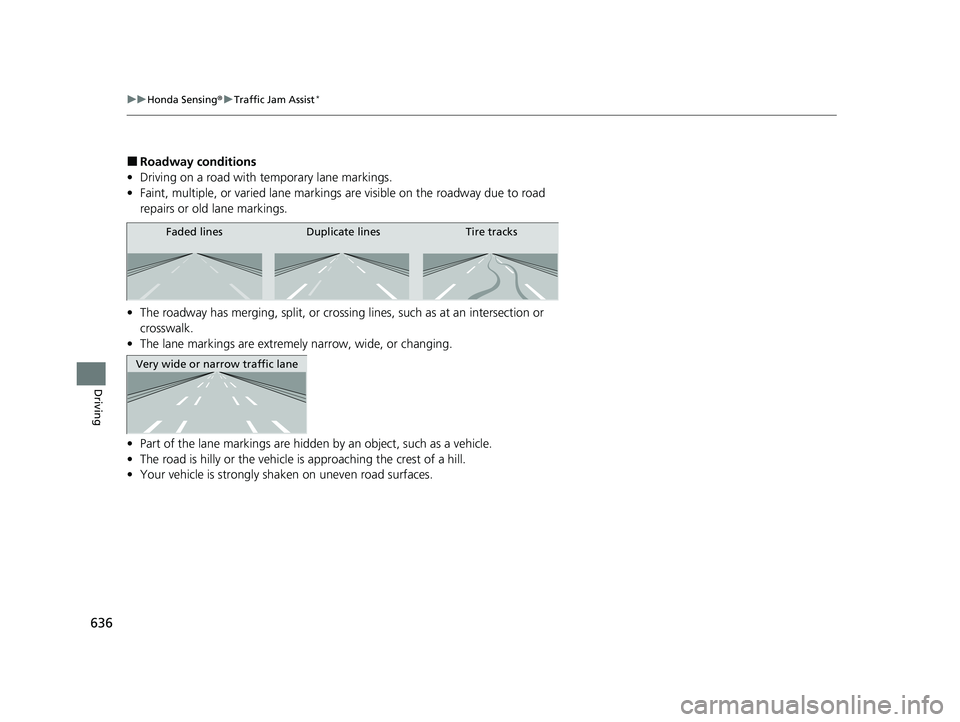
■Roadway conditions
• Driving on a road with temporary lane markings.
• Faint, multiple, or varied lane markings are visible on the roadway due to road
repairs or old lane markings.
• The roadway has merging, split, or crossing lines, such as at an intersection or
crosswalk.
• The lane markings are extremely narrow, wide, or changing.
• Part of the lane markings are hidden by an object, such as a vehicle.
• The road is hilly or the vehicle is approaching the crest of a hill.
• Your vehicle is strongly shaken on uneven road surfaces.
Faded lines Duplicate lines Tire tracks
Very wide or narrow traffic lane
23 CIVIC HATCHBACK TYPE R-31T406100_03.book 636 ページ 2022年6月23日 木曜日 午後9時28分
Page 646 of 840
644
uuHonda Sensing ®u Road Departure Mitigation System
Driving
■Roadway conditions
• Driving on a road with temporary lane markings.
• Faint, multiple, or varied lane markings are visible on the roadway due to road
repairs or old lane markings.
• The roadway has merging, split, or crossing lines, such as at an intersection or
crosswalk.
• The lane markings are extremely narrow, wide, or changing.
• Part of the lane markings are hidden by an object, such as a vehicle.
• The road is hilly or the vehicle is approaching the crest of a hill.
• Your vehicle is strongly shaken on uneven road surfaces.
• When objects on the road (c urb, guard rail, pylons, etc.) are recognized as white
(or yellow) lines.
• Driving on rough or unpaved roads, or over bumpy surfaces.
• Driving on roads with double lane lines.
• Driving on snowy or slippery roads.
• Passing through an exit or an interchange.
• The pavement is only partially visible due to snow or puddles on the road.
• Driving on unpaved or rutted roads.
• White (or yellow) lines are not recognized correctly due to road conditions such as
curves, twists, or hills.
23 CIVIC HATCHBACK TYPE R-31T406100_03.book 644 ページ 2022年6月23日 木曜日 午後9時28分
Page 649 of 840
647
uuHonda Sensing ®u Traffic Sign Recognition System
Continued
Driving
Traffic Sign Recognition System
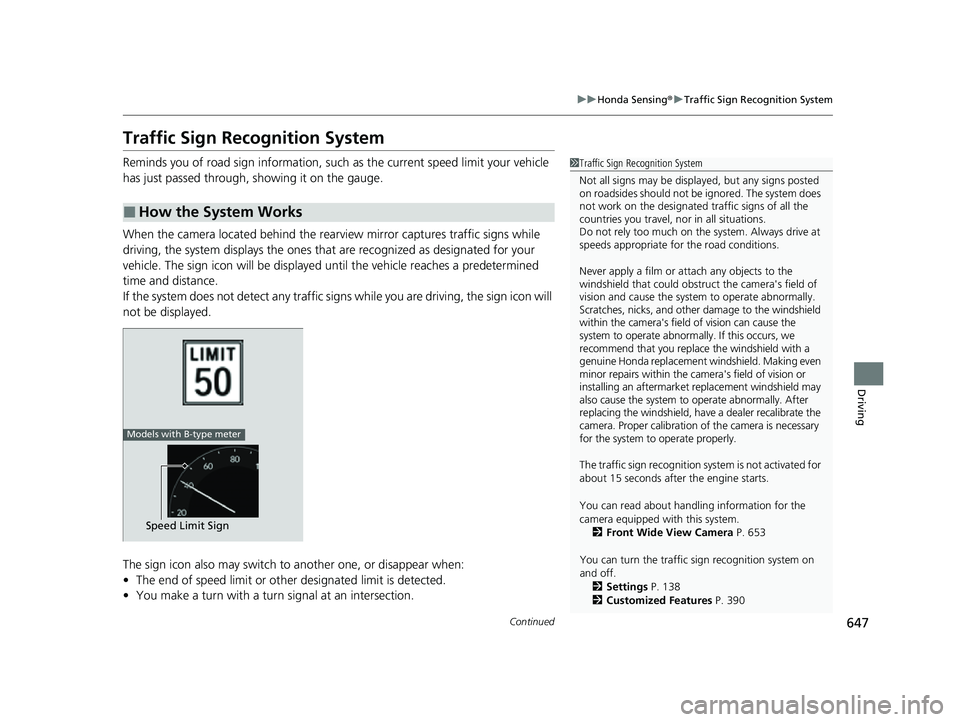
Reminds you of road sign information, such as the current speed limit your vehicle
has just passed through, showing it on the gauge.
When the camera located behind the rear view mirror captures traffic signs while
driving, the system displays the ones that are recognized as designated for your
vehicle. The sign icon will be displayed un til the vehicle reaches a predetermined
time and distance.
If the system does not detect any traffic signs while you are driving, the sign icon will
not be displayed.
The sign icon also may switch to another one, or disappear when:
• The end of speed limit or other designated limit is detected.
• You make a turn with a turn signal at an intersection.
■How the System Works
1Traffic Sign Recognition System
Not all signs may be displa yed, but any signs posted
on roadsides should not be ignored. The system does
not work on the designated traffic signs of all the
countries you travel, nor in all situations.
Do not rely too much on the system. Always drive at
speeds appropriate fo r the road conditions.
Never apply a film or attach any objects to the
windshield that could obstruc t the camera's field of
vision and cause the system to operate abnormally.
Scratches, nicks, and othe r damage to the windshield
within the camera's field of vision can cause the
system to operate abnormally. If this occurs, we
recommend that you replace the windshield with a
genuine Honda replacement windshield. Making even
minor repairs within the ca mera's field of vision or
installing an aftermarket replacement windshield may
also cause the system to operate abnormally. After
replacing the windshi eld, have a dealer recalibrate the
camera. Proper calibration of the camera is necessary
for the system to operate properly.
The traffic sign recognition sy stem is not activated for
about 15 seconds after the engine starts.
You can read about handling information for the
camera equipped with this system. 2 Front Wide View Camera P. 653
You can turn the traffic sign recognition system on
and off.
2 Settings P. 138
2 Customized Features P. 390
Speed Limit Sign
Models with B-type meter
23 CIVIC HATCHBACK TYPE R-31T406100_03.book 647 ページ 2022年6月23日 木曜日 午後9時28分