display HONDA CIVIC 2023 User Guide
[x] Cancel search | Manufacturer: HONDA, Model Year: 2023, Model line: CIVIC, Model: HONDA CIVIC 2023Pages: 840, PDF Size: 26.53 MB
Page 121 of 840
Continued119
uuGauges and Driver Information Interface uGauges
Instrument Panel
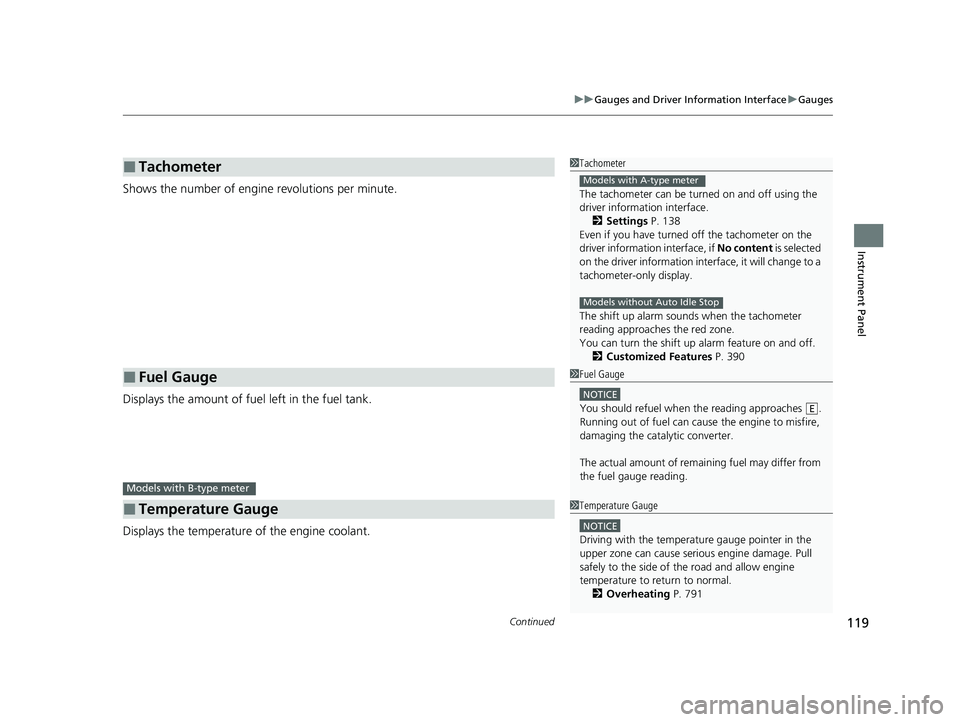
Shows the number of engine revolutions per minute.
Displays the amount of fuel left in the fuel tank.
Displays the temperature of the engine coolant.
■Tachometer
■Fuel Gauge
■Temperature Gauge
1Tachometer
The tachometer can be turned on and off using the
driver information interface.
2 Settings P. 138
Even if you have turned off the tachometer on the
driver information interface, if No content is selected
on the driver information interface, it will change to a
tachometer-only display.
The shift up alarm sounds when the tachometer
reading approaches the red zone.
You can turn the shift up alarm feature on and off. 2 Customized Features P. 390
Models with A-type meter
Models without Auto Idle Stop
1Fuel Gauge
NOTICE
You should refuel when the reading approaches .
Running out of fuel can cause the engine to misfire,
damaging the cata lytic converter.
The actual amount of remain ing fuel may differ from
the fuel gauge reading.E
Models with B-type meter
1 Temperature Gauge
NOTICE
Driving with the temperat ure gauge pointer in the
upper zone can cause serious engine damage. Pull
safely to the side of th e road and allow engine
temperature to return to normal.
2 Overheating P. 791
23 CIVIC HATCHBACK TYPE R-31T406100_03.book 119 ページ 2022年6月23日 木曜日 午後9時28分
Page 122 of 840
uuGauges and Driver Information Interface uGauges
120
Instrument Panel
Shows the total number of miles or kilome ters that your vehicle has accumulated.
Shows the outside temperature in Fahr enheit (U.S.) or Celsius (Canada).
■Adjusting the outside temperature display
Adjust the temperature readi ng by up to ±5°F or ±3°C if the temperature reading
seems incorrect.
■Odometer
■Outside Temperature
Models with Auto Idle Stop
1 Outside Temperature
The temperature sensor is in the front bumper.
Road heat and exhaust fr om another vehicle can
affect the temperature reading when your vehicle
speed is less than 19 mph (30 km/h).
It may take several minutes for the display to be
updated after the temperature reading has stabilized.
You can adjust the temperature reading. 2 Settings P. 138
2 Customized Features P. 390
23 CIVIC HATCHBACK TYPE R-31T406100_03.book 120 ページ 2022年6月23日 木曜日 午後9時28分
Page 124 of 840
uuGauges and Driver Information Interface uGauges
122
Instrument Panel
Shows the current mode for ACC with Low Speed Follow*, LKAS, and Traffic Jam
Assist*.
2 Adaptive Cruise Control (ACC) with Low Speed Follow* P. 578
2 Adaptive Cruise Control (ACC)
* P. 598
2 Lane Keeping Assist System (LKAS) P. 618
2 Traffic Jam Assist
* P. 630
■Current Mode for ACC with Low Speed Follow*, the LKAS, and Traffic Jam Assist*1Current Mode for ACC with Low Speed Follow*, the LKAS, and
Traffic Jam Assist*
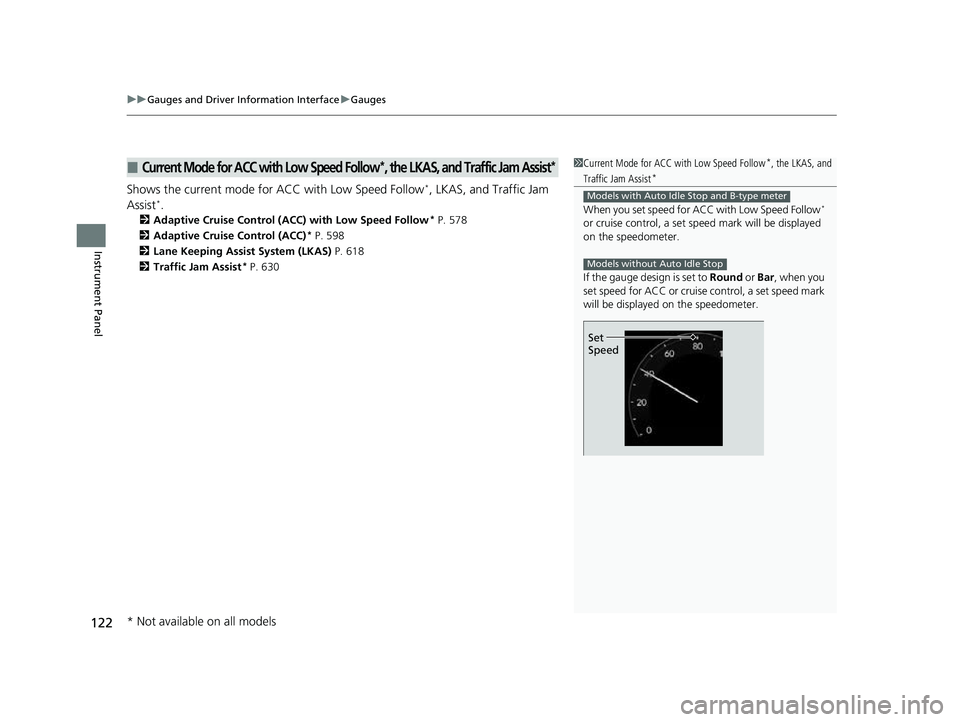
When you set speed for A CC with Low Speed Follow*
or cruise control, a set sp eed mark will be displayed
on the speedometer.
If the gauge design is set to Round or Bar , when you
set speed for ACC or cruise control, a set speed mark
will be displayed on the speedometer.
Models with Auto Idle Stop and B-type meter
Models without Auto Idle Stop
Set
Speed
* Not available on all models
23 CIVIC HATCHBACK TYPE R-31T406100_03.book 122 ページ 2022年6月23日 木曜日 午後9時28分
Page 125 of 840
Continued123
uuGauges and Driver Information Interface uGauges
Instrument Panel
Shows the clock.
Light up from outside to center according to engine speed.
■Clock
■Rev Indicators*
Models with A-type meter
1Clock
You can adjust the time manually and change the
clock display to show the 12 hour clock or 24 hour
clock.
2 Clock P. 174
1Rev Indicators*
You can turn the rev indicators on and off.
2 Customized Features P. 390
* Not available on all models
23 CIVIC HATCHBACK TYPE R-31T406100_03.book 123 ページ 2022年6月23日 木曜日 午後9時28分
Page 126 of 840
uuGauges and Driver Information Interface uGauges
124
Instrument Panel
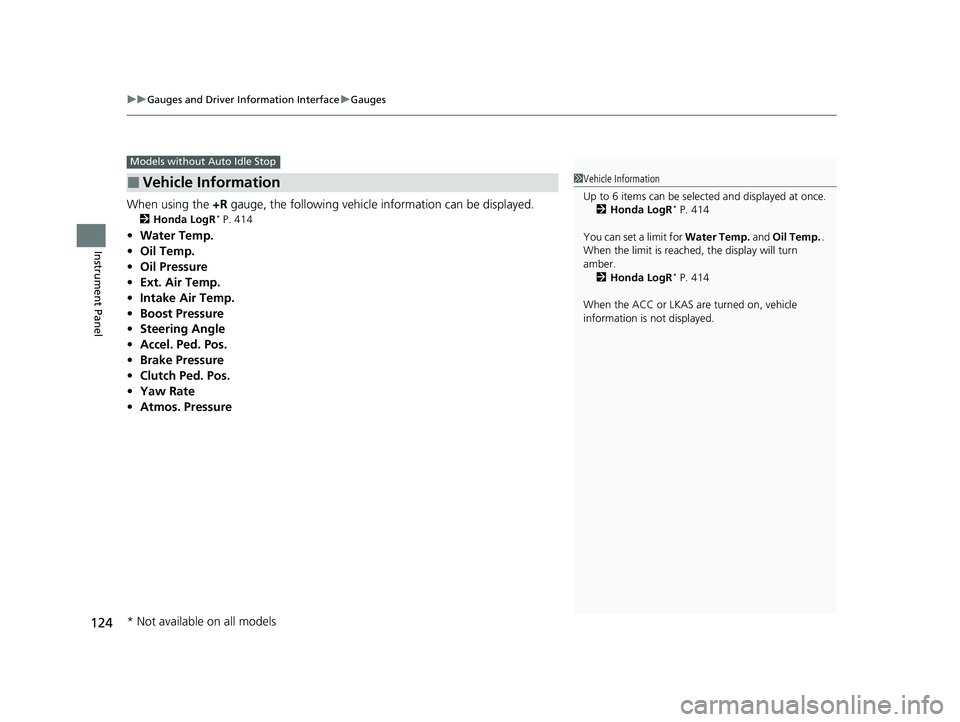
When using the +R gauge, the following vehicle information can be displayed.
2 Honda LogR* P. 414
•Water Temp.
• Oil Temp.
• Oil Pressure
• Ext. Air Temp.
• Intake Air Temp.
• Boost Pressure
• Steering Angle
• Accel. Ped. Pos.
• Brake Pressure
• Clutch Ped. Pos.
• Yaw Rate
• Atmos. Pressure
■Vehicle Information
Models without Auto Idle Stop
1Vehicle Information
Up to 6 items can be selected and displayed at once.
2 Honda LogR
* P. 414
You can set a limit for Water Temp. and Oil Temp. .
When the limit is reached, the display will turn
amber. 2 Honda LogR
* P. 414
When the ACC or LKAS are turned on, vehicle
information is not displayed.
* Not available on all models
23 CIVIC HATCHBACK TYPE R-31T406100_03.book 124 ページ 2022年6月23日 木曜日 午後9時28分
Page 127 of 840
125
uuGauges and Driver Information Interface uDriver Information Interface (A-type Meter)
Continued
Instrument Panel
Driver Information In terface (A-type Meter)
The driver information interface shows info rmation such as the estimated travelable
distance and fuel economy of the vehicle. It also displays messages such as warnings
and other helpful information.
When a warning message displays, please check the message and contact a dealer
and have the vehicle inspected if necessary . Please refer to the pages below if the
Engine oil pressure low or Engine temperature too hot message is displayed.
2If the Engine oil pressure low Warning Appears P. 795
2 Overheating P. 791
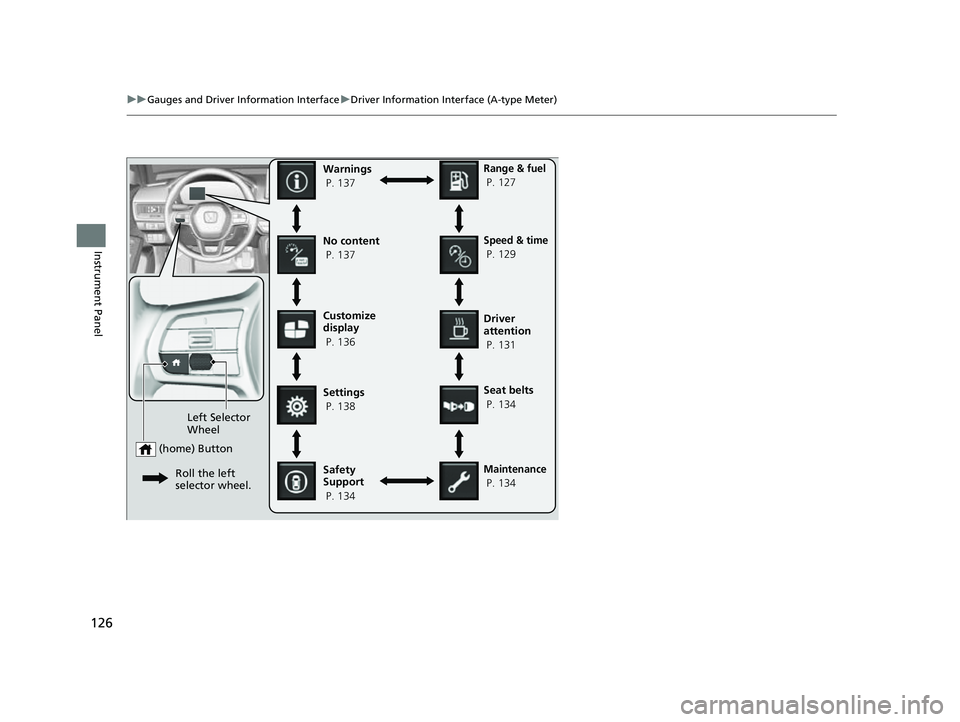
Press the (home) button, th en roll the left selector wheel to scroll to the content
you want to see. Press the left sele ctor wheel to see detailed information.
■Switching the Display1Switching the Display
You can add or delete the meter contents.
2 Customize Display P. 136
23 CIVIC HATCHBACK TYPE R-31T406100_03.book 125 ページ 2022年6月23日 木曜日 午後9時28分
Page 128 of 840
126
uuGauges and Driver Information Interface uDriver Information Interface (A-type Meter)
Instrument Panel
Customize
display
P. 136
Left Selector
Wheel
(home) Button
Roll the left
selector wheel.
No content
P. 137Speed & time
P. 129
Warnings
P. 137
Range & fuel
P. 127
Settings
P. 138 Driver
attention
P. 131
Seat belts
P. 134
Safety
Support
P. 134
Maintenance
P. 134
23 CIVIC HATCHBACK TYPE R-31T406100_03.book 126 ページ 2022年6月23日 木曜日 午後9時28分
Page 130 of 840
uuGauges and Driver Information Interface uDriver Information Interface (A-type Meter)
128
Instrument Panel
■Trip meter
Shows the total number of miles or kilomete rs driven since the last reset. Meters A
and B can be used to measure two separate trips.
Resetting a trip meter
To reset the trip meter, display it, press the left selector wheel and then select Reset.
u The trip meter is reset to 0.0.
■Range
Shows the estimated distance you can trave l on the remaining fuel. This estimated
distance is based on the ve hicle's current fuel economy.
■Average fuel economy
Shows the estimated average fuel economy of each trip meter in mpg or l/100 km.
The display is updated at set intervals. Wh en a trip meter is reset, the average fuel
economy is also reset.
■Instant fuel economy
Shows the instant fuel economy as a bar graph in mpg or l/100 km.
1Range
The driving range displayed is only an estimate and
may differ to the actual distance the vehicle can
travel.
1 Average fuel economy
You can change when to reset the average fuel
economy.
2 Settings P. 138
23 CIVIC HATCHBACK TYPE R-31T406100_03.book 128 ページ 2022年6月23日 木曜日 午後9時28分
Page 133 of 840
Continued131
uuGauges and Driver Information Interface uDriver Information Interface (A-type Meter)
Instrument Panel
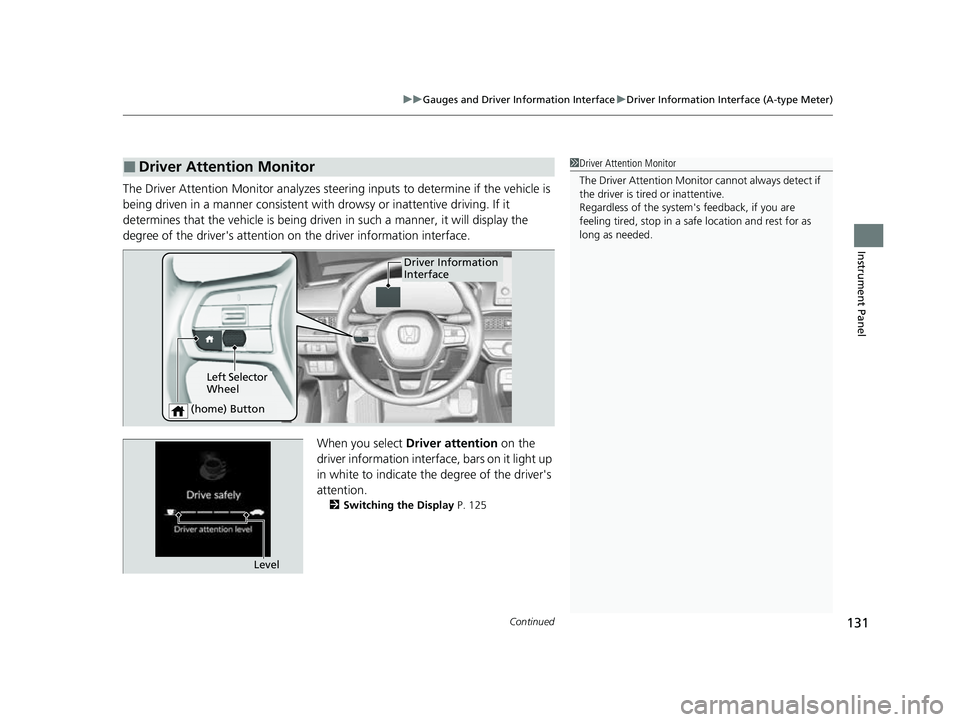
The Driver Attention Monitor an alyzes steering inputs to determine if the vehicle is
being driven in a manner consistent with drowsy or inattentive driving. If it
determines that the vehicle is being driven in such a manner, it will display the
degree of the driver's attention on the driver information interface.
When you select Driver attention on the
driver information interface, bars on it light up
in white to indicate the degree of the driver's
attention.
2 Switching the Display P. 125
■Driver Attention Monitor1Driver Attention Monitor
The Driver Attenti on Monitor cannot always detect if
the driver is tired or inattentive.
Regardless of the system's feedback, if you are
feeling tired, stop in a safe location and rest for as
long as needed.
Driver Information
Interface
Left Selector
Wheel
(home) Button
Level
23 CIVIC HATCHBACK TYPE R-31T406100_03.book 131 ページ 2022年6月23日 木曜日 午後9時28分
Page 136 of 840
uuGauges and Driver Information Interface uDriver Information Interface (A-type Meter)
134
Instrument Panel
Occurs, under specified conditions, when seat belts are latched or unlatched.
2Seat Belt Reminder P. 50
Shows the remaining oil life and Maintenance MinderTM.
2Maintenance MinderTM P. 695
Indicates the status of the Road Departure Mitigation system, CMBSTM, and blind
spot information system* such as On, Off, or Failure, by color and letters.
The following colors indica te the status of any of the above mentioned systems:
• Green: The system is on.
• Gray: The system is off.
• Amber: There is a probl em with the system.
■Seat Belts
■Maintenance
■Safety Support1Safety Support
If a system is indicated by the color amber, have your
vehicle checked by a dealer immediately.
To turn on or off each system, first rotate the left
selector wheel to switch displays. From the next
display you can select which system to turn on or off. 2 Road Departure Mitigation system On and
Off P. 642
2 Blind Spot Information System On and Off
P. 549
2 CMBS
TM On and Off P. 559
You can also confirm the st atus of each function by
the color of the safe ty support indicator.
2 Safety Support Indicator (Amber) P. 115
2 Safety Support Indicator (Green/Gray)
P. 117
* Not available on all models
23 CIVIC HATCHBACK TYPE R-31T406100_03.book 134 ページ 2022年6月23日 木曜日 午後9時28分