battery HONDA CIVIC 2023 Owner's Manual
[x] Cancel search | Manufacturer: HONDA, Model Year: 2023, Model line: CIVIC, Model: HONDA CIVIC 2023Pages: 840, PDF Size: 26.53 MB
Page 245 of 840
Continued243
uuInterior Convenience Items uOther Interior Convenience Items
Controls
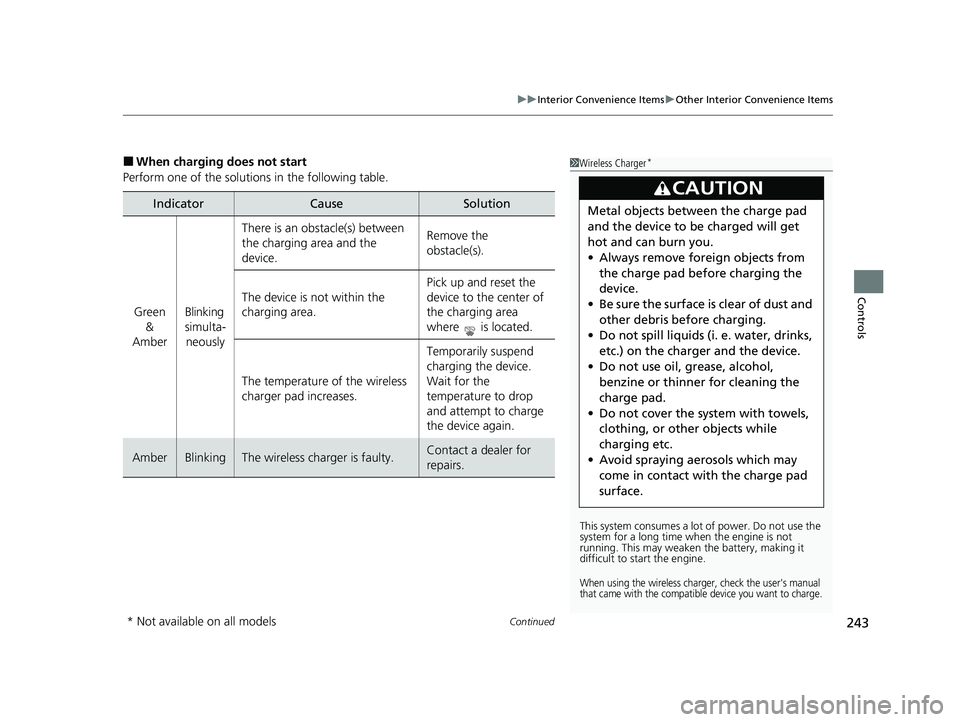
■When charging does not start
Perform one of the solutions in the following table.
IndicatorCauseSolution
Green &
AmberBlinking
simulta- neously
There is an obstacle(s) between
the charging area and the
device.Remove the
obstacle(s).
The device is not within the
charging area. Pick up and reset the
device to the center of
the charging area
where is located.
The temperature of the wireless
charger pad increases. Temporarily suspend
charging the device.
Wait for the
temperature to drop
and attempt to charge
the device again.
AmberBlinkingThe wireless charger is faulty.Contact a dealer for
repairs.
1
Wireless Charger*
This system consumes a lot of power. Do not use the
system for a long time when the engine is not
running. This may weaken the battery, making it
difficult to start the engine.
When using the wireless charger, check the user's manual
that came with the compatible device you want to charge.
3CAUTION
Metal objects between the charge pad
and the device to be charged will get
hot and can burn you.
• Always remove foreign objects from
the charge pad before charging the
device.
• Be sure the surface is clear of dust and
other debris before charging.
• Do not spill liquids (i. e. water, drinks,
etc.) on the charger and the device.
• Do not use oil, grease, alcohol,
benzine or thinner for cleaning the
charge pad.
• Do not cover the system with towels,
clothing, or other objects while
charging etc.
• Avoid spraying aerosols which may
come in contact with the charge pad
surface.
* Not available on all models
23 CIVIC HATCHBACK TYPE R-31T406100_03.book 243 ページ 2022年6月23日 木曜日 午後9時28分
Page 247 of 840
Continued245
uuInterior Convenience Items uOther Interior Convenience Items
Controls
1Wireless Charger*
During the charging phase, it is normal for the
charging area and de vice to heat up.
Charging may be briefl y interrupted when:
•All the doors and the hatch are closed
- to avoid interference with the proper functioning
of the keyless access system.
•The position of the device is altered.
Do not charge more than one device at a time on a
charging area.
If the device becomes too hot and its battery
protection function activates, it may charge
extremely slowly or no longer charge.
The temperature at which the battery protection
function activates de pends on the device.
* Not available on all models
23 CIVIC HATCHBACK TYPE R-31T406100_03.book 245 ページ 2022年6月23日 木曜日 午後9時28分
Page 248 of 840
uuInterior Convenience Items uOther Interior Convenience Items
246
Controls
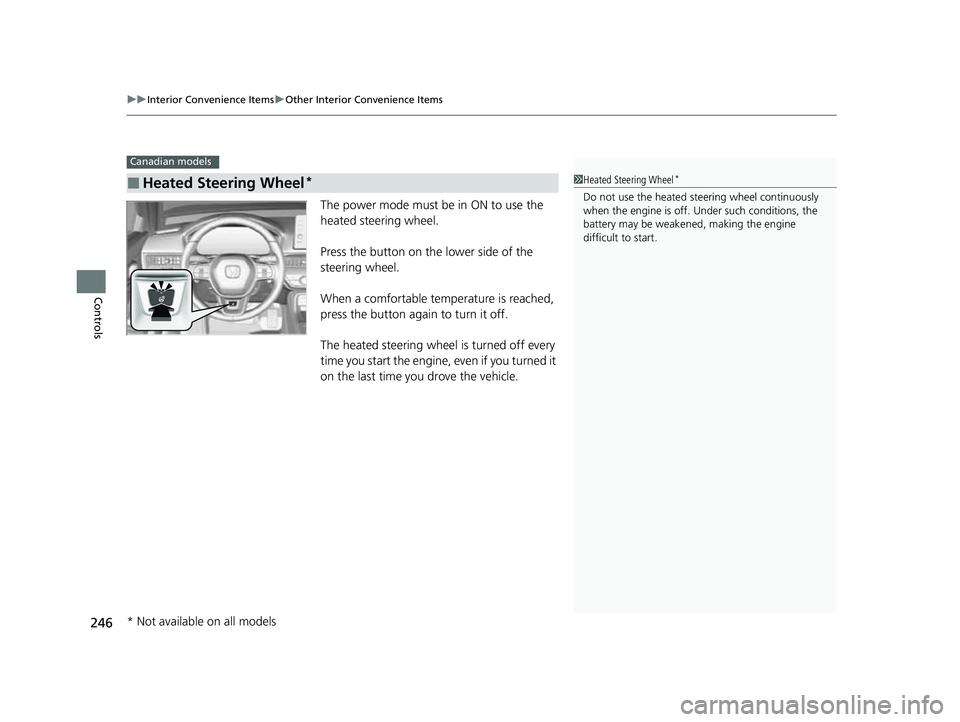
The power mode must be in ON to use the
heated steering wheel.
Press the button on the lower side of the
steering wheel.
When a comfortable temperature is reached,
press the button again to turn it off.
The heated steering wheel is turned off every
time you start the engine, even if you turned it
on the last time you drove the vehicle.
■Heated Steering Wheel*
Canadian models
1Heated Steering Wheel*
Do not use the heated st eering wheel continuously
when the engine is off. Under such conditions, the
battery may be weaken ed, making the engine
difficult to start.
* Not available on all models
23 CIVIC HATCHBACK TYPE R-31T406100_03.book 246 ページ 2022年6月23日 木曜日 午後9時28分
Page 249 of 840
Continued247
uuInterior Convenience Items uOther Interior Convenience Items
Controls
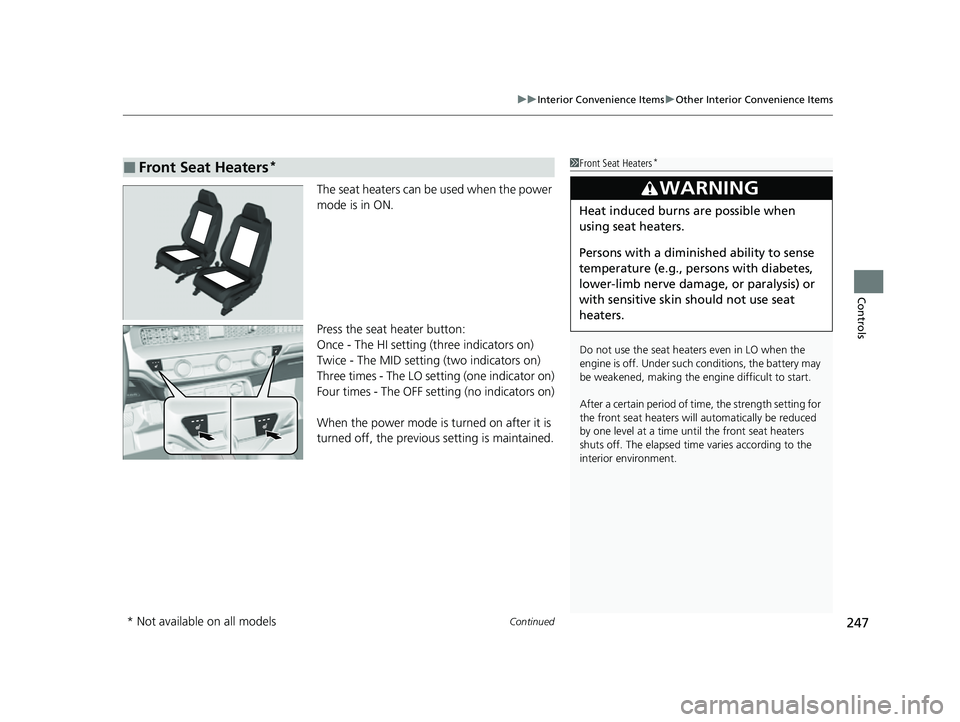
The seat heaters can be used when the power
mode is in ON.
Press the seat heater button:
Once - The HI setting (three indicators on)
Twice - The MID setting (two indicators on)
Three times - The LO setting (one indicator on)
Four times - The OFF setting (no indicators on)
When the power mode is turned on after it is
turned off, the previous setting is maintained.
■Front Seat Heaters*1Front Seat Heaters*
Do not use the seat heaters even in LO when the
engine is off. Under such conditions, the battery may
be weakened, making the engine difficult to start.
After a certain period of time, the strength setting for
the front seat heaters will automatically be reduced
by one level at a time unt il the front seat heaters
shuts off. The elapsed time varies according to the
interior environment.
3WARNING
Heat induced burns are possible when
using seat heaters.
Persons with a diminished ability to sense
temperature (e.g., persons with diabetes,
lower-limb nerve damage, or paralysis) or
with sensitive skin should not use seat
heaters.
* Not available on all models
23 CIVIC HATCHBACK TYPE R-31T406100_03.book 247 ページ 2022年6月23日 木曜日 午後9時28分
Page 250 of 840
uuInterior Convenience Items uOther Interior Convenience Items
248
Controls
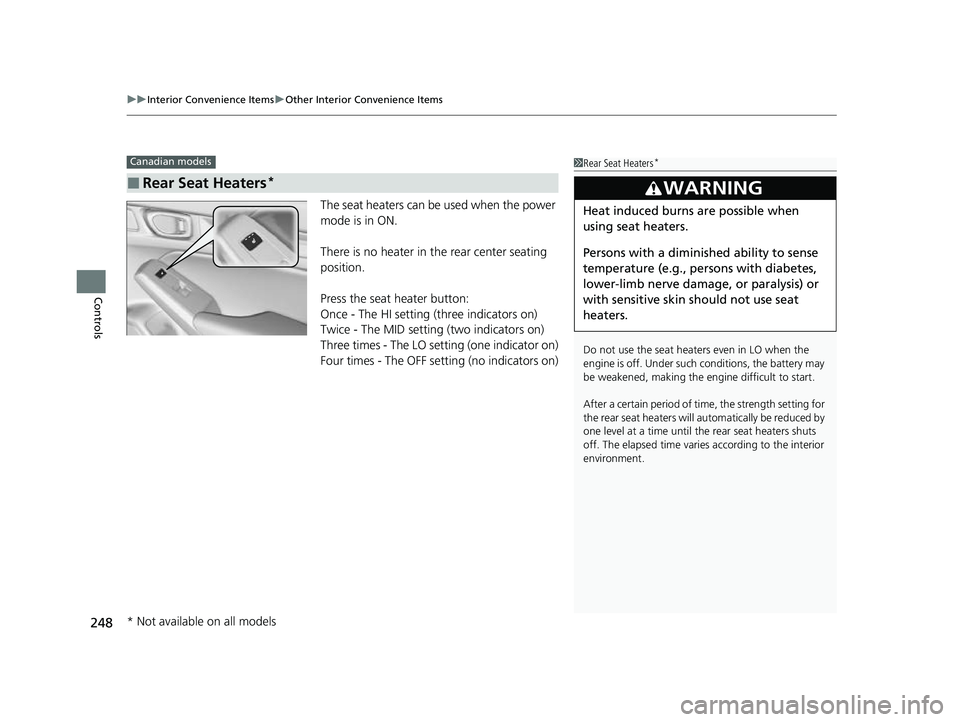
The seat heaters can be used when the power
mode is in ON.
There is no heater in the rear center seating
position.
Press the seat heater button:
Once - The HI setting (three indicators on)
Twice - The MID setting (two indicators on)
Three times - The LO setting (one indicator on)
Four times - The OFF se tting (no indicators on)
■Rear Seat Heaters*
Canadian models1Rear Seat Heaters*
Do not use the seat heaters even in LO when the
engine is off. Under such conditions, the battery may
be weakened, making the engine difficult to start.
After a certain period of time, the strength setting for
the rear seat heaters will automatically be reduced by
one level at a time until the rear seat heaters shuts
off. The elapsed time varies according to the interior
environment.
3WARNING
Heat induced burns are possible when
using seat heaters.
Persons with a diminished ability to sense
temperature (e.g., persons with diabetes,
lower-limb nerve damage, or paralysis) or
with sensitive skin should not use seat
heaters.
* Not available on all models
23 CIVIC HATCHBACK TYPE R-31T406100_03.book 248 ページ 2022年6月23日 木曜日 午後9時28分
Page 261 of 840
259
uuAudio System uAudio System Theft Protection
Features
Audio System Theft Protection
The audio system is disabled when it is disconnected from the power source, such as
when the battery is disconnected or goes dead. In certain conditions, the system
may display a code entry screen. If this occurs, reactivate the audio system.
■Reactivating the audio system
1. Set the power mode to ON.
2. Turn on the audio system.
3. Press and hold the VOL/ AUDIO (Volume/Power) knob for more than two
seconds.
u The audio system is reac tivated when the audio co ntrol unit establishes a
connection with the vehicl e control unit. If the control unit fails to recognize
the audio unit, you must go to a deal er and have the audio unit checked.
23 CIVIC HATCHBACK TYPE R-31T406100_03.book 259 ページ 2022年6月23日 木曜日 午後9時28分
Page 304 of 840
302
uuAudio System Basic Operation uSystem Updates
Features
System Updates
The audio system's firmware can be update d with a Wi-Fi connection, or with a USB
device.
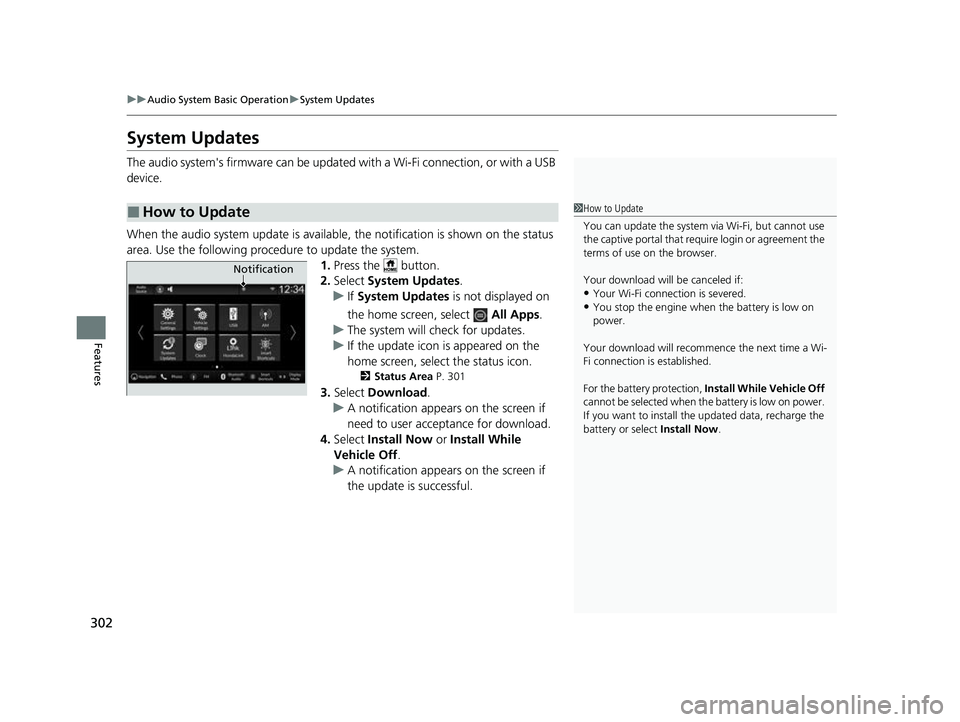
When the audio system update is available, the notification is shown on the status
area. Use the following proc edure to update the system.
1.Press the button.
2. Select System Updates .
u If System Updates is not displayed on
the home screen, select All Apps.
u The system will check for updates.
u If the update icon is appeared on the
home screen, select the status icon.
2 Status Area P. 301
3.Select Download .
u A notification appears on the screen if
need to user acceptance for download.
4. Select Install Now or Install While
Vehicle Off .
u A notification appears on the screen if
the update is successful.
■How to Update1How to Update
You can update the system vi a Wi-Fi, but cannot use
the captive portal that require login or agreement the
terms of use on the browser.
Your download will be canceled if:
•Your Wi-Fi connection is severed.
•You stop the engine when the battery is low on
power.
Your download will recommence the next time a Wi-
Fi connection is established.
For the battery protection, Install While Vehicle Off
cannot be selected when th e battery is low on power.
If you want to install the updated data, recharge the
battery or select Install Now.
Notification
23 CIVIC HATCHBACK TYPE R-31T406100_03.book 302 ページ 2022年6月23日 木曜日 午後9時28分
Page 371 of 840
369
uuGeneral Information on the Audio System uHonda App License Agreement
Continued
Features
E. Information Collection and Storage
1. Information Collection , Use, Transmission and Storage of Data. Consent to Use of Data:
You agree that HONDA and PROVIDERS may
collect and use your information gathered in any manner as part of product support services related to the SOFTWARE or related services.
HONDA may share such information with third parties, including, without limitation, PR OVIDERS, third party software and services
suppliers, their affiliates and/or their designated agents, solely to improve their products or to provide services or technolo gies to you.
HONDA, third party software and syst ems suppliers, their affiliates and/or their de signated agent may disclose this information to others,
but not in a form that pe rsonally identifies you.
2. Information Storage.
Depending on the type of mult imedia system you have in your VEHICLE, certain information may be stored for ease
of use of the SOFTWARE including, without limitation, search hi story, location history in certain applications, previous and saved
destinations, map locations within certain applications, and device numbers and contact information.
(a) Vehicle Health Information.
Your VEHICLE may remotely transmit information re garding the status and health of your VEHICLE
(“VEHICLE INFORMATION”) to HONDA without notification to you. VEHICLE INFORMATION may contain VEHICLE maintenance and
malfunction status that is derived from VEHICLE diagnostic data and includes, but is not limited to, status of powered doors and windows,
battery life data, battery charging data, VE HICLE speed, coolant temperature, air comp ressor revolution, output power, warning codes,
diagnostic trouble codes, fuel injection volume, and engine rotati ons per minute. VEHICLE HEALTH INFORMATION may be used by HON DA
for research and development, to deliver HONDA SERVICES and informat ion to you, and to contact you, and is retained only for a period
of time necessary to fulfill these goals.
(b) VEHICLE Geolocation Data (non-navigation/map based).
If you opt-in to geolocation-based SERVICES, your vehicle's geolocation data
(latitude and longitude) will be automatically sent from your VEHICLE to HONDA and PROVIDERS.
(c) You understand that the inputting or uploading of information to your VEHICLE's multimedia system or the SOFTWARE or SERVIC ES is
at your own risk and that HONDA is not responsible for unauthori zed access to or use of any personal or other information. All information
uploaded to the SOFTWARE and SERVICES may be stored on your VEHICLES's multimedia system and you understand that the security and
safety of your VEHICLE's multimedia system is your sole responsibility.
23 CIVIC HATCHBACK TYPE R-31T406100_03.book 369 ページ 2022年6月23日 木曜日 午後9時28分
Page 448 of 840
uuBluetooth ® HandsFreeLink ®u Using HFL
446
Features
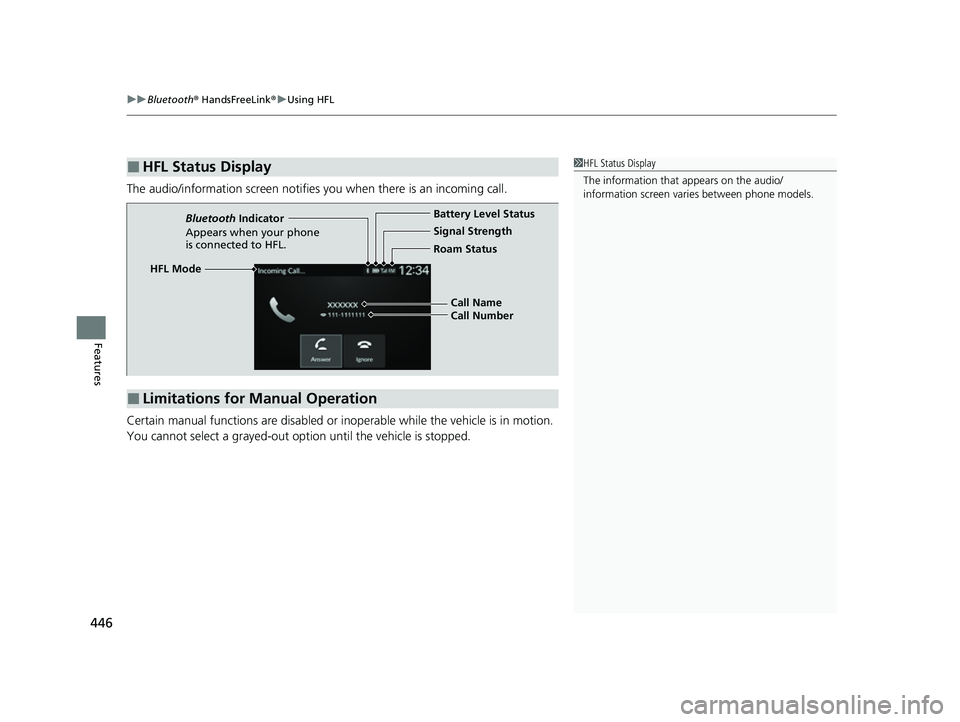
The audio/information screen notifies you when there is an incoming call.
Certain manual functions are disabled or in operable while the vehicle is in motion.
You cannot select a grayed-out option until the vehicle is stopped.
■HFL Status Display1 HFL Status Display
The information that appears on the audio/
information screen vari es between phone models.
■Limitations for Manual Operation
HFL Mode Battery Level Status
Signal Strength
Bluetooth
Indicator
Appears when your phone
is connected to HFL. Roam Status
Call Name
Call Number
23 CIVIC HATCHBACK TYPE R-31T406100_03.book 446 ページ 2022年6月23日 木曜日 午後9時28分
Page 451 of 840
Continued449
uuBluetooth ® HandsFreeLink ®u HFL Menus
Features
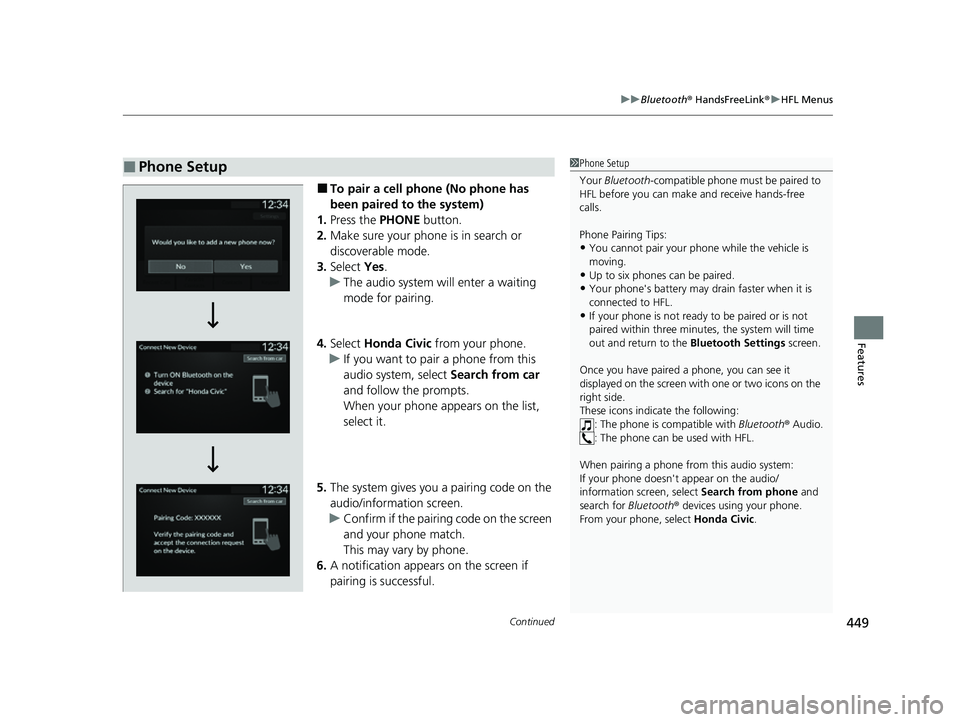
■To pair a cell phone (No phone has
been paired to the system)
1. Press the PHONE button.
2. Make sure your phone is in search or
discoverable mode.
3. Select Yes.
u The audio system will enter a waiting
mode for pairing.
4. Select Honda Civic from your phone.
u If you want to pair a phone from this
audio system, select Search from car
and follow the prompts.
When your phone appears on the list,
select it.
5. The system gives you a pairing code on the
audio/information screen.
u Confirm if the pairing code on the screen
and your phone match.
This may vary by phone.
6. A notification appears on the screen if
pairing is successful.
■Phone Setup1Phone Setup
Your Bluetooth -compatible phone must be paired to
HFL before you can make and receive hands-free
calls.
Phone Pairing Tips:
•You cannot pair your phone while the vehicle is
moving.
•Up to six phones can be paired.
•Your phone's battery may dr ain faster when it is
connected to HFL.
•If your phone is not ready to be paired or is not
paired within three minutes, the system will time
out and return to the Bluetooth Settings screen.
Once you have paired a phone, you can see it
displayed on the screen with one or two icons on the
right side.
These icons indicate the following: : The phone is compatible with Bluetooth® Audio.
: The phone can be used with HFL.
When pairing a phone from this audio system:
If your phone doesn't appear on the audio/
information screen, select Search from phone and
search for Bluetooth® devices using your phone.
From your phone, select Honda Civic .
23 CIVIC HATCHBACK TYPE R-31T406100_03.book 449 ページ 2022年6月23日 木曜日 午後9時28分