brake HONDA CIVIC 2023 Owner's Guide
[x] Cancel search | Manufacturer: HONDA, Model Year: 2023, Model line: CIVIC, Model: HONDA CIVIC 2023Pages: 840, PDF Size: 26.53 MB
Page 227 of 840
225
uuSeats uRear Seats
Continued
Controls
Rear Seats
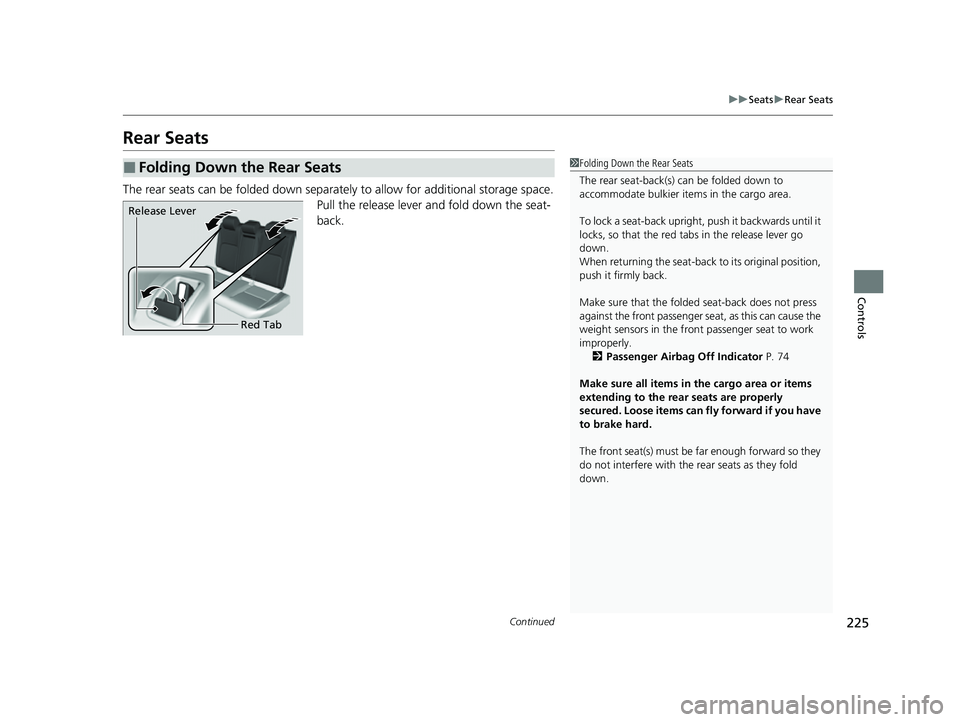
The rear seats can be folded down separa tely to allow for additional storage space.
Pull the release lever and fold down the seat-
back.
■Folding Down the Rear Seats1 Folding Down the Rear Seats
The rear seat-back(s) can be folded down to
accommodate bulkier items in the cargo area.
To lock a seat-back upright, push it backwards until it
locks, so that the red tabs in the release lever go
down.
When returning the seat-back to its original position,
push it firmly back.
Make sure that the folded seat-back does not press
against the front passenger seat, as this can cause the
weight sensors in the front passenger seat to work
improperly. 2 Passenger Airbag Off Indicator P. 74
Make sure all items in the cargo area or items
extending to the rear seats are properly
secured. Loose items can fly forward if you have
to brake hard.
The front seat(s) must be far enough forward so they
do not interfere with the rear seats as they fold
down.
Release Lever
Red Tab
23 CIVIC HATCHBACK TYPE R-31T406100_03.book 225 ページ 2022年6月23日 木曜日 午後9時28分
Page 240 of 840
uuInterior Convenience Items uStorage Items
238
Controls
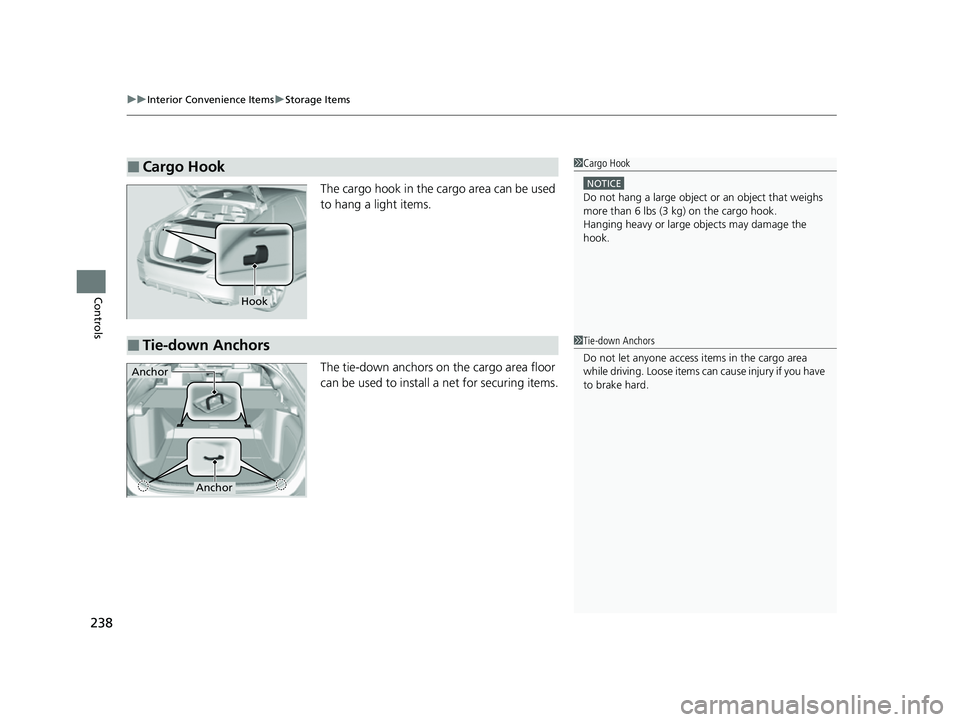
The cargo hook in the cargo area can be used
to hang a light items.
The tie-down anchors on the cargo area floor
can be used to install a net for securing items.
■Cargo Hook1Cargo Hook
NOTICE
Do not hang a large object or an object that weighs
more than 6 lbs (3 kg) on the cargo hook.
Hanging heavy or large objects may damage the
hook.
Hook
■Tie-down Anchors1 Tie-down Anchors
Do not let anyone access items in the cargo area
while driving. Loose items can cause injury if you have
to brake hard.
Anchor
Anchor
23 CIVIC HATCHBACK TYPE R-31T406100_03.book 238 ページ 2022年6月23日 木曜日 午後9時28分
Page 241 of 840
Continued239
uuInterior Convenience Items uStorage Items
Controls
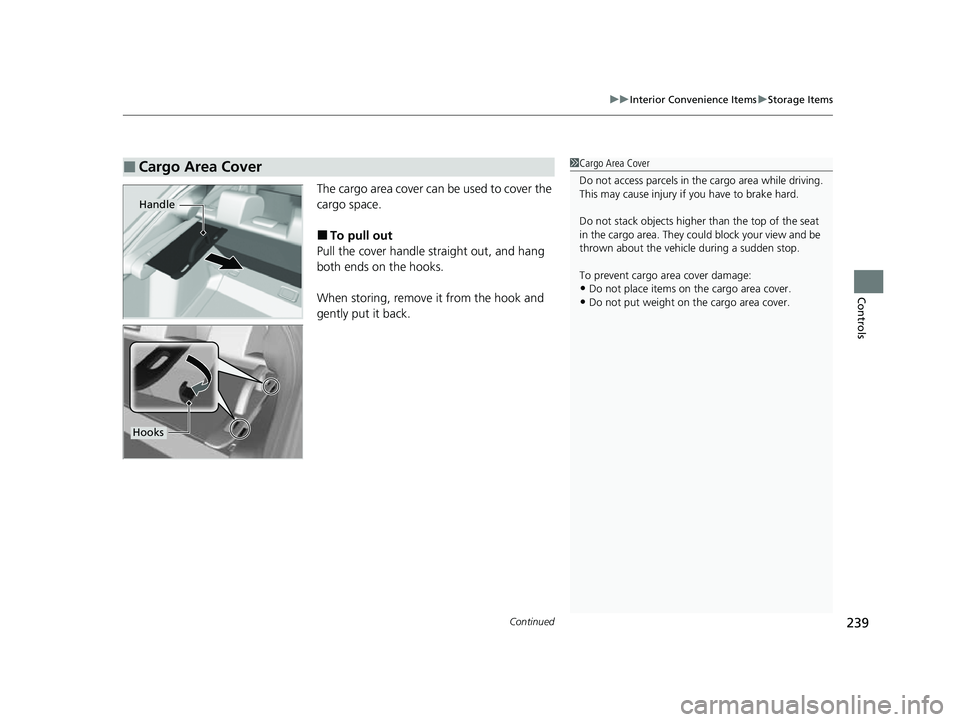
The cargo area cover can be used to cover the
cargo space.
■To pull out
Pull the cover handle straight out, and hang
both ends on the hooks.
When storing, remove it from the hook and
gently put it back.
■Cargo Area Cover1 Cargo Area Cover
Do not access parcels in the cargo area while driving.
This may cause injury if you have to brake hard.
Do not stack objects higher than the top of the seat
in the cargo area. They could block your view and be
thrown about the vehicle during a sudden stop.
To prevent cargo area cover damage:
•Do not place items on the cargo area cover.
•Do not put weight on the cargo area cover.
Handle
Hooks
23 CIVIC HATCHBACK TYPE R-31T406100_03.book 239 ページ 2022年6月23日 木曜日 午後9時28分
Page 384 of 840
382
Features
Customized Features
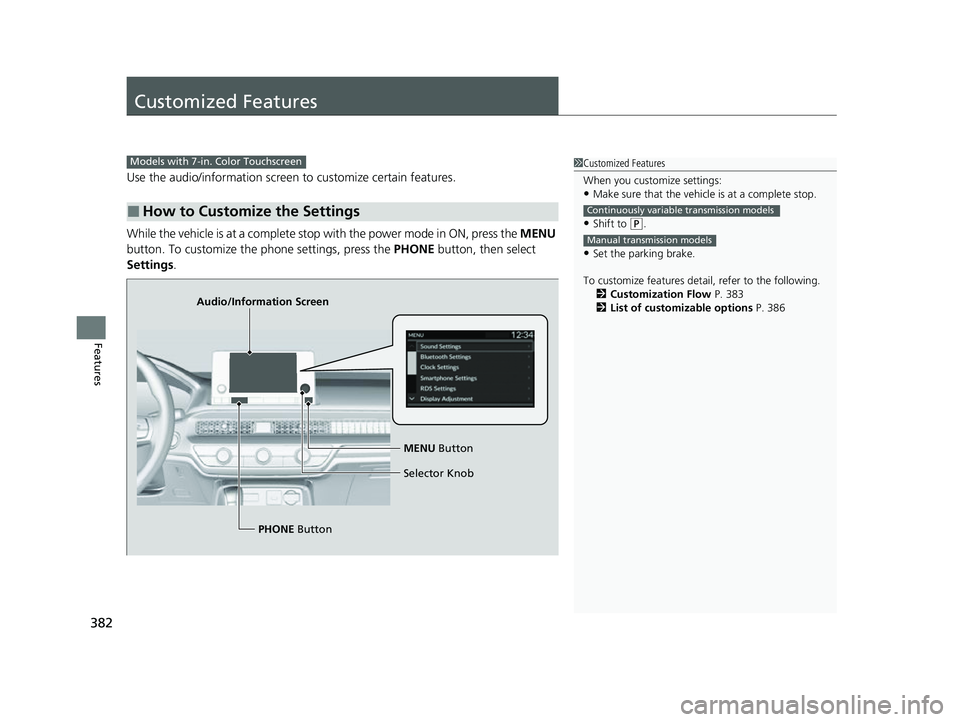
Use the audio/information screen to customize certain features.
While the vehicle is at a complete stop with the power mode in ON, press the MENU
button. To customize the phone settings, press the PHONE button, then select
Settings .
■How to Customize the Settings
1Customized Features
When you customize settings:
•Make sure that the vehicle is at a complete stop.
•Shift to (P.
•Set the parking brake.
To customize features detail, refer to the following. 2 Customization Flow P. 383
2 List of customizable options P. 386
Continuously variable transmission models
Manual transmission models
Models with 7-in. Color Touchscreen
Audio/Information Screen
MENU Button
Selector Knob
PHONE Button
23 CIVIC HATCHBACK TYPE R-31T406100_03.book 382 ページ 2022年6月23日 木曜日 午後9時28分
Page 392 of 840
390
Features
Customized Features
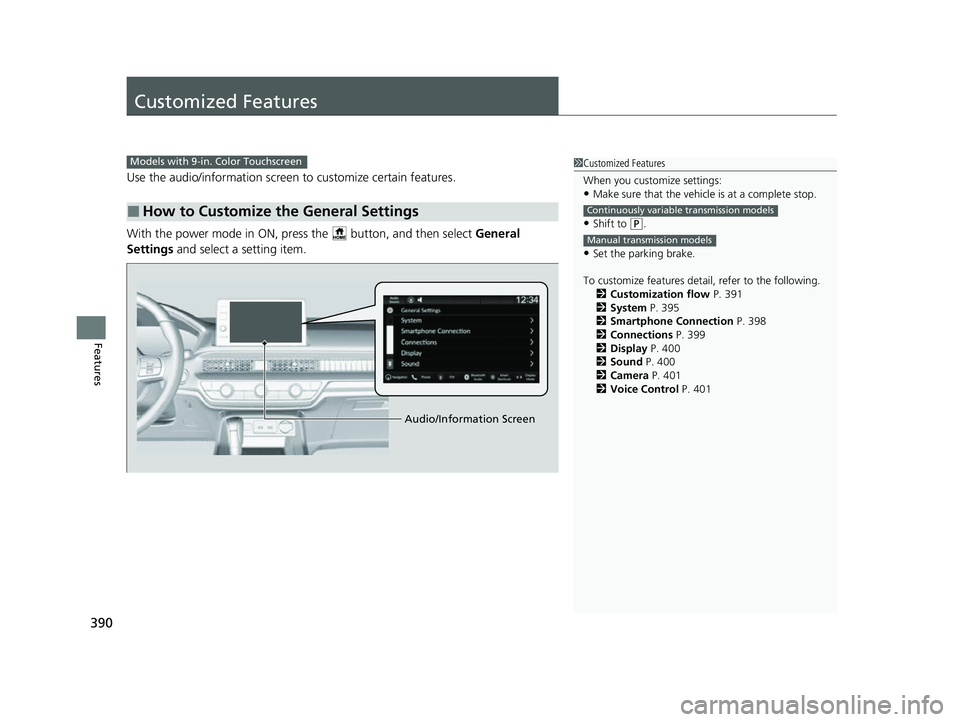
Use the audio/information screen to customize certain features.
With the power mode in ON, pres s the button, and then select General
Settings and select a setting item.
■How to Customize the General Settings
1Customized Features
When you customize settings:
•Make sure that the vehicle is at a complete stop.
•Shift to (P.
•Set the parking brake.
To customize features detail, refer to the following. 2 Customization flow P. 391
2 System P. 395
2 Smartphone Connection P. 398
2 Connections P. 399
2 Display P. 400
2 Sound P. 400
2 Camera P. 401
2 Voice Control P. 401
Continuously variable transmission models
Manual transmission models
Models with 9-in. Color Touchscreen
Audio/Information Screen
23 CIVIC HATCHBACK TYPE R-31T406100_03.book 390 ページ 2022年6月23日 木曜日 午後9時28分
Page 432 of 840
uuHonda LogR*uData Log Mode
430
Features
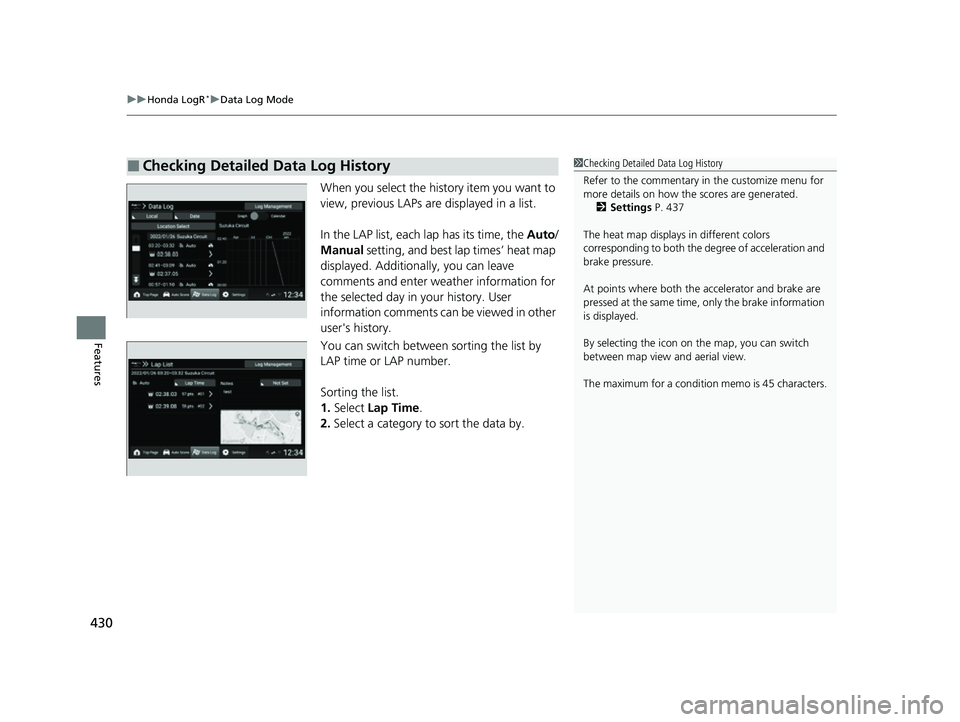
When you select the history item you want to
view, previous LAPs ar e displayed in a list.
In the LAP list, each lap has its time, the Auto/
Manual setting, and best lap times’ heat map
displayed. Additionally, you can leave
comments and enter weather information for
the selected day in your history. User
information comments can be viewed in other
user's history.
You can switch between sorting the list by
LAP time or LAP number.
Sorting the list.
1. Select Lap Time .
2. Select a category to sort the data by.
■Checking Detailed Data Log History1Checking Detailed Data Log History
Refer to the commentary in the customize menu for
more details on how the scores are generated.
2 Settings P. 437
The heat map displays in different colors
corresponding to both the de gree of acceleration and
brake pressure.
At points where both the ac celerator and brake are
pressed at the same time, only the brake information
is displayed.
By selecting the icon on the map, you can switch
between map view and aerial view.
The maximum for a condition memo is 45 characters.
23 CIVIC HATCHBACK TYPE R-31T406100_03.book 430 ページ 2022年6月23日 木曜日 午後9時28分
Page 433 of 840
Continued431
uuHonda LogR*uData Log Mode
Features
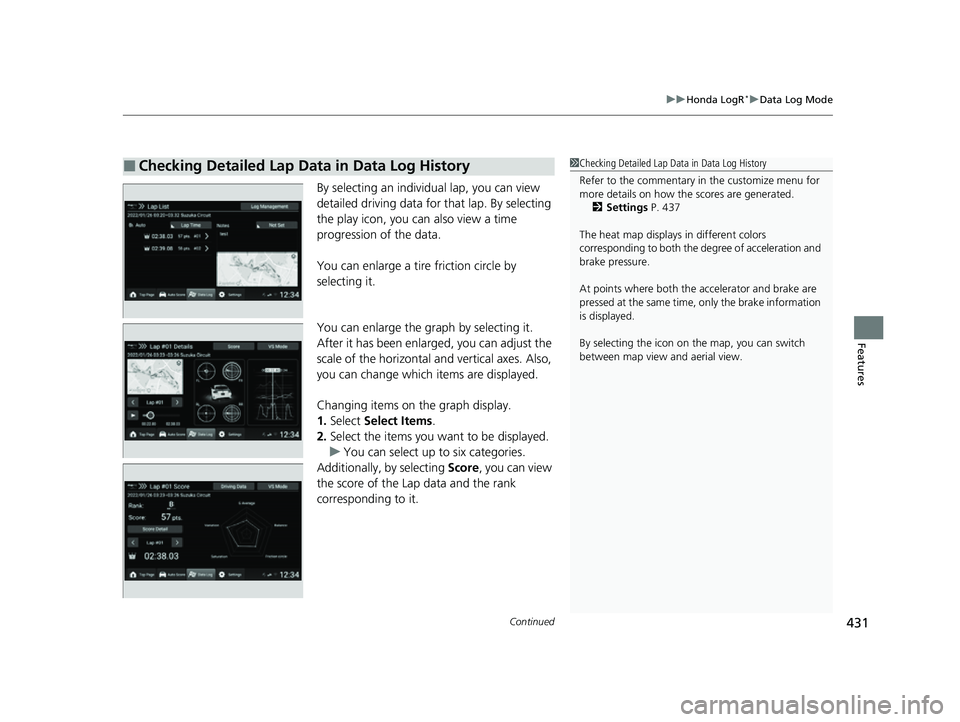
By selecting an individual lap, you can view
detailed driving data for that lap. By selecting
the play icon, you ca n also view a time
progression of the data.
You can enlarge a tire friction circle by
selecting it.
You can enlarge the graph by selecting it.
After it has been enlarged, you can adjust the
scale of the horizontal and vertical axes. Also,
you can change which items are displayed.
Changing items on the graph display.
1. Select Select Items .
2. Select the items you want to be displayed.
u You can select up to six categories.
Additionally, by selecting Score, you can view
the score of the Lap data and the rank
corresponding to it.
■Checking Detailed Lap Data in Data Log History1 Checking Detailed Lap Data in Data Log History
Refer to the commentary in the customize menu for
more details on how the scores are generated.
2 Settings P. 437
The heat map displays in different colors
corresponding to both the degree of acceleration and
brake pressure.
At points where both the ac celerator and brake are
pressed at the same time, only the brake information
is displayed.
By selecting the icon on the map, you can switch
between map view and aerial view.
23 CIVIC HATCHBACK TYPE R-31T406100_03.book 431 ページ 2022年6月23日 木曜日 午後9時28分
Page 435 of 840
Continued433
uuHonda LogR*uData Log Mode
Features
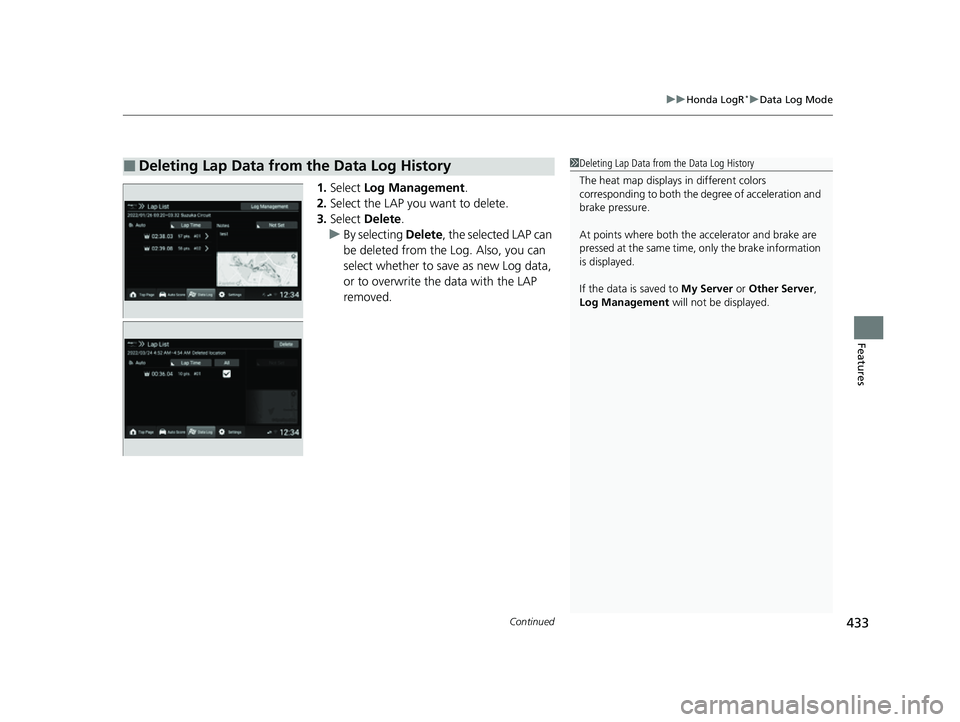
1. Select Log Management .
2. Select the LAP you want to delete.
3. Select Delete .
u By selecting Delete, the selected LAP can
be deleted from the Log. Also, you can
select whether to save as new Log data,
or to overwrite the data with the LAP
removed.
■Deleting Lap Data from the Data Log History1 Deleting Lap Data from the Data Log History
The heat map displays in different colors
corresponding to both the degree of acceleration and
brake pressure.
At points where both the ac celerator and brake are
pressed at the same time, only the brake information
is displayed.
If the data is saved to My Server or Other Server,
Log Management will not be displayed.
23 CIVIC HATCHBACK TYPE R-31T406100_03.book 433 ページ 2022年6月23日 木曜日 午後9時28分
Page 440 of 840
438
uuHonda LogR*uCustomize
Features
*1:Default setting
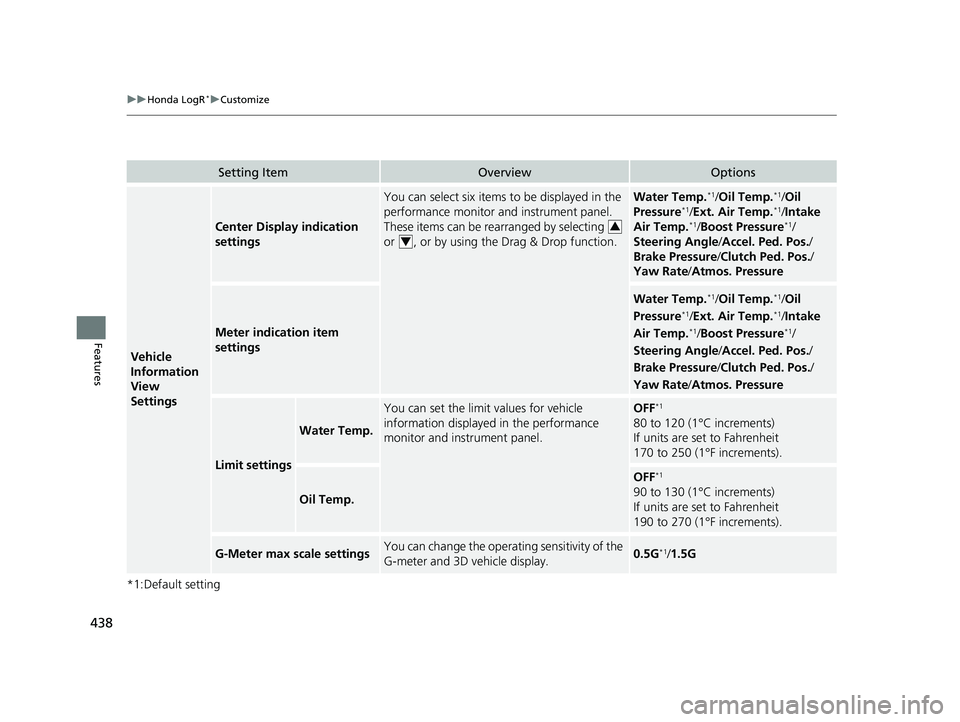
Setting ItemOverviewOptions
Vehicle
Information
View
Settings
Center Display indication
settings
You can select six items to be displayed in the
performance monitor and instrument panel.
These items can be rearranged by selecting
or , or by using the Drag & Drop function.Water Temp.*1/Oil Temp.*1/ Oil
Pressure*1/ Ext. Air Temp.*1/Intake
Air Temp.*1/ Boost Pressure*1/
Steering Angle /Accel. Ped. Pos. /
Brake Pressure /Clutch Ped. Pos. /
Yaw Rate /Atmos. Pressure
Meter indication item
settings
Water Temp.*1/Oil Temp.*1/ Oil
Pressure*1/ Ext. Air Temp.*1/Intake
Air Temp.*1/ Boost Pressure*1/
Steering Angle /Accel. Ped. Pos. /
Brake Pressure /Clutch Ped. Pos. /
Yaw Rate /Atmos. Pressure
Limit settings
Water Temp.
You can set the limit values for vehicle
information displayed in the performance
monitor and instrument panel.OFF*1
80 to 120 (1°C increments)
If units are set to Fahrenheit
170 to 250 (1°F increments).
Oil Temp.
OFF*1
90 to 130 (1°C increments)
If units are set to Fahrenheit
190 to 270 (1°F increments).
G-Meter max scale settingsYou can change the operating sensitivity of the
G-meter and 3D vehicle display.0.5G*1/1.5G
3
4
23 CIVIC HATCHBACK TYPE R-31T406100_03.book 438 ページ 2022年6月23日 木曜日 午後9時28分
Page 489 of 840
Continued487
uuBefore Driving uDriving Preparation
Driving
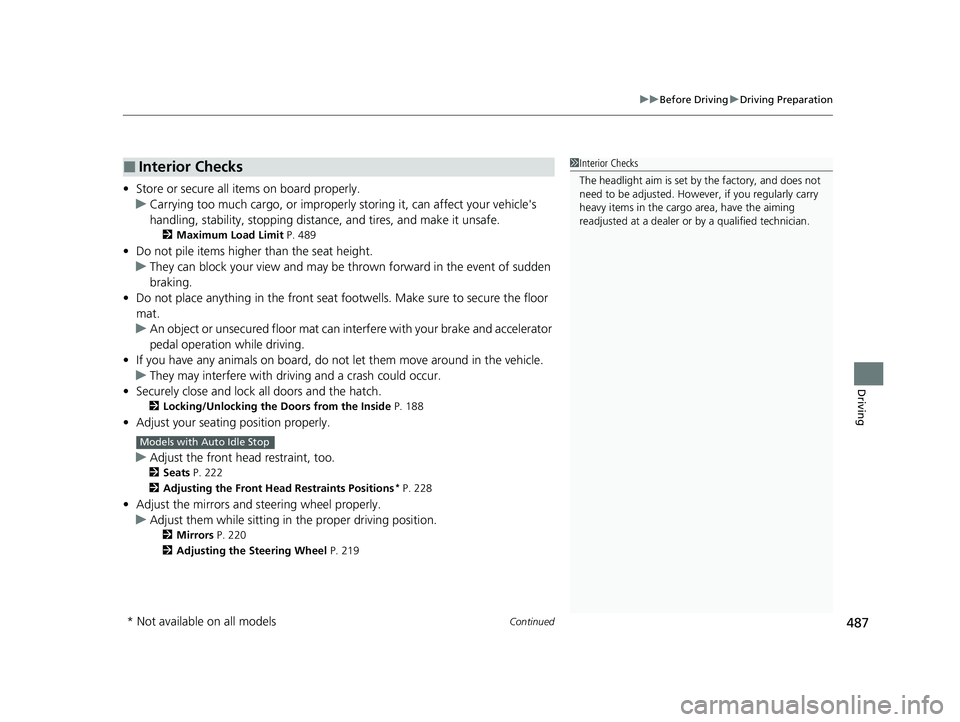
• Store or secure all items on board properly.
u Carrying too much cargo, or improperly storing it, can affect your vehicle's
handling, stability, sto pping distance, and tires, and make it unsafe.
2Maximum Load Limit P. 489
•Do not pile items higher than the seat height.
u They can block your view and may be thrown forward in the event of sudden
braking.
• Do not place anything in the front seat footwells. Make sure to secure the floor
mat.
u An object or unsecured floor mat can in terfere with your brake and accelerator
pedal operation while driving.
• If you have any animals on board, do not let them move around in the vehicle.
u They may interfere with driv ing and a crash could occur.
• Securely close and lock all doors and the hatch.
2 Locking/Unlocking the Doors from the Inside P. 188
•Adjust your seating position properly.
u Adjust the front h ead restraint, too.
2Seats P. 222
2 Adjusting the Front Head Restraints Positions
* P. 228
•Adjust the mirrors and steering wheel properly.
u Adjust them while sitting in the proper driving position.
2 Mirrors P. 220
2 Adjusting the Steering Wheel P. 219
■Interior Checks1Interior Checks
The headlight aim is set by the factory, and does not
need to be adjusted. Howeve r, if you regularly carry
heavy items in the cargo area, have the aiming
readjusted at a dealer or by a qualified technician.
Models with Auto Idle Stop
* Not available on all models
23 CIVIC HATCHBACK TYPE R-31T406100_03.book 487 ページ 2022年6月23日 木曜日 午後9時28分