brake HONDA CIVIC 2023 Manual PDF
[x] Cancel search | Manufacturer: HONDA, Model Year: 2023, Model line: CIVIC, Model: HONDA CIVIC 2023Pages: 840, PDF Size: 26.53 MB
Page 582 of 840
uuHonda Sensing ®u Adaptive Cruise Control (ACC) with Low Speed Follow*
580
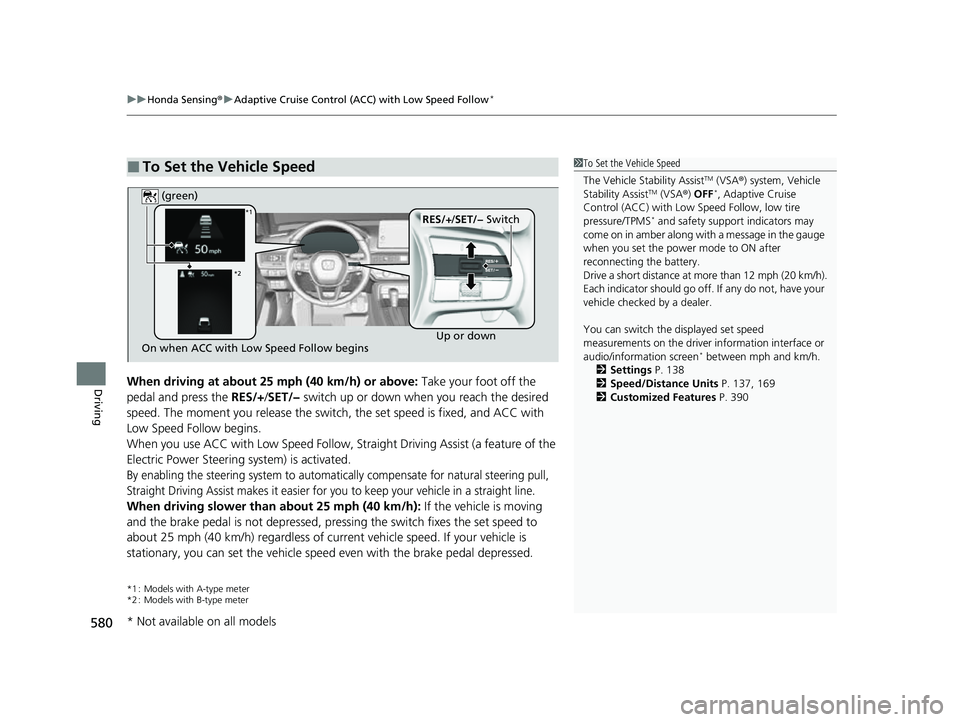
DrivingWhen driving at about 25 mph (40 km/h) or above: Take your foot off the
pedal and press the RES/+/SET/− switch up or down when you reach the desired
speed. The moment you release the switch, the set speed is fixed, and ACC with
Low Speed Follow begins.
When you use ACC with Low Speed Follow, Stra ight Driving Assist (a feature of the
Electric Power Steering system) is activated.
By enabling the steering system to automatically compensate for natural steering pull,
Straight Driving Assist makes it easier for you to keep your vehicle in a straight line.
When driving slower than about 25 mph (40 km/h): If the vehicle is moving
and the brake pedal is not depressed, pres sing the switch fixes the set speed to
about 25 mph (40 km/h) regardless of current vehicle speed. If your vehicle is
stationary, you can set the vehicle speed even with the brake pedal depressed.
*1 : Models with A-type meter
*2 : Models with B-type meter
■To Set the Vehicle Speed1 To Set the Vehicle Speed
The Vehicle Stability Assist
TM (VSA ®) system, Vehicle
Stability AssistTM (VSA ®) OFF*, Adaptive Cruise
Control (ACC) with Low Speed Follow, low tire
pressure/TPMS
* and safety suppor t indicators may
come on in amber along with a message in the gauge
when you set the power mode to ON after
reconnecting the battery.
Drive a short distance at more than 12 mph (20 km/h).
Each indicator should go off. If any do not, have your
vehicle checked by a dealer.
You can switch the displayed set speed
measurements on the driver information interface or
audio/information screen
* between mph and km/h.
2 Settings P. 138
2 Speed/Distance Units P. 137, 169
2 Customized Features P. 390On when ACC with Low Speed Follow begins Up or down
RES/+
/SET/− Switch
(green)*1
*2
* Not available on all models
23 CIVIC HATCHBACK TYPE R-31T406100_03.book 580 ページ 2022年6月23日 木曜日 午後9時28分
Page 584 of 840
uuHonda Sensing ®u Adaptive Cruise Control (ACC) with Low Speed Follow*
582
Driving
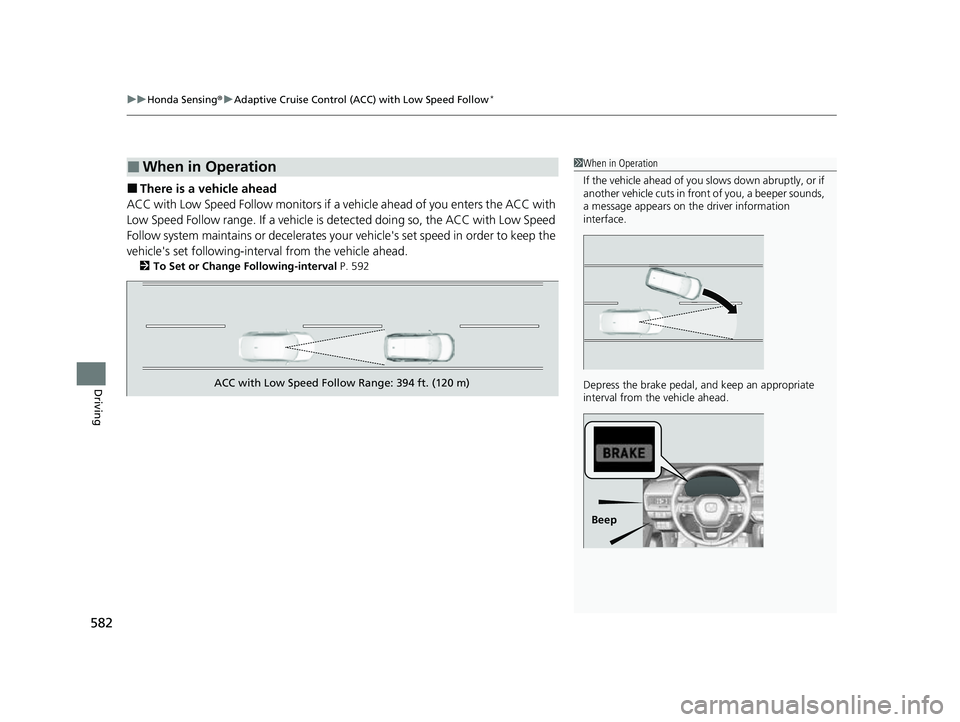
■There is a vehicle ahead
ACC with Low Speed Follow monitors if a ve hicle ahead of you enters the ACC with
Low Speed Follow range. If a vehicle is detected doing so, the ACC with Low Speed
Follow system maintains or decelerates your vehicle's set speed in order to keep the
vehicle's set followi ng-interval from the vehicle ahead.
2To Set or Change Following-interval P. 592
■When in Operation1When in Operation
If the vehicle ahead of you slows down abruptly, or if
another vehicle cuts in front of you, a beeper sounds,
a message appears on th e driver information
interface.
Depress the brake pedal, and keep an appropriate
interval from the vehicle ahead.
Beep
ACC with Low Speed Follow Range: 394 ft. (120 m)
23 CIVIC HATCHBACK TYPE R-31T406100_03.book 582 ページ 2022年6月23日 木曜日 午後9時28分
Page 585 of 840
Continued583
uuHonda Sensing ®u Adaptive Cruise Control (ACC) with Low Speed Follow*
Driving
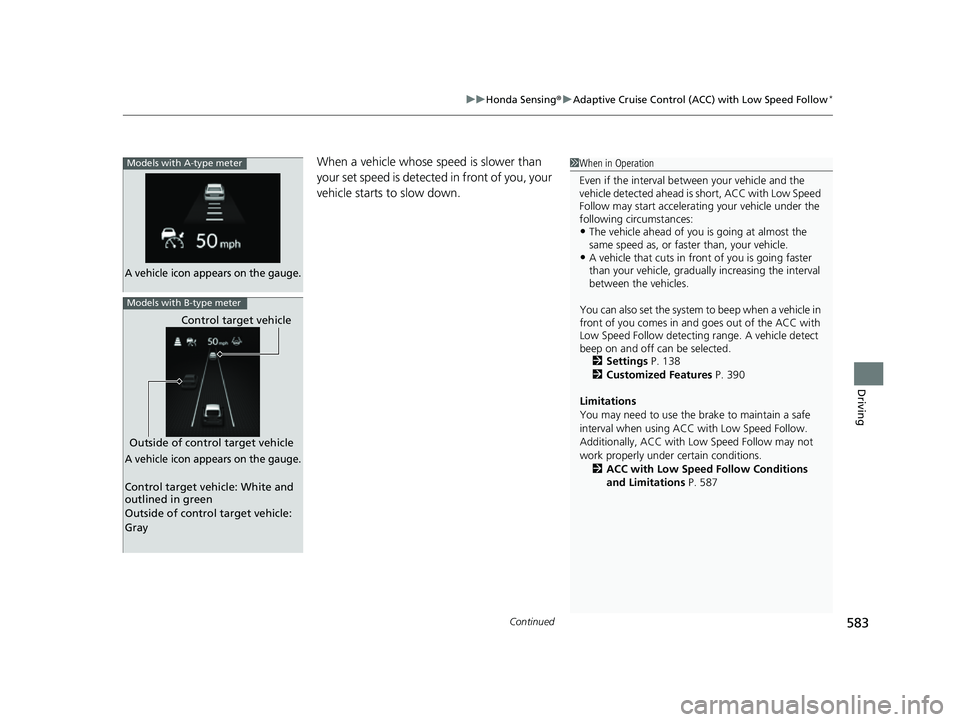
When a vehicle whose speed is slower than
your set speed is detected in front of you, your
vehicle starts to slow down.Models with A-type meter
A vehicle icon appears on the gauge.
Outside of control target vehicle Control target vehicle
Models with B-type meter
A vehicle icon appears on the gauge.
Control target vehicle: White and
outlined in green
Outside of control target vehicle:
Gray
1
When in Operation
Even if the interval betw een your vehicle and the
vehicle detected ahead is short, ACC with Low Speed
Follow may start accelerati ng your vehicle under the
following circumstances:
•The vehicle ahead of you is going at almost the
same speed as, or faster than, your vehicle.
•A vehicle that cuts in front of you is going faster
than your vehicle, gradua lly increasing the interval
between the vehicles.
You can also set the system to beep when a vehicle in
front of you comes in and goes out of the ACC with
Low Speed Follow detecting range. A vehicle detect
beep on and off can be selected. 2 Settings P. 138
2 Customized Features P. 390
Limitations
You may need to use the brake to maintain a safe
interval when using ACC with Low Speed Follow.
Additionally, ACC with Lo w Speed Follow may not
work properly under certain conditions.
2 ACC with Low Speed Follow Conditions
and Limitations P. 587
23 CIVIC HATCHBACK TYPE R-31T406100_03.book 583 ページ 2022年6月23日 木曜日 午後9時28分
Page 586 of 840
uuHonda Sensing ®u Adaptive Cruise Control (ACC) with Low Speed Follow*
584
Driving
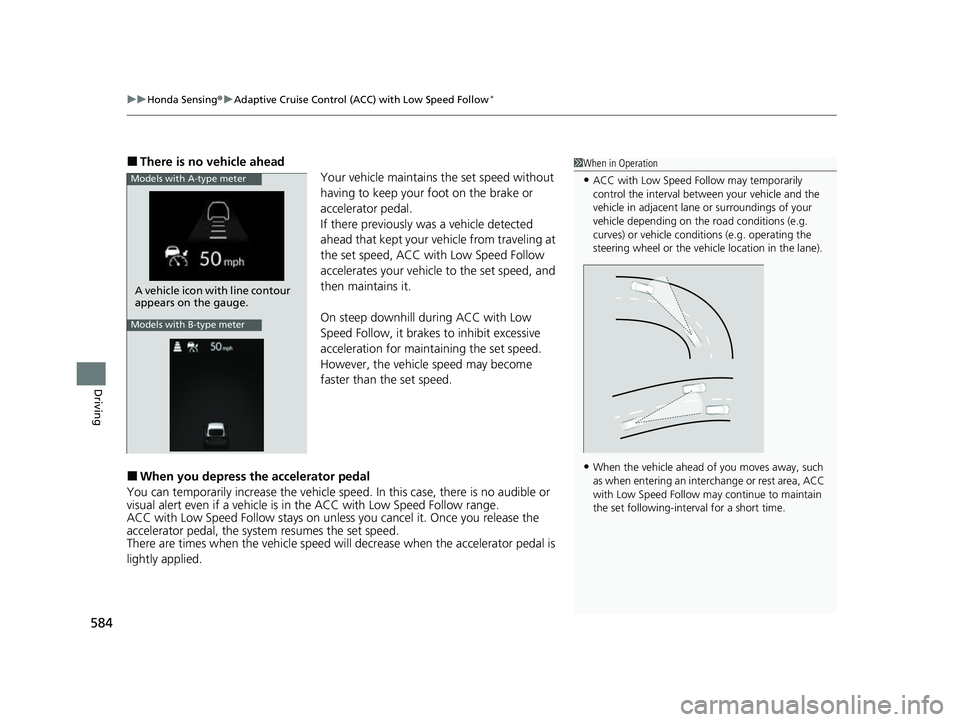
■There is no vehicle ahead
Your vehicle maintains the set speed without
having to keep your foot on the brake or
accelerator pedal.
If there previously was a vehicle detected
ahead that kept your vehicle from traveling at
the set speed, ACC with Low Speed Follow
accelerates your vehicle to the set speed, and
then maintains it.
On steep downhill during ACC with Low
Speed Follow, it brakes to inhibit excessive
acceleration for maintaining the set speed.
However, the vehicle speed may become
faster than the set speed.
■When you depress the accelerator pedal
You can temporarily increase the vehicle speed. In this ca se, there is no audible or
visual alert even if a vehicle is in the ACC with Low Speed Follow range.
ACC with Low Speed Follow stays on unless you cancel it. Once you release the
accelerator pedal, the system resumes the set speed.
There are times when the vehicle speed will decrease when the accelerator pedal is
lightly applied.
1 When in Operation
•ACC with Low Speed Follow may temporarily
control the interval between your vehicle and the
vehicle in adjacent lane or surroundings of your
vehicle depending on the road conditions (e.g.
curves) or vehicle condi tions (e.g. operating the
steering wheel or the vehicle location in the lane).
•When the vehicle ahead of you moves away, such
as when entering an interchange or rest area, ACC
with Low Speed Follow may continue to maintain
the set following-interval for a short time.
Models with A-type meter
A vehicle icon with line contour
appears on the gauge.
Models with B-type meter
23 CIVIC HATCHBACK TYPE R-31T406100_03.book 584 ページ 2022年6月23日 木曜日 午後9時28分
Page 596 of 840
uuHonda Sensing ®u Adaptive Cruise Control (ACC) with Low Speed Follow*
594
Driving
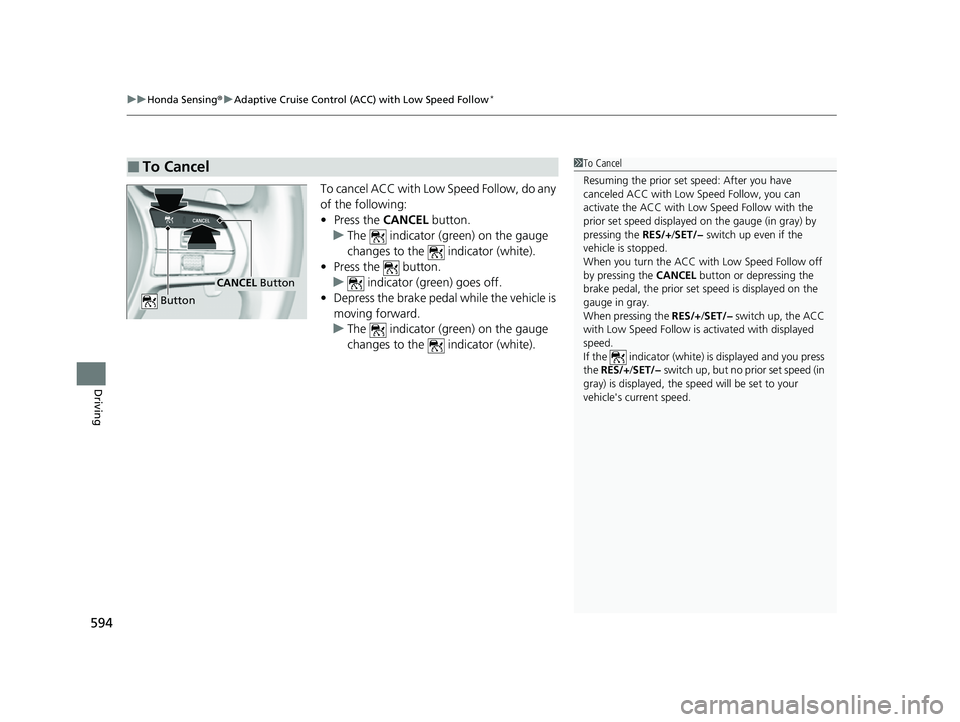
To cancel ACC with Low Speed Follow, do any
of the following:
• Press the CANCEL button.
u The indicator (green) on the gauge
changes to the indicator (white).
• Press the button.
u indicator (gr een) goes off.
• Depress the brake pedal while the vehicle is
moving forward.
u The indicator (green) on the gauge
changes to the indicator (white).
■To Cancel1To Cancel
Resuming the prior set speed: After you have
canceled ACC with Low Speed Follow, you can
activate the ACC with Low Speed Follow with the
prior set speed displayed on the gauge (in gray) by
pressing the RES/+/SET/− switch up even if the
vehicle is stopped.
When you turn the ACC with Low Speed Follow off
by pressing the CANCEL button or depressing the
brake pedal, the prior set speed is displayed on the
gauge in gray.
When pressing the RES/+/SET/− switch up, the ACC
with Low Speed Follow is activated with displayed
speed.
If the indicator (white) is displayed and you press
the RES/+ /SET/− switch up, but no prior set speed (in
gray) is displayed, the sp eed will be set to your
vehicle's current speed.
CANCEL Button
Button
23 CIVIC HATCHBACK TYPE R-31T406100_03.book 594 ページ 2022年6月23日 木曜日 午後9時28分
Page 597 of 840
Continued595
uuHonda Sensing ®u Adaptive Cruise Control (ACC) with Low Speed Follow*
Driving
■Automatic cancellation
The beeper sounds and a message appears on the driver information interface when
ACC with Low Speed Follow is automatically canceled. Any of these conditions may
cause the ACC with Low Speed Fo llow to automatically cancel:
• Bad weather (rain, fog, snow, etc.)
• The vehicle ahead of yo u cannot be detected.
• An abnormal tire condition is de tected, or the tires are skidding.
• Driving on a mountainous road for extended periods, or driving off road.
• Abrupt steering wheel movement.
• When the ABS, VSA ®, CMBS
TM, or Low Speed Braking Control* is activated.
• When the VSA ® system indicator comes on.
• When the vehicle is stopped on a very steep slope.
• When you manually apply the parking brake.
• Water is sprayed by or snow blown from a vehicle ahead.
• Driving into low sunlight (e.g., at dawn or dusk).
• When the detected vehicle within the AC C with Low Speed Follow range is too
close to your vehicle.
• When accelerating rapidly.
• The front of the camera is covered by dirt, fog, rain, mud, wet snow, seals,
accessories, stickers, or film on the windshield.
• The vehicle is loaded heavy load in the carg o area or rear seats.
• When passing through a dark place, such as tunnel.
• When the parking brake and brake system indicator (amber) comes on.
• The vehicle has repeatedly applied the brakes to maintain the set speed (for
example, you are descending a long slope).
• When the system doesn't detect any drivi ng actions from the driver for a certain
amount of time while the LKAS is also activated.
The ACC with Low Speed Follow automatic cancellation can be also triggered by the
following causes. In these cases, the parking brake will be automatically applied.
• The driver's seat belt is unfastened when the vehicle is stationary.
• The vehicle stops for more than 10 minutes.
• The engine is turned off.
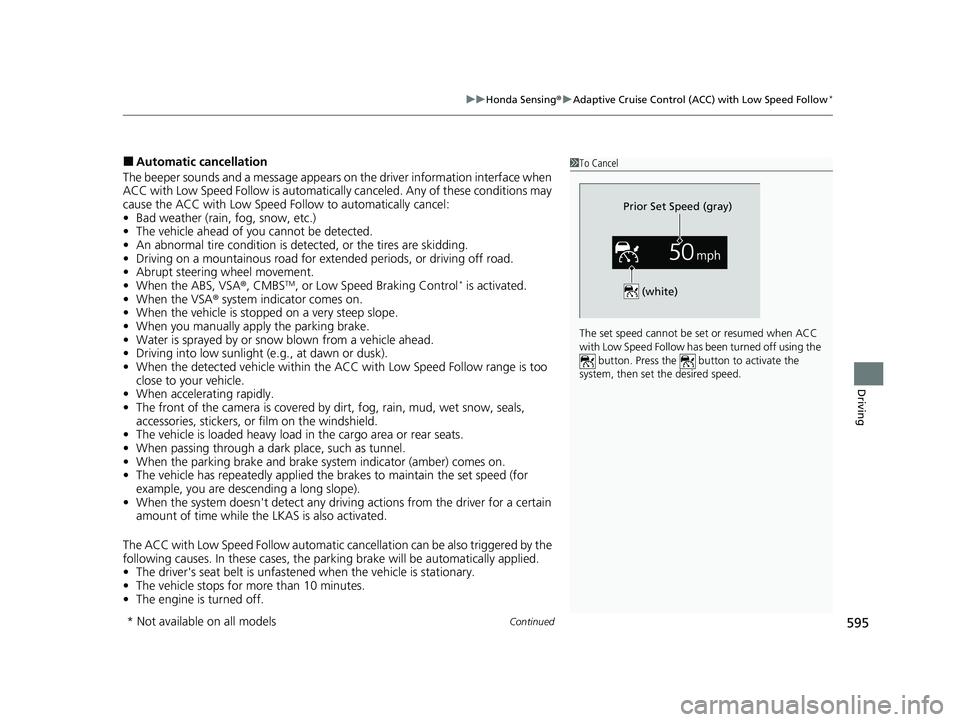
1To Cancel
The set speed cannot be set or resumed when ACC
with Low Speed Follow has been turned off using the button. Press the button to activate the
system, then set the desired speed.
(white)
Prior Set Speed (gray)
* Not available on all models
23 CIVIC HATCHBACK TYPE R-31T406100_03.book 595 ページ 2022年6月23日 木曜日 午後9時28分
Page 599 of 840
597
uuHonda Sensing ®u Adaptive Cruise Control (ACC) with Low Speed Follow*
Driving
• Each time you press the RES/+/SET/− switch up or down, the vehicle speed is
increased or decreased by about 1 mph or 1 km/h accordingly.
• If you keep the RES/+/SET/− switch pressed up or down, the vehicle speed
increases or decreases by about 5 mph or 5 km/h accordingly.
To cancel cruise control, do any of the following:
• Press the CANCEL button.
u The indicator (green) on the gauge changes to the indicator (white).
• Press the button.
u The indicator (green) goes off.
• Depress the brake pedal.
u The indicator (green) on the gauge changes to the indicator (white).
■To Adjust the Vehicle Speed
■To Cancel
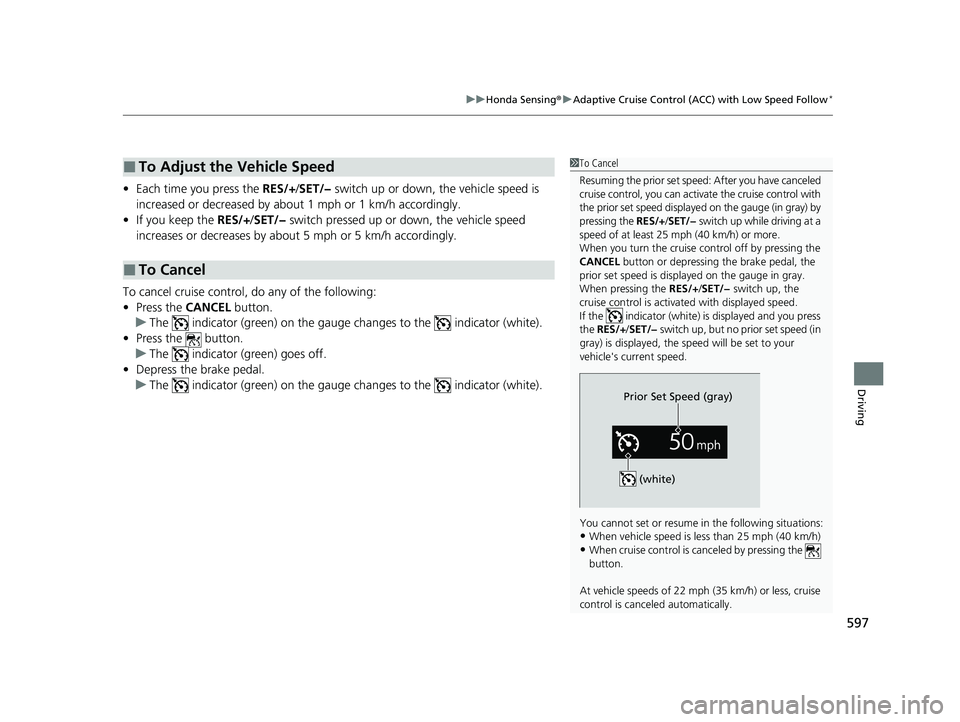
1To Cancel
Resuming the prior set speed: After you have canceled
cruise control, you can activa te the cruise control with
the prior set speed displayed on the gauge (in gray) by
pressing the RES/+/SET/− switch up while driving at a
speed of at least 25 mph (40 km/h) or more.
When you turn the cruise control off by pressing the
CANCEL button or depressing the brake pedal, the
prior set speed is displayed on the gauge in gray.
When pressing the RES/+/SET/− switch up, the
cruise control is activated with displayed speed.
If the indicator (white) is displayed and you press
the RES/+ /SET/− switch up, but no prior set speed (in
gray) is displayed, the sp eed will be set to your
vehicle's current speed.
You cannot set or resume in the following situations:
•When vehicle speed is less than 25 mph (40 km/h)
•When cruise control is canceled by pressing the
button.
At vehicle speeds of 22 m ph (35 km/h) or less, cruise
control is canceled automatically.
Prior Set Speed (gray)
(white)
23 CIVIC HATCHBACK TYPE R-31T406100_03.book 597 ページ 2022年6月23日 木曜日 午後9時28分
Page 600 of 840
598
uuHonda Sensing ®u Adaptive Cruise Control (ACC)*
Driving
Adaptive Cruise Control (ACC)*
Helps maintain a constant vehicle speed a nd a set following-interval behind a vehicle
detected ahead of yours, without you havi ng to keep your foot on the brake or the
accelerator.
When ACC slows your vehicle by applying the brakes, your vehicle's brake lights will
illuminate.1 Adaptive Cruise Control (ACC)*
Important Reminder
As with any system, there are limits to ACC. Use the
brake pedal whenever necessary, and always keep a
safe interval betw een your vehicle and other vehicles.
3WARNING
Improper use of ACC can lead to a crash.
Use ACC only when driving on
expressways or freeways and in good road
and weather conditions.
3WARNING
ACC has limited braking capability.
When your vehicle speed drops below
22 mph (35 km/h), ACC will
automatically cancel and no longer will
apply your vehicle's brakes.
Always be prepared to apply the brake
pedal when conditions require.
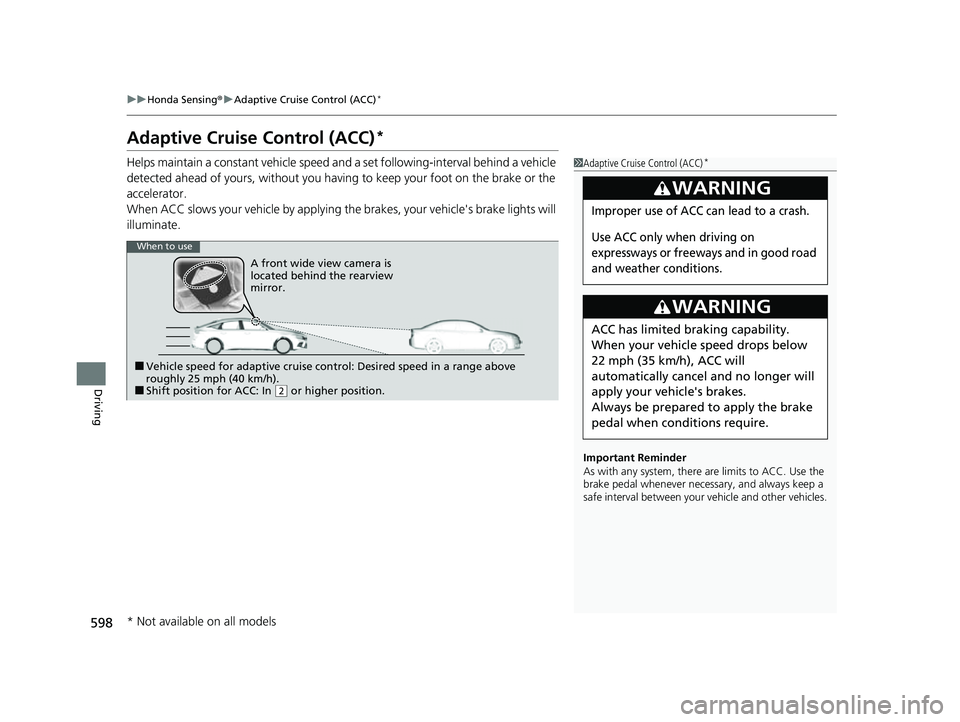
When to use
■Vehicle speed for adaptive cruise control: Desired speed in a range above
roughly 25 mph (40 km/h).
■Shift position for ACC: In ( 2 or higher position.
A front wide view camera is
located behind the rearview
mirror.
* Not available on all models
23 CIVIC HATCHBACK TYPE R-31T406100_03.book 598 ページ 2022年6月23日 木曜日 午後9時28分
Page 604 of 840
uuHonda Sensing ®u Adaptive Cruise Control (ACC)*
602
Driving
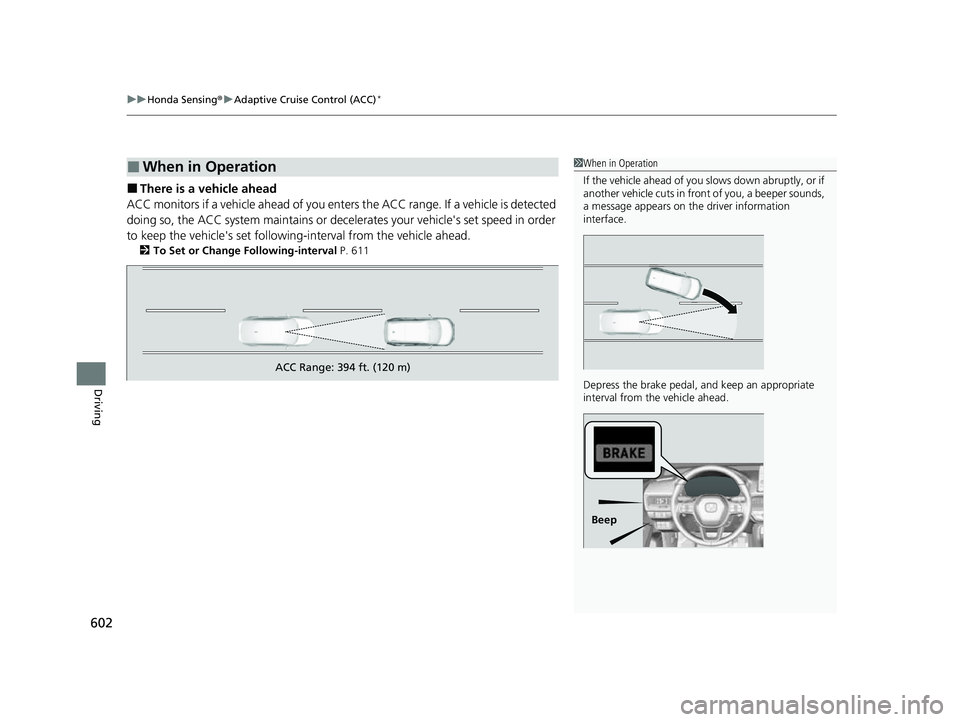
■There is a vehicle ahead
ACC monitors if a vehicle ahead of you ente rs the ACC range. If a vehicle is detected
doing so, the ACC system maintains or decele rates your vehicle's set speed in order
to keep the vehicle's se t following-interval from the vehicle ahead.
2To Set or Change Following-interval P. 611
■When in Operation1When in Operation
If the vehicle ahead of you slows down abruptly, or if
another vehicle cuts in front of you, a beeper sounds,
a message appears on th e driver information
interface.
Depress the brake pedal, and keep an appropriate
interval from the vehicle ahead.
Beep
ACC Range: 394 ft. (120 m)
23 CIVIC HATCHBACK TYPE R-31T406100_03.book 602 ページ 2022年6月23日 木曜日 午後9時28分
Page 605 of 840
Continued603
uuHonda Sensing ®u Adaptive Cruise Control (ACC)*
Driving
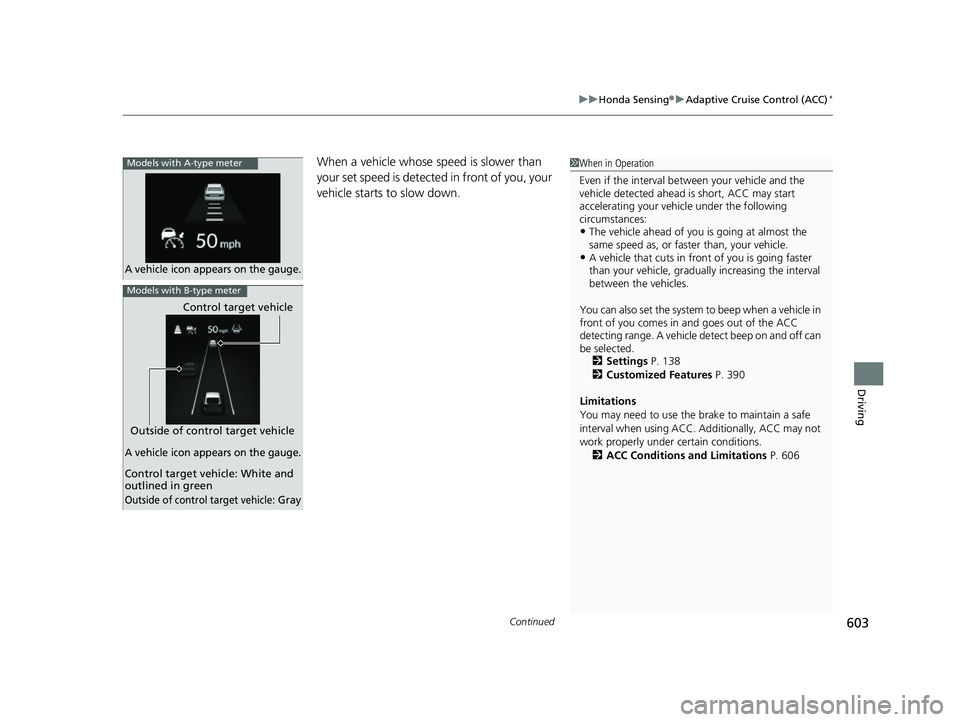
When a vehicle whose speed is slower than
your set speed is detected in front of you, your
vehicle starts to slow down.1 When in Operation
Even if the interval betw een your vehicle and the
vehicle detected ahead is short, ACC may start
accelerating your vehicle under the following
circumstances:
•The vehicle ahead of you is going at almost the
same speed as, or faster than, your vehicle.
•A vehicle that cuts in front of you is going faster
than your vehicle, gradua lly increasing the interval
between the vehicles.
You can also set the system to beep when a vehicle in
front of you comes in and goes out of the ACC
detecting range. A vehicle detect beep on and off can
be selected. 2 Settings P. 138
2 Customized Features P. 390
Limitations
You may need to use the brake to maintain a safe
interval when using ACC. Additionally, ACC may not
work properly under certain conditions.
2 ACC Conditions and Limitations P. 606A vehicle icon appears on the gauge.
Models with A-type meter
Control target vehicle
Outside of control target vehicle
Models with B-type meter
A vehicle icon appears on the gauge.
Control target vehicle: White and
outlined in green
Outside of control target vehicle: Gray
23 CIVIC HATCHBACK TYPE R-31T406100_03.book 603 ページ 2022年6月23日 木曜日 午後9時28分