stop HONDA CIVIC 2023 Service Manual
[x] Cancel search | Manufacturer: HONDA, Model Year: 2023, Model line: CIVIC, Model: HONDA CIVIC 2023Pages: 840, PDF Size: 26.53 MB
Page 140 of 840
uuGauges and Driver Information Interface uDriver Information Interface (A-type Meter)
138
Instrument Panel
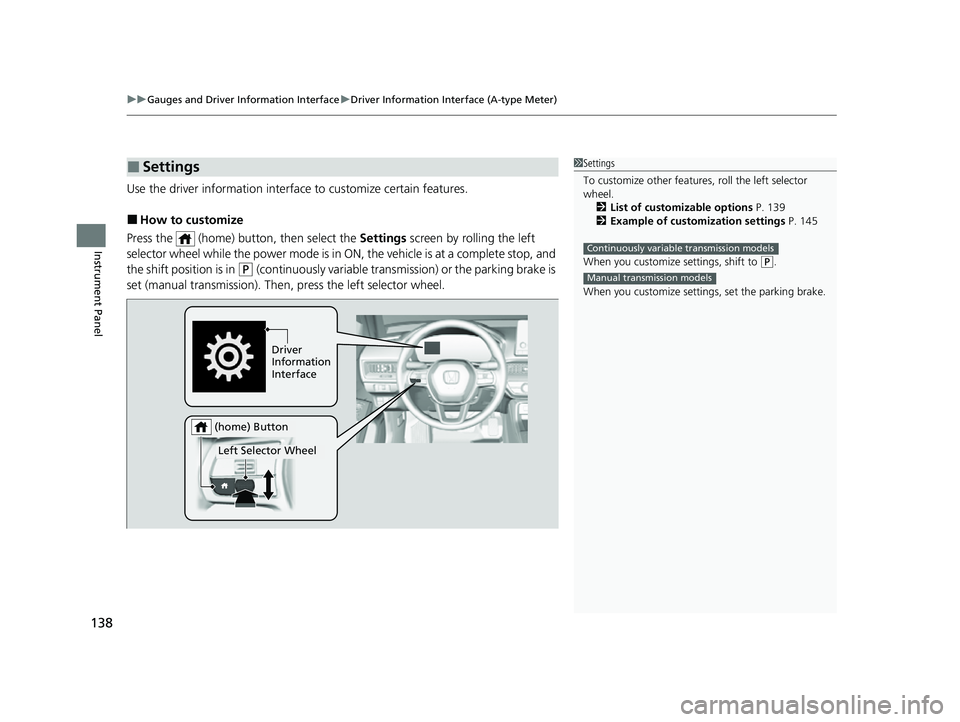
Use the driver information interfac e to customize certain features.
■How to customize
Press the (home) button, then select the Settings screen by rolling the left
selector wheel while the power mode is in ON, the vehicle is at a complete stop, and
the shift position is in
(P (continuously variable transmission) or the parking brake is
set (manual transmission). Then, press the left selector wheel.
■Settings1Settings
To customize other features , roll the left selector
wheel.
2 List of customizable options P. 139
2 Example of customization settings P. 145
When you customize settings, shift to
( P.
When you customize setti ngs, set the parking brake.
Continuously variable transmission models
Manual transmission models
Driver
Information
Interface
Left Selector Wheel
(home) Button
23 CIVIC HATCHBACK TYPE R-31T406100_03.book 138 ページ 2022年6月23日 木曜日 午後9時28分
Page 151 of 840
Continued149
uuGauges and Driver Information Interface uDriver Information Interface Left Side Area (B-type-Meter)
Instrument Panel
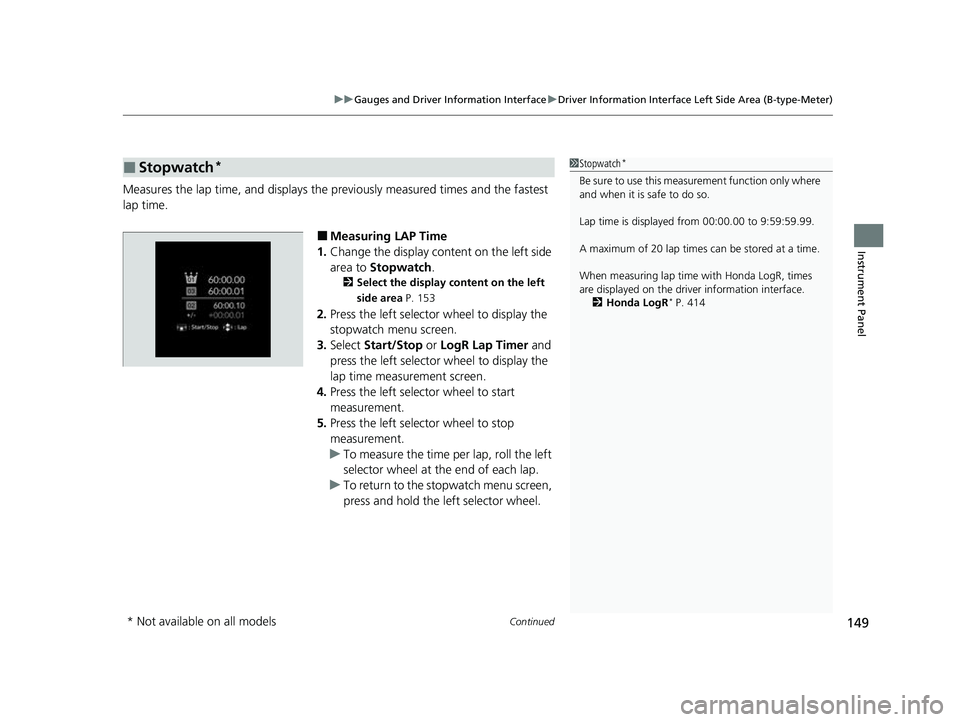
Measures the lap time, and displays the pr eviously measured times and the fastest
lap time.
■Measuring LAP Time
1. Change the display content on the left side
area to Stopwatch .
2Select the display content on the left
side area P. 153
2.Press the left selector wheel to display the
stopwatch menu screen.
3. Select Start/Stop or LogR Lap Timer and
press the left selector wheel to display the
lap time measurement screen.
4. Press the left selector wheel to start
measurement.
5. Press the left selector wheel to stop
measurement.
u To measure the time per lap, roll the left
selector wheel at the end of each lap.
u To return to the stopwatch menu screen,
press and hold the left selector wheel.
■Stopwatch*1Stopwatch*
Be sure to use this measurement function only where
and when it is safe to do so.
Lap time is displayed from 00:00.00 to 9:59:59.99.
A maximum of 20 lap times ca n be stored at a time.
When measuring lap time with Honda LogR, times
are displayed on the driver information interface. 2 Honda LogR
* P. 414
* Not available on all models
23 CIVIC HATCHBACK TYPE R-31T406100_03.book 149 ページ 2022年6月23日 木曜日 午後9時28分
Page 152 of 840
150
uuGauges and Driver Information Interface uDriver Information Interface Left Side Area (B-type-Meter)
Instrument Panel
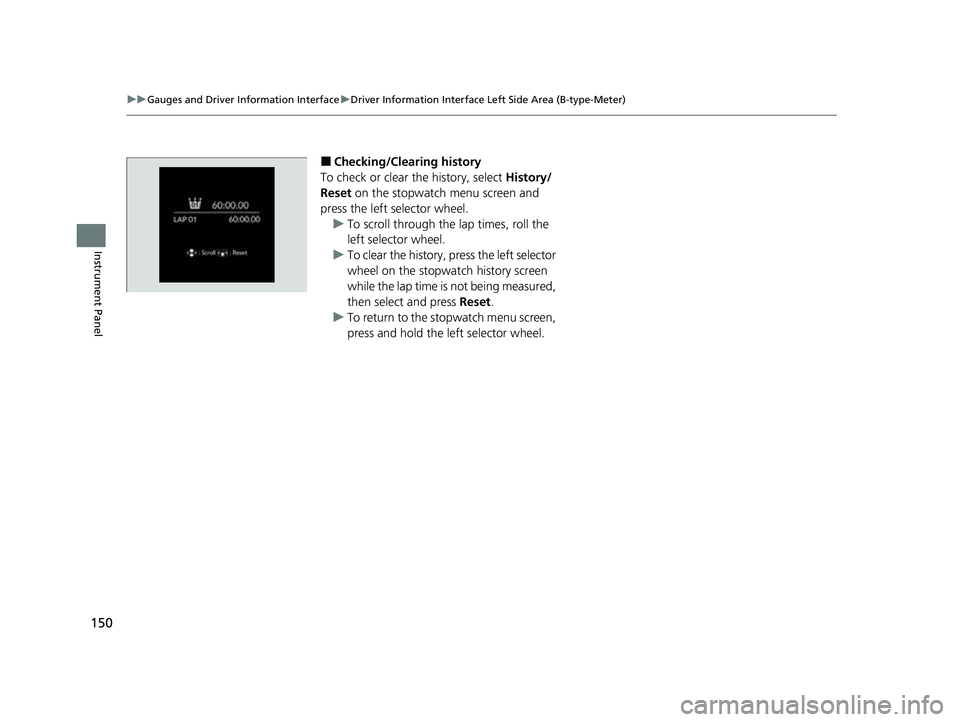
■Checking/Clearing history
To check or clear the history, select History/
Reset on the stopwatch menu screen and
press the left selector wheel. u To scroll through the lap times, roll the
left selector wheel.
u To clear the history, press the left selector
wheel on the stopwatch history screen
while the lap time is not being measured,
then select and press Reset.
u To return to the stopwatch menu screen,
press and hold the left selector wheel.
23 CIVIC HATCHBACK TYPE R-31T406100_03.book 150 ページ 2022年6月23日 木曜日 午後9時28分
Page 154 of 840
152
uuGauges and Driver Information Interface uDriver Information Interface Left Side Area (B-type-Meter)
Instrument Panel
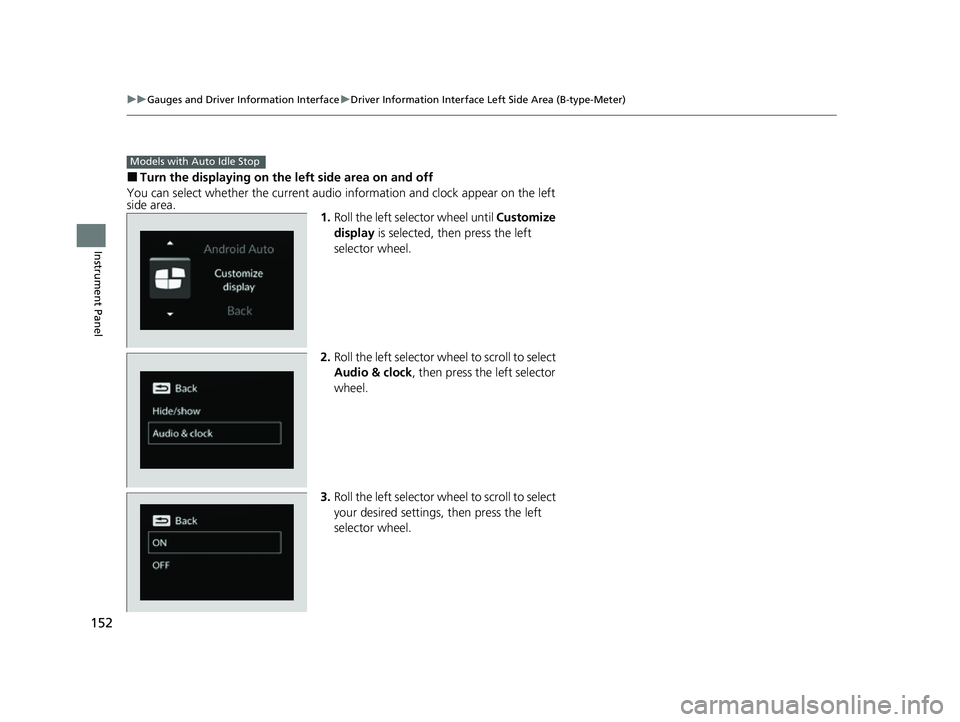
■Turn the displaying on the left side area on and off
You can select whether the current audio information and clock appear on the left
side area. 1.Roll the left selector wheel until Customize
display is selected, then press the left
selector wheel.
2. Roll the left selector wheel to scroll to select
Audio & clock , then press the left selector
wheel.
3. Roll the left selector wheel to scroll to select
your desired settings, then press the left
selector wheel.
Models with Auto Idle Stop
23 CIVIC HATCHBACK TYPE R-31T406100_03.book 152 ページ 2022年6月23日 木曜日 午後9時28分
Page 155 of 840
153
uuGauges and Driver Information Interface uDriver Information Interface Left Side Area (B-type-Meter)
Instrument Panel
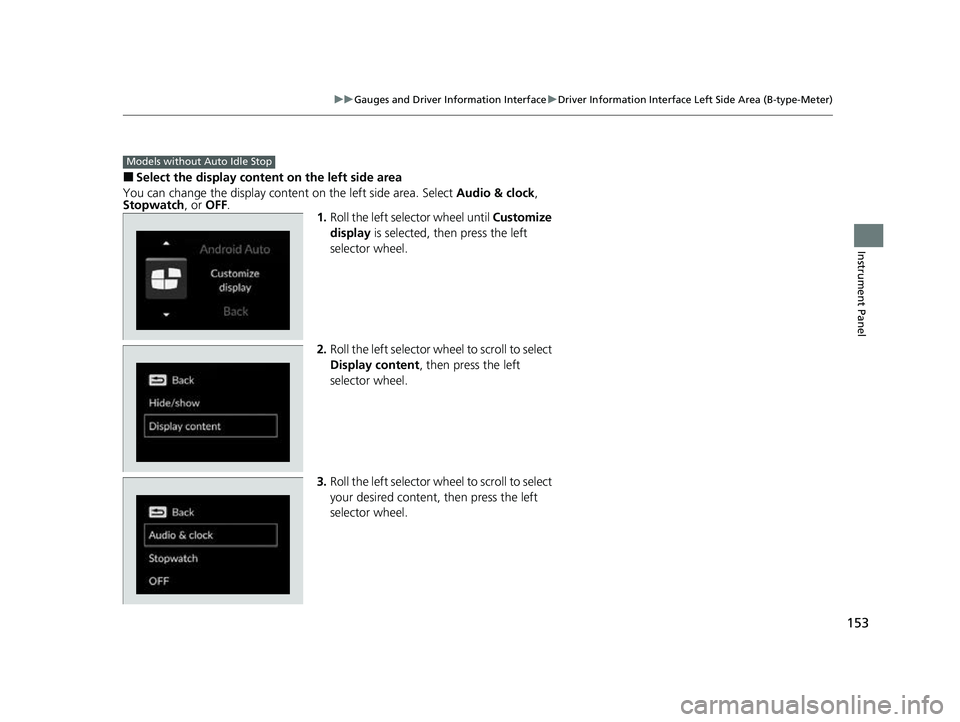
■Select the display content on the left side area
You can change the display content on the left side area. Select Audio & clock ,
Stopwatch , or OFF.
1.Roll the left selector wheel until Customize
display is selected, then press the left
selector wheel.
2. Roll the left selector wheel to scroll to select
Display content , then press the left
selector wheel.
3. Roll the left selector wheel to scroll to select
your desired content, then press the left
selector wheel.
Models without Auto Idle Stop
23 CIVIC HATCHBACK TYPE R-31T406100_03.book 153 ページ 2022年6月23日 木曜日 午後9時28分
Page 157 of 840
155
uuGauges and Driver Information Interface uDriver Information Interface Right Side Area (B-type-Meter)
Continued
Instrument Panel
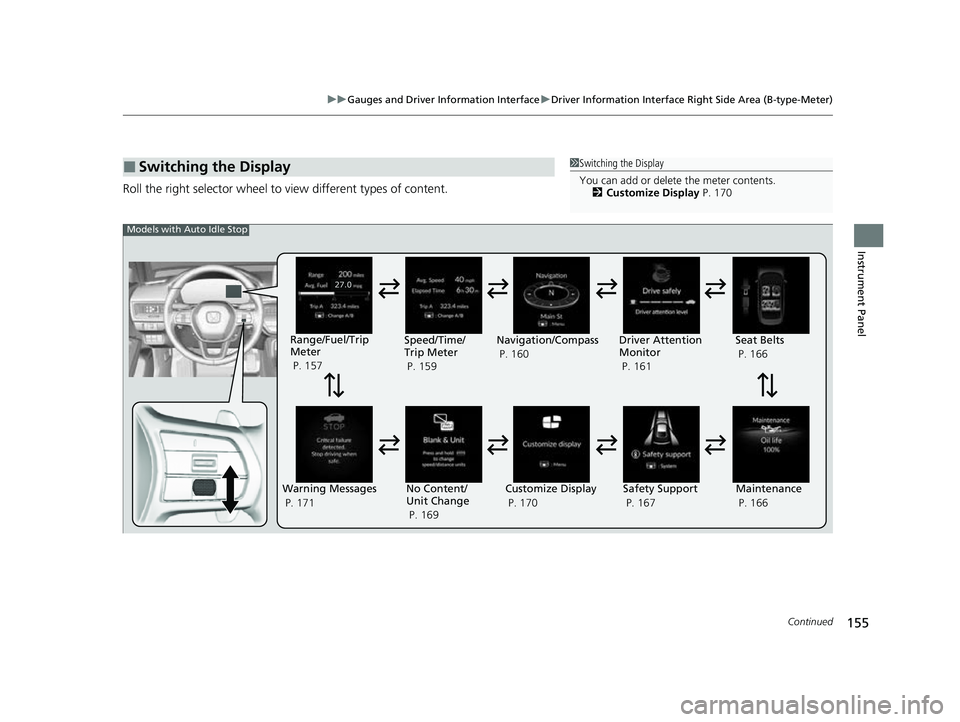
Roll the right selector wheel to view different types of content.
■Switching the Display1Switching the Display
You can add or delete the meter contents.
2 Customize Display P. 170
Warning Messages
P. 171Range/Fuel/Trip
Meter
P. 157
No Content/
Unit Change
P. 169 Driver Attention
Monitor
P. 161
Navigation/Compass
P. 160
Speed/Time/
Trip Meter
P. 159
Customize Display
P. 170 Maintenance
P. 166
Safety Support
P. 167 Seat Belts
P. 166
Models with Auto Idle Stop
23 CIVIC HATCHBACK TYPE R-31T406100_03.book 155 ページ 2022年6月23日 木曜日 午後9時28分
Page 158 of 840
156
uuGauges and Driver Information Interface uDriver Information Interface Right Side Area (B-type-Meter)
Instrument Panel
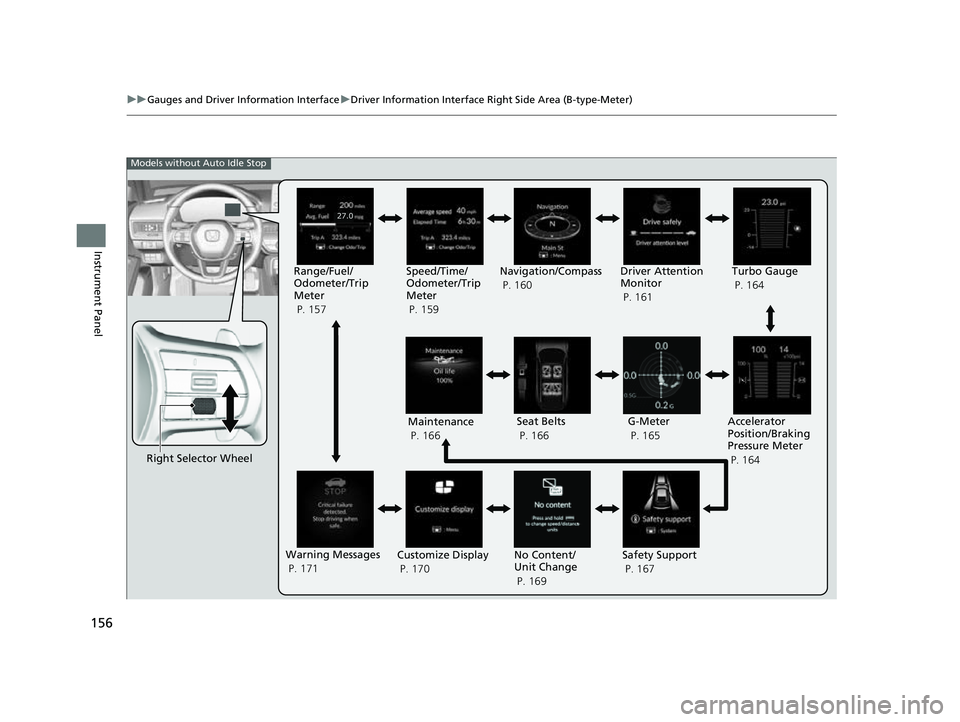
Right Selector Wheel Driver Attention
Monitor
P. 161
G-Meter
P. 165
Accelerator
Position/Braking
Pressure Meter
P. 164
Models without Auto Idle Stop
Maintenance
P. 166 Seat Belts
P. 166
Warning Messages
P. 171 Customize Display
P. 170 No Content/
Unit Change
P. 169Safety Support
P. 167
Range/Fuel/
Odometer/Trip
Meter
P. 157
Speed/Time/
Odometer/Trip
Meter
P. 159Navigation/Compass
P. 160
Turbo Gauge
P. 164
23 CIVIC HATCHBACK TYPE R-31T406100_03.book 156 ページ 2022年6月23日 木曜日 午後9時28分
Page 163 of 840
Continued161
uuGauges and Driver Information Interface uDriver Information Interface Right Side Area (B-type-Meter)
Instrument Panel
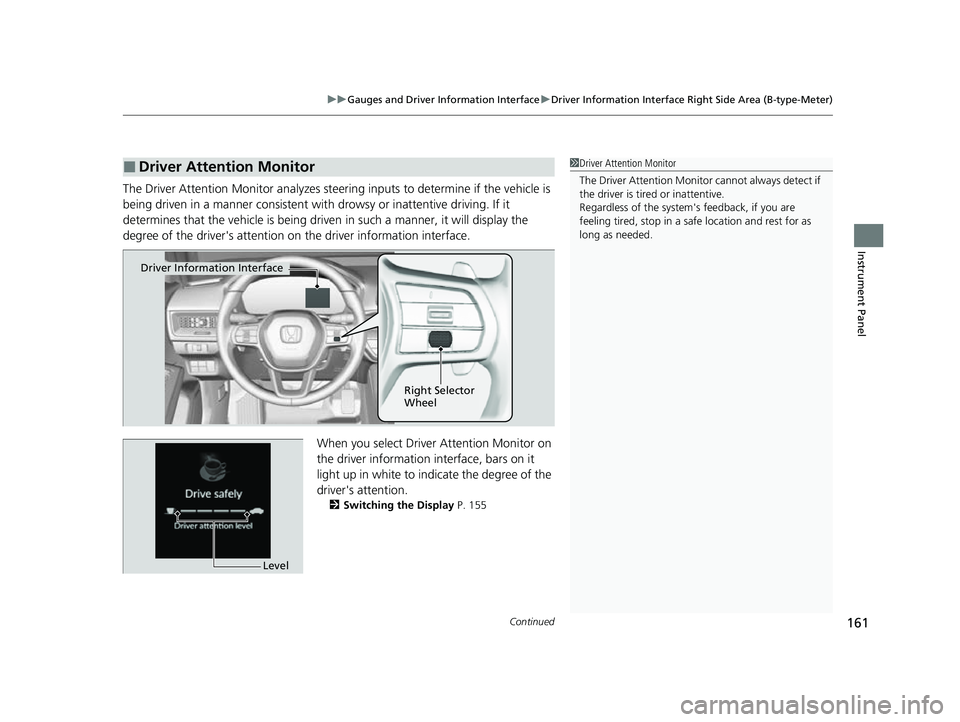
The Driver Attention Monitor an alyzes steering inputs to determine if the vehicle is
being driven in a manner consistent with drowsy or inattentive driving. If it
determines that the vehicle is being driven in such a manner, it will display the
degree of the driver's attention on the driver information interface.
When you select Driver Attention Monitor on
the driver information in terface, bars on it
light up in white to indicate the degree of the
driver's attention.
2 Switching the Display P. 155
■Driver Attention Monitor1Driver Attention Monitor
The Driver Attenti on Monitor cannot always detect if
the driver is tired or inattentive.
Regardless of the system's feedback, if you are
feeling tired, stop in a safe location and rest for as
long as needed.
Driver Information Interface
Right Selector
Wheel
Level
23 CIVIC HATCHBACK TYPE R-31T406100_03.book 161 ページ 2022年6月23日 木曜日 午後9時28分
Page 164 of 840
162
uuGauges and Driver Information Interface uDriver Information Interface Right Side Area (B-type-Meter)
Instrument Panel
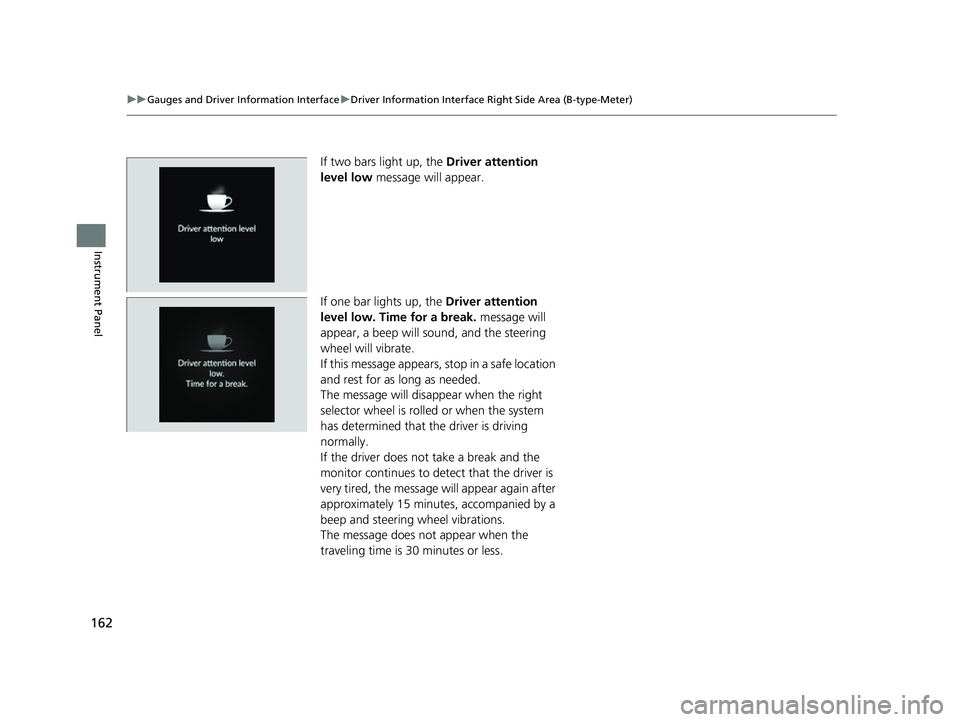
If two bars light up, the Driver attention
level low message will appear.
If one bar lights up, the Driver attention
level low. Time for a break. message will
appear, a beep will sound, and the steering
wheel will vibrate.
If this message appears, stop in a safe location
and rest for as long as needed.
The message will disa ppear when the right
selector wheel is rolled or when the system
has determined that the driver is driving
normally.
If the driver does not take a break and the
monitor continues to dete ct that the driver is
very tired, the message will appear again after
approximately 15 minutes, accompanied by a
beep and steering wheel vibrations.
The message does not appear when the
traveling time is 30 minutes or less.
23 CIVIC HATCHBACK TYPE R-31T406100_03.book 162 ページ 2022年6月23日 木曜日 午後9時28分
Page 165 of 840
Continued163
uuGauges and Driver Information Interface uDriver Information Interface Right Side Area (B-type-Meter)
Instrument Panel
■The Driver Attention Monitor resets when:
• The engine is turned off.
• The driver unfastens the seat belt and ope ns the door while the vehicle is stopped.
■For the Driver Attention Monitor to function:
• The vehicle must be traveling above 25 mph (40 km/h).
• The electric power steering (EPS) system indicator must be off.
■Depending on driving conditions or other factors, the Driver Attention
Monitor may not function in the following circumstances:
• The steering assist function of the Lane Keeping Assist System (LKAS) is active.
2Lane Keeping Assist System (LKAS) P. 618
•The condition of the road is poor, e. g., the surface is unpaved or bumpy.
• It is windy.
• The driver is frequently op erating the vehicle in an assertive manner such as
changing lanes or accelerating.
■Customizing
You can change the Driver Attention Monitor settings. Select Tactile And Audible
Alert , Tactile Alert , or OFF .
2Customized Features P. 390
1For the Driver Attention Monitor to function:
The bars on the driver information interface remain
grayed out unless the Driv er Attention Monitor is
functioning.
23 CIVIC HATCHBACK TYPE R-31T406100_03.book 163 ページ 2022年6月23日 木曜日 午後9時28分