brake HONDA CIVIC 2023 Manual Online
[x] Cancel search | Manufacturer: HONDA, Model Year: 2023, Model line: CIVIC, Model: HONDA CIVIC 2023Pages: 840, PDF Size: 26.53 MB
Page 607 of 840
605
uuHonda Sensing ®u Adaptive Cruise Control (ACC)*
Continued
Driving
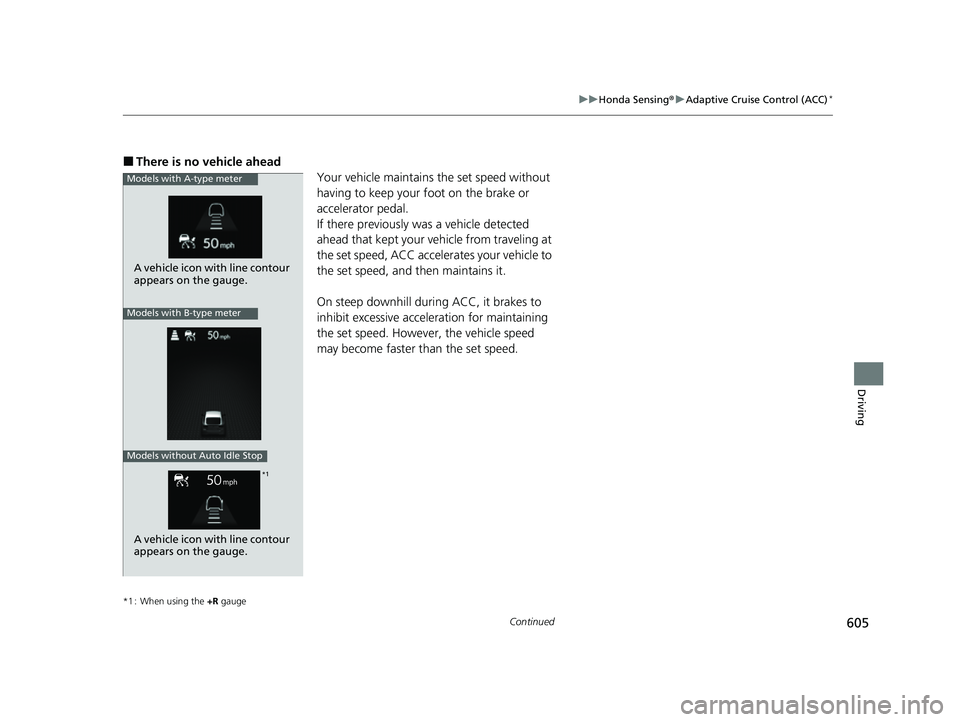
■There is no vehicle ahead
Your vehicle maintains the set speed without
having to keep your foot on the brake or
accelerator pedal.
If there previously was a vehicle detected
ahead that kept your vehicle from traveling at
the set speed, ACC accelerates your vehicle to
the set speed, and then maintains it.
On steep downhill during ACC, it brakes to
inhibit excessive acceleration for maintaining
the set speed. However, the vehicle speed
may become faster than the set speed.
*1 : When using the +R gauge
Models with A-type meter
A vehicle icon with line contour
appears on the gauge.
Models with B-type meter
Models without Auto Idle Stop
*1
A vehicle icon with line contour
appears on the gauge.
23 CIVIC HATCHBACK TYPE R-31T406100_03.book 605 ページ 2022年6月23日 木曜日 午後9時28分
Page 615 of 840
Continued613
uuHonda Sensing ®u Adaptive Cruise Control (ACC)*
Driving
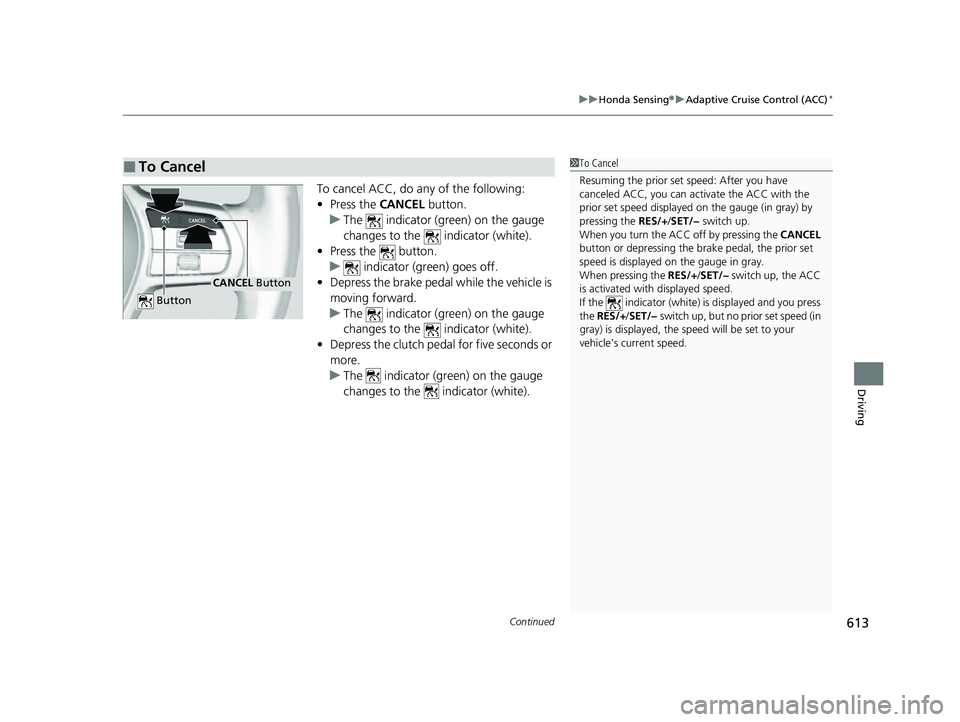
To cancel ACC, do any of the following:
• Press the CANCEL button.
u The indicator (green) on the gauge
changes to the indicator (white).
• Press the button.
u indicator (green) goes off.
• Depress the brake pedal while the vehicle is
moving forward.
u The indicator (green) on the gauge
changes to the indicator (white).
• Depress the clutch pedal for five seconds or
more.
u The indicator (green) on the gauge
changes to the indicator (white).
■To Cancel1To Cancel
Resuming the prior set speed: After you have
canceled ACC, you can activate the ACC with the
prior set speed displayed on the gauge (in gray) by
pressing the RES/+/SET/− switch up.
When you turn the ACC off by pressing the CANCEL
button or depressing the br ake pedal, the prior set
speed is displayed on the gauge in gray.
When pressing the RES/+/SET/− switch up, the ACC
is activated with displayed speed.
If the indicator (white) is displayed and you press
the RES/+ /SET/− switch up, but no prior set speed (in
gray) is displayed, the sp eed will be set to your
vehicle's current speed.
CANCEL Button
Button
23 CIVIC HATCHBACK TYPE R-31T406100_03.book 613 ページ 2022年6月23日 木曜日 午後9時28分
Page 616 of 840
uuHonda Sensing ®u Adaptive Cruise Control (ACC)*
614
Driving
■Automatic cancellation
The beeper sounds and a message appears on the driver information interface when
ACC is automatically canceled. Any of these conditions may cause the ACC to
automatically cancel:
• Bad weather (rain, fog, snow, etc.)
• The vehicle ahead of you cannot be detected.
• An abnormal tire condition is detected, or the tires are skidding.
• Driving on a mountainous road for extended periods, or driving off road.
• Abrupt steering wheel movement.
• When the ABS, VSA ®, CMBS
TM, or Low Speed Braking Control* is activated.
• When the VSA ® system indicator comes on.
• When you manually apply the parking brake.
• When vehicle speed is less than 22 mph (35 km/h).
• Water is sprayed by or snow blown from a vehicle ahead.
• Driving into low sunlight (e.g., at dawn or dusk).
• When the detected vehicle within the ACC range is too close to your vehicle.
• When accelerating rapidly.
• The front of the camera is covered by dirt, fog, rain, mud, wet snow, seals,
accessories, stickers, or film on the windshield.
• The engine is turned off.
• The vehicle is loaded heavy load in the cargo area or rear seats.
• When passing through a dark place, such as tunnel.
• When the parking brake and brake system indicator (amber) comes on.
• The vehicle has repeatedly applied the brakes to maintain the set speed (for
example, you are descending a long slope).
• When the system doesn't detect any driv ing actions from the driver for a certain
amount of time while the LKAS is also activated.
• Ignoring shift down indication shown in the gauge will cancel the ACC after
about 10 seconds.
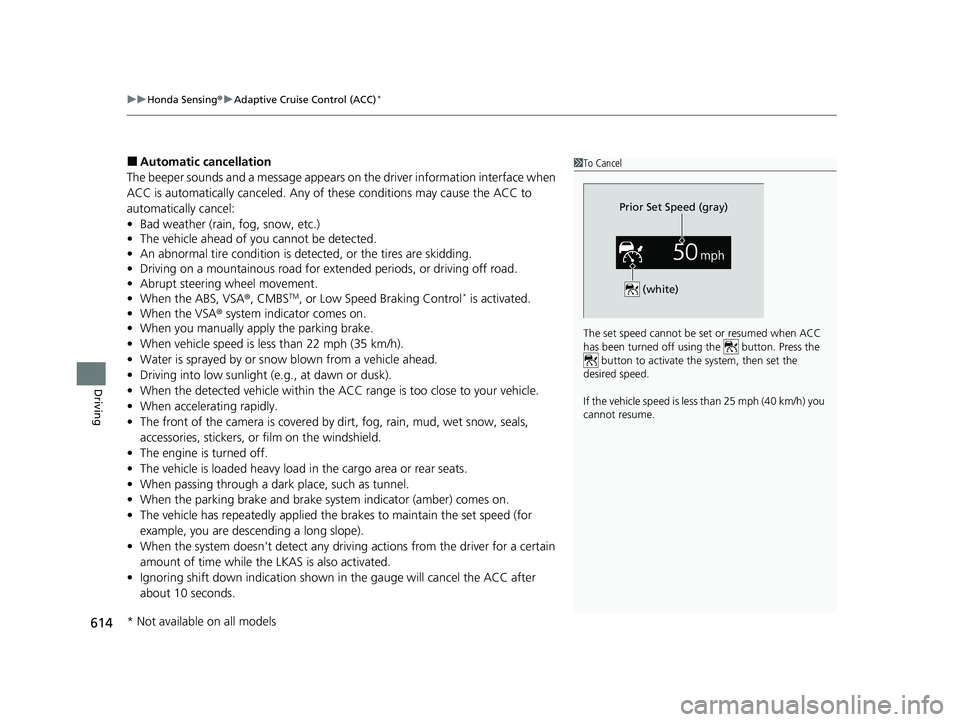
1To Cancel
The set speed cannot be set or resumed when ACC
has been turned off usi ng the button. Press the
button to activate the system, then set the
desired speed.
If the vehicle speed is less than 25 mph (40 km/h) you
cannot resume.
Prior Set Speed (gray)
(white)
* Not available on all models
23 CIVIC HATCHBACK TYPE R-31T406100_03.book 614 ページ 2022年6月23日 木曜日 午後9時28分
Page 619 of 840
617
uuHonda Sensing ®u Adaptive Cruise Control (ACC)*
Driving
• Each time you press the RES/+/SET/− switch up or down, the vehicle speed is
increased or decreased by about 1 mph or 1 km/h accordingly.
• If you keep the RES/+/SET/− switch pressed up or down, the vehicle speed
increases or decreases by about 5 mph or 5 km/h accordingly.
To cancel cruise control, do any of the following:
• Press the CANCEL button.
u The indicator (green) on the gauge changes to the indicator (white).
• Press the button.
u The indicator (green) goes off.
• Depress the brake pedal.
u The indicator (green) on the gauge changes to the indicator (white).
• Depress the clutch pedal for five seconds or more.
u The indicator (green) on the gauge changes to the indicator (white).
■To Adjust the Vehicle Speed
■To Cancel
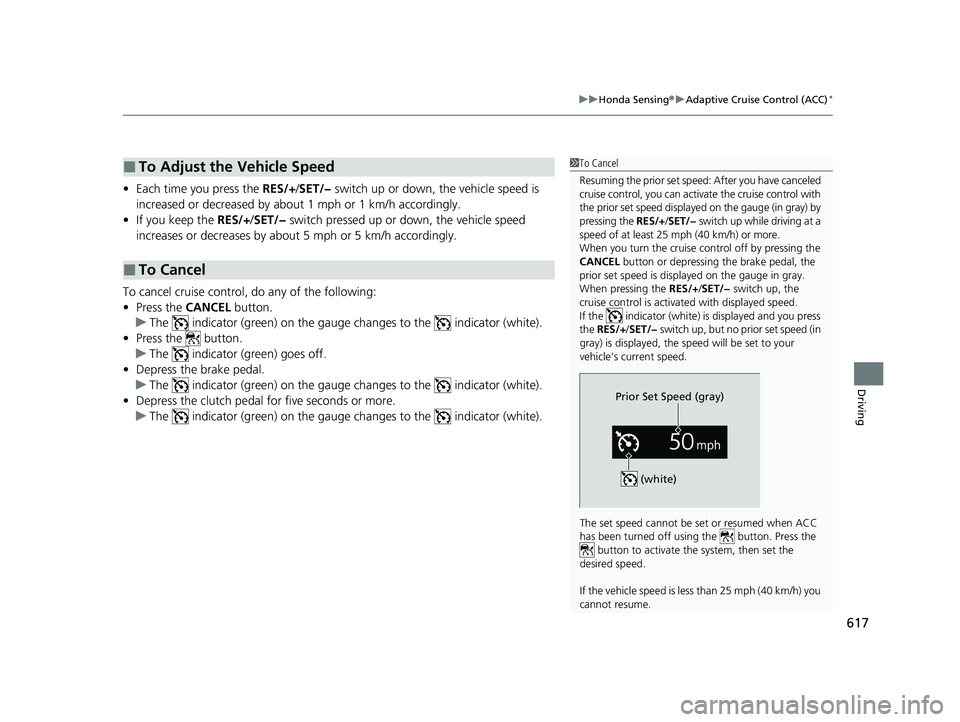
1To Cancel
Resuming the prior set speed: After you have canceled
cruise control, you can activa te the cruise control with
the prior set speed displayed on the gauge (in gray) by
pressing the RES/+/SET/− switch up while driving at a
speed of at least 25 mph (40 km/h) or more.
When you turn the cruise control off by pressing the
CANCEL button or depressing the brake pedal, the
prior set speed is displayed on the gauge in gray.
When pressing the RES/+/SET/− switch up, the
cruise control is activated with displayed speed.
If the indicator (white) is displayed and you press
the RES/+ /SET/− switch up, but no prior set speed (in
gray) is displayed, the sp eed will be set to your
vehicle's current speed.
The set speed cannot be set or resumed when ACC
has been turned off usi ng the button. Press the
button to activate the system, then set the
desired speed.
If the vehicle speed is less than 25 mph (40 km/h) you
cannot resume.
Prior Set Speed (gray)
(white)
23 CIVIC HATCHBACK TYPE R-31T406100_03.book 617 ページ 2022年6月23日 木曜日 午後9時28分
Page 623 of 840
Continued621
uuHonda Sensing ®u Lane Keeping Assist System (LKAS)
Driving
The system can be used when th e following conditions are met.
• The lane in which you are driving has detectable lane markers on both sides, and
your vehicle is in the center of the lane.
• The vehicle is traveling between about 45 and 90 mph (72 and 145 km/h).
• You are driving on a straight or slightly curved road.
• The turn signals are off.
• The brake pedal is not depressed.
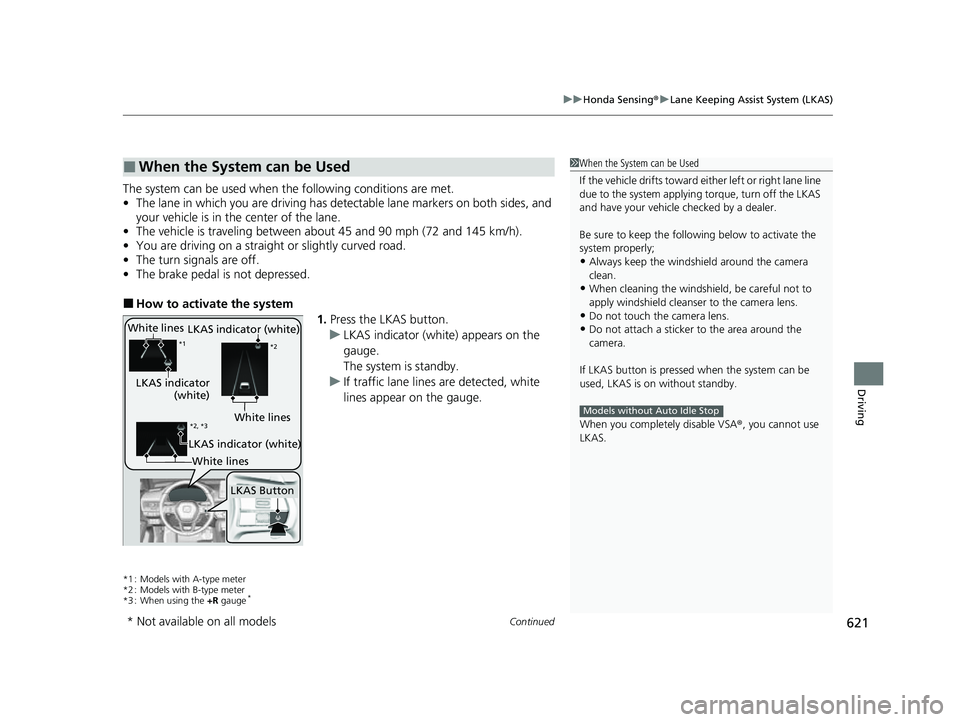
■How to activate the system
1.Press the LKAS button.
u LKAS indicator (white) appears on the
gauge.
The system is standby.
u If traffic lane lines are detected, white
lines appear on the gauge.
*1 : Models with A-type meter
*2 : Models with B-type meter
*3 : When using the +R gauge
*
■When the System can be Used1When the System can be Used
If the vehicle drifts toward ei ther left or right lane line
due to the system applying torque, turn off the LKAS
and have your vehicle checked by a dealer.
Be sure to keep the following below to activate the
system properly;
•Always keep the windshi eld around the camera
clean.
•When cleaning the windshield, be careful not to
apply windshield cleanser to the camera lens.
•Do not touch the camera lens.
•Do not attach a sticker to the area around the
camera.
If LKAS button is pressed when the system can be
used, LKAS is on without standby.
When you completely disable VSA® , you cannot use
LKAS.
Models without Auto Idle Stop
White lines
LKAS indicator
(white)
*1 *2
LKAS Button
*2, *3White lines
LKAS indicator (white)
LKAS indicator (white)
White lines
* Not available on all models
23 CIVIC HATCHBACK TYPE R-31T406100_03.book 621 ページ 2022年6月23日 木曜日 午後9時28分
Page 626 of 840
uuHonda Sensing ®u Lane Keeping Assist System (LKAS)
624
Driving
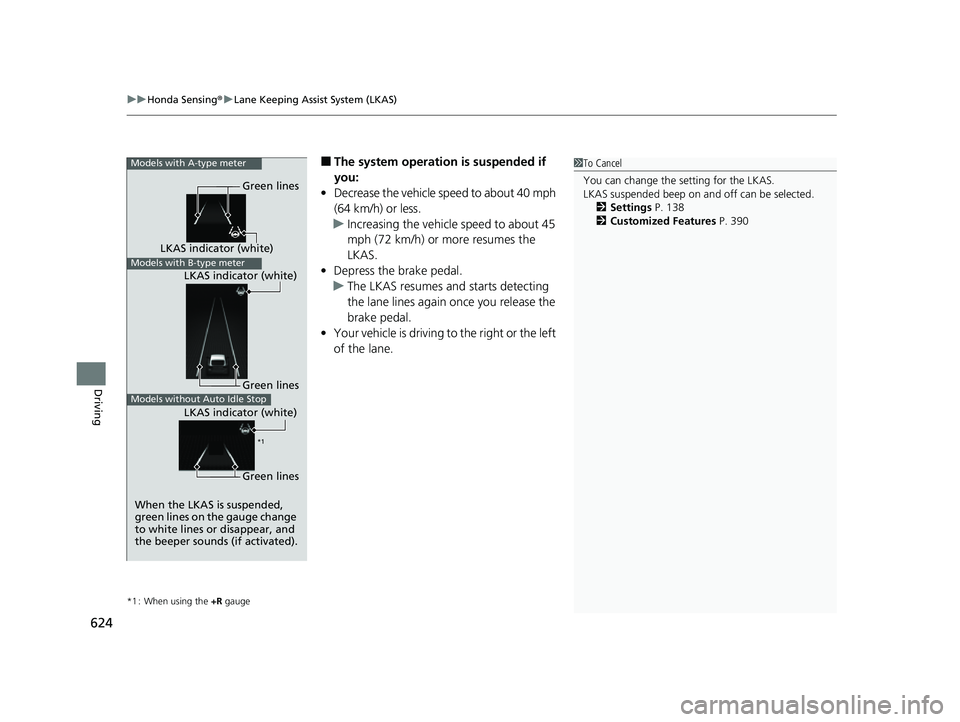
■The system operation is suspended if
you:
• Decrease the vehicle speed to about 40 mph
(64 km/h) or less.
u Increasing the vehicle speed to about 45
mph (72 km/h) or more resumes the
LKAS.
• Depress the brake pedal.
u The LKAS resumes and starts detecting
the lane lines again once you release the
brake pedal.
• Your vehicle is driving to the right or the left
of the lane.
*1 : When using the +R gauge
1To Cancel
You can change the setting for the LKAS.
LKAS suspended beep on and off can be selected.
2 Settings P. 138
2 Customized Features P. 390Models with A-type meter
When the LKAS is suspended,
green lines on the gauge change
to white lines or disappear, and
the beeper sounds (if activated).
Models with B-type meterLKAS indicator (white)
LKAS indicator (white) Green lines
Models without Auto Idle StopGreen lines
Green lines
LKAS indicator (white)
*1
23 CIVIC HATCHBACK TYPE R-31T406100_03.book 624 ページ 2022年6月23日 木曜日 午後9時28分
Page 636 of 840
uuHonda Sensing ®u Traffic Jam Assist*
634
Driving
Press the Lane Keeping Assist System (LKAS) button to cancel Traffic Jam Assist.
■Traffic Jam Assist may be au tomatically suspended when:
The system is automatically temporarily ca nceled under the following circumstances.
• The system fails to detect lane lines.
• The steering wheel is turned sharply.
• You fail to steer the vehicle.
• You are driving through a sharp curve.
• The brake pedal is depressed.
Once these conditions no longer exist, Traffic Jam Assist automatically resumes.
■Traffic Jam Assist may be automatically canceled when:
The traffic lane lines will disappear from the screen, the beeper may sound, and
Traffic Jam Assist will be canceled under the following circumstances:
• The temperature of the camera is too high.
• The camera behind the rearview mirror, or the area around the camera, including
the windshield, is dirty.
■Canceling Traffic Jam Assist
1Traffic Jam Assist may be au tomatically suspended when:
You are traveling over 45mph (72km/h).
u When the speed of the vehicle reaches 45mph
(72km/h), Traffic Jam Assist is deactivated and LKAS
is activated instead. Once the speed of the vehicle
drops to under 40 mph (64 km/h), Traffic Jam Assist
is reactivated.
23 CIVIC HATCHBACK TYPE R-31T406100_03.book 634 ページ 2022年6月23日 木曜日 午後9時28分
Page 647 of 840
645
uuHonda Sensing ®u Road Departure Mitigation System
Continued
Driving
■Vehicle conditions
• When lighting is weak due to dirt coveri ng the headlight lenses, or there is poor
visibility in a dark place due to the headlights being improperly adjusted.
• The front of the camera is covered by dirt, fog, rain, mud, wet snow, seals,
accessories, stickers, or film on the windshield.
• Driving at night or in a dark place (e.g., a tunnel) with the headlights off.
• When the driver operates the brake pedal and steering wheel.
• There is residue on the windshie ld from the windshield wipers.
• An abnormal tire or wheel condition (inco rrect sizes, varied sizes or construction,
improperly inflated, compact spare tire
*, etc.).
• The vehicle is tilted due to heavy load in the cargo area or rear seats.
• Tire chains
* are installed.
• The suspension has been modified.
■Examples of limitations on detectio n due to the condition of oncoming
vehicles
• The oncoming vehicle or vehicle ahead of you is sideways.
• The oncoming vehicle jumps out in front of you.
• When the oncoming vehicle blends in with the background, preventing the
system from recognizing it.
• The headlights of an oncoming vehicle are lit on one side or not lit on either side
in a dark place.
• The distance between your vehicle an d the oncoming vehicle is too short.
• Part of the oncoming vehicle is not visi ble due to the vehicle ahead of you.
• There are multiple oncoming lanes or turning lanes.
• The vehicle in the adjacent lane is parked or moving at an extremely slow speed.
* Not available on all models
23 CIVIC HATCHBACK TYPE R-31T406100_03.book 645 ページ 2022年6月23日 木曜日 午後9時28分
Page 659 of 840
657Continued
Driving
Braking
Brake System
Use the parking brake to keep the vehicle stationary when parked. When the
parking brake is applied, you can manu ally or automatically release it.
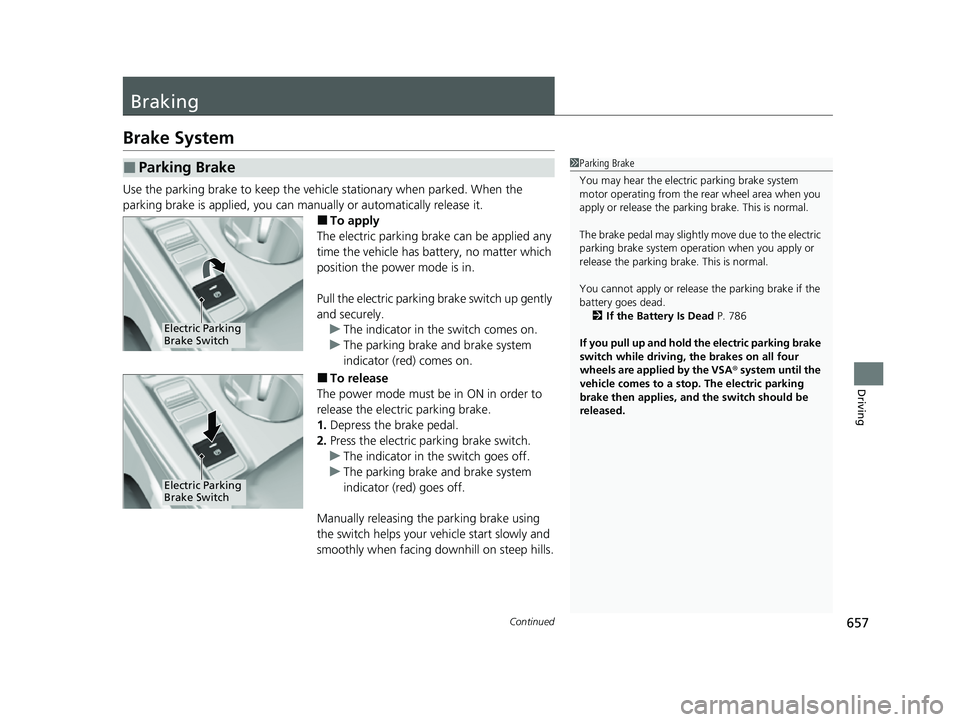
■To apply
The electric parking brake can be applied any
time the vehicle has battery, no matter which
position the power mode is in.
Pull the electric parking brake switch up gently
and securely. u The indicator in the switch comes on.
u The parking brake and brake system
indicator (red) comes on.
■To release
The power mode must be in ON in order to
release the electric parking brake.
1. Depress the brake pedal.
2. Press the electric parking brake switch.
u The indicator in the switch goes off.
u The parking brake and brake system
indicator (red) goes off.
Manually releasing the parking brake using
the switch helps your vehicle start slowly and
smoothly when facing downhill on steep hills.
■Parking Brake1 Parking Brake
You may hear the electric parking brake system
motor operating from the re ar wheel area when you
apply or release the parki ng brake. This is normal.
The brake pedal may slightly move due to the electric
parking brake system opera tion when you apply or
release the parking br ake. This is normal.
You cannot apply or release the parking brake if the
battery goes dead. 2 If the Battery Is Dead P. 786
If you pull up and hold the electric parking brake
switch while driving, the brakes on all four
wheels are applied by the VSA ® system until the
vehicle comes to a stop. The electric parking
brake then applies, and the switch should be
released.
Electric Parking
Brake Switch
Electric Parking
Brake Switch
23 CIVIC HATCHBACK TYPE R-31T406100_03.book 657 ページ 2022年6月23日 木曜日 午後9時28分
Page 660 of 840
uuBraking uBrake System
658
Driving
■Automatic parking brake feature operation
If the automatic parking brake feature has been activated:
• The parking brake is applied automatica lly when you set the power mode to
VEHICLE OFF.
• To confirm that the parking brake is appl ied, check if the parking brake and brake
system indicator (red) is on.
2 Activating and deactivating the automatic parking brake feature P. 660
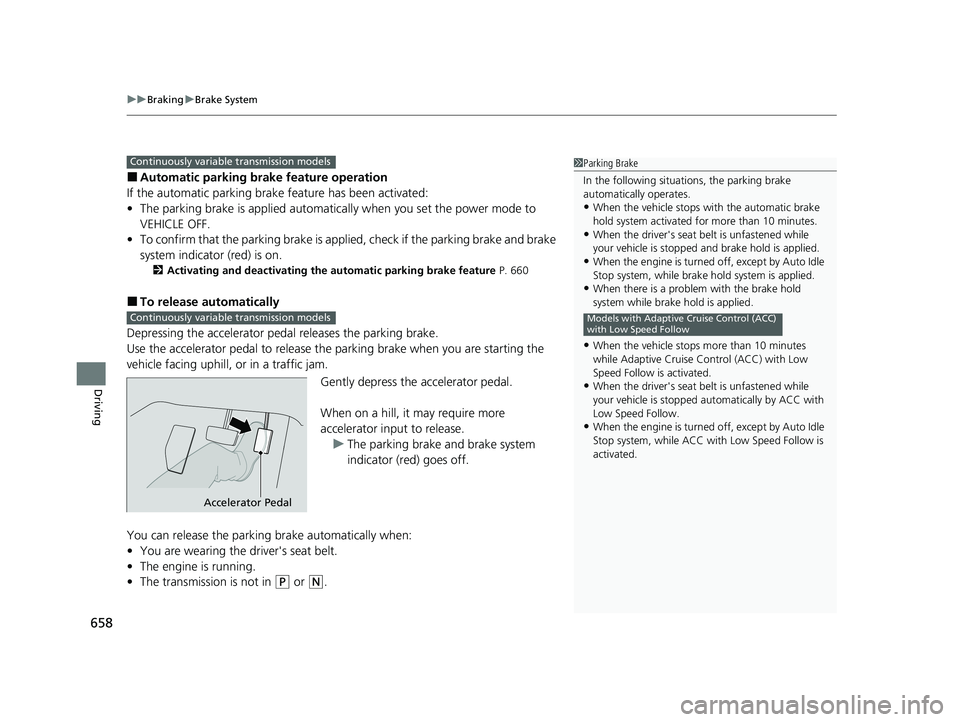
■To release automatically
Depressing the accelerator pedal releases the parking brake.
Use the accelerator pedal to release the parking brake when you are starting the
vehicle facing uphill, or in a traffic jam.
Gently depress the accelerator pedal.
When on a hill, it may require more
accelerator input to release.u The parking brake and brake system
indicator (red) goes off.
You can release the parki ng brake automatically when:
• You are wearing the driver's seat belt.
• The engine is running.
• The transmission is not in
(P or (N.
1Parking Brake
In the following situations, the parking brake
automatically operates.
•When the vehicle stops with the automatic brake
hold system activated for more than 10 minutes.
•When the driver's seat belt is unfastened while
your vehicle is stopped and brake hold is applied.
•When the engine is turned off, except by Auto Idle
Stop system, while brake hold system is applied.
•When there is a problem with the brake hold
system while brake hold is applied.
•When the vehicle stops more than 10 minutes
while Adaptive Cruise Control (ACC) with Low
Speed Follow is activated.
•When the driver's seat belt is unfastened while
your vehicle is stopped au tomatically by ACC with
Low Speed Follow.
•When the engine is turned off, except by Auto Idle
Stop system, while ACC with Low Speed Follow is
activated.
Models with Adaptive Cruise Control (ACC)
with Low Speed Follow
Continuously variable transmission models
Continuously variable transmission models
Accelerator Pedal
23 CIVIC HATCHBACK TYPE R-31T406100_03.book 658 ページ 2022年6月23日 木曜日 午後9時28分