maintenance minder HONDA CIVIC 2023 Owners Manual
[x] Cancel search | Manufacturer: HONDA, Model Year: 2023, Model line: CIVIC, Model: HONDA CIVIC 2023Pages: 840, PDF Size: 26.53 MB
Page 8 of 840
Contents
This owner's manual should be considered a permanent part of the
vehicle and should remain with the vehicle when it is sold.
The Navigation Manual is available online at owners.honda.com
(U.S.) or honda.ca (Canada). If you are the first registered owner
of your vehicle, you may request a complimentary printed
copy of the Navigation Manual within the first six months of
vehicle purchase. To request a copy, visit owners.honda.com. In
Canada, please request a copy from your Honda dealer.
This owner's manual covers all models of your vehicle. You may find
descriptions of equipment and features that are not on your
particular model.
Images throughout this owner's manu al (including the front cover)
represent features and equipment that are available on some, but
not all, models. Your particular mo del may not have some of these
features.
This owner's manual is for vehicles sold in the United States and
Canada.
The information and specifications in cluded in this publication were
in effect at the time of approval for printing. Honda Motor Co., Ltd.
reserves the right, however, to discontinue or change specifications
or design at any time without notice and without incurring any
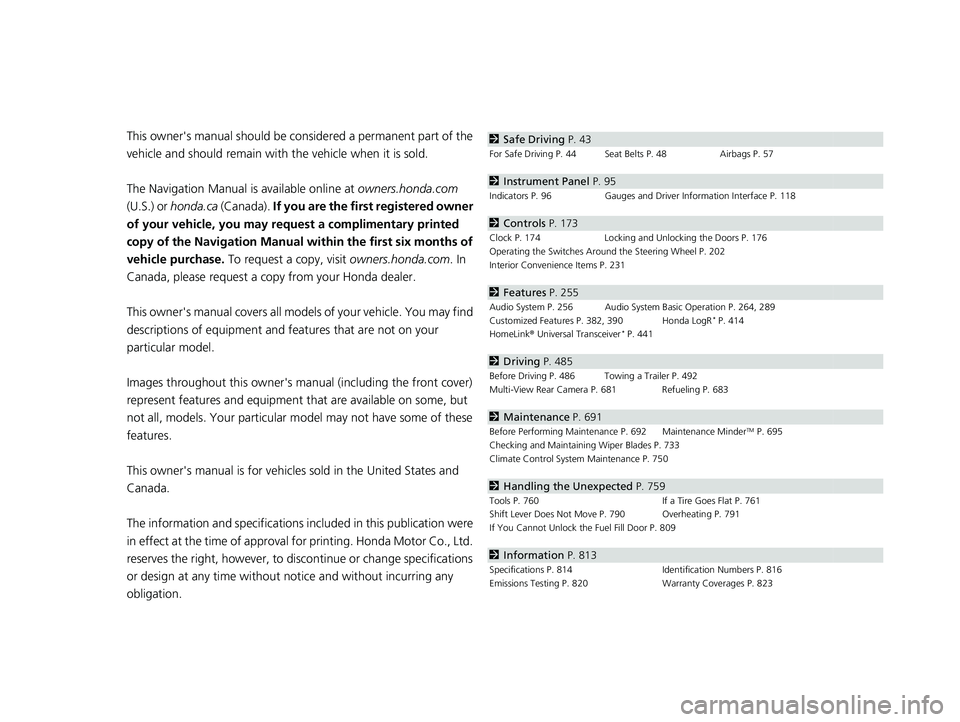
obligation.2 Safe Driving P. 43
For Safe Driving P. 44 Seat Belts P. 48 Airbags P. 57
2Instrument Panel P. 95
Indicators P. 96 Gauges and Driver Information Interface P. 118
2Controls P. 173
Clock P. 174 Locking and Unlocking the Doors P. 176
Operating the Switches Ar ound the Steering Wheel P. 202
Interior Convenience Items P. 231
2 Features P. 255
Audio System P. 256 Audio System Basic Operation P. 264, 289
Customized Features P. 382, 390 Honda LogR* P. 414
HomeLink ® Universal Transceiver* P. 441
2 Driving P. 485
Before Driving P. 486 Towing a Trailer P. 492
Multi-View Rear Camera P. 681 Refueling P. 683
2Maintenance P. 691
Before Performing Maintenance P. 692 Maintenance MinderTM P. 695
Checking and Maintaining Wiper Blades P. 733
Climate Control System Maintenance P. 750
2Handling the Unexpected P. 759
Tools P. 760 If a Tire Goes Flat P. 761
Shift Lever Does Not Move P. 790 Overheating P. 791
If You Cannot Unlock the Fuel Fill Door P. 809
2 Information P. 813
Specifications P. 814 Identification Numbers P. 816
Emissions Testing P. 820 Warranty Coverages P. 823
23 CIVIC HATCHBACK TYPE R-31T406100_03.book 6 ページ 2022年6月23日 木曜日 午後9時28分
Page 136 of 840
uuGauges and Driver Information Interface uDriver Information Interface (A-type Meter)
134
Instrument Panel
Occurs, under specified conditions, when seat belts are latched or unlatched.
2Seat Belt Reminder P. 50
Shows the remaining oil life and Maintenance MinderTM.
2Maintenance MinderTM P. 695
Indicates the status of the Road Departure Mitigation system, CMBSTM, and blind
spot information system* such as On, Off, or Failure, by color and letters.
The following colors indica te the status of any of the above mentioned systems:
• Green: The system is on.
• Gray: The system is off.
• Amber: There is a probl em with the system.
■Seat Belts
■Maintenance
■Safety Support1Safety Support
If a system is indicated by the color amber, have your
vehicle checked by a dealer immediately.
To turn on or off each system, first rotate the left
selector wheel to switch displays. From the next
display you can select which system to turn on or off. 2 Road Departure Mitigation system On and
Off P. 642
2 Blind Spot Information System On and Off
P. 549
2 CMBS
TM On and Off P. 559
You can also confirm the st atus of each function by
the color of the safe ty support indicator.
2 Safety Support Indicator (Amber) P. 115
2 Safety Support Indicator (Green/Gray)
P. 117
* Not available on all models
23 CIVIC HATCHBACK TYPE R-31T406100_03.book 134 ページ 2022年6月23日 木曜日 午後9時28分
Page 146 of 840
144
uuGauges and Driver Information Interface uDriver Information Interface (A-type Meter)
Instrument Panel
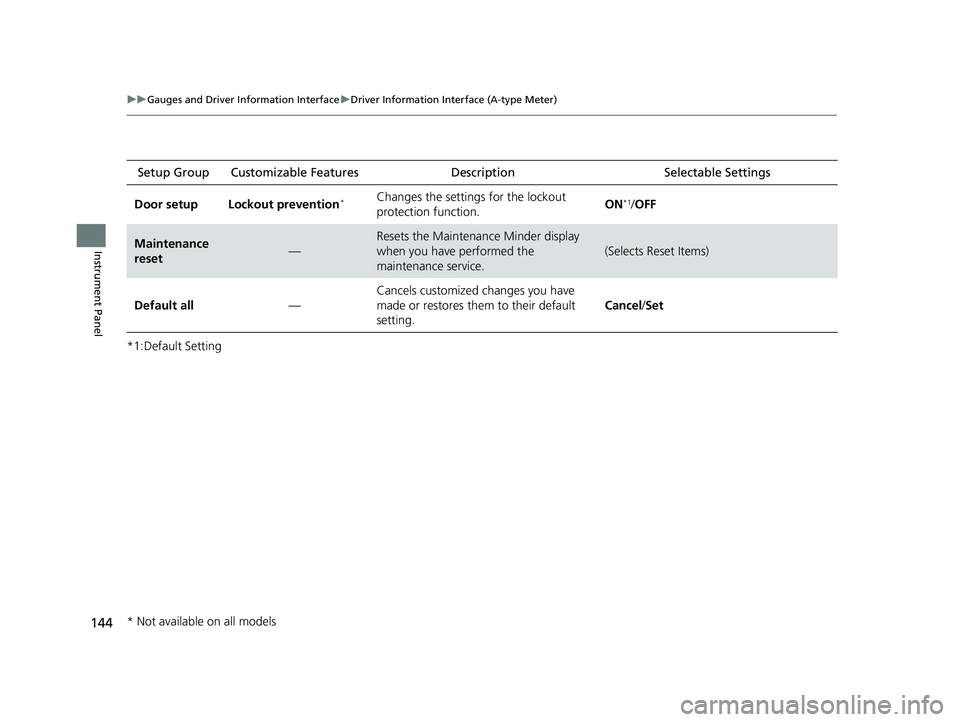
*1:Default SettingSetup Group Customizabl
e Features Description Selectable Settings
Door setup Lockout prevention
*Changes the settings for the lockout
protection function. ON*1/
OFF
Maintenance
reset—
Resets the Maintenance Minder display
when you have performed the
maintenance service.
(Selects Reset Items)
Default all —Cancels customized changes you have
made or restores them to their default
setting.
Cancel
/Set
* Not available on all models
23 CIVIC HATCHBACK TYPE R-31T406100_03.book 144 ページ 2022年6月23日 木曜日 午後9時28分
Page 168 of 840
166
uuGauges and Driver Information Interface uDriver Information Interface Right Side Area (B-type-Meter)
Instrument Panel
Occurs, under specified conditions, when seat belts are latched or unlatched.
2Seat Belt Reminder P. 50
Shows the remaining oil life and Maintenance MinderTM.
2Maintenance MinderTM P. 695
■Seat Belts
■Maintenance
23 CIVIC HATCHBACK TYPE R-31T406100_03.book 166 ページ 2022年6月23日 木曜日 午後9時28分
Page 414 of 840
412
uuCustomized Features u
Features
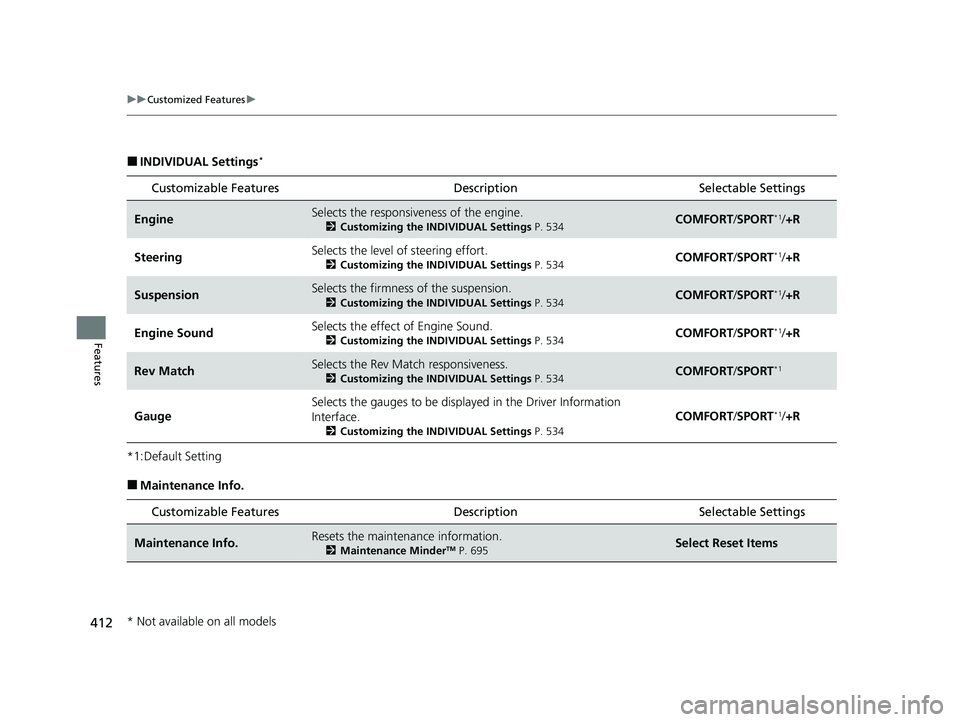
■INDIVIDUAL Settings*
*1:Default Setting
■Maintenance Info.Customizable Features Description Selectable Settings
EngineSelects the responsive
ness of the engine.
2Customizing the INDIVIDUAL Settings P. 534COMFORT/SPORT*1/ +R
SteeringSelects the level of steering effort.
2 Customizing the INDIVIDUAL Settings P. 534COMFORT/SPORT*1/ +R
SuspensionSelects the firmness of the suspension.
2 Customizing the INDIVIDUAL Settings P. 534COMFORT/SPORT*1/ +R
Engine SoundSelects the effect of Engine Sound.
2 Customizing the INDIVIDUAL Settings P. 534COMFORT/SPORT*1/ +R
Rev MatchSelects the Rev Match responsiveness.
2 Customizing the INDIVIDUAL Settings P. 534COMFORT/SPORT*1
Gauge
Selects the gauges to be displa yed in the Driver Information
Interface.
2 Customizing the INDIVIDUAL Settings P. 534
COMFORT/SPORT*1/ +R
Customizable Features Description Selectable Settings
Maintenance Info.Resets the maintenance information.
2 Maintenance MinderTM P. 695Select Reset Items
* Not available on all models
23 CIVIC HATCHBACK TYPE R-31T406100_03.book 412 ページ 2022年6月23日 木曜日 午後9時28分
Page 692 of 840
690
Driving
Turbo Engine Vehicle*
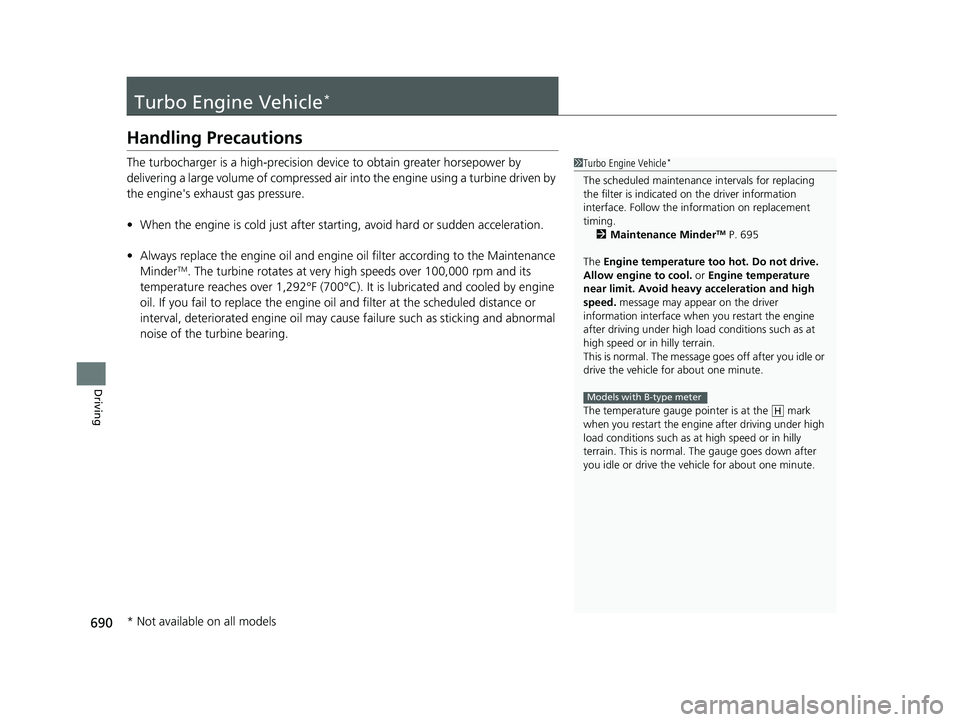
Handling Precautions
The turbocharger is a high-precision device to obtain greater horsepower by
delivering a large volume of compressed air into the engine using a turbine driven by
the engine's exhaust gas pressure.
• When the engine is cold just after starting, avoid hard or sudden acceleration.
• Always replace the engine oi l and engine oil filter according to the Maintenance
Minder
TM. The turbine rotates at very high speeds over 100,000 rpm and its
temperature reaches over 1,292°F (700°C). It is lubricated and cooled by engine
oil. If you fail to replace the engine oil and filter at the scheduled distance or
interval, deteriorated engine oil may caus e failure such as sticking and abnormal
noise of the turbine bearing.
1 Turbo Engine Vehicle*
The scheduled maintenance intervals for replacing
the filter is indicated on the driver information
interface. Follow the information on replacement
timing. 2 Maintenance Minder
TM P. 695
The Engine temperature too hot. Do not drive.
Allow engine to cool. or Engine temperature
near limit. Avoid heavy acceleration and high
speed. message may appear on the driver
information interface when you restart the engine
after driving under high load conditions such as at
high speed or in hilly terrain.
This is normal. The message goes off after you idle or
drive the vehicle for about one minute.
The temperature gauge pointer is at the mark
when you restart the engi ne after driving under high
load conditions such as at high speed or in hilly
terrain. This is normal. The gauge goes down after
you idle or drive the vehi cle for about one minute.
Models with B-type meter
H
* Not available on all models
23 CIVIC HATCHBACK TYPE R-31T406100_03.book 690 ページ 2022年6月23日 木曜日 午後9時28分
Page 693 of 840
691
Maintenance
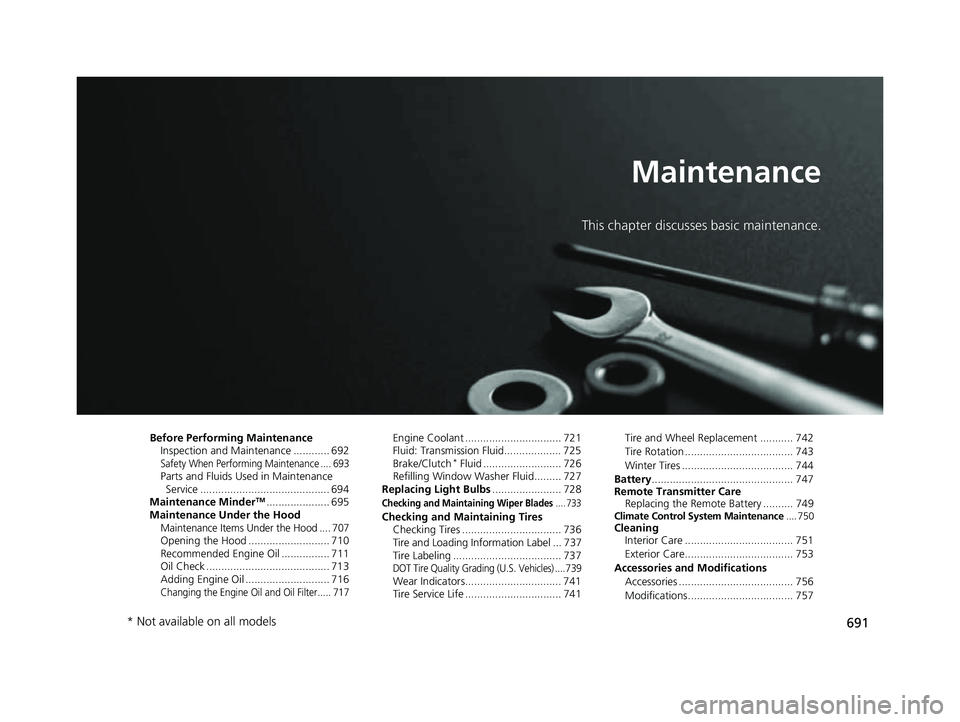
This chapter discusses basic maintenance.
Before Performing MaintenanceInspection and Maintenance ............ 692
Safety When Performing Maintenance .... 693Parts and Fluids Used in Maintenance Service ........................................... 694
Maintenance Minder
TM..................... 695
Maintenance Under the Hood
Maintenance Items Un der the Hood .... 707Opening the Hood ........................... 710
Recommended Engine Oil ................ 711
Oil Check ......................................... 713
Adding Engine Oil ............................ 716
Changing the Engine Oil and Oil Filter..... 717
Engine Coolant ................................ 721
Fluid: Transmission Fluid................... 725
Brake/Clutch
* Fluid .......................... 726
Refilling Window Washer Fluid......... 727
Replacing Light Bulbs ....................... 728
Checking and Maintaining Wiper Blades.... 733
Checking and Maintaining Tires
Checking Tires ................................. 736
Tire and Loading Information Label ... 737
Tire Labeling .................................... 737
DOT Tire Quality Grading (U.S. Vehicles) .... 739Wear Indicators................................ 741
Tire Service Life ................................ 741 Tire and Wheel Replacement ........... 742
Tire Rotation .................................... 743
Winter Tires ..................................... 744
Battery ............................................... 747
Remote Transmitter Care Replacing the Remote Battery .......... 749
Climate Control System Maintenance .... 750Cleaning
Interior Care .................................... 751
Exterior Care.................................... 753
Accessories and Modifications Accessories ...................................... 756
Modifications................................... 757
* Not available on all models
23 CIVIC HATCHBACK TYPE R-31T406100_03.book 691 ページ 2022年6月23日 木曜日 午後9時28分
Page 697 of 840
695
Maintenance
Maintenance MinderTM
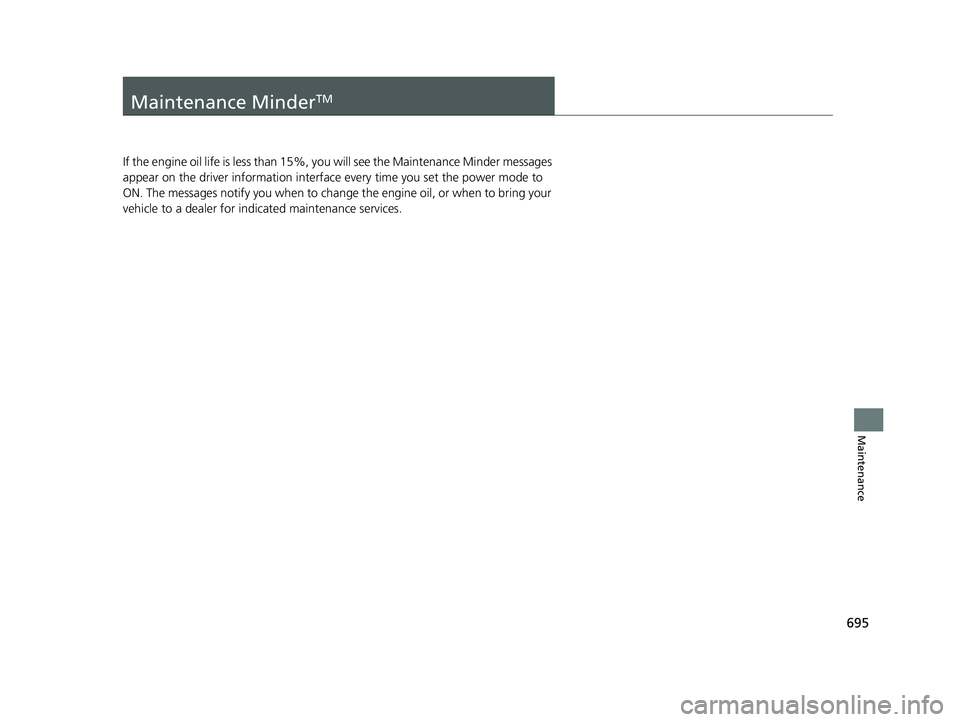
If the engine oil life is less than 15%, you will see the Maintenance Minder messages
appear on the driver inform ation interface every time you set the power mode to
ON. The messages notify you when to change the engine oil, or when to bring your
vehicle to a dealer for indicated maintenance services.
23 CIVIC HATCHBACK TYPE R-31T406100_03.book 695 ページ 2022年6月23日 木曜日 午後9時28分
Page 698 of 840
696
uuMaintenance MinderTMuTo Use Maintenance MinderTM
Maintenance
To Use Maintenance MinderTM
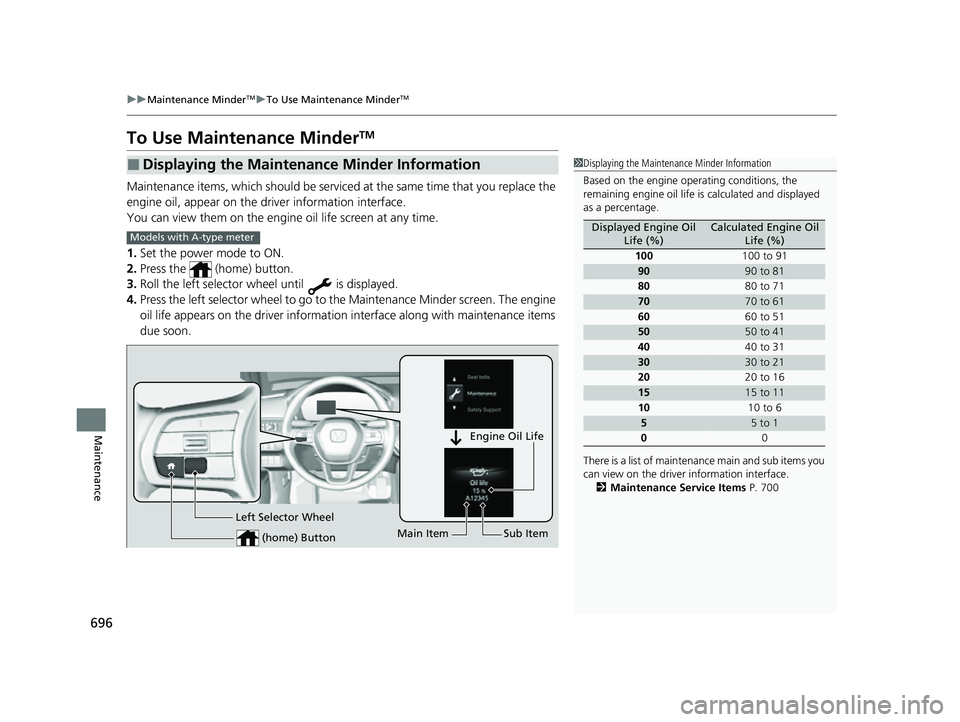
Maintenance items, which should be serviced at the same time that you replace the
engine oil, appear on the driver information interface.
You can view them on the engine oil life screen at any time.
1. Set the power mode to ON.
2. Press the (home) button.
3. Roll the left selector wheel until is displayed.
4. Press the left selector wheel to go to the Maintenance Minder screen. The engine
oil life appears on the driver informatio n interface along with maintenance items
due soon.
■Displaying the Maintenance Minder Information1 Displaying the Maintena nce Minder Information
Based on the engine ope rating conditions, the
remaining engine oi l life is calculated and displayed
as a percentage.
There is a list of maintena nce main and sub items you
can view on the driver information interface.
2 Maintenance Service Items P. 700
Displayed Engine Oil
Life (%)Calculated Engine Oil Life (%)
100 100 to 91
9090 to 81
80 80 to 71
7070 to 61
60 60 to 51
5050 to 41
40 40 to 31
3030 to 21
20 20 to 16
1515 to 11
10 10 to 6
55 to 1
0 0
Models with A-type meter
(home) Button
Engine Oil Life
Main Item Sub Item
Left Selector Wheel
23 CIVIC HATCHBACK TYPE R-31T406100_03.book 696 ページ 2022年6月23日 木曜日 午後9時28分
Page 699 of 840
697
uuMaintenance MinderTMuTo Use Maintenance MinderTM
Continued
Maintenance
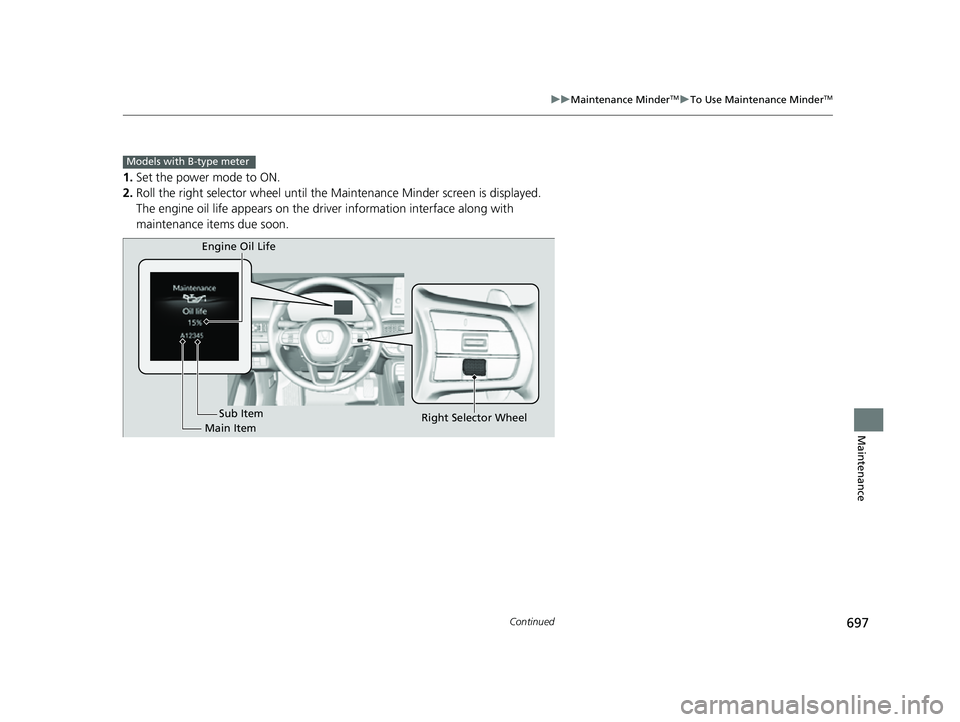
1. Set the power mode to ON.
2. Roll the right selector wheel until the Maintenance Minder screen is displayed.
The engine oil life appears on the driv er information interface along with
maintenance items due soon.
Models with B-type meter
Engine Oil Life
Main Item Sub Item
Right Selector Wheel
23 CIVIC HATCHBACK TYPE R-31T406100_03.book 697 ページ 2022年6月23日 木曜日 午後9時28分