fuel HONDA CIVIC COUPE 2014 9.G Navigation Manual
[x] Cancel search | Manufacturer: HONDA, Model Year: 2014, Model line: CIVIC COUPE, Model: HONDA CIVIC COUPE 2014 9.GPages: 441
Page 86 of 441
Continued85
uuGauges and Multi-Information Display uintelligent Multi-Information Display (i-MID)
Instrument Panel
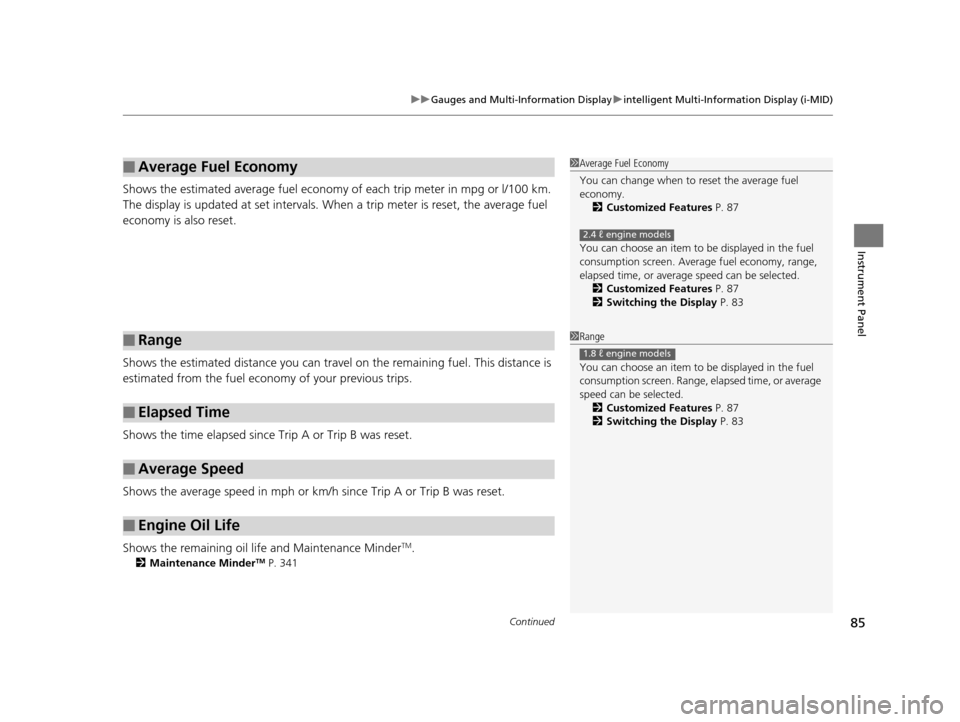
Shows the estimated average fuel economy of each trip meter in mpg or l/100 km.
The display is updated at set intervals. Wh en a trip meter is reset, the average fuel
economy is also reset.
Shows the estimated distance you can travel on the remaining fuel. This distance is
estimated from the fuel economy of your previous trips.
Shows the time elapsed since Trip A or Trip B was reset.
Shows the average speed in mph or km/h since Trip A or Trip B was reset.
Shows the remaining oil life and Maintenance Minder
TM.
2 Maintenance MinderTM P. 341
■Average Fuel Economy
■Range
■Elapsed Time
■Average Speed
■Engine Oil Life
1Average Fuel Economy
You can change when to reset the average fuel
economy.
2 Customized Features P. 87
You can choose an item to be displayed in the fuel
consumption screen. Averag e fuel economy, range,
elapsed time, or average speed can be selected.
2 Customized Features P. 87
2 Switching the Display P. 83
2.4 ℓ engine models
1Range
You can choose an item to be displayed in the fuel
consumption screen. Range, elapsed time, or average
speed can be selected. 2 Customized Features P. 87
2 Switching the Display P. 83
1.8 ℓ engine models
14 CIVIC 2D_SI-31TS86210.book 85 ページ 2014年1月29日 水曜日 午後8時9分
Page 87 of 441
uuGauges and Multi-Information Display uintelligent Mult i-Information Display (i-MID)
86
Instrument Panel
Shows the outside temperature in Fahr enheit (U.S.) or Celsius (Canada).
■Adjusting the outside temperature display
Adjust the temperature reading up to ±5°F or ±3°C if the temperature reading
seems incorrect.
Use the i-MID's customized featur es to correct the temperature.
2Customized Features P. 87
Shows the instant fuel economy as a bar graph in mpg or l/100 km.
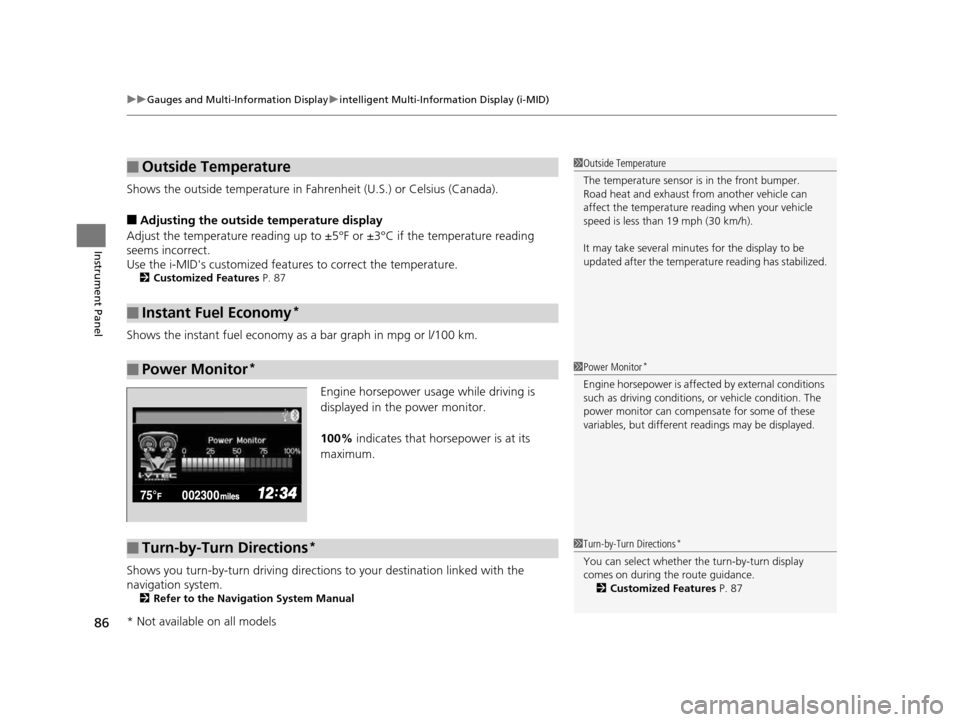
Engine horsepower usage while driving is
displayed in the power monitor.
100% indicates that horsepower is at its
maximum.
Shows you turn-by-turn driving directions to your destination linked with the
navigation system.
2 Refer to the Navigation System Manual
■Outside Temperature
■Instant Fuel Economy*
■Power Monitor*
1Outside Temperature
The temperature sensor is in the front bumper.
Road heat and exhaust from another vehicle can
affect the temperature reading when your vehicle
speed is less than 19 mph (30 km/h).
It may take several minutes for the display to be
updated after the temperature reading has stabilized.
1Power Monitor*
Engine horsepower is affected by external conditions
such as driving conditions, or vehicle condition. The
power monitor can compensate for some of these
variables, but different re adings may be displayed.
■Turn-by-Turn Directions*1Turn-by-Turn Directions*
You can select whether th e turn-by-turn display
comes on during the route guidance. 2 Customized Features P. 87
* Not available on all models
14 CIVIC 2D_SI-31TS86210.book 86 ページ 2014年1月29日 水曜日 午後8時9分
Page 90 of 441
89
uuGauges and Multi-Information Display uintelligent Multi-Information Display (i-MID)
Continued
Instrument Panel
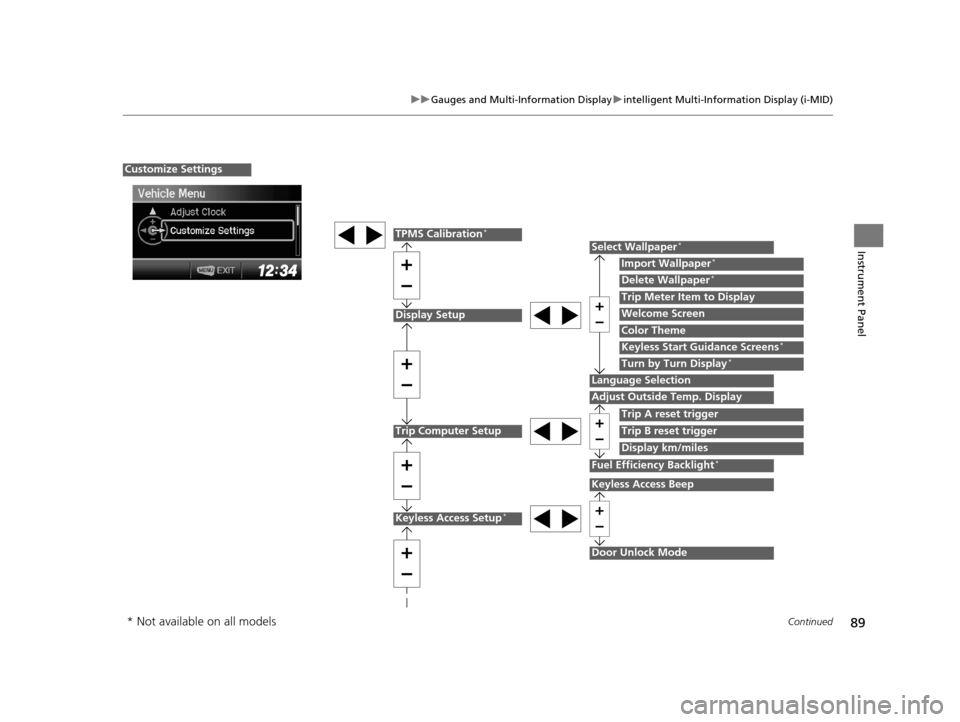
Display Setup
Trip Computer Setup
Select Wallpaper*
Import Wallpaper*
Delete Wallpaper*
Language Selection
Adjust Outside Temp. Display
Trip A reset trigger
Display km/miles
Trip Meter Item to Display
Welcome Screen
Color Theme
Fuel Efficiency Backlight*
Customize Settings
Turn by Turn Display*
Trip B reset trigger
TPMS Calibration*
Keyless Start Guidance Screens*
Keyless Access Setup*
Door Unlock Mode
Keyless Access Beep
* Not available on all models
14 CIVIC 2D_SI-31TS86210.book 89 ページ 2014年1月29日 水曜日 午後8時9分
Page 93 of 441
92
uuGauges and Multi-Information Display uintelligent Mult i-Information Display (i-MID)
Instrument Panel
*1: Models with the smart entry system have an ENGINE START/STOP button instead of an ignition switch.
*2: Default Setting
*3: Default Setting for 1.8 ℓ engine models
*4: Default Setting for 2.4 ℓ engine models
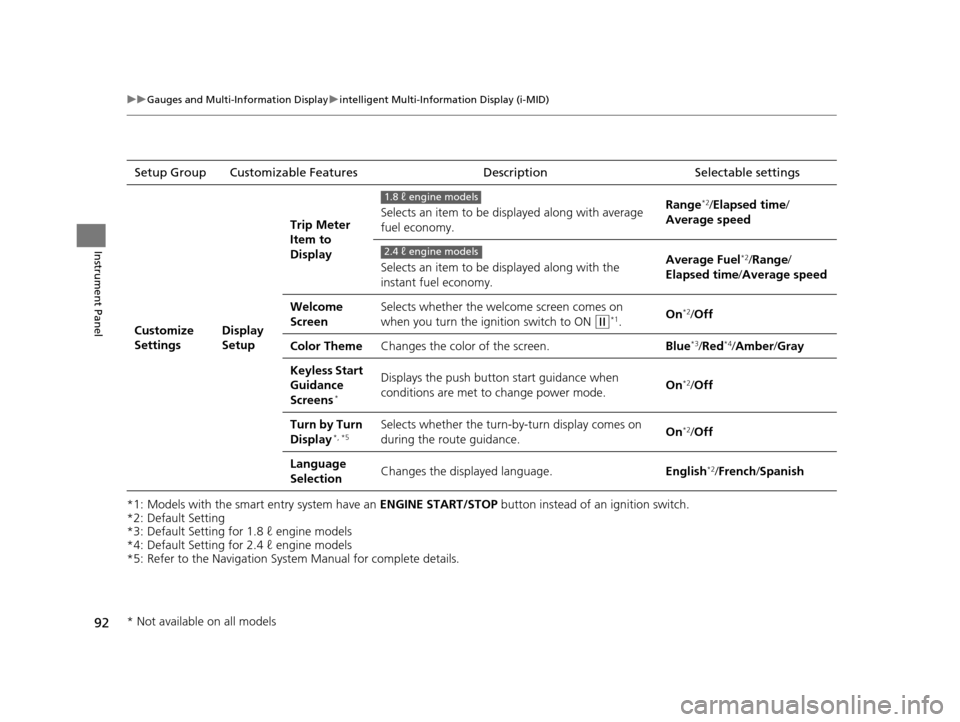
*5: Refer to the Navigation System Manual for complete details. Setup Group Customizable Features
Description Selectable settings
Customize
SettingsDisplay
SetupTrip Meter
Item to
Display
Selects an item to be di
splayed along with average
fuel economy. Range
*2/
Elapsed time /
Average speed
Selects an item to be displayed along with the
instant fuel economy. Average Fuel
*2/
Range /
Elapsed time /Average speed
Welcome
Screen Selects whether the welcome screen comes on
when you turn the ignition switch to ON
(w*1.
On*2/
Off
Color Theme Changes the color of the screen. Blue
*3/Red*4/Amber /Gray
Keyless Start
Guidance
Screens
*
Displays the push button start guidance when
conditions are met to change power mode. On*2/
Off
Turn by Turn
Display
*, *5Selects whether the turn-b y-turn display comes on
during the route guidance. On*2/
Off
Language
Selection Changes the displayed language.
English
*2/French /Spanish
1.8 ℓ engine models
2.4 ℓ engine models
* Not available on all models
14 CIVIC 2D_SI-31TS86210.book 92 ページ 2014年1月29日 水曜日 午後8時9分
Page 94 of 441
93
uuGauges and Multi-Information Display uintelligent Multi-Information Display (i-MID)
Continued
Instrument Panel
*1: Default SettingSetup Group Customizable Features
Description Selectable settings
Customize
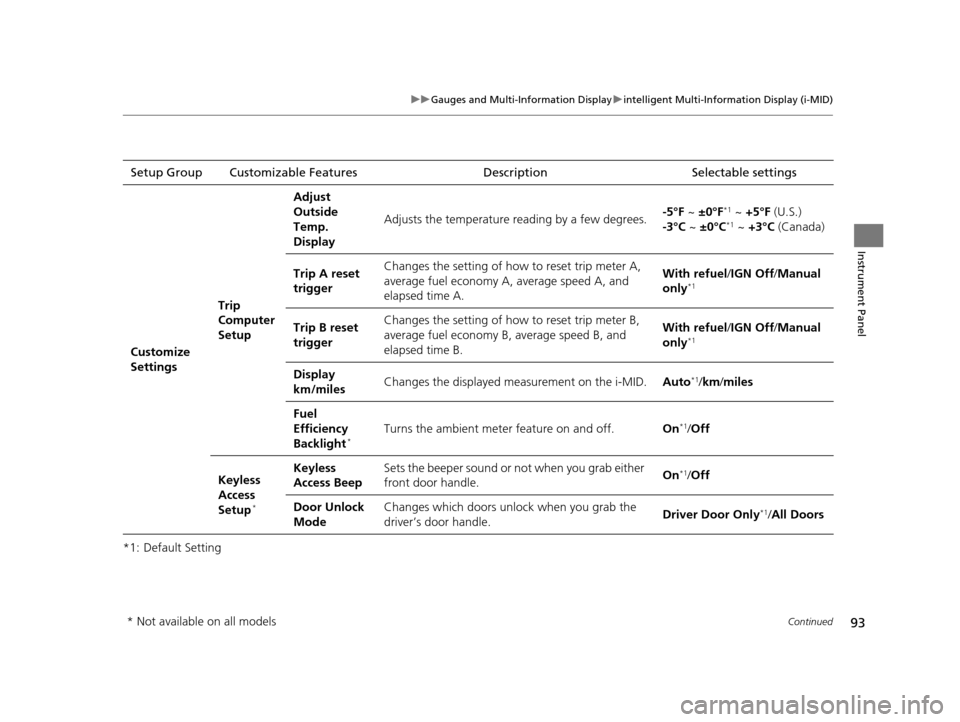
Settings Trip
Computer
SetupAdjust
Outside
Temp.
Display
Adjusts the temperature reading by a few degrees.
-5°F
~ ±0°F
*1 ~ +5°F (U.S.)
-3°C ~ ±0°C*1 ~ +3°C (Canada)
Trip A reset
trigger Changes the setting of how to reset trip meter A,
average fuel economy A, average speed A, and
elapsed time A. With refuel
/IGN Off /Manual
only
*1
Trip B reset
trigger Changes the setting of how to reset trip meter B,
average fuel economy B, average speed B, and
elapsed time B. With refuel
/IGN Off /Manual
only*1
Display
km/miles Changes the displayed measurement on the i-MID.
Auto*1/km /miles
Fuel
Efficiency
Backlight
*Turns the ambient meter feature on and off. On*1/Off
Keyless
Access
Setup
*
Keyless
Access Beep Sets the beeper sound or not when you grab either
front door handle.
On*1/
Off
Door Unlock
Mode Changes which doors unlock when you grab the
driver’s door handle.
Driver Door Only
*1/
All Doors
* Not available on all models
14 CIVIC 2D_SI-31TS86210.book 93 ページ 2014年1月29日 水曜日 午後8時9分
Page 292 of 441
291
Driving
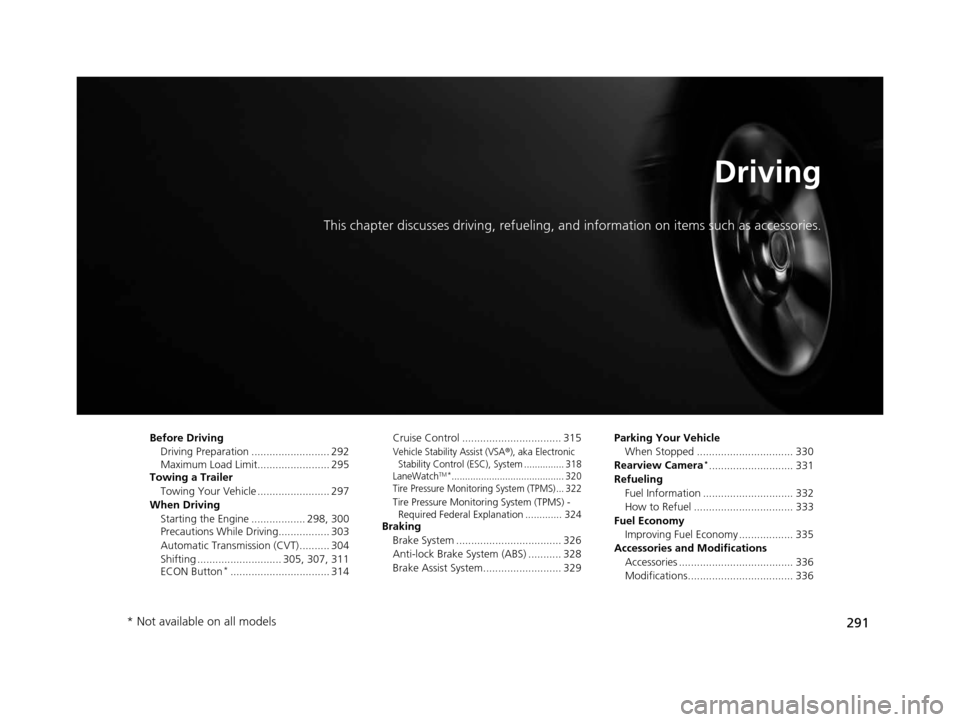
This chapter discusses driving, refueling, and information on items such as accessories.
Before Driving
Driving Preparation .......................... 292
Maximum Load Limit........................ 295
Towing a Trailer
Towing Your Vehicle ........................ 297
When Driving Starting the Engine .................. 298, 300
Precautions While Driving................. 303
Automatic Transmission (CVT) .......... 304
Shifting ............................ 305, 307, 311
ECON Button
*................................. 314 Cruise Control ................................. 315
Vehicle Stability Assist (VSA®), aka Electronic
Stability Control (ESC), System ............... 318
LaneWatch
TM*.......................................... 320
Tire Pressure Monitoring System (TPMS) ... 322
Tire Pressure Monitoring System (TPMS) - Required Federal Explanation ............. 324
Braking
Brake System ................................... 326
Anti-lock Brake System (ABS) ........... 328
Brake Assist System.......................... 329 Parking Your Vehicle
When Stopped ................................ 330
Rearview Camera
*............................ 331
Refueling Fuel Information .............................. 332
How to Refuel ................................. 333
Fuel Economy Improving Fuel Economy .................. 335
Accessories and Modifications Accessories ...................................... 336
Modifications................................... 336
* Not available on all models
14 CIVIC 2D_SI-31TS86210.book 291 ページ 2014年1月29日 水曜日 午後8時9分
Page 300 of 441
299
uuWhen Driving uStarting the Engine
Driving
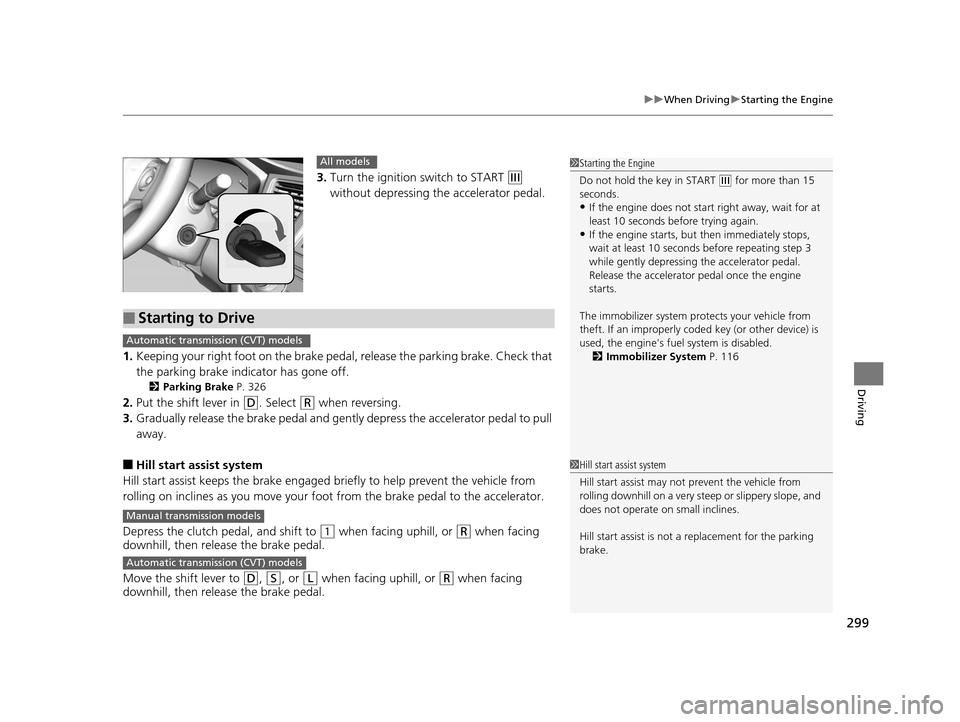
3. Turn the ignition switch to START (e
without depressing the accelerator pedal.
1. Keeping your right foot on the brake pedal, release the parking brake. Check that
the parking brake indicator has gone off.
2 Parking Brake P. 326
2.Put the shift lever in (D. Select (R when reversing.
3. Gradually release the brake pedal and gently depress the accelerator pedal to pull
away.
■Hill start assist system
Hill start assist keeps the brake engaged br iefly to help prevent the vehicle from
rolling on inclines as you move your foot from the brake pedal to the accelerator.
Depress the clutch pedal, and shift to
(1 when facing uphill, or (R when facing
downhill, then release the brake pedal.
Move the shift lever to
(D, (S, or (L when facing uphill, or (R when facing
downhill, then release the brake pedal.
1 Starting the Engine
Do not hold the key in START
(e for more than 15
seconds.
•If the engine does not start right away, wait for at
least 10 seconds before trying again.
•If the engine starts, but then immediately stops,
wait at least 10 seconds before repeating step 3
while gently depressing the accelerator pedal.
Release the accelerator pedal once the engine
starts.
The immobilizer system pr otects your vehicle from
theft. If an improperly code d key (or other device) is
used, the engine's fuel system is disabled.
2 Immobilizer System P. 116
All models
■Starting to Drive
Automatic transmission (CVT) models
Manual transmission models
Automatic transmission (CVT) models
1Hill start assist system
Hill start assist may not prevent the vehicle from
rolling downhill on a very st eep or slippery slope, and
does not operate on small inclines.
Hill start assist is not a replacement for the parking
brake.
14 CIVIC 2D_SI-31TS86210.book 299 ページ 2014年1月29日 水曜日 午後8時9分
Page 301 of 441
300
uuWhen Driving uStarting the Engine
Driving
Starting the Engine
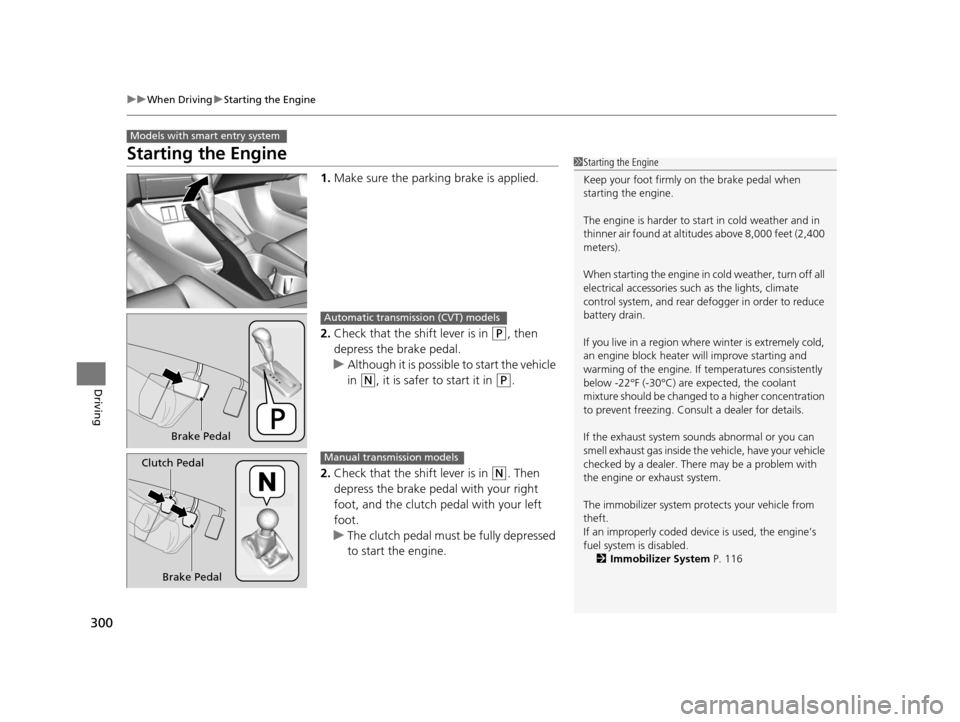
1. Make sure the parking brake is applied.
2. Check that the shift lever is in
(P, then
depress the brake pedal.
u Although it is possible to start the vehicle
in
(N, it is safer to start it in (P.
2. Check that the shift lever is in
(N. Then
depress the brake pedal with your right
foot, and the clutch pedal with your left
foot.
u The clutch pedal must be fully depressed
to start the engine.
Models with smart entry system
1Starting the Engine
Keep your foot firmly on the brake pedal when
starting the engine.
The engine is harder to st art in cold weather and in
thinner air found at altitudes above 8,000 feet (2,400
meters).
When starting the engine in cold weather, turn off all
electrical accessories such as the lights, climate
control system, and rear de fogger in order to reduce
battery drain.
If you live in a region where winter is extremely cold,
an engine block heater will improve starting and
warming of the engine. If temperatures consistently
below -22°F (-30°C) are expected, the coolant
mixture should be changed to a higher concentration
to prevent freezing. Cons ult a dealer for details.
If the exhaust system sounds abnormal or you can
smell exhaust gas inside the vehicle, have your vehicle
checked by a dealer. There may be a problem with
the engine or exhaust system.
The immobilizer system pr otects your vehicle from
theft.
If an improperly c oded device is used, the engine’s
fuel system is disabled. 2 Immobilizer System P. 116
Brake Pedal
Automatic transmission (CVT) models
Brake Pedal
Clutch Pedal
Manual transmission models
14 CIVIC 2D_SI-31TS86210.book 300 ページ 2014年1月29日 水曜日 午後8時9分
Page 307 of 441
uuWhen Driving uShifting
306
Driving
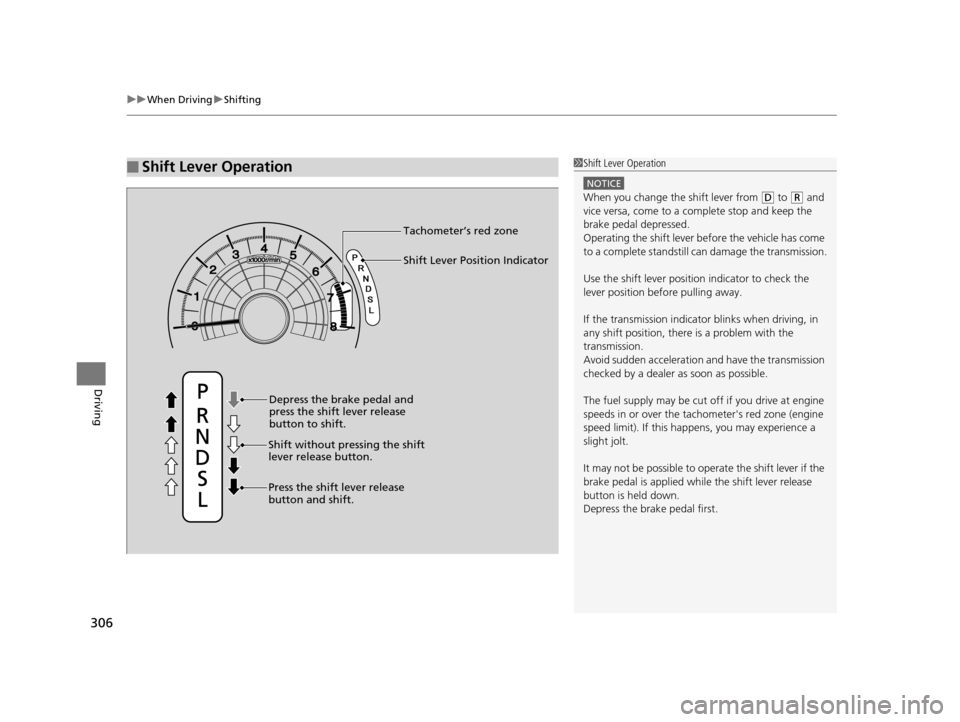
■Shift Lever Operation1Shift Lever Operation
NOTICE
When you change the shift lever from (D to (R and
vice versa, come to a complete stop and keep the
brake pedal depressed.
Operating the shift lever be fore the vehicle has come
to a complete standstill can damage the transmission.
Use the shift lever position indicator to check the
lever position befo re pulling away.
If the transmission indicator blinks when driving, in
any shift position, there is a problem with the
transmission.
Avoid sudden acceleration and have the transmission
checked by a dealer as soon as possible.
The fuel supply may be cut of f if you drive at engine
speeds in or over the tac hometer's red zone (engine
speed limit). If this happe ns, you may experience a
slight jolt.
It may not be possible to operate the shift lever if the
brake pedal is applied while the shift lever release
button is held down.
Depress the brake pedal first.
Shift Lever Position Indicator
Depress the brake pedal and
press the shift lever release
button to shift.
Shift without pressing the shift
lever release button.
Press the shift lever release
button and shift. Tachometer’s red zone
14 CIVIC 2D_SI-31TS86210.book 306 ページ 2014年1月29日 水曜日 午後8時9分
Page 309 of 441
uuWhen Driving uShifting
308
Driving
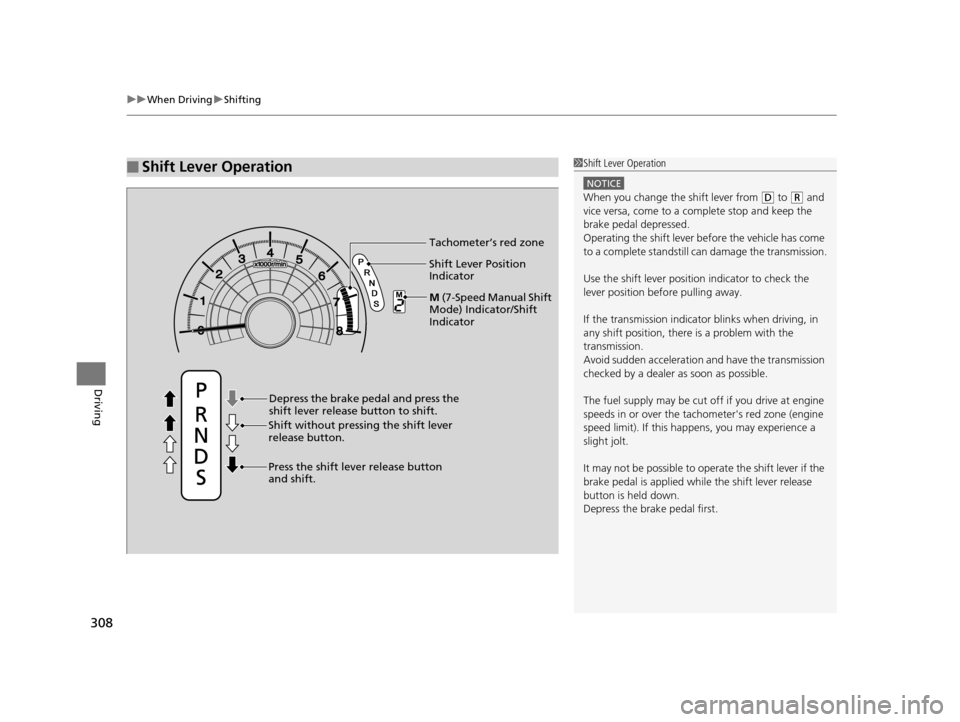
■Shift Lever Operation1Shift Lever Operation
NOTICE
When you change the shift lever from (D to (R and
vice versa, come to a complete stop and keep the
brake pedal depressed.
Operating the shift lever be fore the vehicle has come
to a complete standstill can damage the transmission.
Use the shift lever position indicator to check the
lever position befo re pulling away.
If the transmission indicator blinks when driving, in
any shift position, there is a problem with the
transmission.
Avoid sudden acceleration and have the transmission
checked by a dealer as soon as possible.
The fuel supply may be cut of f if you drive at engine
speeds in or over the tac hometer's red zone (engine
speed limit). If this happe ns, you may experience a
slight jolt.
It may not be possible to operate the shift lever if the
brake pedal is applied while the shift lever release
button is held down.
Depress the brake pedal first.
Shift Lever Position
Indicator
Depress the brake pedal and press the
shift lever release button to shift.
Shift without pressing the shift lever
release button.
Press the shift lever release button
and shift. Tachometer’s red zone
M
( 7 - S p e e d M a n u a l S h i f t
Mode) Indicator/Shift
Indicator
14 CIVIC 2D_SI-31TS86210.book 308 ページ 2014年1月29日 水曜日 午後8時9分