power steering HONDA CIVIC COUPE 2014 9.G Navigation Manual
[x] Cancel search | Manufacturer: HONDA, Model Year: 2014, Model line: CIVIC COUPE, Model: HONDA CIVIC COUPE 2014 9.GPages: 441
Page 130 of 441
129
uuOperating the Switches Around the Steering Wheel uLight Switches
Controls
The headlights automatically come on when the wipers are used several times within
a certain number of intervals with the headlight switch in AUTO.
The headlights automatically go off a few mi nutes later if the wipers are stopped.
The headlights, all other exterior lights, and the instrument panel lights turn off 15
seconds after you remove the key or set the power mode to VEHICLE OFF (LOCK),
take the remote with you, and close the driver's door.
u You can change the headlight auto off timer setting.
2Customized Features P. 87
If you turn the ignition switch to LOCK (0*1 with the headlight switch on, but do
not open the door, the lights turn off afte r 10 minutes (three minutes, if the switch
is in the AUTO position).
The lights turn on again when you unlock or open the driver's door. If you unlock
the door, but do not open it within 15 seconds, the lights go off. If you open the
driver's door, you will hear a lights on reminder chime.
*1: Models with the smart entry system have an ENGINE START/STOP button instead of an
ignition switch.
■Headlight Integration with Wipers*
■Automatic Lighting Off Feature
1 Headlight Integration with Wipers*
This feature activates while the headlights are off in
AUTO .
The instrument panel br ightness does not change
when the headlights come on.
At dark ambient light leve ls, the automatic lighting
control feature turns on the headlights, regardless of
the number of wiper sweeps.
* Not available on all models
14 CIVIC 2D_SI-31TS86210.book 129 ページ 2014年1月29日 水曜日 午後8時9分
Page 131 of 441
130
uuOperating the Switches Around the Steering Wheel uFog Lights*
Controls
Fog Lights*
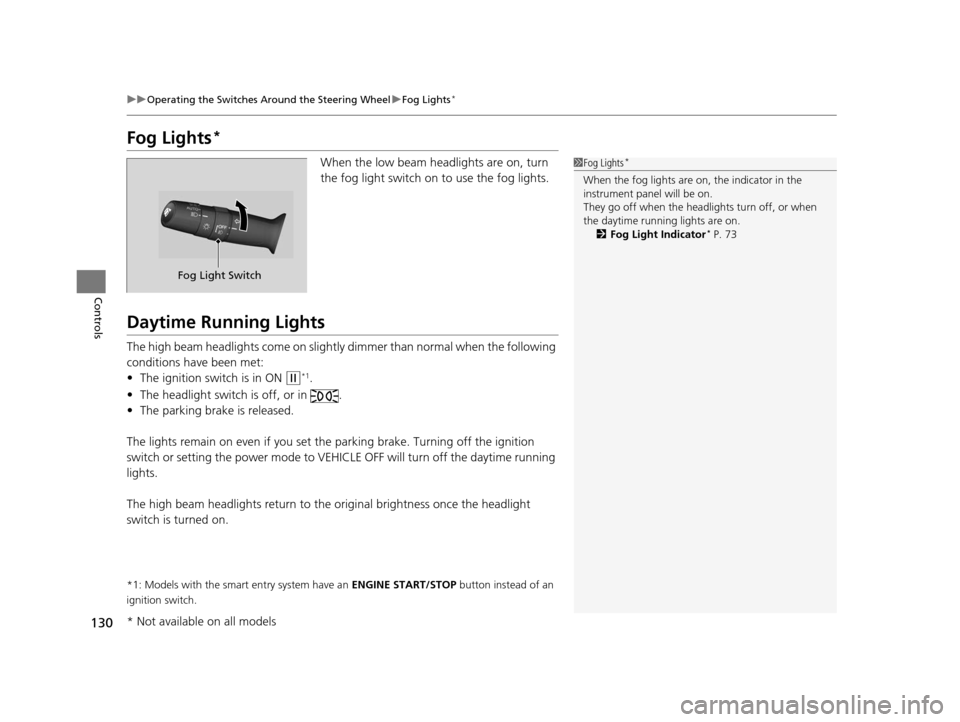
When the low beam headlights are on, turn
the fog light switch on to use the fog lights.
Daytime Running Lights
The high beam headlights come on slightly dimmer than normal when the following
conditions have been met:
• The ignition switch is in ON
(w*1.
• The headlight switch is off, or in .
• The parking brake is released.
The lights remain on even if you set th e parking brake. Turning off the ignition
switch or setting the power mode to VEHI CLE OFF will turn off the daytime running
lights.
The high beam headlights re turn to the original brightness once the headlight
switch is turned on.
*1: Models with the smart entry system have an ENGINE START/STOP button instead of an
ignition switch.
1 Fog Lights*
When the fog lights are on, the indicator in the
instrument pane l will be on.
They go off when the headlights turn off, or when
the daytime running lights are on. 2 Fog Light Indicator
* P. 73
Fog Light Switch
* Not available on all models
14 CIVIC 2D_SI-31TS86210.book 130 ページ 2014年1月29日 水曜日 午後8時9分
Page 134 of 441
133
uuOperating the Switches Around the Steering Wheel uRear Defogger/Heated Door Mirror* Button
Controls
Rear Defogger/Heated Door Mirror* Button
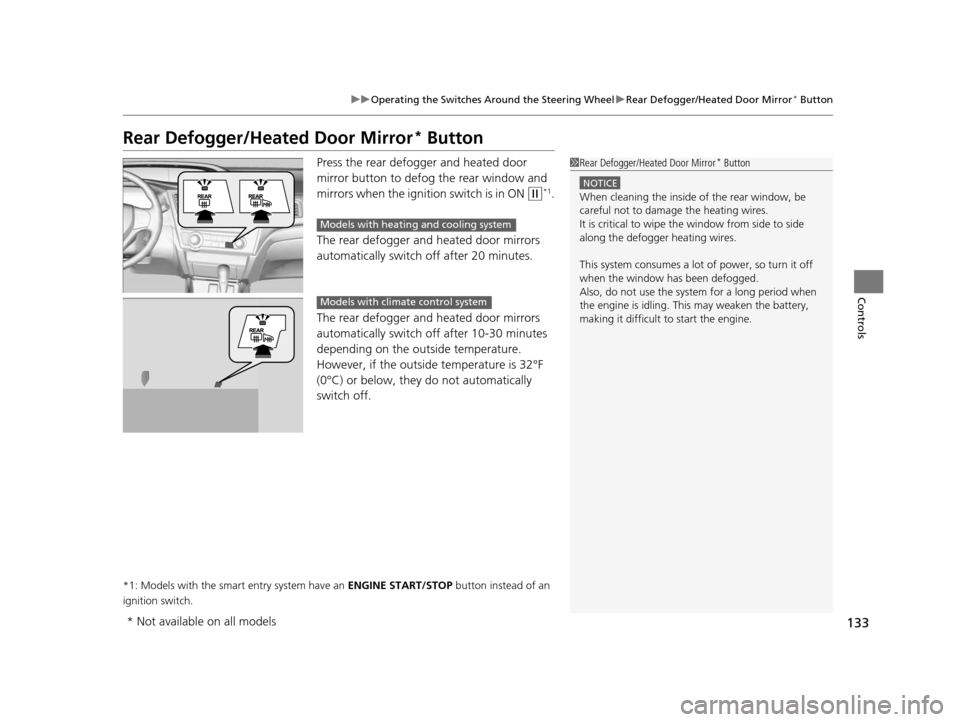
Press the rear defogger and heated door
mirror button to defog the rear window and
mirrors when the ignition switch is in ON
(w*1.
The rear defogger and heated door mirrors
automatically switch off after 20 minutes.
The rear defogger and heated door mirrors
automatically switch of f after 10-30 minutes
depending on the outside temperature.
However, if the outsid e temperature is 32°F
(0°C) or below, they do not automatically
switch off.
*1: Models with the smart entry system have an ENGINE START/STOP button instead of an
ignition switch.
1 Rear Defogger/Heated Door Mirror* Button
NOTICE
When cleaning the inside of the rear window, be
careful not to damage the heating wires.
It is critical to wipe the window from side to side
along the defogger heating wires.
This system consumes a lot of power, so turn it off
when the window has been defogged.
Also, do not use the system for a long period when
the engine is idling. This may weaken the battery,
making it difficult to start the engine.
Models with heating and cooling system
Models with climate control system
* Not available on all models
14 CIVIC 2D_SI-31TS86210.book 133 ページ 2014年1月29日 水曜日 午後8時9分
Page 304 of 441
303
uuWhen Driving uPrecautions While Driving
Driving
Precautions While Driving
Avoid driving in deep water and on flooded roads. This can damage the engine or
driveline, or cause electrical component failure.
If there is a strong impact with something under the vehicle, stop in a safe location.
Check the underside of the vehicle for damage or any fluid leaks.
*1: Models with the smart entry system have an ENGINE START/STOP button instead of an
ignition switch.
■In Rain
■Other Precautions
1 Precautions While Driving
NOTICE
Do not operate the shift lever while pressing the
accelerator pedal. You could damage the
transmission.
If the ignition switch is turned to ACCESSORY
( q*1
while driving, the engine will shut down and all
steering and brake power a ssist functions will stop,
making it difficult to control the vehicle.
Do not put the shift lever in
( N, as you will lose
engine braking (and acce leration) performance.
During the first 600 miles (1,000 km) of operation,
avoid sudden acceleration or full throttle operation so
as not to damage the engine or powertrain.
Avoid hard braking for the first 200 miles (300 km).
You should also follow this when the brake pads are
replaced.
NOTICE
If you repeatedly turn the steering wheel at an
extremely low speed, or hold the steering wheel on
the full left or right position for a while, the electric
power steering (EPS) system heats up. The system
goes into a protective mode, and limits its
performance. The steering wheel becomes harder
and harder to operate. Once the system cools down,
the EPS system is restored.
Repeated operation under these conditions can
eventually damage the system.
14 CIVIC 2D_SI-31TS86210.book 303 ページ 2014年1月29日 水曜日 午後8時9分
Page 328 of 441
327
uuBraking uBrake System
Driving
Your vehicle is equipped with front disc brakes. The brakes on the rear wheels may
be disc or drum, depending on the model. A vacuum power assist helps reduce the
effort needed on the brake pedal. The brake assist system increases the stopping
force when you depress the brake pedal hard in an emergency situation. The anti-
lock brake system (ABS) helps you retain steering control when braking very hard.
2Brake Assist System P. 329
2 Anti-lock Brake System (ABS) P. 328
■Foot Brake1Foot Brake
Check the brakes after driving through deep water,
or if there is a buildup of road surface water. If
necessary, dry the brakes by lightly depressing the
pedal several times.
If you hear a continuous me tallic friction sound when
applying the brakes, the brake pads need to be
replaced. Have your vehi cle checked by a dealer.
Constantly using the brak e pedal while going down a
long hill builds up heat, which reduces the brake
effectiveness. Apply engine braking by taking your
foot off the accelerator pe dal and downshifting to a
lower gear. With manual transmission use a lower
gear for greate r engine braking.
Do not rest your foot on the brake pedal while
driving, as it will lightly apply the brakes and cause
them to lose effectiveness over time and reduce pad
life. It will also conf use drivers behind you.
14 CIVIC 2D_SI-31TS86210.book 327 ページ 2014年1月29日 水曜日 午後8時9分
Page 344 of 441
343
uuMaintenance MinderTMuTo Use Maintenance MinderTM
Continued
Maintenance
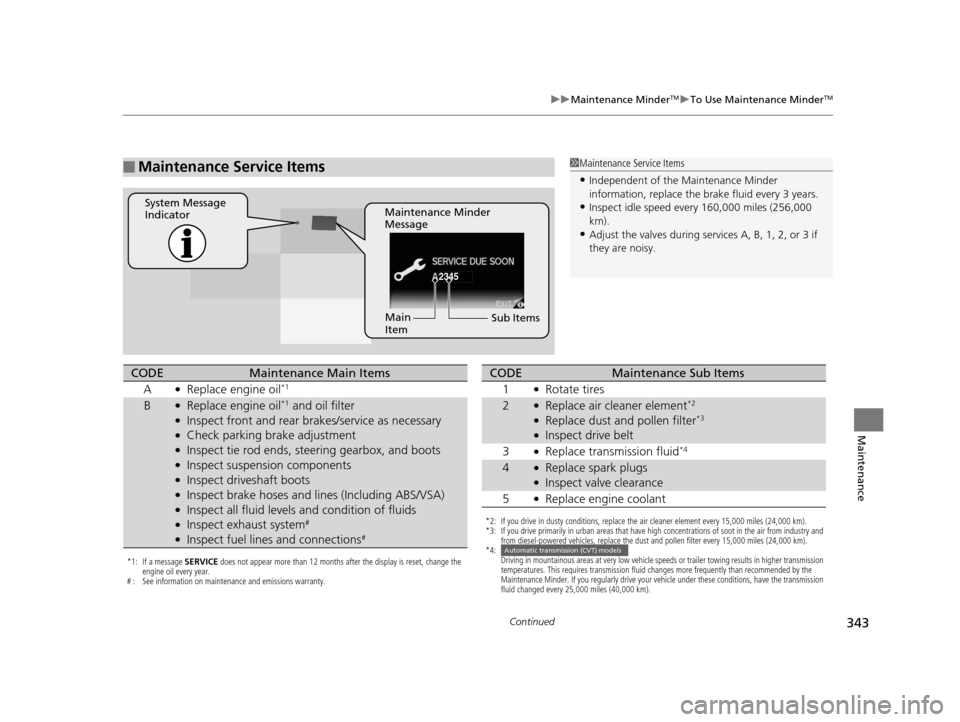
■Maintenance Service Items1Maintenance Service Items
•Independent of the Maintenance Minder
information, replace the brake fluid every 3 years.
•Inspect idle speed every 160,000 miles (256,000
km).
•Adjust the valves during services A, B, 1, 2, or 3 if
they are noisy.
2345
Maintenance Minder
Message
System Message
Indicator
Sub Items
Main
Item
*1: If a message
SERVICE does not appear more than 12 months after the display is reset, change the
engine oil every year.
# : See information on maintenance and emissions warranty.
CODEMaintenance Main Items
A
●Replace engine oil*1
B●Replace engine oil*1 and oil filter●Inspect front and rear bra kes/service as necessary●Check parking brake adjustment●Inspect tie rod ends, steering gearbox, and boots●Inspect suspension components●Inspect driveshaft boots●Inspect brake hoses and li nes (Including ABS/VSA)●Inspect all fluid levels and condition of fluids●Inspect exhaust system#
●Inspect fuel lines and connections#
*2: If you drive in dusty conditions, replace the air cleaner element every 15,000 miles (24,000 km).
*3: If you drive primarily in urban areas that have high concentrations of soot in the air from industry and
from diesel-powered vehicles, replace the dust and pollen filter every 15,000 miles (24,000 km).
*4: Driving in mountainous areas at very low vehicle speeds or trailer towing results in higher transmission
temperatures. This requires transmission fluid changes more frequently than recommended by the
Maintenance Minder. If you regularly drive your vehicle under these conditions, have the transmission
fluid changed every 25,000 miles (40,000 km).
CODEMaintenance Sub Items
1
●Rotate tires
2●Replace air cleaner element*2
●Replace dust and pollen filter*3
●Inspect drive belt
3
●Replace transmission fluid*4
4●Replace spark plugs●Inspect valve clearance
5
●Replace engine coolant
Automatic transmission (CVT) models
14 CIVIC 2D_SI-31TS86210.book 343 ページ 2014年1月29日 水曜日 午後8時9分
Page 392 of 441
391
Handling the Unexpected
This chapter explains how to handle unexpected troubles.
ToolsTypes of Tools .................................. 392
If a Tire Goes Flat Changing a Flat Tire ......................... 393
Engine Does Not Start Checking the Engine ........................ 400
If the Smart Entry Remote Battery is Weak ... 401
Emergency Engine Stop ................... 402
Jump Starting .................................... 403
Shift Lever Does Not Move .............. 406
Overheating How to Handle Overheating ............. 407 Indicator, Coming On/Blinking
If the Low Oil Pressure Indicator Comes On .. 409
If the Charging System Indicator Comes
On ................................................. 409
If the Malfunction Indicator Lamp Comes On or Blinks ................................... 410
If the Brake System Indicator (Red) Comes On ................................................. 411
If the Electric Power Steering (EPS) System Indicator Comes On ....................... 411
If the Low Tire Pressure/TPMS Indicator Comes On or Blinks........................ 412 Fuses
Fuse Locations ................................. 413
Inspecting and Changing Fuses ........ 415
Emergency Towing ........................... 416
14 CIVIC 2D_SI-31TS86210.book 391 ページ 2014年1月29日 水曜日 午後8時9分
Page 403 of 441
402
uuEngine Does Not Start uEmergency Engine Stop
Handling the Unexpected
Emergency Engine Stop
The ENGINE START/STOP button may be used to stop the engine due to an
emergency situation even while driving. If you must stop the engine, do either of the
following operations:
• Press and hold the ENGINE START/STOP button for two seconds.
• Firmly press the ENGINE START/STOP button twice.
• The steering wheel will not lock.
The power mode changes to VEHICL E OFF with the shift lever in
(P, and to
ACCESSORY with the shift lever in any position other than
(P.
The power mode changes to VEHICLE OFF.
• Because turning off the engine also disables the power assist the engine provides
to the steering and braking systems, it will require significantly more physical
effort and time to steer and slow the vehi cle. Downshift gears and use both feet
on the brake pedal, if necessary, to slow the vehicle and stop immediately in a
safe place.
Models with smart entry system
1 Emergency Engine Stop
NOTICE
Do not press the button while driving unless it is
absolutely necessary for th e engine to be switched
off.
Automatic transmission (CVT) models
Manual transmission models
14 CIVIC 2D_SI-31TS86210.book 402 ページ 2014年1月29日 水曜日 午後8時9分
Page 412 of 441
411
uuIndicator, Comin g On/BlinkinguIf the Brake System Indicator (Red) Comes On
Handling the Unexpected
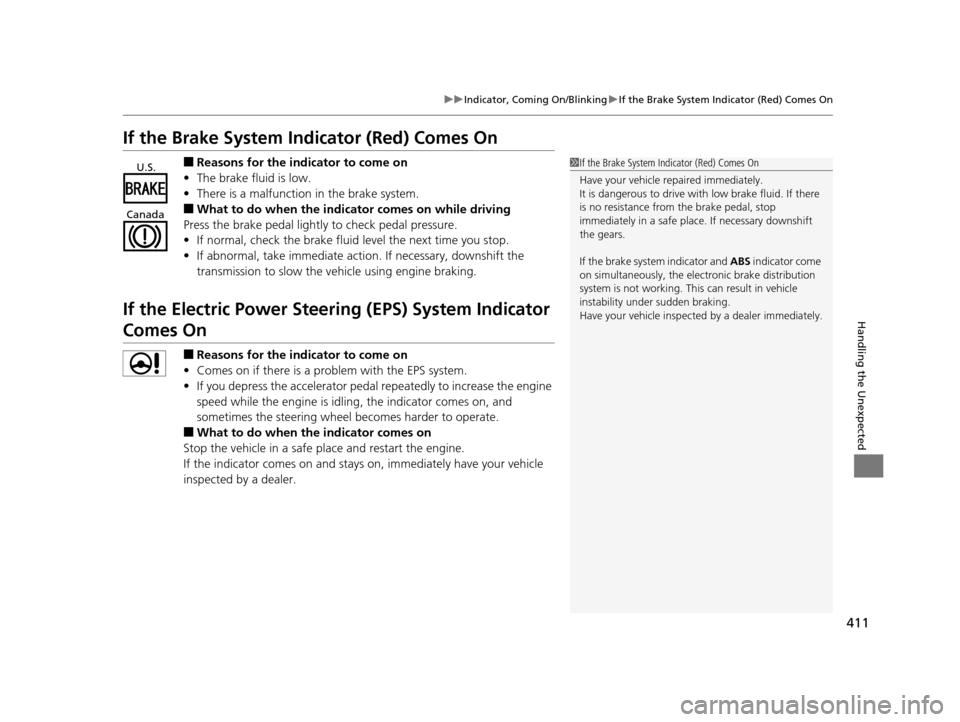
If the Brake System Indicator (Red) Comes On
■Reasons for the indicator to come on
• The brake fluid is low.
• There is a malfunction in the brake system.
■What to do when the indicator comes on while driving
Press the brake pedal lightly to check pedal pressure.
• If normal, check the brake fluid level the next time you stop.
• If abnormal, take immediate acti on. If necessary, downshift the
transmission to slow the vehicle using engine braking.
If the Electric Power Steeri ng (EPS) System Indicator
Comes On
■Reasons for the indicator to come on
• Comes on if there is a problem with the EPS system.
• If you depress the accelerator pedal repeatedly to increase the engine
speed while the engine is idling, the indicator comes on, and
sometimes the steering wheel becomes harder to operate.
■What to do when th e indicator comes on
Stop the vehicle in a safe place and restart the engine.
If the indicator comes on and stays on, immediately have your vehicle
inspected by a dealer.
1 If the Brake System Indicator (Red) Comes On
Have your vehicle re paired immediately.
It is dangerous to drive with low brake fluid. If there
is no resistance from the brake pedal, stop
immediately in a safe plac e. If necessary downshift
the gears.
If the brake system indicator and ABS indicator come
on simultaneously, the elec tronic brake distribution
system is not working. Th is can result in vehicle
instability under sudden braking.
Have your vehicle inspecte d by a dealer immediately.U.S.
Canada
14 CIVIC 2D_SI-31TS86210.book 411 ページ 2014年1月29日 水曜日 午後8時9分
Page 432 of 441
Index
431
Index
Index
Numbers
7-Speed Manual Shift Mode................... 309
Operation ............................................... 310
A
ABS (Anti-lock Brake System) .................. 328
Accessories and Modifications ................ 336
Accessory Power Socket ........................... 150
Additives
Coolant .................................................. 355
Engine Oil ............................................... 348
Washer ................................................... 359
Adjusting Armrest .................................................. 144
Clock ...................................................... 100
Front Seats.............................................. 137
Head Restraints ....................................... 139
Mirrors.................................................... 135
Rear Seats ............................................... 143
Steering Wheel ....................................... 134
Temperature ............................................. 86
Air Conditioning System (Climate Control System) .................................................... 155
Changing the Mode................................ 156
Defrosting the Windshield and Windows .............................................. 156
Dust and Pollen Filter .............................. 384
Recirculation/Fresh Air Mode................... 156 Sensor ..................................................... 157
Using Automatic Climate Control ............ 155
Air Conditioning System (Heating and Cooling System) ...................................... 152
Cooling ................................................... 154
Defrosting the Windshield and Windows ............................................... 154
Dust and Pollen Filter ............................... 384
Heating ................................................... 153
Air Pressure ............................... 373, 419, 421
Airbags ........................................................ 37
Advanced Airbags ..................................... 43
After a Collision ......................................... 40
Airbag Care ............................................... 49
Event Data Recorder .................................. 22
Front Airbags (SRS) .................................... 40
Indicator .............................................. 47, 70
Passenger Airbag Off Indicator .................. 48
Sensors ...................................................... 37
Side Airbags .............................................. 44
Side Curtain Airbags .................................. 46
AM/FM Radio .................................... 168, 191
Anti-lock Brake System (ABS) .................. 328
Indicator .................................................... 69
Armrest ..................................................... 144
Audio Remote Controls ............................ 164
Audio System ............................................ 160
Adjusting the Sound ........................ 167, 189
Auxiliary Input Jack .................................. 162 Error Messages ........................................ 211
General Information ................................ 217
Internet Radio ................................. 177, 200
iPod ........................................................ 197
MP3/WMA/AAC ...................... 179, 202, 207
Reactivating ............................................ 163
Recommended CDs ................................. 217
Recommended Devices............................ 219
Remote Controls ..................................... 164
Security Code .......................................... 163
Theft Protection ...................................... 163
USB Adapter Cable.......................... 161, 162
USB Flash Drives ...................................... 219
USB/HDMI
® Port ...................................... 161
Authorized Manuals ................................ 429
Auto Door Locking/Unlocking ................. 112
Customize ................................................. 94
Automatic Lighting .................................. 128
Automatic Transmission
Creeping ................................................. 304
Kickdown ................................................ 304
Shift Lever Does Not Move ...................... 406
Automatic Transmission (CVT) ................. 304
Fluid ........................................................ 357
Operating the Shift Lever........... 16, 306, 308
Shifting ........................................... 305, 307
Auxiliary Input Jack .................................. 162
Average Fuel Economy .............................. 85
Average Speed ........................................... 85
14 CIVIC 2D_SI-31TS86210.book 431 ページ 2014年1月29日 水曜日 午後8時9分