ECO mode HONDA CIVIC COUPE 2015 9.G Navigation Manual
[x] Cancel search | Manufacturer: HONDA, Model Year: 2015, Model line: CIVIC COUPE, Model: HONDA CIVIC COUPE 2015 9.GPages: 253, PDF Size: 8.81 MB
Page 136 of 253
Continued135
uuPlaying FM/AM Radio uAudio Menu
Audio
• Scan : Scans for stations with a strong sign al in the current band and plays a 10-
second sample. Select Cancel to stop scanning and play the current selection.
Audio Menu
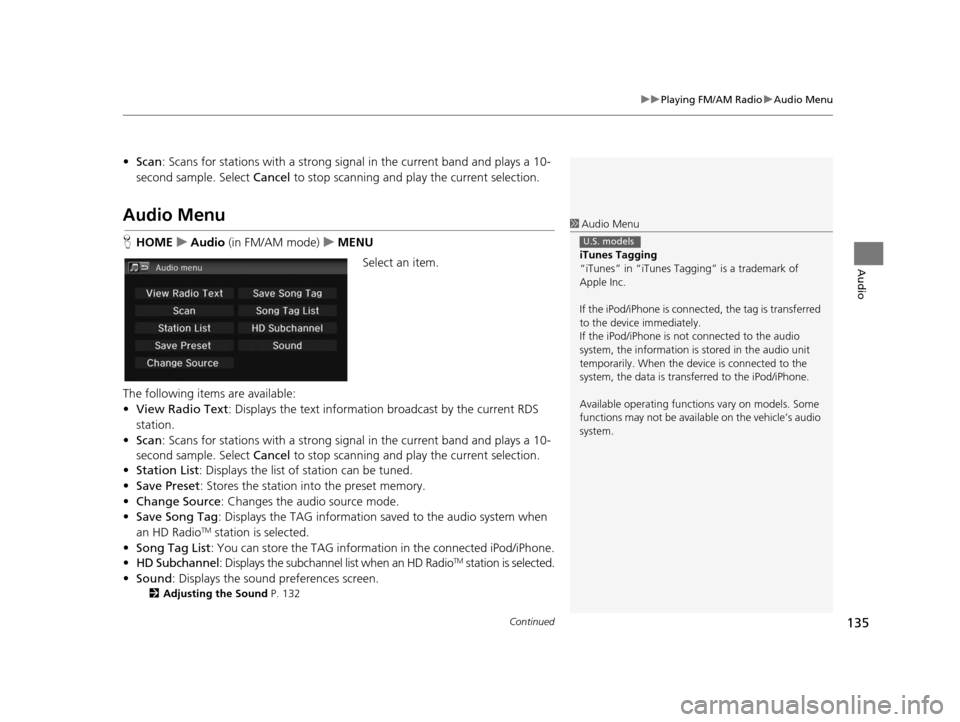
HHOME uAudio (in FM/AM mode) uMENU
Select an item.
The following items are available:
• View Radio Text : Displays the text informatio n broadcast by the current RDS
station.
• Scan : Scans for stations with a strong sign al in the current band and plays a 10-
second sample. Select Cancel to stop scanning and pl ay the current selection.
• Station List : Displays the list of station can be tuned.
• Save Preset : Stores the station into the preset memory.
• Change Source : Changes the audio source mode.
• Save Song Tag : Displays the TAG information sa ved to the audio system when
an HD Radio
TM station is selected.
• Song Tag List : You can store the TAG information in the connected iPod/iPhone.
• HD Subchannel : Displays the subchannel list when an HD Radio
TM station is selected.
• Sound : Displays the sound preferences screen.
2Adju sting the Sound P. 132
1Audio Menu
iTune s Tagging
“iTunes” in “iTunes Ta gging” is a trademark of
Apple Inc.
If the iPod/iPhone is connect ed, the tag is transferred
to the device immediately.
If the iPod/iPhone is not connected to the audio
system, the information is stored in the audio unit
temporarily. When the device is connected to the
system, the data is transferred to the iPod/iPhone.
Available operating function s vary on models. Some
functions may not be availa ble on the vehicle’s audio
system.
U.S. models
15 CIVIC NAVI-31TR38300.book 135 ページ 2014年8月7日 木曜日 午前11時49分
Page 140 of 253
139
uuPlaying SiriusXM ® Radio uAudio Menu
Audio
• Scan : Scans for channels in the selected mode and plays a 10-second sample.
Select Cancel to stop scanning and pl ay the current selection.
Audio Menu
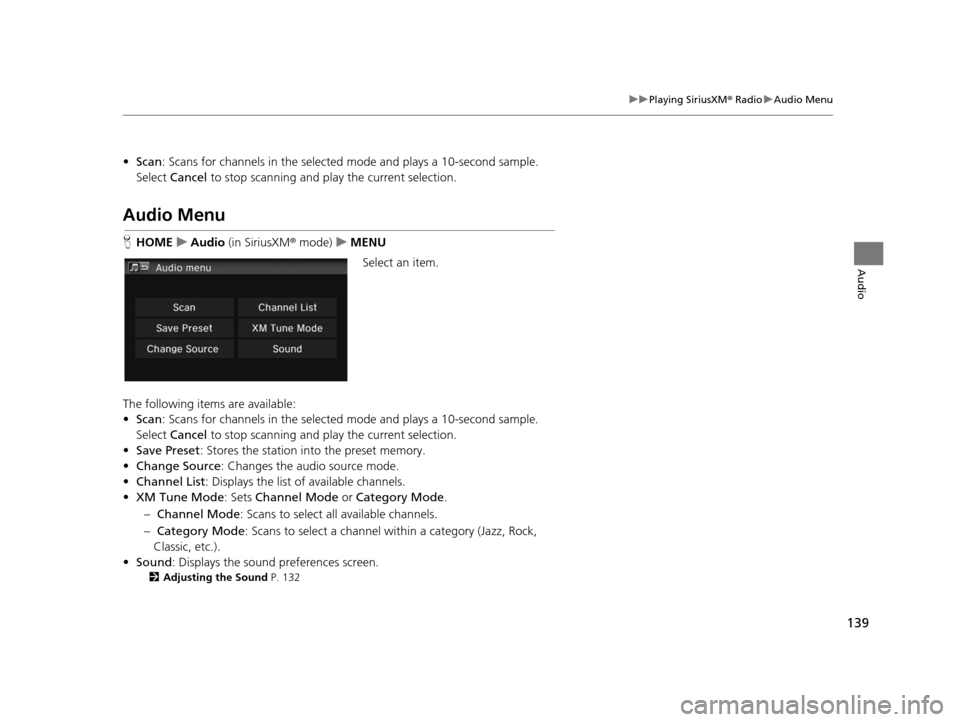
HHOME uAudio (in SiriusXM ® mode) uMENU
Select an item.
The following items are available:
• Scan : Scans for channels in the selected mode and plays a 10-second sample.
Select Cancel to stop scanning and pl ay the current selection.
• Save Preset : Stores the station into the preset memory.
• Change Source : Changes the audio source mode.
• Channel List : Displays the list of available channels.
• XM Tune Mode : Sets Channel Mode or Category Mode .
– Channel Mode : Scans to select a ll available channels.
– Category Mode : Scans to select a channel within a category (Jazz, Rock,
Classic, etc.).
• Sound : Displays the sound preferences screen.
2Adju sting the Sound P. 132
15 CIVIC NAVI-31TR38300.book 139 ページ 2014年8月7日 木曜日 午前11時49分
Page 142 of 253
141
Audio
Playing a Disc
Selecting Disc Mode
1.Select Audio on the HOME screen.
2. Select SOURCE .
3. Select the Disc icon.
4. Insert a disc into the disc slot.
u The disc automatically begins playing.
5. Select the track with Folder or Track , or open the tab and select
from the track list.
u The track number and elapsed time are displayed. Text information stored on
MP3/WMA/AAC discs is also displayed.1 Playing a Disc
“Disc play ”
You can control the disc using voice commands. 2 Disc Command s P. 238
A visual guide helps you operate the audio system.
2 System Control s P. 4
2 Basic Operation P. 9
In some cases, the name of the artist, album, or track
may not appear correctly.
Do not use discs with adhe sive labels. The label can
cause the disc to jam in the unit.
WMA and ACC tracks protected by digital rights
management (DRM) cannot be played. The audio
system displays Unplayable File , then skips to the
next track.
If there is a problem, you may see an error message
on the display.
2 Error Me ssages P. 214
If you eject the disc but do not remove it from the
slot, the system reloads the disc automatically after
several seconds.
15 CIVIC NAVI-31TR38300.book 141 ページ 2014年8月7日 木曜日 午前11時49分
Page 145 of 253
144
uuPlaying a Disc uAudio Menu
Audio
Audio Menu
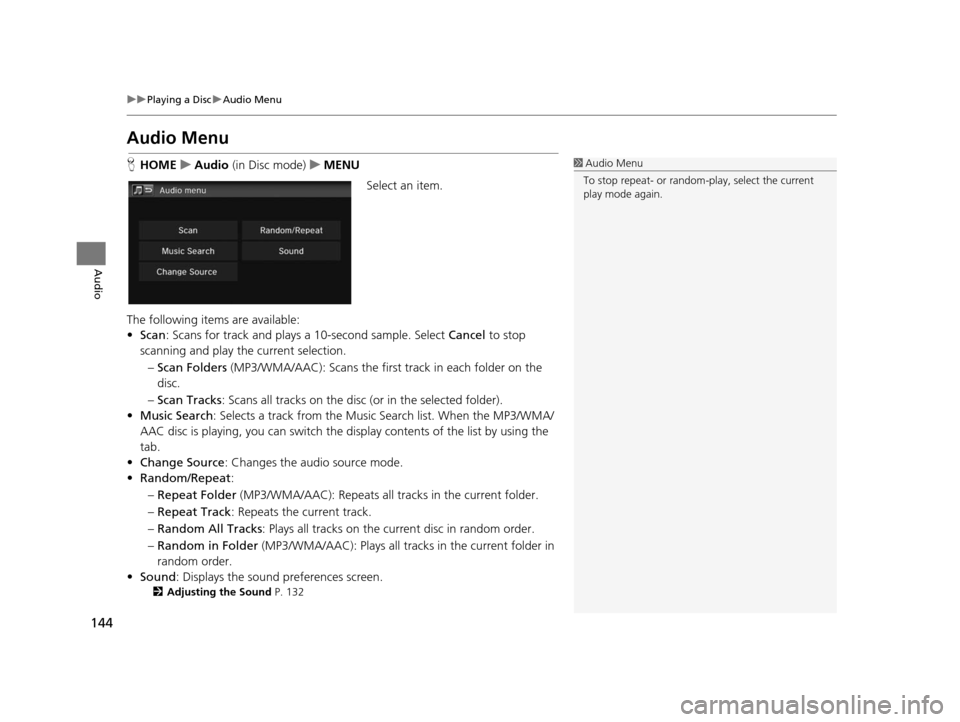
H HOME uAudio (in Disc mode) uMENU
Select an item.
The following items are available:
• Scan : Scans for track and plays a 10-second sample. Select Cancel to stop
scanning and play th e current selection.
– Scan Folders (MP3/WMA/AAC): Scans the first track in each folder on the
disc.
– Scan Tracks : Scans all tracks on the disc (or in the selected folder).
• Music Search : Selects a track from the Music Search list. When the MP3/WMA/
AAC disc is playing, you can switch the display contents of the list by using the
tab.
• Change Source: Changes the audio source mode.
• Random/Repeat :
– Repeat Folder (MP3/WMA/AAC): Repeats all tra cks in the current folder.
– Repeat Track : Repeats the current track.
– Random All Tracks : Plays all tracks on the curr ent disc in random order.
– Random in Folder (MP3/WMA/AAC): Plays all tracks in the current folder in
random order.
• Sound : Displays the sound preferences screen.
2Adju sting the Sound P. 132
1Audio Menu
To stop repeat- or random-play, select the current
play mode again.
15 CIVIC NAVI-31TR38300.book 144 ページ 2014年8月7日 木曜日 午前11時49分
Page 147 of 253
146
Audio
Playing an iPod
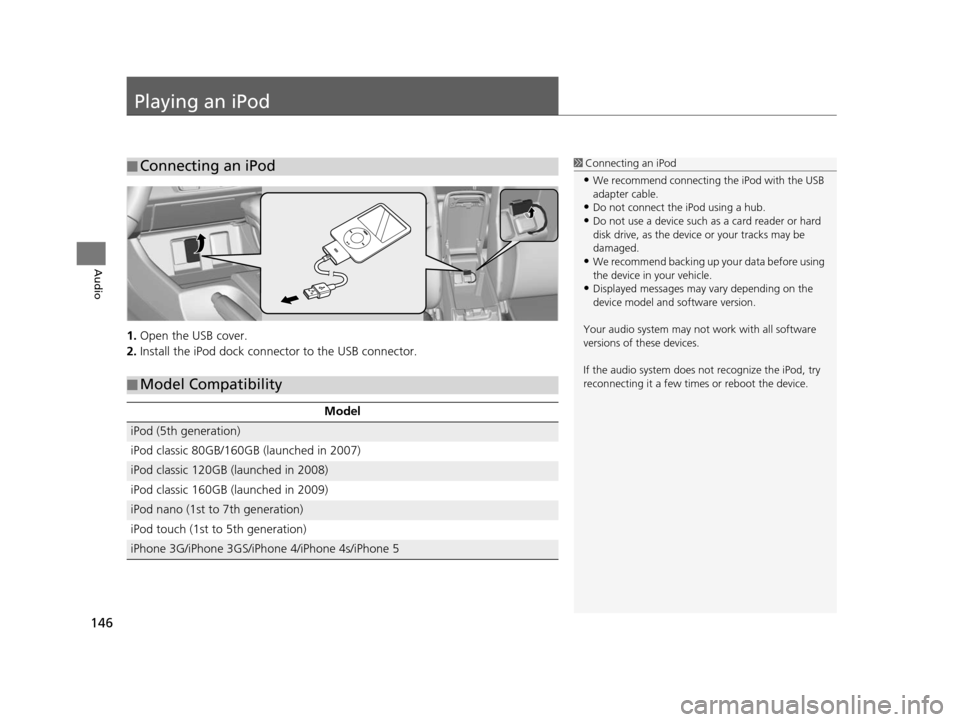
1.Open the USB cover.
2. Install the iPod dock connector to the USB connector.
■Connecting an iPod1
Connecting an iPod
•We recommend connecting the iPod with the USB
adapter cable.
•Do not connect the iPod using a hub.
•Do not use a device such as a card reader or hard
disk drive, as the device or your tracks may be
damaged.
•We recommend backing up yo ur data before using
the device in your vehicle.
•Displayed messages may vary depending on the
device model and software version.
Your audio system may not work with all software
versions of these devices.
If the audio system does not recognize the iPod, try
reconnecting it a few time s or reboot the device.
■Model Compatibility
Model
iPod (5th generation)
iPod classic 80GB/160GB (launched in 2007)
iPod classic 120GB (launched in 2008)
iPod classic 160GB (launched in 2009)
iPod nano (1st to 7th generation)
iPod touch (1st to 5th generation)
iPhone 3G/iPhone 3GS/iPhone 4/iPhone 4s/iPhone 5
15 CIVIC NAVI-31TR38300.book 146 ページ 2014年8月7日 木曜日 午前11時49分
Page 152 of 253
151
uuPlaying an iPod uSong By VoiceTM (SBV)
Continued
Audio
Song By VoiceTM (SBV)
Use SBV to search for and play music from your iPod or USB flash drive using voice
commands.
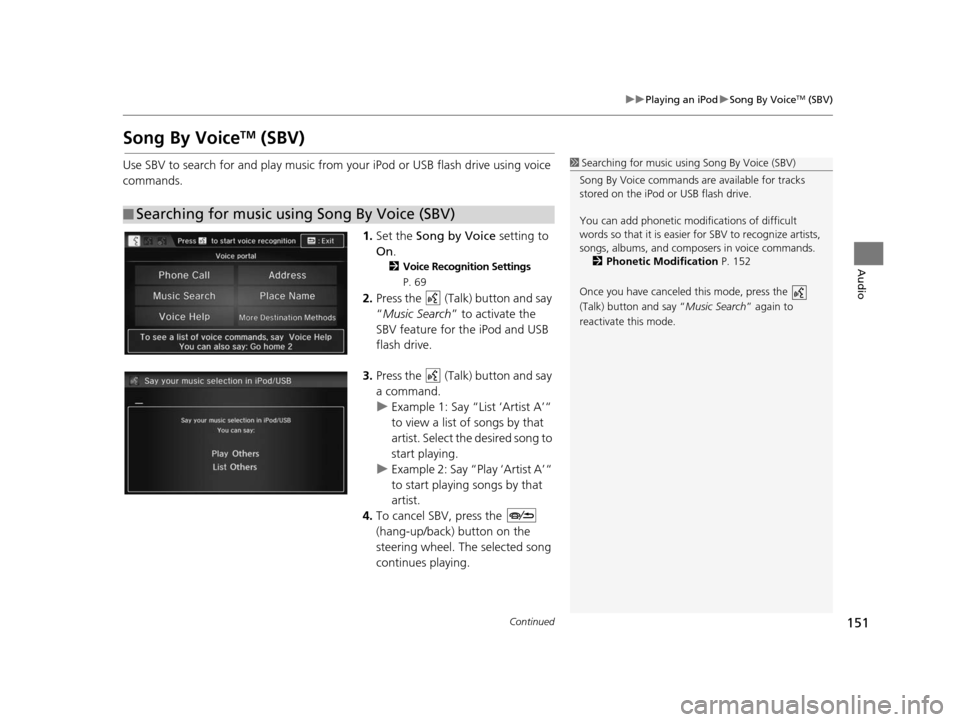
1.Set the Song by Voice setting to
On .
2Voice Recognition Setting s
P. 69
2. Press the (Talk) button and say
“Music Search ” to activate the
SBV feature for the iPod and USB
flash drive.
3. Press the (Talk) button and say
a command.
u Example 1: Say “List ‘Artist A’“
to view a list of songs by that
artist. Select the desired song to
start playing.
u Example 2: Say “Play ‘Artist A’“
to start playing songs by that
artist.
4. To cancel SBV, press the
(hang-up/back) button on the
steering wheel. The selected song
continues playing.
■Searching for music using Song By Voice (SBV)
1
Searching for music using Song By Voice (SBV)
Song By Voice commands are available for tracks
stored on the iPod or USB flash drive.
You can add phonetic modi fications of difficult
words so that it is easier for SBV to recognize artists,
songs, albums, and composers in voice commands.
2 Phonetic Modification P. 152
Once you have canceled this mode, press the
(Talk) button and say “Music Search ” again to
reactivate this mode.
15 CIVIC NAVI-31TR38300.book 151 ページ 2014年8月7日 木曜日 午前11時49分
Page 161 of 253
160
uuPlaying a USB Flash Drive uAudio Menu
Audio
Audio Menu
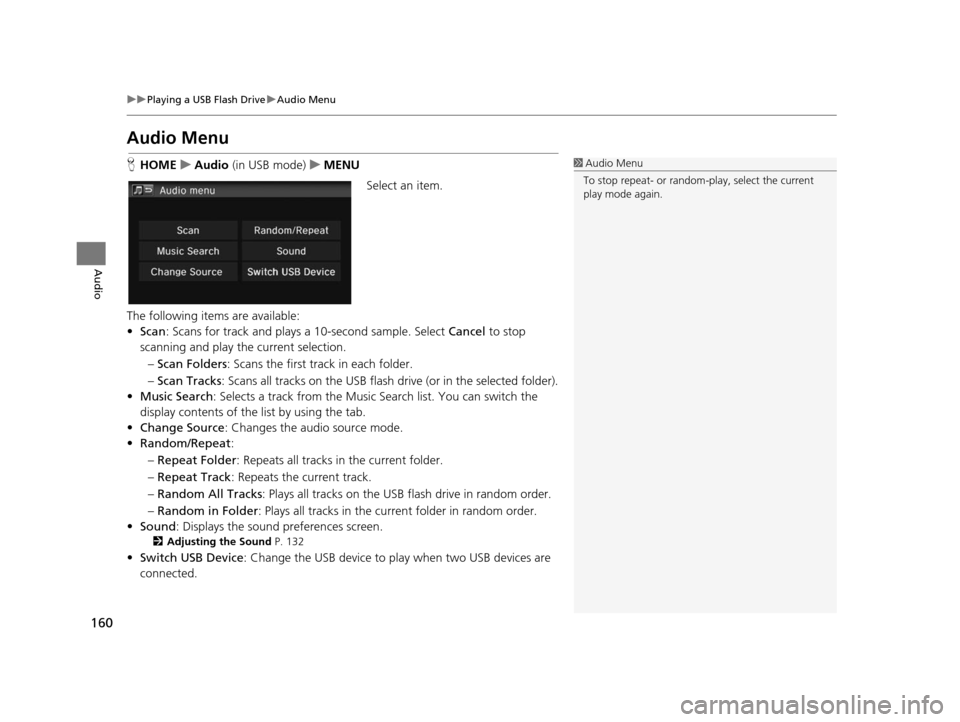
H HOME uAudio (in USB mode) uMENU
Select an item.
The following items are available:
• Scan : Scans for track and plays a 10-second sample. Select Cancel to stop
scanning and play th e current selection.
– Scan Folders : Scans the first track in each folder.
– Scan Tracks: Scans all tracks on the USB flash drive (or in the selected folder).
• Music Search : Selects a track from the Music Search list. You can switch the
display contents of the list by using the tab.
• Change Source: Changes the audio source mode.
• Random/Repeat :
– Repeat Folder : Repeats all tracks in the current folder.
– Repeat Track : Repeats the current track.
– Random All Tracks : Plays all tracks on the USB flash drive in random order.
– Random in Folder : Plays all tracks in the curr ent folder in random order.
• Sound : Displays the sound preferences screen.
2Adju sting the Sound P. 132
•Switch USB Device : Change the USB device to play when two USB devices are
connected.
1 Audio Menu
To stop repeat- or random-play, select the current
play mode again.
15 CIVIC NAVI-31TR38300.book 160 ページ 2014年8月7日 木曜日 午前11時49分
Page 162 of 253
161
Audio
Playing Bluetooth ® Audio
Your audio system allows you to listen to music tracks stored on your Bluetooth-
compatible phone.
This function is available when the phone is linked to the vehicle’s Bluetooth®
HandsFreeLink ® (HFL) system.
2Bluetooth ® Hand sFreeLink ® P. 167
Selecting Bluetooth ® Audio Mode
1. Make sure that your phone is on, paired, and linked to HFL.
2 Pairing a Phone P. 170
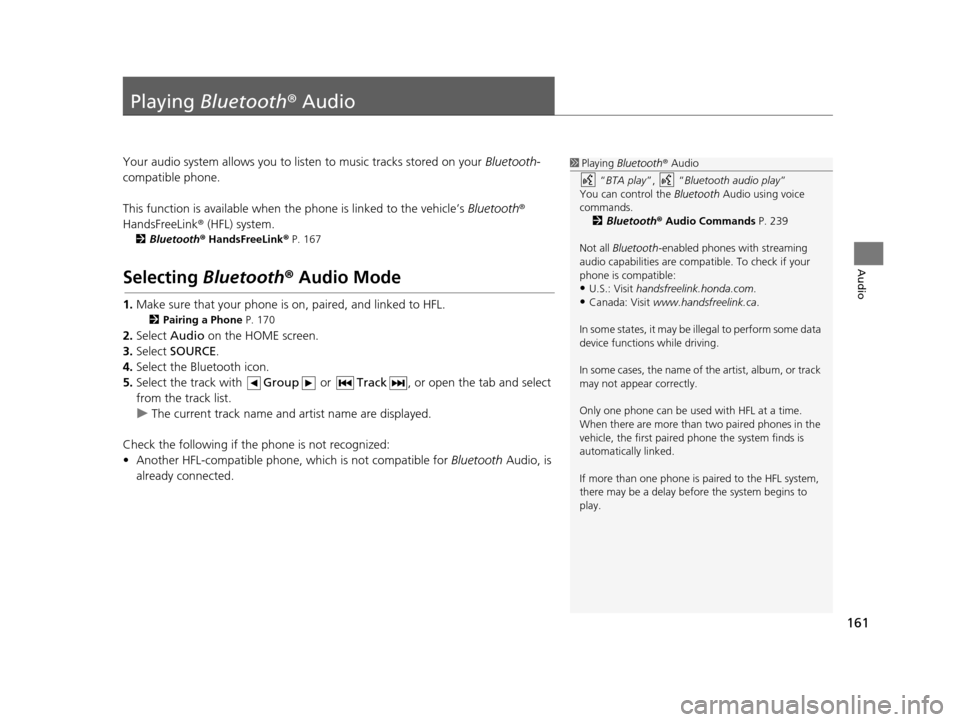
2.Select Audio on the HOME screen.
3. Select SOURCE .
4. Select the Bluetooth icon.
5. Select the track with Group or Track , or open the tab and select
from the track list.
u The current track name and artist name are displayed.
Check the following if the phone is not recognized:
• Another HFL-compatible phone, which is not compatible for Bluetooth Audio, is
already connected.
1 Playing Bluetooth ® Audio
“ BTA play ”, “Bluetooth audio play ”
You can control the Bluetooth Audio using voice
commands. 2 Bluetooth® Audio Commands P. 239
Not all Bluetooth -enabled phones with streaming
audio capabilities are compatible. To check if your
phone is compatible:
•U.S.: Visit handsfreelink.honda.com.
•Canada: Visit www.handsfreelink.ca .
In some states, it may be il legal to perform some data
device functions while driving.
In some cases, the name of the artist, album, or track
may not appear correctly.
Only one phone can be used with HFL at a time.
When there are more than two paired phones in the
vehicle, the first paired phone the system finds is
automatically linked.
If more than one phone is paired to the HFL system,
there may be a delay before the system begins to
play.
15 CIVIC NAVI-31TR38300.book 161 ページ 2014年8月7日 木曜日 午前11時49分
Page 166 of 253
165
Audio
Playing a Video Using the HDMI®
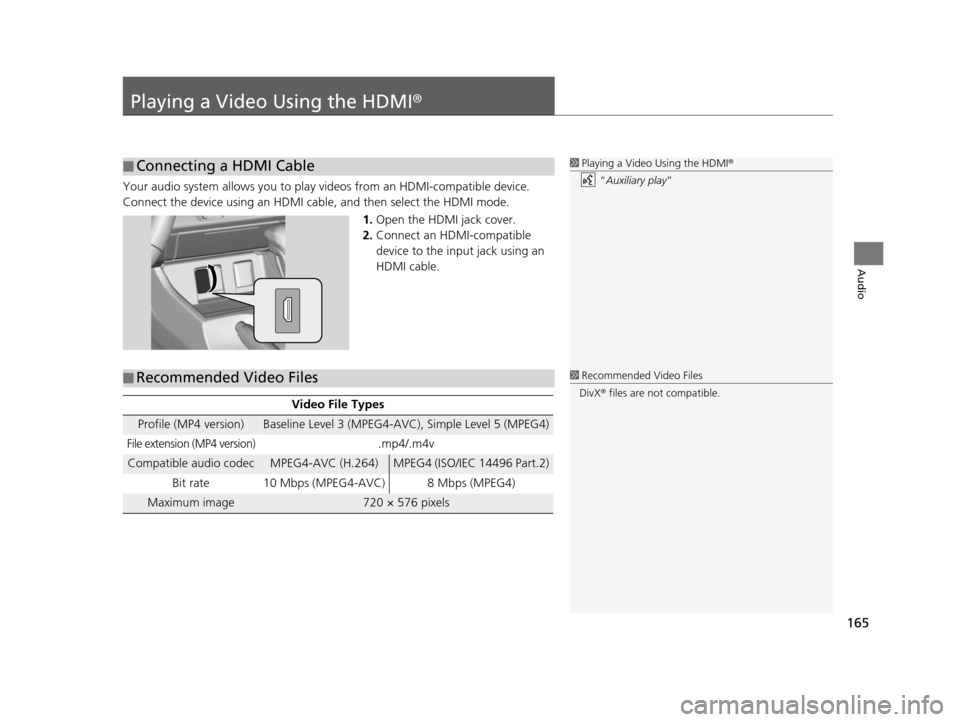
Your audio system allows you to play videos from an HDMI-compatible device.
Connect the device using an HDMI cable, and then select the HDMI mode.1.Open the HDMI jack cover.
2. Connect an HDMI-compatible
device to the input jack using an
HDMI cable.
■Connecting a HDMI Cable1
Playing a Video Using the HDMI ®
“ Auxiliary play”
■ Recommended Video Files
Video File Type
s
Profile (MP4 version)Baseline Level 3 (MPEG4-AVC), Simple Level 5 (MPEG4)
File extension (MP4 version).mp4/.m4v
Compatible audio codecMPEG4-AVC (H.264)MPEG4 (ISO/IEC 14496 Part.2)
Bit rate 10 Mbps (MPEG4-AVC) 8 Mbps (MPEG4)
Maximum image720 × 576 pixels
1 Recommended Video Files
DivX ® files are not compatible.
15 CIVIC NAVI-31TR38300.book 165 ページ 2014年8月7日 木曜日 午前11時49分
Page 188 of 253
187
uuBluetooth ® HandsFreeLink ®u Receiving a Call
Bluetooth ® HandsFreeLink ®
Receiving a Call
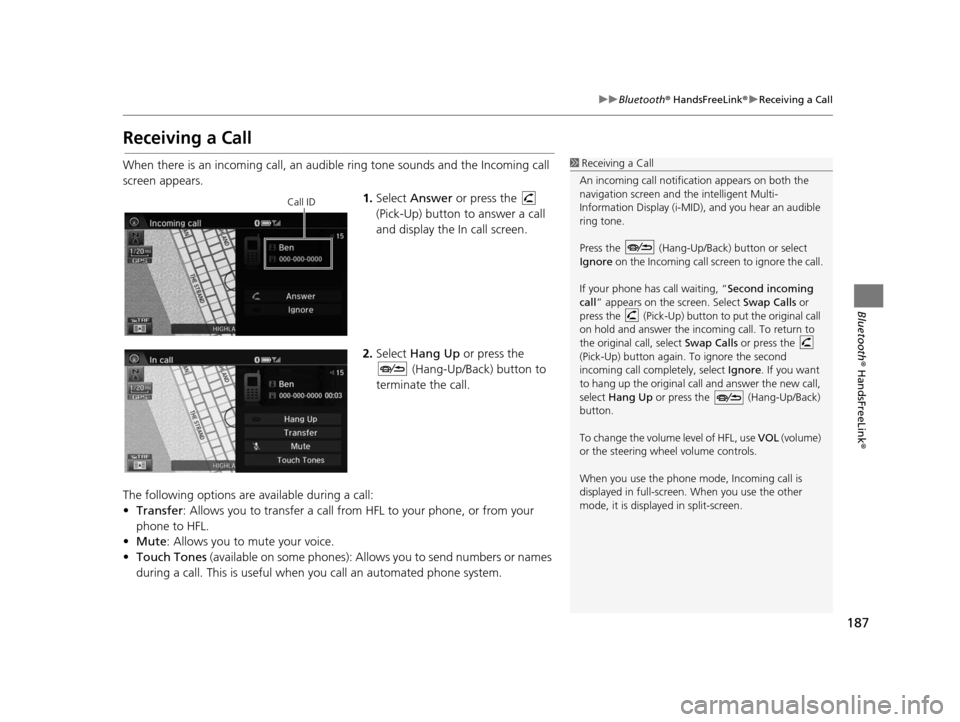
When there is an incoming call, an audible ring tone sounds and the Incoming call
screen appears.
1.Select Answer or press the
(Pick-Up) button to answer a call
and display the In call screen.
2. Select Hang Up or press the
(Hang-Up/Back) button to
terminate the call.
The following options are available during a call:
• Transfer : Allows you to transfer a call from HFL to your phone, or from your
phone to HFL.
• Mute: Allows you to mute your voice.
• Touch Tones (available on some phones): Allows you to send numbers or names
during a call. This is useful when you call an automated phone system.1 Receiving a Call
An incoming call notificat ion appears on both the
navigation screen and the intelligent Multi-
Information Display (i-MID), and you hear an audible
ring tone.
Press the (Hang-Up/Back) button or select
Ignore on the Incoming call screen to ignore the call.
If your phone has call waiting, “Second incoming
call” appears on the screen. Select Swap Calls or
press the (Pick-Up) button to put the original call
on hold and answer the incoming call. To return to
the original call, select Swap Calls or press the
(Pick-Up) button again. To ignore the second
incoming call completely, select Ignore. If you want
to hang up the original call and answer the new call,
select Hang Up or press the (Hang-Up/Back)
button.
To change the volume level of HFL, use VOL (volume)
or the steering wheel volume controls.
When you use the phone mode, Incoming call is
displayed in full-screen. When you use the other
mode, it is displaye d in split-screen.
Call ID
15 CIVIC NAVI-31TR38300.book 187 ページ 2014年8月7日 木曜日 午前11時49分