ECO mode HONDA CIVIC COUPE 2015 9.G Navigation Manual
[x] Cancel search | Manufacturer: HONDA, Model Year: 2015, Model line: CIVIC COUPE, Model: HONDA CIVIC COUPE 2015 9.GPages: 253, PDF Size: 8.81 MB
Page 208 of 253
207
uuTroubleshooting uMap, Voice, Entering Destinations
Troubleshooting
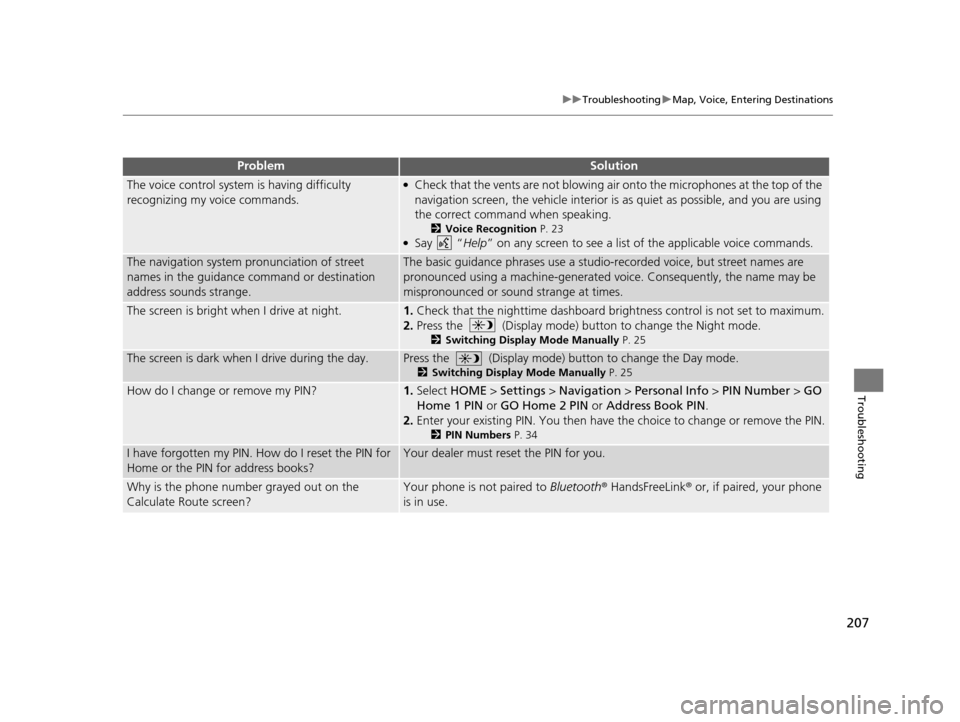
The voice control system is having difficulty
recognizing my voice commands.●Check that the vents are not blowing air onto the microphones at the top of the
navigation screen, the vehicle interior is as quiet as possible, and you are using
the correct command when speaking.
2 Voice Recognition P. 23●Say “Help” on any screen to see a list of the applicable voice commands.
The navigation system pronunciation of street
names in the guidance command or destination
address sounds strange.The basic guidance phrases use a studio-recorded voice, but street names are
pronounced using a machine-generated voice. Consequently, the name may be
mispronounced or sound strange at times.
The screen is bright when I drive at night.1.Check that the nighttime dashboard brightness control is not set to maximum.
2. Press the (Display mode) butt on to change the Night mode.
2Switching Di splay Mode Manually P. 25
The screen is dark when I drive during the day.Press the (Display mode) button to change the Day mode.
2Switching Di splay Mode Manually P. 25
How do I change or remove my PIN?1.Select HOME > Settings > Navigation > Personal Info > PIN Number > GO
Home 1 PIN or GO Home 2 PIN or Address Book PIN .
2. Enter your existing PIN. Yo u then have the choice to change or remove the PIN.
2PIN Number s P. 34
I have forgotten my PIN. How do I reset the PIN for
Home or the PIN for address books?Your dealer must reset the PIN for you.
Why is the phone number grayed out on the
Calculate Route screen?Your phone is not paired to Bluetooth® HandsFreeLink ® or, if paired, your phone
is in use.
ProblemSolution
15 CIVIC NAVI-31TR38300.book 207 ページ 2014年8月7日 木曜日 午前11時49分
Page 217 of 253
216
uuError Messages uPandora ®*
Troubleshooting
Pandora ®*
Error Mess ageCauseSolution
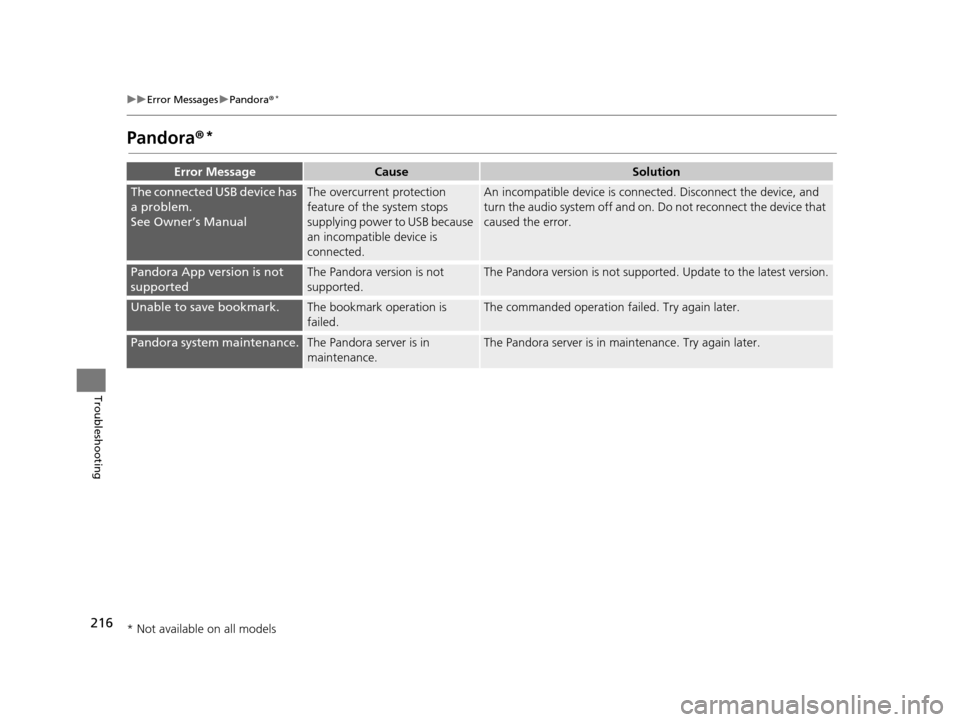
The connected USB device has
a problem.
See Owner’s ManualThe overcurrent protection
feature of the system stops
supplying power to USB because
an incompatible device is
connected.An incompatible device is connec ted. Disconnect the device, and
turn the audio system off and on. Do not reconnect the device that
caused the error.
Pandora App version is not
supportedThe Pandora version is not
supported.The Pandora version is not supported. Update to the latest version.
Unable to save bookmark.The bookmark operation is
failed.The commanded operation failed. Try again later.
Pandora system maintenance.The Pandora server is in
maintenance.The Pandora server is in maintenance. Try again later.
* Not available on all models
15 CIVIC NAVI-31TR38300.book 216 ページ 2014年8月7日 木曜日 午前11時49分
Page 219 of 253
218
uuError Messages uiPod/USB Flash Drive
Troubleshooting
iPod/USB Fla sh Drive
Error MessageCauseSolution
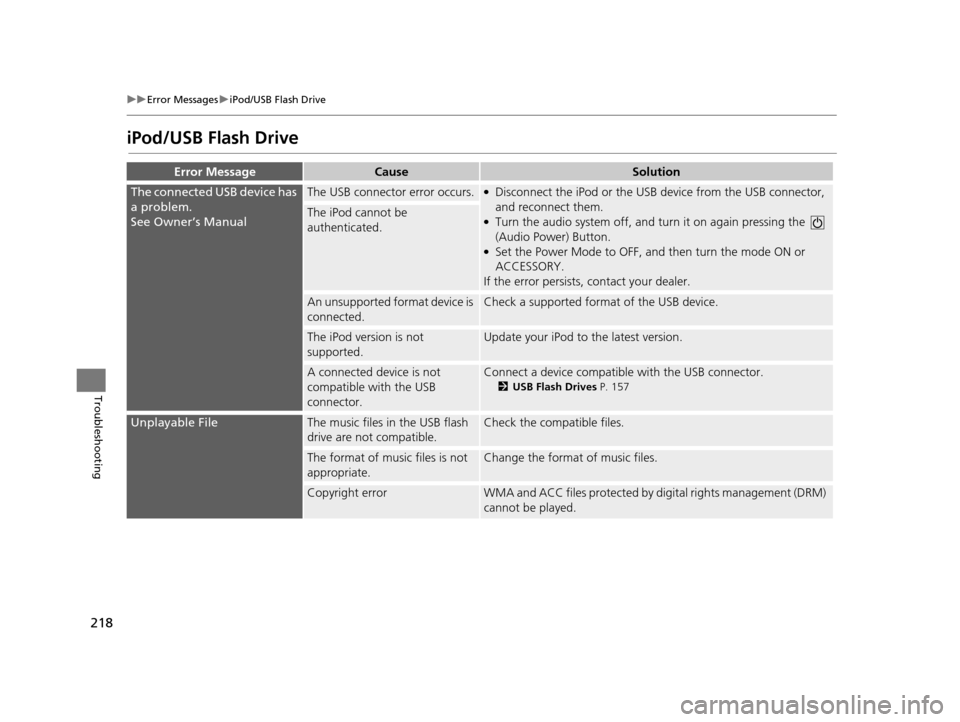
The connected USB device has
a problem.
See Owner’s ManualThe USB connector error occurs.●Disconnect the iPod or the USB device from the USB connector,
and reconnect them.
●Turn the audio system off, and tu rn it on again pressing the
(Audio Power) Button.
●Set the Power Mode to OFF, an d then turn the mode ON or
ACCESSORY.
If the error persists, contact your dealer.
The iPod cannot be
authenticated.
An unsupported format device is
connected.Check a supported format of the USB device.
The iPod version is not
supported.Update your iPod to the latest version.
A connected device is not
compatible with the USB
connector.Connect a device compatible with the USB connector.
2USB Fla sh Drive s P. 157
Unplayable FileThe music files in the USB flash
drive are not compatible.Check the compatible files.
The format of music files is not
appropriate.Change the format of music files.
Copyright errorWMA and ACC files protected by di gital rights management (DRM)
cannot be played.
15 CIVIC NAVI-31TR38300.book 218 ページ 2014年8月7日 木曜日 午前11時49分
Page 223 of 253
222
Reference Information
System Initialization
The navigation system must be initialized if
power to the navigation system is
interrupted for any reason (e.g., the battery
was disconnected).
Entering the Security Code
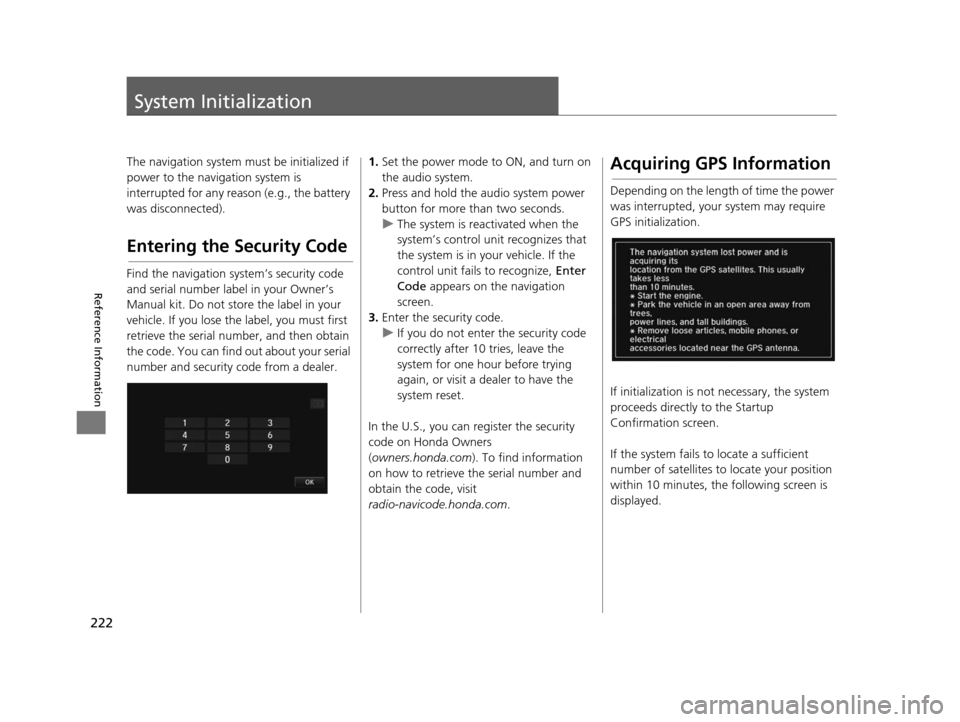
Find the navigation system’s security code
and serial number label in your Owner’s
Manual kit. Do not store the label in your
vehicle. If you lose the label, you must first
retrieve the serial number, and then obtain
the code. You can find out about your serial
number and security code from a dealer.
1.Set the power mode to ON, and turn on
the audio system.
2. Press and hold the audio system power
button for more than two seconds.
u The system is reac tivated when the
system’s control unit recognizes that
the system is in your vehicle. If the
control unit fails to recognize, Enter
Code appears on the navigation
screen.
3. Enter the security code.
u If you do not enter the security code
correctly after 10 tries, leave the
system for one hour before trying
again, or visit a dealer to have the
system reset.
In the U.S., you can register the security
code on Honda Owners
( owners.honda.com ). To find information
on how to retrieve the serial number and
obtain the code, visit
radio-navicode.honda.com .Acquiring GPS Information
Depending on the length of time the power
was interrupted, your system may require
GPS initialization.
If initialization is not necessary, the system
proceeds directly to the Startup
Confirmation screen.
If the system fails to locate a sufficient
number of satellites to locate your position
within 10 minutes, th e following screen is
displayed.
15 CIVIC NAVI-31TR38300.book 222 ページ 2014年8月7日 木曜日 午前11時49分