audio HONDA CIVIC COUPE 2015 9.G Navigation Manual
[x] Cancel search | Manufacturer: HONDA, Model Year: 2015, Model line: CIVIC COUPE, Model: HONDA CIVIC COUPE 2015 9.GPages: 253, PDF Size: 8.81 MB
Page 166 of 253
165
Audio
Playing a Video Using the HDMI®
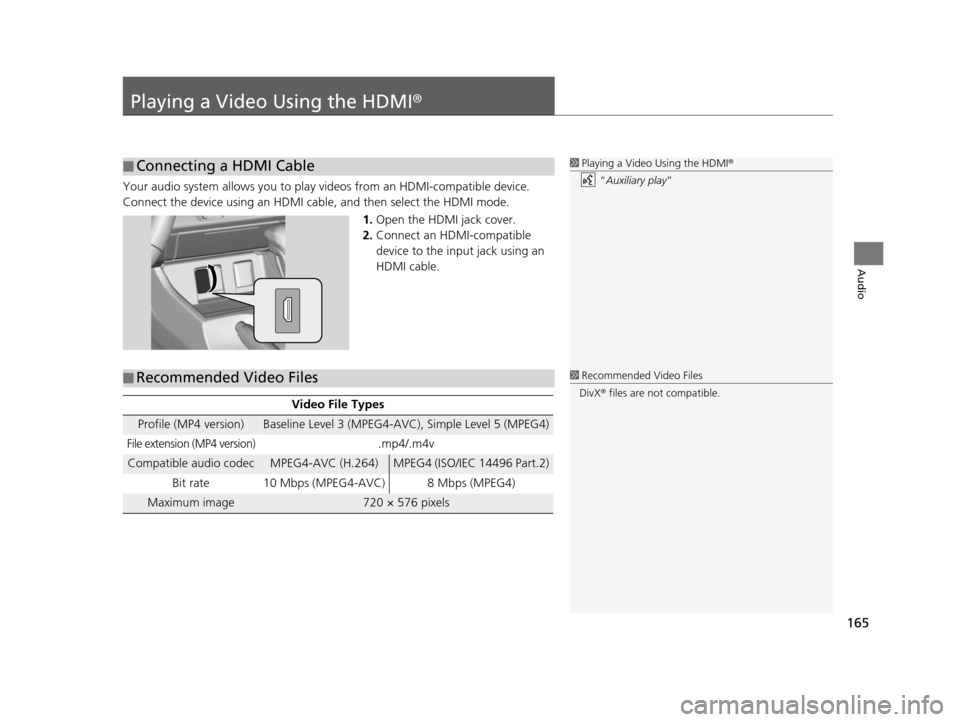
Your audio system allows you to play videos from an HDMI-compatible device.
Connect the device using an HDMI cable, and then select the HDMI mode.1.Open the HDMI jack cover.
2. Connect an HDMI-compatible
device to the input jack using an
HDMI cable.
■Connecting a HDMI Cable1
Playing a Video Using the HDMI ®
“ Auxiliary play”
■ Recommended Video Files
Video File Type
s
Profile (MP4 version)Baseline Level 3 (MPEG4-AVC), Simple Level 5 (MPEG4)
File extension (MP4 version).mp4/.m4v
Compatible audio codecMPEG4-AVC (H.264)MPEG4 (ISO/IEC 14496 Part.2)
Bit rate 10 Mbps (MPEG4-AVC) 8 Mbps (MPEG4)
Maximum image720 × 576 pixels
1 Recommended Video Files
DivX ® files are not compatible.
15 CIVIC NAVI-31TR38300.book 165 ページ 2014年8月7日 木曜日 午前11時49分
Page 167 of 253
166
uuPlaying a Video Using the HDMI ®u Selecting HDMI Mode
Audio
Selecting HDMI Mode
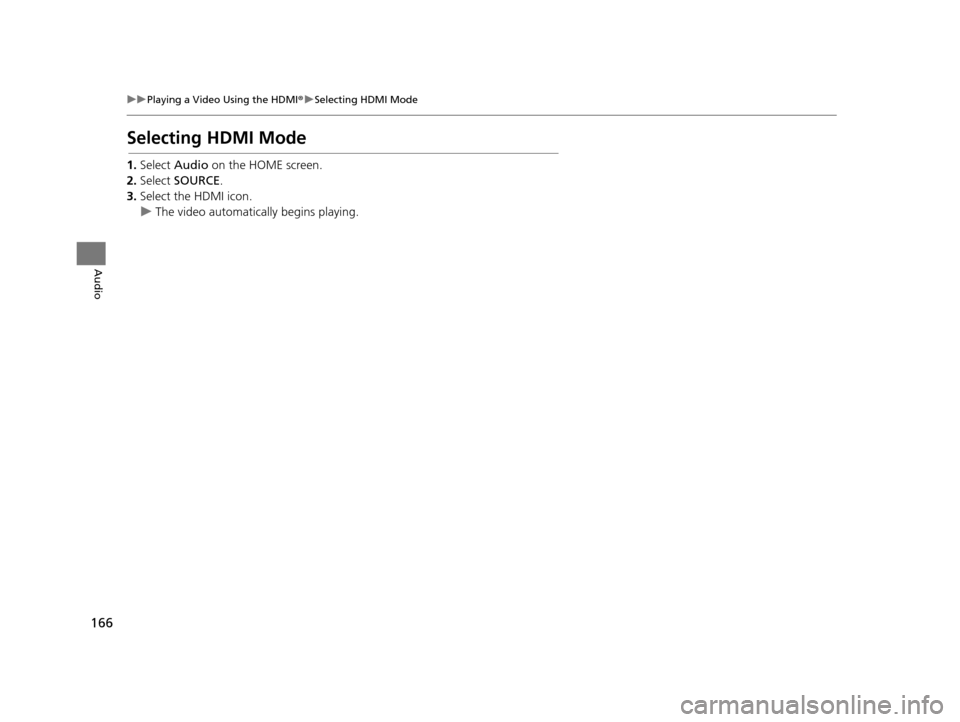
1. Select Audio on the HOME screen.
2. Select SOURCE .
3. Select the HDMI icon.
u The video automatically begins playing.
15 CIVIC NAVI-31TR38300.book 166 ページ 2014年8月7日 木曜日 午前11時49分
Page 169 of 253
168
Bluetooth® HandsFreeLink ®
Bluetooth® HandsFreeLink ®
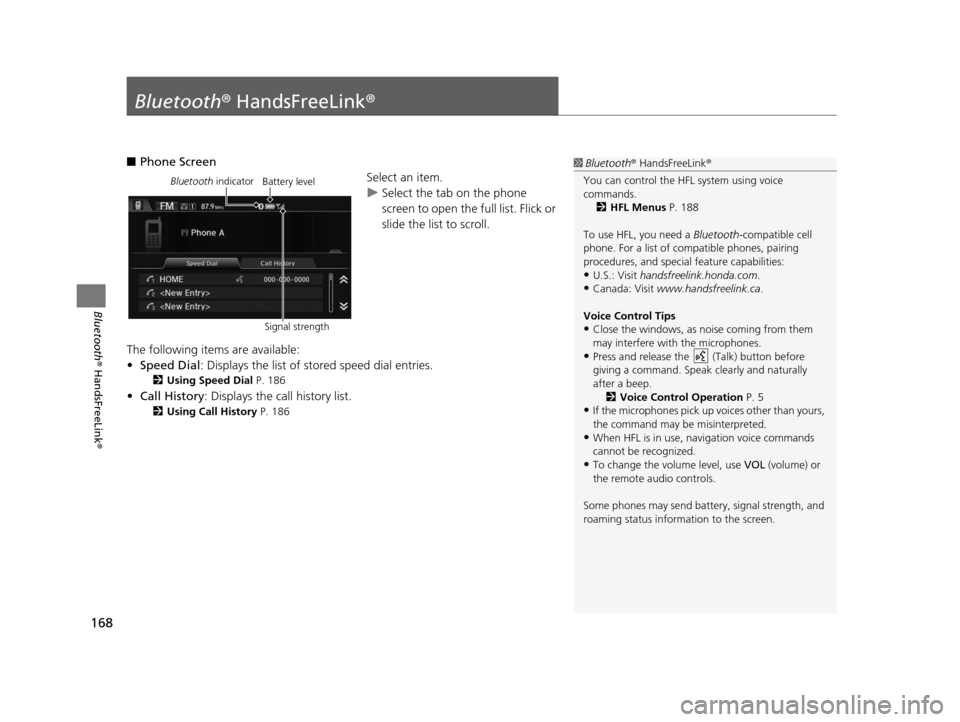
■Phone Screen
Select an item.
uSelect the tab on the phone
screen to open the full list. Flick or
slide the list to scroll.
The following items are available:
• Speed Dial : Displays the list of stored speed dial entries.
2Using Speed Dial P. 186
•Call History: Displays the call history list.
2 Using Call History P. 186
1Bluetooth ® HandsFreeLink ®
You can control the HFL system using voice
commands. 2 HFL Menu s P. 188
To use HFL, you need a Bluetooth-compatible cell
phone. For a list of compatible phones, pairing
procedures, and special feature capabilities:
•U.S.: Visit handsfreelink.honda.com.
•Canada: Visit www.handsfreelink.ca .
Voice Control Tip s
•Close the windows, as noise coming from them
may interfere with the microphones.
•Press and release the (Talk) button before
giving a command. Speak clearly and naturally
after a beep. 2 Voice Control Operation P. 5
•If the microphones pick up vo ices other than yours,
the command may be misinterpreted.
•When HFL is in use, navigation voice commands
cannot be recognized.
•To change the volume level, use VOL (volume) or
the remote audio controls.
Some phones may send batter y, signal strength, and
roaming status information to the screen.
Bluetooth indicator
Signal strengthBattery level
15 CIVIC NAVI-31TR38300.book 168 ページ 2014年8月7日 木曜日 午前11時49分
Page 170 of 253
169
uuBluetooth ® HandsFreeLink ®u
Bluetooth ® HandsFreeLink ®
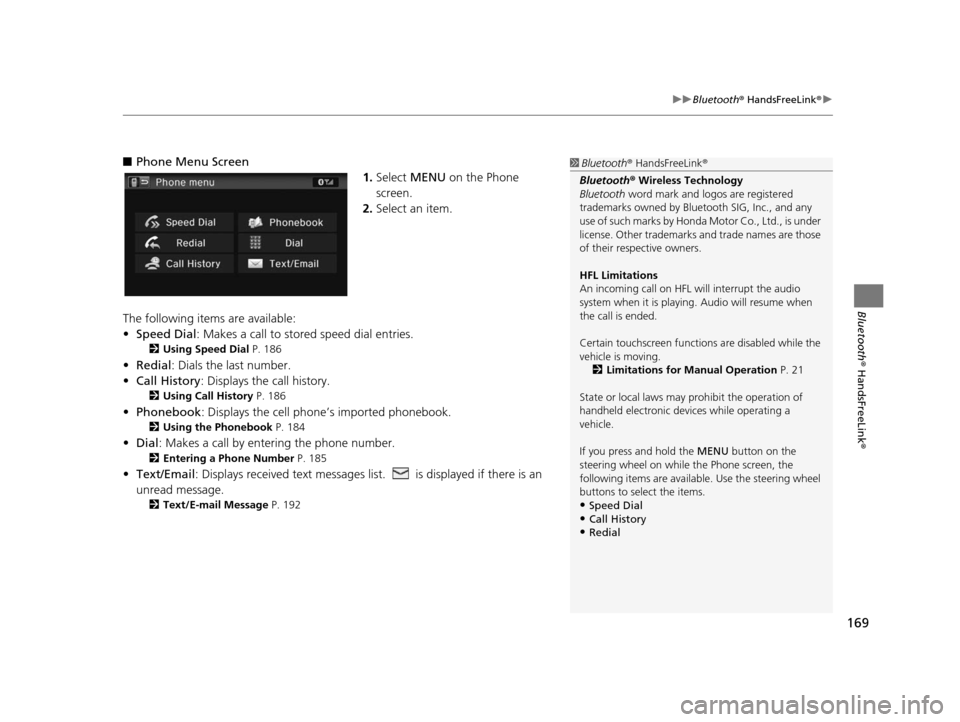
■Phone Menu Screen
1.Select MENU on the Phone
screen.
2. Select an item.
The following items are available:
• Speed Dial : Makes a call to stored speed dial entries.
2Using Speed Dial P. 186
•Redial : Dials the last number.
• Call History: Displays the call history.
2 Using Call History P. 186
•Phonebook : Displays the cell phone’s imported phonebook.
2Using the Phonebook P. 184
•Dial : Makes a call by enteri ng the phone number.
2Entering a Phone Number P. 185
•Text/Email : Displays received text messages lis t. is displayed if there is an
unread message.
2 Text/E-mail Me ssage P. 192
1Bluetooth ® HandsFreeLink ®
Bluetooth ® Wireless Technology
Bluetooth word mark and logos are registered
trademarks owned by Blue tooth SIG, Inc., and any
use of such marks by Honda Motor Co., Ltd., is under
license. Other trademarks and trade names are those
of their respective owners.
HFL Limitation s
An incoming call on HFL will interrupt the audio
system when it is playing. Audio will resume when
the call is ended.
Certain touchscree n functions are disabled while the
vehicle is moving.
2 Limitations for Manual Operation P. 21
State or local laws may pr ohibit the operation of
handheld electronic devi ces while operating a
vehicle.
If you press and hold the MENU button on the steering wheel on while the Phone screen, the
following items are available. Use the steering wheel
buttons to sele ct the items.
•Speed Dial
•Call History•Redial
15 CIVIC NAVI-31TR38300.book 169 ページ 2014年8月7日 木曜日 午前11時49分
Page 214 of 253
213
uuTroubleshooting uMiscellaneous Questions
Troubleshooting
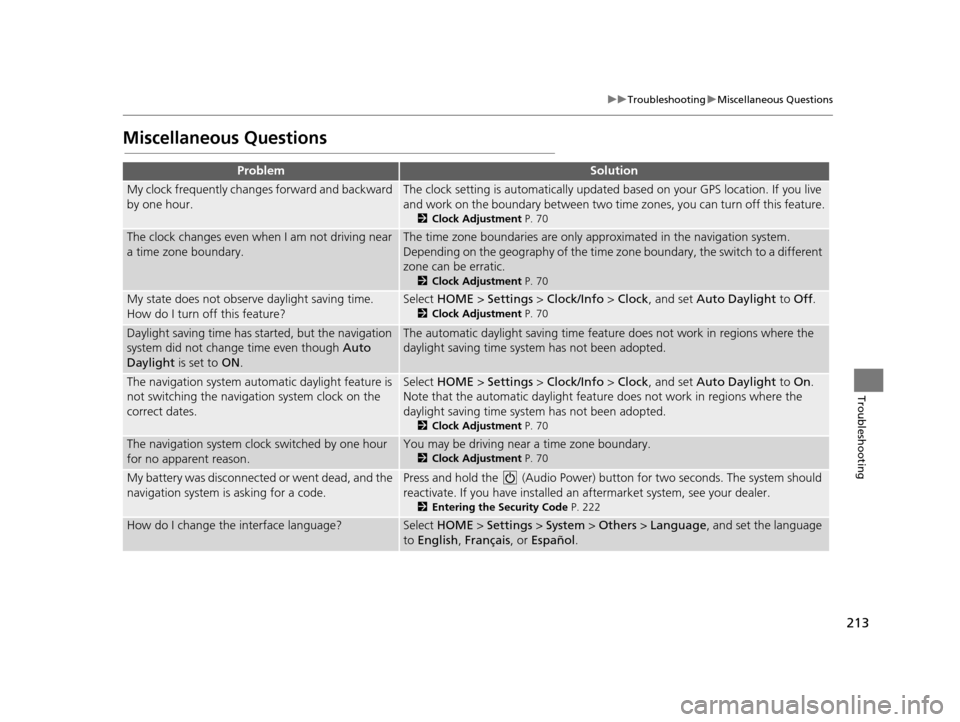
Mi scellaneous Question s
ProblemSolution
My clock frequently changes forward and backward
by one hour.The clock setting is automatically updated based on your GPS location. If you live
and work on the boundary be tween two time zones, you can turn off this feature.
2Clock Adju stment P. 70
The clock changes even when I am not driving near
a time zone boundary.The time zone boundaries are only ap proximated in the navigation system.
Depending on the geography of the time zo ne boundary, the switch to a different
zone can be erratic.
2 Clock Adju stment P. 70
My state does not observe daylight saving time.
How do I turn off this feature?Select HOME > Settings > Clock/Info > Clock , and set Auto Daylight to Off.
2Clock Adju stment P. 70
Daylight saving time has started, but the navigation
system did not change time even though Auto
Daylight is set to ON.The automatic daylight saving time feat ure does not work in regions where the
daylight saving time system has not been adopted.
The navigation system automatic daylight feature is
not switching the navigation system clock on the
correct dates.Select HOME > Settings > Clock/Info > Clock , and set Auto Daylight to On.
Note that the automatic daylight feat ure does not work in regions where the
daylight saving time system has not been adopted.
2 Clock Adju stment P. 70
The navigation system clock switched by one hour
for no apparent reason.You may be driving near a time zone boundary.
2Clock Adju stment P. 70
My battery was disconnected or went dead, and the
navigation system is asking for a code.Press and hold the (Audio Power) bu tton for two seconds. The system should
reactivate. If you have installed an aftermarket system, see your dealer.
2Entering the Security Code P. 222
How do I change the interface language?Select HOME > Settings > System > Others > Language , and set the language
to English, Français, or Español .
15 CIVIC NAVI-31TR38300.book 213 ページ 2014年8月7日 木曜日 午前11時49分
Page 217 of 253
216
uuError Messages uPandora ®*
Troubleshooting
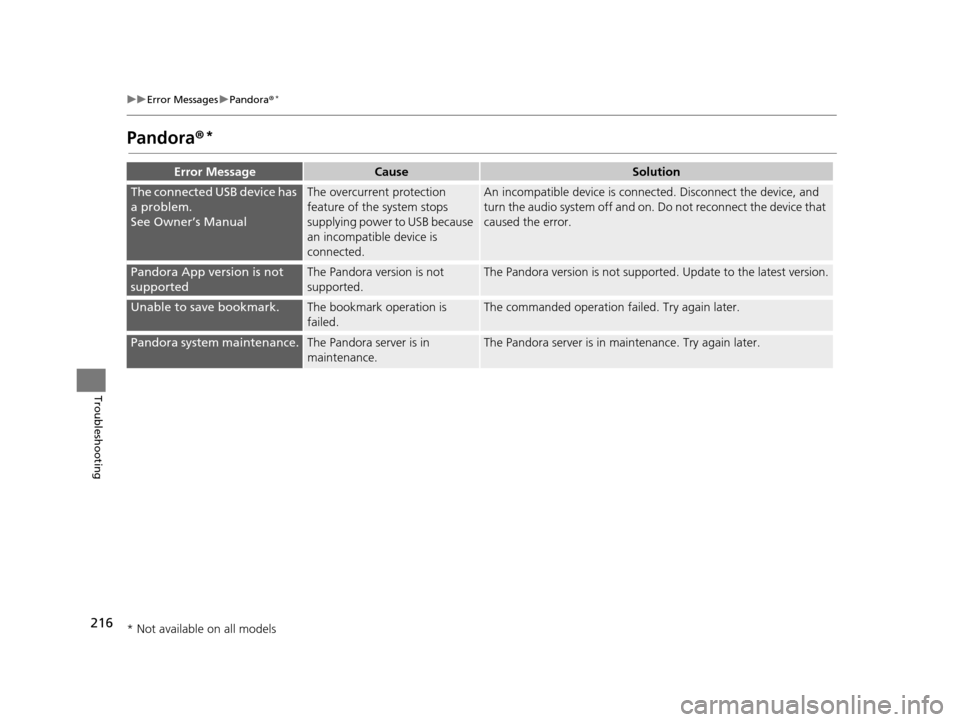
Pandora ®*
Error Mess ageCauseSolution
The connected USB device has
a problem.
See Owner’s ManualThe overcurrent protection
feature of the system stops
supplying power to USB because
an incompatible device is
connected.An incompatible device is connec ted. Disconnect the device, and
turn the audio system off and on. Do not reconnect the device that
caused the error.
Pandora App version is not
supportedThe Pandora version is not
supported.The Pandora version is not supported. Update to the latest version.
Unable to save bookmark.The bookmark operation is
failed.The commanded operation failed. Try again later.
Pandora system maintenance.The Pandora server is in
maintenance.The Pandora server is in maintenance. Try again later.
* Not available on all models
15 CIVIC NAVI-31TR38300.book 216 ページ 2014年8月7日 木曜日 午前11時49分
Page 219 of 253
218
uuError Messages uiPod/USB Flash Drive
Troubleshooting
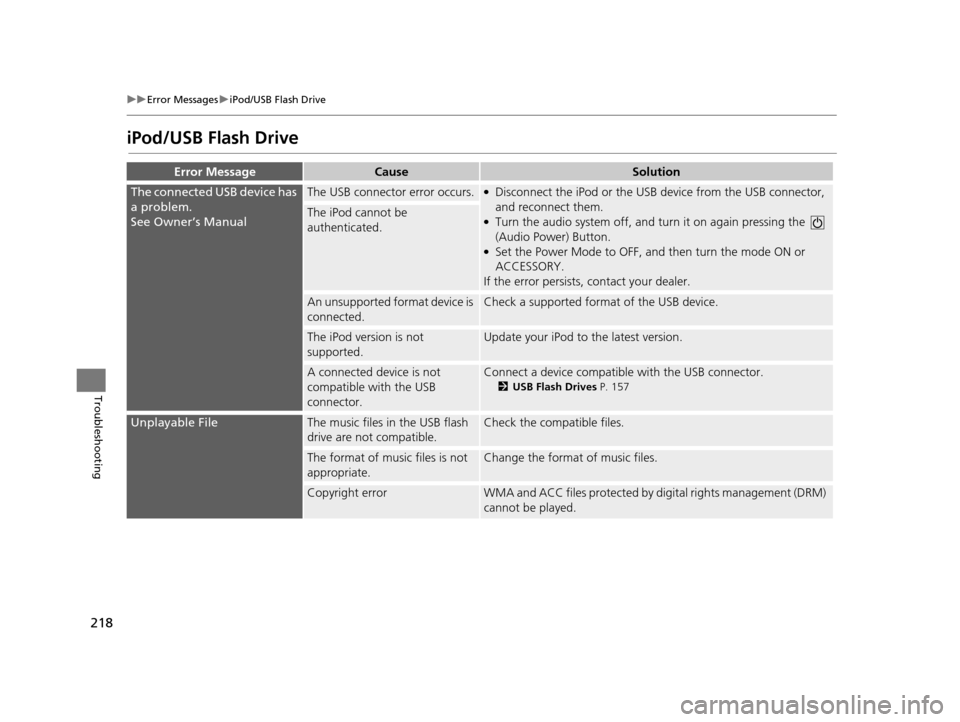
iPod/USB Fla sh Drive
Error MessageCauseSolution
The connected USB device has
a problem.
See Owner’s ManualThe USB connector error occurs.●Disconnect the iPod or the USB device from the USB connector,
and reconnect them.
●Turn the audio system off, and tu rn it on again pressing the
(Audio Power) Button.
●Set the Power Mode to OFF, an d then turn the mode ON or
ACCESSORY.
If the error persists, contact your dealer.
The iPod cannot be
authenticated.
An unsupported format device is
connected.Check a supported format of the USB device.
The iPod version is not
supported.Update your iPod to the latest version.
A connected device is not
compatible with the USB
connector.Connect a device compatible with the USB connector.
2USB Fla sh Drive s P. 157
Unplayable FileThe music files in the USB flash
drive are not compatible.Check the compatible files.
The format of music files is not
appropriate.Change the format of music files.
Copyright errorWMA and ACC files protected by di gital rights management (DRM)
cannot be played.
15 CIVIC NAVI-31TR38300.book 218 ページ 2014年8月7日 木曜日 午前11時49分
Page 221 of 253
220
uuError Messages uSmartphone Connection
Troubleshooting
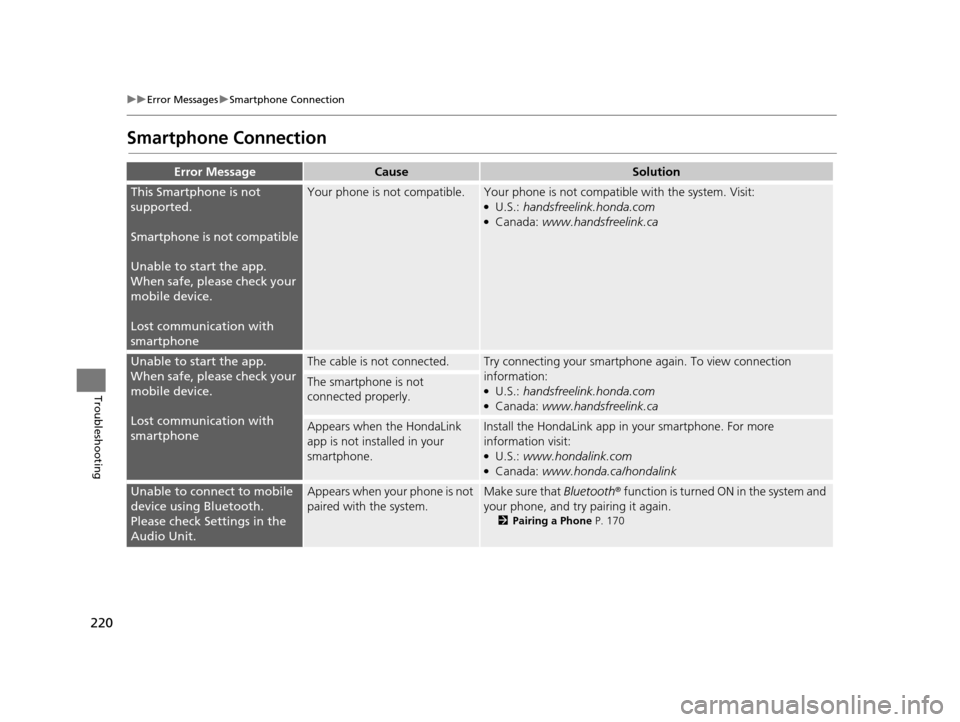
Smartphone Connection
Error Mess ageCauseSolution
This Smartphone is not
supported.
Smartphone is not compatible
Unable to start the app.
When safe, please check your
mobile device.
Lost communication with
smartphoneYour phone is not compatible.Your phone is not compatib le with the system. Visit:●U.S.: handsfreelink.honda.com●Canada: www.handsfreelink.ca
Unable to start the app.
When safe, please check your
mobile device.
Lost communication with
smartphoneThe cable is not connected.Try connecting your smartphone again. To view connection
information:
●U.S.: handsfreelink.honda.com●Canada: www.handsfreelink.ca
The smartphone is not
connected properly.
Appears when the HondaLink
app is not installed in your
smartphone.Install the HondaLin k app in your smartphone. For more
information visit:
●U.S.: www.hondalink.com●Canada: www.honda.ca/hondalink
Unable to connect to mobile
device using Bluetooth.
Please check Settings in the
Audio Unit.Appears when your phone is not
paired with the system.Make sure that Bluetooth ® function is turned ON in the system and
your phone, and try pairing it again.
2 Pairing a Phone P. 170
15 CIVIC NAVI-31TR38300.book 220 ページ 2014年8月7日 木曜日 午前11時49分
Page 223 of 253
222
Reference Information
System Initialization
The navigation system must be initialized if
power to the navigation system is
interrupted for any reason (e.g., the battery
was disconnected).
Entering the Security Code
Find the navigation system’s security code
and serial number label in your Owner’s
Manual kit. Do not store the label in your
vehicle. If you lose the label, you must first
retrieve the serial number, and then obtain
the code. You can find out about your serial
number and security code from a dealer.
1.Set the power mode to ON, and turn on
the audio system.
2. Press and hold the audio system power
button for more than two seconds.
u The system is reac tivated when the
system’s control unit recognizes that
the system is in your vehicle. If the
control unit fails to recognize, Enter
Code appears on the navigation
screen.
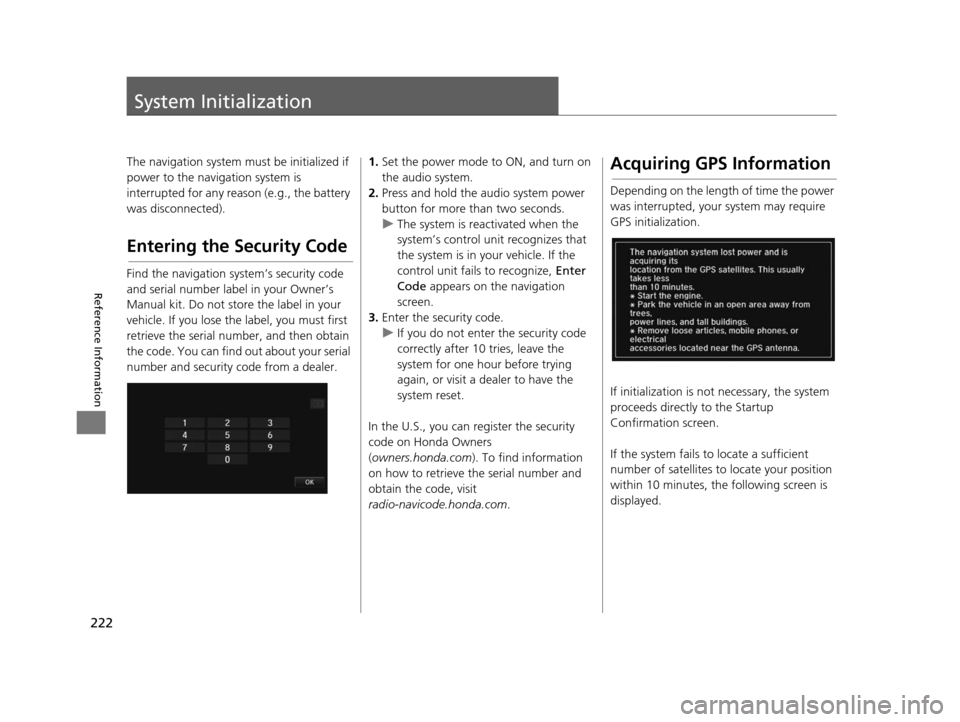
3. Enter the security code.
u If you do not enter the security code
correctly after 10 tries, leave the
system for one hour before trying
again, or visit a dealer to have the
system reset.
In the U.S., you can register the security
code on Honda Owners
( owners.honda.com ). To find information
on how to retrieve the serial number and
obtain the code, visit
radio-navicode.honda.com .Acquiring GPS Information
Depending on the length of time the power
was interrupted, your system may require
GPS initialization.
If initialization is not necessary, the system
proceeds directly to the Startup
Confirmation screen.
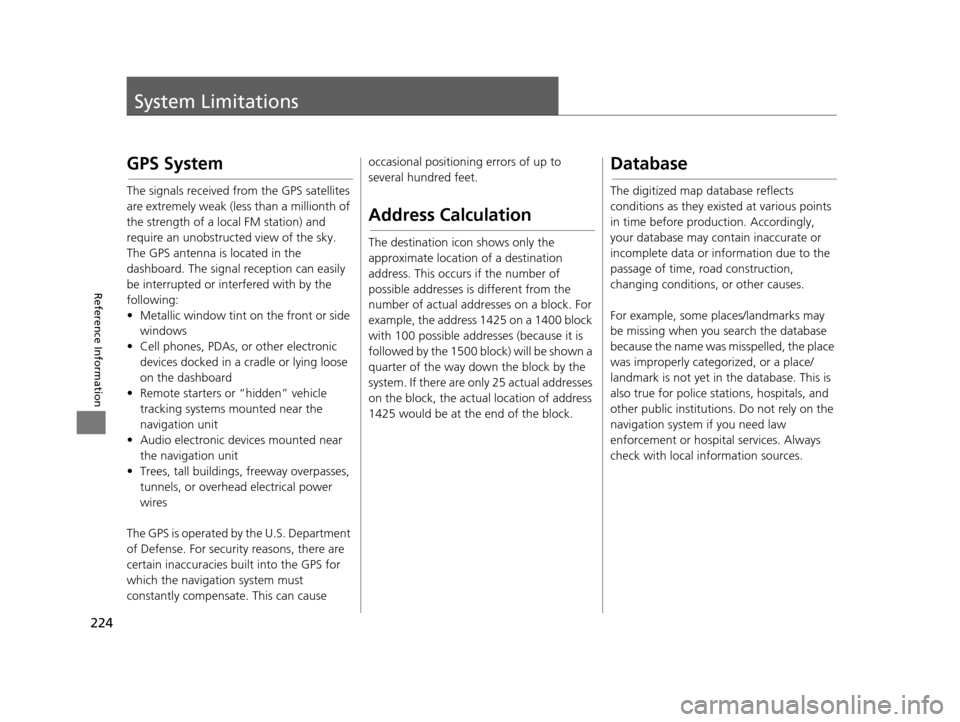
If the system fails to locate a sufficient
number of satellites to locate your position
within 10 minutes, th e following screen is
displayed.
15 CIVIC NAVI-31TR38300.book 222 ページ 2014年8月7日 木曜日 午前11時49分
Page 225 of 253
224
Reference Information
System Limitations
GPS System
The signals received fro m the GPS satellites
are extremely weak (less than a millionth of
the strength of a local FM station) and
require an unobstructed view of the sky.
The GPS antenna is located in the
dashboard. The signal reception can easily
be interrupted or interfered with by the
following:
• Metallic window tint on the front or side windows
• Cell phones, PDAs, or other electronic devices docked in a cradle or lying loose
on the dashboard
• Remote starters or “hidden” vehicle tracking systems mounted near the
navigation unit
• Audio electronic devices mounted near the navigation unit
• Trees, tall buildings , freeway overpasses,
tunnels, or overhead electrical power
wires
The GPS is operated by the U.S. Department
of Defense. For security reasons, there are
certain inaccuracies bu ilt into the GPS for
which the navigation system must
constantly compensate. This can cause occasional positioning errors of up to
several hundred feet.
Addre
ss Calculation
The destination icon shows only the
approximate location of a destination
address. This occurs if the number of
possible addresses is different from the
number of actual addr esses on a block. For
example, the address 1425 on a 1400 block
with 100 possible addresses (because it is
followed by the 1500 block) will be shown a
quarter of the way down the block by the
system. If there are only 25 actual addresses
on the block, the actual location of address
1425 would be at the end of the block.
Databa se
The digitized map database reflects
conditions as they existed at various points
in time before production. Accordingly,
your database may contain inaccurate or
incomplete data or information due to the
passage of time, road construction,
changing conditions, or other causes.
For example, some places/landmarks may
be missing when you search the database
because the name was misspelled, the place
was improperly categorized, or a place/
landmark is not yet in the database. This is
also true for police stations, hospitals, and
other public institutions. Do not rely on the
navigation system if you need law
enforcement or hospital services. Always
check with local information sources.
15 CIVIC NAVI-31TR38300.book 224 ページ 2014年8月7日 木曜日 午前11時49分