lock HONDA CIVIC COUPE 2015 9.G Owner's Manual
[x] Cancel search | Manufacturer: HONDA, Model Year: 2015, Model line: CIVIC COUPE, Model: HONDA CIVIC COUPE 2015 9.GPages: 441, PDF Size: 18.4 MB
Page 59 of 441
uuChild Safety uSafety of Infants and Small Children
58Safe Driving
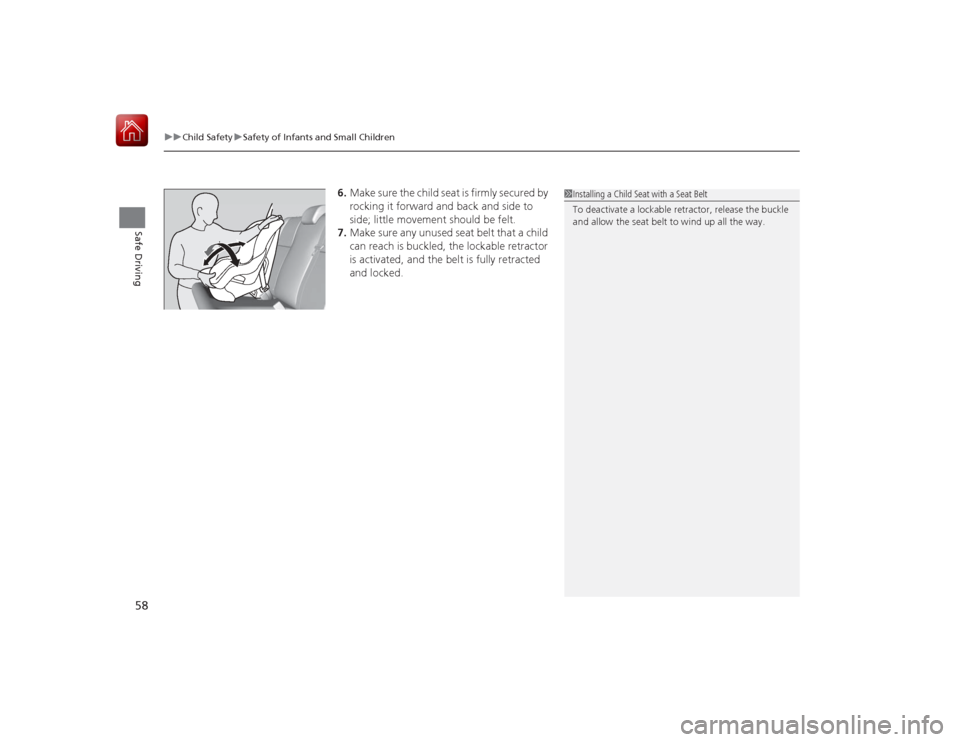
6. Make sure the child seat is firmly secured by
rocking it forward and back and side to
side; little movement should be felt.
7. Make sure any unused seat belt that a child
can reach is buckled, the lockable retractor
is activated, and the belt is fully retracted
and locked.
1Installing a Child Seat with a Seat Belt
To deactivate a lockable retractor, release the buckle
and allow the seat belt to wind up all the way.
Page 70 of 441
69
uuIndicators u
Continued
Instrument Panel
*1:Models with the smart entry system have an ENGINE START/STOP button instead of an ignition switch.Indicator
Name
On/Blinking
Explanation
Message
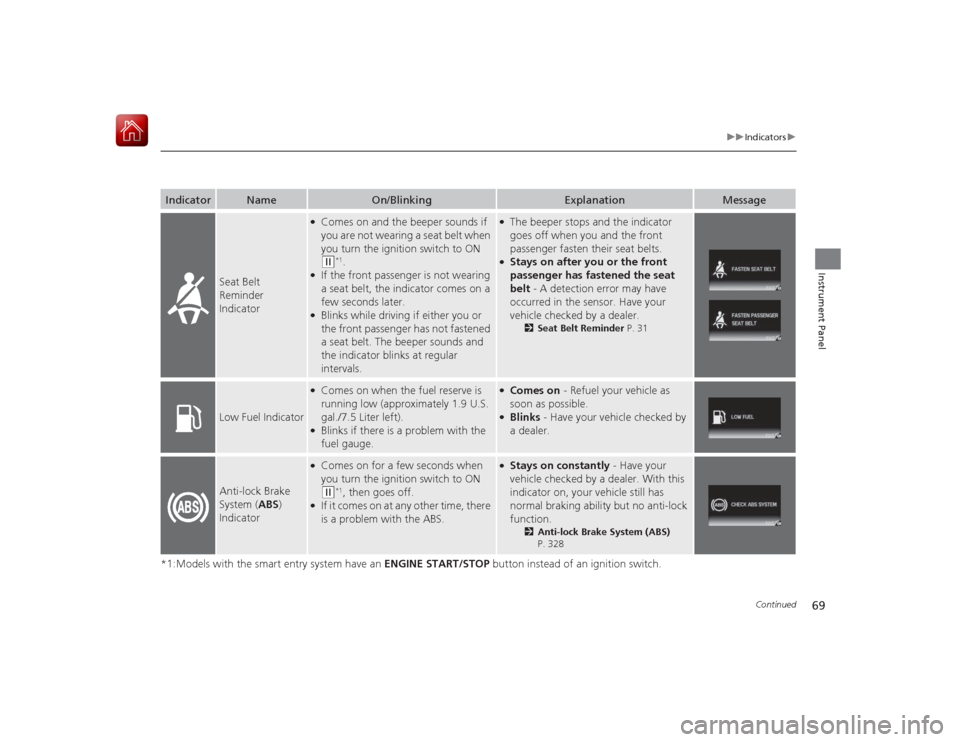
Seat Belt
Reminder
Indicator
●Comes on and the beeper sounds if
you are not wearing a seat belt when
you turn the ignition switch to ON (w
*1.
●If the front passenger is not wearing
a seat belt, the indicator comes on a
few seconds later.●Blinks while driving if either you or
the front passenger has not fastened
a seat belt. The beeper sounds and
the indicator blinks at regular
intervals.
●The beeper stops and the indicator
goes off when you and the front
passenger fasten their seat belts.●Stays on after you or the front
passenger has fastened the seat
belt - A detection error may have
occurred in the sensor. Have your
vehicle checked by a dealer.
2 Seat Belt Reminder P. 31
Low Fuel Indicator
●Comes on when the fuel reserve is
running low (approximately 1.9 U.S.
gal./7.5 Liter left).●Blinks if there is a problem with the
fuel gauge.
●Comes on - Refuel your vehicle as
soon as possible.●Blinks - Have your vehicle checked by
a dealer.
Anti-lock Brake
System ( ABS)
Indicator
●Comes on for a few seconds when
you turn the ignition switch to ON (w
*1, then goes off.
●If it comes on at any other time, there
is a problem with the ABS.
●Stays on constantly - Have your
vehicle checked by a dealer. With this
indicator on, your vehicle still has
normal braking ability but no anti-lock
function.
2 Anti-lock Brake System (ABS)
P. 328
Page 75 of 441
74
uuIndicators u
Instrument Panel
*1:Models with the smart entry system have an ENGINE START/STOP button instead of an ignition switch.Indicator
Name
On/Blinking
Explanation
Message
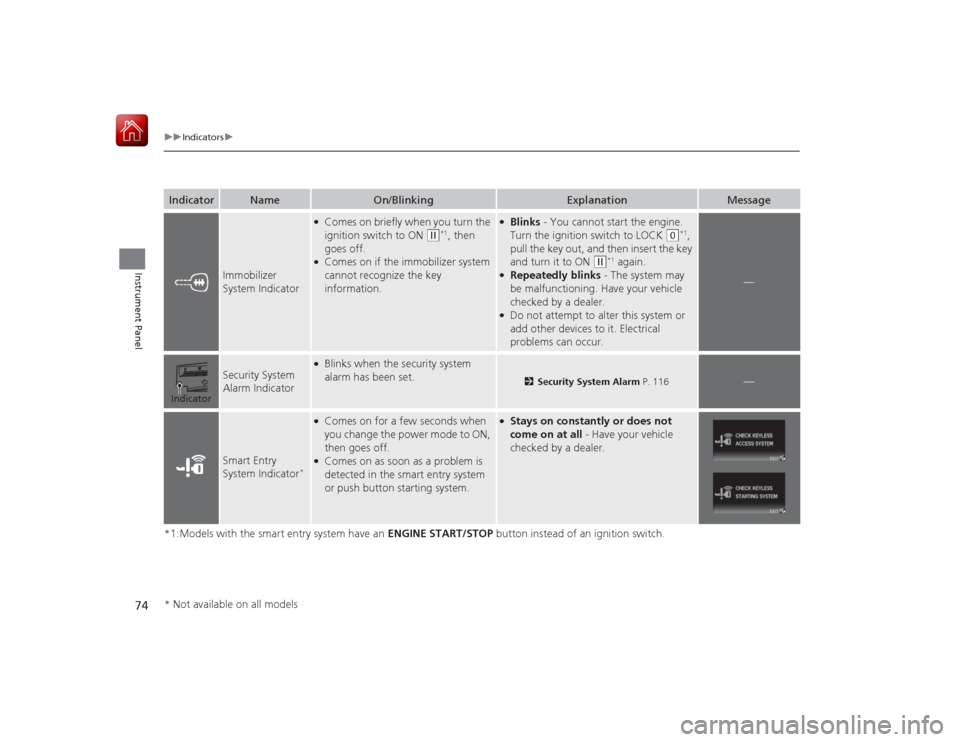
Immobilizer
System Indicator
●Comes on briefly when you turn the
ignition switch to ON
(w
*1, then
goes off.
●Comes on if the immobilizer system
cannot recognize the key
information.
●Blinks - You cannot start the engine.
Turn the ignition switch to LOCK
(0
*1,
pull the key out, and then insert the key
and turn it to ON
(w
*1 again.
●Repeatedly blinks - The system may
be malfunctioning. Have your vehicle
checked by a dealer.●Do not attempt to alter this system or
add other devices to it. Electrical
problems can occur.
—
Security System
Alarm Indicator
●Blinks when the security system
alarm has been set.
2 Security System Alarm P. 116
—
Smart Entry
System Indicator
*
●Comes on for a few seconds when
you change the power mode to ON,
then goes off.●Comes on as soon as a problem is
detected in the smart entry system
or push button starting system.
●Stays on constantly or does not
come on at all - Have your vehicle
checked by a dealer.
Indicator* Not available on all models
Page 78 of 441
77
uuIndicators uintelligent Multi-Informati on Display (i-MID) Warning and Information Messages
Continued
Instrument Panel
Message
Condition
Explanation
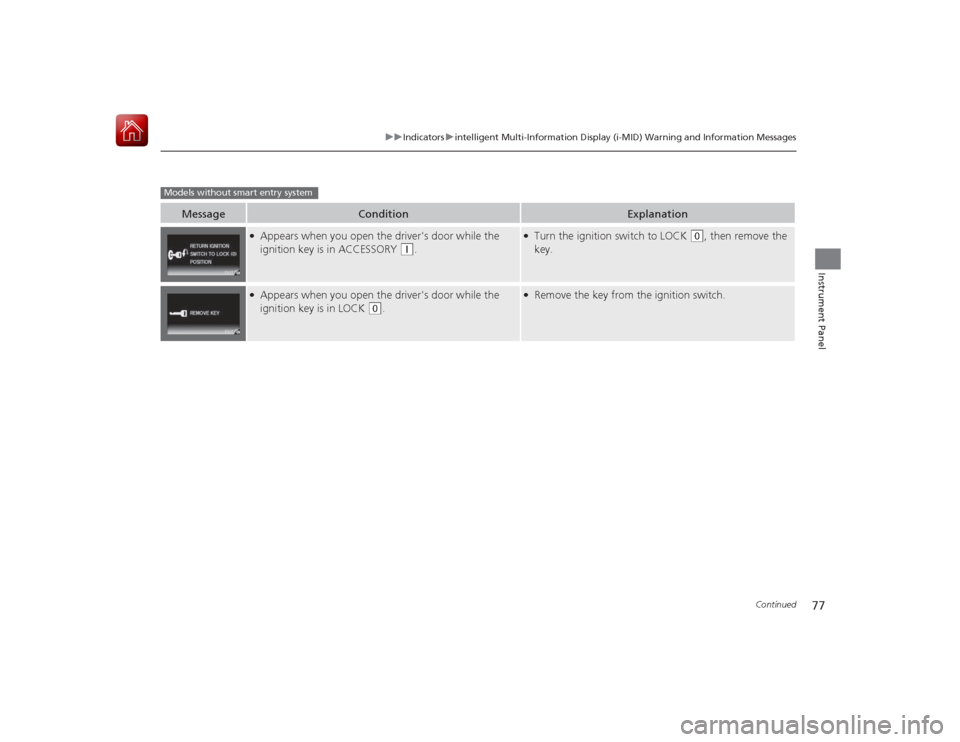
●Appears when you open the driver's door while the
ignition key is in ACCESSORY
(q
.
●Turn the ignition switch to LOCK
(0
, then remove the
key.
●Appears when you open the driver's door while the
ignition key is in LOCK
(0
.
●Remove the key from the ignition switch.
Models without smart entry system
Page 79 of 441
78
uuIndicators uintelligent Multi-Information Display (i -MID) Warning and Information Messages
Instrument Panel
Message
Condition
Explanation
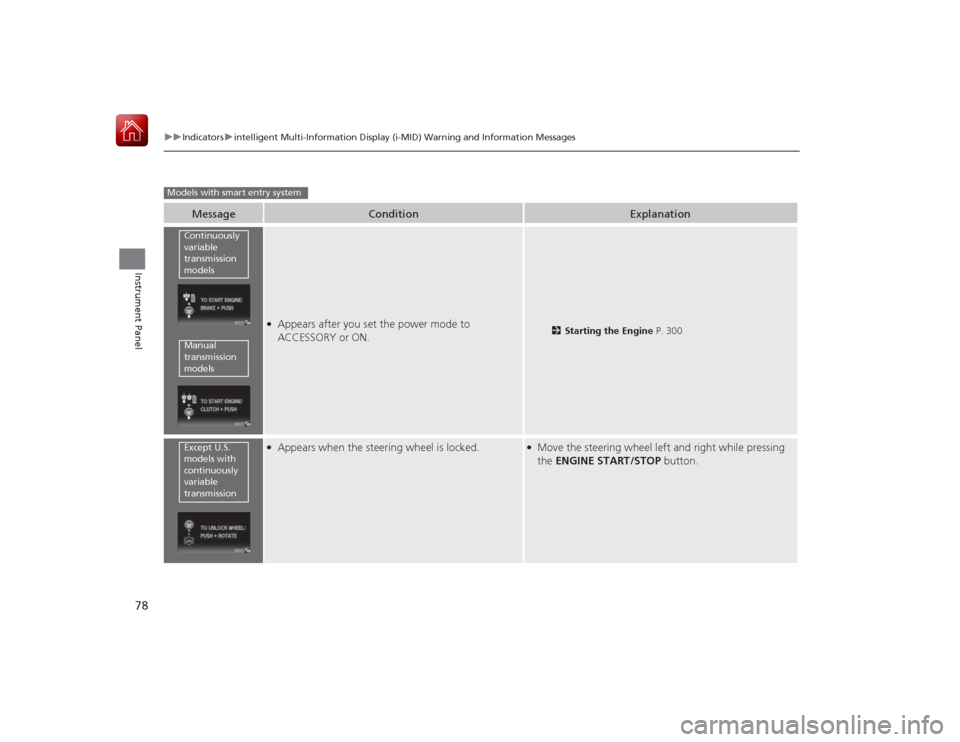
●Appears after you set the power mode to
ACCESSORY or ON.
2Starting the Engine P. 300
●Appears when the steering wheel is locked.
●Move the steering wheel left and right while pressing
the ENGINE START/STOP button.
Models with smart entry system
Continuously
variable
transmission
modelsManual
transmission
modelsExcept U.S.
models with
continuously
variable
transmission
Page 80 of 441
79
uuIndicators uintelligent Multi-Informati on Display (i-MID) Warning and Information Messages
Continued
Instrument Panel
Message
Condition
Explanation
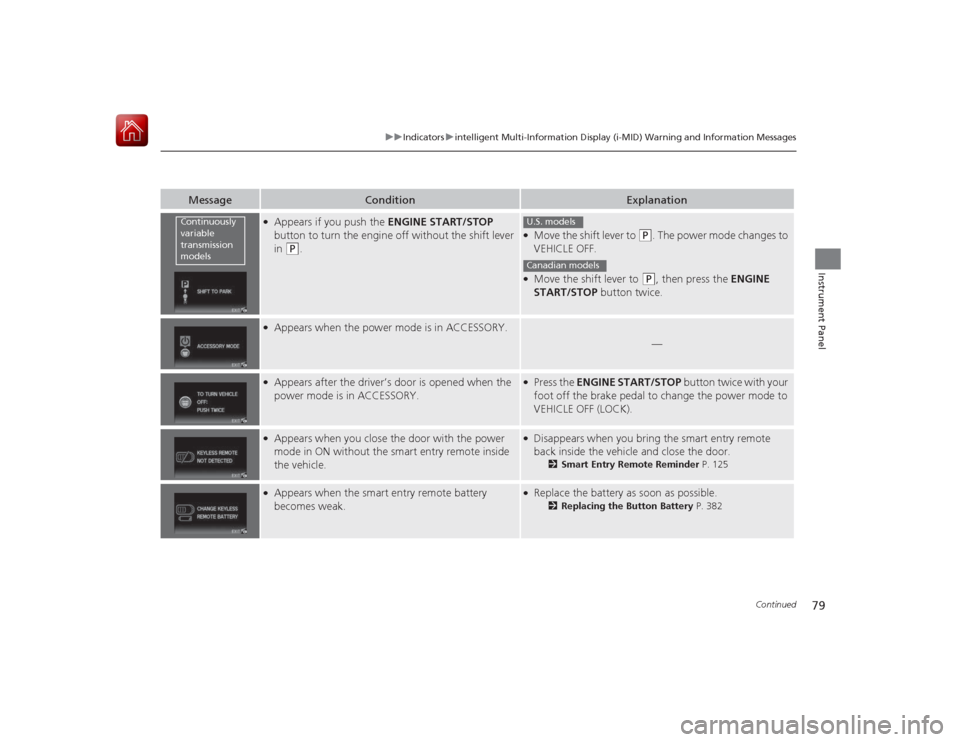
●Appears if you push the ENGINE START/STOP
button to turn the engine off without the shift lever
in
(P
.
●Move the shift lever to
(P
. The power mode changes to
VEHICLE OFF.
●Move the shift lever to
(P
, then press the ENGINE
START/STOP button twice.
●Appears when the power mode is in ACCESSORY.
—
●Appears after the driver’s door is opened when the
power mode is in ACCESSORY.
●Press the ENGINE START/STOP button twice with your
foot off the brake pedal to change the power mode to
VEHICLE OFF (LOCK).
●Appears when you close the door with the power
mode in ON without the smart entry remote inside
the vehicle.
●Disappears when you bring the smart entry remote
back inside the vehicle and close the door.
2 Smart Entry Remote Reminder P. 125
●Appears when the smart entry remote battery
becomes weak.
●Replace the battery as soon as possible.
2Replacing the Button Battery P. 382
Continuously
variable
transmission
models
U.S. modelsCanadian models
Page 84 of 441

83
uuGauges and Multi-Information Display uintelligent Multi-Information Display (i-MID)
Continued
Instrument Panel
intelligent Multi-Information Display (i-MID)The i-MID shows the odometer, trip meter, outside temperature indicator, and other
gauges.
It also displays important messages such as warnings and other helpful information.■Main displays
Press the (display/information) button to change the display.■
Switching the Display
1 Switching the Display
To change the item displayed on the fuel
consumption screen:
1. Press and hold the button until the item
blinks.
2. Press the button to select an item while the
item is blinking for about six seconds.
The display is fixed when the time elapses and
blinking stops.
123456Genre AAASong AAAArtist AAA
200200
1h 30m
Elapsed Time
1h 30m
Elapsed Time
24.0
24.0
40mph
Average Speed
40mph
Average Speed
200miles
Range
123456
123456123456
123456123456
123456
123456
123456
123456123456
(Display/
Information)
Button
Fuel consumption Audio/HFL display Fuel consumption
Blank screen Full size analogue clock/
Wallpaper
2.4 ℓ engine models
Power monitor
1.8 ℓ engine models
Press .Press and hold .
Range
Elapsed time
Average speed Range
Average speed
Elapsed time
Average fuel
Page 89 of 441
88
uuGauges and Multi- Information Display uintelligent Multi-Information Display (i-MID)
Instrument Panel
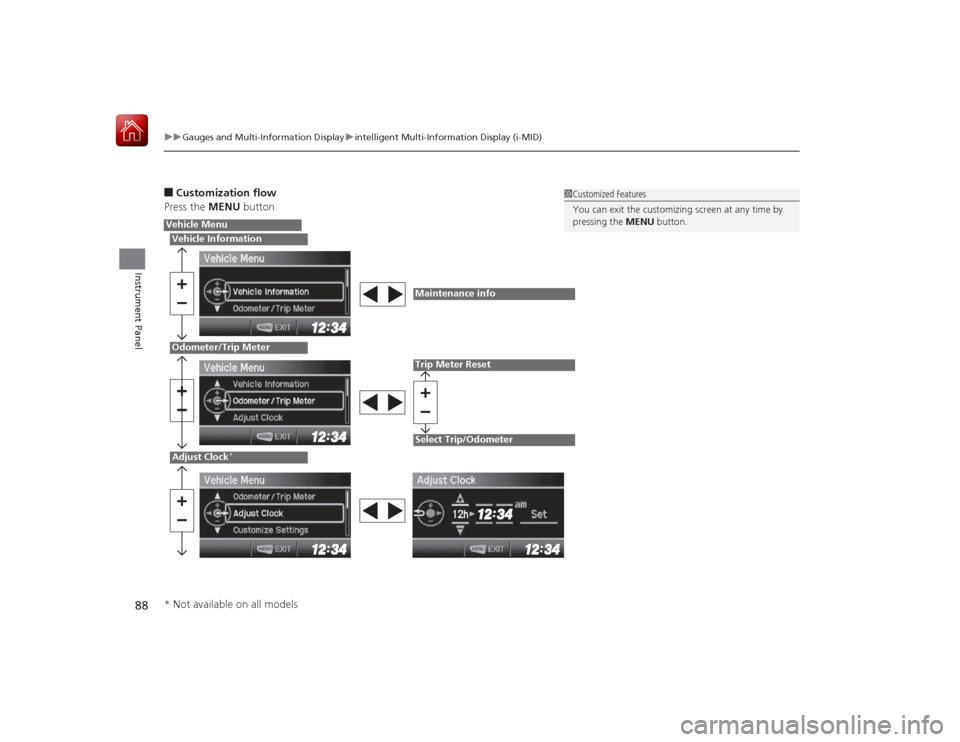
■Customization flow
Press the MENU button.
1Customized Features
You can exit the customizing screen at any time by
pressing the MENU button.
Vehicle MenuVehicle InformationOdometer/Trip MeterAdjust Clock
*
Maintenance infoTrip Meter ResetSelect Trip/Odometer
* Not available on all models
Page 90 of 441
89
uuGauges and Multi-Information Display uintelligent Multi-Information Display (i-MID)
Continued
Instrument Panel
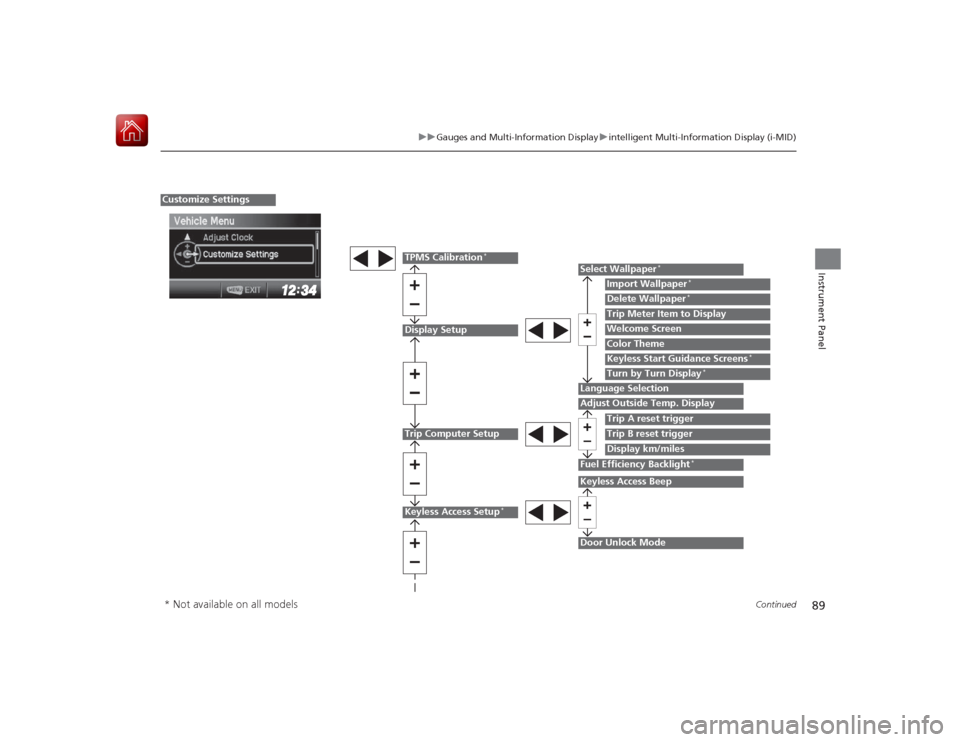
Display SetupTrip Computer Setup
Select Wallpaper
*
Import Wallpaper
*
Delete Wallpaper
*
Language SelectionAdjust Outside Temp. Display
Trip A reset triggerDisplay km/milesTrip Meter Item to DisplayWelcome ScreenColor Theme
Fuel Efficiency Backlight
*
Customize Settings
Turn by Turn Display
*
Trip B reset trigger
TPMS Calibration
*
Keyless Start Guidance Screens
*
Keyless Access Setup
*
Door Unlock ModeKeyless Access Beep
* Not available on all models
Page 91 of 441
90
uuGauges and Multi- Information Display uintelligent Multi-Information Display (i-MID)
Instrument Panel
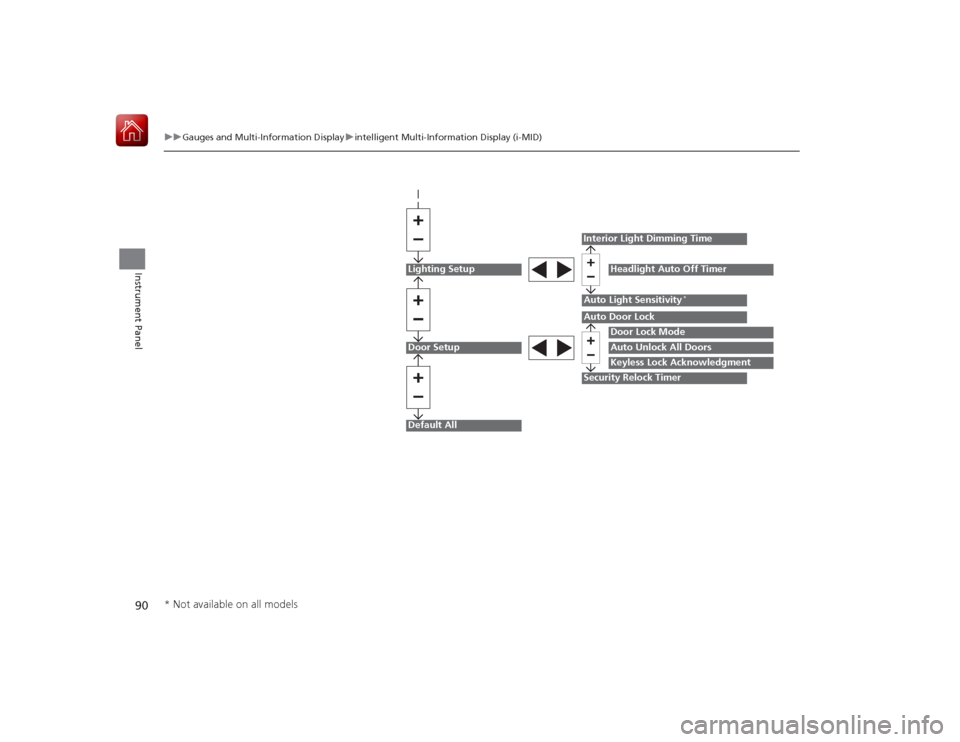
Lighting SetupDoor SetupDefault All
Auto Light Sensitivity
*
Door Lock ModeAuto Unlock All DoorsKeyless Lock Acknowledgment
Auto Door LockSecurity Relock TimerInterior Light Dimming Time
Headlight Auto Off Timer
* Not available on all models