check engine HONDA CIVIC COUPE 2016 10.G Service Manual
[x] Cancel search | Manufacturer: HONDA, Model Year: 2016, Model line: CIVIC COUPE, Model: HONDA CIVIC COUPE 2016 10.GPages: 585, PDF Size: 17.41 MB
Page 490 of 585
489
uuMaintenance Under the HooduAdding Engine Oil
Maintenance
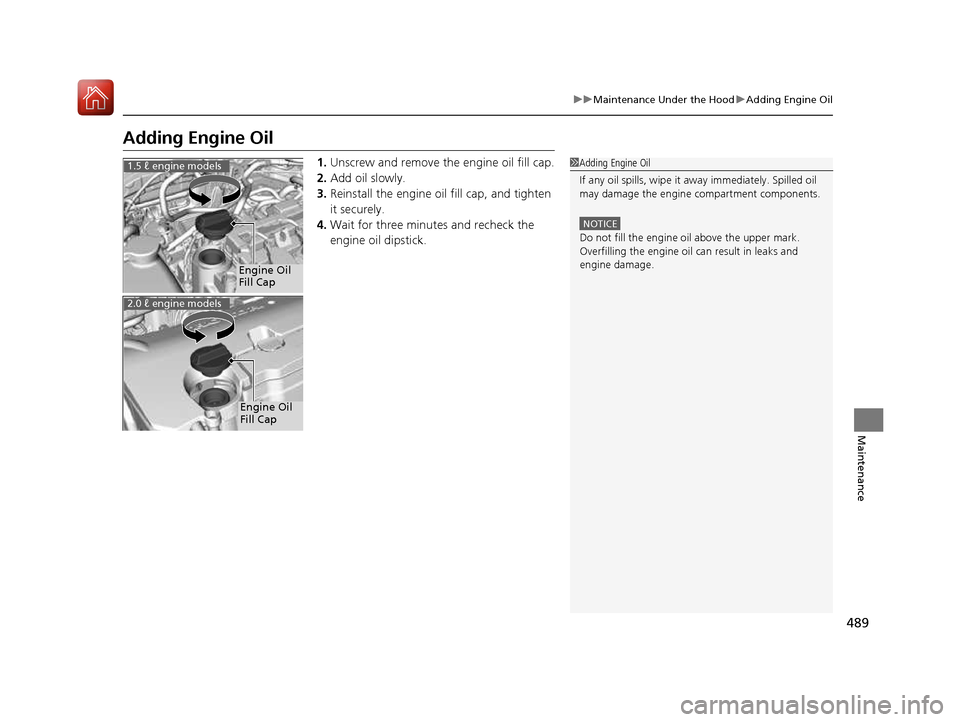
Adding Engine Oil1.Unscrew and remove the engine oil fill cap.
2. Add oil slowly.
3. Reinstall the engine oil fill cap, and tighten
it securely.
4. Wait for three minutes and recheck the
engine oil dipstick.
1Adding Engine Oil
If any oil spills, wipe it away immediately. Spilled oil
may damage the engine compartment components.
NOTICE
Do not fill the engine oil above the upper mark.
Overfilling the engine oil can result in leaks and
engine damage.
Engine Oil
Fill Cap
1.5 ℓ engine models
Engine Oil
Fill Cap
2.0 ℓ engine models
16 CIVIC 2D HC2 (0A 01 0C)-31TBG6000.book 489 ページ >0>.>/6年>0月>/>0日 金曜日 午後4時>/6分
Page 493 of 585
uuMaintenance Under the HooduChanging the Engine Oil and Oil Filter
492
Maintenance
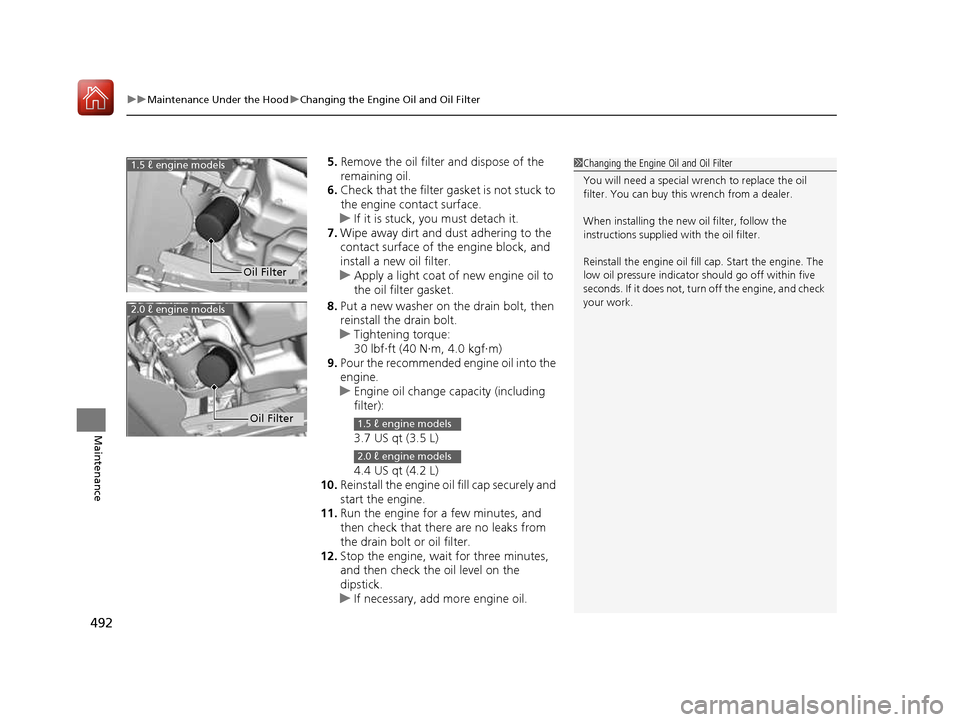
5. Remove the oil filter and dispose of the
remaining oil.
6. Check that the filter ga sket is not stuck to
the engine contact surface.
uIf it is stuck, you must detach it.
7. Wipe away dirt and dust adhering to the
contact surface of the engine block, and
install a new oil filter.
uApply a light coat of new engine oil to the oil filter gasket.
8. Put a new washer on the drain bolt, then
reinstall the drain bolt.
uTightening torque:
30 lbf∙ft (40 N∙m, 4.0 kgf∙m)
9. Pour the recommended engine oil into the
engine.
uEngine oil change capacity (including filter):
3.7 US qt (3.5 L)
4.4 US qt (4.2 L)
10. Reinstall the engine oil fill cap securely and
start the engine.
11. Run the engine for a few minutes, and
then check that there are no leaks from
the drain bolt or oil filter.
12. Stop the engine, wait for three minutes,
and then check the oil level on the
dipstick.
uIf necessary, add more engine oil.
1Changing the Engine Oil and Oil Filter
You will need a special wrench to replace the oil
filter. You can buy this wrench from a dealer.
When installing the new oil filter, follow the
instructions supplied with the oil filter. Reinstall the engine oil fill cap. Start the engine. The
low oil pressure indicator should go off within five
seconds. If it does not, turn off the engine, and check
your work.
Oil Filter
1.5 ℓ engine models
2.0 ℓ engine models
Oil Filter1.5 ℓ engine models
2.0 ℓ engine models
16 CIVIC 2D HC2 (0A 01 0C)-31TBG6000.book 492 ページ >0>.>/6年>0月>/>0日 金曜日 午後4時>/6分
Page 494 of 585
493
uuMaintenance Under the HooduEngine Coolant
Continued
Maintenance
Engine Coolant
This coolant is premixed with 50% antifreeze and 50% water. Do not add any
straight antifreeze or water.
We recommend you check the engine coolant level every time you refuel. Check the
reserve tank. Add the engine coolant accordingly.
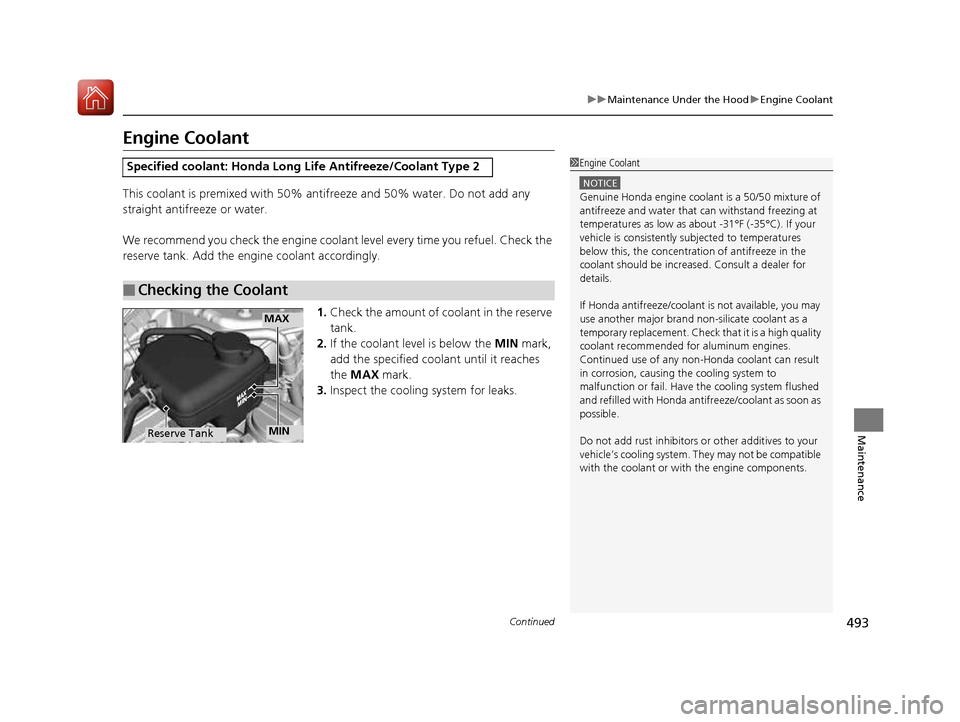
1.Check the amount of coolant in the reserve tank.
2. If the coolant level is below the MIN mark,
add the specified coolant until it reaches the MAX mark.
3. Inspect the cooling system for leaks.
Specified coolant: Ho nda Long Life Antifreeze/Coolant Type 2
■Checking the Coolant
1Engine Coolant
NOTICE
Genuine Honda engine coolan t is a 50/50 mixture of
antifreeze and water that can withstand freezing at
temperatures as low as a bout -31°F (-35°C). If your
vehicle is consistently subjected to temperatures
below this, the concentration of antifreeze in the
coolant should be increased. Consult a dealer for details. If Honda antifreeze /coolant is not available, you may
use another major brand non- silicate coolant as a
temporary replacement. Check that it is a high quality
coolant recommended for aluminum engines.
Continued use of any non-Honda coolant can result
in corrosion, causing the cooling system to
malfunction or fail. Have the cooling system flushed
and refilled with Honda antifreeze/coolant as soon as
possible.
Do not add rust inhibitors or other additives to your
vehicle’s cooling system. They may not be compatible with the coolant or with the engine components.
MAX
MINReserve Tank
16 CIVIC 2D HC2 (0A 01 0C)-31TBG6000.book 493 ページ >0>.>/6年>0月>/>0日 金曜日 午後4時>/6分
Page 498 of 585
497
uuMaintenance Under the HooduRefilling Window Washer Fluid
Maintenance
Refilling Window Washer Fluid
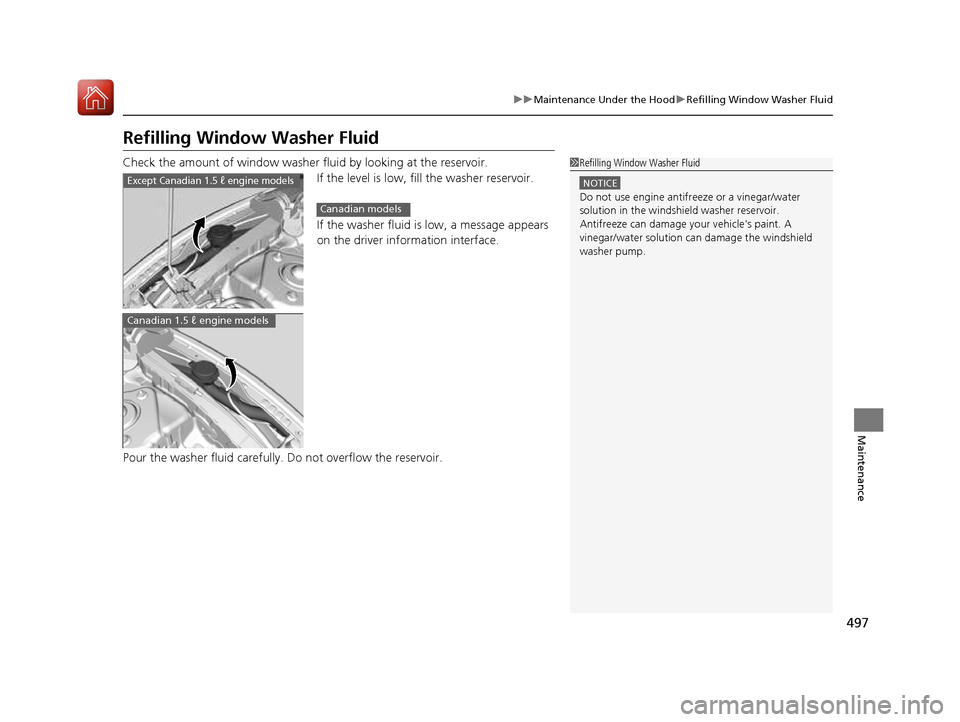
Check the amount of window washer fluid by looking at the reservoir.If the level is low, fill the washer reservoir.
If the washer fluid is low, a message appears
on the driver information interface.
Pour the washer fluid carefully. Do not overflow the reservoir.
1Refilling Window Washer Fluid
NOTICE
Do not use engine antifreeze or a vinegar/water
solution in the windshield washer reservoir.
Antifreeze can damage your vehicle's paint. A
vinegar/water solution ca n damage the windshield
washer pump.
Except Canadian 1.5 ℓ engine models
Canadian models
Canadian 1.5 ℓ engine models
16 CIVIC 2D HC2 (0A 01 0C)-31TBG6000.book 497 ページ >0>.>/6年>0月>/>0日 金曜日 午後4時>/6分
Page 508 of 585
507
Continued
Maintenance
Checking and Maintaining Wiper Blades
Checking Wiper Blades
If the wiper blade rubber has deteriorated,
it will leave streaks and the hard surfaces
of the blade may scratch the window glass.
Changing the Wiper Blade Rubber
1.Turn the ignition switch to LOCK
(0 *1
.
2. While holding the wiper switch in the MIST
position, turn the ignition switch to ON
(w *1
, then to LOCK (0 *1
.
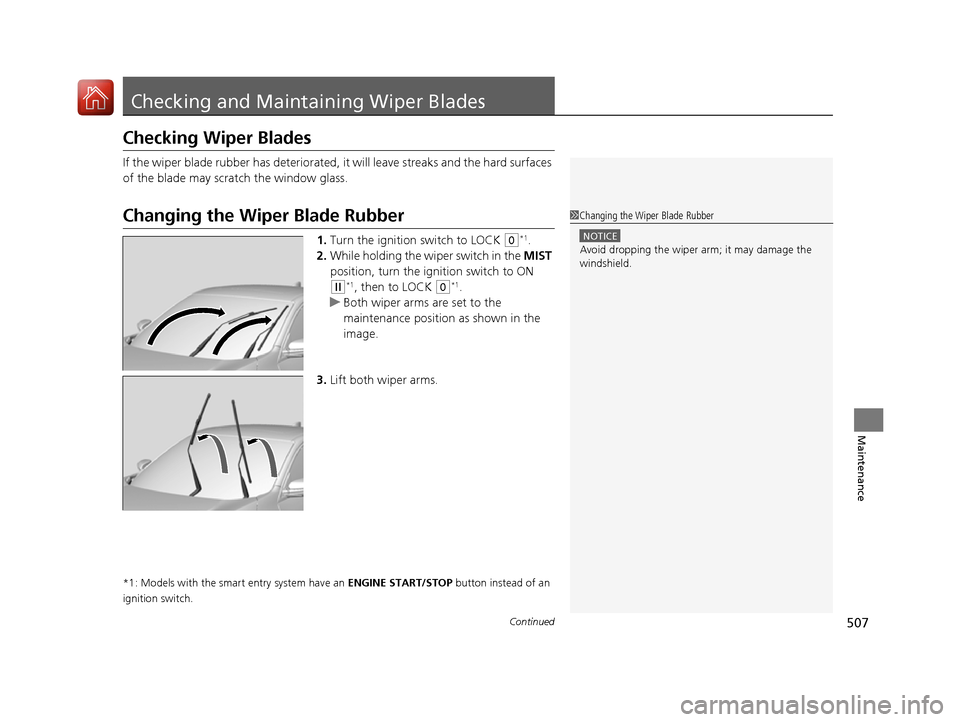
uBoth wiper arms are set to the
maintenance position as shown in the
image.
3. Lift both wiper arms.
*1: Models with the smart entry system have an ENGINE START/STOP button instead of an
ignition switch.
1Changing the Wiper Blade Rubber
NOTICE
Avoid dropping the wiper ar m; it may damage the
windshield.
16 CIVIC 2D HC2 (0A 01 0C)-31TBG6000.book 507 ページ >0>.>/6年>0月>/>0日 金曜日 午後4時>/6分
Page 510 of 585
509
uuChecking and Maintaining Wiper BladesuChanging the Wiper Blade Rubber
Maintenance
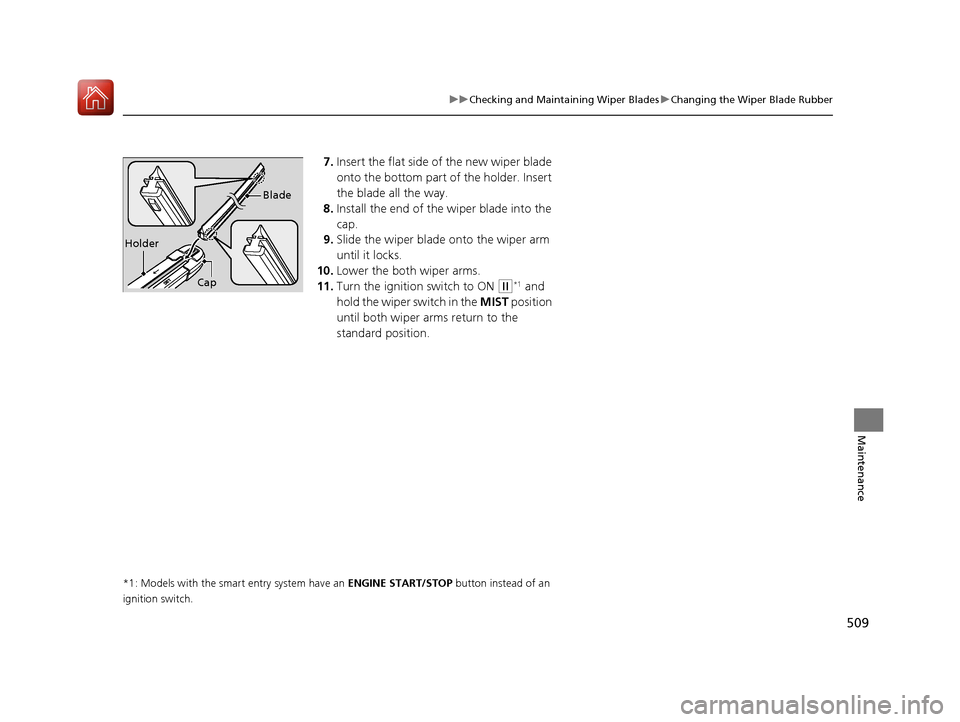
7.Insert the flat side of the new wiper blade
onto the bottom part of the holder. Insert
the blade all the way.
8. Install the end of the wiper blade into the
cap.
9. Slide the wiper blade onto the wiper arm
until it locks.
10. Lower the both wiper arms.
11. Turn the ignition switch to ON
(w*1
and
hold the wiper switch in the MIST position
until both wiper arms return to the
standard position.
*1: Models with the smart entry system have an ENGINE START/STOP button instead of an
ignition switch.Cap Blade
Holder
16 CIVIC 2D HC2 (0A 01 0C)-31TBG6000.book 509 ページ >0>.>/6年>0月>/>0日
金曜日 午後4時>/6分
Page 521 of 585
520
uuBatteryuCharging the Battery
Maintenance
Charging the Battery
Disconnect both battery cables to prevent damaging your vehicle’s electrical system.
Always disconnect the negative (–) cable first, and reconnect it last.
*1: Models with the smart entry system have an ENGINE START/STOP button instead of an
ignition switch.
1Battery When you find corrosion, cl ean the battery terminals
by applying a baking powder and water solution.
Clean the terminal with a damp towel. Cloth/towel
dry the battery. Coat the terminals with grease to
help prevent future corrosion.
When replacing the battery, the replacement must be
of the same specifications.
Please consult a dealer for more information.
The VSA ® and CMBS TM *
indicators may come on
when your turn the ignition switch to ON
(w *1
after
re-connecting a battery. Drive a short distance at 12 mph (20 km/h). Each
indicator should go off. If ei ther or both do not, have
your vehicle checked by a dealer.
* Not available on all models
16 CIVIC 2D HC2 (0A 01 0C)-31TBG6000.book 520 ページ >0>.>/6年>0月>/>0日 金曜日 午後4時>/6分
Page 530 of 585
529
Handling the UnexpectedThis chapter explains how to handle unexpected troubles.
ToolsTypes of Tools .................................. 530
If a Tire Goes Flat
Changing a Flat Tire ......................... 531
Engine Does Not Start
Checking the Engine ........................ 537
If the Smart Entry Remote Battery is Weak .......................................... 538
Emergency Engine Stop ................... 539
Jump Starting .................................... 540
Shift Lever Does Not Move .............. 543
Overheating
How to Handle Overheating ............. 544 Indicator, Coming On/Blinking
If the Low Oil Pressure Indicator Comes On ............................................. 546
If the Charging System Indicator Comes On ................................................. 546
If the Malfunction Indicator Lamp Comes
On or Blinks ................................... 547
If the Brake System Indicator (Red) Comes
On or Blinks ................................... 548
If the Brake System Indicator (Red) Comes On or Blinks at the Same Time When the
Brake System Indicator (Amber) Comes
On ................................................. 549 If the Electric Power Steering (EPS) System
Indicator Comes On ....................... 550
If the Low Tire Pressure/TPMS Indicator Comes On or Blinks ....................... 551
Fuses Fuse Locations ................................. 552
Inspecting and Changing Fuses ........ 555
Emergency Towing ........................... 556
When You Cannot Unlock the Fuel Fill Door ................................................. 557
When You Cannot Open the Trunk.....558
Refueling ........................................... 559
16 CIVIC 2D HC2 (0A 01 0C)-31TBG6000.book 529 ページ >0>.>/6年>0月>/>0日 金曜日 午後4時>/6分
Page 532 of 585
531
Continued
Handling the Unexpected
If a Tire Goes Flat
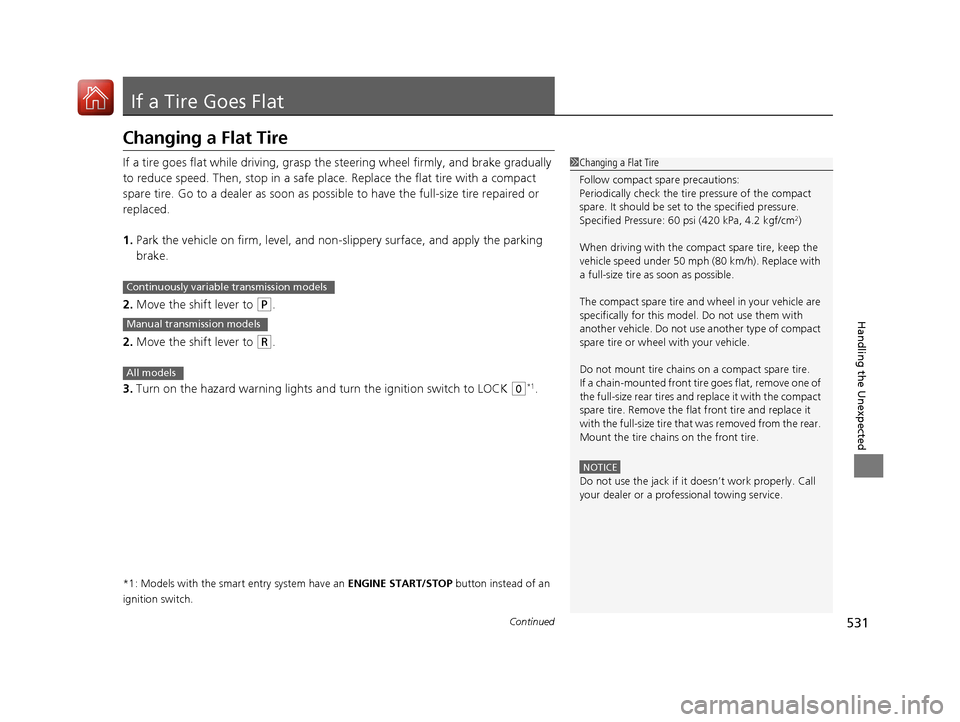
Changing a Flat Tire
If a tire goes flat while driving, grasp
the steering wheel firmly, and brake gradually
to reduce speed. Then, stop in a safe plac e. Replace the flat tire with a compact
spare tire. Go to a dealer as soon as possib le to have the full-size tire repaired or
replaced. 1. Park the vehicle on firm, level, and non-slippery surface, and apply the parking brake.
2. Move the shift lever to
(P .
2. Move the shift lever to
(R .
3. Turn on the hazard warning lights an d turn the ignition switch to LOCK
(0*1
.
*1: Models with the smart entry system have an ENGINE START/STOP button instead of an
ignition switch.
1Changing a Flat Tire
Follow compact spare precautions:
Periodically check the tire pressure of the compact
spare. It should be set to the specified pressure.
Specified Pressure: 60 psi (420 kPa, 4.2 kgf/cm 2
)
When driving with the compact spare tire, keep the
vehicle speed under 50 mph (80 km/h). Replace with
a full-size tire as soon as possible.
The compact spare tire and wheel in your vehicle are
specifically for this model. Do not use them with
another vehicle. Do not us e another type of compact
spare tire or wheel with your vehicle.
Do not mount tire chains on a compact spare tire.
If a chain-mounted front tire goes flat, remove one of
the full-size rear tires and replace it with the compact
spare tire. Remove the flat front tire and replace it
with the full-size tire that was removed from the rear.
Mount the tire chains on the front tire.
NOTICE
Do not use the jack if it doesn’t work properly. Call
your dealer or a prof essional towing service.
Continuously variable transmission models
Manual transmission models
All models
16 CIVIC 2D HC2 (0A 01 0C)-31TBG6000.book 531 ページ >0>.>/6年>0月>/>0日 金曜日 午後4時>/6分
Page 538 of 585
537
Handling the Unexpected
Engine Does Not Start
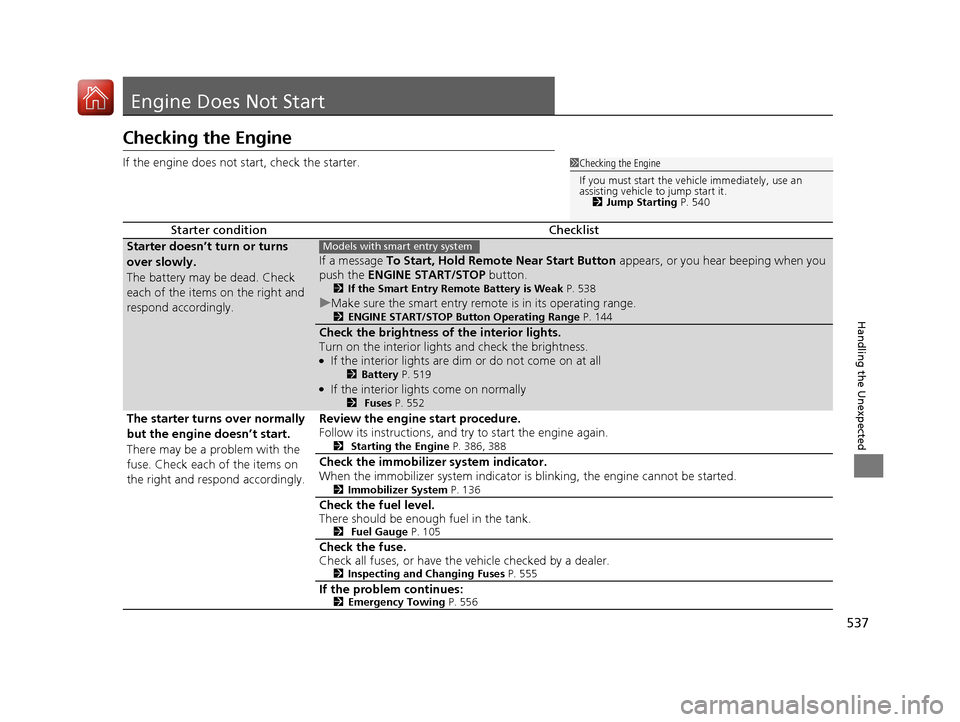
Checking the Engine
If the engine does not start, check the starter.
Starter conditionChecklist
Starter doesn’t turn or turns
over slowly.
The battery may be dead. Check
each of the items on the right and
respond accordingly.
If a message To Start, Hold Remo te Near Start Button appears, or you hear beeping when you
push the ENGINE START/STOP button.
2 If the Smart Entry Remote Battery is Weak P. 538
uMake sure the smart entry remote is in its operating range.
2 ENGINE START/STOP Button Operating Range P. 144
Check the brightness of the interior lights.
Turn on the interior lights and check the brightness. ●
If the interior lights are dim or do not come on at all
2Battery P. 519
● If the interior lights come on normally
2 Fuses P. 552
The starter turns over normally
but the engine doesn’t start.
There may be a problem with the
fuse. Check each of the items on
the right and respond accordingly. Review the engine start procedure.
Follow its instructions, and try
to start the engine again.
2 Starting the Engine P. 386, 388
Check the immobilize r system indicator.
When the immobilizer system indicator is blinking, the engine cannot be started. 2Immobilizer System P. 136
Check the fuel level.
There should be enough fuel in the tank. 2 Fuel Gauge P. 105
Check the fuse.
Check all fuses, or have the vehicle checked by a dealer.
2Inspecting and Changing Fuses P. 555
If the problem continues: 2Emergency Towing P. 556
1Checking the Engine
If you must start the vehi cle immediately, use an
assisting vehicle to jump start it. 2 Jump Starting P. 540
Models with smart entry system
16 CIVIC 2D HC2 (0A 01 0C)-31TBG6000.book 537 ページ >0>.>/6年>0月>/>0日 金曜日 午後4時>/6分