engine HONDA CIVIC HATCHBACK 2017 10.G Owners Manual
[x] Cancel search | Manufacturer: HONDA, Model Year: 2017, Model line: CIVIC HATCHBACK, Model: HONDA CIVIC HATCHBACK 2017 10.GPages: 641
Page 438 of 641
437
uuWhen Driving uShifting
Driving
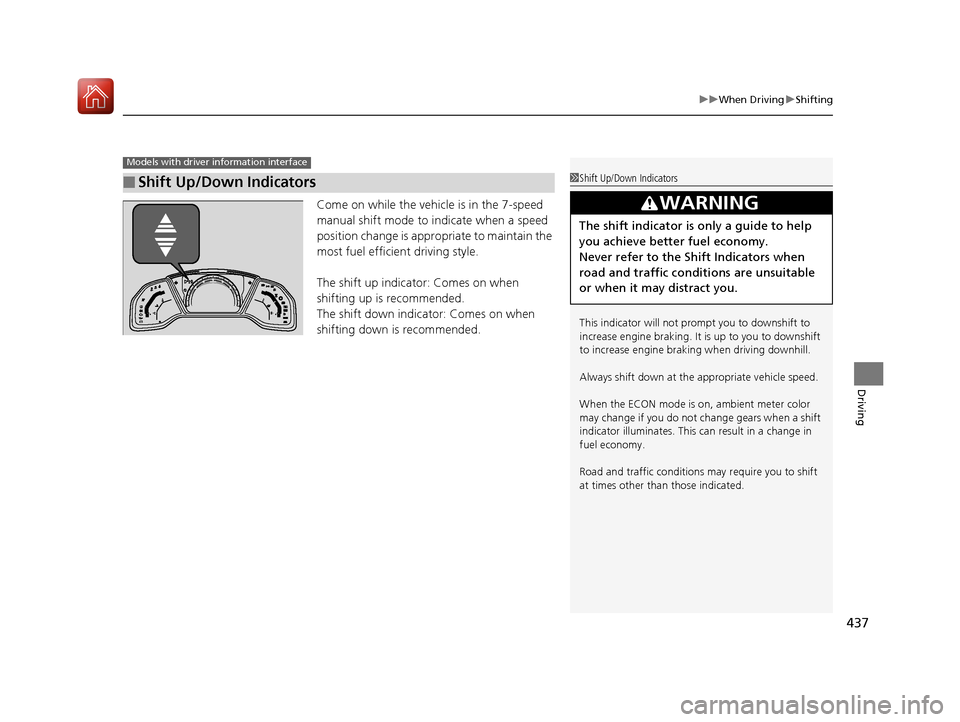
Come on while the vehicle is in the 7-speed
manual shift mode to indicate when a speed
position change is appropriate to maintain the
most fuel efficient driving style.
The shift up indicato r: Comes on when
shifting up is recommended.
The shift down indicator: Comes on when
shifting down is recommended.
■Shift Up/Down Indicators
Models with driver information interface
1 Shift Up/Down Indicators
This indicator will not prompt you to downshift to
increase engine br aking. It is up to you to downshift
to increase engine brak ing when driving downhill.
Always shift down at the appropriate vehicle speed.
When the ECON mode is on, ambient meter color
may change if you do not change gears when a shift
indicator illuminates. This can result in a change in
fuel economy.
Road and traffic c onditions may require you to shift
at times other than those indicated.
3WARNING
The shift indicator is only a guide to help
you achieve better fuel economy.
Never refer to the Shift Indicators when
road and traffic conditions are unsuitable
or when it may distract you.
17 CIVIC 5D (KA KC KL)-31TGG6000.book 437 ページ 2016年6月8日 水曜日 午 後2時8分
Page 439 of 641
438
uuWhen Driving uShifting
Driving
Shifting
Fully depress the clutch pedal to operate the shift lever and change gears, then
slowly release the pedal.
Depress the clutch pedal, and pause for a few seconds before shifting into
(R, or
shift into one of the forward gears for a moment. This stop s the gears so they do not
“grind.”
■Shift Lever Operation
Manual transmission models
1 Shifting
NOTICE
Do not shift to (R before the vehicle comes to a
complete stop.
Shifting to
( R before stopping can damage the
transmission.
NOTICE
Before downshifting, make su re the engine will not
go into the tachometer's red zone. Should this occur,
it can severely da mage your engine.
There is a metallic part on the shift lever. If you leave
the vehicle parked outside for a long time on a hot
day, be careful before moving the shift lever. Because
of heat, the shift lever may be extremely hot. If the
outside temperature is low, the shift lever may feel
cold.
17 CIVIC 5D (KA KC KL)-31TGG6000.book 438 ページ 2016年6月8日 水曜日 午 後2時8分
Page 440 of 641
Continued439
uuWhen Driving uShifting
Driving
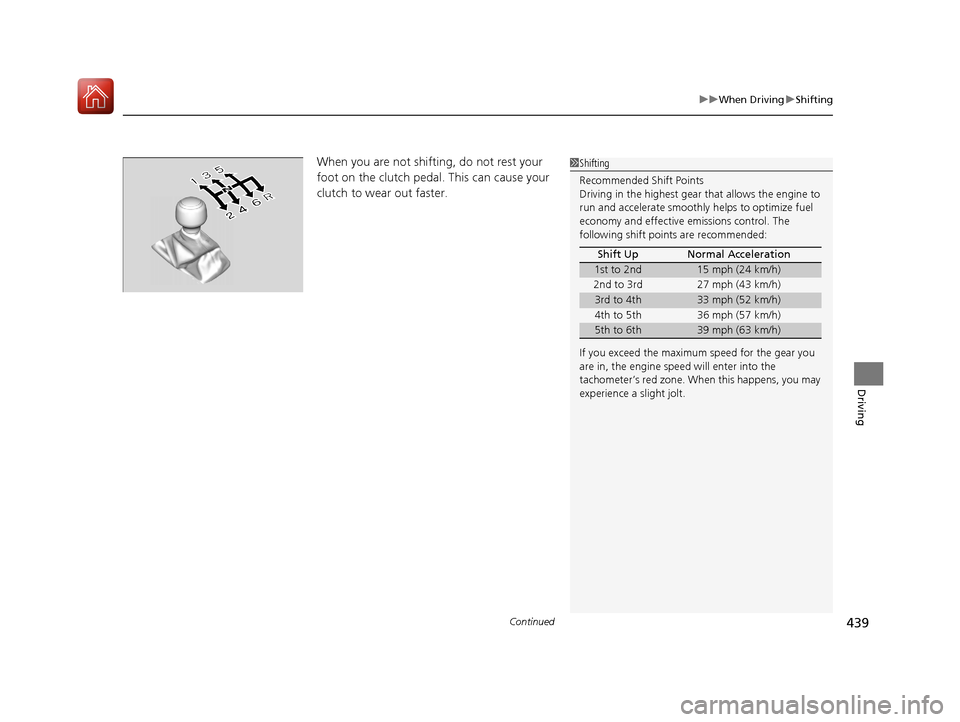
When you are not shifting, do not rest your
foot on the clutch pedal. This can cause your
clutch to wear out faster.1Shifting
Recommended Shift Points
Driving in the highest gear that allows the engine to
run and accelerate smoothly helps to optimize fuel
economy and effective emissions control. The
following shift points are recommended:
If you exceed the maximum speed for the gear you
are in, the engine speed will enter into the
tachometer’s red zone. When this happens, you may
experience a slight jolt. Shift Up Normal Acceleration
1st to 2nd15 mph (24 km/h)
2nd to 3rd 27 mph (43 km/h)
3rd to 4th33 mph (52 km/h)
4th to 5th 36 mph (57 km/h)
5th to 6th39 mph (63 km/h)
17 CIVIC 5D (KA KC KL)-31TGG6000.book 439 ページ 2016年6月8日 水曜日 午 後2時8分
Page 441 of 641
440
uuWhen Driving uShifting
Driving
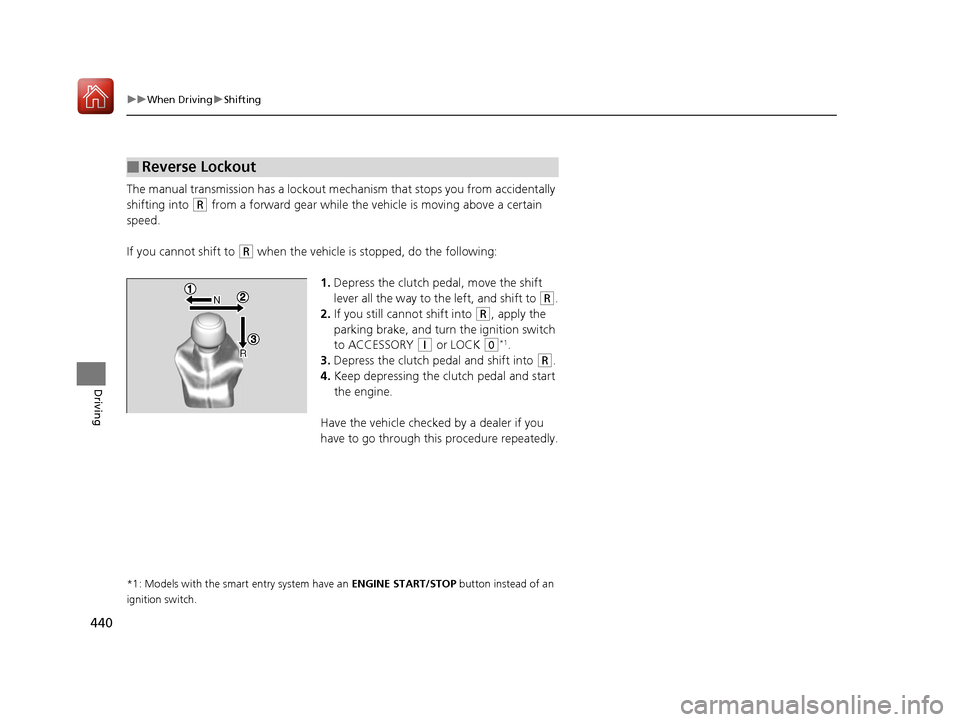
The manual transmission has a lockout mech anism that stops you from accidentally
shifting into
(R from a forward gear while the ve hicle is moving above a certain
speed.
If you cannot shift to
(R when the vehicle is stopped, do the following:
1.Depress the clutch pedal, move the shift
lever all the way to the left, and shift to
(R.
2. If you still cannot shift into
(R, apply the
parking brake, and turn the ignition switch
to ACCESSORY
(q or LOCK (0*1.
3. Depress the clutch pedal and shift into
(R.
4. Keep depressing the clutch pedal and start
the engine.
Have the vehicle checked by a dealer if you
have to go through this procedure repeatedly.
*1: Models with the smart entry system have an ENGINE START/STOP button instead of an
ignition switch.
■Reverse Lockout
17 CIVIC 5D (KA KC KL)-31TGG6000.book 440 ページ 2016年6月8日 水曜日 午 後2時8分
Page 442 of 641
441
uuWhen Driving uECON Button
Driving
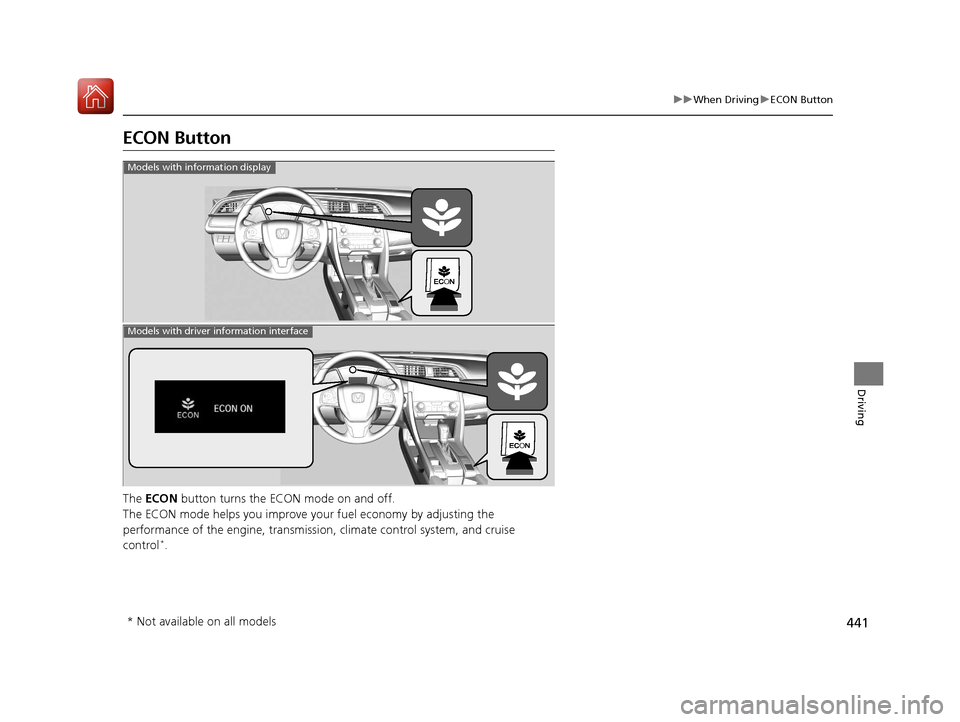
ECON Button
The ECON button turns the ECON mode on and off.
The ECON mode helps you improve yo ur fuel economy by adjusting the
performance of the engine, transmission, climate control system, and cruise
control
*.
Models with information display
Models with driver information interface
* Not available on all models
17 CIVIC 5D (KA KC KL)-31TGG6000.book 441 ページ 2016年6月8日 水曜日 午 後2時8分
Page 443 of 641
442
uuWhen Driving uCruise Control*
Driving
Cruise Control*
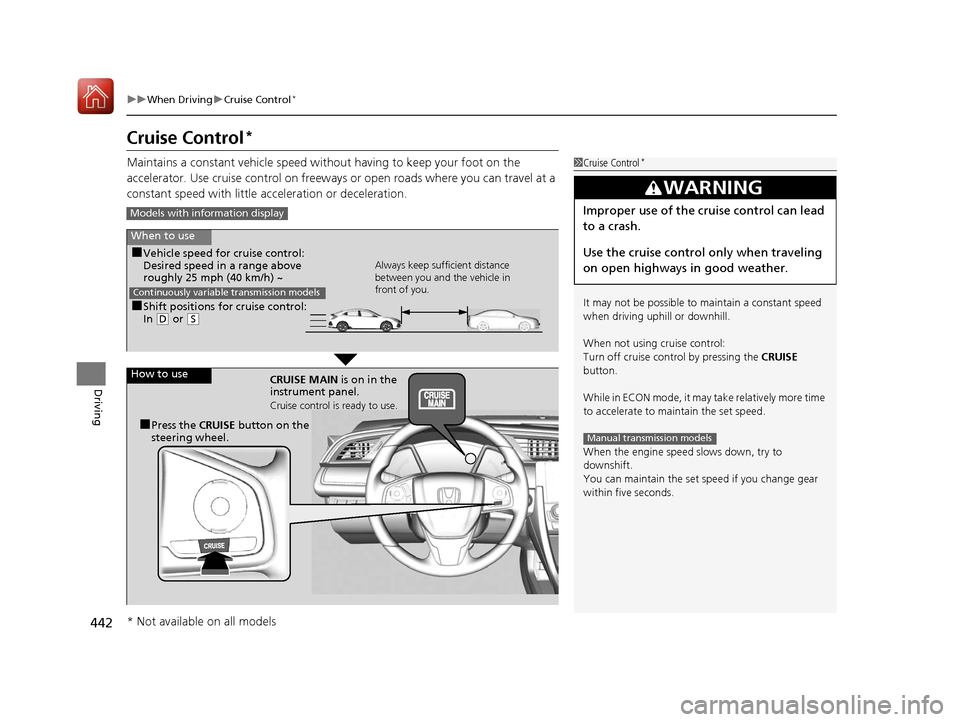
Maintains a constant vehicle speed without having to keep your foot on the
accelerator. Use cruise control on freeways or open roads where you can travel at a
constant speed with little acceleration or deceleration.1Cruise Control*
It may not be possible to maintain a constant speed
when driving uphill or downhill.
When not using cruise control:
Turn off cruise control by pressing the CRUISE
button.
While in ECON mode, it may take relatively more time
to accelerate to maintain the set speed.
When the engine speed slows down, try to
downshift.
You can maintain the set speed if you change gear
within five seconds.
3WARNING
Improper use of the cruise control can lead
to a crash.
Use the cruise control only when traveling
on open highways in good weather.
Manual transmission models
Models with info rmation display
When to use
■Shift positions for cruise control:
In (D or (S Always keep sufficient distance
between you and the vehicle in
front of you.
Continuously variable transmission models
■Vehicle speed for cruise control:
Desired speed in a range above
roughly 25 mph (40 km/h) ~
How to use CRUISE MAIN is on in the
instrument panel.
Cruise control is ready to use.
■Press the CRUISE button on the
steering wheel.
* Not available on all models
17 CIVIC 5D (KA KC KL)-31TGG6000.book 442 ページ 2016年6月8日 水曜日 午 後2時8分
Page 460 of 641
Continued459
uuWhen Driving uAdaptive Cruise Control (ACC) with Low Speed Follow (LSF)*
Driving
■Automatic ca ncellation
The beeper sounds and a message appears on the driver information interface when
ACC with LSF is automatically canceled. Any of these conditions may cause the ACC
with LSF to automatically cancel:
• Bad weather (rain, fog, snow, etc.)
• When the radar sensor in the lower bumper next to the fog light
* gets dirty.
• The vehicle ahead of yo u cannot be detected.
• An abnormal tire condition is de tected, or the tires are skidding.
• Driving on a mountainous road, or driving off road for extended periods.
• Abrupt steering wheel movement.
• When the ABS, VSA ® or CMBS
TM is activated.
• When the ABS or VSA ® system indicator comes on.
• When the vehicle is stopped on a very steep slope.
• When you manually apply the parking brake.
• When the detected vehicle within the AC C with LSF range is too close to your
vehicle.
• The camera behind the rearview mirror, or the area around the camera, including
the windshield, gets dirty.
The ACC with LSF automatic cancellation ca n be also triggered by the following
causes. In these cases, the parking brake will be automatically applied.
• The driver’s seat belt is unfastened when the vehicle is stationary.
• The vehicle stops for more than 10 minutes.
• The engine is turned off.
1Automatic cancellation
Even though ACC with LSF has been automatically
canceled, you can still resu me the prior set speed.
Wait until the condition that caused ACC with LSF to
cancel improves, then press the –/SET button.
* Not available on all models
17 CIVIC 5D (KA KC KL)-31TGG6000.book 459 ページ 2016年6月8日 水曜日 午 後2時8分
Page 464 of 641
Continued463
uuWhen Driving uAdaptive Cruise Control (ACC)*
Driving
■How to activate the system1Adaptive Cruise Control (ACC)*
When the MAIN button is pressed, both ACC and
the Lane Keeping Assist System (LKAS) are either
turned on or off.
ACC may not work properly under certain conditions.
2 ACC Conditions and Limitations P. 467
When not using ACC: Turn off adaptive cruise by
pressing the MAIN button. This also will turn off the
Lane Keeping Assist System (LKAS).
Do not use ACC under the following conditions:
•On roads with heavy traf fic or while driving in
continuous stop and go traffic.
•On roads with sharp turns.
•On roads with steep downhill sections, as the set
vehicle speed can be exceeded by coasting. In such
cases, ACC will not apply the brakes to maintain
the set speed.
•On roads with toll collection facilities or other
objects between lanes of traffic, or in parking
areas, or faci lities with driv e through access.
When the engine speed slows down, try to
downshift. You can maintain the set speed if you
change gear within five seconds.
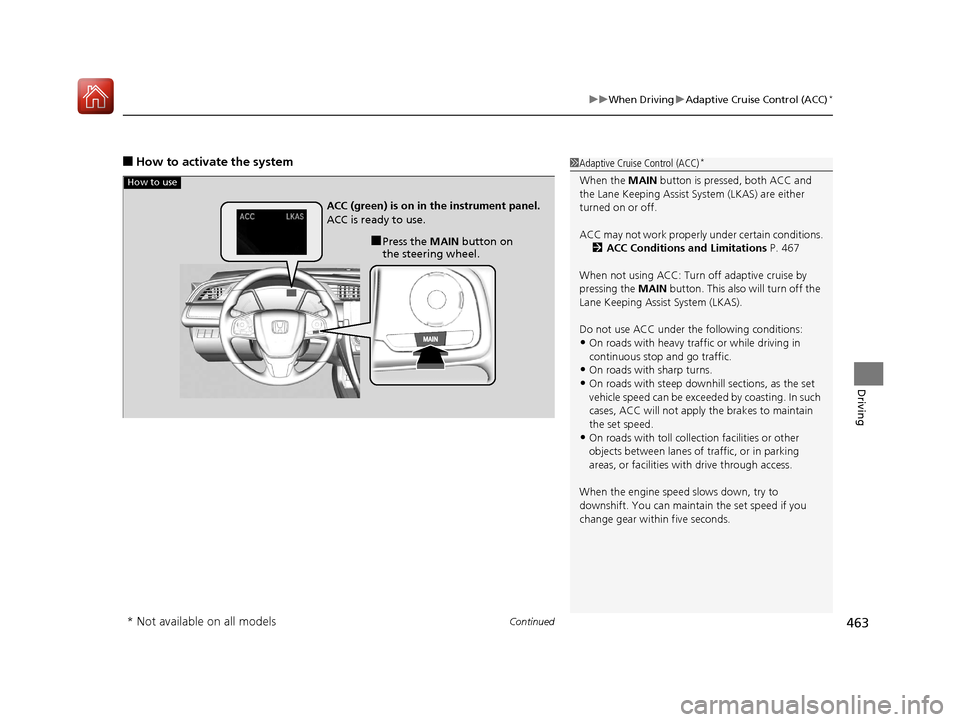
How to use
■Press the MAIN button on
the steering wheel.
ACC (green) is on in the instrument panel.
ACC is ready to use.
* Not available on all models
17 CIVIC 5D (KA KC KL)-31TGG6000.book 463 ページ 2016年6月8日 水曜日 午
後2時8分
Page 474 of 641
Continued473
uuWhen Driving uAdaptive Cruise Control (ACC)*
Driving
■Automatic ca ncellation
The beeper sounds and a message appears on the driver information interface when
ACC is automatically cancel ed. Any of these conditions may cause the ACC to
automatically cancel:
• Bad weather (rain, fog, snow, etc.)
• When the radar sensor in the lower bum per next to the fog light gets dirty.
• The vehicle ahead of yo u cannot be detected.
• An abnormal tire condition is de tected, or the tires are skidding.
• Driving on a mountainous road, or driving off road for extended periods.
• Abrupt steering wheel movement.
• When the ABS, VSA ® or CMBS
TM is activated.
• When the ABS or VSA ® system indicator comes on.
• When you manually apply the parking brake.
• When the detected vehicle within the AC C range is too close to your vehicle.
• The camera behind the rearview mirror, or the area around the camera, including
the windshield, gets dirty.
• Ignoring shift down indication shown in the tachometer display will cancel the
ACC after about 10 seconds.
• The engine speed goes into the tachometer’s red zone.
• The engine speed goes to below 1,000 rpm.
• You shift into neutral temporarily when shifting into a higher or lower gear.
1Automatic cancellation
Even though ACC has been automatically canceled,
you can still resume the prior set speed. Wait until the
condition that caused ACC to cancel improves, then
press the –/SET button.
17 CIVIC 5D (KA KC KL)-31TGG6000.book 473 ページ 2016年6月8日 水曜日 午 後2時8分
Page 484 of 641
Continued483
uuWhen Driving uLane Keeping Assist System (LKAS)*
Driving
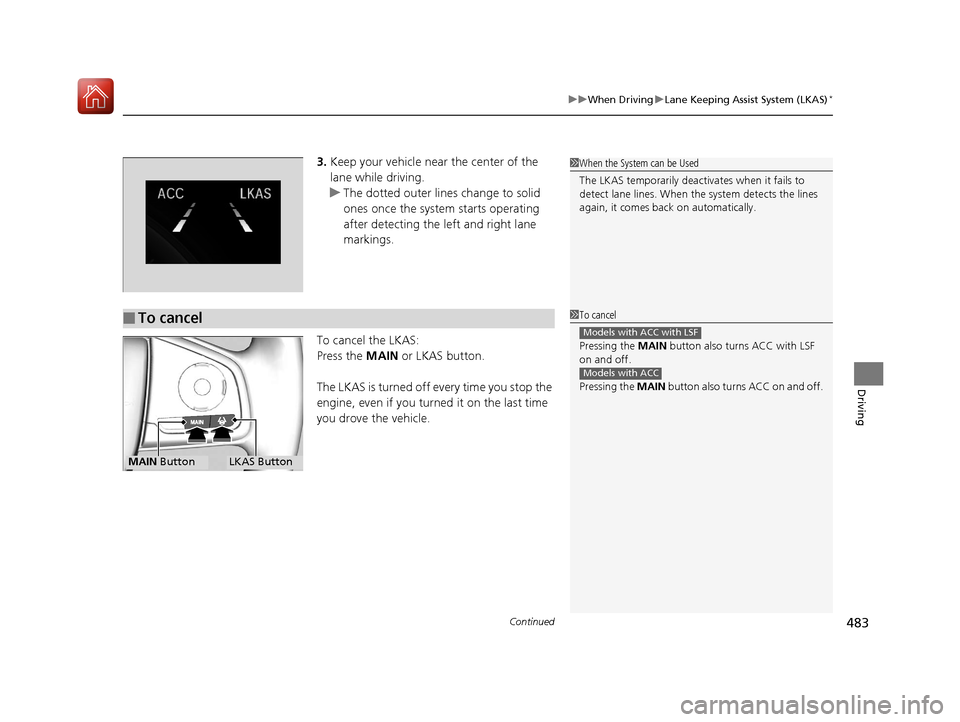
3. Keep your vehicle near the center of the
lane while driving.
u The dotted outer lines change to solid
ones once the system starts operating
after detecting the left and right lane
markings.
To cancel the LKAS:
Press the MAIN or LKAS button.
The LKAS is turned off every time you stop the
engine, even if you turned it on the last time
you drove the vehicle.
■To cancel
1 When the System can be Used
The LKAS temporarily deactivates when it fails to
detect lane lines. When the system detects the lines
again, it comes back on automatically.
1To cancel
Pressing the MAIN button also turns ACC with LSF
on and off.
Pressing the MAIN button also turns ACC on and off.
Models with ACC with LSF
Models with ACC
MAIN ButtonLKAS Button
17 CIVIC 5D (KA KC KL)-31TGG6000.book 483 ページ 2016年6月8日 水曜日 午 後2時8分