transmission HONDA CIVIC HATCHBACK 2017 10.G User Guide
[x] Cancel search | Manufacturer: HONDA, Model Year: 2017, Model line: CIVIC HATCHBACK, Model: HONDA CIVIC HATCHBACK 2017 10.GPages: 641
Page 103 of 641
102
uuIndicators uDriver Information Interface Wa rning and Information Messages*
Instrument Panel
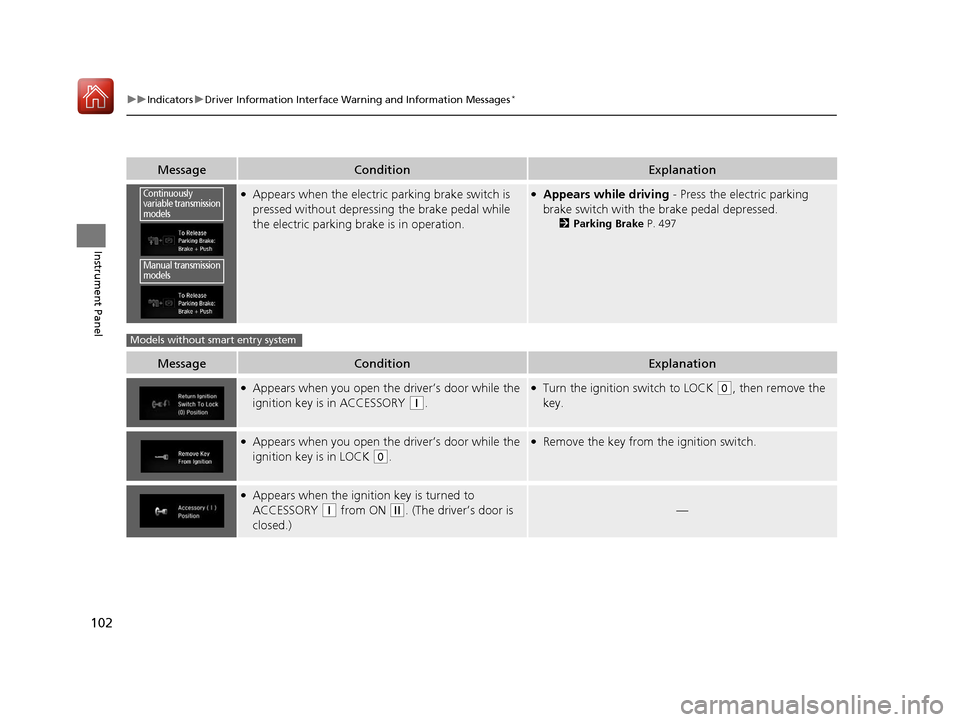
MessageConditionExplanation
●Appears when the electric parking brake switch is
pressed without depressing the brake pedal while
the electric parking brake is in operation.●Appears while driving - Press the electric parking
brake switch with the brake pedal depressed.
2 Parking Brake P. 497
MessageConditionExplanation
●Appears when you open the driver’s door while the
ignition key is in ACCESSORY
(q.
●Turn the ignition switch to LOCK (0, then remove the
key.
●Appears when you open the driver’s door while the
ignition key is in LOCK
(0.
●Remove the key from the ignition switch.
●Appears when the igniti on key is turned to
ACCESSORY
(q from ON (w. (The driver’s door is
closed.)—
Continuously
variable transmission
models
Manual transmission
models
Models without smart entry system
17 CIVIC 5D (KA KC KL)-31TGG6000.book 102 ページ 2016年6月8日 水曜日 午 後2時8分
Page 104 of 641
103
uuIndicators uDriver Information Interface Wa rning and Information Messages*
Continued
Instrument Panel
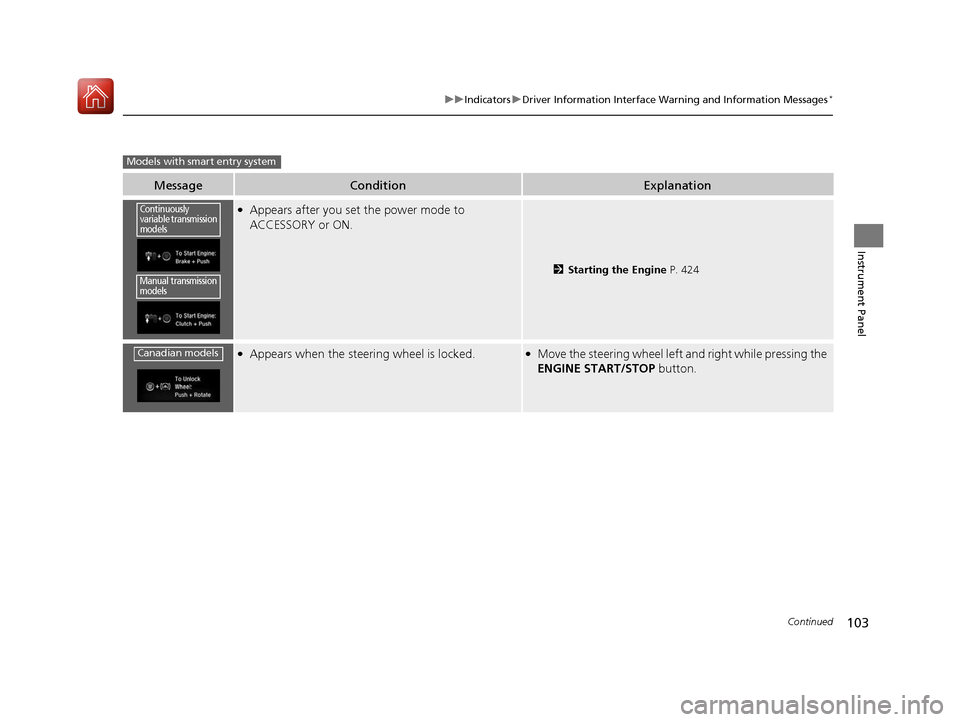
MessageConditionExplanation
●Appears after you set the power mode to
ACCESSORY or ON.
2Starting the Engine P. 424
●Appears when the steering wheel is locked.●Move the steering wheel left an d right while pressing the
ENGINE START/STOP button.
Models with smart entry system
Continuously
variable transmission
models
Manual transmission
models
Canadian models
17 CIVIC 5D (KA KC KL)-31TGG6000.book 103 ページ 2016年6月8日 水曜日 午 後2時8分
Page 105 of 641
104
uuIndicators uDriver Information Interface Wa rning and Information Messages*
Instrument Panel
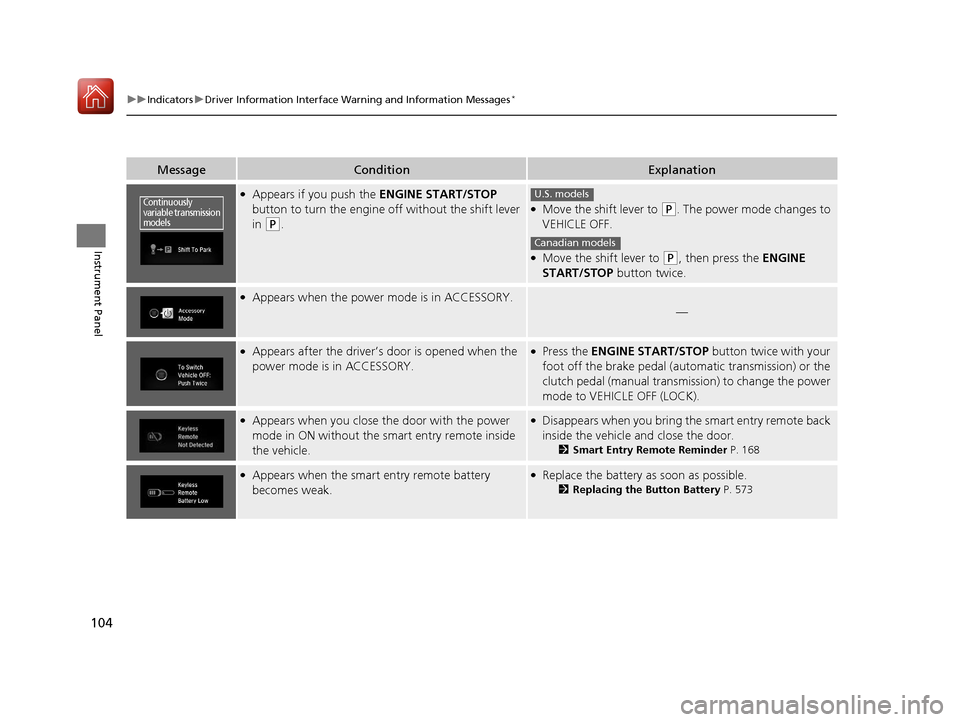
MessageConditionExplanation
●Appears if you push the ENGINE START/STOP
button to turn the engine off without the shift lever
in
(P.
●Move the shift lever to (P. The power mode changes to
VEHICLE OFF.
●Move the shift lever to (P, then press the ENGINE
START/STOP button twice.
●Appears when the power mode is in ACCESSORY.
—
●Appears after the driver’s door is opened when the
power mode is in ACCESSORY.●Press the ENGINE START/STOP button twice with your
foot off the brake pedal (automatic transmission) or the
clutch pedal (manual transmission) to change the power
mode to VEHICLE OFF (LOCK).
●Appears when you close the door with the power
mode in ON without the smart entry remote inside
the vehicle.●Disappears when you bring the smart entry remote back
inside the vehicle and close the door.
2Smart Entry Remote Reminder P. 168
●Appears when the smart entry remote battery
becomes weak.●Replace the battery as soon as possible.
2Replacing the Button Battery P. 573
Continuously
variable transmission
modelsU.S. models
Canadian models
17 CIVIC 5D (KA KC KL)-31TGG6000.book 104 ページ 2016年6月8日 水曜日 午 後2時8分
Page 152 of 641
151
uuLocking and Unlocking the Doors uCustomizing the Auto Door Locking/Unlocking Setting*
Continued
Controls
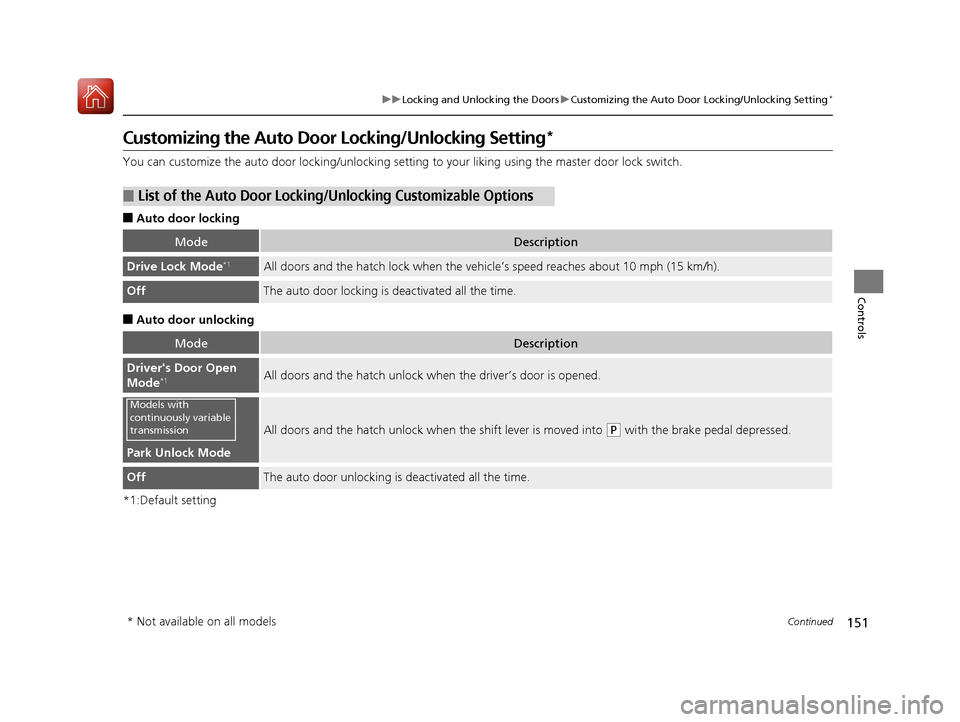
Customizing the Auto Door Locking/Unlocking Setting*
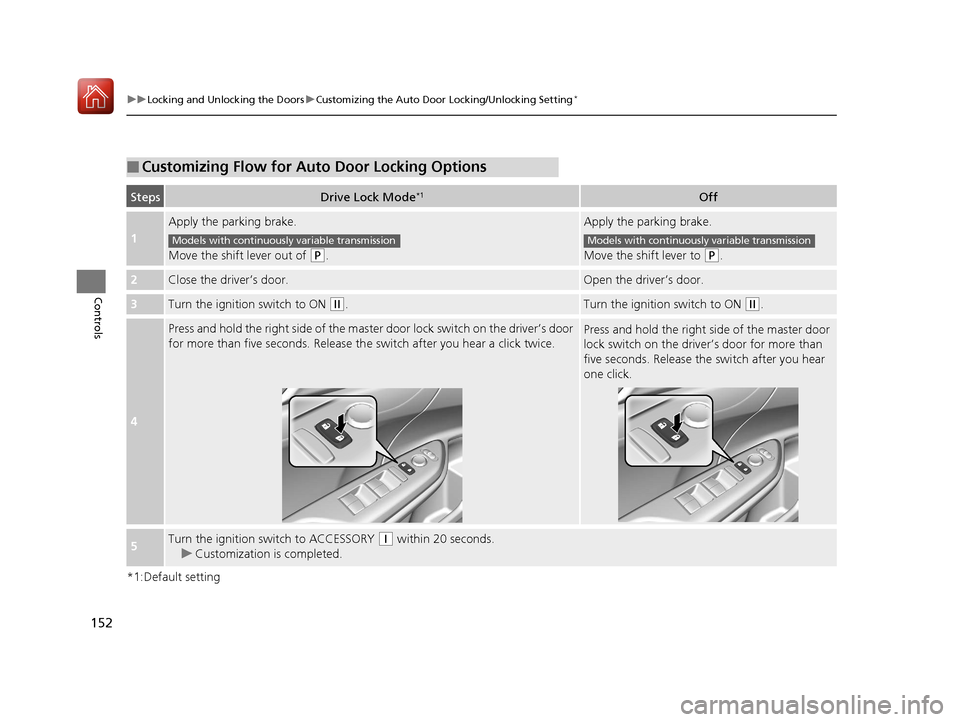
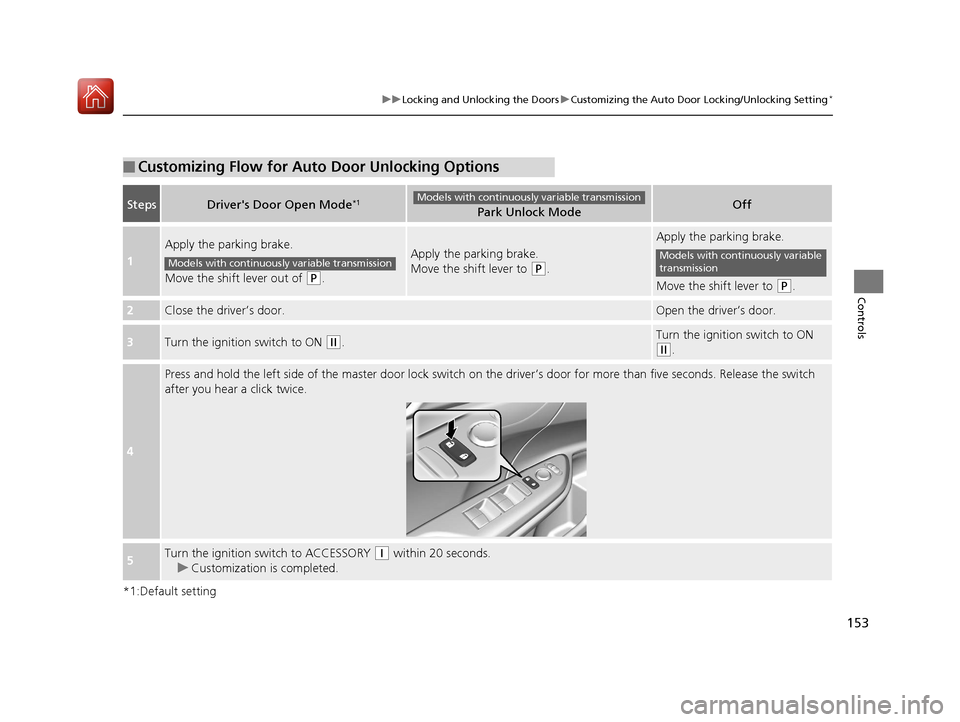
You can customize the auto door locking/unlocking setting to your liking using the master door lock switch.
■Auto door locking
■Auto door unlocking
*1:Default setting
■List of the Auto Door Locking/ Unlocking Customizable Options
ModeDescription
Drive Lock Mode*1All doors and the hatch lock when the vehi cle’s speed reaches about 10 mph (15 km/h).
OffThe auto door locking is deactivated all the time.
ModeDescription
Driver's Door Open
Mode*1All doors and the hatch unlock when the driver’s door is opened.
Park Unlock Mode
All doors and the hatch unlock when the shift lever is moved into (P with the brake pedal depressed.
OffThe auto door unlocking is deactivated all the time.
Models with
continuously variable
transmission
* Not available on all models
17 CIVIC 5D (KA KC KL)-31TGG6000.book 151 ページ 2016年6月8日 水曜日 午 後2時8分
Page 153 of 641
152
uuLocking and Unlocking the Doors uCustomizing the Auto Door Locking/Unlocking Setting*
Controls
*1:Default setting
■Customizing Flow for Auto Door Locking Options
StepsDrive Lock Mode*1Off
1
Apply the parking brake.
Move the shift lever out of
(P.
Apply the parking brake.
Move the shift lever to
(P.
2Close the driver’s door.Open the driv er’s door.
3Turn the ignition switch to ON (w.Turn the ignition switch to ON (w.
4
Press and hold the right side of the master door lock switch on the driver’s door
for more than five seconds. Release th e switch after you hear a click twice.Press and hold the right side of the master door
lock switch on the driver ’s door for more than
five seconds. Release the switch after you hear
one click.
5Turn the ignition switch to ACCESSORY (q within 20 seconds.
u Customization is completed.
Models with continuously variable transmissionModels with continuously variable transmission
17 CIVIC 5D (KA KC KL)-31TGG6000.book 152 ページ 2016年6月8日 水曜日 午 後2時8分
Page 154 of 641
153
uuLocking and Unlocking the Doors uCustomizing the Auto Door Locking/Unlocking Setting*
Controls
*1:Default setting
■Customizing Flow for Auto Door Unlocking Options
StepsDriver's Door Open Mode*1Park Unlock ModeOff
1
Apply the parking brake.
Move the shift lever out of
(P.
Apply the parking brake.
Move the shift lever to
(P.
Apply the parking brake.
Move the shift lever to
(P.
2Close the driver’s door.Open the driver’s door.
3Turn the ignition switch to ON (w.Turn the ignition switch to ON
(w.
4
Press and hold the left side of the master door lock switch on th e driver’s door for more than five seconds. Release the switch
after you hear a click twice.
5Turn the ignition switch to ACCESSORY (q within 20 seconds.
u Customization is completed.
Models with continuously variable transmission
Models with continuously variable transmissionModels with continuously variable
transmission
17 CIVIC 5D (KA KC KL)-31TGG6000.book 153 ページ 2016年6月8日 水曜日 午 後2時8分
Page 159 of 641
158
uuSecurity System uSecurity System Alarm
Controls
Security System Alarm
The security system alarm activates when the hatch, hood or doors are forcibly
opened. The alarm does not activate if the hatch or doors are opened with the key,
remote transmitter or smart entry system
*.
However, the alarm activates if a door is opened with the key and then the shift lever
is moved out of
(P (continuously variable transmission models) or the hood is
opened before the ignition switch is turned to ON
(w*1.
■When the security system alarm activates
The horn sounds intermittently and some exterior lights flash.
■To deactivate the security system alarm
Unlock the vehicle using the key, remote transmitter or smart entry system*, or the
ignition switch is turned to ON
(w*1. The system, along with the horn and flashing
lights, is deactivated.
*1: Models with the smart entry system have an ENGINE START/STOP button instead of an
ignition switch.
1 Security System Alarm
Do not alter the system or add other devices to it.
Doing so may damage the system and make your
vehicle inoperable.
The security alarm continues for a maximum of two
minutes until the security system alarm deactivates.
* Not available on all models
17 CIVIC 5D (KA KC KL)-31TGG6000.book 158 ページ 2016年6月8日 水曜日 午 後2時8分
Page 160 of 641
Continued159
uuSecurity System uSecurity System Alarm
Controls
■Setting the security system alarm
The security system alarm automatically sets when the following conditions have
been met:
• The ignition switch is in LOCK
(0*1, and the key has been removed from the
ignition switch.
• The hood is closed.
• All doors and the hatch are locked with the key, the remote transmitter, or smart
entry system
*.
■When the security system alarm sets
The security system alarm indicator in the instrument panel blinks. When the
blinking interval changes after about 15 se conds, the security system alarm is set.
■To cancel the security system alarm
The security system is canc eled when the vehicle is unlocked using the remote
transmitter, smart entry system
*, or the ignition swit ch is turned to ON (w*1. The
security system indicator go es off at the same time.
*1: Models with the smart entry system have an ENGINE START/STOP button instead of an
ignition switch.
1 Security System Alarm
Do not set the security system alarm when someone
is in the vehicle or a window is open. The system can
accidentally activate when:
•Unlocking the door with the lock tab.•Opening the hood with the hood release.
•Moving the shift lever out of ( P.
If the battery goes dead after you have set the
security system alarm, the security alarm may go off
once the battery is re charged or replaced.
If this occurs, deactivate the security system alarm by
unlocking a door using the key, remote transmitter or
smart entry system
*.
Continuously variable transmission models
* Not available on all models
17 CIVIC 5D (KA KC KL)-31TGG6000.book 159 ページ 2016年6月8日 水曜日 午 後2時8分
Page 166 of 641
165
Controls
Operating the Switches Around the Steering Wheel
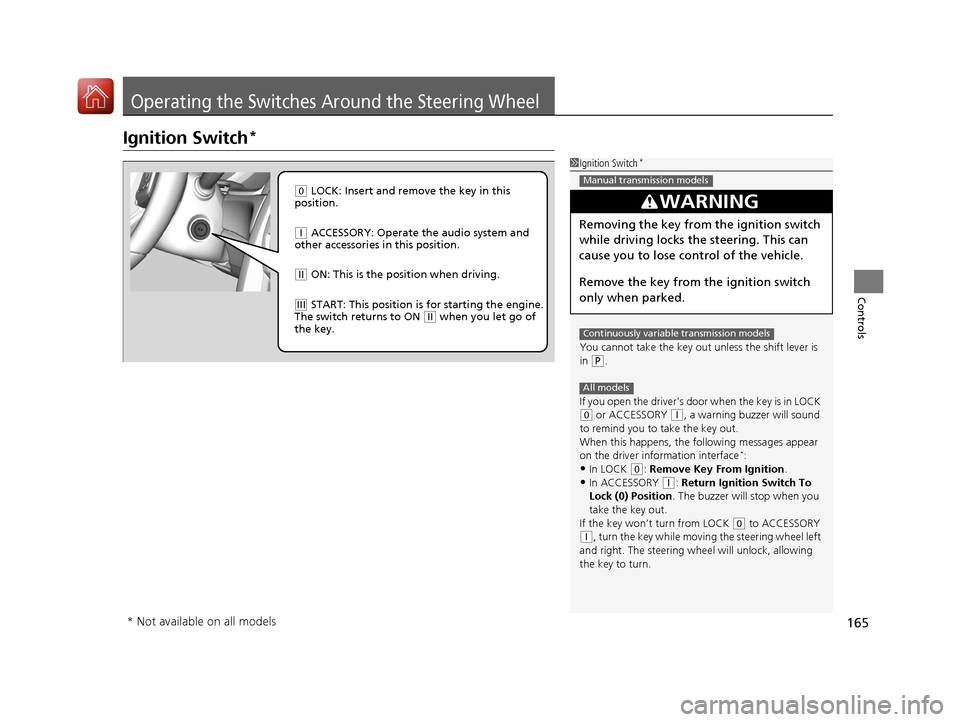
Ignition Switch*
1Ignition Switch*
You cannot take the key out unless the shift lever is
in
( P.
If you open the driver’s door when the key is in LOCK
(0 or ACCESSORY (q, a warning buzzer will sound
to remind you to take the key out.
When this happens, the following messages appear
on the driver information interface
*:•In LOCK ( 0: Remove Key From Ignition.
•In ACCESSORY (q: Return Ignition Switch To
Lock (0) Position . The buzzer will stop when you
take the key out.
If the key won’t turn from LOCK
( 0 to ACCESSORY
(q, turn the key while moving the steering wheel left
and right. The steering wh eel will unlock, allowing
the key to turn.
3WARNING
Removing the key from the ignition switch
while driving locks the steering. This can
cause you to lose control of the vehicle.
Remove the key from the ignition switch
only when parked.
Manual transmission models
Continuously variable transmission models
All models
( 0 LOCK: Insert and remove the key in this
position.
( q ACCESSORY: Operate the audio system and
other accessories in this position.
( w ON: This is the position when driving.
(e START: This position is for starting the engine.
The switch returns to ON ( w when you let go of
the key.
* Not available on all models
17 CIVIC 5D (KA KC KL)-31TGG6000.book 165 ページ 2016年6月8日 水曜日 午 後2時8分
Page 167 of 641
166
uuOperating the Switches Around the Steering Wheel uENGINE START/STOP Button*
Controls
ENGINE START/STOP Button*
*1:Canadian models
*2:Except Canadian models
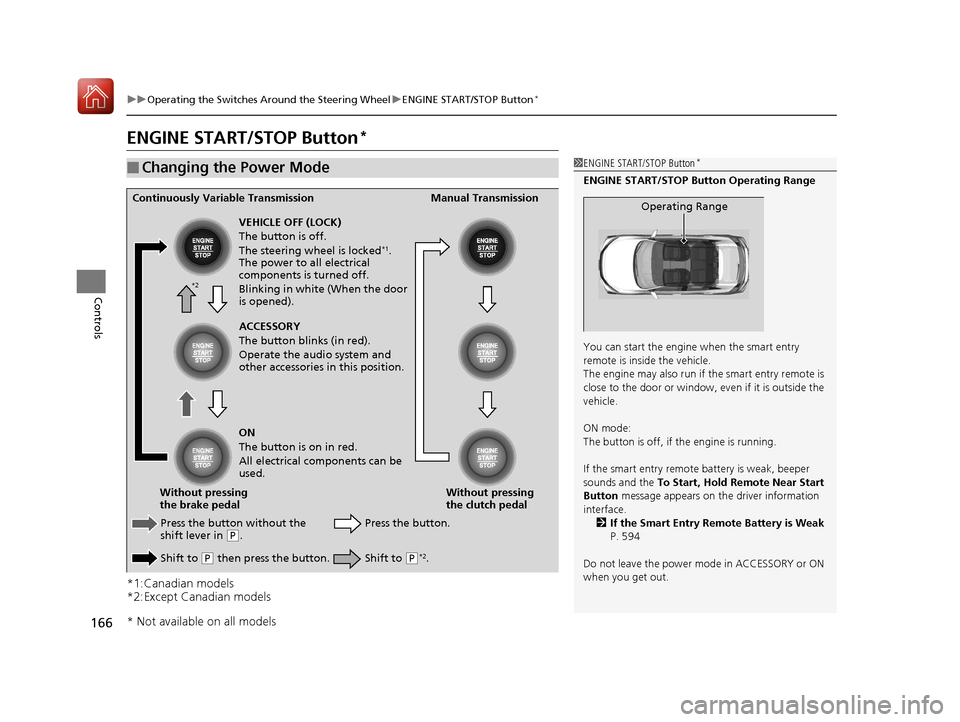
■Changing the Power Mode1ENGINE START/STOP Button*
ENGINE START/STOP Button Operating Range
You can start the engine when the smart entry
remote is inside the vehicle.
The engine may also run if the smart entry remote is
close to the door or window, ev en if it is outside the
vehicle.
ON mode:
The button is off, if the engine is running.
If the smart entry remote battery is weak, beeper
sounds and the To Start, Hold Remote Near Start
Button message appears on th e driver information
interface. 2 If the Smart Entry Remote Battery is Weak
P. 594
Do not leave the power mode in ACCESSORY or ON
when you get out.
Operating RangeContinuously Variable Transmission Manual Transmission
VEHICLE OFF (LOCK)
The button is off.
The steering wheel is locked
*1.
The power to all electrical
components is turned off.
Blinking in white (When the door
is opened).
Press the button without the
shift lever in
( P.
Shift to
( P then press the button. Press the button.
Without pressing
the clutch pedal
Without pressing
the brake pedal ACCESSORY
The button blinks (in red).
Operate the audio system and
other accessories in this position.
ON
The button is on in red.
All electrical components can be
used.
Shift to (P*2.
*2
* Not available on all models
17 CIVIC 5D (KA KC KL)-31TGG6000.book 166 ページ 2016年6月8日 水曜日 午 後2時8分