cruise control HONDA CIVIC HATCHBACK 2018 (in English) Service Manual
[x] Cancel search | Manufacturer: HONDA, Model Year: 2018, Model line: CIVIC HATCHBACK, Model: HONDA CIVIC HATCHBACK 2018Pages: 703, PDF Size: 24.31 MB
Page 503 of 703
Continued501
uuWhen Driving uAdaptive Cruise Control (ACC)*
Driving
■Detection limitations
• A vehicle suddenly crosses in front of you.
• The interval between your vehicle and the vehicle ahead of you is too short.
• A vehicle cuts in front of you at a slow speed, and it brakes suddenly.
• When you accelerate rapidly and approach the vehicle ahead of you at high
speed.
• The vehicle ahead of you is a motorcycle, bicycle, mobility scooter, or other small
vehicle.
• When there are animals in front of your vehicle.
• When you drive on a curved or winding or undulating road that makes it difficult
for the sensor to properly detect a vehicle in front of you.
• The speed difference between your vehi cle and a vehicle in front of you is
significantly large.
• An oncoming vehicle suddenly comes in front of you.
• Your vehicle abruptly crosses over in front of an oncoming vehicle.
• When driving through a narrow iron bridge.
• When the vehicle ahead of you brakes suddenly.
• When the vehicle ahead of you has a unique shape.
• When your vehicle or the vehicle ahead of you is driving on one edge of the lane.1ACC Conditions and Limitations
If the front of the vehicle is impacted in any of the
following situations, the ra dar sensor may not work
properly. Have your vehi cle checked by a dealer:
•The vehicle mounted onto a bump, curb, chock,
embankment, etc.
•You drive the vehicle where the water is deep.
•Your vehicle has a frontal collision.
18 CIVIC 5D (KA KC KL)-31TGG6100.book 501 ページ 2017年12月27日 水曜日 午前11時2分
Page 504 of 703
uuWhen Driving uAdaptive Cruise Control (ACC)*
502
Driving
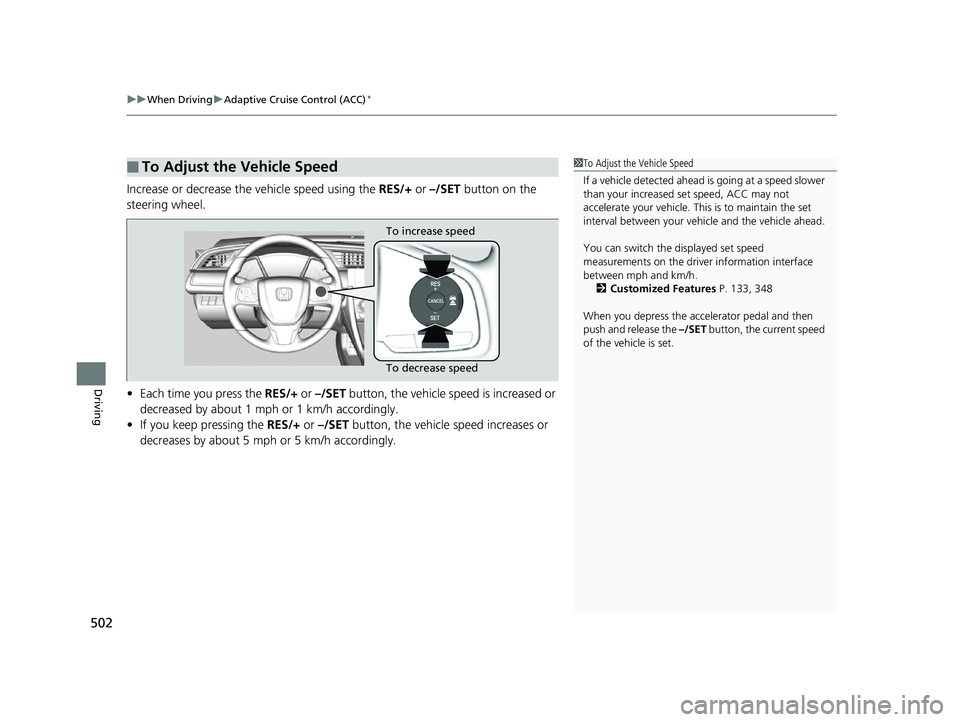
Increase or decrease the vehicle speed using the RES/+ or –/SET button on the
steering wheel.
• Each time you press the RES/+ or –/SET button, the vehicle speed is increased or
decreased by about 1 mph or 1 km/h accordingly.
• If you keep pressing the RES/+ or –/SET button, the vehicle speed increases or
decreases by about 5 mph or 5 km/h accordingly.
■To Adjust the Vehicle Speed1 To Adjust the Vehicle Speed
If a vehicle detected ahead is going at a speed slower
than your increased set speed, ACC may not
accelerate your vehicle. This is to maintain the set
interval between your vehi cle and the vehicle ahead.
You can switch the displayed set speed
measurements on the driver information interface
between mph and km/h.
2 Customized Features P. 133, 348
When you depress the accelerator pedal and then
push and release the –/SET button, the current speed
of the vehicle is set.
To increase speed
To decrease speed
18 CIVIC 5D (KA KC KL)-31TGG6100.book 502 ページ 2017年12月27日 水曜日 午前11時2分
Page 505 of 703
503
uuWhen Driving uAdaptive Cruise Control (ACC)*
Continued
Driving
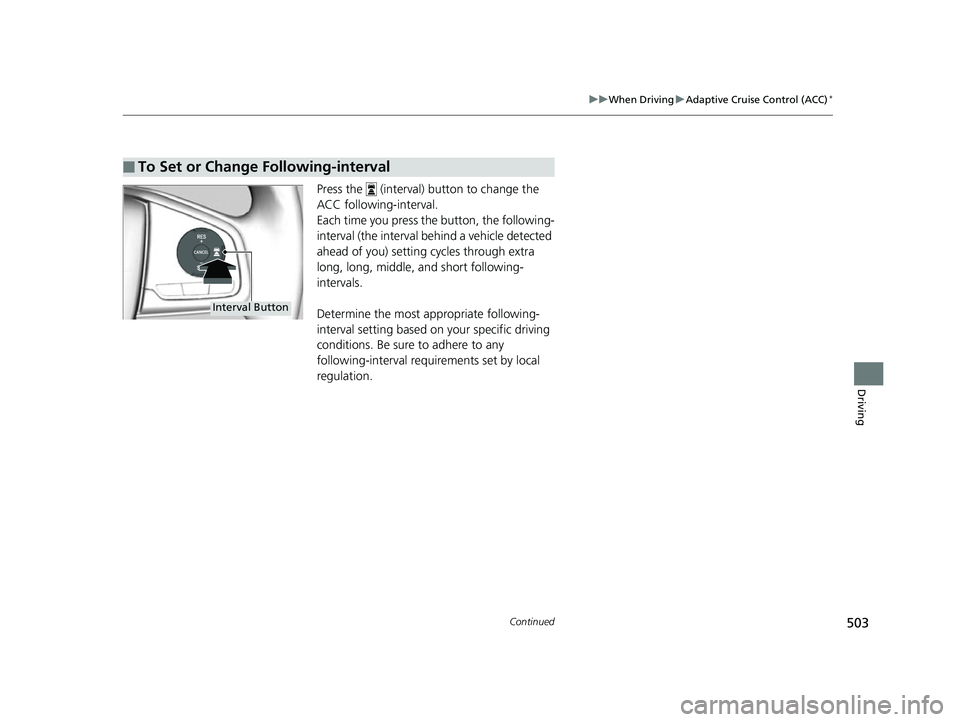
Press the (interval) button to change the
ACC following-interval.
Each time you press th e button, the following-
interval (the interval behind a vehicle detected
ahead of you) setting cycles through extra
long, long, middle, and short following-
intervals.
Determine the most appropriate following-
interval setting based on your specific driving
conditions. Be sure to adhere to any
following-interval requirements set by local
regulation.
■To Set or Change Following-interval
Interval Button
18 CIVIC 5D (KA KC KL)-31TGG6100.book 503 ページ 2017年12月27日 水曜日 午前11時2分
Page 506 of 703
504
uuWhen Driving uAdaptive Cruise Control (ACC)*
Driving
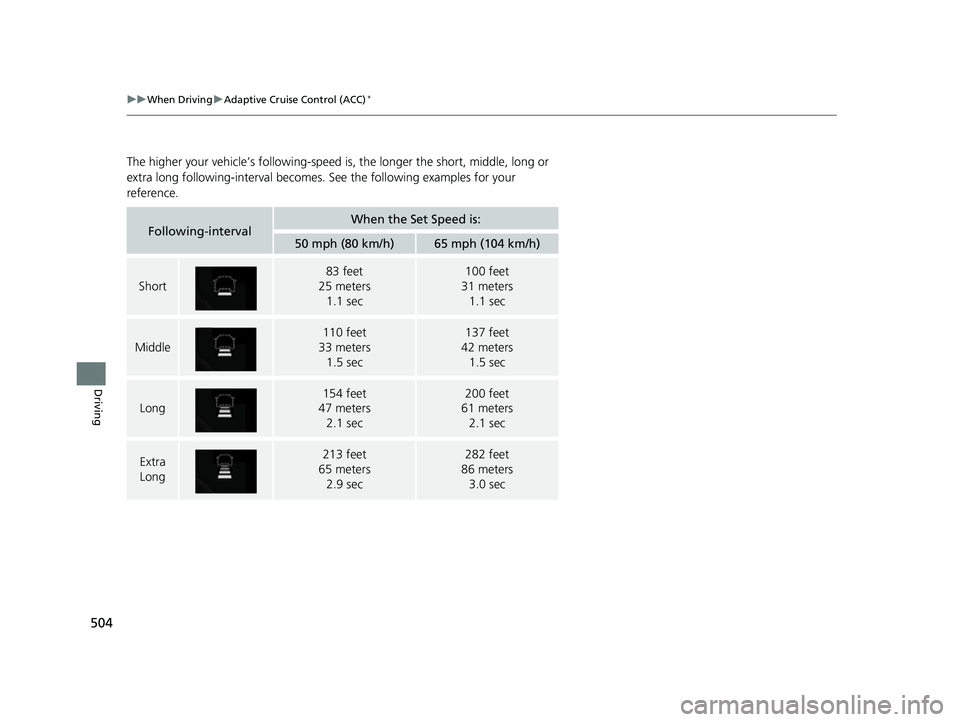
The higher your vehicle’s following-speed is, the longer the short, middle, long or
extra long following-interval becomes. See the following examples for your
reference.
Following-intervalWhen the Set Speed is:
50 mph (80 km/h)65 mph (104 km/h)
Short
83 feet
25 meters
1.1 sec100 feet
31 meters
1.1 sec
Middle
110 feet
33 meters 1.5 sec137 feet
42 meters 1.5 sec
Long
154 feet
47 meters 2.1 sec200 feet
61 meters 2.1 sec
Extra
Long213 feet
65 meters
2.9 sec282 feet
86 meters
3.0 sec
18 CIVIC 5D (KA KC KL)-31TGG6100.book 504 ページ 2017年12月27日 水曜日 午前11時2分
Page 507 of 703
Continued505
uuWhen Driving uAdaptive Cruise Control (ACC)*
Driving
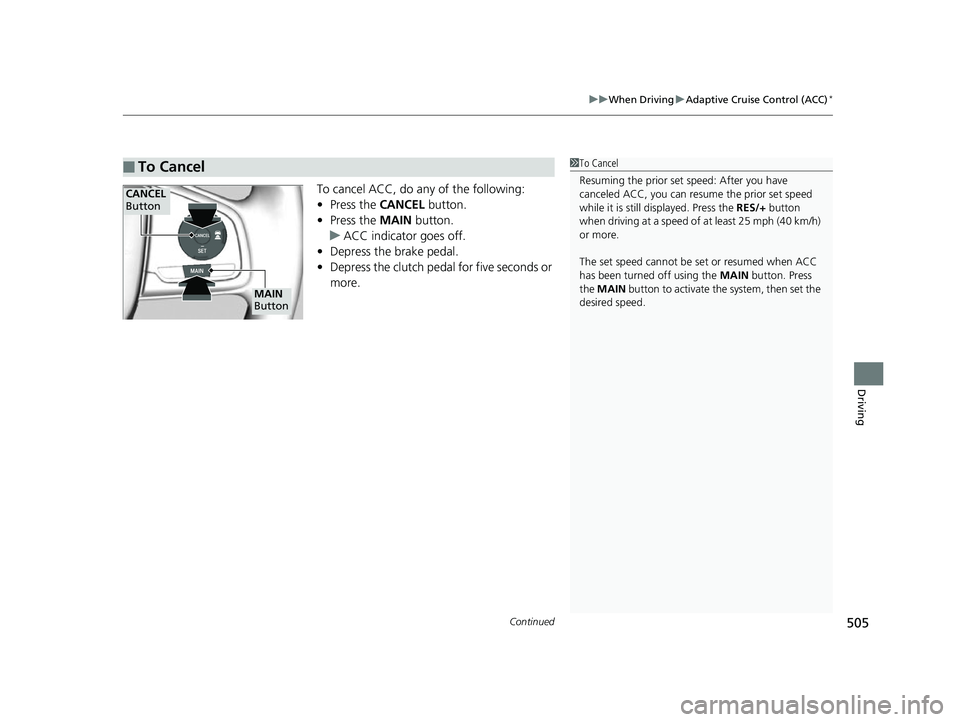
To cancel ACC, do any of the following:
• Press the CANCEL button.
• Press the MAIN button.
u ACC indicator goes off.
• Depress the brake pedal.
• Depress the clutch pedal for five seconds or
more.
■To Cancel1To Cancel
Resuming the prior set speed: After you have
canceled ACC, you can resume the prior set speed
while it is still displayed. Press the RES/+ button
when driving at a speed of at least 25 mph (40 km/h)
or more.
The set speed cannot be set or resumed when ACC
has been turned off using the MAIN button. Press
the MAIN button to activate the system, then set the
desired speed.
CANCEL
Button
MAIN
Button
18 CIVIC 5D (KA KC KL)-31TGG6100.book 505 ページ 2017年12月27日 水曜日 午前11時2分
Page 508 of 703
uuWhen Driving uAdaptive Cruise Control (ACC)*
506
Driving
■Automatic cancellation
The beeper sounds and a message appears on the driver information interface when
ACC is automatically canceled. Any of these conditions may cause the ACC to
automatically cancel:
• Bad weather (rain, fog, snow, etc.)
• When the radar sensor in the lower bump er next to the fog light gets dirty.
• The vehicle ahead of you cannot be detected.
• An abnormal tire condition is detected, or the tires are skidding.
• Driving on a mountainous road, or driving off road for extended periods.
• Abrupt steering wheel movement.
• When the ABS, VSA ® or CMBS
TM is activated.
• When the ABS or VSA ® system indicator comes on.
• When you manually apply the parking brake.
• When the detected vehicle within the ACC range is too close to your vehicle.
• The camera behind the rearview mirror, or the area around the camera, including
the windshield, gets dirty.
• When the Maximum Load Limit is exceeded.
• When passing through an enclosed space, such as tunnel.
• Ignoring shift down indication shown in the tachometer display will cancel the
ACC after about 10 seconds.
• The engine speed goes into the tachometer’s red zone.
• The engine speed goes to below 1,000 rpm.
• You shift into neutral temporarily when shifting into a higher or lower gear.
1Automatic cancellation
Even though ACC has been automatically canceled,
you can still resume the prio r set speed. Wait until the
condition that caused ACC to cancel improves, then
press the –/SET button.
18 CIVIC 5D (KA KC KL)-31TGG6100.book 506 ページ 2017年12月27日 水曜日 午前11時2分
Page 509 of 703
Continued507
uuWhen Driving uAdaptive Cruise Control (ACC)*
Driving
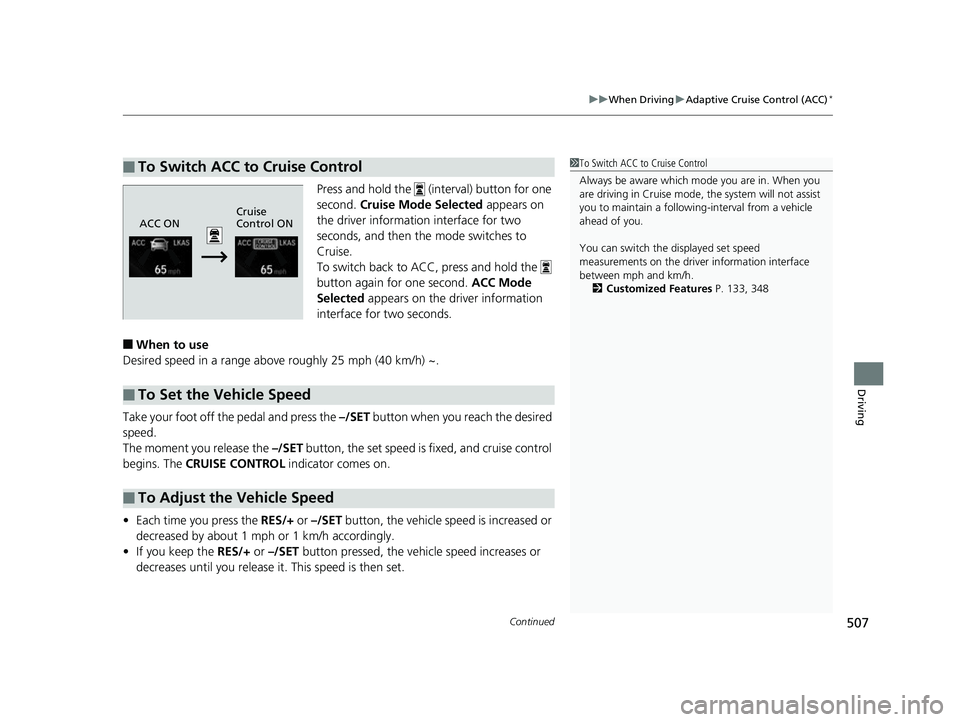
Press and hold the (interval) button for one
second. Cruise Mode Selected appears on
the driver information interface for two
seconds, and then the mode switches to
Cruise.
To switch back to ACC, press and hold the
button again for one second. ACC Mode
Selected appears on the driver information
interface for two seconds.
■When to use
Desired speed in a range above roughly 25 mph (40 km/h) ~.
Take your foot off the pedal and press the –/SET button when you reach the desired
speed.
The moment you release the –/SET button, the set speed is fixed, and cruise control
begins. The CRUISE CONTROL indicator comes on.
• Each time you press the RES/+ or –/SET button, the vehicle speed is increased or
decreased by about 1 mph or 1 km/h accordingly.
• If you keep the RES/+ or –/SET button pressed, the vehi cle speed increases or
decreases until you release it. This speed is then set.
■To Switch ACC to Cruise Control1 To Switch ACC to Cruise Control
Always be aware which mode you are in. When you
are driving in Cruise mode, the system will not assist
you to maintain a following-interval from a vehicle
ahead of you.
You can switch the displayed set speed
measurements on the driver information interface
between mph and km/h.
2 Customized Features P. 133, 348
ACC ONCruise
Control ON
■To Set the Vehicle Speed
■To Adjust the Vehicle Speed
18 CIVIC 5D (KA KC KL)-31TGG6100.book 507 ページ 2017年12月27日 水曜日 午前11時2分
Page 510 of 703
uuWhen Driving uAdaptive Cruise Control (ACC)*
508
Driving
To cancel cruise control, do any of the following:
• Press the CANCEL button.
• Press the MAIN button.
• Depress the brake pedal.
The CRUISE CONTROL indicator goes off.
■To Cancel1To Cancel
Resuming the prior set speed:
After cruise control has be en canceled, you can still
resume the prior set speed by pressing the RES/+
button while driving at a speed of at least 25 mph (40
km/h) or more.
You cannot set or resume in the following situations:
•When vehicle speed is less than 25 mph (40 km/h).
•When the MAIN button is turned off.
At vehicle speeds of 22 m ph (35 km/h) or less, cruise
control canceled automatically.
18 CIVIC 5D (KA KC KL)-31TGG6100.book 508 ページ 2017年12月27日 水曜日 午前11時2分
Page 512 of 703
uuWhen Driving uRoad Departure Mitigation (RDM) System*
510
Driving
The system becomes ready to start sear ching for lane markings when all the
following conditions are met:
• The vehicle is traveling between about 45 and 90 mph (72 and 145 km/h).
• The vehicle is on a straight or slightly curved road.
• The turn signals are off.
• The brake pedal is not depressed.
• The wipers are not in continuous operation.
• The vehicle is not accelerating or braking, and the steering wheel is not being
turned.
• The system makes a determination that th e driver is not actively accelerating,
braking or steering.
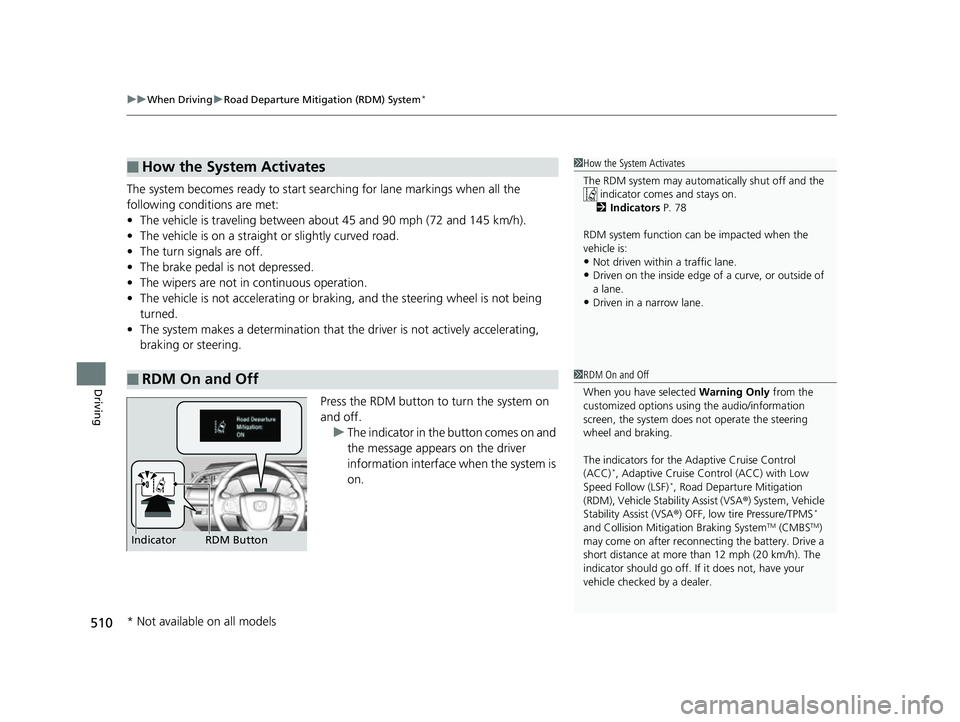
Press the RDM button to turn the system on
and off.u The indicator in the button comes on and
the message appears on the driver
information interface when the system is
on.
■How the System Activates
■RDM On and Off
1How the System Activates
The RDM system may automa tically shut off and the
indicator comes and stays on.
2 Indicators P. 78
RDM system function can be impacted when the
vehicle is:
•Not driven within a traffic lane.•Driven on the inside edge of a curve, or outside of
a lane.
•Driven in a narrow lane.
1 RDM On and Off
When you have selected Warning Only from the
customized options using the audio/information
screen, the system does not operate the steering
wheel and braking.
The indicators for the Adaptive Cruise Control
(ACC)
*, Adaptive Cruise Control (ACC) with Low
Speed Follow (LSF)*, Road Departur e Mitigation
(RDM), Vehicle Stability Assist (VSA ®) System, Vehicle
Stability Assist (VSA ®) OFF, low tire Pressure/TPMS
*
and Collision Mitiga tion Braking SystemTM (CMBSTM)
may come on after reconnect ing the battery. Drive a
short distance at more than 12 mph (20 km/h). The
indicator should go off. If it does not, have your
vehicle checked by a dealer.RDM Button
Indicator
* Not available on all models
18 CIVIC 5D (KA KC KL)-31TGG6100.book 510 ページ 2017年12月27日 水曜日 午前11時2分
Page 522 of 703
520
uuWhen Driving uVehicle Stability Assist (VSA® ), aka Electronic Stability Control (ESC), System
Driving
Vehicle Stability Assist (VSA®), aka Electronic
Stability Control (ESC), System
VSA ® helps to stabilize the vehicle during cornering if the vehicle turns more or less
than what was intended. It also assists in maintaining traction on slippery surfaces.
It does so by regulating engine output and select ively applying the brakes.
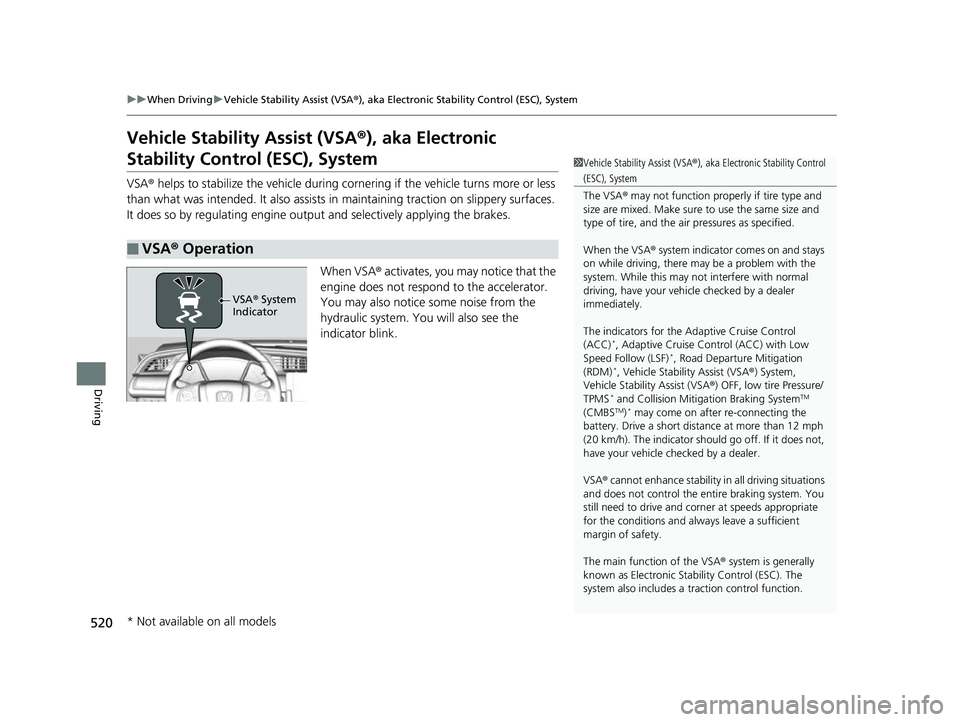
When VSA ® activates, you may notice that the
engine does not respond to the accelerator.
You may also notice some noise from the
hydraulic system. You will also see the
indicator blink.
■VSA ® Operation
1 Vehicle Stability Assist (VSA ®), aka Electronic Stability Control
(ESC), System
The VSA ® may not function properl y if tire type and
size are mixed. Make sure to use the same size and
type of tire, and the air pressures as specified.
When the VSA ® system indicator comes on and stays
on while driving, there ma y be a problem with the
system. While this may not interfere with normal
driving, have your vehi cle checked by a dealer
immediately.
The indicators for the Adaptive Cruise Control
(ACC)
*, Adaptive Cruise Control (ACC) with Low
Speed Follow (LSF)*, Road Departur e Mitigation
(RDM)*, Vehicle Stability Assist (VSA ®) System,
Vehicle Stability Assist (VSA ®) OFF, low tire Pressure/
TPMS
* and Collision Miti gation Braking SystemTM
(CMBSTM)* may come on after re-connecting the
battery. Drive a short distance at more than 12 mph
(20 km/h). The indicator shoul d go off. If it does not,
have your vehicle ch ecked by a dealer.
VSA ® cannot enhance stability in all driving situations
and does not control the entire braking system. You
still need to drive and corner at speeds appropriate
for the conditions and always leave a sufficient
margin of safety.
The main function of the VSA ® system is generally
known as Electronic Stability Control (ESC). The
system also includes a traction control function.
VSA® System
Indicator
* Not available on all models
18 CIVIC 5D (KA KC KL)-31TGG6100.book 520 ページ 2017年12月27日 水曜日 午前11時2分