ESP HONDA CIVIC HATCHBACK 2018 Owner's Manual (in English)
[x] Cancel search | Manufacturer: HONDA, Model Year: 2018, Model line: CIVIC HATCHBACK, Model: HONDA CIVIC HATCHBACK 2018Pages: 703, PDF Size: 24.31 MB
Page 3 of 703
California Perchlorate Contamination Prevention Act
The airbags, seat belt tensioners , and CR type batteries in this
vehicle may contain perchlorate materials - special handling may
apply. See www.dtsc.ca.gov/hazardouswaste/perchlorate/
As you read this manual, you will find information that is preceded
by a symbol. This information is intended to help you avoid
damage to your vehicle, othe r property, or the environment.
Software End User License Agreement
Your vehicle comes equipped with software, which is governed by
the End User License Agreement in Owner’s Manual, and which
contains a binding arbitration clause. Please refer to the End User
License Agreement for the terms and conditions governing your
use of the installed software, as we ll as the applications, services,
functions, and content provided through the software. Your use of
the installed software wi ll serve as your consent to the terms and
conditions of the End User License Agreement.
You may opt out within 30 days of your initial use of the Software
by sending a signed, written noti ce to HONDA at American Honda
Motor Co., Inc. Honda Automobile Customer Services Mail Stop
100-5E-8A, 1919 Torrance Blvd. Torrance, CA 90501-2746.
Privacy Notice
This vehicle may share location a nd usage information. To manage
this setting, visit www.hondalink.com/vehicle-data-choices.
A Few Words About Safety
Your safety, and the safety of others, is very important. And
operating this vehicle safely is an important responsibility.
NOTICE
To help you make informed decisions about safety, we have
provided operating procedures and other information on labels and
in this manual. This information al erts you to potential hazards that
could hurt you or others.
Of course, it is not practical or possible to warn you about all the
hazards associated with operating or maintaining your vehicle. You
must use your own good judgment.
You will find this impo rtant safety information in a variety of forms,
including:
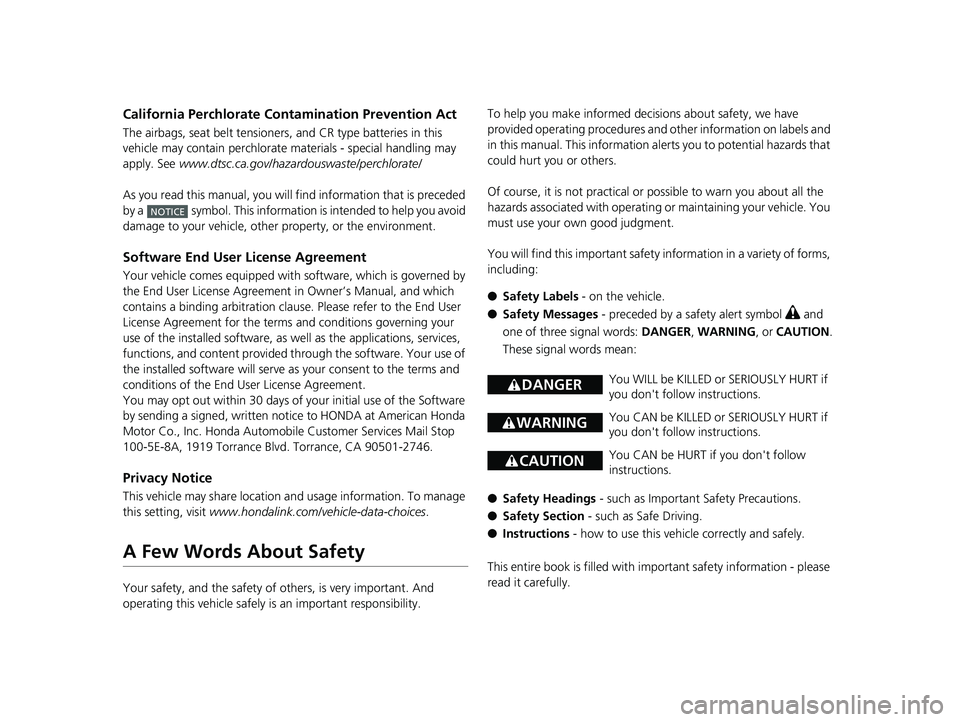
● Safety Labels - on the vehicle.
● Safety Messages - preceded by a safety alert symbol
3 and
one of three signal words: DANGER, WARNING , or CAUTION .
These signal words mean:
● Safety Headings - such as Important Safety Precautions.
● Safety Section - such as Safe Driving.
● Instructions - how to use this vehi cle correctly and safely.
This entire book is filled with important safety information - please
read it carefully.
3 DANGERYou WILL be KILLED or SERIOUSLY HURT if
you don't follow instructions.
3 WARNINGYou CAN be KILLED or SERIOUSLY HURT if
you don't follow instructions.
3CAUTIONYou CAN be HURT if you don't follow
instructions.
18 CIVIC 5D (KA KC KL)-31TGG6100.book 1 ページ 2017年12月27日 水曜日 午前11時2分
Page 5 of 703
Contents
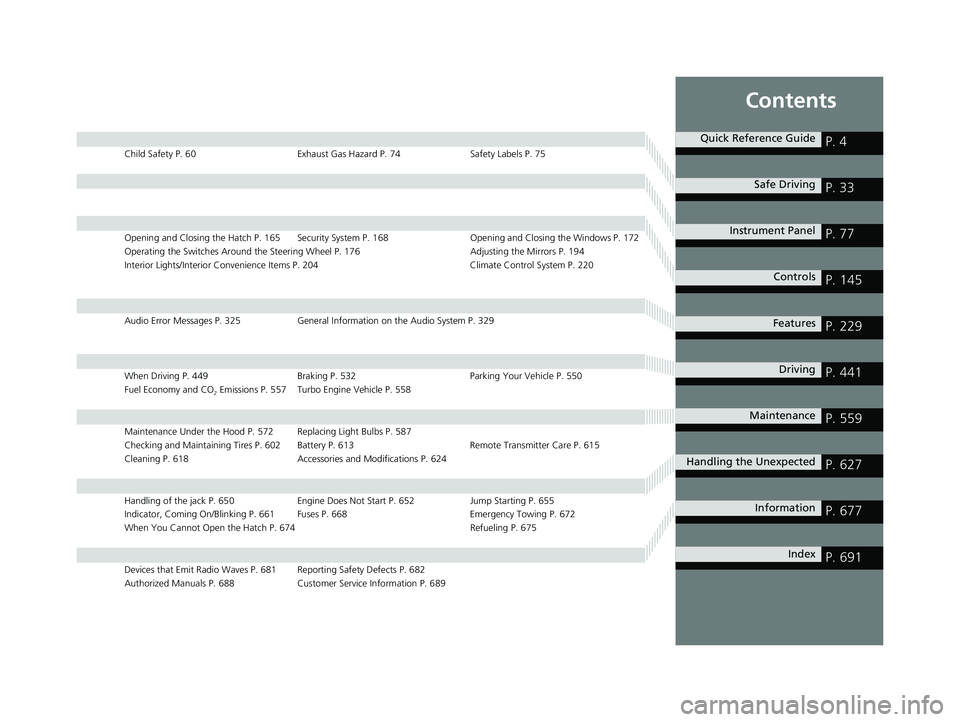
Child Safety P. 60Exhaust Gas Hazard P. 74Safety Labels P. 75
Opening and Closing the Hatch P. 165 Security System P. 168 Opening and Closing the Windows P. 172
Operating the Switches Around the Steering Wheel P. 176 Adjusting the Mirrors P. 194
Interior Lights/Interior Convenience Items P. 204 Climate Control System P. 220
Audio Error Messages P. 325General Information on the Audio System P. 329
When Driving P. 449 Braking P. 532Parking Your Vehicle P. 550
Fuel Economy and CO
2 Emissions P. 557 Turbo Engine Vehicle P. 558
Maintenance Under the Hood P. 572 Replacing Light Bulbs P. 587
Checking and Maintaining Tires P. 602 Battery P. 613 Remote Transmitter Care P. 615
Cleaning P. 618 Accessories and Modifications P. 624
Handling of the jack P. 650 Engine Does Not Start P. 652Jump Starting P. 655
Indicator, Coming On/Blinking P. 661 Fuses P. 668 Emergency Towing P. 672
When You Cannot Open the Hatch P. 674 Refueling P. 675
Devices that Emit Radio Waves P. 681 Reporting Safety Defects P. 682
Authorized Manuals P. 688 Customer Service Information P. 689
Quick Reference GuideP. 4
Safe DrivingP. 33
Instrument PanelP. 77
ControlsP. 145
FeaturesP. 229
DrivingP. 441
MaintenanceP. 559
Handling the UnexpectedP. 627
InformationP. 677
IndexP. 691
18 CIVIC 5D (KA KC KL)-31TGG6100.book 3 ページ 2017年12月27日 水曜日 午前11時2分
Page 15 of 703
13
Quick Reference Guide
Controls (P 145)
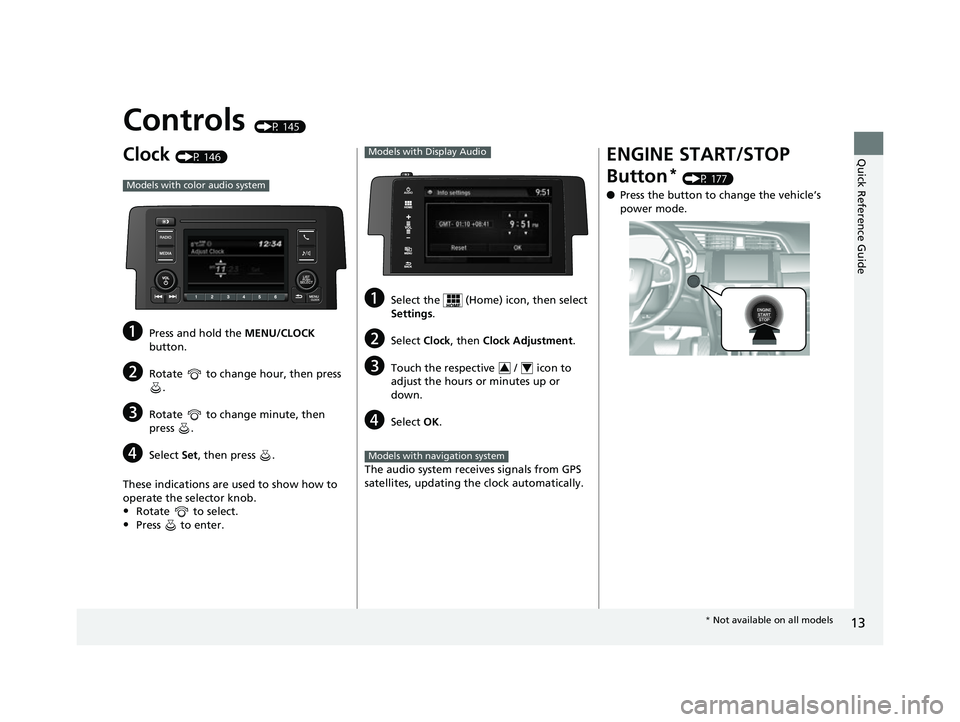
Clock (P 146)
aPress and hold the MENU/CLOCK
button.
bRotate to change hour, then press .
cRotate to change minute, then
press .
dSelect Set, then press .
These indications are used to show how to
operate the selector knob.
•Rotate to select.
•Press to enter.
Models with color audio system
aSelect the (Home) icon, then select
Settings .
bSelect Clock, then Clock Adjustment .
cTouch the respective / icon to
adjust the hours or minutes up or
down.
dSelect OK.
The audio system receives signals from GPS
satellites, updating the clock automatically.
Models with Display Audio
34
Models with navigation system
ENGINE START/STOP
Button
* (P 177)
● Press the button to change the vehicle’s
power mode.
* Not available on all models
18 CIVIC 5D (KA KC KL)-31TGG6100.book 13 ページ 2017年12月27日 水曜日 午前11時2分
Page 36 of 703

34
Safe Driving
For Safe Driving
The following pages explain your vehicle's safety features and how to use them
properly. The safety precauti ons below are ones that we consider to be among the
most important.
Important Safety Precautions
■Always wear your seat belt
A seat belt is your best protection in all types of collisions. Airbags are designed to
supplement seat belts, not replace them. So even though your vehicle is equipped
with airbags, make sure you and your passe ngers always wear your seat belts, and
wear them properly.
■Restrain all children
Children ages 12 and under should ride properly restrained in a back seat, not the
front seat. Infants and small children shoul d be restrained in a child seat. Larger
children should use a booster seat and a lap/shoulder seat belt until they can use the
belt properly without a booster seat.
■Be aware of airbag hazards
While airbags can save lives, they can cause serious or fatal injuries to occupants
who sit too close to them, or are not prop erly restrained. Infants, young children,
and short adults are at the greatest risk. Be sure to follow all instructions and
warnings in this manual.
■Don't drink and drive
Alcohol and driving don't mix. Even one dr ink can reduce your ability to respond to
changing conditions, and your reaction time gets worse with every additional drink.
So don't drink and drive, and don't let your friends drink and drive, either.
1Important Safety Precautions
Some states, provinces and territories prohibit the use
of cell phones other than hands-free devices by the
driver while driving.
18 CIVIC 5D (KA KC KL)-31TGG6100.book 34 ページ 2017年12月27日 水曜日 午前11時2分
Page 51 of 703
49
uuAirbags uTypes of Airbags
Continued
Safe Driving
Types of Airbags
Your vehicle is equipped wi th three types of airbags:
• Front airbags: Airbags in front of the driver’s and front passenger’s seats.
• Side airbags: Airbags in the driver’s and front passenger’s seat-backs.
• Side curtain airbags: Airbags above the side windows.
Each is discussed in the following pages.
Front Airbags (SRS)
The front SRS airbags inflate in a moderate-to-severe frontal collision to help protect
the head and chest of the driver and/or front passenger.
SRS (Supplemental Restraint System) indica tes that the airbags are designed to
supplement seat belts, not replace them . Seat belts are the occupant's primary
restraint system.
The front airbags are housed in the center of the steering wheel for the driver, and
in the dashboard for the front pass enger. Both airbags are marked SRS AIRBAG.
*1: Models with the smart entry system have an ENGINE START/STOP button instead of an
ignition switch.
■Housing Locations
1 Types of Airbags
The airbags can inflate whenever the ignition switch
is in ON
(w*1.
After an airbag inflates in a crash, you may see a
small amount of smoke. This is from the combustion
process of the infl ator material and is not harmful.
People with respiratory pr oblems may experience
some temporary discomfort. If this occurs, get out of
the vehicle as soon as it is safe to do so.
1 Front Airbags (SRS)
During a frontal crash severe enough to cause one or
both front airbags to deploy, the airbags can inflate
at different rates, dependi ng on the severity of the
crash, whether or not the se at belts are latched, and/
or other factors. Frontal airbags are designed to
supplement the seat belts to help reduce the
likelihood of head and chest injuries in frontal
crashes.
18 CIVIC 5D (KA KC KL)-31TGG6100.book 49 ページ 2017年12月27日 水曜日 午前11時2分
Page 63 of 703
61
uuChild Safety uProtecting Child Passengers
Safe Driving
• Any child who is too small to wear a seat belt correctly must be restrained in an
approved child seat that is properly secu red to the vehicle using either the seat
belt or the lower anchors of the LATCH system.
• Never hold a child on your lap because it is impossible to protect them in the
event of a collision.
• Never put a seat belt over yourself and a child. During a crash, the belt would
likely press deep into the child and cause serious or fatal injuries.
• Never let two children use the same seat belt. Both children could be very
seriously injured in a crash.
• Do not allow children to operate the doors, windows or seat adjustments.
• Do not leave children in the vehicle unattended, especially in hot weather when
the inside of the vehicle can get hot enough to kill them. They could also activate
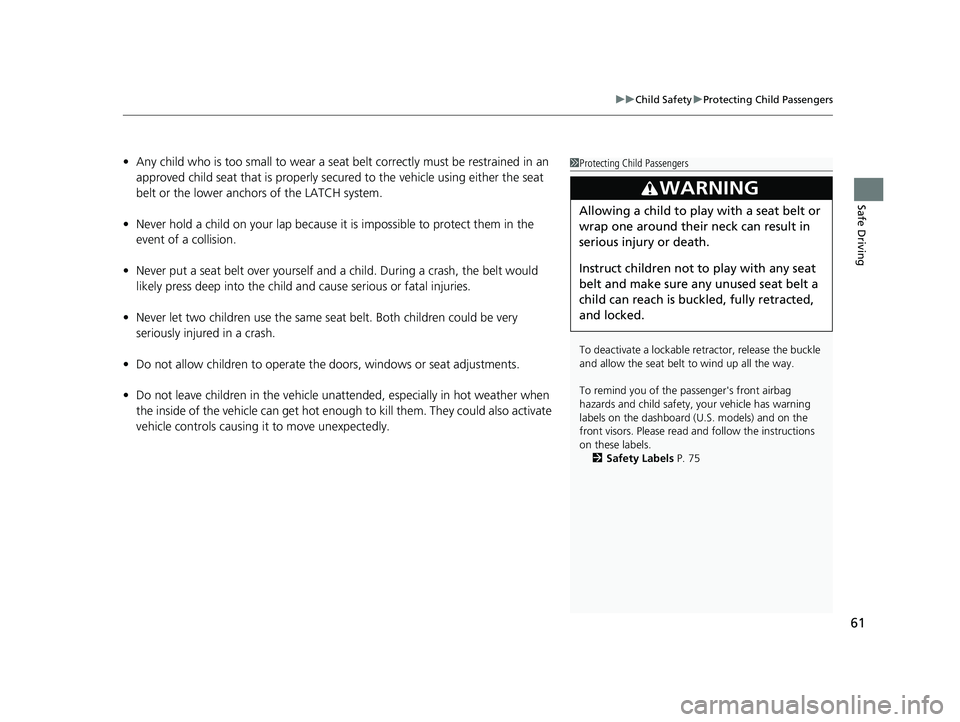
vehicle controls causing it to move unexpectedly.1Protecting Child Passengers
To deactivate a lockable retractor, release the buckle
and allow the seat belt to wind up all the way.
To remind you of the pa ssenger's front airbag
hazards and child safety, your vehicle has warning
labels on the dashboard (U.S. models) and on the
front visors. Please read and follow the instructions
on these labels. 2 Safety Labels P. 75
3WARNING
Allowing a child to play with a seat belt or
wrap one around their neck can result in
serious injury or death.
Instruct children not to play with any seat
belt and make sure any unused seat belt a
child can reach is buckled, fully retracted,
and locked.
18 CIVIC 5D (KA KC KL)-31TGG6100.book 61 ページ 2017年12月27日 水曜日 午前11時2分
Page 140 of 703
138
uuGauges and Displays uDriver Information Interface*
Instrument Panel
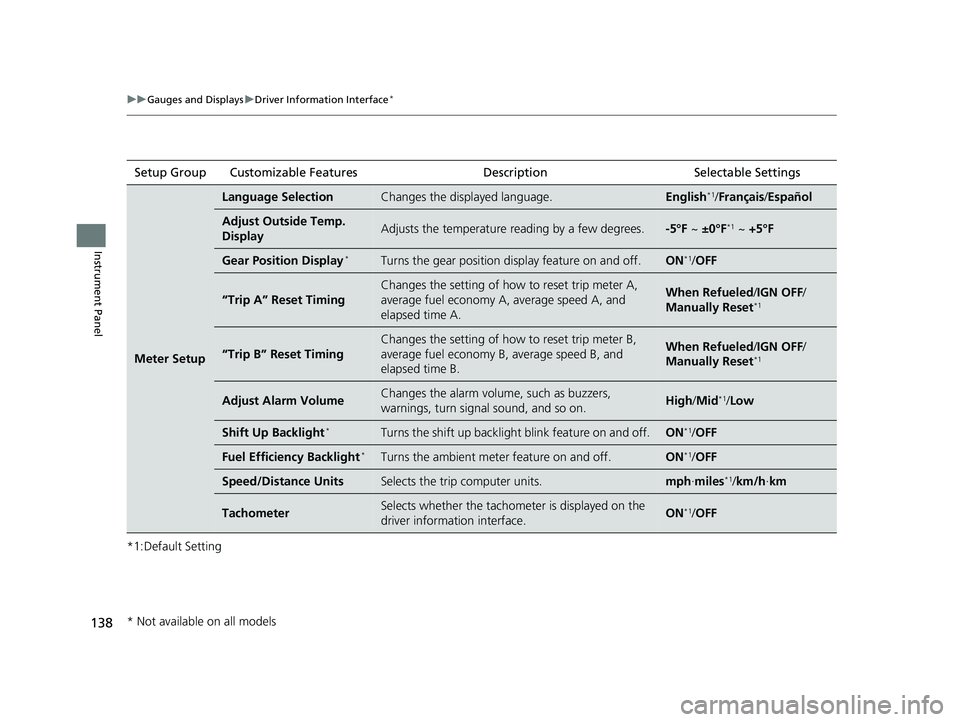
*1:Default SettingSetup Group Customizable Features Description Selectable Settings
Meter Setup
Language SelectionChanges the displayed language.English*1/
Français /Español
Adjust Outside Temp.
DisplayAdjusts the temperature reading by a few degrees.-5°F ~ ±0°F*1 ~ +5°F
Gear Position Display*Turns the gear position di splay feature on and off.ON*1/OFF
“Trip A” Reset Timing
Changes the setting of how to reset trip meter A,
average fuel economy A, average speed A, and
elapsed time A.When Refueled /IGN OFF /
Manually Reset*1
“Trip B” Reset Timing
Changes the setting of how to reset trip meter B,
average fuel economy B, average speed B, and
elapsed time B.When Refueled /IGN OFF /
Manually Reset*1
Adjust Alarm VolumeChanges the alarm volume, such as buzzers,
warnings, turn signal sound, and so on.High /Mid*1/Low
Shift Up Backlight*Turns the shift up backlight blink feature on and off.ON*1/OFF
Fuel Efficien cy Backlight*Turns the ambient meter feature on and off.ON*1/OFF
Speed/Distance UnitsSelects the trip computer units.mph ∙miles*1/ km/h ∙km
TachometerSelects whether the tachomet er is displayed on the
driver information interface.ON*1/ OFF
* Not available on all models
18 CIVIC 5D (KA KC KL)-31TGG6100.book 138 ページ 2017年12月27日 水曜日 午前11時2分
Page 152 of 703
uuLocking and Unlocking the Doors uLocking/Unlocking the Doors from the Outside
150
Controls
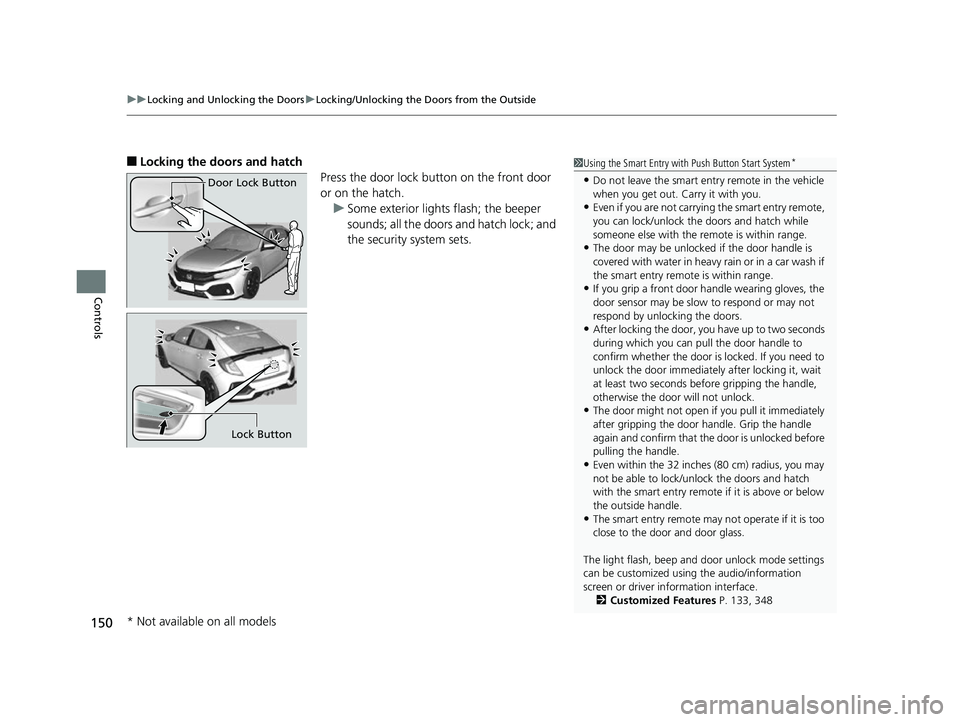
■Locking the doors and hatch
Press the door lock button on the front door
or on the hatch.u Some exterior lights flash; the beeper
sounds; all the doors and hatch lock; and
the security system sets.1Using the Smart Entry with Push Button Start System*
•Do not leave the smart entry remote in the vehicle
when you get out. Carry it with you.
•Even if you are not carrying the smart entry remote,
you can lock/unlock the doors and hatch while
someone else with the remote is within range.
•The door may be unlocked if the door handle is
covered with water in heavy rain or in a car wash if
the smart entry remote is within range.
•If you grip a front door handle wearing gloves, the
door sensor may be slow to respond or may not
respond by unlocking the doors.
•After locking the door, you have up to two seconds
during which you can pull the door handle to
confirm whether the door is locked. If you need to
unlock the door immediately after locking it, wait
at least two seconds befo re gripping the handle,
otherwise the door will not unlock.
•The door might not open if you pull it immediately
after gripping the door handle. Grip the handle
again and confirm that th e door is unlocked before
pulling the handle.
•Even within the 32 inches (80 cm) radius, you may
not be able to lock/unlock the doors and hatch
with the smart entry remote if it is above or below
the outside handle.
•The smart entry remote may not operate if it is too
close to the door and door glass.
The light flash, beep and door unlock mode settings
can be customized using the audio/information
screen or driver information interface.
2 Customized Features P. 133, 348
Door Lock Button
Lock Button
* Not available on all models
18 CIVIC 5D (KA KC KL)-31TGG6100.book 150 ページ 2017年12月27日 水曜日 午前11時2分
Page 187 of 703
185
uuOperating the Switches Around the Steering Wheel uAuto High-Beam*
Continued
Controls
Auto High-Beam*
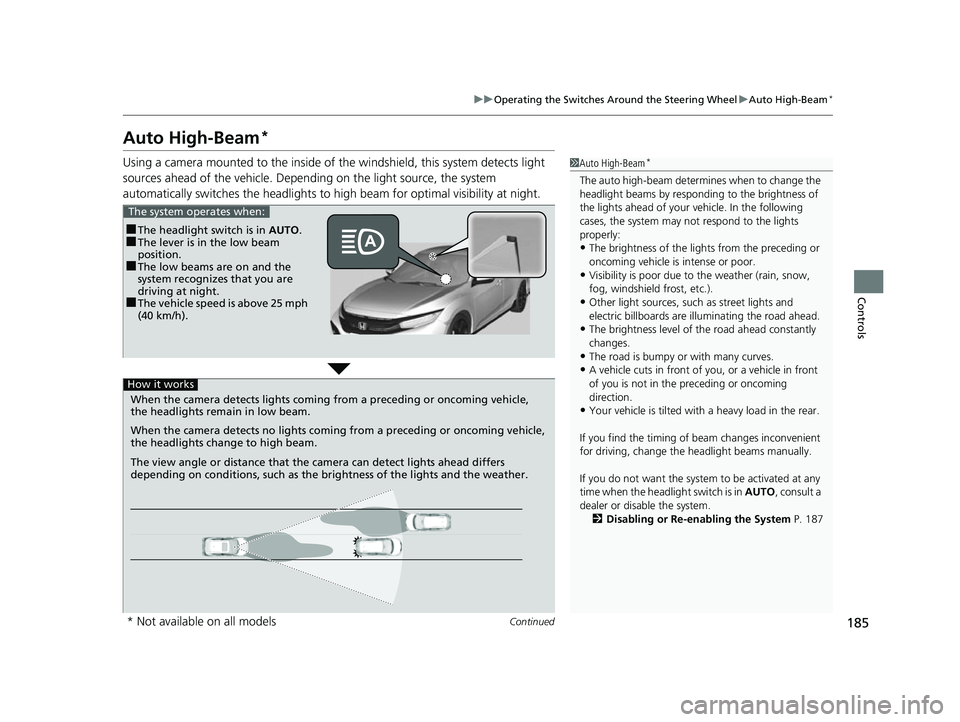
Using a camera mounted to the inside of the windshield, this system detects light
sources ahead of the vehicle. Depending on the light source, the system
automatically switches the headlights to hi gh beam for optimal visibility at night.1Auto High-Beam*
The auto high-beam determines when to change the
headlight beams by responding to the brightness of
the lights ahead of your vehicle. In the following
cases, the system may not respond to the lights
properly:
•The brightness of the lights from the preceding or
oncoming vehicle is intense or poor.
•Visibility is poor due to the weather (rain, snow,
fog, windshield frost, etc.).
•Other light sources, such as street lights and
electric billboards are illuminating the road ahead.
•The brightness level of th e road ahead constantly
changes.
•The road is bumpy or with many curves.
•A vehicle cuts in front of you, or a vehicle in front
of you is not in the preceding or oncoming
direction.
•Your vehicle is tilted with a heavy load in the rear.
If you find the timing of beam changes inconvenient
for driving, change the headlight beams manually.
If you do not want the system to be activated at any
time when the headlight switch is in AUTO, consult a
dealer or disable the system. 2 Disabling or Re-enabling the System P. 187
■The headlight switch is in AUTO.■The lever is in the low beam
position.
■The low beams are on and the
system recognizes that you are
driving at night.
■The vehicle speed is above 25 mph
(40 km/h).
The system operates when:
When the camera detects lights coming from a preceding or oncoming vehicle,
the headlights remain in low beam.
When the camera detects no lights coming from a preceding or oncoming vehicle,
the headlights change to high beam.
How it works
The view angle or distance that the camera can detect lights ahead differs
depending on conditions, such as the brightness of the lights and the weather.
* Not available on all models
18 CIVIC 5D (KA KC KL)-31TGG6100.book 185 ページ 2017年12月27日 水曜日 午前11時2分
Page 250 of 703
uuAudio System Basic Operation uPlaying an iPod
248
Features
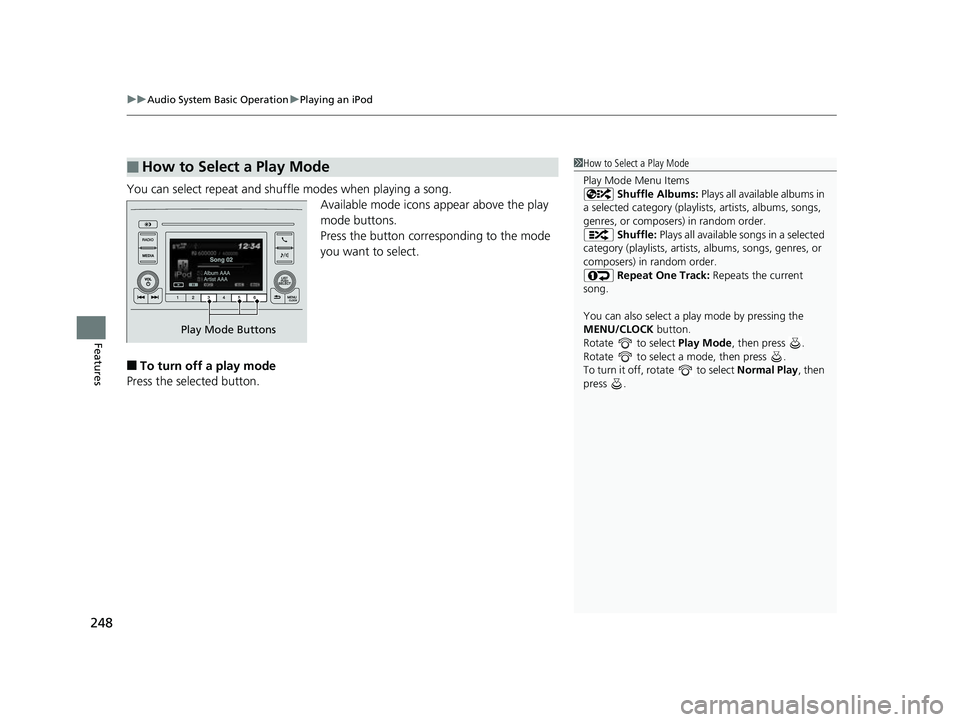
You can select repeat and shuffle modes when playing a song.
Available mode icons appear above the play
mode buttons.
Press the button corresponding to the mode
you want to select.
■To turn off a play mode
Press the selected button.
■How to Select a Play Mode1 How to Select a Play Mode
Play Mode Menu Items
Shuffle Albums: Plays all available albums in
a selected category (playlists, artists, albums, songs,
genres, or composers) in random order. Shuffle: Plays all available songs in a selected
category (playlists, artists, albums, songs, genres, or
composers) in random order. Repeat One Track: Repeats the current
song.
You can also select a pl ay mode by pressing the
MENU/CLOCK button.
Rotate to select Play Mode, then press .
Rotate to select a mode, then press .
To turn it off, rotate to select Normal Play, then
press .
Play Mode Buttons
18 CIVIC 5D (KA KC KL)-31TGG6100.book 248 ページ 2017年12月27日 水曜日 午前11時2分