radio controls HONDA CIVIC HATCHBACK 2020 Owner's Manual (in English)
[x] Cancel search | Manufacturer: HONDA, Model Year: 2020, Model line: CIVIC HATCHBACK, Model: HONDA CIVIC HATCHBACK 2020Pages: 704, PDF Size: 36.59 MB
Page 5 of 704
Contents
Child Safety P. 60Exhaust Gas Hazard P. 74Safety Labels P. 75
Hatch P. 156 Security System P. 159 Opening and Closing the Windows P. 163
Operating the Switches Around the Steering Wheel P. 167 Adjusting the Mirrors P. 186
Interior Lights/Interior Convenience It ems P. 197 Climate Control System P. 213
Audio Error Messages P. 316General Information on the Audio System P. 320
Bluetooth ® HandsFreeLink ® P. 379, 406
When Driving P. 447 Honda Sensing®P. 484 Braking P. 545
Refueling P. 558 Fuel Economy and CO
2 Emissions P. 562 Turbo Engine Vehicle P. 563
Maintenance Under the Hood P. 575 Replacing Light Bulbs P. 590
Checking and Maintaining Tires P. 605 Battery P. 616 Remote Transmitter Care P. 618
Cleaning P. 621 Accessories and Modifications P. 627
Handling of the jack* P. 652Engine Does Not Start P. 655 Jump Starting P. 658
Indicator, Coming On/Blinking P. 664 Fuses P. 670 Emergency Towing P. 675
When You Cannot Open the Hatch P. 677 Refueling P. 678
Devices that Emit Radio Waves P. 683 Reporting Safety Defects P. 684
Authorized Manuals P. 690 Customer Service Information P. 691
Quick Reference GuideP. 4
Safe DrivingP. 33
Instrument PanelP. 77
ControlsP. 139
FeaturesP. 221
DrivingP. 439
MaintenanceP. 565
Handling the UnexpectedP. 629
InformationP. 679
IndexP. 693
20 CIVIC 5D HUM (KA KC KL)-31TGG6310.book 3 ページ 2019年11月11日 月曜日 午後2時50分
Page 20 of 704
18
Quick Reference Guide
Features (P 221)
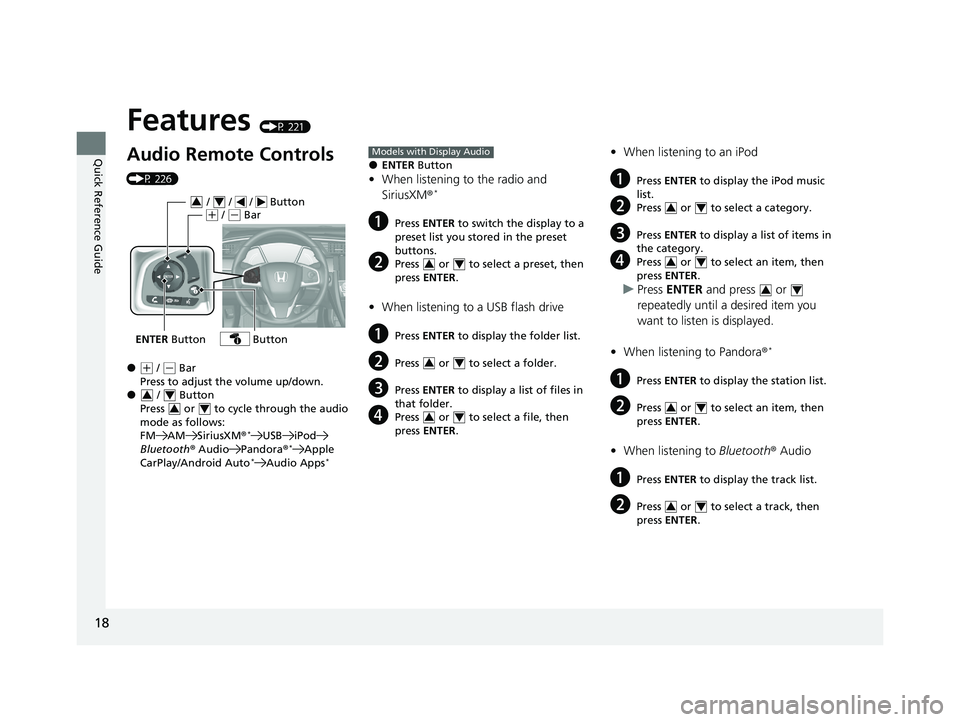
Audio Remote Controls
(P 226)
●(+ / ( - Bar
Press to adjust the volume up/down.
● / Button
Press or to cycle through the audio
mode as follows:
FM AM SiriusXM ®
*USB iPod
Bluetooth ® Audio Pandora®*Apple
CarPlay/Android Auto*Audio Apps*
ENTER Button
/ / / Button34(+ / (- Bar
Button
34
34
●ENTER Button
•When listening to the radio and
SiriusXM ®*
aPress ENTER to switch the display to a
preset list you stored in the preset
buttons.
bPress or to select a preset, then
press ENTER .
•When listening to a USB flash drive
aPress ENTER to display the folder list.
bPress or to select a folder.
cPress ENTER to display a list of files in
that folder.
dPress or to select a file, then
press ENTER .
Models with Display Audio
34
34
34
•When listening to an iPod
aPress ENTER to display the iPod music
list.
bPress or to select a category.
cPress ENTER to display a list of items in
the category.
dPress or to select an item, then
press ENTER .
uPress ENTER and press or
repeatedly until a desired item you
want to listen is displayed.
• When listening to Pandora ®
*
aPress ENTER to display the station list.
bPress or to select an item, then
press ENTER .
•When listening to Bluetooth® Audio
aPress ENTER to display the track list.
bPress or to select a track, then
press ENTER .
34
34
34
34
34
20 CIVIC 5D HUM (KA KC KL)-31TGG6310.book 18 ページ 2019年11月11日 月曜日 午後2時50分
Page 144 of 704
uuLocking and Unlocking the Doors uLow Smart Entry Remote Signal Strength*
142
Controls
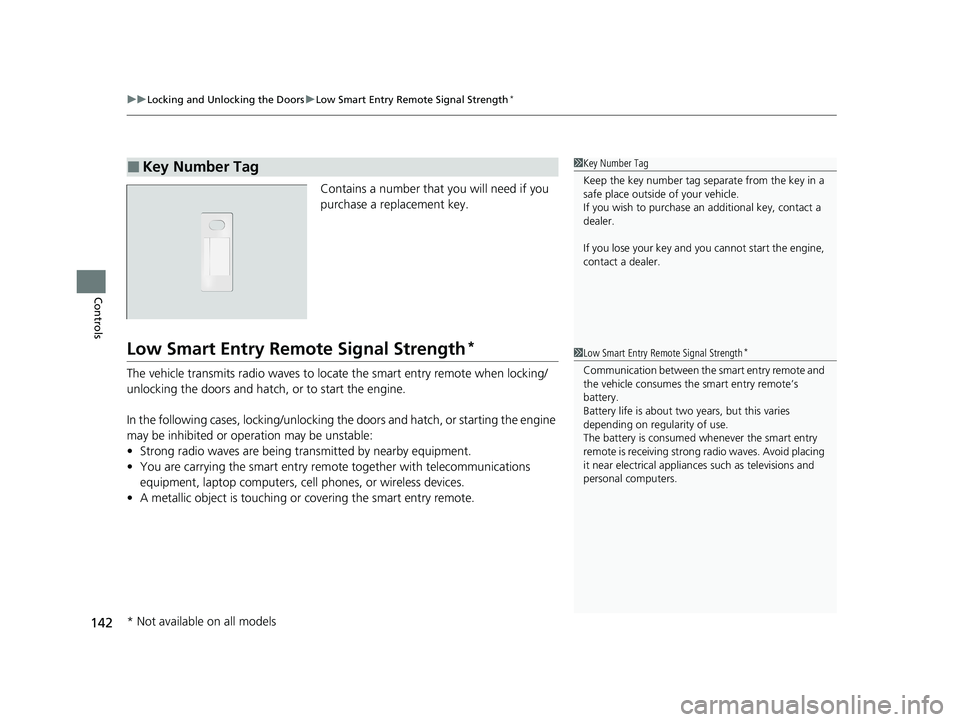
Contains a number that you will need if you
purchase a replacement key.
Low Smart Entry Remo te Signal Strength*
The vehicle transmits radio waves to loca te the smart entry remote when locking/
unlocking the doors and hatch, or to start the engine.
In the following cases, locking/unlocking the doors and hatch, or starting the engine
may be inhibited or operation may be unstable:
• Strong radio waves are being tra nsmitted by nearby equipment.
• You are carrying the smart entry remote together with telecommunications
equipment, laptop computers, ce ll phones, or wireless devices.
• A metallic object is touching or covering the smart entry remote.
■Key Number Tag1Key Number Tag
Keep the key number tag separate from the key in a
safe place outside of your vehicle.
If you wish to purchase an additional key, contact a
dealer.
If you lose your key and you cannot start the engine,
contact a dealer.
1 Low Smart Entry Remote Signal Strength*
Communication between the smart entry remote and
the vehicle consumes the smart entry remote’s
battery.
Battery life is about two years, but this varies
depending on regularity of use.
The battery is consumed whenever the smart entry
remote is receivi ng strong radio wave s. Avoid placing
it near electrical appliances such as televisions and
personal computers.
* Not available on all models
20 CIVIC 5D HUM (KA KC KL)-31TGG6310.book 142 ページ 2019年11月11日 月曜日 午後2時50分
Page 161 of 704
159
Controls
Security System
Immobilizer System
The immobilizer system prevents a key that has not been pre-registered from
starting the engine. Each key contains electronic transmitters that use electronic
signals to verify the key.
Pay attention to the following when in serting the key into the ignition switch
* or
pressing the ENGINE START/STOP button*:
• Do not allow objects that emit strong radio waves near the ignition switch* or the
ENGINE START/STOP button*.
• Make sure the key is not covered by or touching a metal object.
• Do not bring a key from another vehicle’s immobilizer system near the ignition
switch
* or the ENGINE START/STOP button*.
• Do not put the key near magnetic items. Electronic devices, such as televisions
and audio systems emit strong magnetic fields. Note that even a key chain can
become magnetic.
1 Immobilizer System
NOTICE
Leaving the key in the vehicl e can result in theft or
accidental movement of the vehicle.
Always take the key with you whenever you leave the
vehicle unattended.
Do not alter the system or add other devices to it.
Doing so may damage the system and make your
vehicle inoperable.
Canadian models only: Apply and hold the brake
pedal before turning the vehicle on the first time after
the battery has been disconnected.
* Not available on all models
20 CIVIC 5D HUM (KA KC KL)-31TGG6310.book 159 ページ 2019年11月11日 月曜日 午後2時50分
Page 223 of 704
221
Features
This chapter describes how to operate technology features.
Audio SystemAbout Your Audio System ................ 222
USB Port(s) ....................................... 223
Audio System Theft Protection ......... 225
Audio Remote Controls .................... 226
Audio System Basic Operation ........ 229
Audio/Information Screen ................ 230
Adjusting the Sound ........................ 234
Display Setup ................................... 235
Playing the AM/FM Radio ................. 236
Playing an iPod ................................ 238
Playing a USB Flash Drive ................. 241
Models with color audio system
Playing Bluetooth ® Audio................. 244
Audio System Basic Operation ........ 247
Audio/Information Screen ................ 248
Adjusting the Sound ........................ 269
Display Setup ................................... 270
Voice Control Operation .................. 272
Playing AM/FM Radio ....................... 276
Playing SiriusXM ® Radio
*................. 279
Playing an iPod ................................ 287
Song By Voice
TM (SBV) ...................... 290
Playing Pandora ®*1........................... 294
Playing a USB Flash Drive ................. 296
Models with Display AudioPlaying Bluetooth ® Audio ................ 299
HondaLink ®..................................... 301
Wi-Fi Connection ............................. 306
Siri Eyes Free .................................... 308
Apple CarPlay .................................. 309
Android Auto .................................. 312
Audio Error Messages ...................... 316
General Information on the Audio System..320
Customized Features................ 339, 346
HomeLink ® Universal Transceiver*.. 376
Bluetooth ® HandsFreeLink® ..... 379, 406
*1: Available only on U.S. models.
* Not available on all models
20 CIVIC 5D HUM (KA KC KL)-31TGG6310.book 221 ページ 2019年11月11日 月曜日 午後2時50分
Page 224 of 704
222
Features
Audio System
About Your Audio System
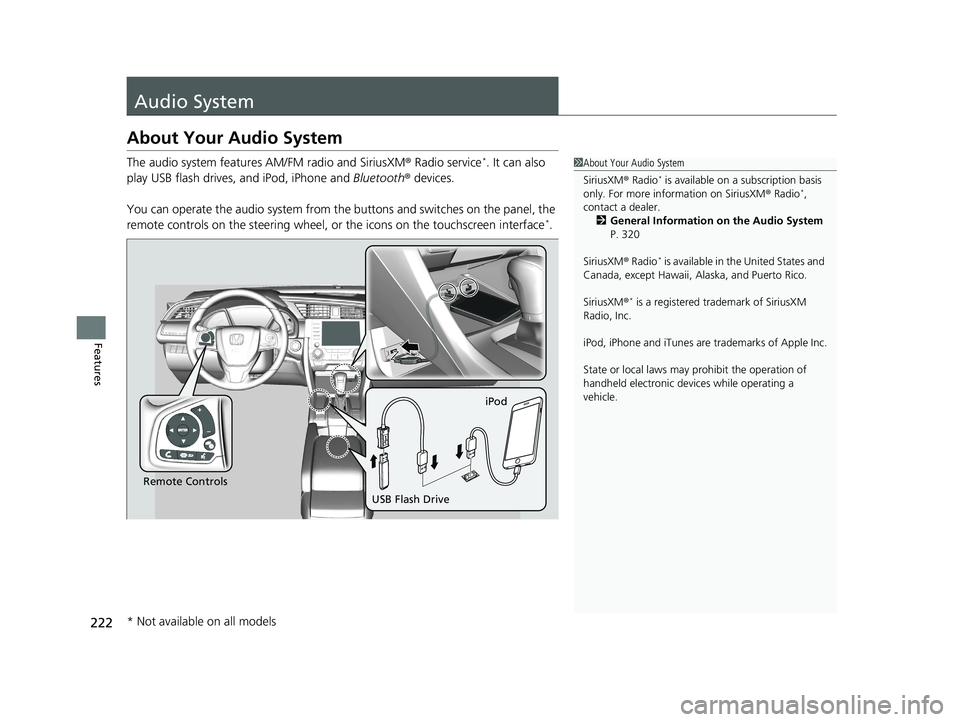
The audio system features AM/FM radio and SiriusXM ® Radio service*. It can also
play USB flash drives, and iPod, iPhone and Bluetooth® devices.
You can operate the audio system from the buttons and switches on the panel, the
remote controls on the steering wheel, or the icons on the touchscreen interface
*.
1About Your Audio System
SiriusXM ® Radio
* is available on a subscription basis
only. For more information on SiriusXM ® Radio*,
contact a dealer.
2 General Information on the Audio System
P. 320
SiriusXM ® Radio
* is available in the United States and
Canada, except Ha waii, Alaska, and Puerto Rico.
SiriusXM ®
* is a registered tra demark of SiriusXM
Radio, Inc.
iPod, iPhone and iTunes are trademarks of Apple Inc.
State or local laws may pr ohibit the operation of
handheld electronic devi ces while operating a
vehicle.
Remote Controls iPod
USB Flash Drive
* Not available on all models
20 CIVIC 5D HUM (KA KC KL)-31TGG6310.book 222 ページ 2019年11月11日 月曜日 午後2時50分
Page 228 of 704
226
uuAudio System uAudio Remote Controls
Features
Audio Remote Controls
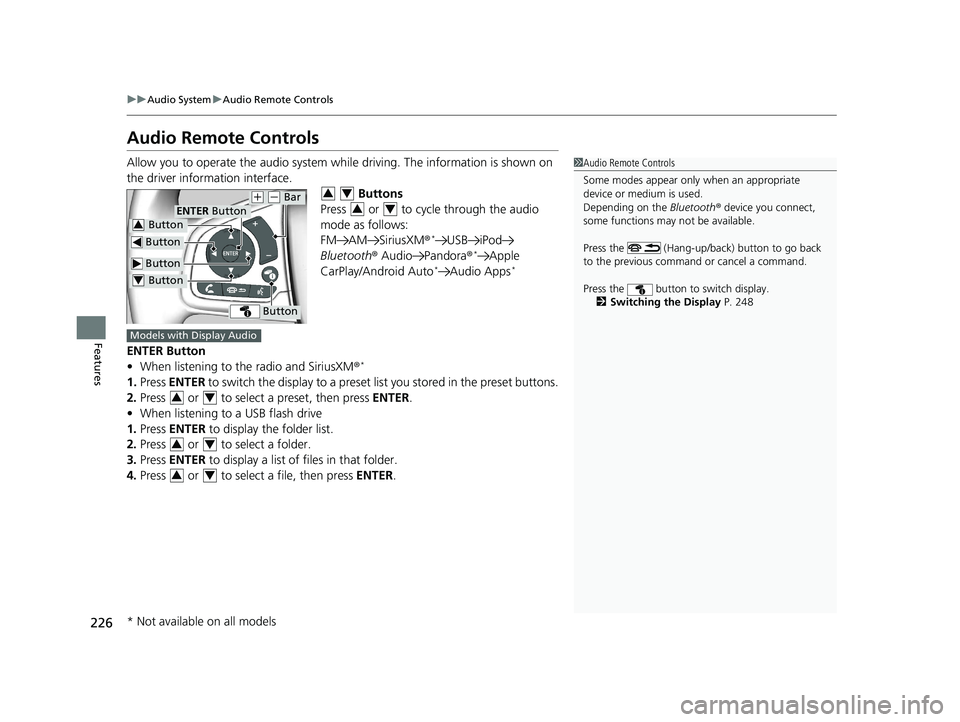
Allow you to operate the audio system while driving. The information is shown on
the driver information interface. Buttons
Press or to cycle through the audio
mode as follows:
FM AM SiriusXM®
*USB iPod
Bluetooth ® Audio Pandora ®*Apple
CarPlay/Android Auto*Audio Apps*
ENTER Button
• When listening to the radio and SiriusXM ®*
1.Press ENTER to switch the display to a preset li st you stored in the preset buttons.
2. Press or to select a preset, then press ENTER.
• When listening to a USB flash drive
1. Press ENTER to display the folder list.
2. Press or to select a folder.
3. Press ENTER to display a list of files in that folder.
4. Press or to select a file, then press ENTER.
1Audio Remote Controls
Some modes appear only when an appropriate
device or medium is used.
Depending on the Bluetooth® device you connect,
some functions may not be available.
Press the (Hang-up/back) button to go back
to the previous command or cancel a command.
Press the button to switch display. 2 Switching the Display P. 248
Button
Button
(+ (- Bar
Button
Button3
Button4
ENTER Button
34
34
Models with Display Audio
34
34
34
* Not available on all models
20 CIVIC 5D HUM (KA KC KL)-31TGG6310.book 226 ページ 2019年11月11日 月曜日 午後2時50分
Page 230 of 704
228
uuAudio System uAudio Remote Controls
Features
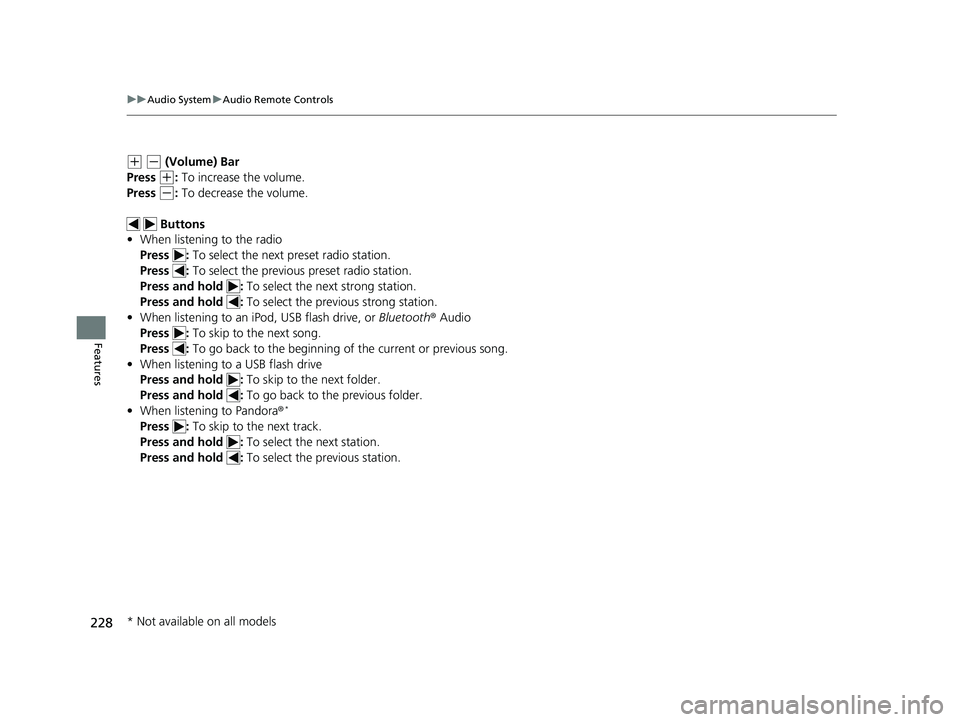
(+ (- (Volume) Bar
Press
(+: To increase the volume.
Press
(-: To decrease the volume.
Buttons
• When listening to the radio
Press : To select the next preset radio station.
Press : To select the previous preset radio station.
Press and hold : To select the next strong station.
Press and hold : To select the previous strong station.
• When listening to an iPod, USB flash drive, or Bluetooth ® Audio
Press : To skip to the next song.
Press : To go back to the beginning of the current or previous song.
• When listening to a USB flash drive
Press and hold : To skip to the next folder.
Press and hold : To go back to the previous folder.
• When listening to Pandora ®
*
Press : To skip to the next track.
Press and hold : To select the next station.
Press and hold : To select the previous station.
* Not available on all models
20 CIVIC 5D HUM (KA KC KL)-31TGG6310.book 228 ページ 2019年11月11日 月曜日 午後2時50分
Page 239 of 704
237
uuAudio System Basic Operation uPlaying the AM/FM Radio
Features
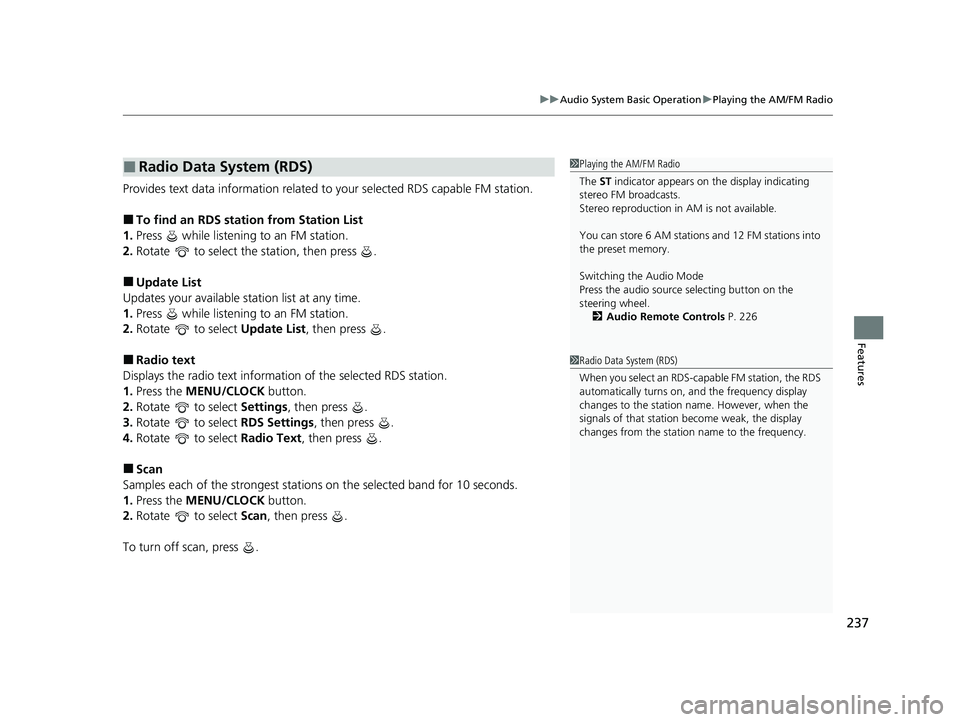
Provides text data information related to your selected RDS capable FM station.
■To find an RDS station from Station List
1. Press while listening to an FM station.
2. Rotate to select the station, then press .
■Update List
Updates your available st ation list at any time.
1. Press while listening to an FM station.
2. Rotate to select Update List, then press .
■Radio text
Displays the radio text informat ion of the selected RDS station.
1. Press the MENU/CLOCK button.
2. Rotate to select Settings, then press .
3. Rotate to select RDS Settings, then press .
4. Rotate to select Radio Text, then press .
■Scan
Samples each of the strongest stations on the selected band for 10 seconds.
1. Press the MENU/CLOCK button.
2. Rotate to select Scan, then press .
To turn off scan, press .
■Radio Data System (RDS)1 Playing the AM/FM Radio
The ST indicator appears on the display indicating
stereo FM broadcasts.
Stereo reproduction in AM is not available.
You can store 6 AM stations and 12 FM stations into
the preset memory.
Switching the Audio Mode
Press the audio source selecting button on the
steering wheel.
2 Audio Remote Controls P. 226
1Radio Data System (RDS)
When you select an RDS-capable FM station, the RDS
automatically turns on, and the frequency display
changes to the station name. However, when the
signals of that station become weak, the display
changes from the statio n name to the frequency.
20 CIVIC 5D HUM (KA KC KL)-31TGG6310.book 237 ページ 2019年11月11日 月曜日 午後2時50分
Page 279 of 704
Continued277
uuAudio System Basic Operation uPlaying AM/FM Radio
Features
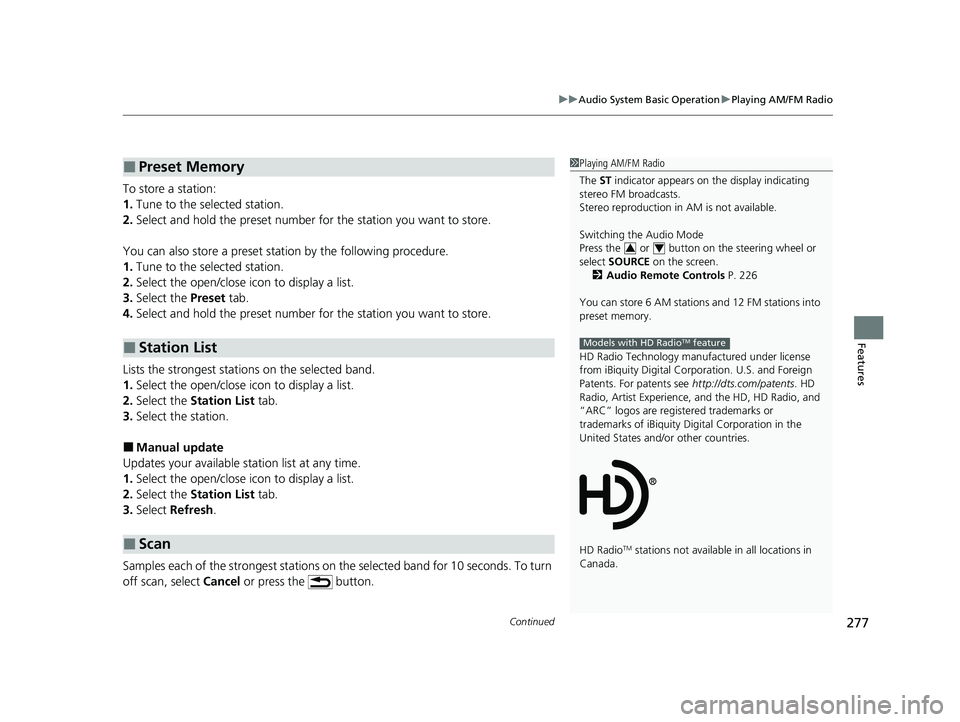
To store a station:
1. Tune to the selected station.
2. Select and hold the preset number for the station you want to store.
You can also store a preset station by the following procedure.
1. Tune to the selected station.
2. Select the open/close icon to display a list.
3. Select the Preset tab.
4. Select and hold the preset number for the station you want to store.
Lists the strongest stations on the selected band.
1. Select the open/close icon to display a list.
2. Select the Station List tab.
3. Select the station.
■Manual update
Updates your available st ation list at any time.
1. Select the open/close icon to display a list.
2. Select the Station List tab.
3. Select Refresh .
Samples each of the strongest stations on th e selected band for 10 seconds. To turn
off scan, select Cancel or press the button.
■Preset Memory
■Station List
■Scan
1Playing AM/FM Radio
The ST indicator appears on the display indicating
stereo FM broadcasts.
Stereo reproduction in AM is not available.
Switching the Audio Mode
Press the or button on the steering wheel or
select SOURCE on the screen.
2 Audio Remote Controls P. 226
You can store 6 AM stations and 12 FM stations into
preset memory.
HD Radio Technology manufactured under license
from iBiquity Digital Cor poration. U.S. and Foreign
Patents. For patents see http://dts.com/patents. HD
Radio, Artist Experience, and the HD, HD Radio, and
“ARC” logos are registered trademarks or
trademarks of iBiquity Di gital Corporation in the
United States and/ or other countries.
HD Radio
TM stations not availabl e in all locations in
Canada.
34
Models with HD RadioTM feature
20 CIVIC 5D HUM (KA KC KL)-31TGG6310.book 277 ページ 2019年11月11日 月曜日 午後2時50分