dead battery HONDA CIVIC HATCHBACK 2021 Owner's Manual (in English)
[x] Cancel search | Manufacturer: HONDA, Model Year: 2021, Model line: CIVIC HATCHBACK, Model: HONDA CIVIC HATCHBACK 2021Pages: 711, PDF Size: 37.1 MB
Page 7 of 711
Contents
Child Safety P. 64Exhaust Gas Hazard P. 79Safety Labels P. 80
Hatch P. 160 Security System P. 163 Opening and Closing the Windows P. 167
Operating the Switches Around the Steering Wheel P. 171 Adjusting the Mirrors P. 190
Interior Lights/Interior Convenience It ems P. 201 Climate Control System P. 217
Audio Error Messages P. 320General Information on the Audio System P. 324
Bluetooth ® HandsFreeLink ® P. 383, 410
When Driving P. 451 Honda Sensing®P. 488 Braking P. 549
Refueling P. 562 Fuel Economy and CO
2 Emissions P. 566 Turbo Engine Vehicle P. 567
Maintenance Under the Hood P. 579 Replacing Light Bulbs P. 594
Checking and Maintaining Tires P. 609 Battery P. 620 Remote Transmitter Care P. 622
Cleaning P. 625 Accessories and Modifications P. 631
Handling of the Jack* P. 656Engine Does Not Start P. 659If the Battery Is Dead P. 662
Indicator, Coming On/Blinking P. 668 Fuses P. 674 Emergency Towing P. 679
If You Cannot Open the Hatch P. 681 Refueling P. 682
Devices that Emit Radio Waves P. 687 Reporting Safety Defects P. 688
Authorized Manuals P. 695 Customer Service Information P. 696
Quick Reference GuideP. 6
Safe DrivingP. 35
Instrument PanelP. 81
ControlsP. 143
FeaturesP. 225
DrivingP. 443
MaintenanceP. 569
Handling the UnexpectedP. 633
InformationP. 683
IndexP. 698
21 CIVIC 5D HUM-31TGG6400_01.book 5 ページ 2020年8月28日 金曜日 午後1時48分
Page 31 of 711
Quick Reference Guide
29
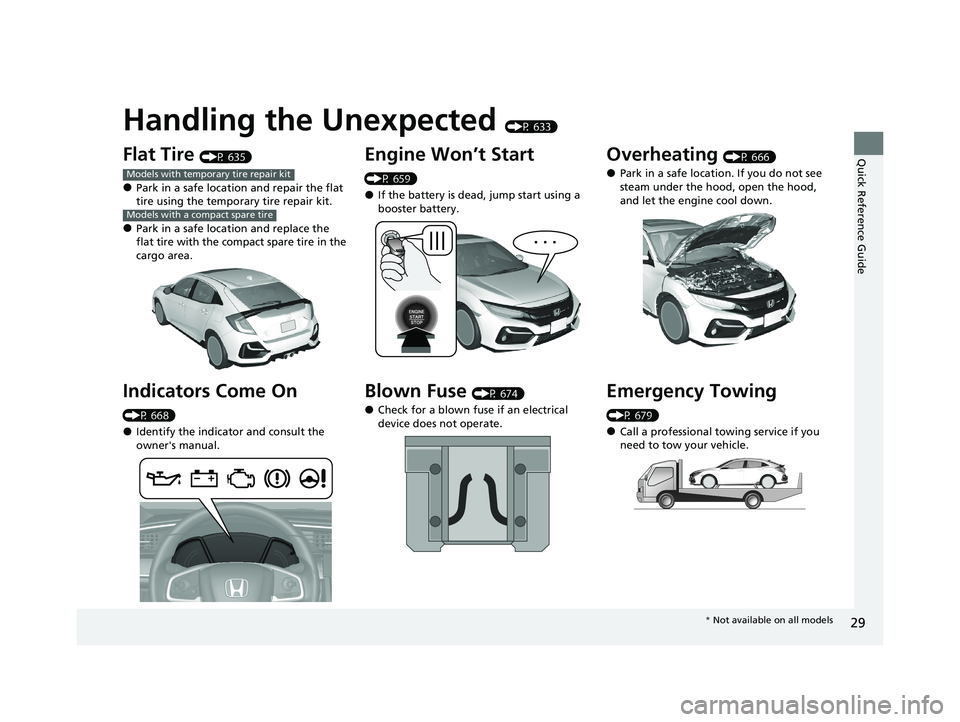
Handling the Unexpected (P 633)
Flat Tire (P 635)
●Park in a safe location and repair the flat
tire using the temporary tire repair kit.
●Park in a safe location and replace the
flat tire with the compact spare tire in the
cargo area.
Indicators Come On
(P 668)
●Identify the indicator and consult the
owner's manual.
Models with temporary tire repair kit
Models with a compact spare tire
Engine Won’t Start
(P 659)
●If the battery is dead, jump start using a
booster battery.
Blown Fuse (P 674)
●Check for a blown fuse if an electrical
device does not operate.
Overheating (P 666)
●Park in a safe location. If you do not see
steam under the hood, open the hood,
and let the engine cool down.
Emergency Towing
(P 679)
●Call a professional towing service if you
need to tow your vehicle.
* Not available on all models
21 CIVIC 5D HUM-31TGG6400_01.book 29 ページ 2020年8月28日 金曜日 午後1時4 8分
Page 155 of 711
Continued153
uuLocking and Unlocking the Doors uLocking/Unlocking the Doors from the Outside
Controls
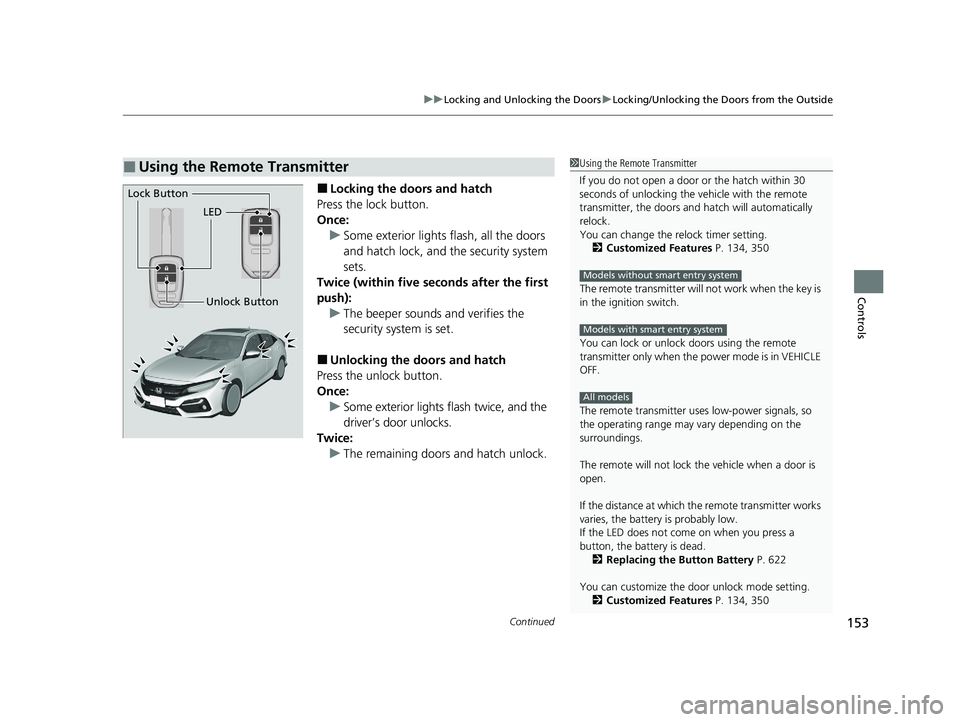
■Locking the doors and hatch
Press the lock button.
Once: u Some exterior lights flash, all the doors
and hatch lock, and the security system
sets.
Twice (within five se conds after the first
push): u The beeper sounds and verifies the
security system is set.
■Unlocking the doors and hatch
Press the unlock button.
Once:
u Some exterior lights flash twice, and the
driver’s door unlocks.
Twice: u The remaining doors and hatch unlock.
■Using the Remote Transmitter1Using the Remote Transmitter
If you do not open a door or the hatch within 30
seconds of unlocking the vehicle with the remote
transmitter, the doors and hatch will automatically
relock.
You can change the relock timer setting. 2 Customized Features P. 134, 350
The remote transmitter will not work when the key is
in the ignition switch.
You can lock or unlock doors using the remote
transmitter only when the power mode is in VEHICLE
OFF.
The remote transmitter us es low-power signals, so
the operating range may vary depending on the
surroundings.
The remote will not lock th e vehicle when a door is
open.
If the distance at which the remote transmitter works
varies, the batter y is probably low.
If the LED does not come on when you press a
button, the battery is dead.
2 Replacing the Button Battery P. 622
You can customize the door unlock mode setting. 2 Customized Features P. 134, 350
Models without smart entry system
Models with smart entry system
All models
LED
Unlock Button
Lock Button
21 CIVIC 5D HUM-31TGG6400_01.book 153 ページ 2020年8月28日 金曜日 午後1時
48分
Page 167 of 711
Continued165
uuSecurity System uSecurity System Alarm
Controls
■Setting the security system alarm
The security system alarm automatically sets when the following conditions have
been met:
• The ignition switch is in LOCK
(0*1, and the key has been removed from the
ignition switch.
• The hood is closed.
• All doors and the hatch are locked from ou tside with the key, remote transmitter,
or smart entry system
*.
■When the security system alarm sets
The security system alarm in dicator in the instrument panel blinks and the blinking
interval changes after about 15 seconds.
■To cancel the security system alarm
The security system alarm is canceled when the vehicle is unlocked using the remote
transmitter or smart entry system
*, or when the ignition switch is turned to ON (w*1.
The security system alarm indica tor goes off at the same time.
*1: Models with the smart entry system have an ENGINE START/STOP button instead of an
ignition switch.
1 Security System Alarm
Do not set the security system alarm when someone
is in the vehicle or a window is open. The system can
accidentally activate when:
•Unlocking the door with the lock tab.•Opening the hood with the hood release.
•Taking the transmission out of ( P.
If the battery goes dead after you have set the
security system alarm, the security alarm may go off
once the battery is re charged or replaced.
If this occurs, deactivate the security system alarm by
unlocking a door using the key, remote transmitter or
smart entry system
*.
Continuously variable transmission models
* Not available on all models
21 CIVIC 5D HUM-31TGG6400_01.book 165 ページ 2020年8月28日 金曜日 午後1時 48分
Page 231 of 711
229
uuAudio System uAudio System Theft Protection
Features
Audio System Theft Protection
The audio system is disabled when it is disconnected from the power source, such as
when the battery is disconnected or goes dead. In certain conditions, the system
may display a code entry screen. If this occurs, reactivate the audio system.
■Reactivating the audio system
1. Turn the ignition switch to ON
(w*1.
2. Turn on the audio system.
3. Press and hold the audio system powe r button for more than two seconds.
u The audio system is reac tivated when the audio co ntrol unit establishes a
connection with the vehicl e control unit. If the control unit fails to recognize
the audio unit, you must go to a deal er and have the audio unit checked.
*1: Models with the smart entry system have an ENGINE START/STOP button instead of an
ignition switch.
21 CIVIC 5D HUM-31TGG6400_01.book 229 ページ 2020年8月28日 金曜日 午後1時 48分
Page 551 of 711
549Continued
Driving
Braking
Brake System
Use the parking brake to keep the vehicle stationary when parked. When the
parking brake is applied, you can manu ally or automatically release it.
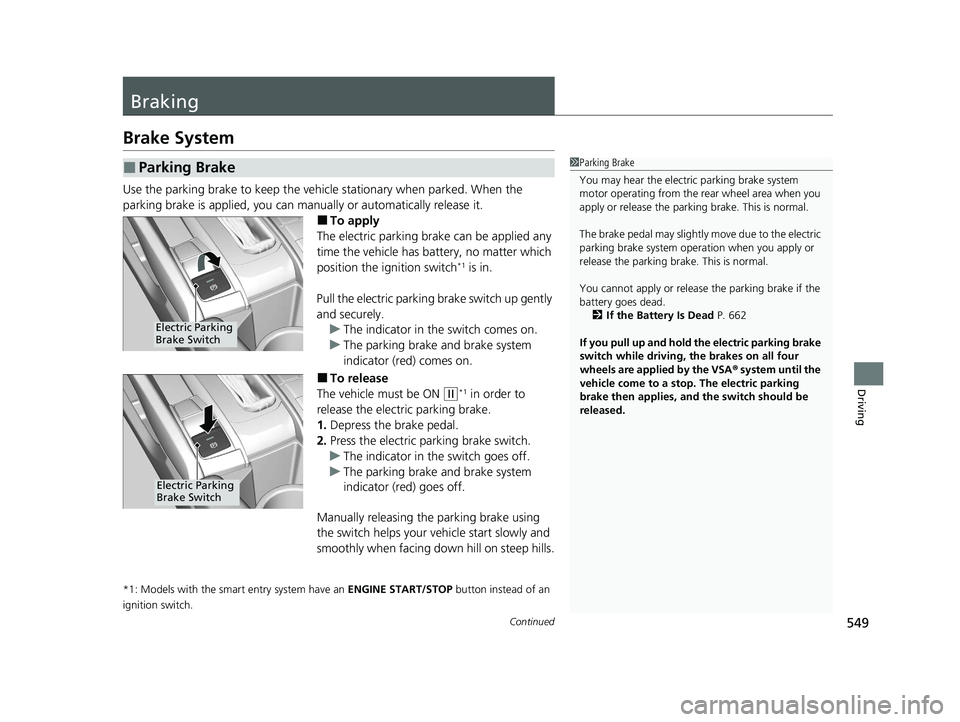
■To apply
The electric parking brake can be applied any
time the vehicle has battery, no matter which
position the ignition switch
*1 is in.
Pull the electric parking brake switch up gently
and securely. u The indicator in the switch comes on.
u The parking brake and brake system
indicator (red) comes on.
■To release
The vehicle must be ON
(w*1 in order to
release the electric parking brake.
1. Depress the brake pedal.
2. Press the electric parking brake switch.
u The indicator in the switch goes off.
u The parking brake and brake system
indicator (red) goes off.
Manually releasing the parking brake using
the switch helps your vehicle start slowly and
smoothly when facing down hill on steep hills.
*1: Models with the smart entry system have an ENGINE START/STOP button instead of an
ignition switch.
■Parking Brake1 Parking Brake
You may hear the electric parking brake system
motor operating from the re ar wheel area when you
apply or release the parki ng brake. This is normal.
The brake pedal may slightly move due to the electric
parking brake system opera tion when you apply or
release the parking br ake. This is normal.
You cannot apply or release the parking brake if the
battery goes dead.
2 If the Battery Is Dead P. 662
If you pull up and hold the electric parking brake
switch while driving, the brakes on all four
wheels are applied by the VSA ® system until the
vehicle come to a stop. The electric parking
brake then applies, and the switch should be
released.
Electric Parking
Brake Switch
Electric Parking
Brake Switch
21 CIVIC 5D HUM-31TGG6400_01.book 549 ページ 2020年8月28日 金曜日 午後1時 48分
Page 622 of 711
620
Maintenance
Battery
Checking the Battery
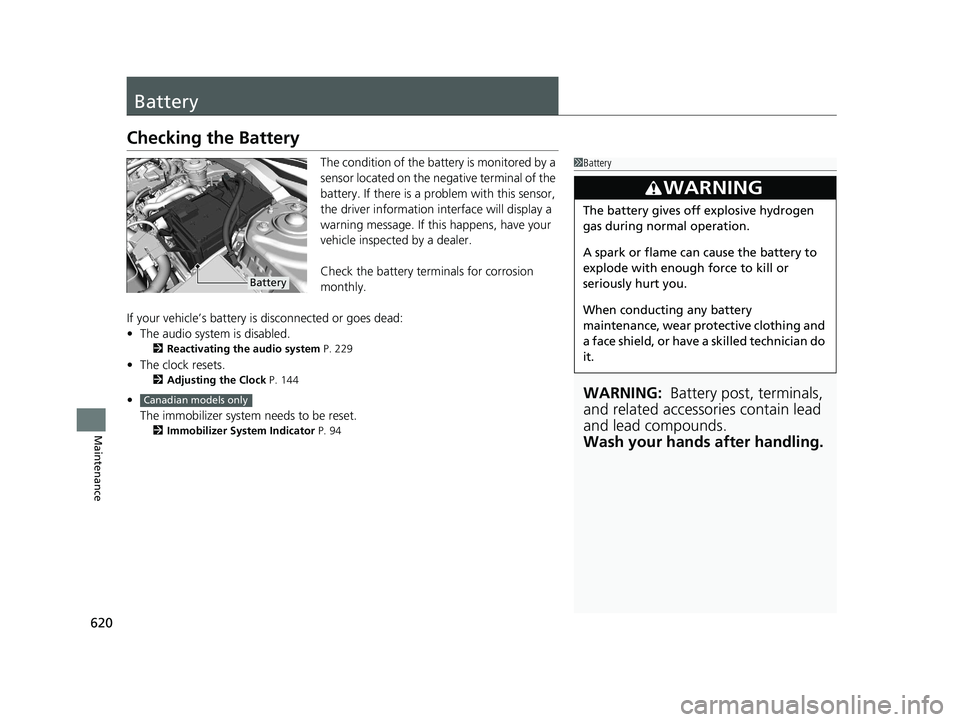
The condition of the battery is monitored by a
sensor located on the negative terminal of the
battery. If there is a problem with this sensor,
the driver information in terface will display a
warning message. If this happens, have your
vehicle inspected by a dealer.
Check the battery terminals for corrosion
monthly.
If your vehicle’s battery is disconnected or goes dead:
• The audio system is disabled.
2 Reactivating the audio system P. 229
•The clock resets.
2 Adjusting the Clock P. 144
•
The immobilizer system needs to be reset.
2 Immobilizer System Indicator P. 94
1Battery
WARNING: Battery post, terminals,
and related accessories contain lead
and lead compounds.
Wash your hands after handling.
3WARNING
The battery gives off explosive hydrogen
gas during normal operation.
A spark or flame can cause the battery to
explode with enough force to kill or
seriously hurt you.
When conducting any battery
maintenance, wear prot ective clothing and
a face shield, or have a skilled technician do
it.
Battery
Canadian models only
21 CIVIC 5D HUM-31TGG6400_01.book 620 ページ 2020年8月28日 金曜日 午後1時 48分
Page 635 of 711
633
Handling the Unexpected
This chapter explains how to handle unexpected troubles.
ToolsTypes of Tools .................................. 634
If a Tire Goes Flat
Temporarily Repairi ng a Flat Tire....... 635
Changing a Flat Tire ......................... 648
Handling of the Jack
*
How to Set Up the Jack .................... 656
Engine Does Not Start Checking the Engine ........................ 659
If the Smart Entry Remote Battery is Weak .. 660
Models with temporary tire repair kit
Models with a compact spare tire
Canadian models with temporary tire repair kit
Models with smart entry system
Emergency Engine Stop ................... 661
If the Battery Is Dead ....................... 662
Shift Lever Does Not Move .............. 665
Overheating ...................................... 666
Indicator, Coming On/Blinking
If the Low Oil Pressure Indicator Comes On................................................ 668
If the Charging System Indicator Comes
On ................................................. 668
If the Malfunction Indicator Lamp Comes On or Blinks ................................... 669
If the Brake System Indicator (Red) Comes
On or Blinks ................................... 670
Models with smart entry systemIf the Brake System Indicator (Red) Comes On or
Blinks at the Same Time When the Brake System
Indicator (Amber) Comes On ....................... 671
If the Electric Power Steering (EPS) System Indicator Comes On......................... 672
If the Low Tire Pressure/TPMS Indicator
Comes On or Blinks
*...................... 673
Fuses Fuse Locations ................................. 674
Inspecting and Changing Fuses ........ 678
Emergency Towing ........................... 679
If You Cannot Unlock the Fuel Fill Door.. 680If You Cannot Open the Hatch ........ 681
Refueling ........................................... 682
* Not available on all models
21 CIVIC 5D HUM-31TGG6400_01.book 633 ページ 2020年8月28日 金曜日 午後1時 48分
Page 661 of 711
659
Handling the Unexpected
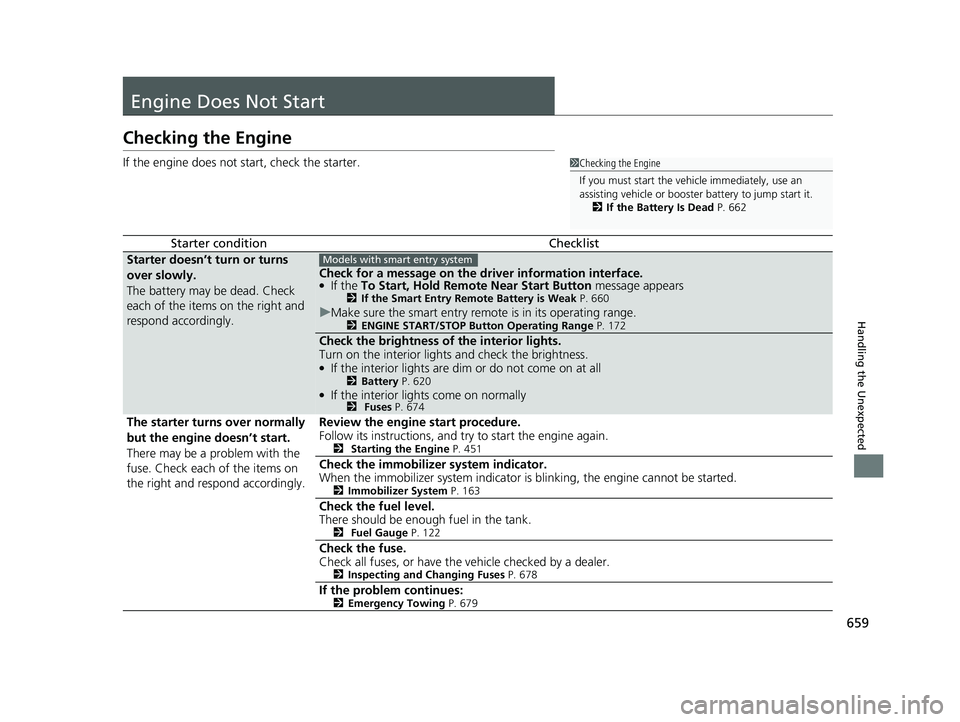
Engine Does Not Start
Checking the Engine
If the engine does not start, check the starter.
Starter conditionChecklist
Starter doesn’t turn or turns
over slowly.
The battery may be dead. Check
each of the items on the right and
respond accordingly.
Check for a message on the driver information interface.●If the To Start, Hold Remote Near Start Button message appears2If the Smart Entry Remote Battery is Weak P. 660
uMake sure the smart entry remote is in its operating range.2 ENGINE START/STOP Button Operating Range P. 172
Check the brightness of the interior lights.
Turn on the interior lights and check the brightness.
●If the interior lights are dim or do not come on at all2 Battery P. 620●If the interior lights come on normally2 Fuses P. 674
The starter turns over normally
but the engine doesn’t start.
There may be a problem with the
fuse. Check each of the items on
the right and respond accordingly. Review the engine start procedure.
Follow its instructions, and try
to start the engine again.
2 Starting the Engine P. 451
Check the immobilize r system indicator.
When the immobilizer system indicator is blinking, the engine cannot be started.
2 Immobilizer System P. 163
Check the fuel level.
There should be enough fuel in the tank.
2 Fuel Gauge P. 122
Check the fuse.
Check all fuses, or have the vehicle checked by a dealer.
2Inspecting and Changing Fuses P. 678
If the problem continues:2Emergency Towing P. 679
1Checking the Engine
If you must start the vehi cle immediately, use an
assisting vehicle or booster battery to jump start it.
2 If the Battery Is Dead P. 662
Models with smart entry system
21 CIVIC 5D HUM-31TGG6400_01.book 659 ページ 2020年8月28日 金曜日 午後1時 48分
Page 664 of 711
662
Handling the Unexpected
If the Battery Is Dead
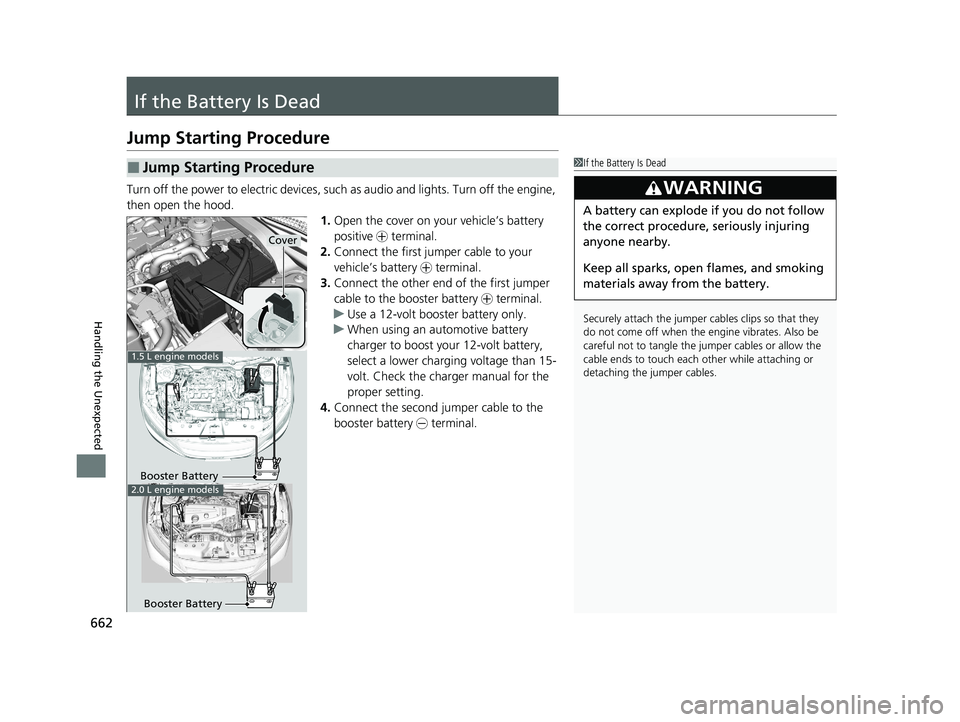
Jump Starting Procedure
Turn off the power to electric devices, such as audio and lights. Turn off the engine,
then open the hood. 1.Open the cover on your vehicle’s battery
positive + terminal.
2. Connect the first jump er cable to your
vehicle’s battery + terminal.
3. Connect the other end of the first jumper
cable to the booster battery + terminal.
u Use a 12-volt booster battery only.
u When using an automotive battery
charger to boost your 12-volt battery,
select a lower charging voltage than 15-
volt. Check the charger manual for the
proper setting.
4. Connect the second jumper cable to the
booster battery - terminal.
■Jump Starting Procedure1If the Battery Is Dead
Securely attach the jumper cables clips so that they
do not come off when the e ngine vibrates. Also be
careful not to tangle the ju mper cables or allow the
cable ends to touch each other while attaching or
detaching the jumper cables.
3WARNING
A battery can explode if you do not follow
the correct procedure, seriously injuring
anyone nearby.
Keep all sparks, open flames, and smoking
materials away from the battery.
Booster Battery
1.5 L engine models
2.0 L engine models
Booster Battery
Cover
21 CIVIC 5D HUM-31TGG6400_01.book 662 ページ 2020年8月28日 金曜日 午後1時 48分