IMA HONDA CIVIC HYBRID 2012 9.G User Guide
[x] Cancel search | Manufacturer: HONDA, Model Year: 2012, Model line: CIVIC HYBRID, Model: HONDA CIVIC HYBRID 2012 9.GPages: 313, PDF Size: 8.65 MB
Page 67 of 313
66Safe Driving
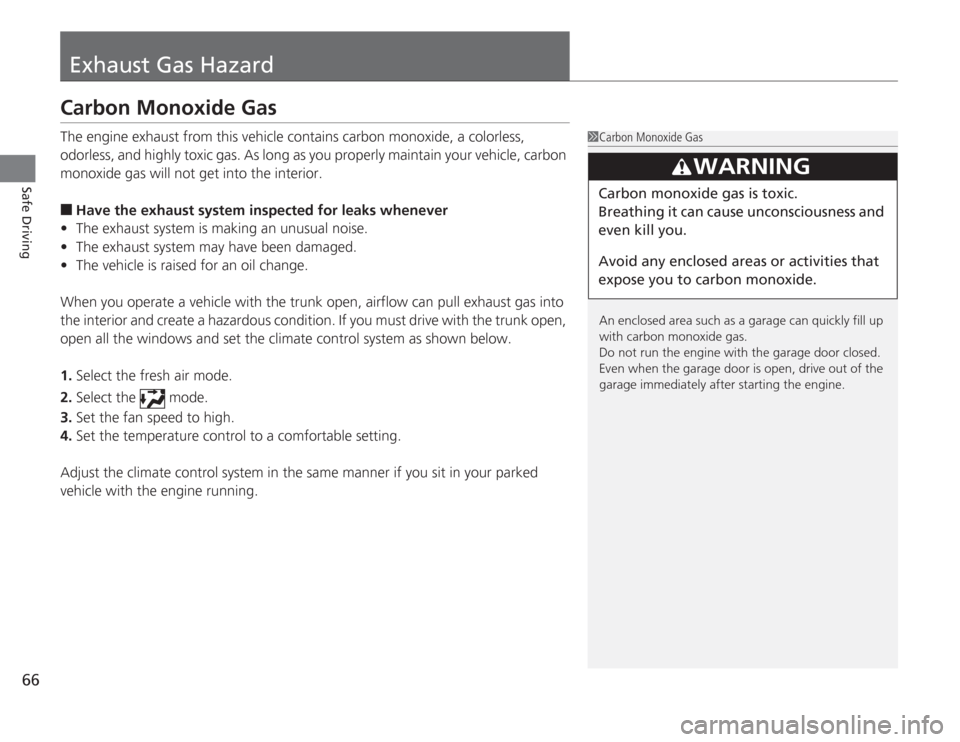
Exhaust Gas HazardCarbon Monoxide GasThe engine exhaust from this vehicle contains carbon monoxide, a colorless,
odorless, and highly toxic gas. As long as you properly maintain your vehicle, carbon
monoxide gas will not get into the interior.■
Have the exhaust system inspected for leaks whenever
• The exhaust system is making an unusual noise.
• The exhaust system may have been damaged.
• The vehicle is raised for an oil change.
When you operate a vehicle with the trunk open, airflow can pull exhaust gas into
the interior and create a hazardous condition. If you must drive with the trunk open,
open all the windows and set the climate control system as shown below.
1. Select the fresh air mode.
2. Select the mode.
3. Set the fan speed to high.
4. Set the temperature control to a comfortable setting.
Adjust the climate control system in the same manner if you sit in your parked
vehicle with the engine running.
1Carbon Monoxide Gas
An enclosed area such as a garage can quickly fill up
with carbon monoxide gas.
Do not run the engine with the garage door closed.
Even when the garage door is open, drive out of the
garage immediately after starting the engine.
3
WARNING
Carbon monoxide gas is toxic.
Breathing it can cause unconsciousness and
even kill you.
Avoid any enclosed areas or activities that
expose you to carbon monoxide.
Page 72 of 313
71
uuIndicators u
Continued
Instrument Panel
Indicator
Name
On/Blinking
Explanation
Message
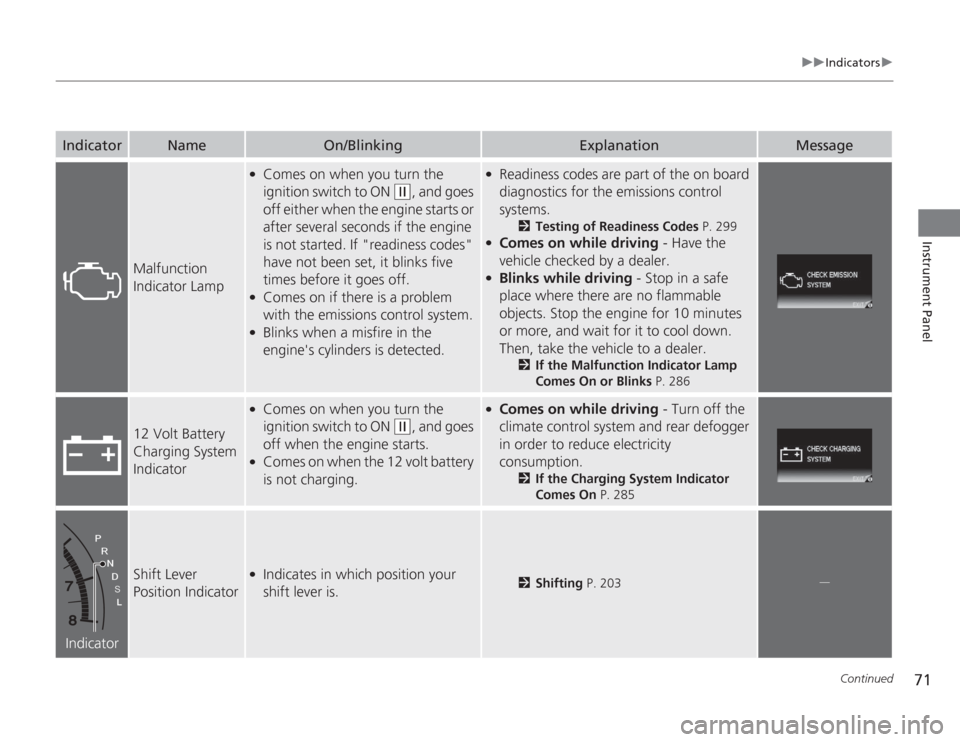
Malfunction
Indicator Lamp
●
Comes on when you turn the
ignition switch to ON
(w
, and goes
off either when the engine starts or
after several seconds if the engine
is not started. If "readiness codes"
have not been set, it blinks five
times before it goes off.
●
Comes on if there is a problem
with the emissions control system.
●
Blinks when a misfire in the
engine's cylinders is detected.
●
Readiness codes are part of the on board
diagnostics for the emissions control
systems.
2 Testing of Readiness Codes P. 299
●
Comes on while driving - Have the
vehicle checked by a dealer.
●
Blinks while driving - Stop in a safe
place where there are no flammable
objects. Stop the engine for 10 minutes
or more, and wait for it to cool down.
Then, take the vehicle to a dealer.
2 If the Malfunction Indicator Lamp
Comes On or Blinks P. 286
12 Volt Battery
Charging System
Indicator
●
Comes on when you turn the
ignition switch to ON
(w
, and goes
off when the engine starts.
●
Comes on when the 12 volt battery
is not charging.
●
Comes on while driving - Turn off the
climate control system and rear defogger
in order to reduce electricity
consumption.
2 If the Charging System Indicator
Comes On P. 285
Indicator
Shift Lever
Position Indicator
●
Indicates in which position your
shift lever is.
2Shifting P. 203
.
Page 73 of 313
72
uuIndicators u
Instrument Panel
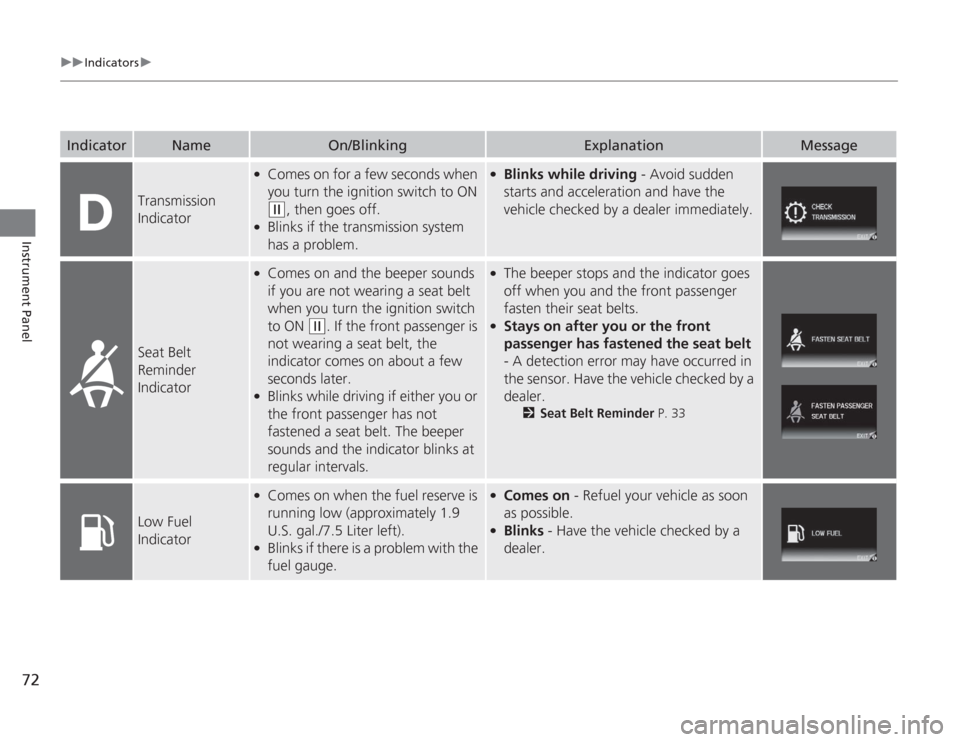
Transmission
Indicator
●
Comes on for a few seconds when
you turn the ignition switch to ON (w
, then goes off.
●
Blinks if the transmission system
has a problem.
●
Blinks while driving - Avoid sudden
starts and acceleration and have the
vehicle checked by a dealer immediately.
Seat Belt
Reminder
Indicator
●
Comes on and the beeper sounds
if you are not wearing a seat belt
when you turn the ignition switch
to ON
(w
. If the front passenger is
not wearing a seat belt, the
indicator comes on about a few
seconds later.
●
Blinks while driving if either you or
the front passenger has not
fastened a seat belt. The beeper
sounds and the indicator blinks at
regular intervals.
●
The beeper stops and the indicator goes
off when you and the front passenger
fasten their seat belts.
●
Stays on after you or the front
passenger has fastened the seat belt
- A detection error may have occurred in
the sensor. Have the vehicle checked by a
dealer.
2 Seat Belt Reminder P. 33
Low Fuel
Indicator
●
Comes on when the fuel reserve is
running low (approximately 1.9
U.S. gal./7.5 Liter left).
●
Blinks if there is a problem with the
fuel gauge.
●
Comes on - Refuel your vehicle as soon
as possible.
●
Blinks - Have the vehicle checked by a
dealer.
Indicator
Name
On/Blinking
Explanation
Message
Page 77 of 313
76
uuIndicators u
Instrument Panel
Indicator
Name
On/Blinking
Explanation
Message
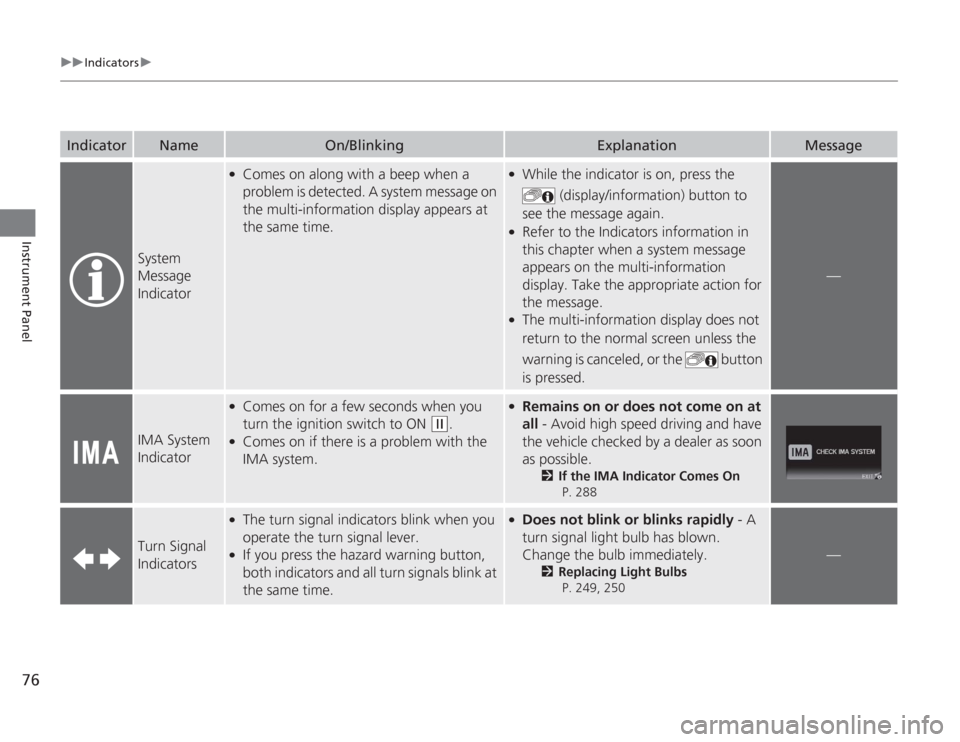
System
Message
Indicator
●
Comes on along with a beep when a
problem is detected. A system message on
the multi-information display appears at
the same time.
●
While the indicator is on, press the
(display/information) button to
see the message again.
●
Refer to the Indicators information in
this chapter when a system message
appears on the multi-information
display. Take the appropriate action for
the message.
●
The multi-information display does not
return to the normal screen unless the
warning is canceled, or the button
is pressed.
—
IMA System
Indicator
●
Comes on for a few seconds when you
turn the ignition switch to ON
(w
.
●
Comes on if there is a problem with the
IMA system.
●
Remains on or does not come on at
all - Avoid high speed driving and have
the vehicle checked by a dealer as soon
as possible.
2 If the IMA Indicator Comes On
P. 288
Turn Signal
Indicators
●
The turn signal indicators blink when you
operate the turn signal lever.
●
If you press the hazard warning button,
both indicators and all turn signals blink at
the same time.
●
Does not blink or blinks rapidly - A
turn signal light bulb has blown.
Change the bulb immediately.
2 Replacing Light Bulbs
P. 249, 250
—
Page 82 of 313
81
uuIndicators uMulti-Information Display Warning and Information Messages
Instrument Panel
Message
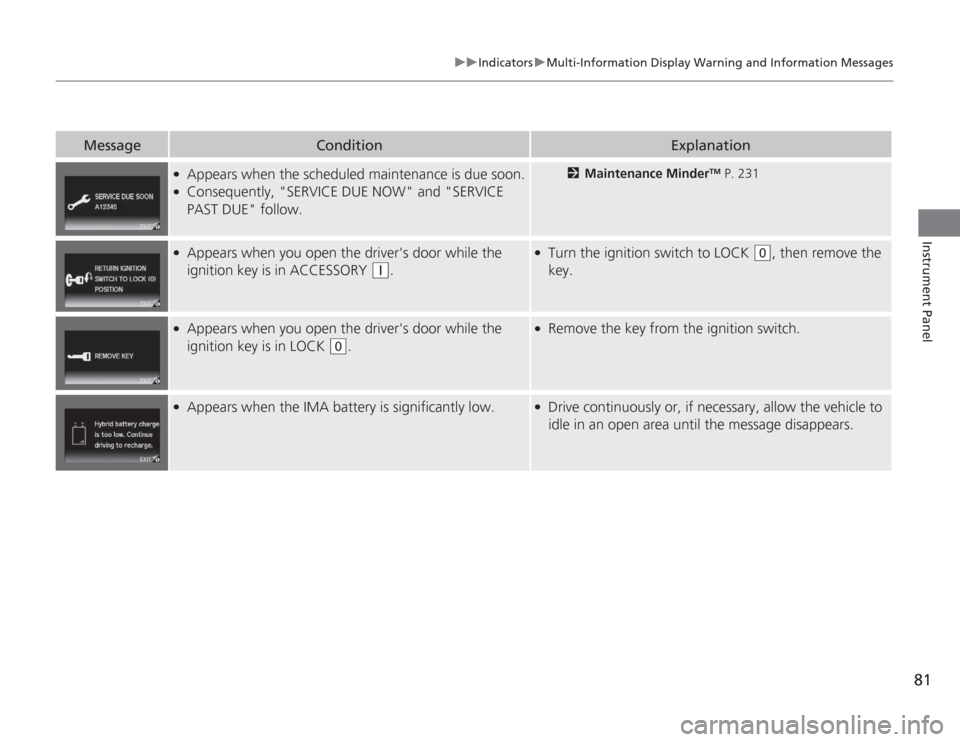
Condition
Explanation
●
Appears when the scheduled maintenance is due soon.
●
Consequently, "SERVICE DUE NOW" and "SERVICE
PAST DUE" follow.
2 Maintenance Minder
TM P. 231
●
Appears when you open the driver's door while the
ignition key is in ACCESSORY
(q
.
●
Turn the ignition switch to LOCK
(0
, then remove the
key.
●
Appears when you open the driver's door while the
ignition key is in LOCK
(0
.
●
Remove the key from the ignition switch.
●
Appears when the IMA battery is significantly low.
●
Drive continuously or, if necessary, allow the vehicle to
idle in an open area until the message disappears.
Page 86 of 313
Continued
85
uuGauges and Multi-Information Display uMulti-Information Display
Instrument Panel
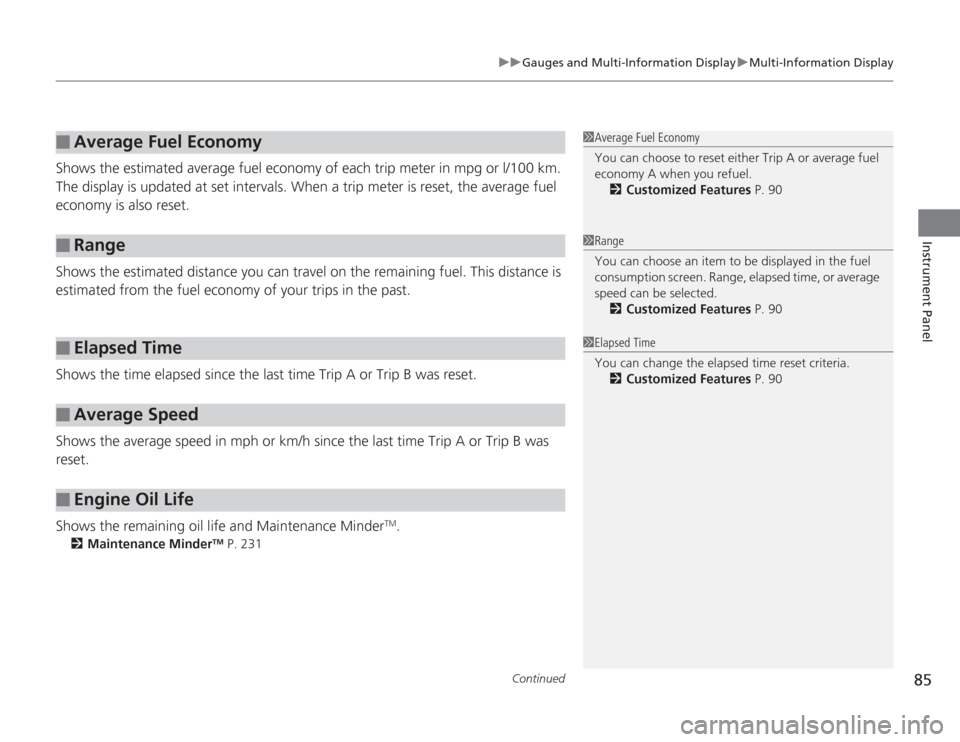
Shows the estimated average fuel economy of each trip meter in mpg or l/100 km.
The display is updated at set intervals. When a trip meter is reset, the average fuel
economy is also reset.
Shows the estimated distance you can travel on the remaining fuel. This distance is
estimated from the fuel economy of your trips in the past.
Shows the time elapsed since the last time Trip A or Trip B was reset.
Shows the average speed in mph or km/h since the last time Trip A or Trip B was
reset.
Shows the remaining oil life and Maintenance Minder
TM.
2 Maintenance Minder
TM P. 231
■
Average Fuel Economy
■
Range
■
Elapsed Time
■
Average Speed
■
Engine Oil Life
1Average Fuel Economy
You can choose to reset either Trip A or average fuel
economy A when you refuel.
2 Customized Features P. 901Range
You can choose an item to be displayed in the fuel
consumption screen. Range, elapsed time, or average
speed can be selected.
2 Customized Features P. 901Elapsed Time
You can change the elapsed time reset criteria.
2 Customized Features P. 90
Page 90 of 313
Continued
89
uuGauges and Multi-Information Display uMulti-Information Display
Instrument Panel
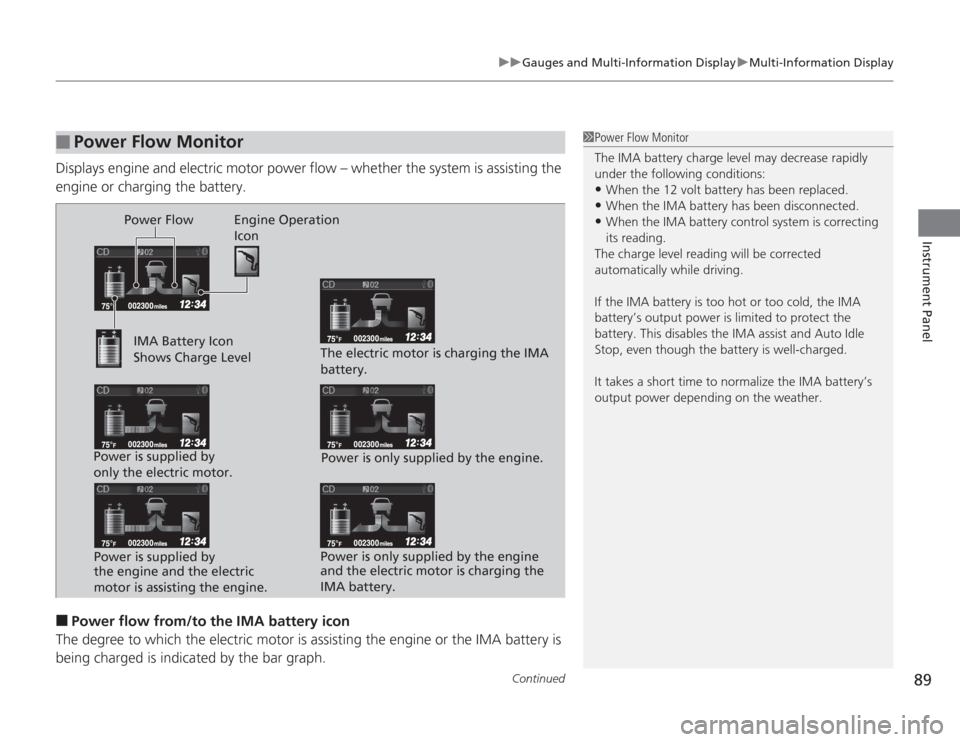
Displays engine and electric motor power flow – whether the system is assisting the
engine or charging the battery.■
Power flow from/to the IMA battery icon
The degree to which the electric motor is assisting the engine or the IMA battery is being charged is indica ted by the bar graph.
■
Power Flow Monitor
1Power Flow Monitor
The IMA battery charge level may decrease rapidly
under the following conditions:•When the 12 volt battery has been replaced.•When the IMA battery has been disconnected.•When the IMA battery control system is correcting
its reading.
The charge level reading will be corrected
automatically while driving.
If the IMA battery is too hot or too cold, the IMA
battery’s output power is limited to protect the
battery. This disables the IMA assist and Auto Idle
Stop, even though the battery is well-charged.
It takes a short time to normalize the IMA battery’s
output power depending on the weather.
Power Flow Engine Operation Icon
IMA Battery Icon
Shows Charge Level
Power is supplied by
only the electric motor. Power is supplied by
the engine and the electric
motor is assisting the engine. The electric motor is charging the IMA
battery.
Power is only supplied by the engine.
Power is only supplied by the engine
and the electric motor is charging the
IMA battery.
Page 95 of 313
94
uuGauges and Multi- Information Display uMulti-Information Display
Instrument Panel
*1: Not available on all models
*2: Default Setting
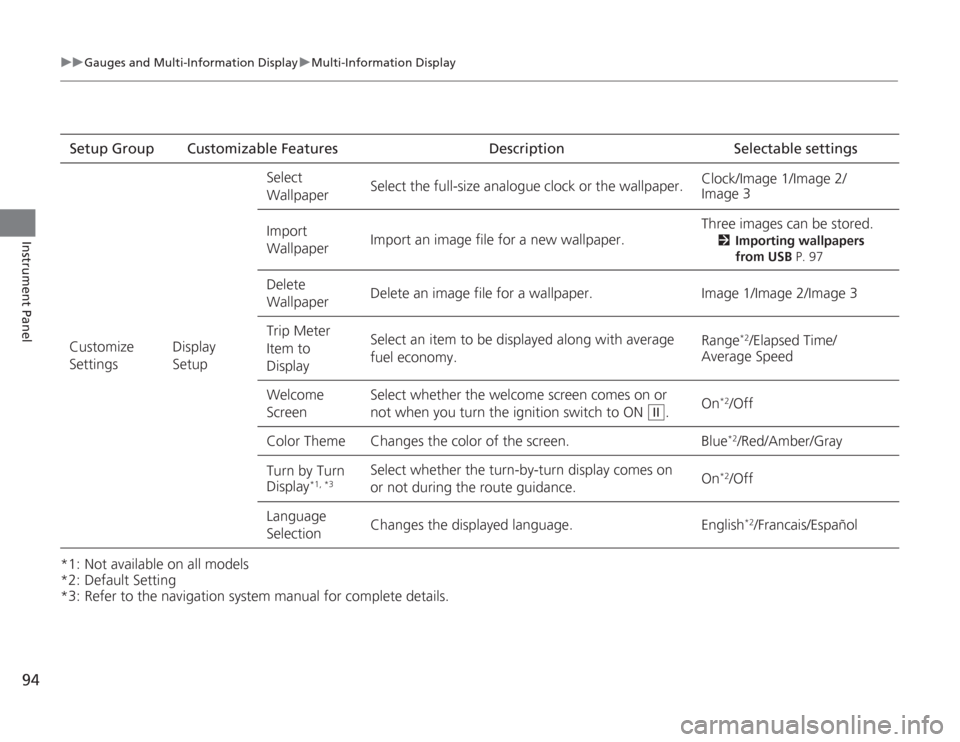
*3: Refer to the navigation system manual for complete details.Setup Group Customizable Features Description Selectable settings
Customize
Settings Display
SetupSelect
Wallpaper
Select the full-size analogue clock or the wallpaper.
Clock/Image 1/Image 2/
Image 3
Import
Wallpaper Import an image file for a new wallpaper. Three images can be stored.
2
Importing wallpapers
from USB P. 97
Delete
Wallpaper Delete an image file for a wallpaper. Image 1/Image 2/Image 3
Trip Meter
Item to
Display Select an item to be displayed along with average
fuel economy.
Range
*2/Elapsed Time/
Average Speed
Welcome
Screen Select whether the welcome screen comes on or
not when you
turn the ignition switch to ON . On
*2/Off
Color Theme Changes the color of the screen. Blue*2/Red/Amber/Gray
Turn by Turn
Display
*1, *3
Select whether the turn-by-turn display comes on
or not during the route guidance. On
*2/Off
Language
Selection Changes the displayed language. English
*2/Francais/Español
II
Page 98 of 313
Continued
97
uuGauges and Multi-Information Display uMulti-Information Display
Instrument Panel
■
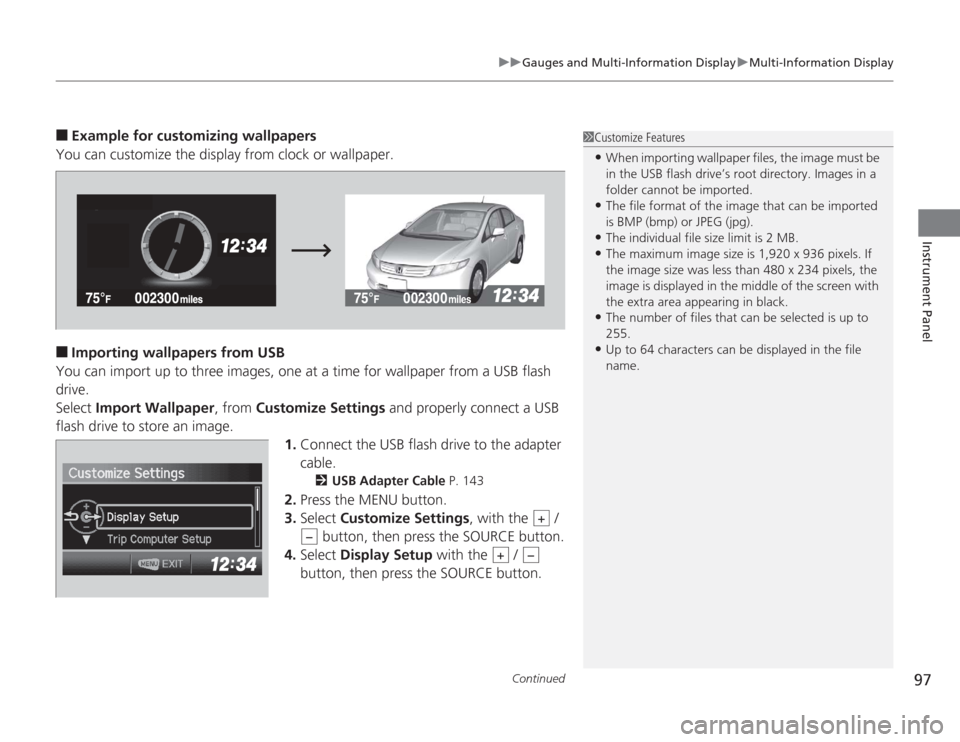
Example for customizing wallpapers
You can customize the display from clock or wallpaper.
■
Importing wallpapers from USB
You can import up to three images, one at a time for wallpaper from a USB flash
drive.
Select Import Wallpaper , from Customize Settings and properly connect a USB
flash drive to store an image. 1.Connect the USB flash drive to the adapter
cable.
2 USB Adapter Cable P. 143
2.Press the MENU button.
3. Select Customize Settings , with the /
button, then press the SOURCE button.
4. Select Display Setup with the /
button, then press the SOURCE button.
1 Customize Features•When importing wallpaper files, the image must be
in the USB flash drive’s root directory. Images in a
folder cannot be imported.•The file format of the image that can be imported
is BMP (bmp) or JPEG (jpg).•The individual file size limit is 2 MB.•The maximum image size is 1,920 x 936 pixels. If
the image size was less than 480 x 234 pixels, the
image is displayed in the middle of the screen with
the extra area appearing in black.•The number of files that can be selected is up to
255.•Up to 64 characters can be displayed in the file
name.
+
−
+
−
Page 99 of 313
98
uuGauges and Multi- Information Display uMulti-Information Display
Instrument Panel
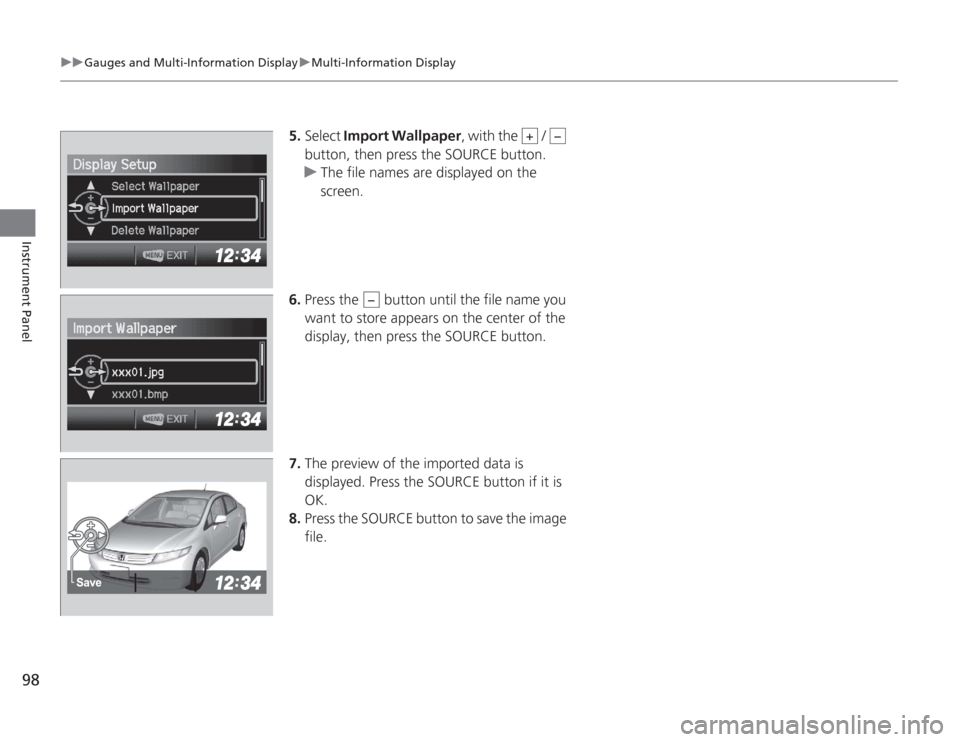
5. Select Import Wallpaper , with the /
button, then press the SOURCE button.
u The file names are displayed on the
screen.
6. Press the button until the file name you
want to store appears on the center of the
display, then press the SOURCE button.
7. The preview of the imported data is
displayed. Press the SOURCE button if it is
OK.
8. Press the SOURCE button to save the image
file.
+
−
−