engine HONDA CIVIC HYBRID 2012 9.G User Guide
[x] Cancel search | Manufacturer: HONDA, Model Year: 2012, Model line: CIVIC HYBRID, Model: HONDA CIVIC HYBRID 2012 9.GPages: 313, PDF Size: 8.65 MB
Page 78 of 313
77
uuIndicators u
Continued
Instrument Panel
Indicator
Name
On/Blinking
Explanation
Message
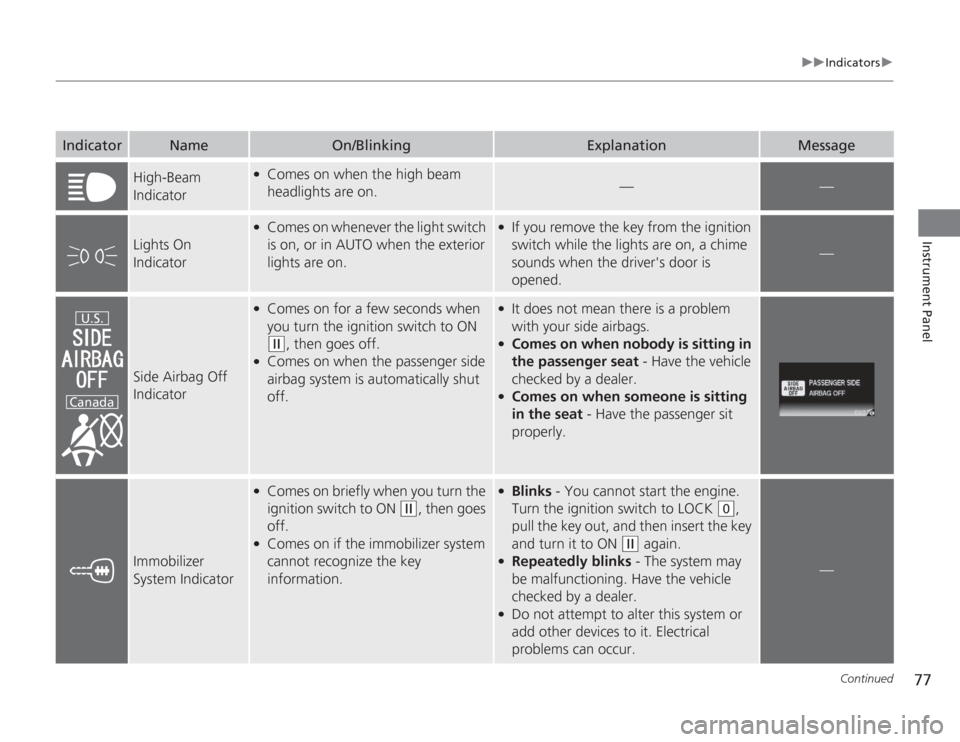
High-Beam
Indicator
●
Comes on when the high beam
headlights are on.
—
—
Lights On
Indicator
●
Comes on whenever the light switch
is on, or in AUTO when the exterior
lights are on.
●
If you remove the key from the ignition
switch while the lights are on, a chime
sounds when the driver's door is
opened.
—
Side Airbag Off
Indicator
●
Comes on for a few seconds when
you turn the ignition switch to ON (w
, then goes off.
●
Comes on when the passenger side
airbag system is automatically shut
off.
●
It does not mean there is a problem
with your side airbags.
●
Comes on when nobo dy is sitting in
the passenger seat - Have the vehicle
checked by a dealer.
●
Comes on when someone is sitting
in the seat - Have the passenger sit
properly.
Immobilizer
System Indicator
●
Comes on briefly when you turn the
ignition switch to ON
(w
, then goes
off.
●
Comes on if the immobilizer system
cannot recognize the key
information.
●
Blinks - You cannot start the engine.
Turn the ignition switch to LOCK
(0
,
pull the key out, and then insert the key
and turn it to ON
(w
again.
●
Repeatedly blinks - The system may
be malfunctioning. Have the vehicle
checked by a dealer.
●
Do not attempt to alter this system or
add other devices to it. Electrical
problems can occur.
—
U.S.
Canada
Page 79 of 313
78
uuIndicators u
Instrument Panel
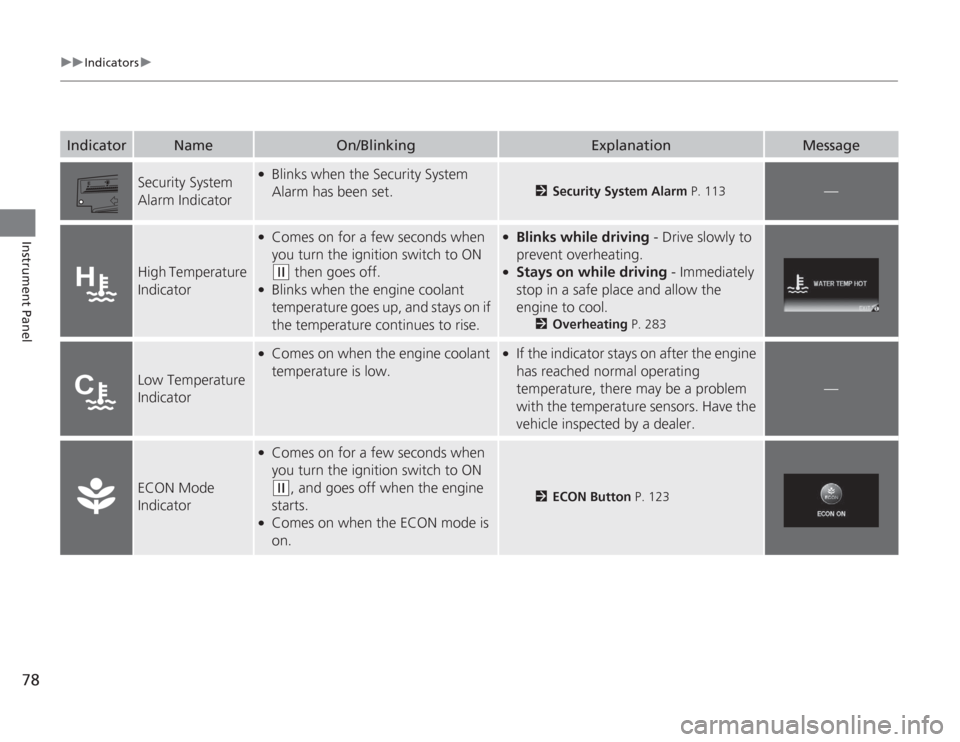
Security System
Alarm Indicator
●
Blinks when the Security System
Alarm has been set.
2Security System Alarm P. 113
—
High Temperature
Indicator
●
Comes on for a few seconds when
you turn the ignition switch to ON (w
then goes off.
●
Blinks when the engine coolant
temperature goes up, and stays on if
the temperature continues to rise.
●
Blinks while driving - Drive slowly to
prevent overheating.
●
Stays on while driving - Immediately
stop in a safe place and allow the
engine to cool.
2 Overheating P. 283
Low Temperature
Indicator
●
Comes on when the engine coolant
temperature is low.
●
If the indicator stays on after the engine
has reached normal operating
temperature, there may be a problem
with the temperature sensors. Have the
vehicle inspected by a dealer.
—
ECON Mode
Indicator
●
Comes on for a few seconds when
you turn the ignition switch to ON (w
, and goes off when the engine
starts.
●
Comes on when the ECON mode is
on.
2 ECON Button P. 123
Indicator
Name
On/Blinking
Explanation
Message
Page 83 of 313
82Instrument Panel
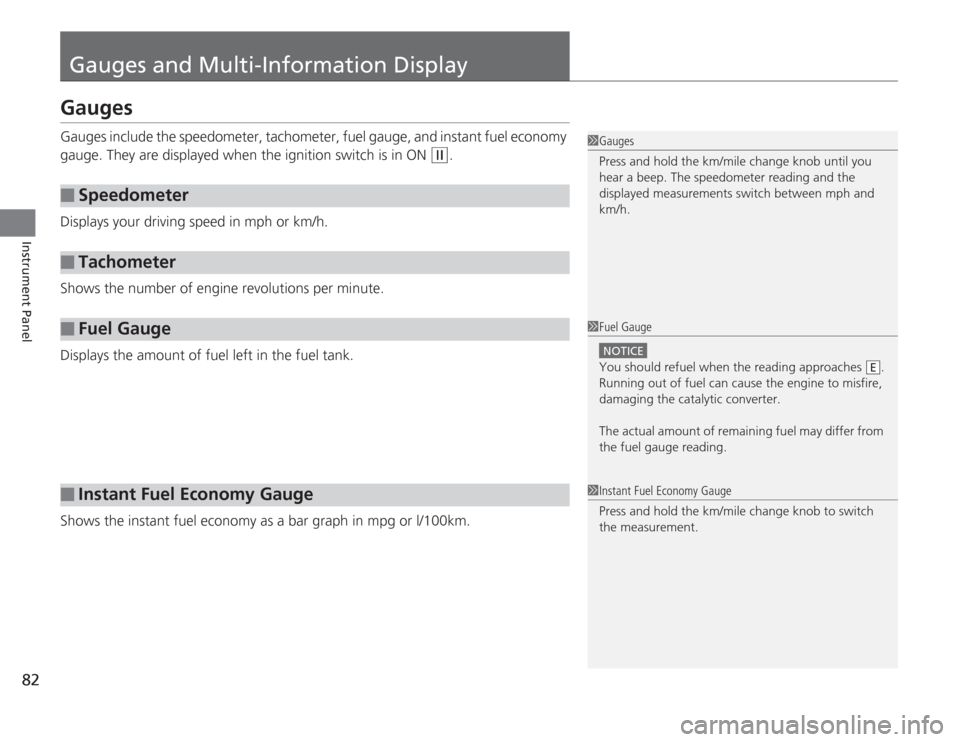
Gauges and Multi-Information DisplayGaugesGauges include the speedometer, tachometer, fuel gauge, and instant fuel economy
gauge. They are displayed when the ignition switch is in ON
(w
.
Displays your driving speed in mph or km/h.
Shows the number of engine revolutions per minute.
Displays the amount of fuel left in the fuel tank.
Shows the instant fuel economy as a bar graph in mpg or l/100km.
■
Speedometer
■
Tachometer
■
Fuel Gauge
■
Instant Fuel Economy Gauge
1Gauges
Press and hold the km/mile change knob until you
hear a beep. The speedometer reading and the
displayed measurements switch between mph and
km/h.1Fuel Gauge
NOTICEYou should refuel when the reading approaches .
Running out of fuel can cause the engine to misfire,
damaging the catalytic converter.
The actual amount of remaining fuel may differ from
the fuel gauge reading.
E
1 Instant Fuel Economy Gauge
Press and hold the km/mile change knob to switch
the measurement.
Page 86 of 313
Continued
85
uuGauges and Multi-Information Display uMulti-Information Display
Instrument Panel
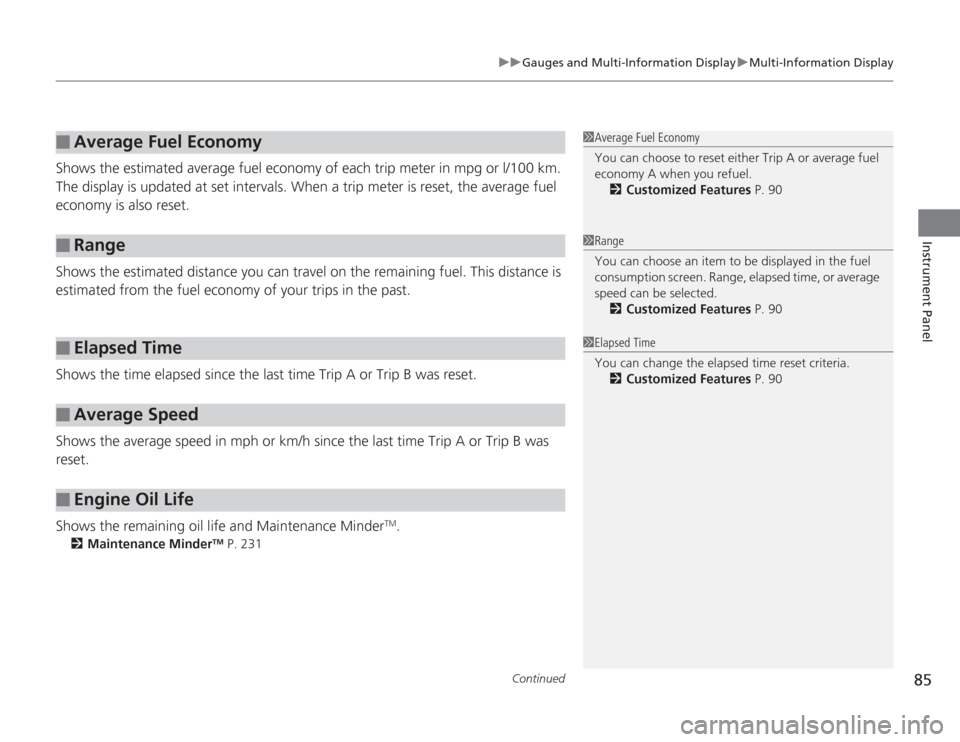
Shows the estimated average fuel economy of each trip meter in mpg or l/100 km.
The display is updated at set intervals. When a trip meter is reset, the average fuel
economy is also reset.
Shows the estimated distance you can travel on the remaining fuel. This distance is
estimated from the fuel economy of your trips in the past.
Shows the time elapsed since the last time Trip A or Trip B was reset.
Shows the average speed in mph or km/h since the last time Trip A or Trip B was
reset.
Shows the remaining oil life and Maintenance Minder
TM.
2 Maintenance Minder
TM P. 231
■
Average Fuel Economy
■
Range
■
Elapsed Time
■
Average Speed
■
Engine Oil Life
1Average Fuel Economy
You can choose to reset either Trip A or average fuel
economy A when you refuel.
2 Customized Features P. 901Range
You can choose an item to be displayed in the fuel
consumption screen. Range, elapsed time, or average
speed can be selected.
2 Customized Features P. 901Elapsed Time
You can change the elapsed time reset criteria.
2 Customized Features P. 90
Page 88 of 313
87
uuGauges and Multi-Information Display uMulti-Information Display
Continued
Instrument Panel
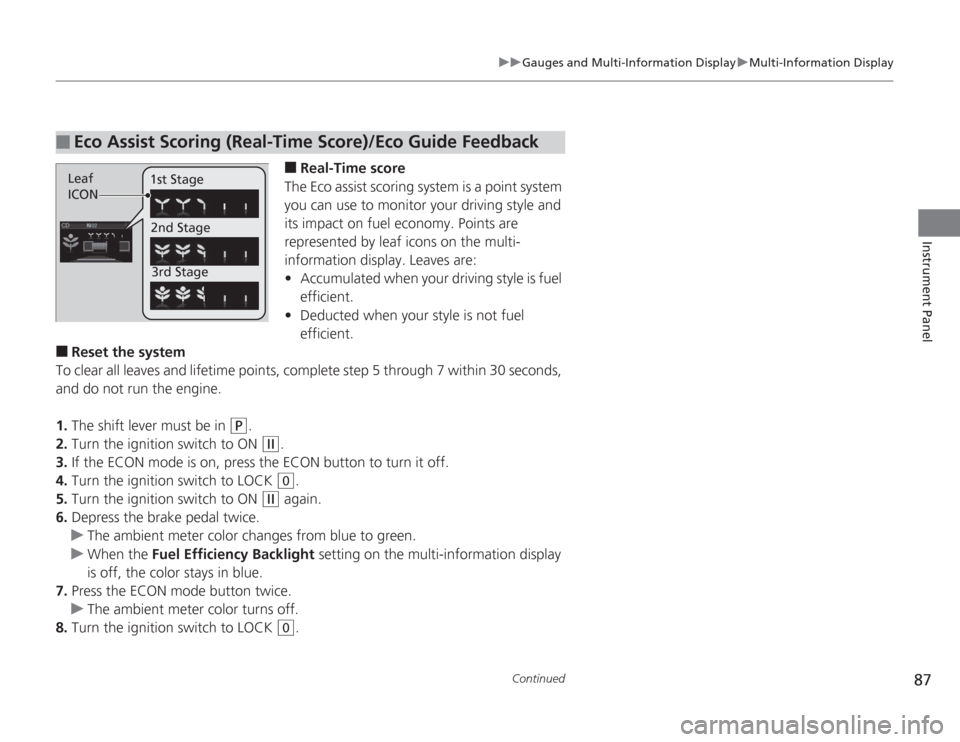
■
Real-Time score
The Eco assist scoring system is a point system
you can use to monitor your driving style and
its impact on fuel economy. Points are
represented by leaf icons on the multi-
information display. Leaves are:
• Accumulated when your driving style is fuel
efficient.
• Deducted when your style is not fuel
efficient.
■
Reset the system
To clear all leaves and lifetime points, complete step 5 through 7 within 30 seconds,
and do not run the engine.
1. The shift lever must be in
(P
.
2. Turn the ignition switch to ON
(w
.
3. If the ECON mode is on, press the ECON button to turn it off.
4. Turn the ignition switch to LOCK (0
.
5. Turn the ignition switch to ON
(w
again.
6. Depress the brake pedal twice.
u The ambient meter color changes from blue to green.
u When the Fuel Efficiency Backlight setting on the multi-information display
is off, the color stays in blue.
7. Press the ECON mode button twice.
u The ambient meter color turns off.
8. Turn the ignition switch to LOCK (0
.
■
Eco Assist Scoring (Real-Time Score)/Eco Guide FeedbackLeaf
ICON 1st Stage
2nd Stage3rd Stage
Page 90 of 313
Continued
89
uuGauges and Multi-Information Display uMulti-Information Display
Instrument Panel
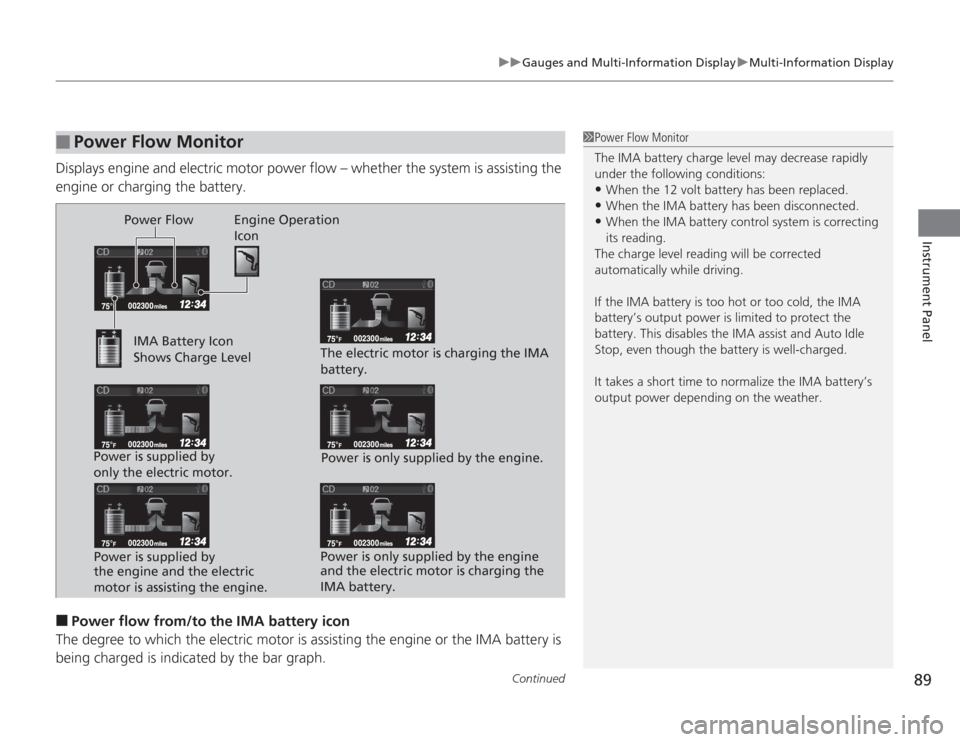
Displays engine and electric motor power flow – whether the system is assisting the
engine or charging the battery.■
Power flow from/to the IMA battery icon
The degree to which the electric motor is assisting the engine or the IMA battery is being charged is indica ted by the bar graph.
■
Power Flow Monitor
1Power Flow Monitor
The IMA battery charge level may decrease rapidly
under the following conditions:•When the 12 volt battery has been replaced.•When the IMA battery has been disconnected.•When the IMA battery control system is correcting
its reading.
The charge level reading will be corrected
automatically while driving.
If the IMA battery is too hot or too cold, the IMA
battery’s output power is limited to protect the
battery. This disables the IMA assist and Auto Idle
Stop, even though the battery is well-charged.
It takes a short time to normalize the IMA battery’s
output power depending on the weather.
Power Flow Engine Operation Icon
IMA Battery Icon
Shows Charge Level
Power is supplied by
only the electric motor. Power is supplied by
the engine and the electric
motor is assisting the engine. The electric motor is charging the IMA
battery.
Power is only supplied by the engine.
Power is only supplied by the engine
and the electric motor is charging the
IMA battery.
Page 104 of 313
103
Continued
Controls
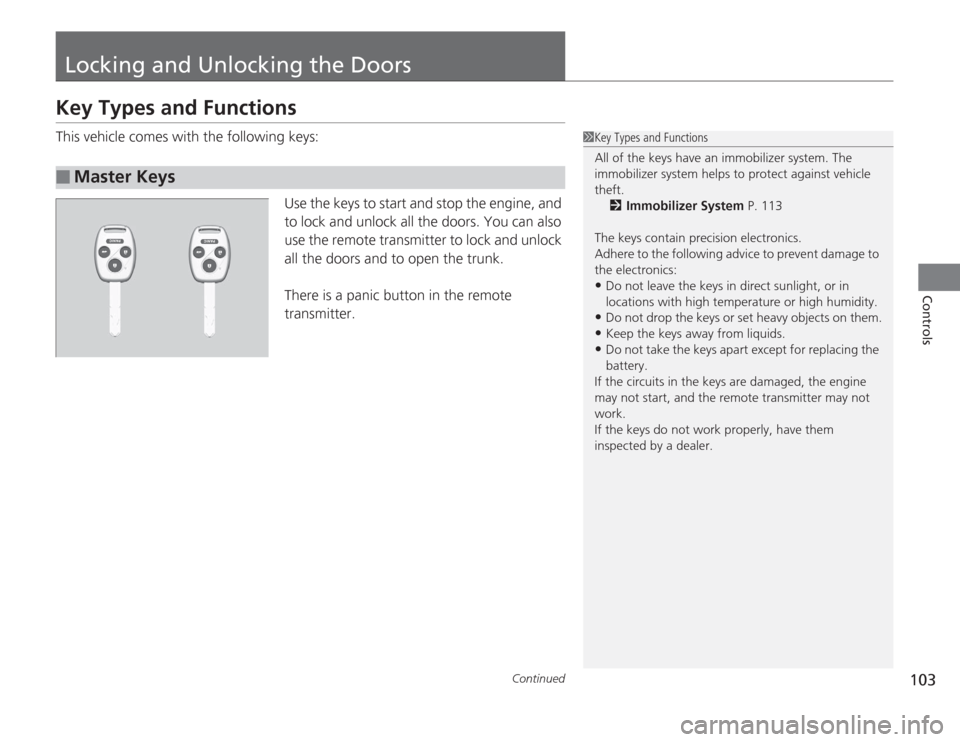
Locking and Unlocking the DoorsKey Types and FunctionsThis vehicle comes with the following keys:Use the keys to start and stop the engine, and
to lock and unlock all the doors. You can also
use the remote transmitter to lock and unlock
all the doors and to open the trunk.
There is a panic button in the remote
transmitter.■
Master Keys
1Key Types and Functions
All of the keys have an immobilizer system. The
immobilizer system helps to protect against vehicle
theft.
2 Immobilizer System P. 113
The keys contain precision electronics.
Adhere to the following advice to prevent damage to
the electronics:•Do not leave the keys in direct sunlight, or in
locations with high temperature or high humidity.•Do not drop the keys or set heavy objects on them.•Keep the keys away from liquids.•Do not take the keys apa rt except for replacing the
battery.
If the circuits in the keys are damaged, the engine
may not start, and the re mote transmitter may not
work.
If the keys do not work properly, have them
inspected by a dealer.
Page 105 of 313
uuLocking and Unlocking the Doors uKey Types and Functions
104Controls
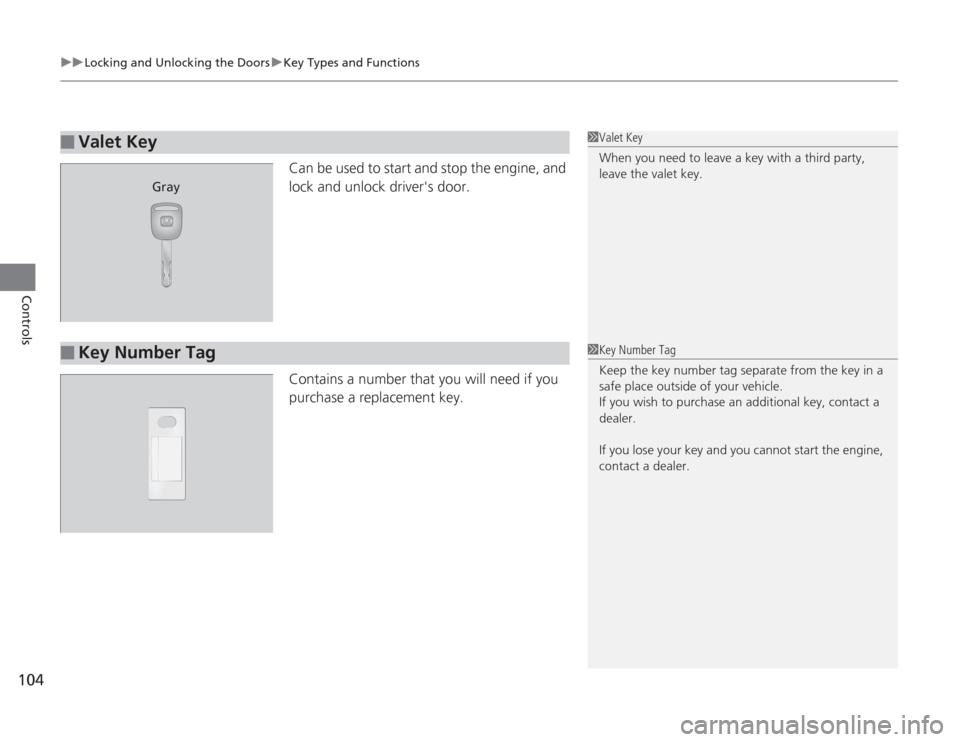
Can be used to start and stop the engine, and
lock and unlock driver's door.
Contains a number that you will need if you
purchase a replacement key.
■
Valet Key
1Valet Key
When you need to leave a key with a third party,
leave the valet key.
Gray
■
Key Number Tag
1Key Number Tag
Keep the key number tag separate from the key in a
safe place outside of your vehicle.
If you wish to purchase an additional key, contact a
dealer.
If you lose your key and you cannot start the engine,
contact a dealer.
Page 114 of 313
113
Continued
Controls
Security SystemImmobilizer SystemThe immobilizer system prevents a key that has not been pre-registered from
starting the engine. Each key contains electronic transmitters that use electronic
signals to verify the key.
Pay attention to the following when inserting the key into the ignition switch:
• Do not allow objects that emit strong radio waves near the ignition switch.
• Make sure the key is not covered by or touching a metal object.
• Do not bring a key from another vehicle's immobilizer system near the ignition
switch.Security System AlarmThe security system alarm activates when the doors, trunk, or hood are opened
without the key, or remote transmitter.■
When the security system alarm activates
The horn sounds intermittently and all of the exterior lights flash.
■
To deactivate the security system alarm
Unlock the vehicle using the key, or remote transmitter. The system, along with the
horn and flashing lights, is deactivated.
1 Immobilizer System
NOTICELeaving the ignition key in the vehicle can result in
theft or accidental movement of the vehicle.
Always take the ignition key with you whenever you
leave the vehicle unattended.
Do not alter the system or add other devices to it.
Doing so may damage the system and make your
vehicle inoperable.1Security System Alarm
The security alarm continues for a maximum of two
minutes until the security system deactivates.
Page 118 of 313
117
Controls
Operating the Switches Around the Steering WheelIgnition Switch
1Ignition Switch
You cannot take the key out unless the shift lever is
in
(P
.
If you open the driver's door when the key is in LOCK
( 0
or ACCESSORY
(q
, a warning buzzer will sound
to remind you to take the key out.
When this happens, the following messages appear
on the multi-information display:
•In LOCK
( 0
: "REMOVE KEY"
•In ACCESSORY
(q
: "RETURN IGNITION SWITCH
TO LOCK (0) POSITION" The buzzer will stop when
you take the key out.
If the key won't turn from LOCK
( 0
to ACCESSORY
(q
, turn the key while moving the steering wheel left
and right. The steering wheel will unlock, allowing
the key to turn.
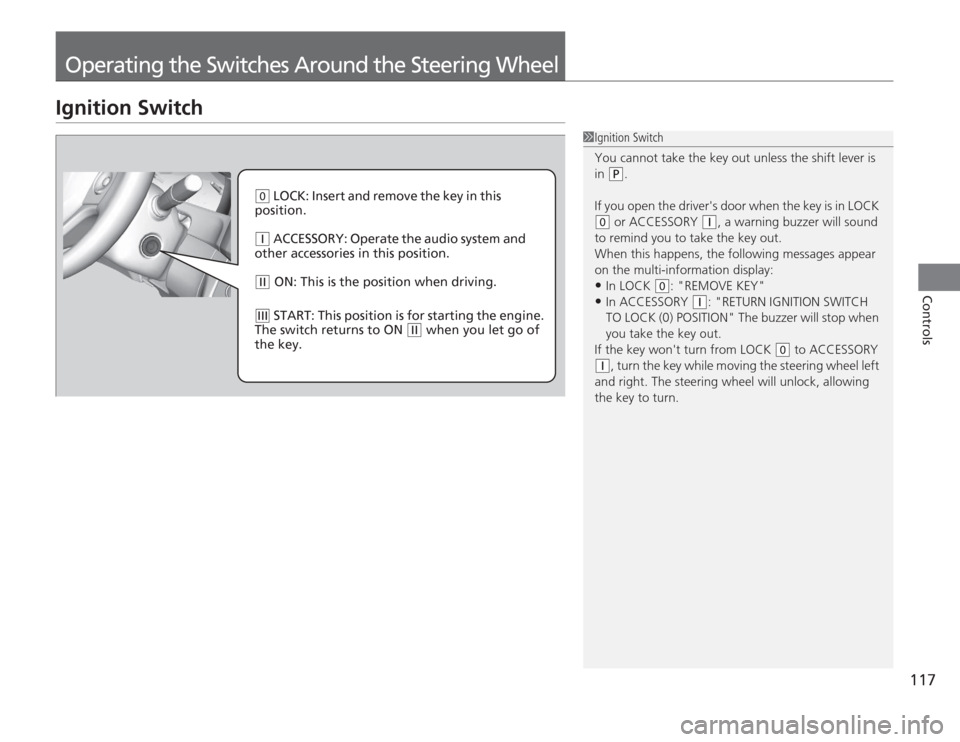
( 0
LOCK: Insert and remove the key in this
position.
( q
ACCESSORY: Operate the audio system and
other accessories in this position.
( w
ON: This is the position when driving.
(e
START: This position is for starting the engine.
The switch returns to ON
( w
when you let go of
the key.