engine HONDA CIVIC HYBRID 2012 9.G Owner's Manual
[x] Cancel search | Manufacturer: HONDA, Model Year: 2012, Model line: CIVIC HYBRID, Model: HONDA CIVIC HYBRID 2012 9.GPages: 313, PDF Size: 8.65 MB
Page 119 of 313
118
uuOperating the Switches Around the Steering Wheel uTurn Signals
Controls
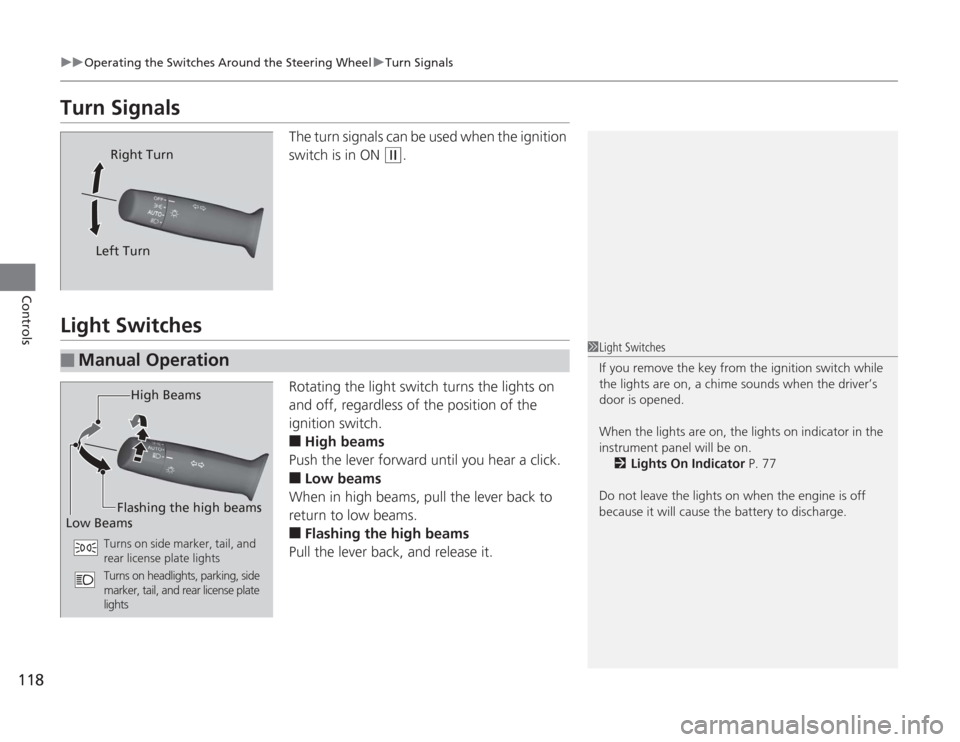
Turn Signals
The turn signals can be used when the ignition
switch is in ON
(w
.
Light Switches
Rotating the light switch turns the lights on
and off, regardless of the position of the
ignition switch.■
High beams
Push the lever forward until you hear a click.
■
Low beams
When in high beams, pull the lever back to
return to low beams.
■
Flashing the high beams
Pull the lever back, and release it.
Right Turn
Left Turn
■
Manual Operation
1 Light Switches
If you remove the key fr om the ignition switch while
the lights are on, a chime sounds when the driver’s
door is opened.
When the lights are on, the lights on indicator in the
instrument panel will be on.
2 Lights On Indicator P. 77
Do not leave the lights on when the engine is off
because it will cause the battery to discharge.
High Beams
Flashing the high beams
Low Beams
Turns on side marker, tail, and
rear license plate lights
Turns on headlights, parking, side
marker, tail, and rear license plate
lights
Page 124 of 313
123
uuOperating the Switches Around the Steering Wheel uRear Defogger/Heated Door Mirror
* Button
Controls
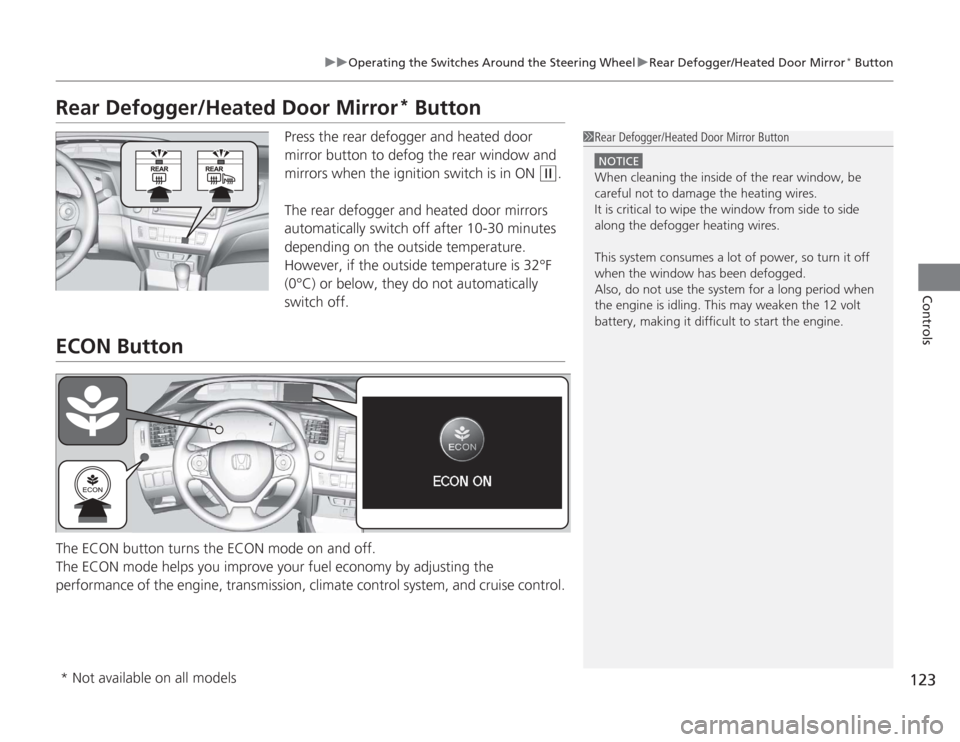
Rear Defogger/Heated Door Mirror
* Button
Press the rear defogger and heated door
mirror button to defog the rear window and
mirrors when the ignition switch is in ON
(w
.
The rear defogger and heated door mirrors
automatically switch off after 10-30 minutes
depending on the outside temperature.
However, if the outside temperature is 32°F
(0°C) or below, they do not automatically
switch off.
ECON ButtonThe ECON button turns the ECON mode on and off.
The ECON mode helps you improve your fuel economy by adjusting the
performance of the engine, transmission, climate control system, and cruise control.
1 Rear Defogger/Heated Door Mirror Button
NOTICEWhen cleaning the inside of the rear window, be
careful not to damage the heating wires.
It is critical to wipe the window from side to side
along the defogger heating wires.
This system consumes a lot of power, so turn it off
when the window has been defogged.
Also, do not use the system for a long period when
the engine is idling. This may weaken the 12 volt
battery, making it difficult to start the engine.
* Not available on all models
Page 131 of 313
uuAdjusting the Seats uAdjusting the Seat Positions
130Controls
After all occupants have adjusted their seats and head restraints, and put on their
seat belts, it is very important that they continue to sit upright, well back in their
seats, with their feet on the floor, until the vehicle is safely parked and the engine is
off.
Sitting improperly can increase the ch ance of injury during a crash. For example, if
an occupant slouches, lies down, turns sideways, sits forward, leans forward or
sideways, or puts one or both feet up, the chance of injury during a crash is greatly
increased.
In addition, an occupant who is out of position in the front seat can be seriously or
fatally injured in a crash by striking interior parts of the vehicle or being struck by an
inflating front airbag.■
Maintain a Proper Sitting Position
1 Maintain a Proper Sitting Position
3
WARNING
Sitting improperly or out of position can
result in serious injury or death in a crash.
Always sit upright, well back in the seat,
with your feet on the floor.
Page 135 of 313
uuInterior Lights/Interior Convenience Items uInterior Convenience Items
134Controls
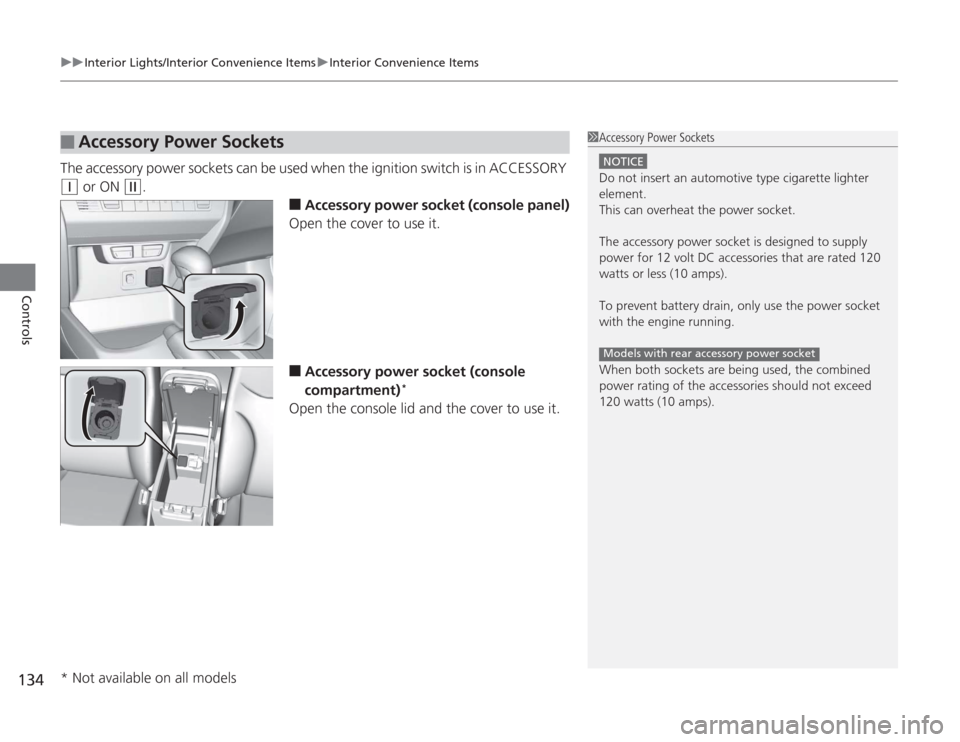
The accessory power sockets can be used when the ignition switch is in ACCESSORY (q
or ON
(w
.
■
Accessory power socket (console panel)
Open the cover to use it.
■
Accessory power socket (console
compartment)
*
Open the console lid and the cover to use it.
■
Accessory Power Sockets
1 Accessory Power Sockets
NOTICEDo not insert an automotive type cigarette lighter
element.
This can overheat the power socket.
The accessory power socket is designed to supply
power for 12 volt DC accessories that are rated 120
watts or less (10 amps).
To prevent battery drain, only use the power socket
with the engine running.
When both sockets are being used, the combined
power rating of the accessories should not exceed
120 watts (10 amps).Models with rear accessory power socket
* Not available on all models
Page 137 of 313
uuInterior Lights/Interior Convenience Items uInterior Convenience Items
136Controls
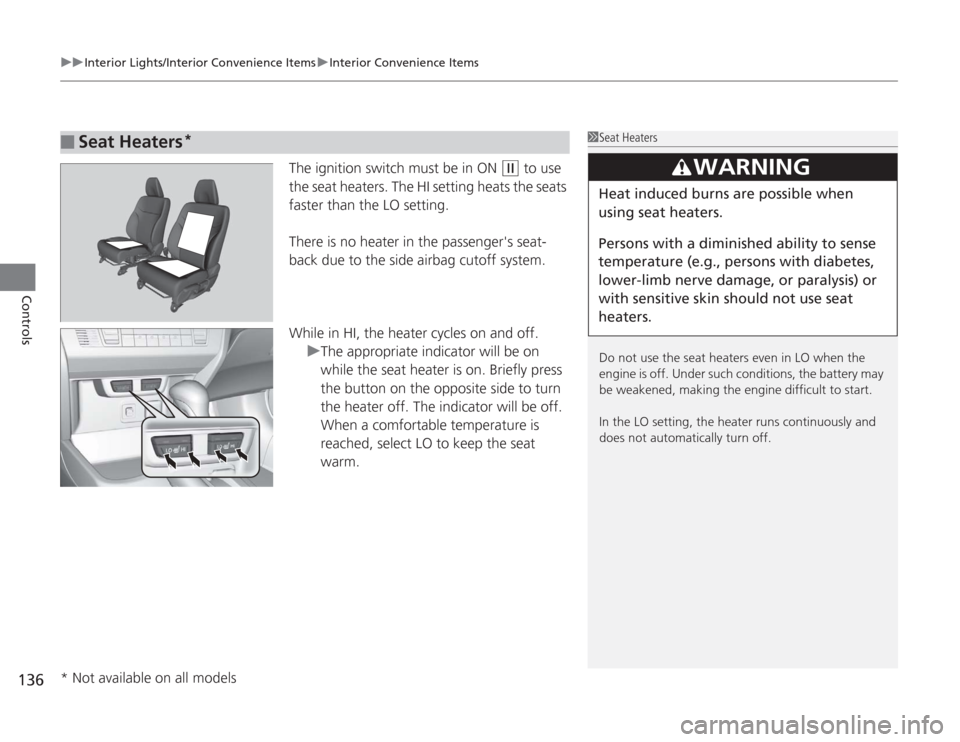
The ignition switch must be in ON
(w
to use
the seat heaters. The HI setting heats the seats
faster than the LO setting.
There is no heater in the passenger's seat-
back due to the side airbag cutoff system.
While in HI, the heater cycles on and off. uThe appropriate indicator will be on
while the seat heater is on. Briefly press
the button on the opposite side to turn
the heater off. The indicator will be off.
When a comfortable temperature is
reached, select LO to keep the seat
warm.
■
Seat Heaters
*
1Seat Heaters
Do not use the seat heaters even in LO when the
engine is off. Under such conditions, the battery may
be weakened, making the engine difficult to start.
In the LO setting, the heater runs continuously and
does not automatically turn off.
3
WARNING
Heat induced burns are possible when
using seat heaters.
Persons with a diminished ability to sense
temperature (e.g., persons with diabetes,
lower-limb nerve damage, or paralysis) or
with sensitive skin sho uld not use seat
heaters.
* Not available on all models
Page 138 of 313
137
Continued
Controls
Climate Control SystemUsing Automatic Climate ControlThe automatic climate control system maintains the interior temperature you select.
The system also selects the proper mix of heated or cooled air that will as quickly as
possible, raise or lower the interior temperature to your preference.
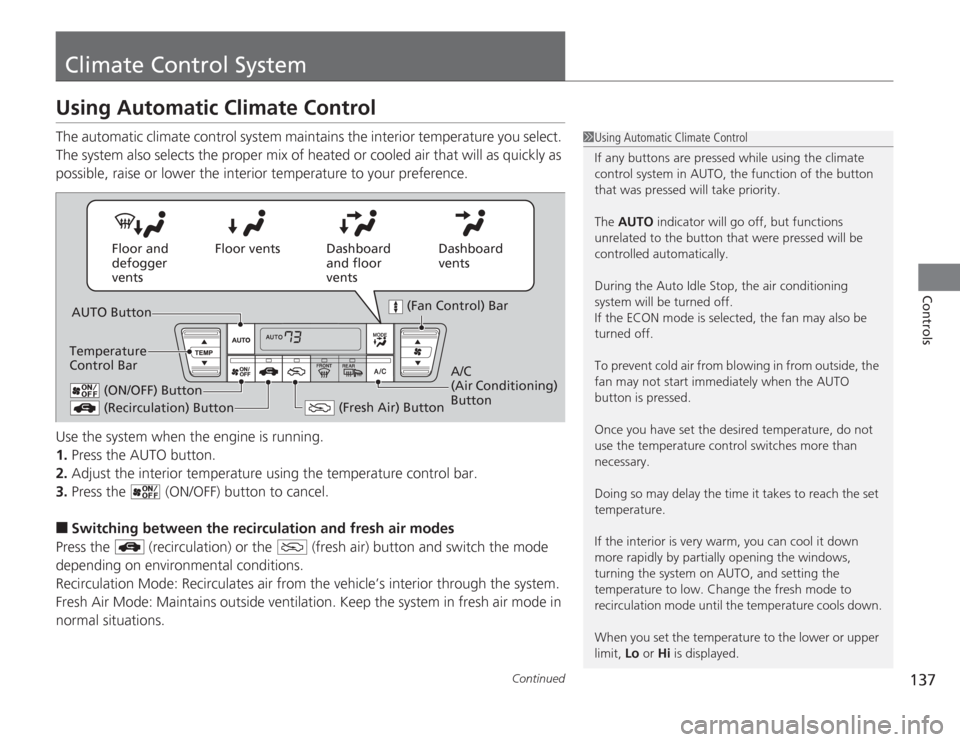
Use the system when the engine is running.
1.Press the AUTO button.
2. Adjust the interior temperature using the temperature control bar.
3. Press the (ON/OFF) button to cancel.■
Switching between the recirculation and fresh air modes
Press the (recirculation) or the (fresh air) button and switch the mode
depending on environmental conditions.
Recirculation Mode: Recirculates air from the vehicle’s interior through the system.
Fresh Air Mode: Maintains outside ventilation. Keep the system in fresh air mode in
normal situations.
1 Using Automatic Climate Control
If any buttons are pressed while using the climate
control system in AUTO, the function of the button
that was pressed will take priority.
The AUTO indicator will go off, but functions
unrelated to the button that were pressed will be
controlled automatically.
During the Auto Idle Stop, the air conditioning
system will be turned off.
If the ECON mode is selected, the fan may also be
turned off.
To prevent cold air from blowing in from outside, the
fan may not start immediately when the AUTO
button is pressed.
Once you have set the desired temperature, do not
use the temperature control switches more than
necessary.
Doing so may delay the time it takes to reach the set
temperature.
If the interior is very warm, you can cool it down
more rapidly by partially opening the windows,
turning the system on AUTO, and setting the
temperature to low. Change the fresh mode to
recirculation mode until the temperature cools down.
When you set the temperature to the lower or upper
limit, Lo or Hi is displayed.
Dashboard
vents
Dashboard
and floor
vents
Floor vents
Floor and
defogger
vents
AUTO Button
Temperature
Control Bar
(Recirculation) Button
(Fresh Air) Button
A/C
(Air Conditioning)
Button
(Fan Control) Bar
(ON/OFF) Button
Page 192 of 313
191
Driving
This chapter discusses driving, refueling, and information on items such as accessories.
Before DrivingDriving Preparation .......................... 192
Maximum Load Limit........................ 195
Towing a Trailer Towing Your Vehicle ........................ 197
When Driving Starting the Engine .......................... 198
Precautions While Driving................. 201
Automatic Transmission (CVT) .......... 202
Shifting ............................................ 203
Cruise Control ................................. 205
VSA
® (Vehicle Stability Assist), aka ESC
(Electronic Stability Control), System .. 208
TPMS (Tire Pressure Monitoring System) ... 210
Tire Pressure Monitoring System (TPMS) - Required Federal Explanation ......... 211
Braking Brake System ................................... 213
ABS (Anti-lock Brake System) ........... 215
Brake Assist System.......................... 216 Parking Your Vehicle
When Stopped ................................ 217
Auto Idle Stop ................................. 218
Parking ............................................ 221
Refueling Fuel Information .............................. 222
How to Refuel ................................. 223
Fuel Economy Improving Fuel Economy .................. 225
Accessories and Modifications Accessories ...................................... 226
Modifications................................... 226
Page 199 of 313
198Driving
When DrivingStarting the Engine
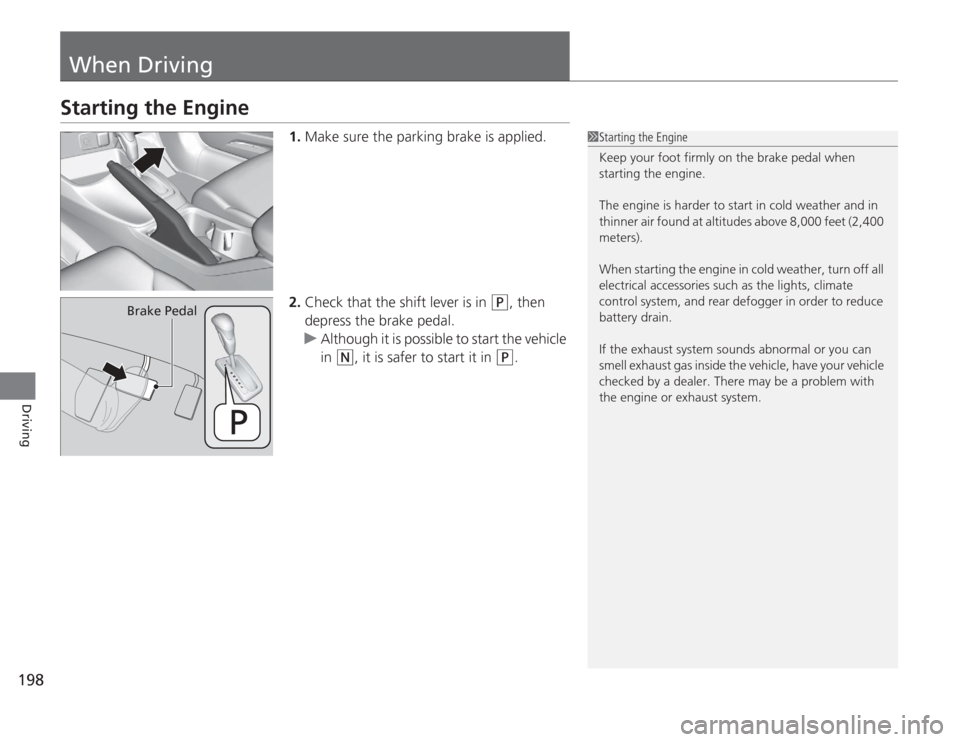
1.Make sure the parking brake is applied.
2. Check that the shift lever is in
(P
, then
depress the brake pedal.
u Although it is possible to start the vehicle
in
(N
, it is safer to start it in
(P
.
1Starting the Engine
Keep your foot firmly on the brake pedal when
starting the engine.
The engine is harder to start in cold weather and in
thinner air found at altitudes above 8,000 feet (2,400
meters).
When starting the engine in cold weather, turn off all
electrical accessories such as the lights, climate
control system, and rear defogger in order to reduce
battery drain.
If the exhaust system sounds abnormal or you can
smell exhaust gas inside the vehicle, have your vehicle
checked by a dealer. There may be a problem with
the engine or exhaust system.
Brake Pedal
Page 200 of 313
Continued
199
uuWhen Driving uStarting the Engine
Driving
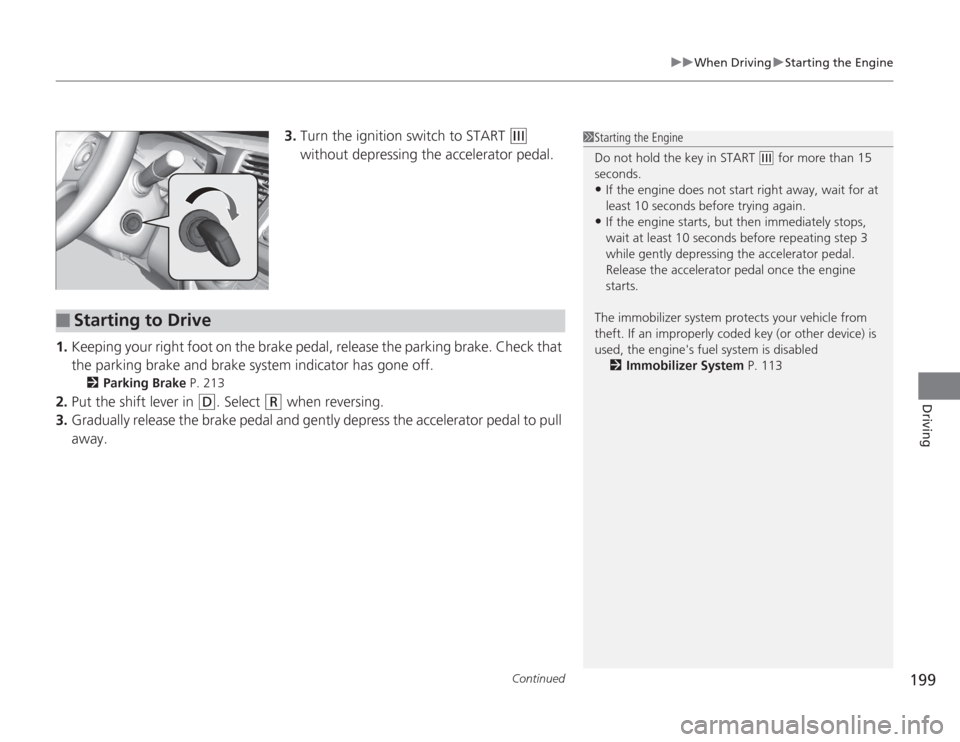
3. Turn the ignition switch to START
(e
without depressing the accelerator pedal.
1. Keeping your right foot on the brake pedal, release the parking brake. Check that
the parking brake and brake system indicator has gone off.
2 Parking Brake P. 213
2.Put the shift lever in
(D
. Select
(R
when reversing.
3. Gradually release the brake pedal and gently depress the accelerator pedal to pull
away.
1Starting the Engine
Do not hold the key in START
(e
for more than 15
seconds.
•If the engine does not start right away, wait for at
least 10 seconds before trying again.•If the engine starts, but then immediately stops,
wait at least 10 seconds before repeating step 3
while gently depressing the acce lerator pedal.
Release the accelerator pedal once the engine
starts.
The immobilizer system protects your vehicle from
theft. If an improperly coded key (or other device) is
used, the engine's fuel system is disabled 2 Immobilizer System P. 113
■
Starting to Drive
Page 201 of 313
uuWhen Driving uStarting the Engine
200Driving
■
Creep aid system
With the shift lever in
(D
, this feature applies brake pressure briefly as you release
the brake pedal to prevent the vehicle from moving unexpectedly.
■
Hill start assist system
Hill start assist feature helps to prevent the vehicle from rolling on inclines as you
move your foot from the brake pedal to the accelerator.
Move the Shift lever to
(D
or
(L
when facing uphill, or
(R
when facing downhill,
then release the brake pedal.
The brakes remain engaged briefly as you release the brake pedal.
1 Hill start assist system
Hill start assist may not prevent the vehicle from
rolling downhill on a very steep or slippery slope, and
will not operate on small inclines.
Hill start assist is not a replacement for the parking
brake.
Hill start assist will still operate even when VSA
® is
switched off.