sensor HONDA CIVIC HYBRID 2012 9.G User Guide
[x] Cancel search | Manufacturer: HONDA, Model Year: 2012, Model line: CIVIC HYBRID, Model: HONDA CIVIC HYBRID 2012 9.GPages: 313, PDF Size: 8.65 MB
Page 54 of 313
53
uuAirbags uAirbag Care
Safe Driving
Airbag CareYou do not need to, and should not, perform any maintenance on or replace any
airbag system components yourself. However, you should have your vehicle
inspected by a dealer in the following situations:■
When the airbags have deployed
If an airbag has inflated, the control unit and other related parts must be replaced.
Similarly, once an automatic seat belt tensioner has been activated, it must be
replaced.
■
When the vehicle has been in a moderate-to-severe collision
Even if the airbags did not inflate, have your dealer inspect the following: the driver’s
seat position sensor, weight sensors in the passenger’s seat, front seat belt
tensioners, and each seat belt that was worn during the crash.
■
Do not remove or modify a front seat without consulting a dealer
This would likely disable the driver's seat position sensor or the passenger’s weight
sensors. If it is necessary to remove or modify a front seat to accommodate a person
with disabilities, contact a Honda dealer, or for U.S. vehicles, American Honda
Automobile Customer Service at 800-999-1009 and for Canadian vehicles, Honda
Canada Customer Relations at 888-9-HONDA-9.
1 Airbag Care
We recommends against the use of salvaged airbag
system components, including the airbag, tensioners,
sensors, and control unit.
Page 73 of 313
72
uuIndicators u
Instrument Panel
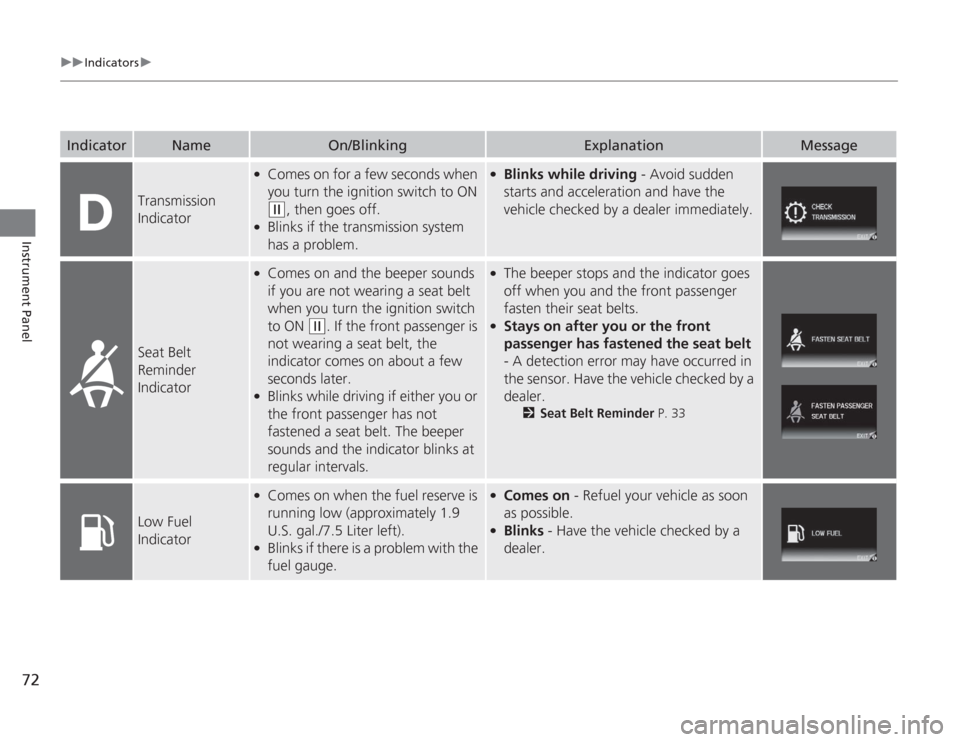
Transmission
Indicator
●
Comes on for a few seconds when
you turn the ignition switch to ON (w
, then goes off.
●
Blinks if the transmission system
has a problem.
●
Blinks while driving - Avoid sudden
starts and acceleration and have the
vehicle checked by a dealer immediately.
Seat Belt
Reminder
Indicator
●
Comes on and the beeper sounds
if you are not wearing a seat belt
when you turn the ignition switch
to ON
(w
. If the front passenger is
not wearing a seat belt, the
indicator comes on about a few
seconds later.
●
Blinks while driving if either you or
the front passenger has not
fastened a seat belt. The beeper
sounds and the indicator blinks at
regular intervals.
●
The beeper stops and the indicator goes
off when you and the front passenger
fasten their seat belts.
●
Stays on after you or the front
passenger has fastened the seat belt
- A detection error may have occurred in
the sensor. Have the vehicle checked by a
dealer.
2 Seat Belt Reminder P. 33
Low Fuel
Indicator
●
Comes on when the fuel reserve is
running low (approximately 1.9
U.S. gal./7.5 Liter left).
●
Blinks if there is a problem with the
fuel gauge.
●
Comes on - Refuel your vehicle as soon
as possible.
●
Blinks - Have the vehicle checked by a
dealer.
Indicator
Name
On/Blinking
Explanation
Message
Page 79 of 313
78
uuIndicators u
Instrument Panel
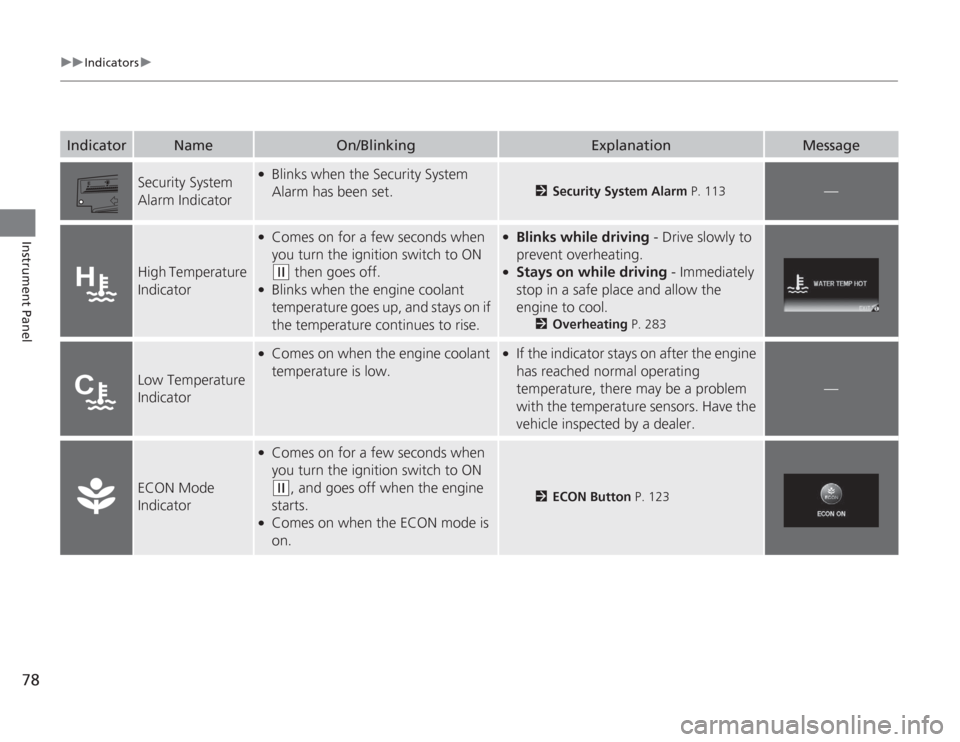
Security System
Alarm Indicator
●
Blinks when the Security System
Alarm has been set.
2Security System Alarm P. 113
—
High Temperature
Indicator
●
Comes on for a few seconds when
you turn the ignition switch to ON (w
then goes off.
●
Blinks when the engine coolant
temperature goes up, and stays on if
the temperature continues to rise.
●
Blinks while driving - Drive slowly to
prevent overheating.
●
Stays on while driving - Immediately
stop in a safe place and allow the
engine to cool.
2 Overheating P. 283
Low Temperature
Indicator
●
Comes on when the engine coolant
temperature is low.
●
If the indicator stays on after the engine
has reached normal operating
temperature, there may be a problem
with the temperature sensors. Have the
vehicle inspected by a dealer.
—
ECON Mode
Indicator
●
Comes on for a few seconds when
you turn the ignition switch to ON (w
, and goes off when the engine
starts.
●
Comes on when the ECON mode is
on.
2 ECON Button P. 123
Indicator
Name
On/Blinking
Explanation
Message
Page 87 of 313
uuGauges and Multi- Information Display uMulti-Information Display
86Instrument Panel
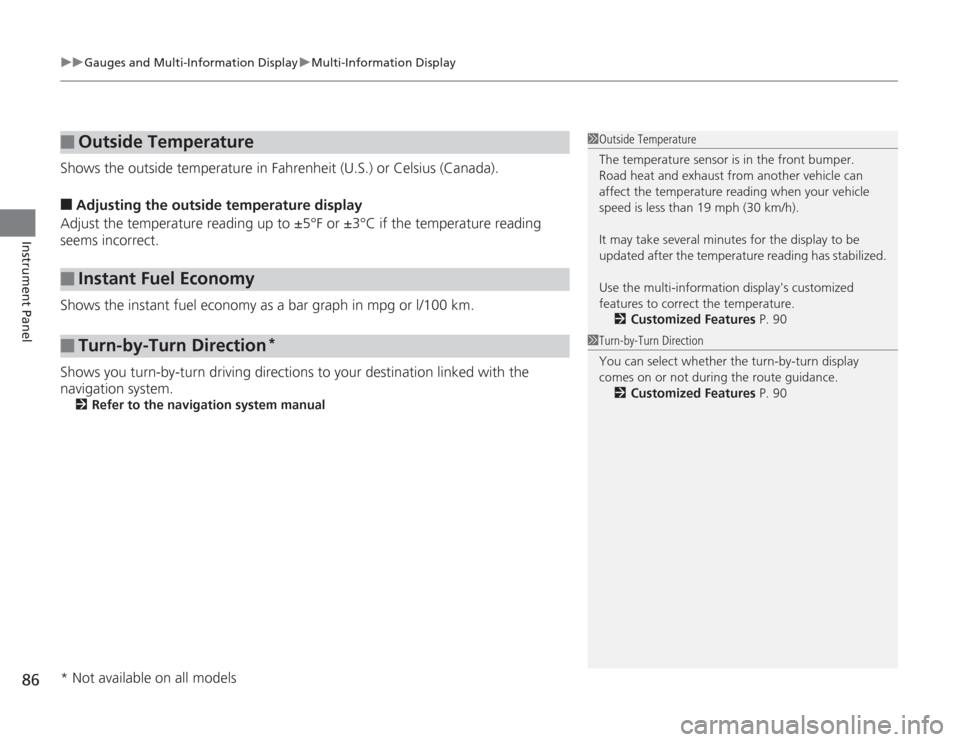
Shows the outside temperature in Fahrenheit (U.S.) or Celsius (Canada).■
Adjusting the outside temperature display
Adjust the temperature reading up to ±5°F or ±3°C if the temperature reading
seems incorrect.
Shows the instant fuel economy as a bar graph in mpg or l/100 km.
Shows you turn-by-turn driving directions to your destination linked with the
navigation system.2 Refer to the navigation system manual
■
Outside Temperature
■
Instant Fuel Economy
■
Turn-by-Turn Direction
*
1Outside Temperature
The temperature sensor is in the front bumper.
Road heat and exhaust from another vehicle can
affect the temperature reading when your vehicle
speed is less than 19 mph (30 km/h).
It may take several mi nutes for the display to be
updated after the temperature reading has stabilized.
Use the multi-information display's customized
features to corre ct the temperature.
2 Customized Features P. 901Turn-by-Turn Direction
You can select whether the turn-by-turn display
comes on or not during the route guidance.
2 Customized Features P. 90
* Not available on all models
Page 102 of 313
101
Controls
This chapter explains how to operate the various controls necessary for driving.
Setting the Clock.............................. 102
Locking and Unlocking the Doors
Key Types and Functions .................. 103
Locking/Unlocking the Doors from the Outside .......................................... 105
Locking/Unlocking the Doors from the Inside ............................................. 107
Childproof Door Locks ..................... 108
Auto Door Locking/Unlocking .......... 109
Opening and Closing the Trunk ....... 110
Security System
Immobilizer System .......................... 113
Security System Alarm ...................... 113Opening and Closing the Windows ..... 115
Operating the Switches Around the
Steering Wheel
Ignition Switch ................................. 117
Turn Signals ..................................... 118
Light Switches.................................. 118
Daytime Running Lights ................... 120
Wipers and Washers ........................ 121
Brightness Control ........................... 122
Rear Defogger/Heated Door Mirror
*
Button ........................................... 123
ECON Button ................................... 123
Adjusting the Steering Wheel........... 124 Adjusting the Mirrors
Interior Rearview Mirror ................... 125
Door Mirrors .................................... 125
Adjusting the Seats Adjusting the Seat Positions ............. 126
Interior Lights/Interior Convenience ItemsInterior Lights .................................. 131
Interior Convenience Items .............. 132
Climate Control System Using Automatic Climate Control .... 137
Automatic Climate Control Sensors ...... 139
* Not available on all models
Page 120 of 313
119
uuOperating the Switches Around the Steering Wheel uLight Switches
Controls
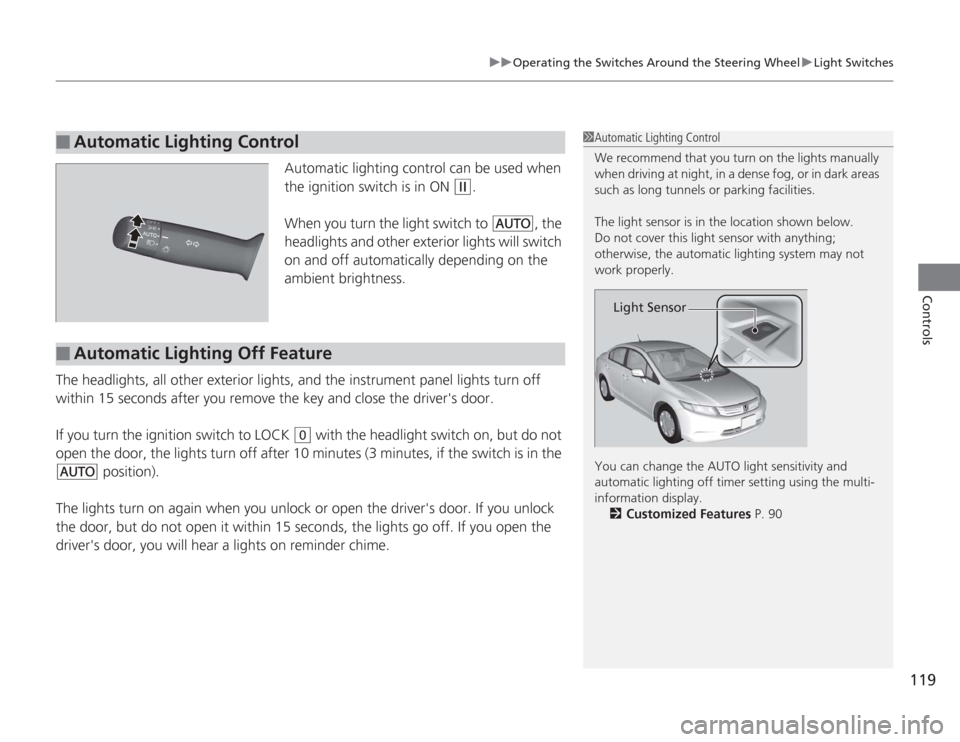
Automatic lighting control can be used when
the ignition switch is in ON
(w
.
When you turn the light switch to
#Y
, the
headlights and other exterior lights will switch
on and off automatically depending on the
ambient brightness.
The headlights, all other exterior lights, and the instrument panel lights turn off
within 15 seconds after you remove the key and close the driver's door.
If you turn the ignition switch to LOCK
(0
with the headlight switch on, but do not
open the door, the lights turn off after 10 minutes (3 minutes, if the switch is in the
#Y
position).
The lights turn on again when you unlock or open the driver's door. If you unlock
the door, but do not open it within 15 secon ds, the lights go off. If you open the
driver's door, you will hear a lights on reminder chime.
■
Automatic Lighting Control
1 Automatic Lighting Control
We recommend that you turn on the lights manually
when driving at night, in a dense fog, or in dark areas
such as long tunnels or parking facilities.
The light sensor is in the location shown below.
Do not cover this light sensor with anything;
otherwise, the automatic lighting system may not
work properly.
You can change the AUTO light sensitivity and
automatic lighting off timer setting using the multi-
information display.
2 Customized Features P. 90
Light Sensor
■
Automatic Lighting Off Feature
Page 140 of 313
139
uuClimate Control System uAutomatic Climate Control Sensors
Controls
Automatic Climate Control Sensors
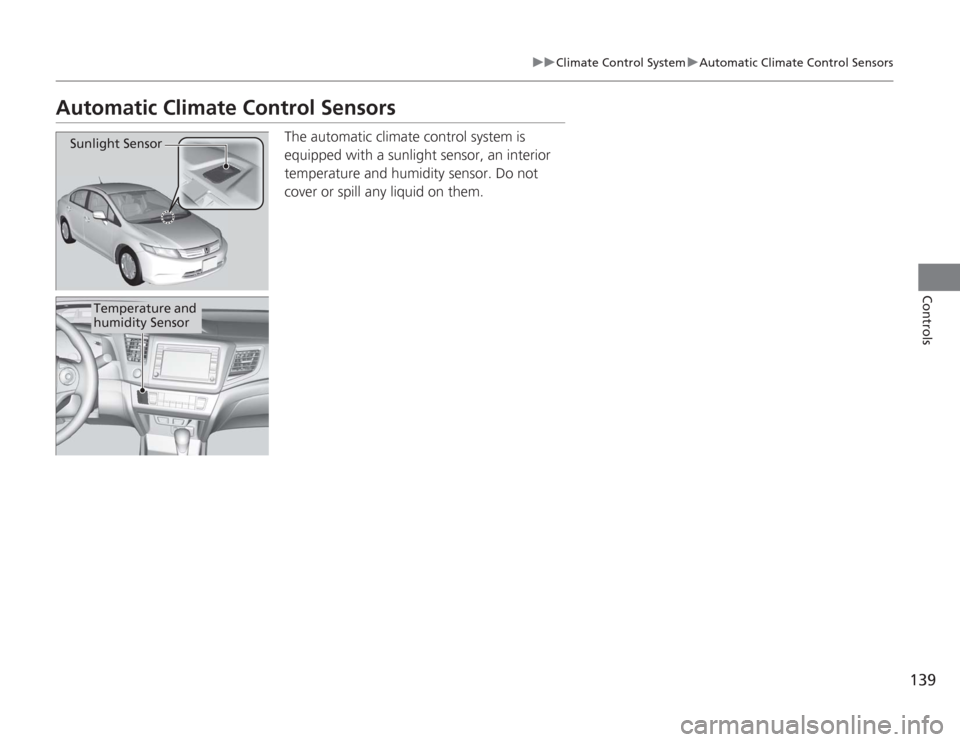
The automatic climate control system is
equipped with a sunlight sensor, an interior
temperature and humidity sensor. Do not
cover or spill any liquid on them.
Sunlight Sensor
Temperature and
humidity Sensor
Page 195 of 313
194
uuBefore Driving uDriving Preparation
Driving
• Be sure items placed on the floor behind the front seats cannot roll under the
seats.
u They can interfere with the driver's ability to operate the pedals, the operation
of the seats, or the operation of the sensors under the seats.
• Everyone in the vehicle must fasten their seat belt.
2 Fastening a Seat Belt P. 35
•Make sure that the indicators in the instrument panel come on when you start the
vehicle, and go off soon after.
u Always have a dealer check the vehicle if a problem is indicated.
2 Indicators P. 70
Page 274 of 313
273
Continued
Handling the Unexpected
If a Tire Goes FlatChanging a Flat TireIf a tire goes flat while driving, grasp the steering wheel firmly, and brake gradually
to reduce speed. Then, stop in a safe place. Replace the flat tire with a compact
spare tire. Go to a dealer as soon as possible to have the full size tire repaired or
replaced.
1.Park the vehicle on firm, level, and non-slippery ground.
2. Put the shift lever in
(P
.
3. Set the parking brake.
4. Turn on the hazard warning lights and turn the ignition switch to LOCK
(0
.
1Changing a Flat Tire
Follow compact spare precautions:
Periodically check the tire pressure of the compact
spare. It should be set to the specified pressure.
Specified Pressure: 60 psi (420 kPa, 4.2 kgf/cm
2)
When driving with the compact spare tire, keep the
vehicle speed under 50 mph (80 km/h). Replace with
a full size tire as soon as possible.
The compact spare tire and wheel in your vehicle are
specifically for this model.
Do not use them with another vehicle.
Do not use another type of compact spare tire or
wheel with your vehicle.
Do not mount tire chains on a compact spare tire.
If a chain-mounted front tire goes flat, remove one of
the full-size rear tires and replace it with the compact
spare tire. Remove the flat front tire and replace it
with the full size tire that was removed from the rear.
Mount the tire chains on the front tire.
Do not use a puncture-repairing agent on a flat tire,
as it can damage the tire pressure sensor.
U.S. models only
Page 279 of 313
uuIf a Tire Goes Flat uChanging a Flat Tire
278Handling the Unexpected
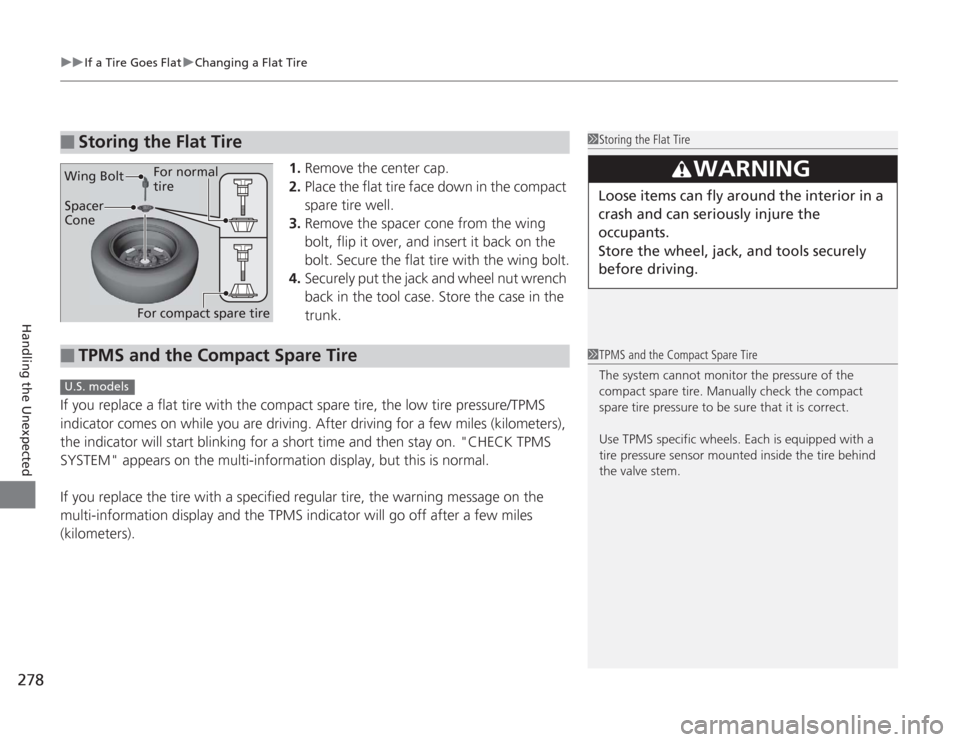
1. Remove the center cap.
2. Place the flat tire face down in the compact
spare tire well.
3. Remove the spacer cone from the wing
bolt, flip it over, and insert it back on the
bolt. Secure the flat tire with the wing bolt.
4. Securely put the jack and wheel nut wrench
back in the tool case. Store the case in the
trunk.
If you replace a flat tire with the compact spare tire, the low tire pressure/TPMS
indicator comes on while you are driving. After driving for a few miles (kilometers),
the indicator will start blinking for a short time and then stay on. "CHECK TPMS
SYSTEM" appears on the multi-information display, but this is normal.
If you replace the tire with a specified regular tire, the warning message on the
multi-information display and the TPMS indicator will go off after a few miles
(kilometers).
■
Storing the Flat Tire
1 Storing the Flat Tire
3
WARNING
Loose items can fly around the interior in a
crash and can seriously injure the
occupants.
Store the wheel, jack, and tools securely
before driving.
Spacer
Cone
Wing Bolt
For compact spare tire For normal
tire
■
TPMS and the Compact Spare Tire
1
TPMS and the Compact Spare Tire
The system cannot monitor the pressure of the
compact spare tire. Manually check the compact
spare tire pressure to be sure that it is correct.
Use TPMS specific wheels. Each is equipped with a
tire pressure sensor mounted inside the tire behind
the valve stem.
U.S. models