tires HONDA CIVIC SEDAN 2012 Owner's Manual (in English)
[x] Cancel search | Manufacturer: HONDA, Model Year: 2012, Model line: CIVIC SEDAN, Model: HONDA CIVIC SEDAN 2012Pages: 345, PDF Size: 53.95 MB
Page 2 of 345
Contents
Child Safety P. 50 Exhaust Gas Hazard P. 62 Safety Labels P. 63
Opening and Closing the Trunk P. 109Security System P. 112 Opening and Closing the Windows P. 114
Operating the Switches Around the Steering Wheel P. 117Adjusting the Mirrors P. 125
Interior Lights/Interior Convenience Items P.134 Heating and Cooling
* P. 140
Audio Error Messages* P. 172 General Information on the Audio System* P. 174
When Driving P. 211 Braking P.229 Parking Your Vehicle P.233
Accessories and Modifications P. 238
Maintenance Under the Hood P.251 Replacing Light Bulbs P. 268
Checking and Maintaining Tires P. 280Battery P. 289 Remote Transmitter Care* P. 290
Cleaning P. 292
Engine Does Not Start P. 306 Jump Starting P.307 Shift Lever Does Not Move P. 310
Fuses P. 318 Emergency Towing P. 321
Devices that Emit Radio Waves P. 329Reporting Safety Defects P. 330
Authorized Manuals P. 335 Customer Service Information P. 336
Quick Reference GuideP. 2
Safe DrivingP. 23
Instrument PanelP. 65
ControlsP. 97
FeaturesP. 143
DrivingP. 201
MaintenanceP. 239
Handling the UnexpectedP. 297
InformationP. 323
IndexP. 337
CIVIC 4D-31TR3600.book 1 ページ 2011年2月14日 月曜日 午後2時51分
* Not available on all models2012 Civic Sedan
Page 7 of 345
Visual Index
6
Quick Reference Guide - 2012 Civic Sedan
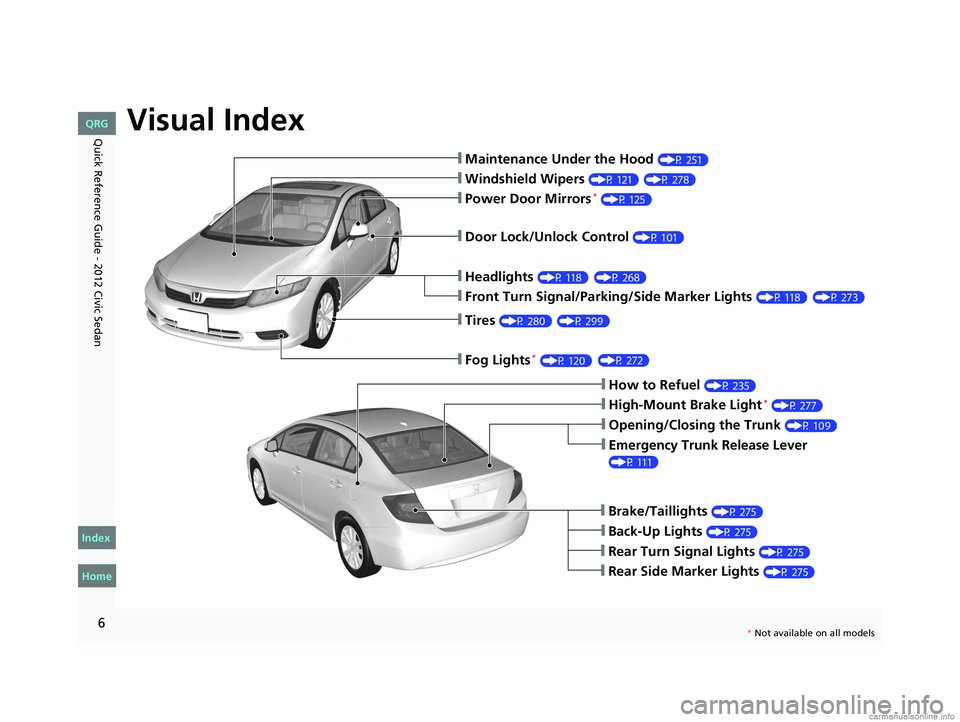
❙Maintenance Under the Hood (P 251)
❙Windshield Wipers (P 121)
❙Tires (P 280)
❙Fog Lights *(P 120)
❙Door Lock/Unlock Control (P 101)
❙Power Door Mirrors* (P 125)
❙Headlights (P 118)
❙Front Turn Signal/Parking/Side Marker Lights (P 118)
❙How to Refuel (P 235)
❙High-Mount Brake Light* (P 277)
❙Emergency Trunk Release Lever
(P 111)
❙Opening/Closing the Trunk (P 109)
❙Back-Up Lights (P 275)
❙Brake/Taillights (P 275)
❙Rear Turn Signal Lights (P 275)
❙Rear Side Marker Lights (P 275)
CIVIC 4D-31TR3600.book 6 ページ 2011年2月14日 月曜日 午後2時51分
Home
QRG
Index
(P 27 8 )
(P 27 3)
( P 29 9)
( P 27 2)
(
P 268)
* No t avai lable on all m odel s
Page 18 of 345
17
Quick Reference Guide - 2012 Civic SedanMaintenance (P 239)
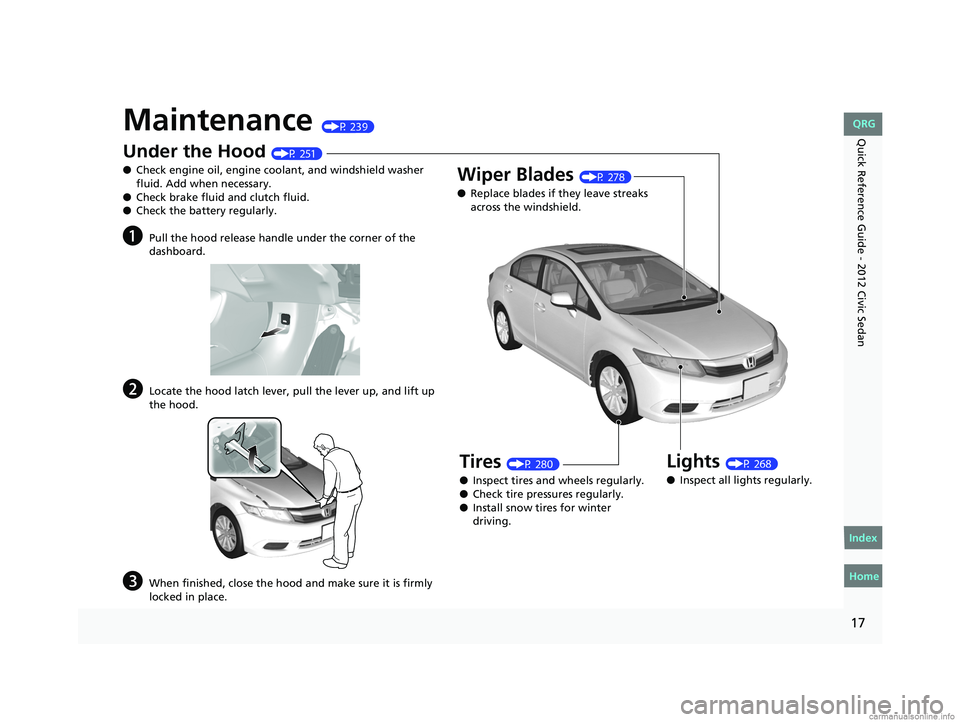
Under the Hood (P 251)
● Check engine oil, engine coolant, and windshield washer
fluid. Add when necessary.
● Check brake fluid and clutch fluid.
● Check the battery regularly.
aPull the hood release handle under the corner of the
dashboard.
bLocate the hood latch lever, pull the lever up, and lift up
the hood.
cWhen finished, close the hood and make sure it is firmly
locked in place.
Lights (P 268)
● Inspect all lights regularly.
Wiper Blades (P 278)
● Replace blades if they leave streaks
across the windshield.
Tires (P 280)
● Inspect tires and wheels regularly.
● Check tire pressures regularly.
● Install snow tires for winter
driving.
CIVIC 4D-31TR3600.book 17 ページ 2011年2月14日 月曜日 午後2時51分
Home
QRG
Index
Page 73 of 345
72
uuIndicators u
Instrument Panel
IndicatorNameOn/BlinkingExplanationMessage*
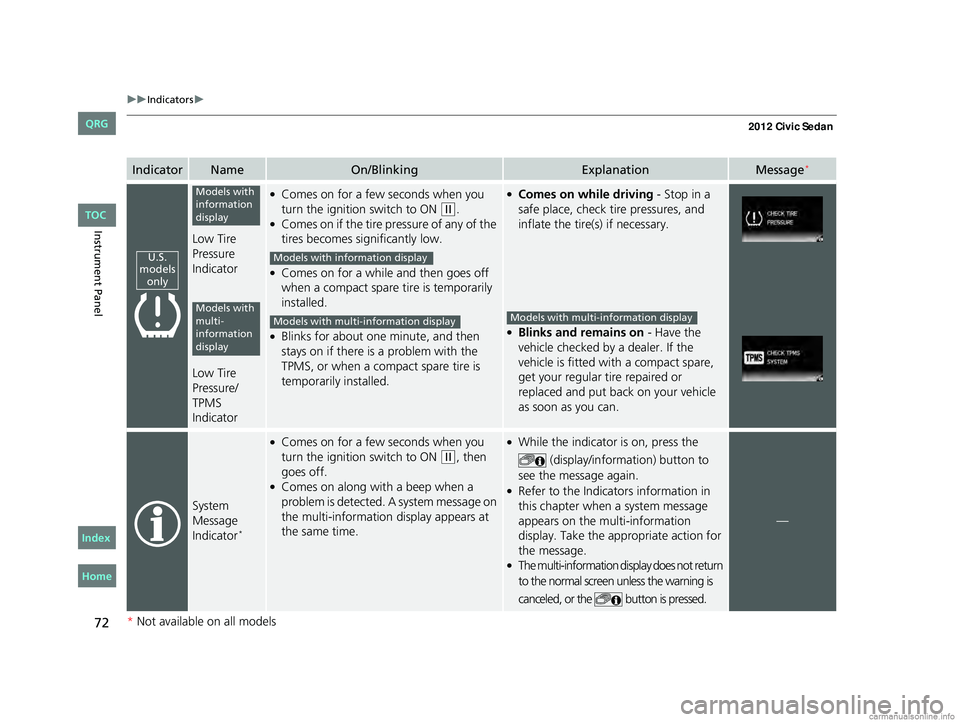
Low Tire
Pressure
Indicator
Low Tire
Pressure/
TPMS
Indicator
●Comes on for a few seconds when you
turn the ignition switch to ON
(w.●Comes on if the tire pressure of any of the
tires becomes significantly low.
●Comes on for a while and then goes off
when a compact spare tire is temporarily
installed.
●Blinks for about one minute, and then
stays on if there is a problem with the
TPMS, or when a comp act spare tire is
temporarily installed.
●Comes on while driving - Stop in a
safe place, check tire pressures, and
inflate the tire(s) if necessary.
●Blinks and remains on - Have the
vehicle checked by a dealer. If the
vehicle is fitted with a compact spare,
get your regular tire repaired or
replaced and put back on your vehicle
as soon as you can.
System
Message
Indicator
*
●Comes on for a few seconds when you
turn the ignition switch to ON
(w, then
goes off.
●Comes on along with a beep when a
problem is detected. A system message on
the multi-information display appears at
the same time.
●While the indicator is on, press the
(display/information) button to
see the message again.
●Refer to the Indicators information in
this chapter when a system message
appears on the multi-information
display. Take the appropriate action for
the message.
●The multi-information display does not return
to the normal screen unless the warning is
canceled, or the button is pressed.
—
U.S.
models only
Models with
information
display
Models with
multi-
information
display
Models with info rmation display
Models with multi- information displayModels with multi-information display
* Not available on all models
CIVIC 4D-31TR3600.book 72 ページ 2011年2月14日 月曜日 午後2時51分
TOC
Home
QRG
Index
Page 203 of 345
202
Driving
Before Driving
Driving Preparation
Check the following items before you start driving.
• Make sure there are no obstructions on the windows, door mirrors, exterior
lights, or other parts of the vehicle.
u Remove any frost, snow, or ice.
u Remove any snow on the roof, as this can slip down and obstruct your field of
vision while driving. If frozen solid , remove ice once it has softened.
u When removing ice from around the wheels, be sure not to damage the wheel
or wheel components.
• Make sure the hood is securely closed.
u If the hood opens while driving, your front view will be blocked.
• Make sure the tires are in good condition.
u Check air pressure, check for damage and excessive wear.
2 Checking and Maintaining Tires P. 280
•Make sure there are no people or ob jects behind or around the vehicle.
u There are blind spots from the inside.
■Exterior Checks1Exterior Checks
NOTICE
When doors are frozen s hut, use warm water around
the door edges to melt any ice. Do not try to force
them open, as this can damage the rubber trim
around the doors. When done, wipe dry to avoid
further freezing.
Do not pour warm water into the key cylinder.
You will be unable to insert key if the water freezes in
the hole.
CIVIC 4D-31TR3600.book 202 ページ 2011年2月14日 月曜日 午後2時51分
TOC
Home
QRG
Index
Page 204 of 345
Continued203
uuBefore Driving uDriving Preparation
Driving
• Store or secure all items on board properly.
u Carrying too much cargo, or improperly storing it, can affect your vehicle's
handling, stability, sto pping distance, and tires, and make it unsafe.
2Maximum Load Limit P. 205
•Do not pile items higher than the seat height.
u They can block your view and may be thrown forward in the event of sudden
braking.
• Do not place anything in the front seat footwells. Make sure to secure the floor
mat
*.
u An object or unsecured floor mat can in terfere with your brake and accelerator
pedal operation while driving.
• If you have any animals on board, do not let them move around in the vehicle.
u They may interfere with driving and a crash could occur.
• Securely close and lock all doors and the trunk.
2 Locking/Unlocking the Doors from the Inside P. 103
•Adjust your seating position properly.
u Adjust the head restraint, too.
2Adjusting the Seats P. 126
2 Adjusting the Head Restraints P. 129
•Adjust the mirrors and steering wh eel properly for your driving.
u Adjust them while sitting in the proper driving position.
2 Adjusting the Mirrors P. 125
2 Adjusting the Steering Wheel P. 124
■Interior Checks1Interior Checks
The headlight aim is set by the factory, and does not
need to be adjusted. Howeve r, if you regularly carry
heavy items in the trunk or tow a trailer, have the
aiming readjusted at a de aler or by a qualified
technician.
* Not available on all models
CIVIC 4D-31TR3600.book 203 ページ 2011年2月14日 月曜日 午後2時51分
TOC
Home
QRG
Index
Page 210 of 345
209
uuTowing a Trailer uDriving Safely with a Trailer
Continued
Driving
Driving Safely with a Trailer
• Have the trailer properly servic ed and keep it in good condition.
• Make sure that all the weights and load in the vehicle and trailer are within limits.
2Towing Load Limits P. 207
•Securely attach the hitch, safety chains, and other necessary parts to the trailer.
• Securely store all the items in and on the tra iler so that they do not shift while
driving.
• Check if the lights and brakes on the trailer are working properly.
• Check the pressures of the traile r tires, including the spare.
• Drive slower than normal.
• Obey posted speed limits fo r vehicles with trailers.
• Use the
(D position when towing a trailer on level roads.
• Turn more slowly and with a wider turning arc than normal.
• Allow more time and distance for braking.
• Do not brake or turn suddenly.
■Things You Need To Know Before Towing a Trailer
■Towing Speeds and Gears
■Turning and Braking
1Driving Safely with a Trailer
Parking
In addition to the normal precautions, place wheel
chocks at each of the trailer's tires.
Automatic transmission models
CIVIC 4D-31TR3600.book 209 ページ 2011年2月14日 月曜日 午後2時51分
TOC
Home
QRG
Index
Page 227 of 345
226
uuWhen Driving uTire Pressure Monitoring System (TPMS) - Required Federal Explanation
Driving
Tire Pressure Monitoring System (TPMS) - Required
Federal Explanation
Each tire, including the spare (if provided), should be checked monthly when cold
and inflated to the inflation pressure recommended by the vehicle manufacturer
on the vehicle placard or tire inflation pressure label.
(If your vehicle has tires of a diff erent size than the size indicated on the vehicle
placard or tire inflation pressure label, you should determine the proper tire
tire inflation pressure for those tires.)
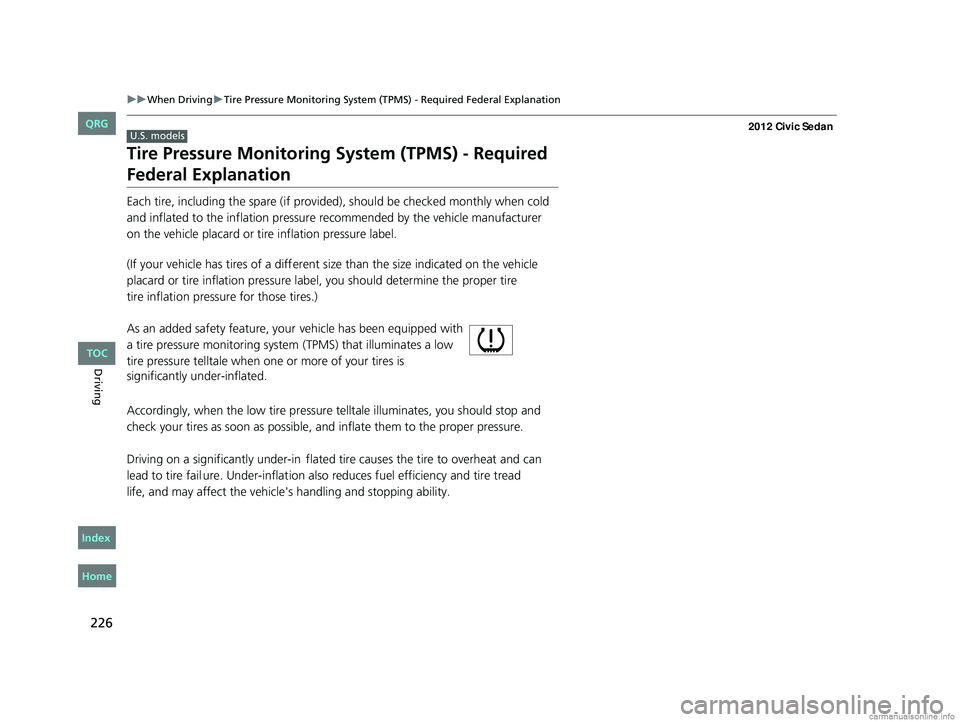
As an added safety feature, your vehicle has been equipped with
a tire pressure monitoring system (TPMS) that illuminates a low
tire pressure telltale when one or more of your tires is
significantly under-inflated.
Accordingly, when the low tire pressure telltale illuminates, you should stop and
check your tires as soon as possible, and inflate them to the proper pressure.
Driving on a significantly under-in flated tire causes the tire to overheat and can
lead to tire fail ure. Under-inflation also reduces fuel efficiency and tire tread
life, and may affect the vehicle's handling and stopping ability.
U.S. models
CIVIC 4D-31TR3600.book 226 ページ 2011年2月14日 月曜日 午後2時51分
TOC
Home
QRG
Index
Page 228 of 345
227
uuWhen Driving uTire Pressure Monitoring System (TPMS) - Required Federal Explanation
Continued
Driving
Please note that the TPMS is not a substitute for proper tire maintenance,
and it is the driver's responsibility to maintain correct tire pressure, even
if under-inflation has not reached the level to trigger illumination of the
TPMS low tire pressure telltale.
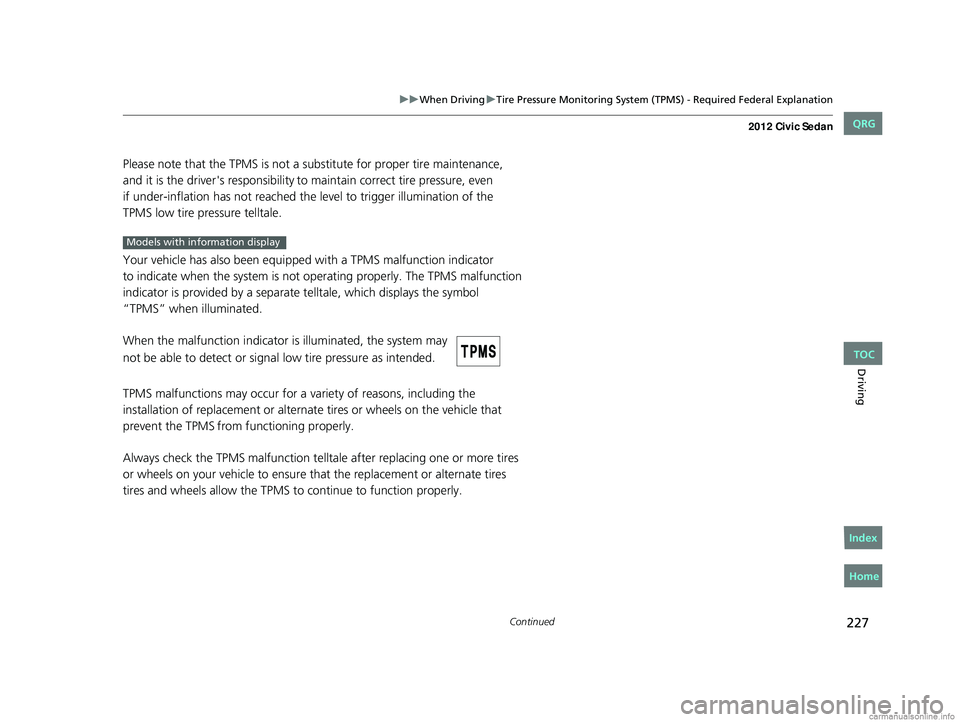
Your vehicle has also been equipped with a TPMS malfunction indicator
to indicate when the system is not operating properly. The TPMS malfunction
indicator is provided by a separate telltale, which displays the symbol
“TPMS” when illuminated.
When the malfunction indicator is illuminated, the system may
not be able to detect or signal low tire pressure as intended.
TPMS malfunctions may occur for a variety of reasons, including the
installation of replacement or alternate tires or wheels on the vehicle that
prevent the TPMS from functioning properly.
Always check the TPMS malfunction telltale after replacing one or more tires
or wheels on your vehicle to ensure that the replacement or alternate tires
tires and wheels allow the TPMS to continue to function properly.
Models with info rmation display
CIVIC 4D-31TR3600.book 227 ページ 2011年2月14日 月曜日 午後2時51分
TOC
Home
QRG
Index
Page 229 of 345
228
uuWhen Driving uTire Pressure Monitoring System (TPMS) - Required Federal Explanation
Driving
Your vehicle has also been eq uipped with a TPMS malfunction indicator to
indicate when the system is not operating properly. The TPMS malfunction
indicator is combined with the low tire pressure telltale. When the system
detects a malfunction, the telltale will flash for approximately one minute and
then remain continuously illuminated. This sequence will continue upon
subsequent vehicle start-ups as long as the malfunction exists.
When the malfunction indicator is illuminated, the system may not be able to
detect or signal low tire pressure as intended.
TPMS malfunctions may occur for a variety of reasons, including the installation
of replacement or alternate tires or wheels on the vehicle that prevent the TPMS
from functioning properly.
Always check the TPMS malfunction telltale after replacing one or more tires or
wheels on your vehicle to ensure that the replacement or alternate tires and
wheels allow the TPMS to continue to function properly.
Models with multi- information display
CIVIC 4D-31TR3600.book 228 ページ 2011年2月14日 月曜日 午後2時51分
TOC
Home
QRG
Index