USB HONDA CIVIC SEDAN 2014 Navigation Manual (in English)
[x] Cancel search | Manufacturer: HONDA, Model Year: 2014, Model line: CIVIC SEDAN, Model: HONDA CIVIC SEDAN 2014Pages: 253, PDF Size: 58.94 MB
Page 2 of 253
Contents
2System Setup P. 19Start-up 20 Voice Control System 22Display Mode Settings 25 Personal Information 27
Routing 38 Guidance 46 Map 49 System Settings 63
Display Settings 65 Sound and Beep Settings 67 Voice Recognition Settings 69Clock Adjustment 70
Other Settings 76 Data Reset 78
2Navigation P. 79Entering a Destination 80Calculating the Route 98Driving to Your Destination 100Map Menu 105
Changing Your Route 111 Changing Your Destination 120 Resuming Your Trip 123
2Audio P. 125Audio System 126 Audio Remote Controls 128 Audio Settings 131 Playing FM/AM Radio 133
Playing XM® Radio 137 Playing a Disc 141 Playing an iPod 146Playing Pandora® 154
Playing a USB Flash Drive 157Playing Bluetooth ® Audio 161 Playing a Video Using the HDMI ® 165
2Bluetooth ® Han dsFreeLink® P. 167Bluetooth® HandsFreeLink® 168 Text Message/E-mail 192HondaLink Assist 195
2Other Features P. 197Trip Computer 198 Information Functions 199 Multi-View Rear Camera 202
2Troubleshooting P. 205Troubleshooting 206 Error Messages 214
2Reference Information P. 221System Initialization 222 System Limitations 224 Customer Assistance 226 Legal Information 230
2Voice Commands P. 233Voice Commands 234
Quick Reference GuideP. 2
System Setup P. 19
Navigation P. 79
Audio P. 125
Bluetooth® HandsFreeLink®P. 167
Other Features P. 197
TroubleshootingP. 205
Reference Information P. 221
Voice Commands P. 233
Index P. 245
14 CIVIC 2D 4D IMA NAVI-31TR38200.book 1 ページ 2014年3月21日 金曜日 午 後3時20分
Page 4 of 253
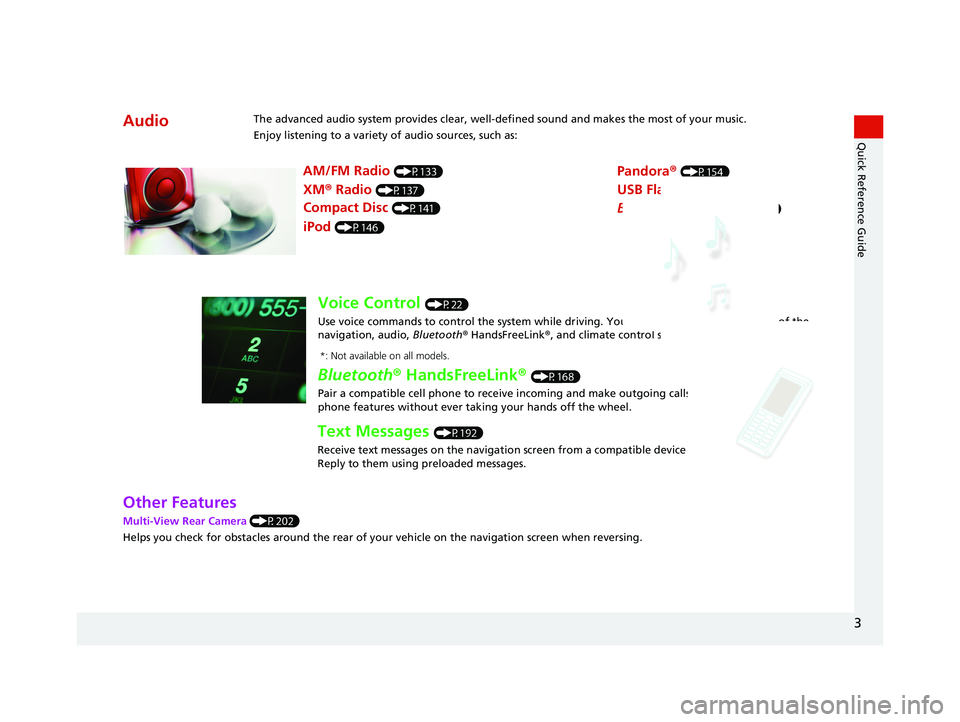
AudioThe advanced audio system provides clear, well-defined sound and makes the most of your music.
Enjoy listening to a variety of audio sources, such as:
AM/FM Radio (P133)
XM® Radio (P137)
Compact Disc (P141)
Pandora® (P154)
iPod (P146)
USB Flash Drive (P157)
Bluetooth® Audio (P161)
Voice Control (P22)
Use voice commands to control the system while dr iving. You can operate all key functions of the
navigation, audio, Bluetooth ® HandsFreeLink ®, and climate control systems*.
Bluetooth ® HandsFreeLink ® (P168)
Pair a compatible cell phone to receive incoming and make outgoing calls. You can operate the
phone features without ever taking your hands off the wheel.
Text Messages (P192)
Receive text messages on the navigation screen from a compatible device and hear them read aloud.
Reply to them using preloaded messages.
*: Not available on all models.
3
Quick Reference Guide
Other Features
Multi-View Rear Camera (P202)
Helps you check for obstacles around the rear of your vehicle on the navigation screen when reversing.
14 CIVIC 2D 4D IMA NAVI-31TR38200.book 3 ページ 2014年3月21日 金曜日 午 後3時20分
Page 70 of 253
69
System Setup
Voice Recognition Settings
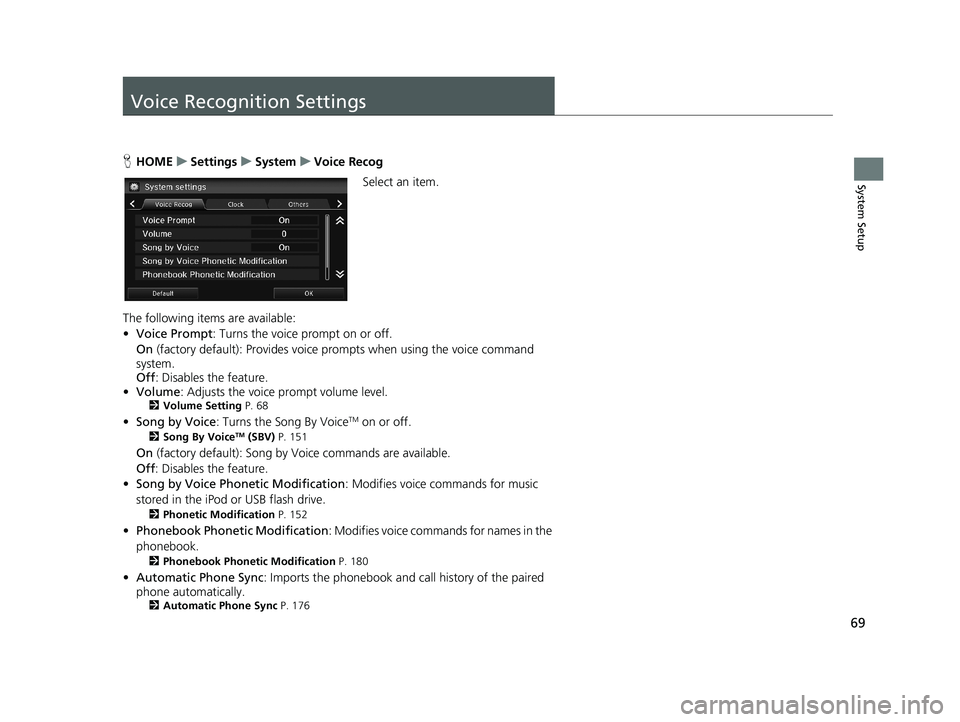
HHOME u Settings u System u Voice Recog
Select an item.
The following items are available:
• Vo
ice Prompt : Turns the voice prompt on or off.
On (factory default):
Provides voice prompts when using the voice command
system.
Off :
Disables the feature.
• Volume:
Adjusts the voice prompt volume level.2Volume Setting P. 68
• Song by Voice : Turns the Song By VoiceTM on or off.
2Song By VoiceTM (SBV) P. 151
On (factory default): Song by Voice commands are available.
Off :
Disables the feature.
• Son
g by Voice Phonetic Modification : Modifies voice commands for music
stored in the iPod or USB flash drive.
2 Phonetic Modification P. 152
• Phonebook Ph onetic Modification : Modifies voice commands for names in the
phonebook.
2 Phonebook Phonetic Modification P. 180
• Automatic Phone Sync : Imports the phonebook and call history of the paired
phone automatically.
2 Automatic Phone Sync P. 176
14 CIVIC 2D 4D IMA NAVI-31TR38200.book 69 ページ 2014年3月21日 金曜日 午後3時20分
Page 73 of 253
72
uu Clock Adjustment u Wallpaper Settings
System Setup
Wallpaper Settings
Select, delete, and import wallpaper pictures for display on the screen.
■Import Wallpaper
1
Import Wallpaper
Recommended files
•When importing wallpaper files, the image must be
in the USB flash drive’s root directory.
Images in a folder cannot be imported.
•The file name must be fewer than 64 characters.•The file format of the im age that can be imported
is BMP (bmp) or JPEG (jpg).
•The individual file size limit is 5 MB.
•The maximum image size is 4,096 × 4,096 pixels. If
the image size is less than 420 × 234 pixels, the
image is displayed in the middle of the screen with
the extra area appearing in black.
•Up to 5 files can be saved.
•If the USB flash drive doe s not have any pictures,
the No files detected message appears.
Shortly after setting th e wallpaper or importing
pictures, do not set the power mode to OFF, or
disconnect the USB device. It may cause the setting
error or the destruction of data.
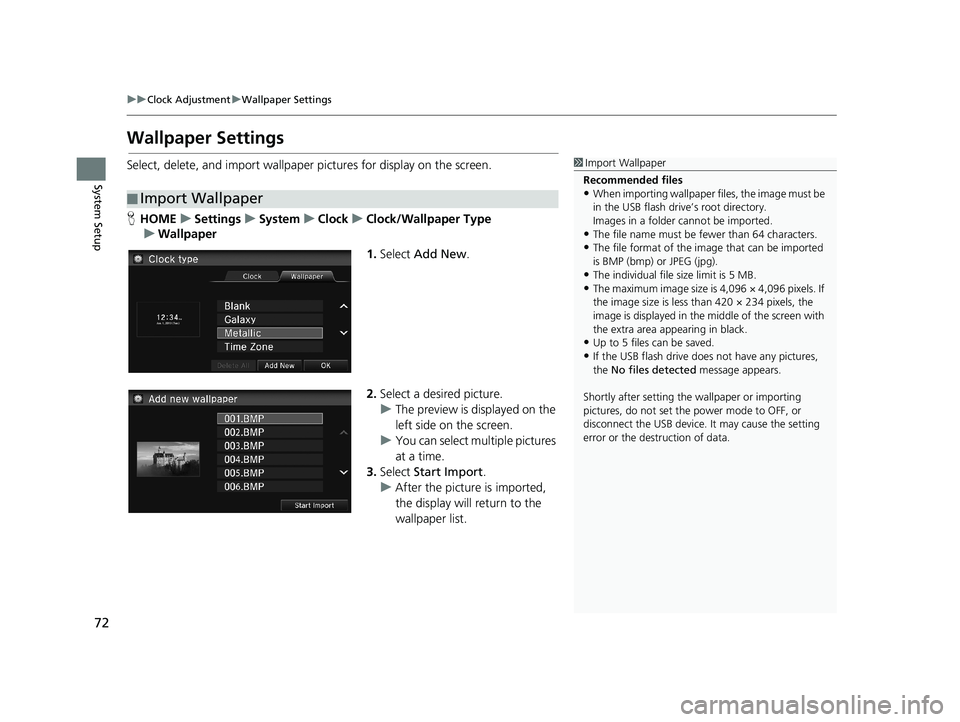
H HOME u Settings u System u Clock u Clock/Wallpaper Type
u Wallpaper
1. Select Add New .
2.Select a desired picture.
u The preview
is displayed on the
left side on the screen.
u You can select
multiple pictures
at a time.
3. Select Sta
rt Import.
u After
the picture is imported,
the display will return to the
wallpaper list.
14 CIVIC 2D 4D IMA NAVI-31TR38200.book 72 ページ 2014年3月21日 金曜日 午後3時20分
Page 126 of 253
125
Audio
This section describes how to operate the audio system. You can play music from a wide
array of media sources, and control the audio system using the touchscreen, remote
control, or voice control.
Audio System........................................ 126
About Your Audio System .................... 126Audio System Theft Protection ............. 127Audio Remote Controls........................ 128
Steering Wheel Controls ...................... 128Audio Settings...................................... 131Adjusting the Sound ............................ 132Playing FM/AM Radio........................... 133
Selecting FM/AM Mode........................ 133Audio Screen Control ........................... 134Audio Menu ........................................ 135Playing XM® Radio................................ 137
Selecting XM Mode.............................. 137Audio Screen Control ........................... 138Audio Menu ........................................ 139
XM® Radio Service ................................140Playing a Disc.........................................141
Selecting Disc Mode ..............................141Audio Screen Control............................142Playing MP3/WMA/AAC Discs ...............143Audio Menu .........................................144Recommended Discs .............................145Playing an iPod......................................146
Selecting iPod Mode .............................147Audio Screen Control............................148Audio Menu .........................................149Searching for Music ..............................150Song By VoiceTM (SBV) ...........................151Playing Pandora®...................................154Selecting Pandora® Mode......................154
Audio Screen Control ........................... 155Audio Menu......................................... 156Playing a USB Flash Drive..................... 157
Selecting USB Mode ............................. 158Audio Screen Control ........................... 159Audio Menu......................................... 160Playing Bluetooth® Audio.................... 161
Selecting Bluetooth® Audio Mode ........ 161Switching to HFL Mode ........................ 162Audio Screen Control ........................... 163Audio Menu......................................... 164Playing a Video Using the HDMI®........ 165Selecting HDMI Mode .......................... 166
14 CIVIC 2D 4D IMA NAVI-31TR38200.book 125 ページ 2014年3月21日 金曜日 午後3時20分
Page 127 of 253
126
Audio
Audio System
About Your Audio System
1About Your Audio System
XM ® Radio is available on a subscription basis only.
2 XM ® Radio Service P. 140
XM ® Radio is available in the United States and
Canada, except Ha waii, Alaska, and Puerto Rico.
XM is a registered trademark of Sirius XM ® Radio, Inc.
Video CDs, DVDs, and 3-inch /8-cm mini discs are not
supported.
Do not leave the iPod or USB flash drive in the vehicle.
Direct sunlight and high temperatures may damage
it.
iPod and iPhone are regist ered trademark owned by
Apple Inc.
State (provincial in Canada) or local laws may prohibit
the operation of handheld electronic devices while
operating a vehicle.
You can operate the audio system by voice
commands. 2 Audio Commands P. 237The audio system features FM/AM radio and XM ® Radio. It can also play audio discs,
WMA/MP3/AAC tracks, iPods, USB flash drives, and Bluetooth® devices.
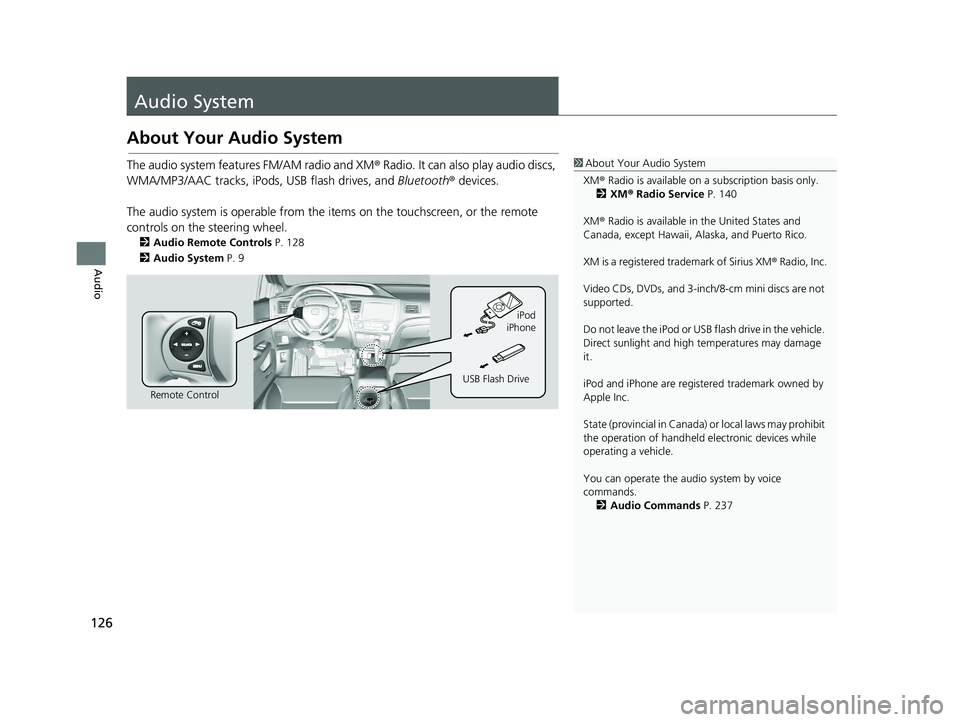
The audio system is operable from the it ems on
the touchscreen, or the remote
controls on the steering wheel.
2 Audio Remote Controls P. 128
2 Audio System P. 9
Remote Control iPod
USB Flash Drive iPhone
14 CIVIC 2D 4D IMA NAVI-31TR38200.book 126 ページ 2014年3月21日 金曜日 午後3時20分
Page 129 of 253
128
Audio
Audio Remote Controls
Steering Wheel Controls
1SOURCE Button
DISC mode appears only when a disc is loaded.
The USB mode, iPod mode, App mode, Bluetooth®
Audio mode, and Pandora ® mode appear when a
connection ( Bluetooth or USB) is established with a
device.
App mode appears only when a connection is
established with your smartphone and the app is
launched.
Aha mode appears only when a connection is
established with your smartphone and HondaLink
app is launched.
AUX-HDMI mode appears only when a connection
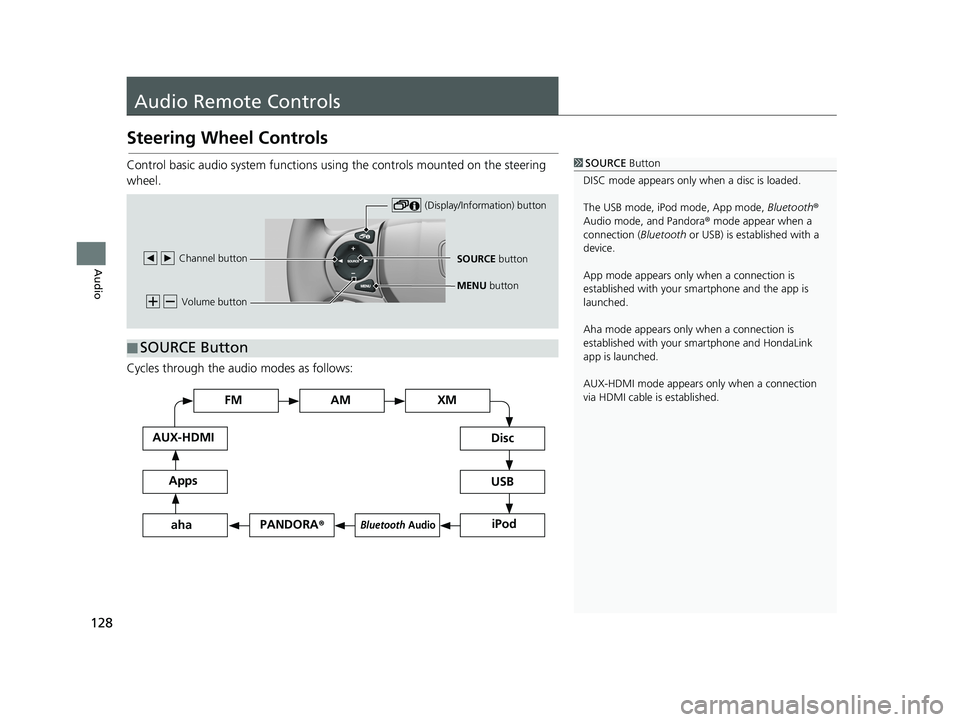
via HDMI cable is established.Control basic audio system functions using the controls mounted on the steering
wheel.
Volume button
SOURCE button
Channel button
(Display/Information) button
MENU
button
■SOURCE Button
Cycles through the au
dio modes as follows:
FM
PANDORA
®
AM XM
iPod
Disc
USB
Bluetooth Audio
Apps
AUX-HDMI
aha
14 CIVIC 2D 4D IMA NAVI-31TR38200.book 128 ページ 2014年3月21日 金曜日 午後3時20分
Page 130 of 253
(Volume) Button
■
129
uu Audio Remote Controls u Steering Wheel Controls
Continued
Audio
Adjusts the volume.
• Press the (Volume) button to increase the volume.
• Press the (Volume) button to de crease the volume.
(Channel) Button
■
FM/AM, XM
• Press the (Channel) button to select the next preset station (channel).
• Press the (Channel) button to select the pr ev ious preset station (channel).
• Press and hold the or button to skip to the next or previous station in the
frequency.
DISC, iPod, USB, or Bl
uetooth® Audio (on some phones)
• Press the button to skip to the next track.
• Press the button to skip to the beginning of the current track. Press the
button again to go to the beginning of the previous track.
• Press and hold the or
button to skip up or down a folder (MP3/WMA/AAC
Discs and USB devices), and a group (some Bluetooth devices).
Pandora ®
• Press the button to skip to the next song.
• Press and hold the or button to select the upper or lower station.
(Display/Information) Button
■
Press the (Display/Information) button to sc roll to the audio screen in the
intelligent Multi-Information Display.
14 CIVIC 2D 4D IMA NAVI-31TR38200.book 129 ページ 2014年3月21日 金曜日 午後3時20分
Page 131 of 253
■MENU Button1
MENU Button
* Not available on all models.
uu Audio Remote Controls u Steering Wheel Controls
130
Audio
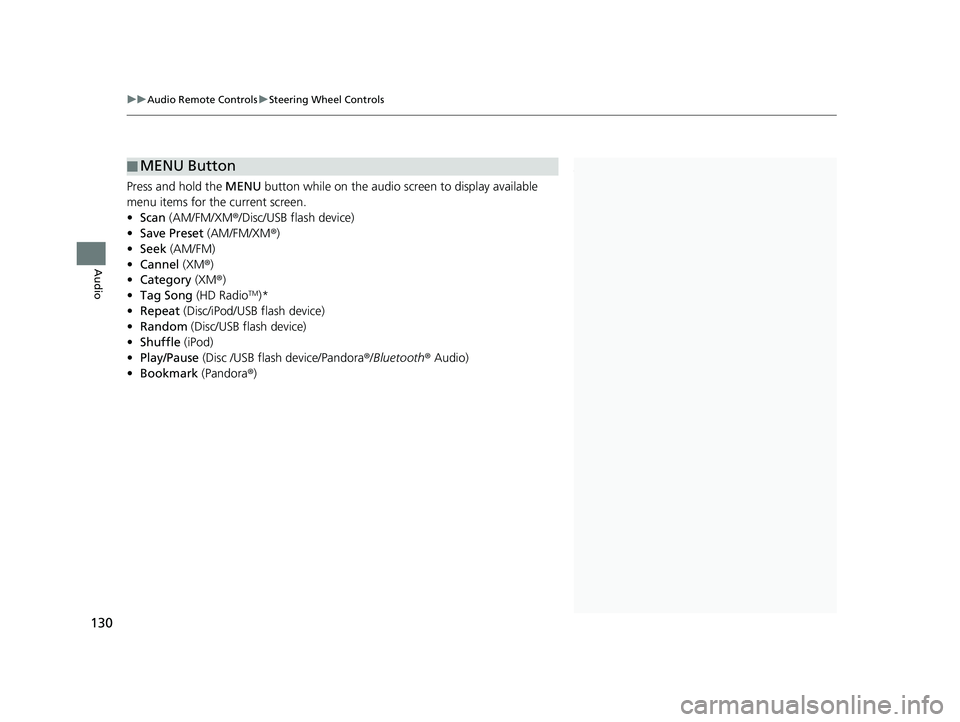
Press and hold the MENU button while on the audio screen to display available
menu items for the current screen.
• Scan (AM/FM/XM ®/Disc/USB flash device)
• Save Preset (AM/
FM/XM®)
• Seek (AM/
FM)
• Ca
nnel (XM ®)
• Cate
gory (XM®)
• Ta
g Song (HD RadioTM)*
• R
epeat (Disc/iPod/USB flash device)
• Rand
om (Disc/USB flash device)
• Shuffle (iPod)
• Pl
ay/Pause (Disc /USB flas h device/Pandora ®/Bluetooth ® Audio)
• Bookma
rk (Pandora ®)
14 CIVIC 2D 4D IMA NAVI-31TR38200.book 130 ページ 2014年3月21日 金曜日 午後3時20分
Page 132 of 253
131Continued
Audio
Audio Settings
1Audio Settings
The Audio Setting items di ffer depending on the
playing source.
HD Radio Mode
HD Radio functions may not be available on the
vehicle’s audio system.
Cover Art
While playing the HD Radio, Cover Art appears also
on the Audio settings screen of AM/FM mode.
U.S. models
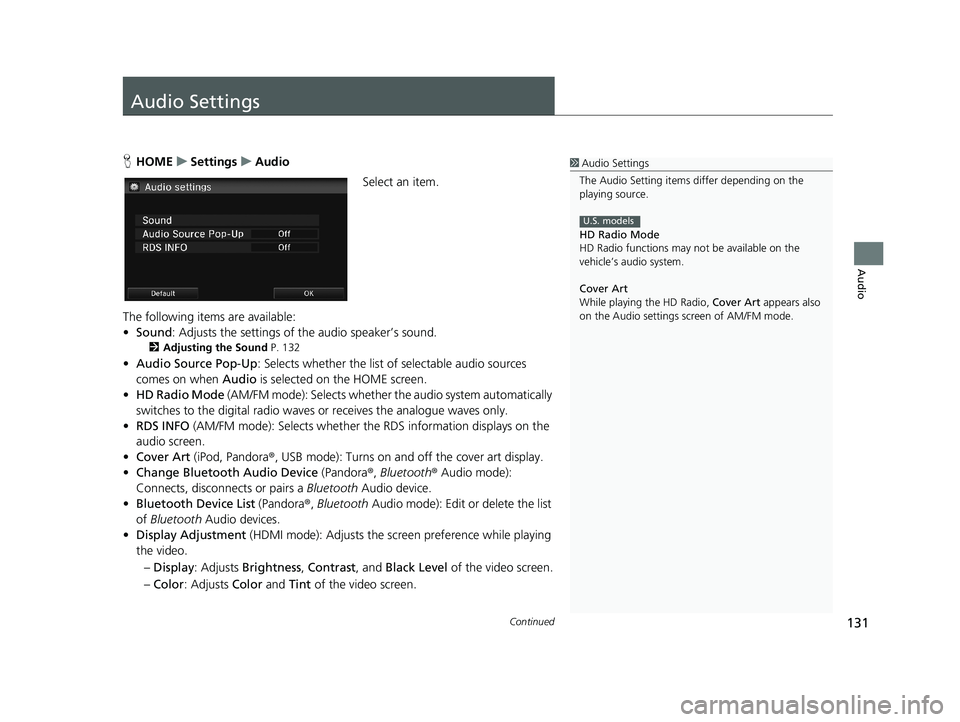
H HOME u Settings u Audio
Select an item.
The following items are available:
• So
und : Adjusts the settings of the audio speaker’s sound.
2Adjusting the Sound P. 132
• Audio Source Pop-Up : Selects whether the list of selectable audio sources
comes on when Audio is selected on the HOME screen.
• HD Rad
io Mode (AM/FM mode): Selects whether the audio system automatically
switches to the digital radio waves or receives the analogue waves only.
• RDS INFO
(AM/FM mode): Selects whether th e RDS information displays on the
audio screen.
• Cover Art (iPod,
Pandora®, USB mode): Turns on and off the cover art display.
• C
hange Bluetooth Audio Device (Pandora®, Bluetooth ® Audio mode):
Connects, disconnects or pairs a Bluetooth Audio device.
• Bl
uetooth Device List (Pandora®, Bluetooth Audio mode): Edit or delete the list
of Bluetooth Audio devices.
• Displa
y Adjustment (HDMI mode): Adjusts the screen preference while playing
the video.
– Dis
play : Adjusts Brightness , Contrast, and Black Level of the video screen.
– Co
lor : Adjusts Color and Tint of the video screen.
14 CIVIC 2D 4D IMA NAVI-31TR38200.book 131 ページ 2014年3月21日 金曜日 午後3時20分