cruise control HONDA CIVIC SEDAN 2016 (in English) Owner's Guide
[x] Cancel search | Manufacturer: HONDA, Model Year: 2016, Model line: CIVIC SEDAN, Model: HONDA CIVIC SEDAN 2016Pages: 595, PDF Size: 33.34 MB
Page 424 of 595
422
uuWhen Driving uAdaptive Cruise Control (ACC) with Low Speed Follow (LSF)*
Driving
■Detection limitations
• A vehicle or pedestrian suddenly crosses in front of you.
• The distance between your vehicle and the vehicle or pedestrian ahead of you is
too short.
• A vehicle cuts in front of you at a slow speed, and it brakes suddenly.
• When you accelerate rapidly and approach the vehicle or pedestrian ahead of you
at high speed.
• The vehicle ahead of you is a motorcycle, bicycle, mobility scooter, or other small
vehicle.
• When there are animals in front of your vehicle.
• When you drive on a curved or winding or undulating road that makes it difficult
for the sensor to properly detect a vehicle or a pedestrian in front of you.
• The speed difference between your vehicle an d a vehicle or pedestrian in front of
you is significantly large.
• An oncoming vehicle suddenly comes in front of you.
• Your vehicle abruptly crosses over in front of an oncoming vehicle.
• When driving through a narrow iron bridge.
• When the vehicle ahead of you brakes suddenly.
• When the vehicle ahead of you has a unique shape.
• When your vehicle or the vehicle ahead of you is driving on one edge of the lane.
16 CIVIC 4D-31TBA6011.book 422 ページ 2018年10月26日 金曜日 午前11時51分
Page 425 of 595
Continued423
uuWhen Driving uAdaptive Cruise Control (ACC) with Low Speed Follow (LSF)*
Driving
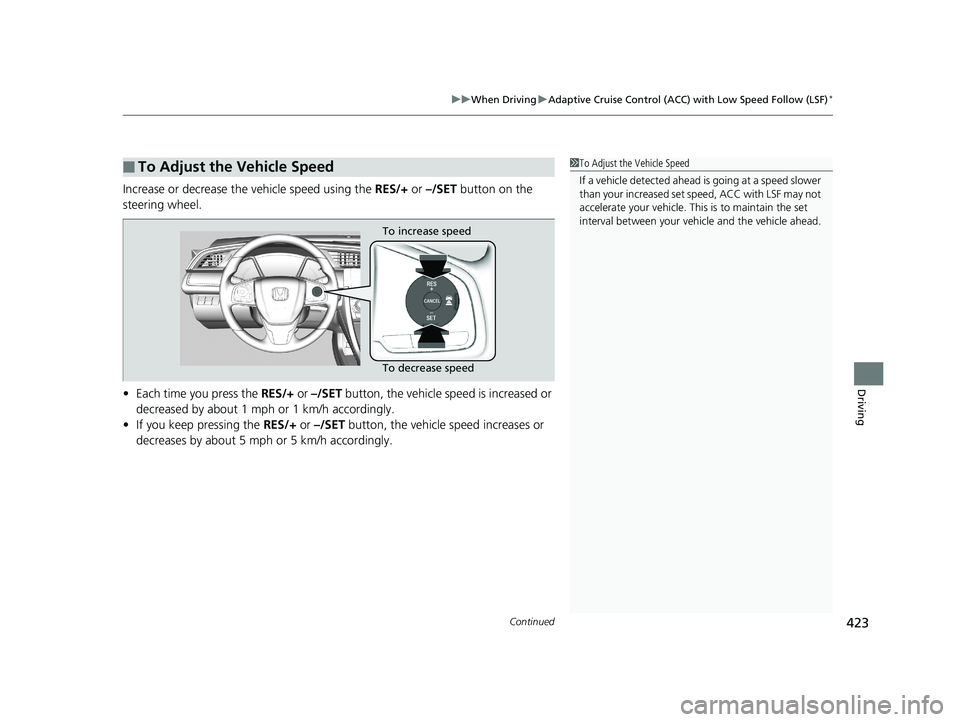
Increase or decrease the vehicle speed using the RES/+ or –/SET button on the
steering wheel.
• Each time you press the RES/+ or –/SET button, the vehicle speed is increased or
decreased by about 1 mph or 1 km/h accordingly.
• If you keep pressing the RES/+ or –/SET button, the vehicle speed increases or
decreases by about 5 mph or 5 km/h accordingly.
■To Adjust the Vehicle Speed1 To Adjust the Vehicle Speed
If a vehicle detected ahead is going at a speed slower
than your increased set speed, ACC with LSF may not
accelerate your ve hicle. This is to maintain the set
interval between your vehi cle and the vehicle ahead.
To increase speed
To decrease speed
16 CIVIC 4D-31TBA6011.book 423 ページ 2018年10月26日 金曜日 午前11時51分
Page 426 of 595
424
uuWhen Driving uAdaptive Cruise Control (ACC) with Low Speed Follow (LSF)*
Driving
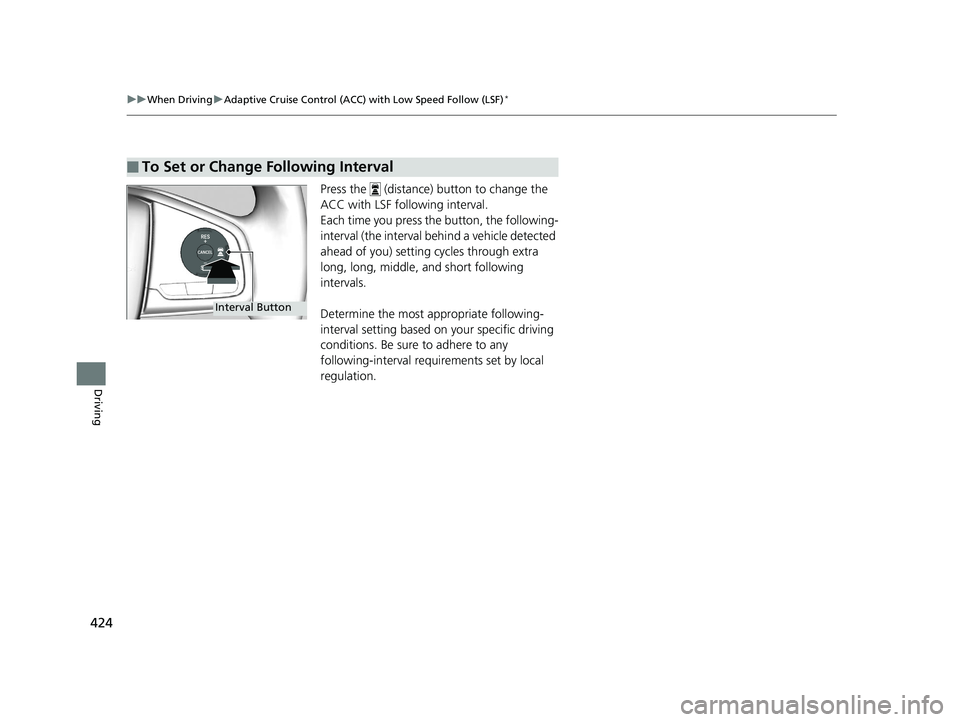
Press the (distance) button to change the
ACC with LSF following interval.
Each time you press the button, the following-
interval (the interval behind a vehicle detected
ahead of you) setting cycles through extra
long, long, middle, and short following
intervals.
Determine the most appropriate following-
interval setting based on your specific driving
conditions. Be sure to adhere to any
following-interval requ irements set by local
regulation.
■To Set or Change Following Interval
Interval Button
16 CIVIC 4D-31TBA6011.book 424 ページ 2018年10月26日 金曜日 午前11時51分
Page 427 of 595
425
uuWhen Driving uAdaptive Cruise Control (ACC) with Low Speed Follow (LSF)*
Continued
Driving
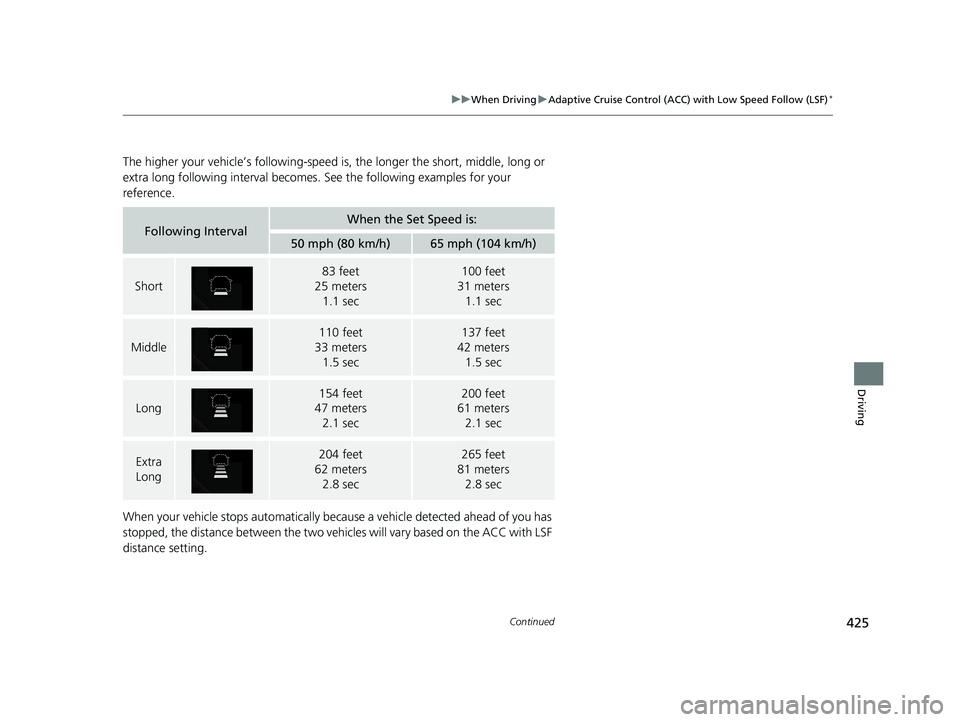
The higher your vehicle’s following-speed is , the longer the short, middle, long or
extra long following inte rval becomes. See the foll owing examples for your
reference.
When your vehicle stops automatically beca use a vehicle detected ahead of you has
stopped, the distance between the two vehicles will vary based on the ACC with LSF
distance setting.
Following IntervalWhen the Set Speed is:
50 mph (80 km/h)65 mph (104 km/h)
Short
83 feet
25 meters
1.1 sec100 feet
31 meters
1.1 sec
Middle
110 feet
33 meters 1.5 sec137 feet
42 meters 1.5 sec
Long
154 feet
47 meters 2.1 sec200 feet
61 meters 2.1 sec
Extra
Long204 feet
62 meters
2.8 sec265 feet
81 meters
2.8 sec
16 CIVIC 4D-31TBA6011.book 425 ページ 2018年10月26日 金曜日 午前11時51分
Page 428 of 595
uuWhen Driving uAdaptive Cruise Control (ACC) with Low Speed Follow (LSF)*
426
Driving
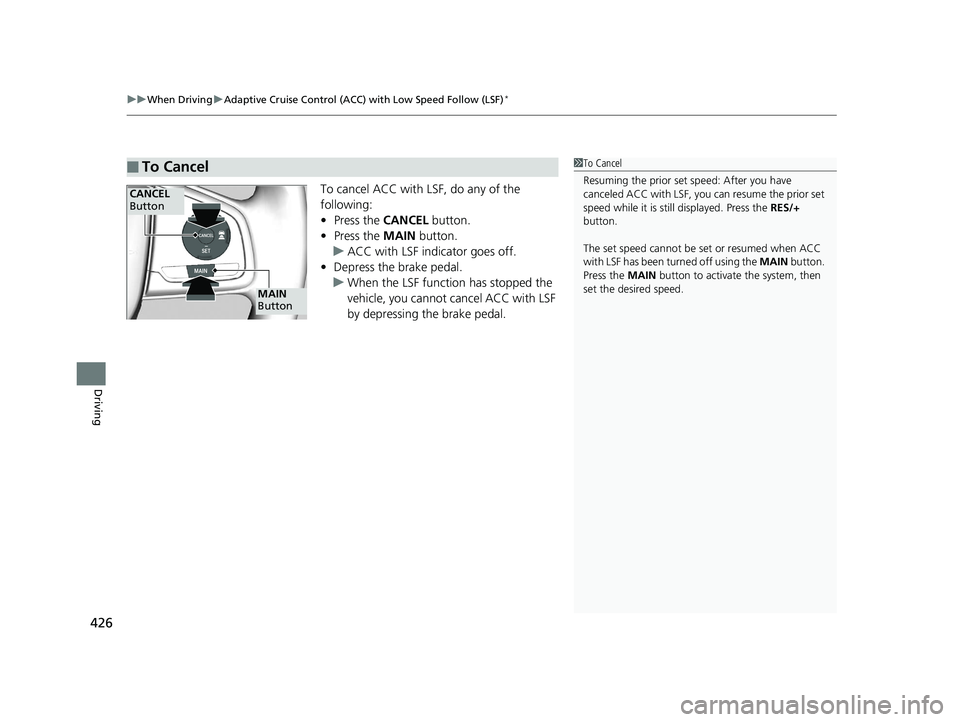
To cancel ACC with LSF, do any of the
following:
• Press the CANCEL button.
• Press the MAIN button.
u ACC with LSF indicator goes off.
• Depress the brake pedal.
u When the LSF function has stopped the
vehicle, you cannot cancel ACC with LSF
by depressing the brake pedal.
■To Cancel1To Cancel
Resuming the prior set sp eed: After you have
canceled ACC with LSF, you can resume the prior set
speed while it is still displayed. Press the RES/+
button.
The set speed cannot be set or resumed when ACC
with LSF has been turned off using the MAIN button.
Press the MAIN button to activate the system, then
set the desired speed.
CANCEL
Button
MAIN
Button
16 CIVIC 4D-31TBA6011.book 426 ページ 2018年10月26日 金曜日 午前11時51分
Page 429 of 595
Continued427
uuWhen Driving uAdaptive Cruise Control (ACC) with Low Speed Follow (LSF)*
Driving
■Automatic ca ncellation
The beeper sounds and a message appears on the driver information interface when
ACC with LSF is automatically canceled. Any of these conditions may cause the ACC
with LSF to automatically cancel:
• Bad weather (rain, fog, snow, etc.)
• When the radar sensor in the lower bum per next to the fog light gets dirty.
• The vehicle ahead of yo u cannot be detected.
• An abnormal tire condition is detected, or the tires are skidding.
• Driving on a mountainous road, or driving off road for extended periods.
• Abrupt steering wheel movement.
• When the ABS, VSA ® or CMBS
TM is activated.
• When the ABS or VSA ® system indicator comes on.
• When the vehicle is stopped on a very steep slope.
• When you manually apply the parking brake.
• When the detected vehicle within the AC C with LSF range is too close to your
vehicle.
• The camera behind the rearview mirror, or the area around the camera, including
the windshield, gets dirty.
The ACC with LSF automatic cancellation ca n be also triggered by the following
causes. In these cases, the parking brake will be automatically applied.
• The driver’s seat belt is unfastene d when the vehicle is stationary.
• The vehicle stops for more than 10 minutes.
• The engine is turned off.
1Automatic cancellation
Even though ACC with LSF has been automatically
canceled, you can still resu me the prior set speed.
Wait until the condition that caused ACC with LSF to
cancel improves, then press the –/SET button.
16 CIVIC 4D-31TBA6011.book 427 ページ 2018年10月26日 金曜日 午前11時51分
Page 430 of 595
uuWhen Driving uAdaptive Cruise Control (ACC) with Low Speed Follow (LSF)*
428
Driving
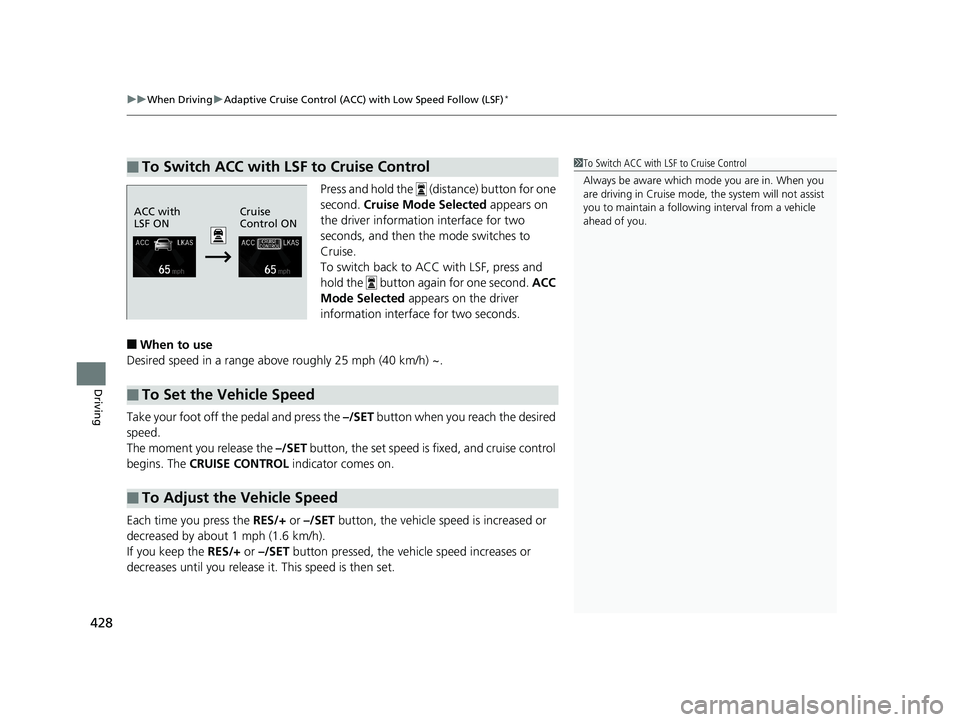
Press and hold the (distance) button for one
second. Cruise Mode Selected appears on
the driver information interface for two
seconds, and then the mode switches to
Cruise.
To switch back to ACC with LSF, press and
hold the button again for one second. ACC
Mode Selected appears on the driver
information interface for two seconds.
■When to use
Desired speed in a range above roughly 25 mph (40 km/h) ~.
Take your foot off the pedal and press the –/SET button when you reach the desired
speed.
The moment you release the –/SET button, the set speed is fixed, and cruise control
begins. The CRUISE CONTROL indicator comes on.
Each time you press the RES/+ or –/SET button, the vehicle sp eed is increased or
decreased by about 1 mph (1.6 km/h).
If you keep the RES/+ or –/SET button pressed, the vehicle speed increases or
decreases until you release it. This speed is then set.
■To Switch ACC with LSF to Cruise Control1 To Switch ACC with LSF to Cruise Control
Always be aware which mode you are in. When you
are driving in Cruise mode, the system will not assist
you to maintain a followi ng interval from a vehicle
ahead of you.
ACC with
LSF ON Cruise
Control ON
■To Set the Vehicle Speed
■To Adjust the Vehicle Speed
16 CIVIC 4D-31TBA6011.book 428 ページ 2018年10月26日 金曜日 午前11時51分
Page 431 of 595
429
uuWhen Driving uAdaptive Cruise Control (ACC) with Low Speed Follow (LSF)*
Driving
To cancel cruise control, do any of the following:
• Press the CANCEL button.
• Press the CRUISE button.
• Depress the brake pedal.
The CRUISE CONTROL indicator goes off.
■To Cancel1To Cancel
Resuming the prior set speed:
After cruise control has be en canceled, you can still
resume the prior set speed by pressing the RES/+
button while driving at a speed of at least 25 mph (40
km/h) or more.
You cannot set or resume in the following situations:
•When vehicle speed is less than 25 mph (40 km/h)
•When the MAIN button is turned off.
At vehicle speeds of 22 m ph (35 km/h) or less, cruise
control canceled automatically.
16 CIVIC 4D-31TBA6011.book 429 ページ 2018年10月26日 金曜日 午前11時51分
Page 578 of 595
576
uuEmissions Testing uTesting of Readiness Codes
Information
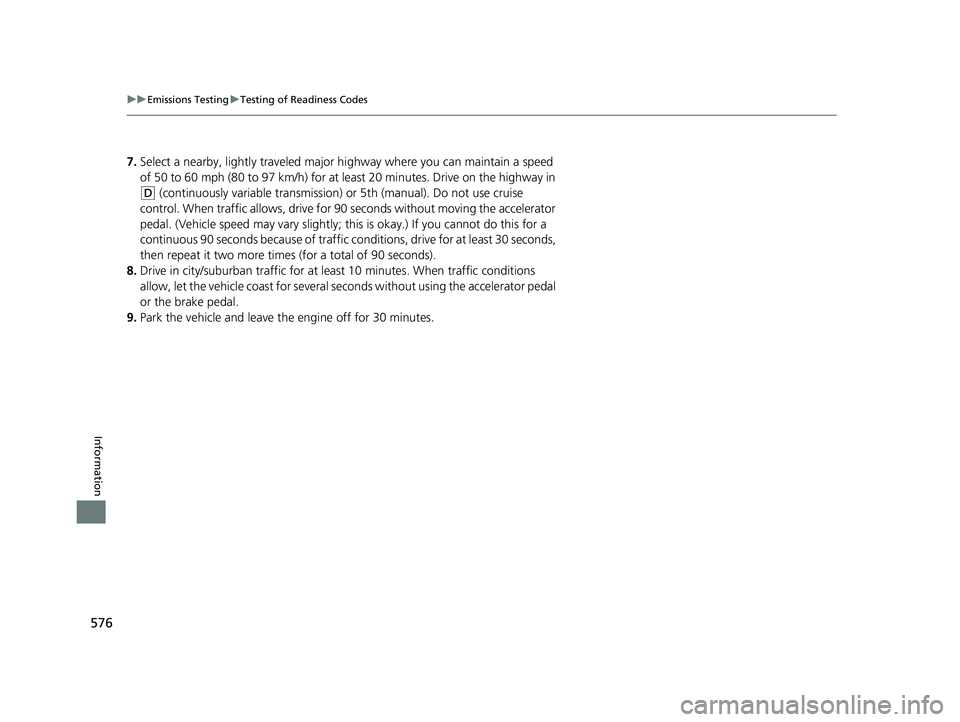
7. Select a nearby, lightly traveled major hi ghway where you can maintain a speed
of 50 to 60 mph (80 to 97 km/h) for at least 20 minutes. Drive on the highway in
(D (continuously variable transmission) or 5th (manual). Do not use cruise
control. When traffic allows, drive for 90 seconds without moving the accelerator
pedal. (Vehicle speed may vary slightly; this is okay.) If you cannot do this for a
continuous 90 seconds because of traffic conditions, drive for at least 30 seconds,
then repeat it two more time s (for a total of 90 seconds).
8. Drive in city/suburban traffic for at least 10 minutes. When traffic conditions
allow, let the vehicle coast for several se conds without using the accelerator pedal
or the brake pedal.
9. Park the vehicle and leave the engine off for 30 minutes.
16 CIVIC 4D-31TBA6011.book 576 ページ 2018年10月26日 金曜日 午前11時51分
Page 583 of 595
Index
581
Index
Index
A
ABS (Anti-lock Brake System).................. 457
Accessories and Modifications ................ 474
Accessory Power Socket ........................... 181
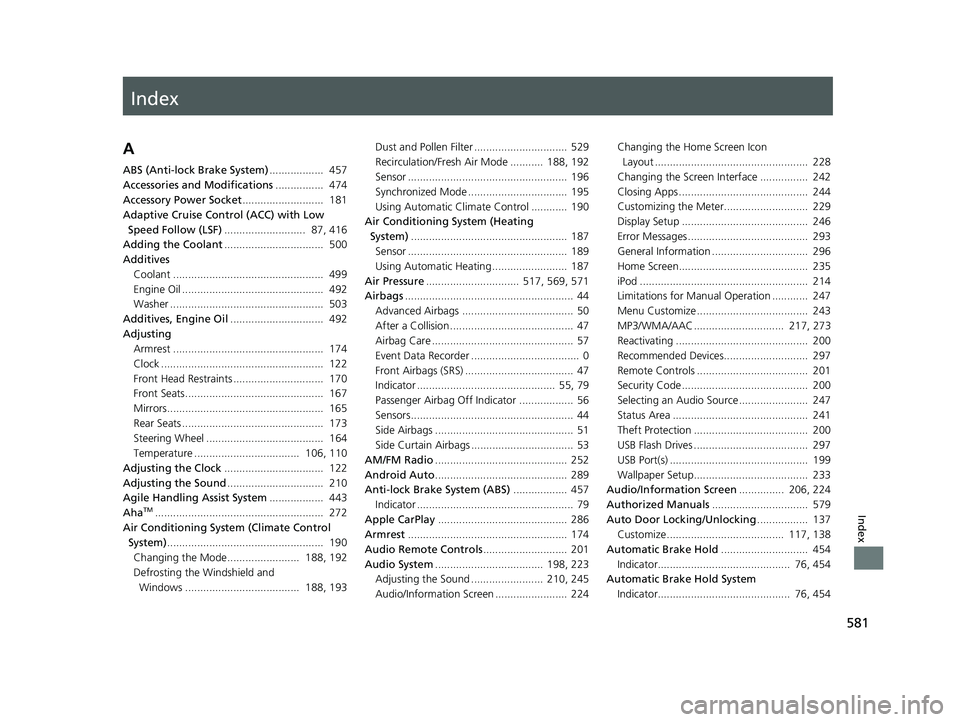
Adaptive Cruise Control (ACC) with Low
Speed Follow (LSF) ........................... 87, 416
Adding the Coolant ................................. 500
Additives
Coolant .................................................. 499
Engine Oil ............................................... 492
Washer ................................................... 503
Additives, Engine Oil ............................... 492
Adjusting Armrest .................................................. 174
Clock ...................................................... 122
Front Head Restraints .............................. 170
Front Seats.............................................. 167
Mirrors.................................................... 165
Rear Seats ............................................... 173
Steering Wheel ....................................... 164
Temperature ................................... 106, 110
Adjusting the Clock ................................. 122
Adjusting the Sound ................................ 210
Agile Handling Assist System .................. 443
Aha
TM........................................................ 272
Air Conditioning System (Climate Control System) .................................................... 190
Changing the Mode........................ 188, 192
Defrosting the Windshield and Windows ...................................... 188, 193 Dust and Pollen Filter ............................... 529
Recirculation/Fresh Air Mode ........... 188, 192
Sensor ..................................................... 196
Synchronized Mode ................................. 195
Using Automatic Climate Control ............ 190
Air Conditioning System (Heating System) .................................................... 187
Sensor ..................................................... 189
Using Automatic Heating ......................... 187
Air Pressure ............................... 517, 569, 571
Airbags ........................................................ 44
Advanced Airbags ..................................... 50
After a Collision ......................................... 47
Airbag Care ............................................... 57
Event Data Recorder .................................... 0
Front Airbags (SRS) .................................... 47
Indicator .............................................. 55, 79
Passenger Airbag Off Indicator .................. 56
Sensors ...................................................... 44
Side Airbags .............................................. 51
Side Curtain Airbags .................................. 53
AM/FM Radio ............................................ 252
Android Auto ............................................ 289
Anti-lock Brake System (ABS) .................. 457
Indicator .................................................... 79
Apple CarPlay ........................................... 286
Armrest ..................................................... 174
Audio Remote Controls ............................ 201
Audio System .................................... 198, 223
Adjusting the Sound ........................ 210, 245
Audio/Information Screen ........................ 224 Changing the Home Screen Icon
Layout ................................................... 228
Changing the Screen Interface ................ 242
Closing Apps ........................................... 244
Customizing the Meter............................ 229
Display Setup .......................................... 246
Error Messages ........................................ 293
General Information ................................ 296
Home Screen........................................... 235
iPod ........................................................ 214
Limitations for Manual Operation ............ 247
Menu Customize ..................................... 243
MP3/WMA/AAC .............................. 217, 273
Reactivating ............................................ 200
Recommended Devices............................ 297
Remote Controls ..................................... 201
Security Code .......................................... 200
Selecting an Audio Source ....................... 247
Status Area ............................................. 241
Theft Protection ...................................... 200
USB Flash Drives ...................................... 297
USB Port(s) .............................................. 199
Wallpaper Setup...................................... 233
Audio/Information Screen ............... 206, 224
Authorized Manuals ................................ 579
Auto Door Locking/Unlocking ................. 137
Customize ....................................... 117, 138
Automatic Brake Hold ............................. 454
Indicator............................................ 76, 454
Automatic Brake Hold System Indicator............................................ 76, 454
16 CIVIC 4D-31TBA6011.book 581 ページ 2018年10月26日 金曜日 午前11時51分