phone HONDA CLARITY ELECTRIC 2017 Owner's Manual (in English)
[x] Cancel search | Manufacturer: HONDA, Model Year: 2017, Model line: CLARITY ELECTRIC, Model: HONDA CLARITY ELECTRIC 2017Pages: 543, PDF Size: 24.2 MB
Page 40 of 543
38
Safe Driving
For Safe Driving
The following pages explain your vehicle’s safety features and how to use them
properly. The safety precautions below are ones that we consider to be among the
most important.
Important Safety Precautions
■Always wear your seat belt
A seat belt is your best protection in all types of collisions. Airbags are designed to
supplement seat belts, not replace them. So even though your vehicle is equipped
with airbags, make sure you and your passengers always wear your seat belts, and
wear them properly.
■Restrain all children
Children ages 12 and under should ride prop erly restrained in a back seat, not the
front seat. Infants and small children should be restrained in a child seat. Larger
children should use a booster seat and a lap/shoulder seat belt until they can use the
belt properly without a booster seat.
■Be aware of airbag hazards
While airbags can save lives, they can cause serious or fatal injuries to occupants
who sit too close to them, or are not prop erly restrained. Infants, young children,
and short adults are at the greatest risk. Be sure to follow all instructions and
warnings in this manual.
■Don’t drink and drive
Alcohol and driving don’t mix. Even one dr ink can reduce your ability to respond to
changing conditions, and your reaction time gets worse with every additional drink.
So don’t drink and drive, and don’t let your friends drink and drive, either.
1Important Safety Precautions
Some states prohibit th e use of cell phones other
than hands-free de vices by the driver while driving.
17 CLARITY BEV CSS-31TRV6000.book 38 ページ 2017年4月14日 金曜日 午前11時 8分
Page 41 of 543
39
uuFor Safe Driving uImportant Safety Precautions
Safe Driving
■Pay appropriate attention to the task of driving safely
Engaging in cell phone conversation or other activities that keep you from paying
close attention to the road, other vehicles , and pedestrians could lead to a crash.
Remember, situations can change quickly, and only you can decide when it is safe to
divert some attention away from driving.
■Control your speed
Excessive speed is a major factor in crash injuries and deaths. Generally, the higher
the speed, the greater the risk, but serious injuries can also occur at lower speeds.
Never drive faster than is safe for current conditions, regardless of the maximum
speed posted.
■Keep your vehicle in safe condition
Having a tire blowout or a mechanical failure can be extremely hazardous.
To reduce the possibility of such problems, check your tire pressures and condition
frequently, and perform all re gularly scheduled maintenance.
■Handle high-voltage with care
Familiarize yourself with the charging instructions and warnings supplied in this
manual and on the quick reference card. If using a public charger, also observe the
charging station manufacturer's instructions.
17 CLARITY BEV CSS-31TRV6000.book 39 ページ 2017年4月14日 金曜日 午前11時 8分
Page 120 of 543
118
uuGauges and Driver Information Interface uDriver Information Interface
Instrument Panel
Driver Information Interface
The driver information interface shows the odometer, trip meter, outside
temperature indicator, and other gauges. It also displays important messages such
as warnings and other helpful information.
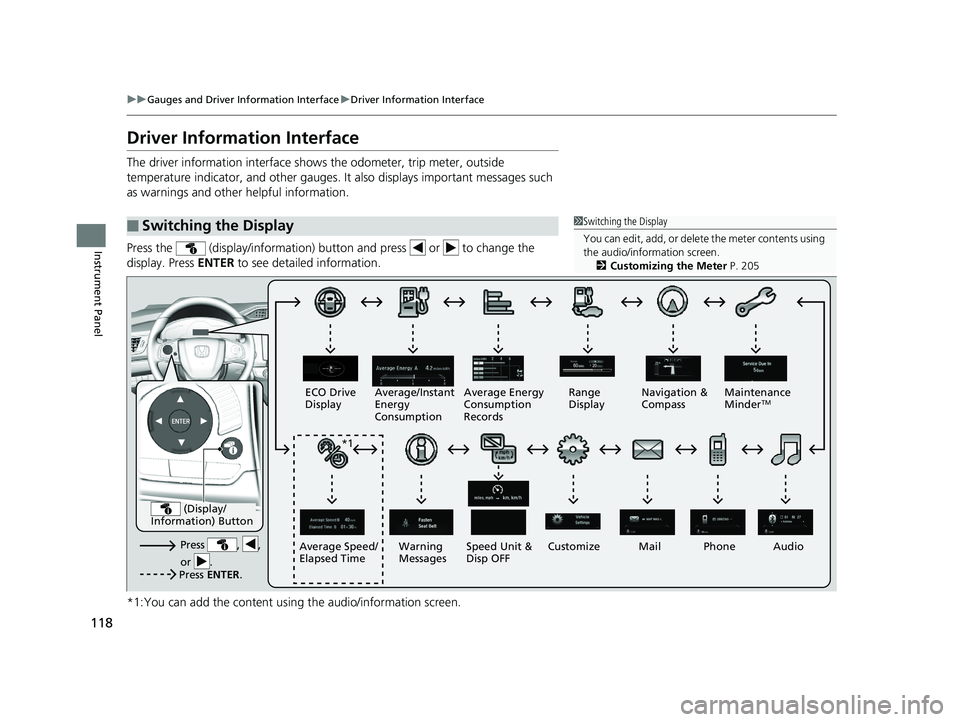
Press the (display/information) button and press or to change the
display. Press ENTER to see detailed information.
*1:You can add the content using the audio/information screen.
■Switching the Display1Switching the Display
You can edit, add, or delete the meter contents using
the audio/information screen. 2 Customizing the Meter P. 205
Press , ,
or .Speed Unit &
Disp OFF
ECO Drive
Display
Average/Instant
Energy
Consumption
Mail
Warning
Messages Audio
Average Speed/
Elapsed Time Average Energy
Consumption
Records
Navigation &
Compass
Maintenance
Minder
TMRange
Display
Phone
Press ENTER .
(Display/
Information) Button
*1
Customize
17 CLARITY BEV CSS-31TRV6000.book 118 ページ 2017年4月14日 金曜日 午前11 時8分
Page 124 of 543
122
uuGauges and Driver Information Interface uDriver Information Interface
Instrument Panel
Shows the Maintenance MinderTM.
2 Maintenance MinderTM P. 445
Shows the current audio information.
2Audio System Basic Operation P. 198
Shows the current mail information.
2Bluetooth® HandsFreeLink ® P. 309
Shows the current phone information.
2 Bluetooth® HandsFreeLink ® P. 309
■Maintenance MinderTM
■Audio
■Mail
■Phone
17 CLARITY BEV CSS-31TRV6000.book 122 ページ 2017年4月14日 金曜日 午前11 時8分
Page 128 of 543
uuGauges and Driver Information Interface uDriver Information Interface
126
Instrument Panel
• Shows the customized feature (charge timer).
2 Using a Timer P. 437
•Use the audio/information screen to customize certain features.
2Customized Features P. 280
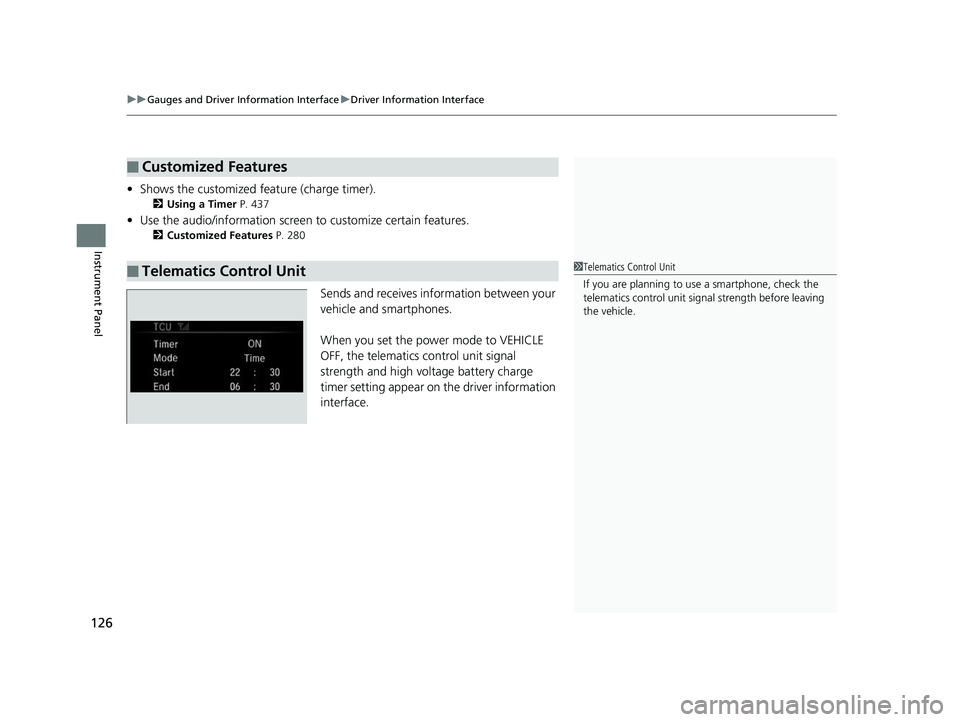
Sends and receives information between your
vehicle and smartphones.
When you set the power mode to VEHICLE
OFF, the telematics control unit signal
strength and high voltage battery charge
timer setting appear on the driver information
interface.
■Customized Features
■Telematics Control Unit1 Telematics Control Unit
If you are planning to use a smartphone, check the
telematics control unit sign al strength before leaving
the vehicle.
17 CLARITY BEV CSS-31TRV6000.book 126 ページ 2017年4月14日 金曜日 午前11 時8分
Page 132 of 543
uuLocking and Unlocking the Doors uLow Smart Entry Remote Signal Strength
130
Controls
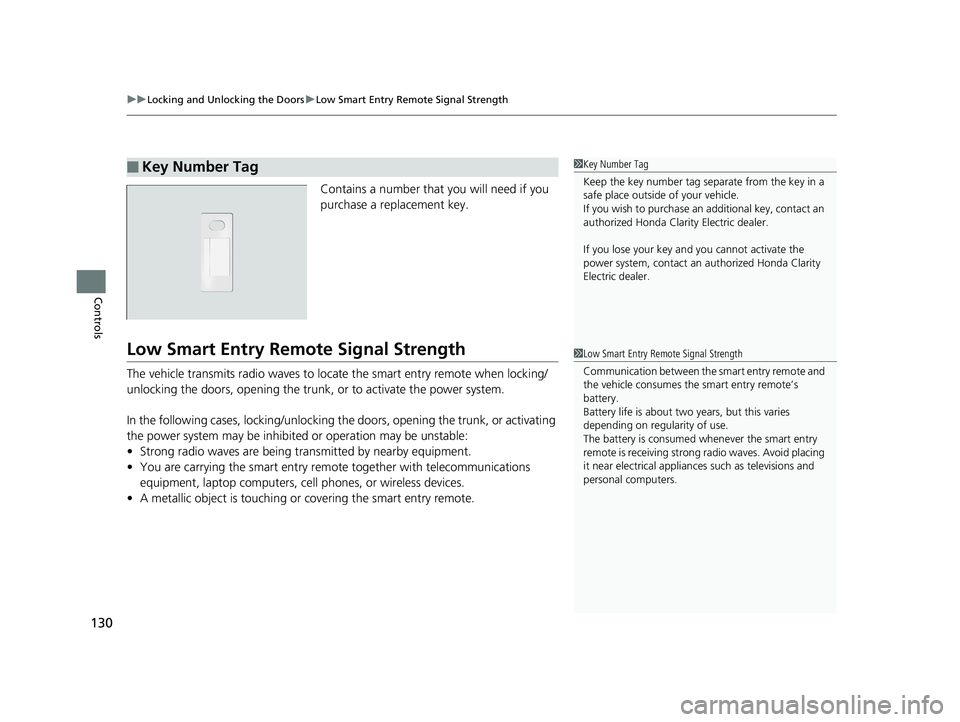
Contains a number that you will need if you
purchase a replacement key.
Low Smart Entry Remo te Signal Strength
The vehicle transmits radio waves to loca te the smart entry remote when locking/
unlocking the doors, opening the trunk, or to activate the power system.
In the following cases, locking/unlocking the doors, opening the trunk, or activating
the power system may be inhibited or operation may be unstable:
• Strong radio waves are being tra nsmitted by nearby equipment.
• You are carrying the smart entry remote together with telecommunications
equipment, laptop computers, ce ll phones, or wireless devices.
• A metallic object is touching or covering the smart entry remote.
■Key Number Tag1Key Number Tag
Keep the key number tag separate from the key in a
safe place outside of your vehicle.
If you wish to purchase an additional key, contact an
authorized Honda Clarity Electric dealer.
If you lose your key an d you cannot activate the
power system, contact an authorized Honda Clarity
Electric dealer.
1 Low Smart Entry Remote Signal Strength
Communication between the smart entry remote and
the vehicle consumes the smart entry remote’s
battery.
Battery life is about two years, but this varies
depending on regularity of use.
The battery is consumed whenever the smart entry
remote is receivi ng strong radio wave s. Avoid placing
it near electrical appliances such as televisions and
personal computers.
17 CLARITY BEV CSS-31TRV6000.book 130 ページ 2017年4月14日 金曜日 午前11 時8分
Page 194 of 543
192
Features
Audio System
About Your Audio System
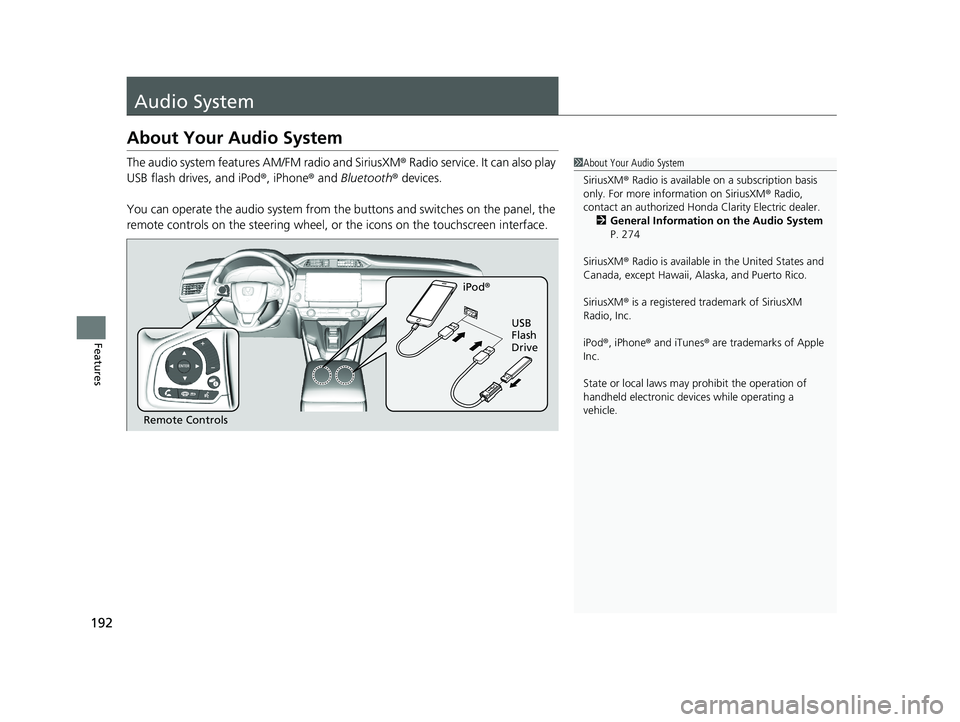
The audio system features AM/FM radio and SiriusXM® Radio service. It can also play
USB flash drives, and iPod ®, iPhone® and Bluetooth® devices.
You can operate the audio system from the buttons and switches on the panel, the
remote controls on the steering wheel, or the icons on the touchscreen interface.1About Your Audio System
SiriusXM ® Radio is available on a subscription basis
only. For more information on SiriusXM ® Radio,
contact an authorized Honda Clarity Electric dealer.
2 General Information on the Audio System
P. 274
SiriusXM ® Radio is available in the United States and
Canada, except Ha waii, Alaska, and Puerto Rico.
SiriusXM ® is a registered trademark of SiriusXM
Radio, Inc.
iPod ®, iPhone ® and iTunes ® are trademarks of Apple
Inc.
State or local laws may pr ohibit the operation of
handheld electronic devi ces while operating a
vehicle.
Remote Controls iPod
®
USB
Flash
Drive
17 CLARITY BEV CSS-31TRV6000.book 192 ページ 2017年4月14日 金曜日 午前11 時8分
Page 195 of 543
193
uuAudio System uUSB Ports
Features
USB Ports
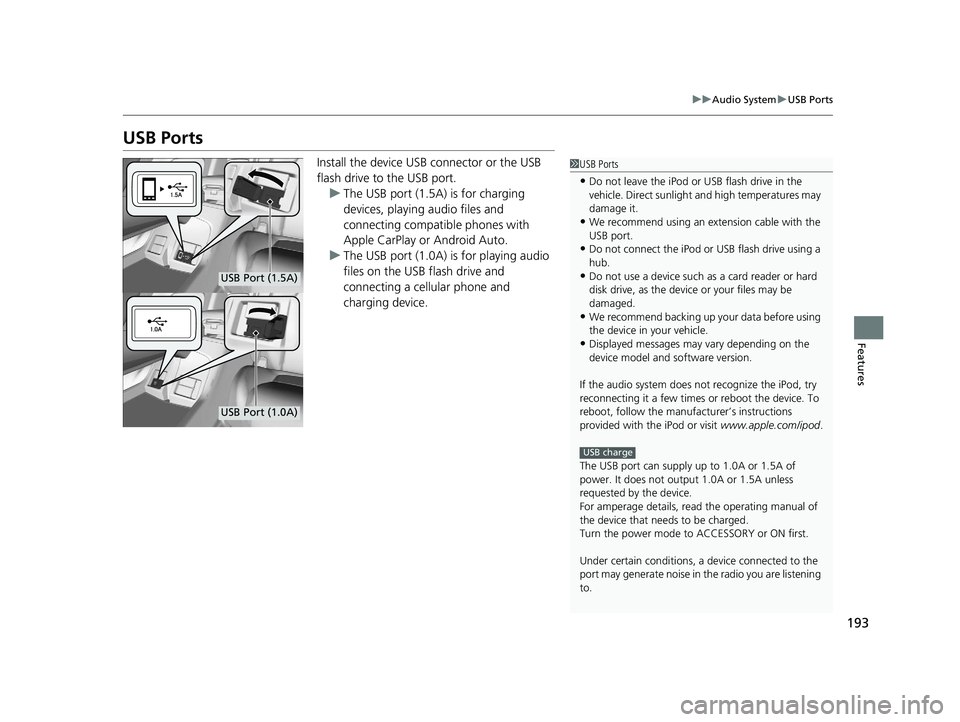
Install the device USB connector or the USB
flash drive to the USB port.
u The USB port (1.5A) is for charging
devices, playing audio files and
connecting compatib le phones with
Apple CarPlay or Android Auto.
u The USB port (1.0A) is for playing audio
files on the USB flash drive and
connecting a cellular phone and
charging device.1USB Ports
•Do not leave the iPod or USB flash drive in the
vehicle. Direct sunlight and high temperatures may
damage it.
•We recommend using an extension cable with the
USB port.
•Do not connect the iPod or USB flash drive using a
hub.
•Do not use a device such as a card reader or hard
disk drive, as the device or your files may be
damaged.
•We recommend backing up yo ur data before using
the device in your vehicle.
•Displayed messages may vary depending on the
device model and software version.
If the audio system does not recognize the iPod, try
reconnecting it a few times or reboot the device. To
reboot, follow the manufac turer’s instructions
provided with the iPod or visit www.apple.com/ipod.
The USB port can supply up to 1.0A or 1.5A of
power. It does not output 1.0A or 1.5A unless
requested by the device.
For amperage details, read the operating manual of
the device that ne eds to be charged.
Turn the power mode to ACCESSORY or ON first.
Under certain condi tions, a device connected to the
port may generate noise in the radio you are listening
to.
USB charge
USB Port (1.5A)
USB Port (1.0A)
17 CLARITY BEV CSS-31TRV6000.book 193 ページ 2017年4月14日 金曜日 午前11 時8分
Page 202 of 543
200
uuAudio System Basic Operation uAudio/Information Screen
Features
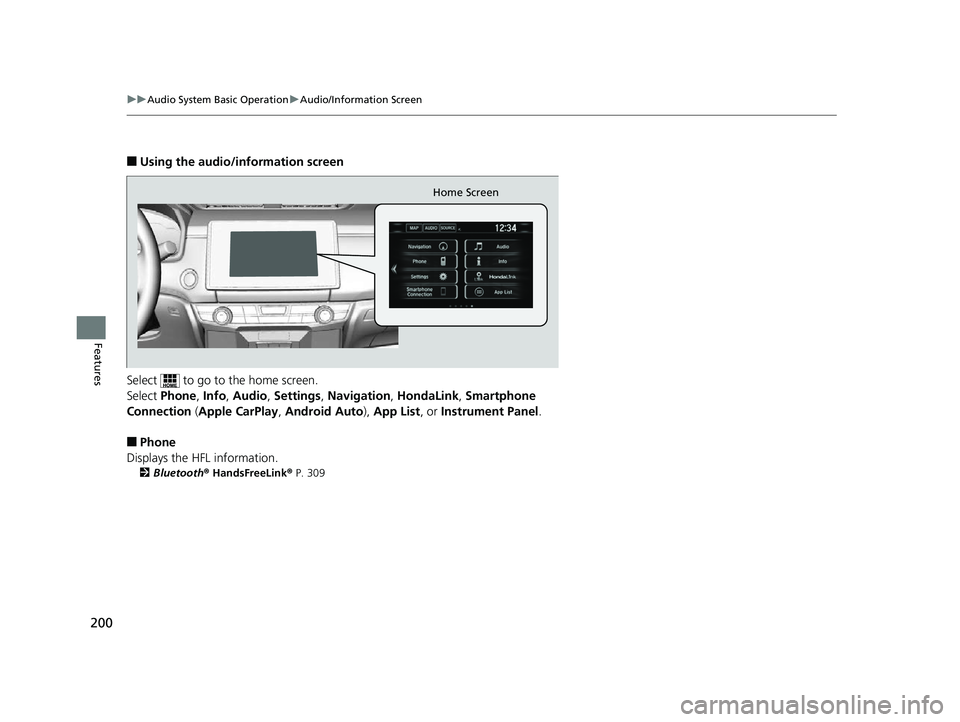
■Using the audio/information screen
Select to go to the home screen.
Select Phone, Info, Audio , Settings , Navigation , HondaLink, Smartphone
Connection ( Apple CarPlay , Android Auto ), App List, or Instrument Panel .
■Phone
Displays the HFL information.
2 Bluetooth® HandsFreeLink ® P. 309
Home Screen
17 CLARITY BEV CSS-31TRV6000.book 200 ページ 2017年4月14日 金曜日 午前11 時8分
Page 204 of 543
202
uuAudio System Basic Operation uAudio/Information Screen
Features
■Settings
Enters the customiz ing menu screen.
2Customized Features P. 280
■Navigation
Displays the navigation screen.
2 Refer to the Navigation System Manual
■HondaLink®
Connects with your smartphone*1 to play personalized music, information, and
social media streams.
2 HondaLink® P. 255
■Smartphone Connection
Connects with your smartphone*1 and allows some apps on your smartphone to be
used on the audio system.
2 Apple CarPlay P. 263
2 Android Auto P. 266
■App List
Adds or removes apps or widgets on the Home screen.
2 Home Screen P. 211
■Instrument Panel
Selects from three customizable settings for the driver information interface.
*1: Available on specific phones only. Check automobiles.honda.com /handsfreelink/ for
compatible phones and
hondalink.com for U.S. feature details.
17 CLARITY BEV CSS-31TRV6000.book 202 ページ 2017年4月14日 金曜日 午前11 時8分