fog light HONDA CLARITY FUEL CELL 2019 Owner's Manual (in English)
[x] Cancel search | Manufacturer: HONDA, Model Year: 2019, Model line: CLARITY FUEL CELL, Model: HONDA CLARITY FUEL CELL 2019Pages: 551, PDF Size: 27.39 MB
Page 133 of 551
131
Controls
This chapter explains how to operate the various controls necessary for driving.
Clock.................................................. 132
Locking and Unlocking the Doors Key Types and Functions .................. 133
Low Smart Entry Remote Signal Strength .. 134Locking/Unlocking the Doors from the Outside .......................................... 135
Locking/Unlocking the Doors from the Inside ............................................. 142
Childproof Door Locks ..................... 144
Auto Door Locking/Unlocking .......... 145
Opening and Closing the Trunk ....... 146
Security System ................................ 149
Immobilizer System .......................... 149 Security System Alarm...................... 149
Opening and Closing the Windows ... 152
Operating the Switches Around the
Steering Wheel POWER Button................................. 154
Turn Signals ..................................... 157
Light Switches.................................. 158
Daytime Running Lights ................... 161
Wipers and Washers ........................ 162
Brightness Control ........................... 164
Rear Defogger Button ...................... 166
Driving Position Memory System ...... 167
Adjusting the Steering Wheel........... 169 Adjusting the Mirrors
....................... 170
Interior Rearview Mirror ................... 170
Power Door Mirrors ......................... 171
Adjusting the Seats .......................... 172
Front Seats ...................................... 172
Interior Lights/Interior Convenience
Items ................................................ 178
Interior Lights .................................. 178
Interior Convenience Items .............. 180
Climate Control System ................... 188
Using Automatic Climate Control .... 188
Automatic Climate Control Sensors ... 196
19 CLARITY FCV CSS-31TRT6200.book 131 ページ 2019年1月17日 木曜日 午前11 時54分
Page 161 of 551
Continued159
uuOperating the Switches Around the Steering Wheel uLight Switches
Controls
Automatic lighting control can be used when
the power mode is in ON.
When you turn the light switch to AUTO, the
headlights and other exterior lights will switch
on and off automatically depending on the
ambient brightness.
The headlights comes on when you unlock a
door in dark areas with the headlight switch in
AUTO .
u Once you lock the door, the headlights
will go off.
■Automatic Operation (automatic lighting control)1 Automatic Operation (aut omatic lighting control)
We recommend that you tu rn on the lights manually
when driving at night, in a dense fog, or in dark areas
such as long tunnels or parking facilities.
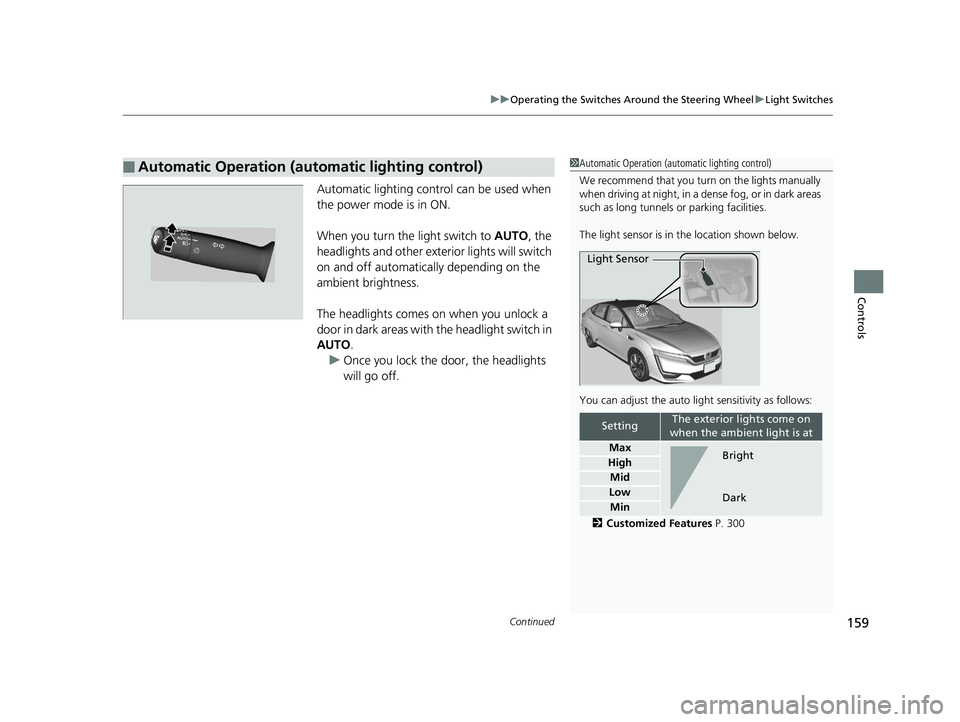
The light sensor is in the location shown below.
You can adjust the auto li ght sensitivity as follows:
2 Customized Features P. 300
SettingThe exterior lights come on
when the ambient light is at
Max
High
Mid
Low
Min
Light Sensor
Bright
Dark
19 CLARITY FCV CSS-31TRT6200.book 159 ページ 2019年1月17日 木曜日 午前11 時54分
Page 372 of 551
370
Driving
When Driving
Turning on the Power
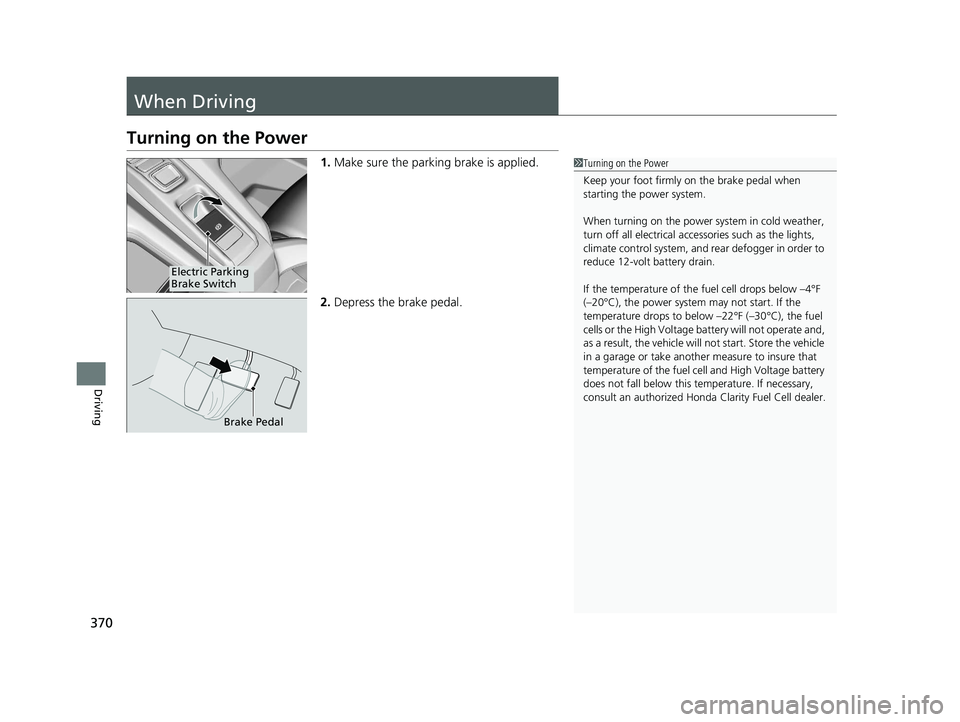
1.Make sure the parking brake is applied.
2. Depress the brake pedal.1Turning on the Power
Keep your foot firmly on the brake pedal when
starting the power system.
When turning on the power system in cold weather,
turn off all electrical accessories such as the lights,
climate control system, and rear defogger in order to
reduce 12-volt battery drain.
If the temperature of the fuel cell drops below –4°F
(–20°C), the power system may not start. If the
temperature drops to belo w –22°F (–30°C), the fuel
cells or the High Voltage ba ttery will not operate and,
as a result, the vehicle will not start. Store the vehicle
in a garage or take anothe r measure to insure that
temperature of the fuel cell and High Voltage battery
does not fall below this te mperature. If necessary,
consult an authorized Honda Clarity Fuel Cell dealer.
Electric Parking
Brake Switch
Brake Pedal
19 CLARITY FCV CSS-31TRT6200.book 370 ページ 2019年1月17日 木曜日 午前11 時54分
Page 389 of 551
387
uuWhen Driving uRoad Departure Mitigation (RDM) System
Continued
Driving
The system may not properly detect lane ma rkings and the position of your vehicle
under certain conditions. Some examples of these conditions are listed below.
■Environmental conditions
• Driving in bad weather (rain, fog, snow, etc.).
• Sudden changes between light and dark, such as an entrance or exit of a tunnel.
• There is little contrast between lane lines and the roadway surface.
• Driving into low sunlight (e.g., at dawn or dusk).
• Strong light is reflec ted onto the roadway.
• Driving in the shadows of trees, buildings, etc.
• Shadows of adjacent objects are parallel to lane markings.
• Roadway objects or structures are misinterpreted as lane markers.
• Reflections on the interi or of the windshield.
■RDM Conditions and Limitations
19 CLARITY FCV CSS-31TRT6200.book 387 ページ 2019年1月17日 木曜日 午前11 時54分
Page 390 of 551
388
uuWhen Driving uRoad Departure Mitigation (RDM) System
Driving
■Roadway conditions
• Driving on a snowy or wet roadway (obscured lane marking, vehicle tracks,
reflected lights, road spray, high contrast).
• Driving on a road with temporary lane markings.
• Faint, multiple, or varied lane markings are visible on the roadway due to road
repairs or old lane markings.
• The roadway has merging, split, or crossing lines (e.g., such as at an intersection
or crosswalk).
• The lane markings are extremely narrow, wide, or changing.
• The vehicle in front of you is driving near the lane lines.
• The road is hilly or the vehicle is approaching the crest of a hill.
• Driving on rough or unpaved roads, or over bumpy surfaces.
• When objects on the road (c urb, guard rail, pylons, etc.) are recognized as white
lines (or yellow lines).
• Driving on roads with double lines.
■Vehicle conditions
• Headlight lenses are dirty or the headlights are not properly adjusted.
• The outside of the windshield is streake d or blocked by dirt, mud, leaves, wet
snow, etc.
• The inside of the windshield is fogged.
• The camera temperature gets too high.
• An abnormal tire or wheel condition (wrong sized, varied size or construction,
improperly inflated tire, etc.).
• The vehicle is tilted due to a heav y load or suspension modifications.
• When tire chains are installed.
19 CLARITY FCV CSS-31TRT6200.book 388 ページ 2019年1月17日 木曜日 午前11 時54分
Page 397 of 551
Continued395
uuWhen Driving uAdaptive Cruise Control (ACC) with Low Speed Follow (LSF)
Driving
The system may automatically shut off and the ACC indicator will come on under
certain conditions. Some examples of thes e conditions are listed below. Other
conditions may reduce some of the ACC functions.
2 Front Sensor Camera P. 383
■Environmental conditions
Driving in bad weather (r ain, fog, snow, etc.).
■Roadway conditions
Driving on a snowy or wet roadway (obscure d lane marking, vehicle tracks, reflected
lights, road spra y, high contrast).
■Vehicle conditions
• The outside of the windshield is blocked by dirt, mud, leaves, wet snow, etc.
• An abnormal tire or wheel condition (Wro ng sized, varied size or construction,
improperly inflated tire, etc.).
• The camera temperature gets too high.
• The parking brake is applied.
• When the front grille is dirty.
• The vehicle is tilted due to a heavy load or suspension modifications.
• When tire chains are installed.
■ACC with LSF Conditions and Limitations1ACC with LSF Conditions and Limitations
The radar sensor for ACC with LSF is shared with the
collision mitigation braking system
TM (CMBSTM).
2 Collision Mitigation Braking SystemTM
(CMBSTM) P. 432
You can read about handling information for the
camera equipped with this system. 2 Front Sensor Camera P. 383
Always keep the radar sensor cover clean.
Never use chemical solvents or polishing powder for
cleaning the sensor cover. Clean it with water or a
mild detergent.
Do not put a sticker on the radar sensor cover or
replace the radar sensor cover.
If you need the radar sensor to be repaired, or
removed, or the radar se nsor cover is strongly
impacted, turn off the system by pressing the MAIN
button and take your vehicl e to an authorized Honda
Clarity Fuel Cell dealer.
19 CLARITY FCV CSS-31TRT6200.book 395 ページ 2019年1月17日 木曜日 午前11 時54分
Page 412 of 551
410
uuWhen Driving uLane Keeping Assist System (LKAS)
Driving
■The LKAS may automatically be canceled when:
• The camera temperature gets extremely high or low.
• The camera behind the rearview mirror, or the area around the camera, including
the windshield, gets dirty.
• The ABS or VSA ® system engages.
The beeper sounds if the LKAS is automatically canceled.
The system may not detect lane markings and therefore may not keep the vehicle in
the middle of a lane under certain conditions, including the following:
■Environmental conditions
• Driving in bad weather (rain, fog, snow, etc.).
• Sudden changes between light and dark, such as an entrance or exit of a tunnel.
• There is little contrast between la ne lines and the roadway surface.
• Driving into low sunlight (e.g., at dawn or dusk).
• Strong light is reflected onto the roadway.
• Driving in the shadows of trees, buildings, etc.
• Shadows of adjacent objects are parallel to lane markings.
• Roadway objects or structures are misinterpreted as lane markers.
• Reflections on the interi or of the windshield.
■LKAS Conditions and Limitations
19 CLARITY FCV CSS-31TRT6200.book 410 ページ 2019年1月17日 木曜日 午前11 時54分
Page 413 of 551
411
uuWhen Driving uLane Keeping Assist System (LKAS)
Driving
■Roadway conditions
• Driving on a snowy or wet roadway (obs cured lane marking, vehicle tracks,
reflected lights, road spray, high contrast).
• Driving on a road with temporary lane markings.
• Faint, multiple, or varied lane markings are visible on the roadway due to road
repairs or old lane markings.
• The roadway has merging, split, or crossing lines (e.g., such as at an intersection
or crosswalk).
• The lane markings are extremel y narrow, wide, or changing.
• The vehicle in front of you is driving near the lane lines.
• The road is hilly or the vehicle is approaching the crest of a hill.
• Driving on rough or unpaved roads, or over bumpy surfaces.
• When objects on the road (curb, guard rail, pylons, etc.) are recognized as white
lines (or yellow lines).
• Driving on roads with double lines.
■Vehicle conditions
• Headlight lenses are dirty or the h eadlights are not properly adjusted.
• The outside of the windshield is streaked or blocked by dirt, mud, leaves, wet
snow, etc.
• The inside of the windshield is fogged.
• The camera temperature gets too high.
• An abnormal tire or wheel condition (wro ng sized, varied size or construction,
improperly inflated tire, etc.).
• The vehicle is tilted due to a heavy load or suspension modifications.
19 CLARITY FCV CSS-31TRT6200.book 411 ページ 2019年1月17日 木曜日 午前11 時54分
Page 438 of 551
uuBraking uCollision Mitigation Braking SystemTM (CMBSTM)
436
Driving
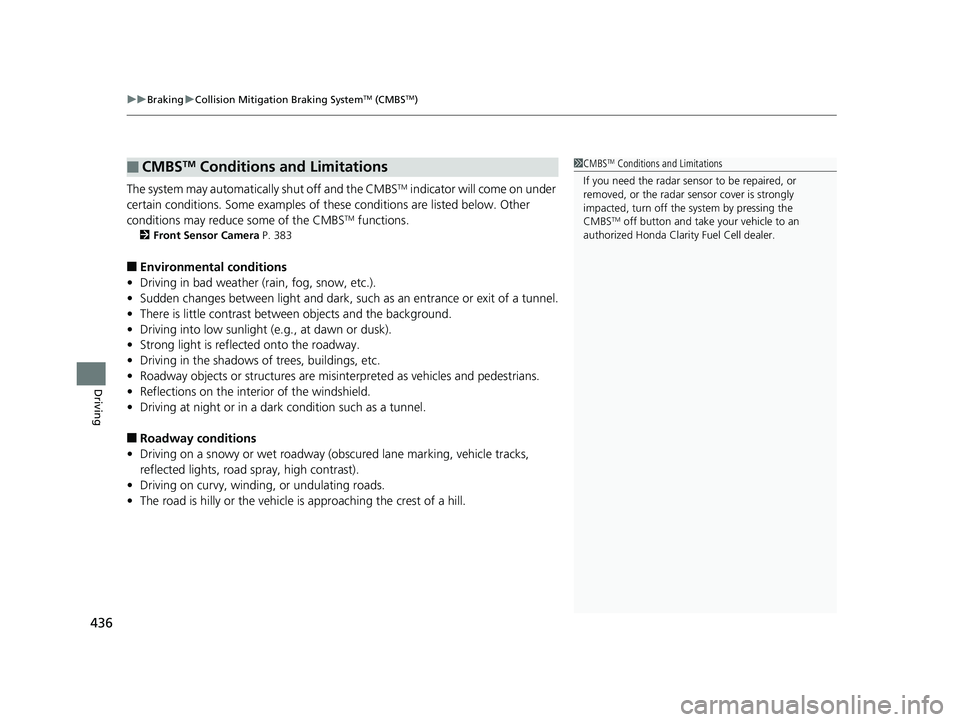
The system may automatically shut off and the CMBSTM indicator will come on under
certain conditions. Some examples of th ese conditions are listed below. Other
conditions may reduce some of the CMBS
TM functions.
2 Front Sensor Camera P. 383
■Environmental conditions
• Driving in bad weather (rain, fog, snow, etc.).
• Sudden changes between light and dark, such as an entrance or exit of a tunnel.
• There is little contrast between objects and the background.
• Driving into low sunlight (e.g., at dawn or dusk).
• Strong light is reflected onto the roadway.
• Driving in the shadows of trees, buildings, etc.
• Roadway objects or structures are misint erpreted as vehicles and pedestrians.
• Reflections on the interi or of the windshield.
• Driving at night or in a dark condition such as a tunnel.
■Roadway conditions
• Driving on a snowy or wet roadway (obscured lane marking, vehicle tracks,
reflected lights, road spray, high contrast).
• Driving on curvy, winding, or undulating roads.
• The road is hilly or the vehicle is approaching the crest of a hill.
■CMBSTM Conditions and Limitations1CMBSTM Conditions and Limitations
If you need the radar sensor to be repaired, or
removed, or the radar se nsor cover is strongly
impacted, turn off the system by pressing the
CMBS
TM off button and take your vehicle to an
authorized Honda Clarit y Fuel Cell dealer.
19 CLARITY FCV CSS-31TRT6200.book 436 ページ 2019年1月17日 木曜日 午前11 時54分
Page 439 of 551
437
uuBraking uCollision Mitigation Braking SystemTM (CMBSTM)
Continued
Driving
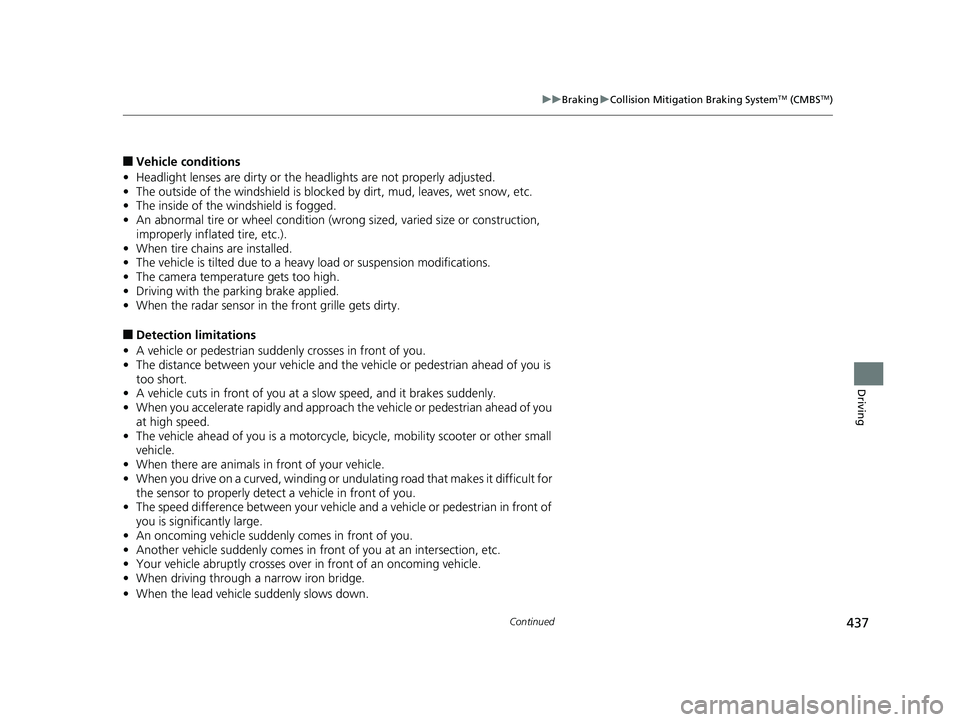
■Vehicle conditions
• Headlight lenses are dirty or the h eadlights are not properly adjusted.
• The outside of the windshield is blocked by dirt, mud, leaves, wet snow, etc.
• The inside of the windshield is fogged.
• An abnormal tire or wheel condition (wro ng sized, varied size or construction,
improperly inflated tire, etc.).
• When tire chains are installed.
• The vehicle is tilted due to a heavy load or suspension modifications.
• The camera temperature gets too high.
• Driving with the parking brake applied.
• When the radar sensor in the front grille gets dirty.
■Detection limitations
• A vehicle or pedestrian suddenly crosses in front of you.
• The distance between your vehicle and the vehicle or pedestrian ahead of you is
too short.
• A vehicle cuts in front of you at a slow speed, and it brakes suddenly.
• When you accelerate rapidly and approach the vehicle or pedestrian ahead of you
at high speed.
• The vehicle ahead of you is a motorcycle, bicycle, mobility scooter or other small
vehicle.
• When there are animals in front of your vehicle.
• When you drive on a curved, winding or und ulating road that makes it difficult for
the sensor to properly detect a vehicle in front of you.
• The speed difference between your vehicle an d a vehicle or pedestrian in front of
you is significantly large.
• An oncoming vehicle suddenly comes in front of you.
• Another vehicle suddenly comes in front of you at an intersection, etc.
• Your vehicle abruptly crosses over in front of an oncoming vehicle.
• When driving through a narrow iron bridge.
• When the lead vehicl e suddenly slows down.
19 CLARITY FCV CSS-31TRT6200.book 437 ページ 2019年1月17日 木曜日 午前11 時54分