child seat HONDA CLARITY PLUG-IN 2018 (in English) Owner's Guide
[x] Cancel search | Manufacturer: HONDA, Model Year: 2018, Model line: CLARITY PLUG-IN, Model: HONDA CLARITY PLUG-IN 2018Pages: 591, PDF Size: 29.97 MB
Page 79 of 591
Continued77
uuChild Safety uSafety of Infants and Small Children
Safe Driving
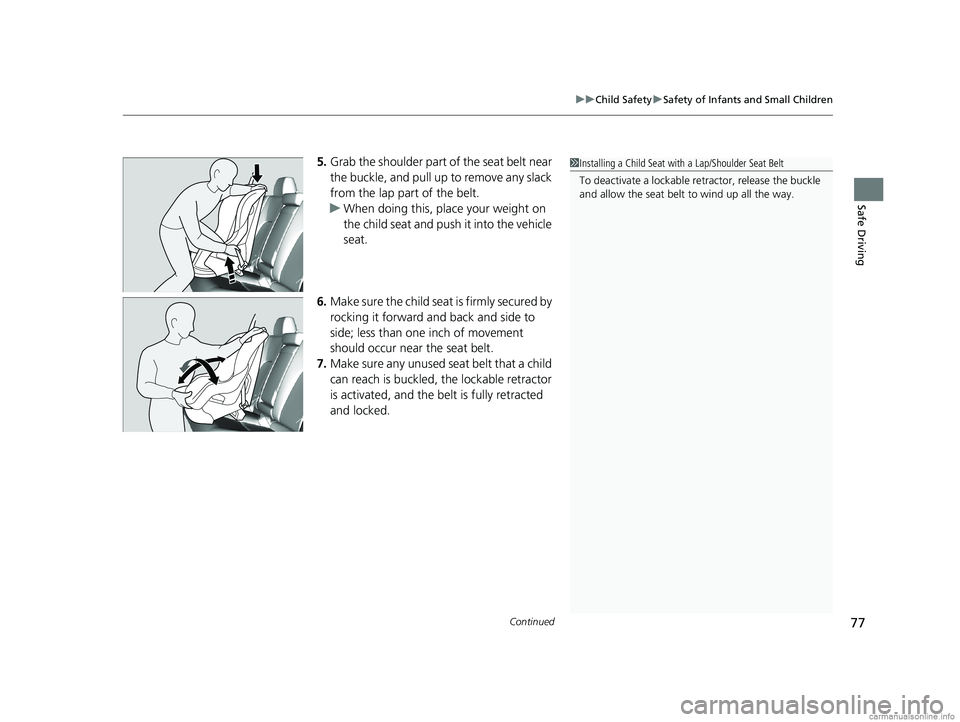
5. Grab the shoulder part of the seat belt near
the buckle, and pull up to remove any slack
from the lap part of the belt.
u When doing this, place your weight on
the child seat and push it into the vehicle
seat.
6. Make sure the child seat is firmly secured by
rocking it forward and back and side to
side; less than one inch of movement
should occur near the seat belt.
7. Make sure any unused seat belt that a child
can reach is buckled, the lockable retractor
is activated, and the be lt is fully retracted
and locked.1 Installing a Child Seat with a Lap/Shoulder Seat Belt
To deactivate a lockable retractor, release the buckle
and allow the seat belt to wind up all the way.
18 CLARITY PHEV CSS-31TRW6000.book 77 ページ 2017年12月25日 月曜日 午後2時22分
Page 80 of 591
uuChild Safety uSafety of Infants and Small Children
78
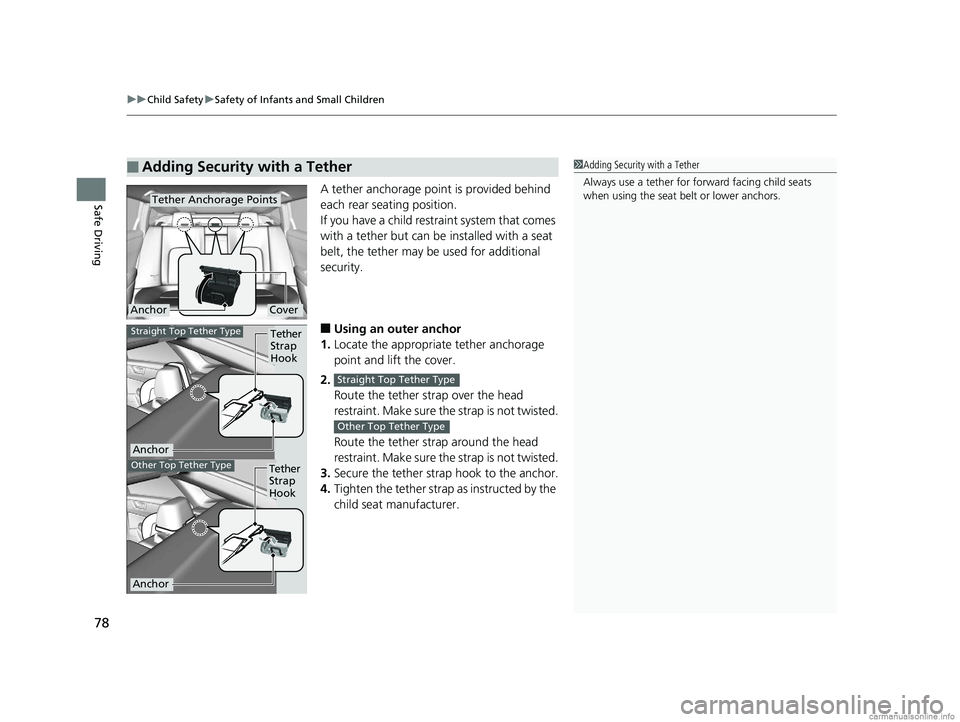
Safe DrivingA tether anchorage point is provided behind
each rear seating position.
If you have a child restraint system that comes
with a tether but can be installed with a seat
belt, the tether may be used for additional
security.
■Using an outer anchor
1. Locate the appropriate tether anchorage
point and lift the cover.
2. Route the tether strap over the head
restraint. Make sure the strap is not twisted.
Route the tether strap around the head
restraint. Make sure the strap is not twisted.
3. Secure the tether strap hook to the anchor.
4. Tighten the tether strap as instructed by the
child seat manufacturer.
■Adding Security with a Tether1Adding Security with a Tether
Always use a tether for forward facing child seats
when using the seat be lt or lower anchors.
Tether Anchorage Points
CoverAnchor
Tether
Strap
Hook
Anchor
Straight Top Tether Type
Other Top Tether TypeTether
Strap
Hook
Anchor
Straight Top Tether Type
Other Top Tether Type
18 CLARITY PHEV CSS-31TRW6000.book 78 ページ 2017年12月25日 月曜日 午後2時22分
Page 81 of 591
79
uuChild Safety uSafety of Infants and Small Children
Safe Driving
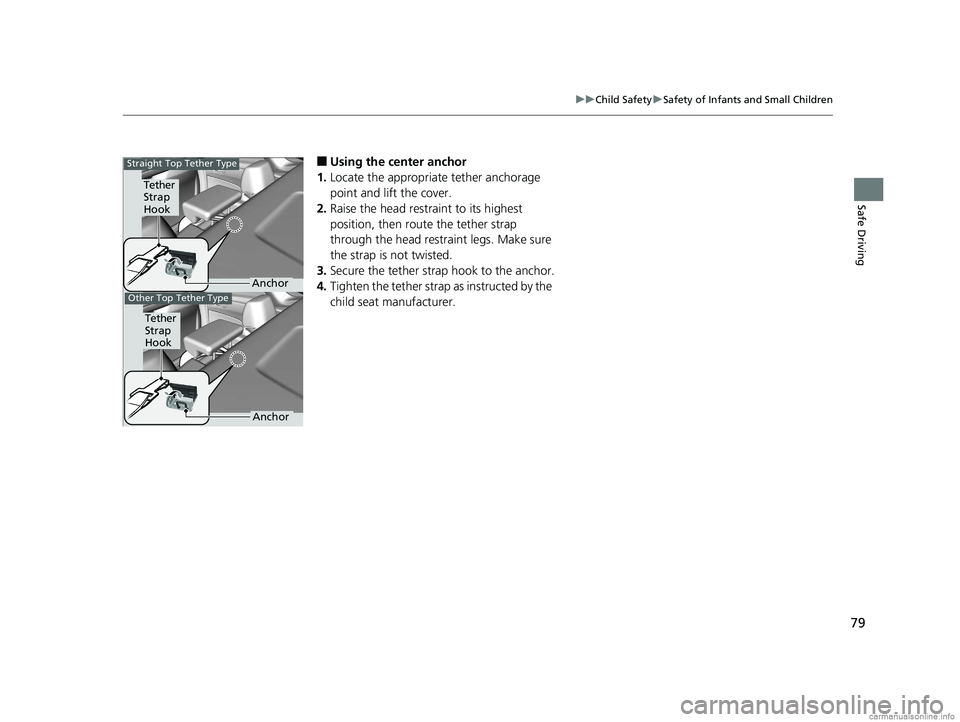
■Using the center anchor
1. Locate the appropriate tether anchorage
point and lift the cover.
2. Raise the head restraint to its highest
position, then route the tether strap
through the head restraint legs. Make sure
the strap is not twisted.
3. Secure the tether strap hook to the anchor.
4. Tighten the tether strap as instructed by the
child seat manufacturer.
Tether
Strap
Hook
Anchor
Other Top Tether Type
Tether
Strap
Hook
Anchor
Straight Top Tether Type
18 CLARITY PHEV CSS-31TRW6000.book 79 ページ 2017年12月25日 月曜日 午後2時22分
Page 82 of 591
80
uuChild Safety uSafety of Larger Children
Safe Driving
Safety of Larger Children
The following pages give instructions on how to check proper seat belt fit, what kind
of booster seat to use if one is needed, and important precautions for a child who
must sit in front.
When a child is too big for a child seat, secure the child in a rear seat using the lap/
shoulder seat belt. Have the child sit upright and all the way back, then answer the
following questions.
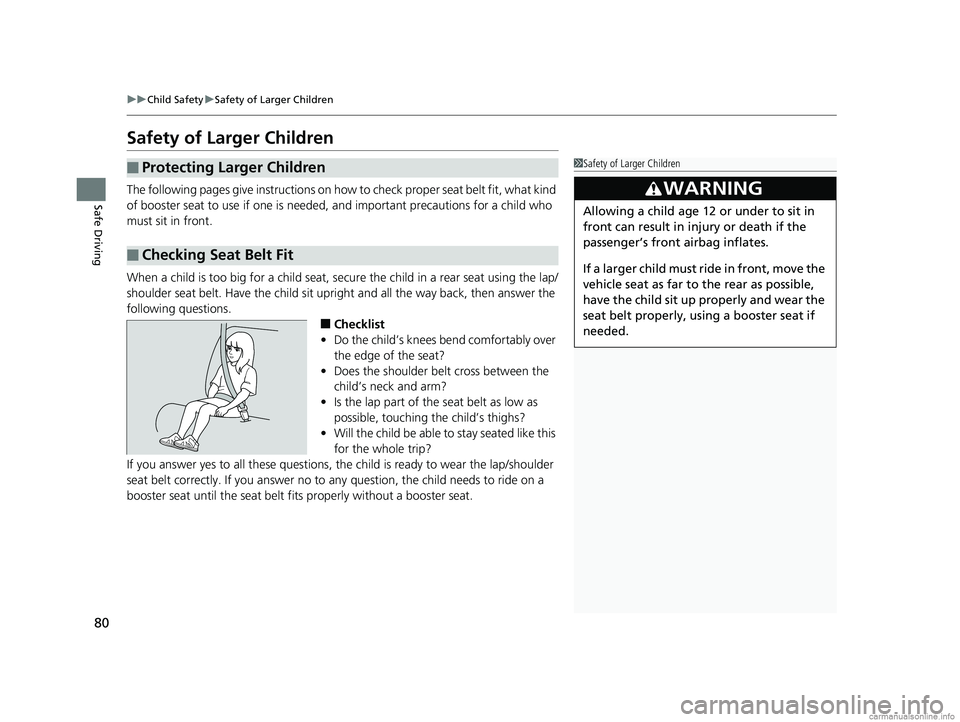
■Checklist
• Do the child’s knees bend comfortably over
the edge of the seat?
• Does the shoulder belt cross between the
child’s neck and arm?
• Is the lap part of the seat belt as low as
possible, touching the child’s thighs?
• Will the child be able to stay seated like this
for the whole trip?
If you answer yes to all thes e questions, the child is read y to wear the lap/shoulder
seat belt correctly. If you answer no to any question, the child needs to ride on a
booster seat until the seat belt fits properly without a booster seat.
■Protecting Larger Children
■Checking Seat Belt Fit
1 Safety of Larger Children
3WARNING
Allowing a child age 12 or under to sit in
front can result in injury or death if the
passenger’s front airbag inflates.
If a larger child must ri de in front, move the
vehicle seat as far to the rear as possible,
have the child sit up properly and wear the
seat belt properly, using a booster seat if
needed.
18 CLARITY PHEV CSS-31TRW6000.book 80 ページ 2017年12月25日 月曜日 午後2時22分
Page 83 of 591
81
uuChild Safety uSafety of Larger Children
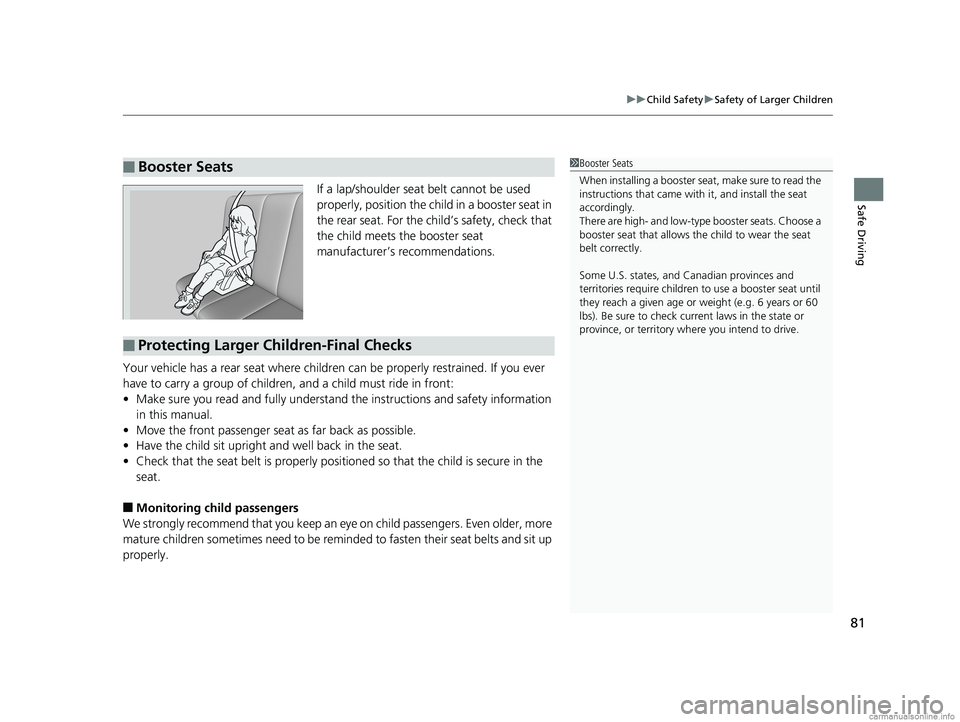
Safe DrivingIf a lap/shoulder seat belt cannot be used
properly, position the child in a booster seat in
the rear seat. For the child’s safety, check that
the child meets the booster seat
manufacturer’s recommendations.
Your vehicle has a rear seat where children can be properly restrained. If you ever
have to carry a group of children, and a child must ride in front:
• Make sure you read and fully understand the instructions and safety information
in this manual.
• Move the front passenger seat as far back as possible.
• Have the child sit upright and well back in the seat.
• Check that the seat belt is properly positi oned so that the child is secure in the
seat.
■Monitoring child passengers
We strongly recommend that you keep an ey e on child passengers. Even older, more
mature children sometimes need to be remi nded to fasten their seat belts and sit up
properly.
■Booster Seats1 Booster Seats
When installing a booster seat, make sure to read the
instructions that came with it, and install the seat
accordingly.
There are high- and low-type booster seats. Choose a
booster seat that allows the child to wear the seat
belt correctly.
Some U.S. states, and Canadian provinces and
territories require children to use a booster seat until
they reach a given age or weight (e.g. 6 years or 60
lbs). Be sure to check current laws in the state or
province, or territory where you intend to drive.
■Protecting Larger Children-Final Checks
18 CLARITY PHEV CSS-31TRW6000.book 81 ページ 2017年12月25日 月曜日 午後2時22分
Page 137 of 591
135
Controls
This chapter explains how to operate the various controls necessary for driving.
Clock.................................................. 136
Locking and Unlocking the Doors Key Types and Functions .................. 137
Low Smart Entry Remote Signal Strength .. 138Locking/Unlocking the Doors from the Outside .......................................... 139
Locking/Unlocking the Doors from the Inside ............................................. 146
Childproof Door Locks ..................... 148
Auto Door Locking/Unlocking .......... 149
Opening and Closing the Trunk ....... 150
Security System ................................ 153
Immobilizer System .......................... 153 Security System Alarm...................... 153
Opening and Closing the Windows ... 156
Operating the Switches Around the
Steering Wheel POWER Button................................. 158
Turn Signals ..................................... 161
Light Switches.................................. 162
Daytime Running Lights ................... 165
Wipers and Washers ........................ 166
Brightness Control ........................... 168
Rear Defogger/Heated Door Mirror Button........................................ 169
Driving Position Memory System*.... 170 Adjusting the Steering Wheel .......... 172
Adjusting the Mirrors ....................... 173
Interior Rearview Mirror ................... 173
Power Door Mirrors ......................... 174
Adjusting the Seats .......................... 175
Front Seats ...................................... 175
Interior Lights/Interior Convenience Items ................................................ 183
Interior Lights .................................. 183
Interior Convenience Items .............. 185
Climate Control System ................... 193
Using Automatic Climate Control .... 193
Automatic Climate Control Sensors ... 201
* Not available on all models
18 CLARITY PHEV CSS-31TRW6000.book 135 ページ 2017年12月25日 月曜日 午後2時22分
Page 149 of 591
Continued147
uuLocking and Unlocking the Doors uLocking/Unlocking the Doors from the Inside
Controls
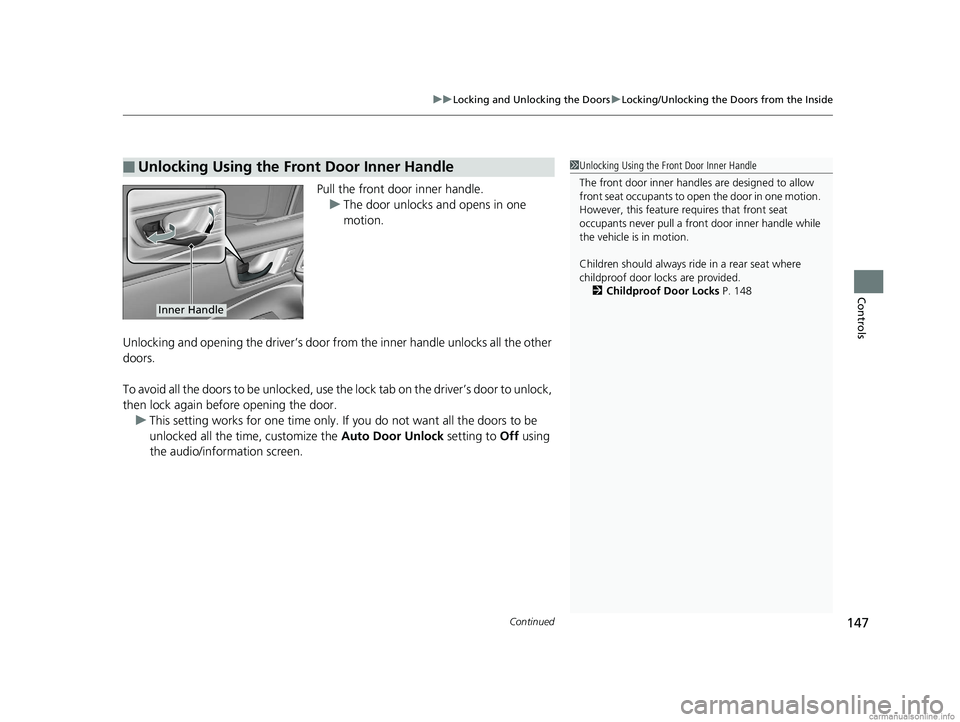
Pull the front door inner handle.
u The door unlocks and opens in one
motion.
Unlocking and opening the driver’s door from the inner handle unlocks all the other
doors.
To avoid all the doors to be unlocked, use the lock tab on the driver’s door to unlock,
then lock again before opening the door. u This setting works for one time only. If you do not want all the doors to be
unlocked all the time, customize the Auto Door Unlock setting to Off using
the audio/information screen.
■Unlocking Using the Front Door Inner Handle1 Unlocking Using the Front Door Inner Handle
The front door inne r handles are designed to allow
front seat occupants to open the door in one motion.
However, this feature requires that front seat
occupants never pull a front door inner handle while
the vehicle is in motion.
Children should always ride in a rear seat where
childproof door locks are provided. 2 Childproof Door Locks P. 148
Inner Handle
18 CLARITY PHEV CSS-31TRW6000.book 147 ページ 2017年12月25日 月曜日 午後2時22分
Page 158 of 591
156
Controls
Opening and Closing the Windows
Opening/Closing the Power Windows
The power windows can be opened and closed when the power mode is in ON,
using the switches on the doors.
The driver’s side switches can be used to open and close all the windows. The power
window lock button on the driver’s side must be switched off (indicator off) to open
and close the windows from anywhere other than the driver’s seat.
When the power window lock button is pressed, the indicator comes on and you
can only operate the driver’s window. Turn the power window lock button on if a
child is in the vehicle.
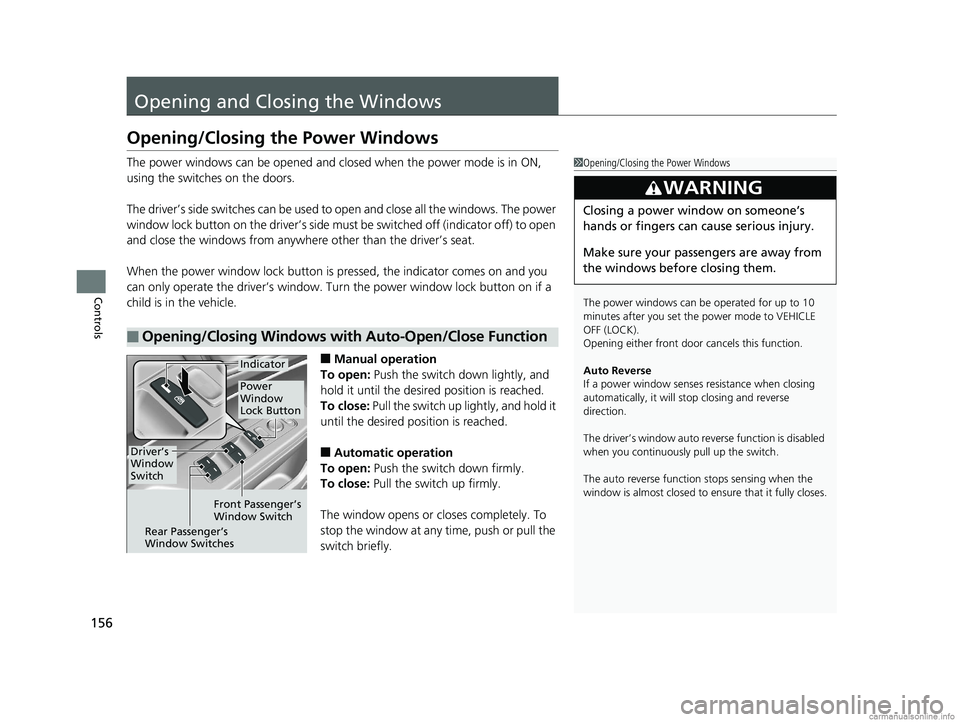
■Manual operation
To open: Push the switch down lightly, and
hold it until the desired position is reached.
To close: Pull the switch up lightly, and hold it
until the desired position is reached.
■Automatic operation
To open: Push the switch down firmly.
To close: Pull the switch up firmly.
The window opens or cl oses completely. To
stop the window at any time, push or pull the
switch briefly.
■Opening/Closing Windows with Auto-Open/Close Function
1 Opening/Closing the Power Windows
The power windows can be operated for up to 10
minutes after you set the power mode to VEHICLE
OFF (LOCK).
Opening either front door cancels this function.
Auto Reverse
If a power window senses resistance when closing
automatically, it will stop closing and reverse
direction.
The driver’s window auto re verse function is disabled
when you continuously pull up the switch.
The auto reverse function stops sensing when the
window is almost closed to en sure that it fully closes.
3WARNING
Closing a power window on someone’s
hands or fingers can cause serious injury.
Make sure your passengers are away from
the windows before closing them.
Driver’s
Window
Switch
Front Passenger’s
Window Switch
Rear Passenger’s
Window Switches
Power
Window
Lock Button
Indicator
18 CLARITY PHEV CSS-31TRW6000.book 156 ページ 2017年12月25日 月曜日 午後2時22分
Page 582 of 591
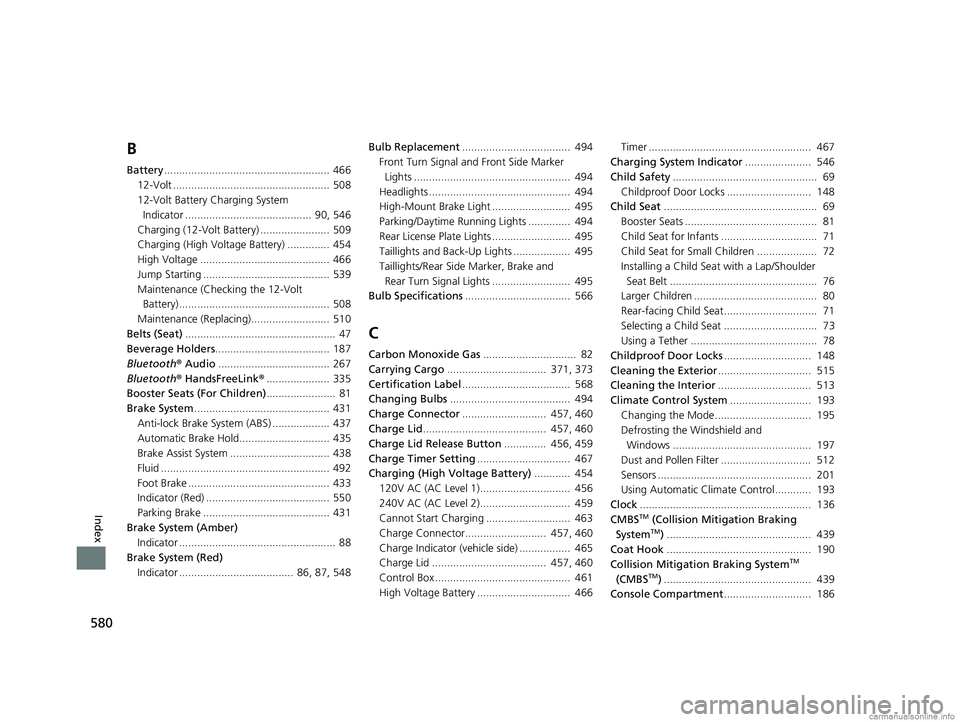
580
Index
B
Battery....................................................... 466
12-Volt .................................................... 508
12-Volt Battery Charging System Indicator .......................................... 90, 546
Charging (12-Volt Battery) ....................... 509
Charging (High Voltage Battery) .............. 454
High Voltage ........................................... 466
Jump Starting .......................................... 539
Maintenance (Checking the 12-Volt Battery) .................................................. 508
Maintenance (Replacing).......................... 510
Belts (Seat) .................................................. 47
Beverage Holders ...................................... 187
Bluetooth ® Audio ..................................... 267
Bluetooth ® HandsFreeLink ®..................... 335
Booster Seats (For Children) ....................... 81
Brake System ............................................. 431
Anti-lock Brake System (ABS) ................... 437
Automatic Brake Hold.............................. 435
Brake Assist System ................................. 438
Fluid ........................................................ 492
Foot Brake ............................................... 433
Indicator (Red) ......................................... 550
Parking Brake .......................................... 431
Brake System (Amber) Indicator .................................................... 88
Brake System (Red)
Indicator ...................................... 86, 87, 548 Bulb Replacement
.................................... 494
Front Turn Signal and Front Side Marker
Lights .................................................... 494
Headlights ............................................... 494
High-Mount Brake Light .......................... 495
Parking/Daytime Running Lights .............. 494
Rear License Plate Lights .......................... 495
Taillights and Back-Up Lights ................... 495
Taillights/Rear Side Marker, Brake and
Rear Turn Signal Lights .......................... 495
Bulb Specifications ................................... 566
C
Carbon Monoxide Gas ............................... 82
Carrying Cargo ................................. 371, 373
Certification Label .................................... 568
Changing Bulbs ........................................ 494
Charge Connector ............................ 457, 460
Charge Lid ......................................... 457, 460
Charge Lid Release Button .............. 456, 459
Charge Timer Setting ............................... 467
Charging (High Voltage Battery) ............ 454
120V AC (AC Level 1).............................. 456
240V AC (AC Level 2).............................. 459
Cannot Start Charging ............................ 463
Charge Connector........................... 457, 460
Charge Indicator (vehicle side) ................. 465
Charge Lid ...................................... 457, 460
Control Box ............................................. 461
High Voltage Battery ............................... 466 Timer ...................................................... 467
Charging System Indicator ...................... 546
Child Safety ................................................ 69
Childproof Door Locks ............................ 148
Child Seat ................................................... 69
Booster Seats ............................................ 81
Child Seat for Infants ................................ 71
Child Seat for Small Children .................... 72
Installing a Child Seat with a Lap/Shoulder
Seat Belt ................................................. 76
Larger Children ......................................... 80
Rear-facing Child Seat............................... 71
Selecting a Child Seat ............................... 73
Using a Tether .......................................... 78
Childproof Door Locks ............................. 148
Cleaning the Exterior ............................... 515
Cleaning the Interior ............................... 513
Climate Control System ........................... 193
Changing the Mode................................ 195
Defrosting the Windshield and Windows .............................................. 197
Dust and Pollen Filter .............................. 512
Sensors ................................................... 201
Using Automatic Climate Control............ 193
Clock ......................................................... 136
CMBS
TM (Collision Mitigation Braking
SystemTM) ................................................ 439
Coat Hook ................................................ 190
Collision Mitigation Braking System
TM
(CMBSTM) ................................................. 439
Console Compartment ............................. 186
18 CLARITY PHEV CSS-31TRW6000.book 580 ページ 2017年12月25日 月曜日 午後2時22分
Page 585 of 591
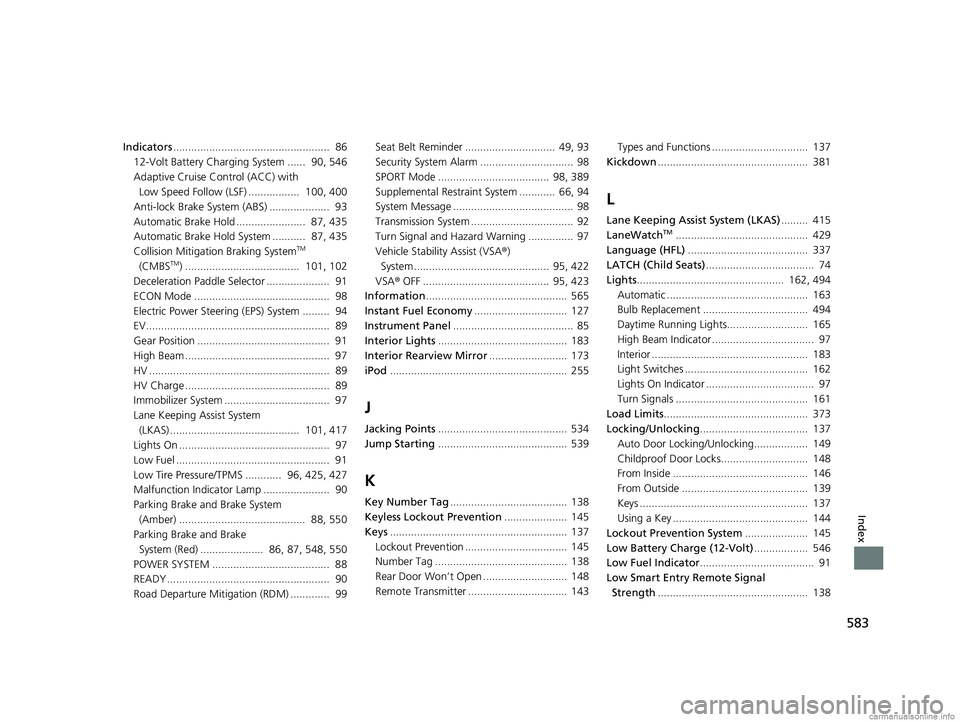
583
Index
Indicators.................................................... 86
12-Volt Battery Charging System ...... 90, 546
Adaptive Cruise Control (ACC) with Low Speed Follow (LSF) ................. 100, 400
Anti-lock Brake System (ABS) .................... 93
Automatic Brake Hold ....................... 87, 435
Automatic Brake Hold System ........... 87, 435
Collision Mitigati on Braking System
TM
(CMBSTM) ...................................... 101, 102
Deceleration Paddle Selector ..................... 91
ECON Mode ............................................. 98
Electric Power Steering (EPS) System ......... 94
EV............................................................. 89
Gear Position ............................................ 91
High Beam ................................................ 97
HV ............................................................ 89
HV Charge ................................................ 89
Immobilizer System ................................... 97
Lane Keeping Assist System
(LKAS) ........................................... 101, 417
Lights On .................................................. 97
Low Fuel ................................................... 91
Low Tire Pressure/TPMS ............ 96, 425, 427
Malfunction Indicator Lamp ...................... 90
Parking Brake and Brake System
(Amber) .......................................... 88, 550
Parking Brake and Brake System (Red) ..................... 86, 87, 548, 550
POWER SYSTEM ....................................... 88
READY ...................................................... 90
Road Departure Mitigation (RDM) ............. 99 Seat Belt Reminder .............................. 49, 93
Security System Alarm ............................... 98
SPORT Mode ..................................... 98, 389
Supplemental Restraint System ............ 66, 94
System Message ........................................ 98
Transmission System .................................. 92
Turn Signal and Haza
rd Warning ............... 97
Vehicle Stability Assist (VSA ®)
System............................................. 95, 422
VSA ® OFF .......................................... 95, 423
Information ............................................... 565
Instant Fuel Economy ............................... 127
Instrument Panel ........................................ 85
Interior Lights ........................................... 183
Interior Rearview Mirror .......................... 173
iPod ........................................................... 255
J
Jacking Points ........................................... 534
Jump Starting ........................................... 539
K
Key Number Tag ....................................... 138
Keyless Lockout Prevention ..................... 145
Keys ........................................................... 137
Lockout Prevention .................................. 145
Number Tag ............................................ 138
Rear Door Won’t Open ............................ 148
Remote Transmitter ................................. 143 Types and Functions ................................ 137
Kickdown .................................................. 381
L
Lane Keeping Assist System (LKAS) ......... 415
LaneWatchTM............................................ 429
Language (HFL) ........................................ 337
LATCH (Child Seats) .................................... 74
Lights ................................................. 162, 494
Automatic ............................................... 163
Bulb Replacement ................................... 494
Daytime Running Lights........................... 165
High Beam Indicator .................................. 97
Interior .................................................... 183
Light Switches ......................................... 162
Lights On Indicator .................................... 97
Turn Signals ............................................ 161
Load Limits ................................................ 373
Locking/Unlocking .................................... 137
Auto Door Locking/Unlocking.................. 149
Childproof Door Locks............................. 148
From Inside ............................................. 146
From Outside .......................................... 139
Keys ........................................................ 137
Using a Key ............................................. 144
Lockout Prevention System ..................... 145
Low Battery Charge (12-Volt) .................. 546
Low Fuel Indicator ...................................... 91
Low Smart Entry Remote Signal
Strength .................................................. 138
18 CLARITY PHEV CSS-31TRW6000.book 583 ページ 2017年12月25日 月曜日 午後2時22分