lock HONDA CR-V 2003 RD4-RD7 / 2.G Service Manual
[x] Cancel search | Manufacturer: HONDA, Model Year: 2003, Model line: CR-V, Model: HONDA CR-V 2003 RD4-RD7 / 2.GPages: 374, PDF Size: 4.46 MB
Page 109 of 374
CONT INUED
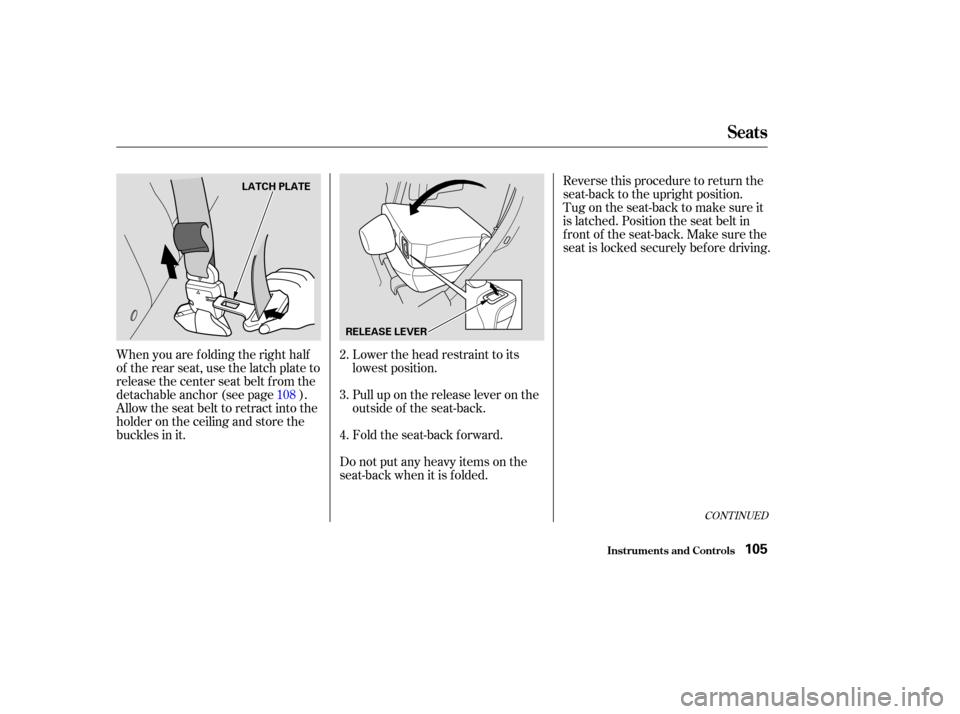
When you are f olding the right half
of the rear seat, use the latch plate to
release the center seat belt from the
detachable anchor (see page ).
Allow the seat belt to retract into the
holder on the ceiling and store the
buckles in it.Lower the head restraint to its
lowest position.
Pull up on the release lever on the
outside of the seat-back.
Fold the seat-back forward.Reverse this procedure to return the
seat-back to the upright position.
Tug on the seat-back to make sure it
is latched. Position the seat belt in
f ront of the seat-back. Make sure the
seat is locked securely bef ore driving.
Do not put any heavy items on the
seat-back when it is folded. 3. 2.
4.
108
Seats
Inst rument s and Cont rols105
LATCH PLATE
RELEASE LEVER
Page 110 of 374
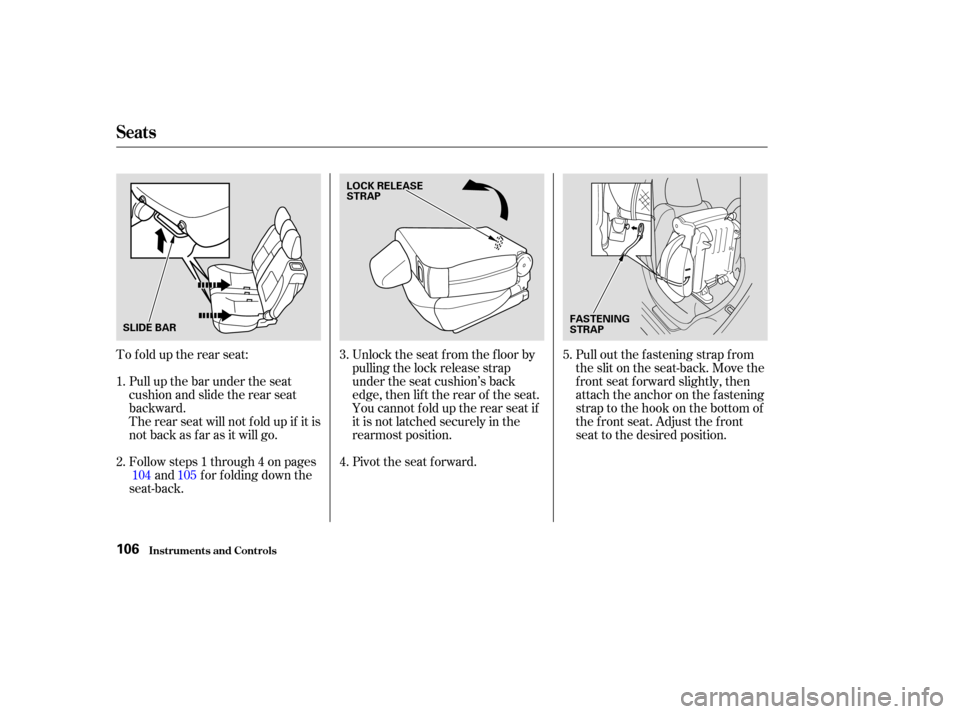
To f old up the rear seat:Followsteps1through4onpages and f or f olding down the
seat-back. Unlock the seat f rom the f loor by
pulling the lock release strap
under the seat cushion’s back
edge, then lif t the rear of the seat.
You cannot fold up the rear seat if
it is not latched securely in the
rearmost position.
Pivot the seat forward.
Pull out the f astening strap f rom
the slit on the seat-back. Move the
f ront seat f orward slightly, then
attach the anchor on the fastening
strap to the hook on the bottom of
the f ront seat. Adjust the f ront
seat to the desired position.
Pull up the bar under the seat
cushion and slide the rear seat
backward.
Therearseatwillnotfoldupifitis
not back as far as it will go.
104
1.
2. 3.
4.5.
105
Seats
Inst rument s and Cont rols106
SLIDE BAR LOCK RELEASE
STRAP
FASTENING
STRAP
Page 122 of 374
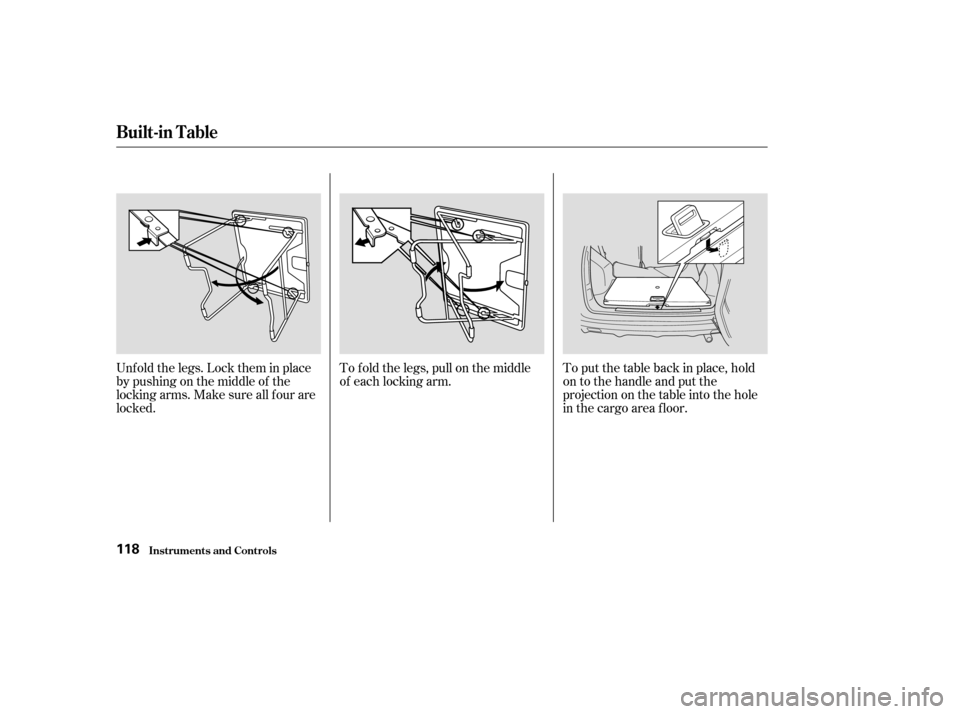
Unf old the legs. Lock them in place
by pushing on the middle of the
locking arms. Make sure all f our are
locked.To f old the legs, pull on the middle
of each locking arm.
To put the table back in place, hold
on to the handle and put the
projection on the table into the hole
in the cargo area f loor.
Built-in Table
Inst rument s and Cont rols118
Page 123 of 374
Be sure to lock the legs of the
table.
Do not stand on the table.
Do not put a weight of over 44 lbs
(20kg)onthetable.
Hot items such as pots, pans, or
kettles should not be placed
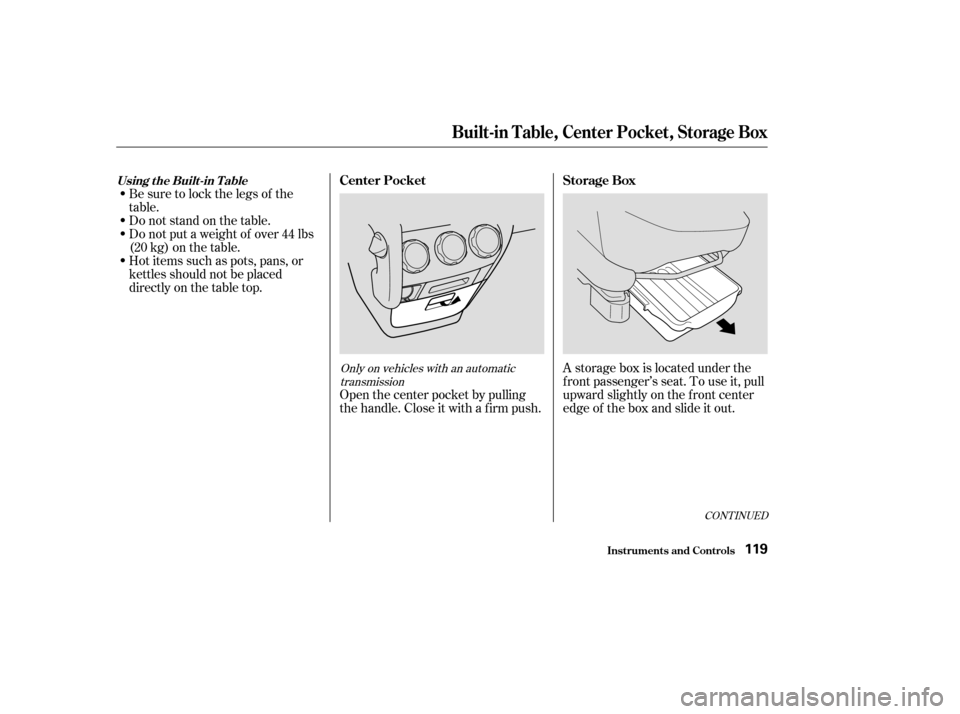
directly on the table top.A storage box is located under the
f ront passenger’s seat. To use it, pull
upward slightly on the f ront center
edge of the box and slide it out.
Open the center pocket by pulling
thehandle.Closeitwithafirmpush.
CONT INUED
Only on vehicles with an automatic
transmission
Inst rument s and Cont rols
Storage Box
Center Pocket
Built-in Table, Center Pocket, Storage Box
Using the Built-in T able
119
Page 124 of 374
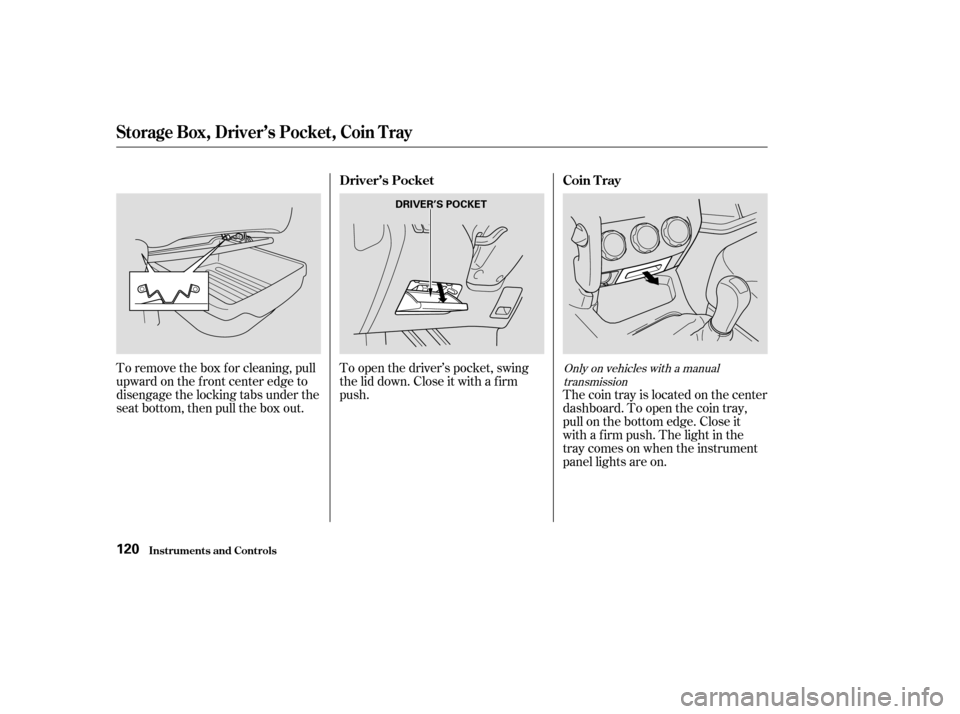
To remove the box f or cleaning, pull
upward on the f ront center edge to
disengage the locking tabs under the
seat bottom, then pull the box out.To open the driver’s pocket, swing
the lid down. Close it with a f irm
push.
The coin tray is located on the center
dashboard. To open the coin tray,
pull on the bottom edge. Close it
with a f irm push. The light in the
traycomesonwhentheinstrument
panel lights are on.Only on vehicles with a manual
transmission
Driver’s Pocket Coin T ray
St orage Box, Driver’s Pocket , Coin T ray
Inst rument s and Cont rols120
DRIVER’S POCKET
Page 128 of 374
If you leave any door open with the
keynotintheignitionswitch,the
ceiling light will go of f af ter three
minutes.
The ceiling light (with the switch in
the center position) comes on when
you remove the key f rom the ignition
switch. If you do not open a door, the
light f ades out in about 30 seconds.
The ceiling light (with the switch in
the center position) also comes on
when you unlock the door with the
key, the lock tab on the driver’s door,
the master door lock switch, or the
remote transmitter (see page ).Turn on a spotlight by pushing the
button next to each light. Push the
button again to turn it off. You can
use the spotlights at all times.
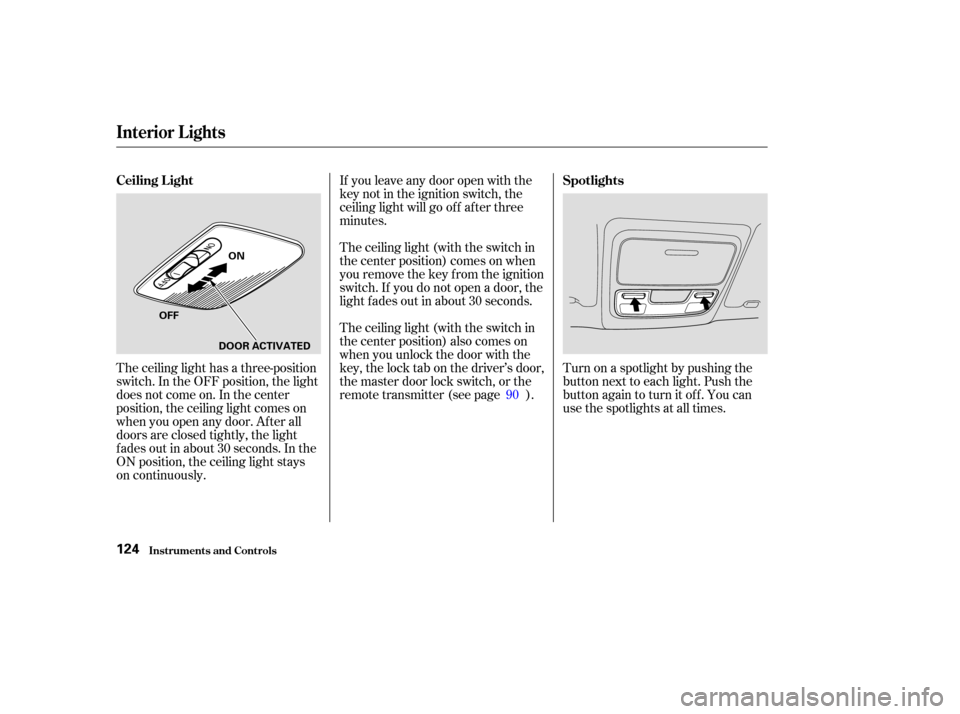
The ceiling light has a three-position
switch. In the OFF position, the light
does not come on. In the center
position, the ceiling light comes on
when you open any door. Af ter all
doors are closed tightly, the light
f ades out in about 30 seconds. In the
ON position, the ceiling light stays
on continuously. 90
Inst rument s and Cont rols
Interior Lights
Ceiling L ight
Spotlights
124
ON
OFF DOOR ACTIVATED
Page 129 of 374
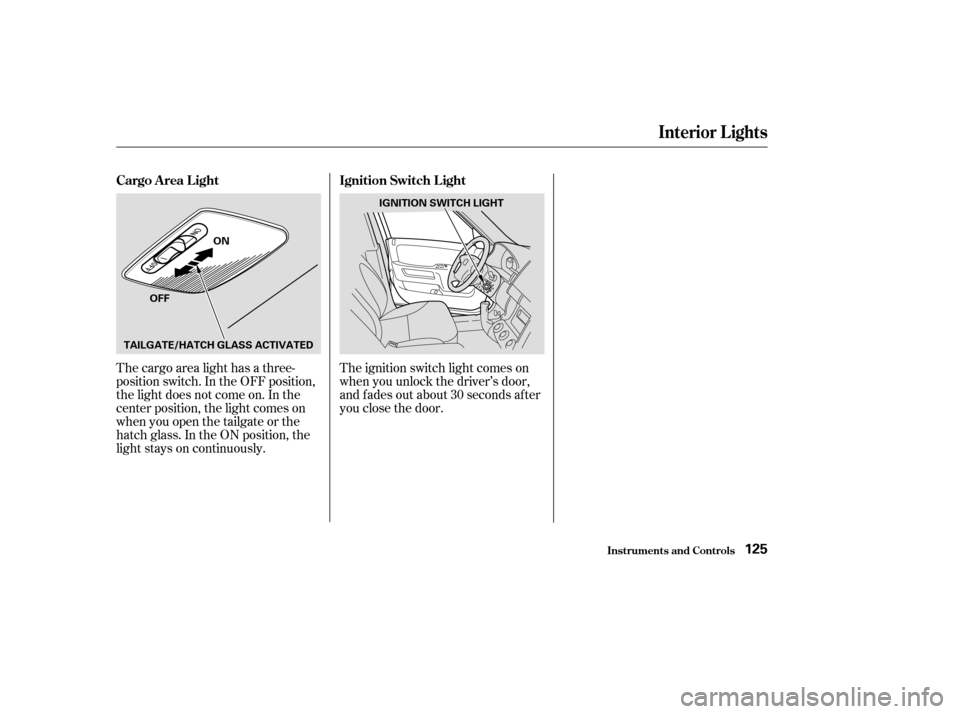
The cargo area light has a three-
position switch. In the OFF position,
the light does not come on. In the
center position, the light comes on
when you open the tailgate or the
hatch glass. In the ON position, the
light stays on continuously.The ignition switch light comes on
when you unlock the driver’s door,
and f ades out about 30 seconds af ter
you close the door.
Interior Lights
Inst rument s and Cont rols
Cargo A rea L ight
Ignition Switch L ight
125
ON
OFF IGNITION SWITCH LIGHT
TAILGATE/HATCH GLASS ACTIVATED
Page 131 of 374
.....................
Heating and Cooling .128
.........
What Each Control Does . 128
............
How to Use the System . 131
..........
To Turn Everything Of f . 136
................................
Audio System .137
Audio System (U.S. and ........................
Canadian LX) .138
AM/FM/Cassette/CD Audio ....................................
System .138
.................
Operating the Radio . 139
.................
Adjusting the Sound . 143
............
Audio System Lighting . 144
..............................
Digital Clock .144
.........
Operating the CD Player . 146
....
CD Player Error Indications . 148
.....
Operating the CD Changer . 149
CD Changer Error .............................
Indications .150
Operating the Cassette .....................................
Player .151
............
Tape Search Functions . 152
Audio System (U.S. EX and .......
Canadian EX and EX-L) . 154
AM/FM/Cassette/CD ........
Changer Audio System . 154
.................
Operating the Radio . 155.................
Adjusting the Sound . 159
............
Audio System Lighting . 160
....................
Radio Frequencies . 160
........................
Radio Reception .161
..............................
Digital Clock .162
Operating the Cassette .....................................
Player .164
............
Tape Search Functions . 165
Caring f or the Cassette .....................................
Player .168
.....
Operating the CD Changer . 169
..
Loading CDs in the Changer . 170
...................................
Operation .172
Removing CDs from the .................................
Changer .174
.......
Protecting Compact Discs . 176
CD Changer Error .............................
Indications .177
.......................
Thef t Protection .178
...............................
Cruise Control .179
Comf ort and Convenience Features
Comf ort and Convenience Feat ures127
Page 132 of 374
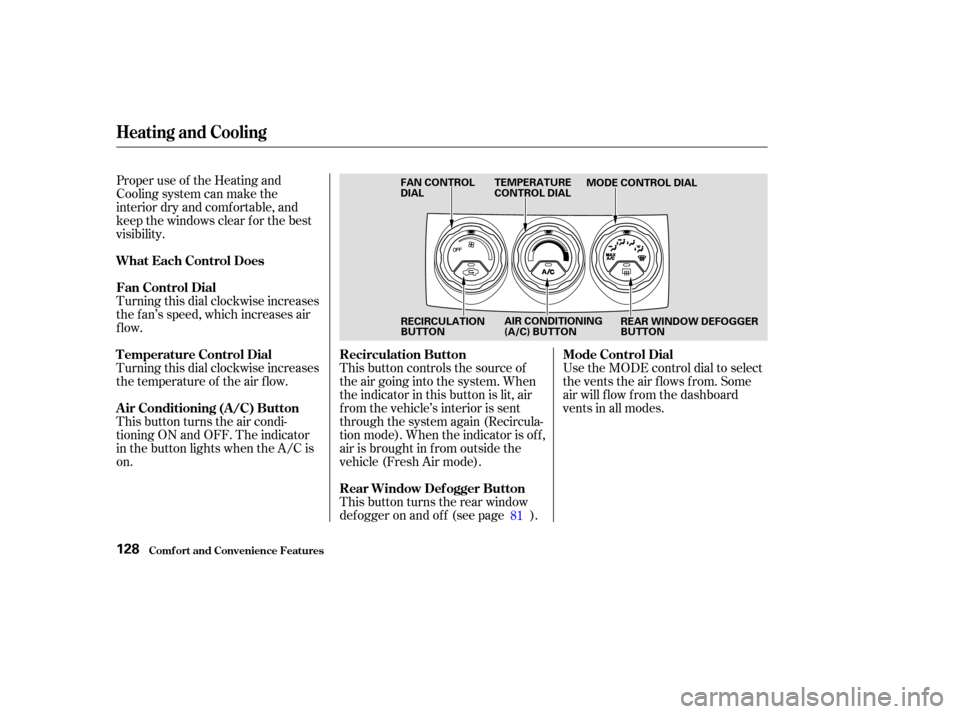
Proper use of the Heating and
Cooling system can make the
interior dry and comf ortable, and
keep the windows clear f or the best
visibility.
Turning this dial clockwise increases
the f an’s speed, which increases air
flow.
Turning this dial clockwise increases
the temperature of the air flow.
This button turns the air condi-
tioning ON and OFF. The indicator
in the button lights when the A/C is
on.This button controls the source of
the air going into the system. When
the indicator in this button is lit, air
f rom the vehicle’s interior is sent
through the system again (Recircula-
tion mode). When the indicator is off,
air is brought in f rom outside the
vehicle (Fresh Air mode).
This button turns the rear window
def ogger on and of f (see page ).Use the MODE control dial to select
the vents the air flows from. Some
air will f low f rom the dashboard
vents in all modes.
81
Comf ort and Convenience Feat ures
Heating and Cooling
What Each Control Does
Fan Control Dial
Air Conditioning (A/C) Button Recirculation Button
Rear Window Def ogger ButtonMode Control Dial
T emperature Control Dial
128
FAN CONTROL
DIAL TEMPERATURE
CONTROL DIAL
MODE CONTROL DIAL
RECIRCULATION
BUTTON REAR WINDOW DEFOGGER
BUTTON
AIR CONDITIONING
(A/C) BUTTON
Page 148 of 374
You can use the instrument panel
brightness control knob to adjust the
illumination of the audio system (see
page ). The audio system
illuminates when the parking lights
are on, even if the radio is turned of f .
For inf ormation, see page .The audio system display usually
shows the time when the ignition
switch is in ACCESSORY (I) or ON
(II). It shows the operation mode of
the radio, cassette player, CD player,
or optional CD changer when you
operate them, then goes back to the
time display af ter f ive seconds.
If an error occurs while operating
the CD player or optional CD
changer, the display will keep
showing the error code and will not
switch to the time display until the
error is corrected (see pages and
).
You can set the time only when the
clock is displayed. To set the time, press the CLOCK
(SCAN/RPT) button until you hear a
beep. The displayed time begins to
blink.
Press and hold the H (Preset 4)
button until the hour advances to the
desired time.
Press and hold the M (Preset 5)
button until the minutes advance to
the desired time.
Press the CLOCK (SCAN/RPT)
button again to enter the set time.
160
148
150
77
Audio System
Comf ort and Convenience Feat ures
A udio System L ighting
Radio Frequencies and Reception
Digital Clock
144