parking brake HONDA CR-V 2012 RM1, RM3, RM4 / 4.G Owners Manual
[x] Cancel search | Manufacturer: HONDA, Model Year: 2012, Model line: CR-V, Model: HONDA CR-V 2012 RM1, RM3, RM4 / 4.GPages: 361, PDF Size: 7.25 MB
Page 5 of 361
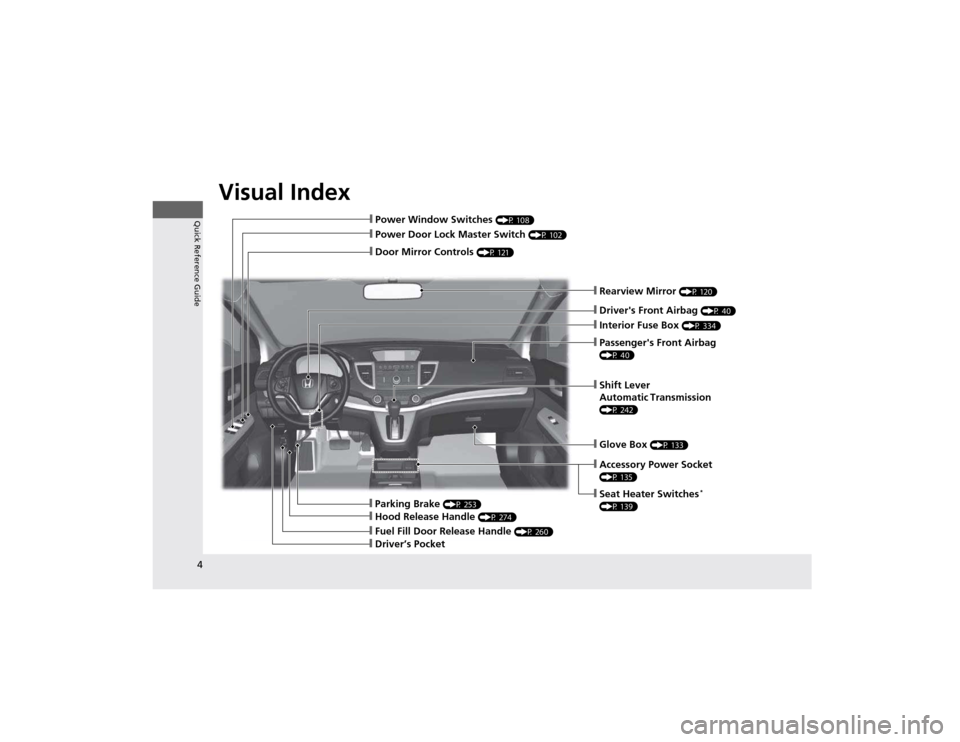
Visual Index
4
Quick Reference Guide
❙Power Door Lock Master Switch (P 102)
❙Power Window Switches (P 108)
❙Rearview Mirror (P 120)
❙Interior Fuse Box (P 334)
❙Parking Brake (P 253)
❙Hood Release Handle (P 274)
❙Accessory Power Socket
(P 135)
❙Seat Heater Switches*
(P 139)
❙Shift Lever Automatic Transmission
(P 242)
❙Glove Box (P 133)
❙Driver's Front Airbag (P 40)
❙Door Mirror Controls (P 121)
❙Driver’s Pocket
❙Passenger's Front Airbag
(P 40)
❙Fuel Fill Door Release Handle (P 260)
Page 7 of 361
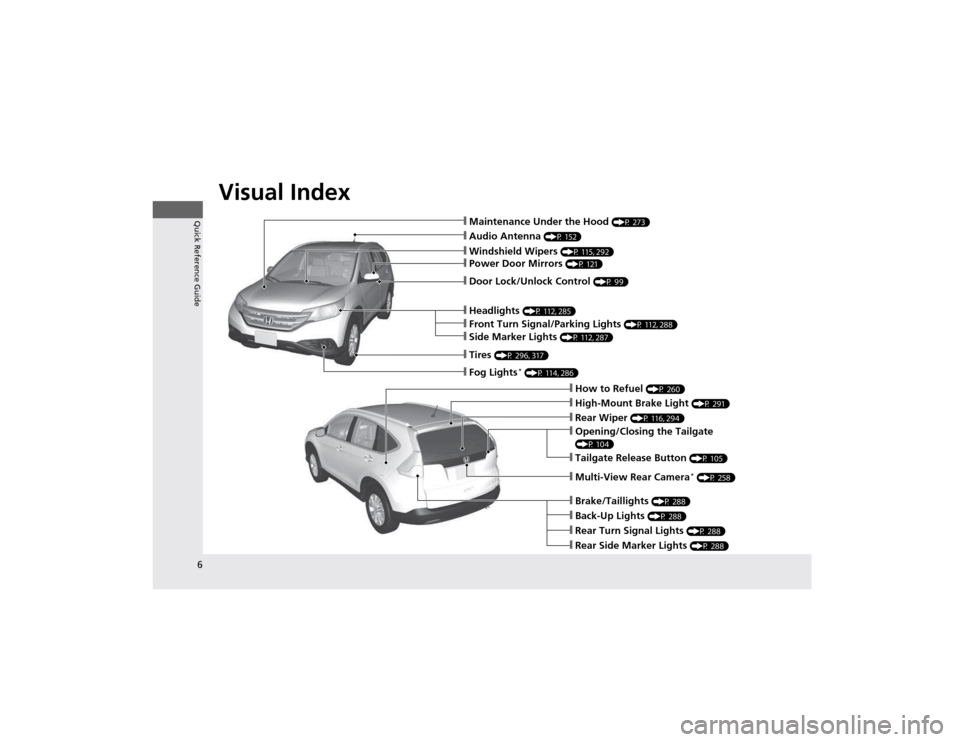
Visual Index
6
Quick Reference Guide
❙Audio Antenna (P 152)
❙Windshield Wipers (P 115, 292)
❙Door Lock/Unlock Control (P 99)
❙Headlights (P 112, 285)
❙How to Refuel (P 260)
❙High-Mount Brake Light (P 291)
❙Tailgate Release Button (P 105)
❙Opening/Closing the Tailgate
(P 104)
❙Rear Wiper (P 116, 294)
❙Back-Up Lights (P 288)
❙Brake/Taillights (P 288)
❙Rear Turn Signal Lights (P 288)
❙Rear Side Marker Lights (P 288)
❙Power Door Mirrors (P 121)
❙Maintenance Under the Hood (P 273)
❙Fog Lights*
(P 114, 286)
❙Multi-View Rear Camera *
(P 258)
❙Front Turn Signal/Parking Lights (P 112, 288)
❙Side Marker Lights (P 112, 287)
❙Tires (P 296, 317)
Page 10 of 361
9
Quick Reference Guide
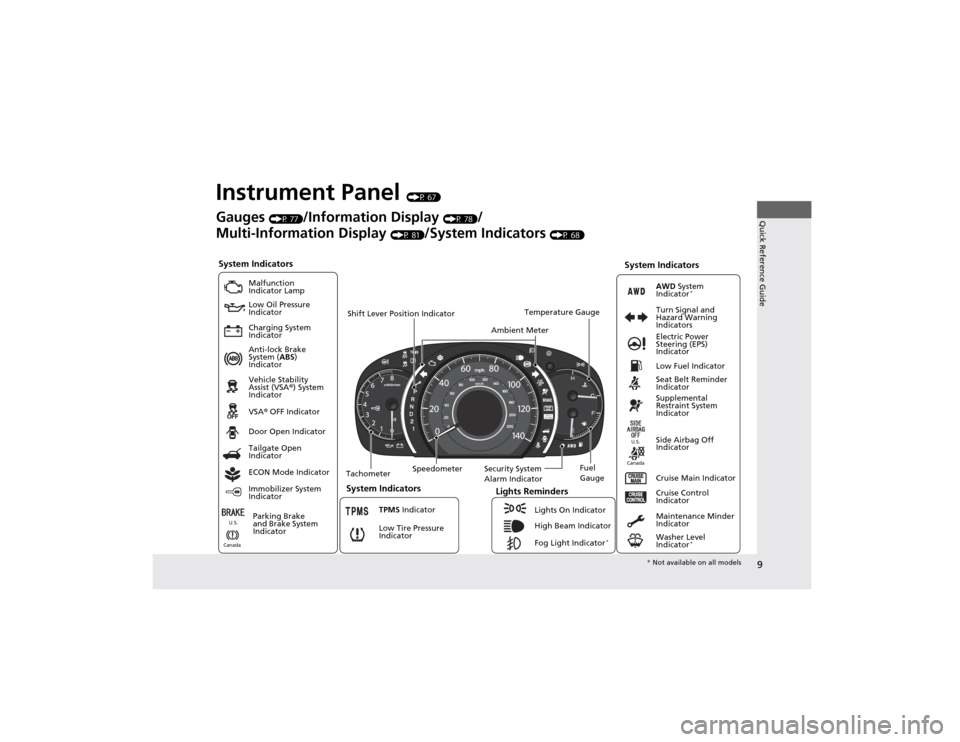
Instrument Panel (P 67)
System Indicators
Malfunction
Indicator Lamp
Low Oil Pressure
Indicator
Charging System
Indicator Anti-lock Brake
System ( ABS)
Indicator Vehicle Stability
Assist (VSA ®) System
Indicator VSA ® OFF Indicator
Low Tire Pressure
Indicator Lights Reminders
Lights On Indicator
High Beam Indicator
Fog Light Indicator *
Immobilizer System
Indicator Seat Belt Reminder
Indicator
System Indicators
Cruise Control
Indicator
Parking Brake
and Brake System
Indicator Supplemental
Restraint System
Indicator
Side Airbag Off
Indicator
Door Open Indicator
Cruise Main Indicator
Tachometer Speedometer
Fuel Gauge
Security System
Alarm Indicator
Shift Lever Position Indicator
Low Fuel Indicator
Gauges
(P 77)/Information Display (P 78)/
Multi-Information Display (P 81)/System Indicators (P 68)
Tailgate Open
Indicator
ECON Mode Indicator TPMS Indicator
Maintenance Minder
Indicator
Washer Level
Indicator*
Ambient Meter
Temperature Gauge
Electric Power
Steering (EPS)
Indicator
Turn Signal and
Hazard Warning
Indicators
AWD
System
Indicator *
System Indicators
Canada U.S.
Canada
U.S.
*
Not available on all models
Page 21 of 361
20
Quick Reference Guide
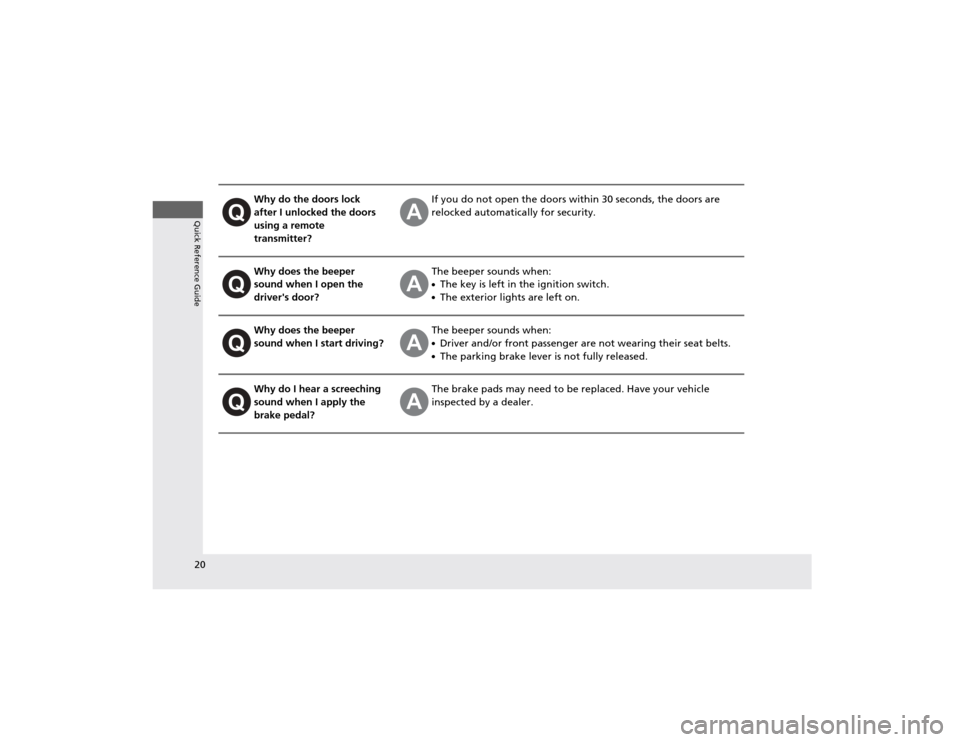
Why do the doors lock
after I unlocked the doors
using a remote transmitter?If you do not open the doors within 30 seconds, the doors are
relocked automatically for security.
Why does the beeper
sound when I open the driver's door?The beeper sounds when: ●The key is left in the ignition switch.
● The exterior lights are left on.
Why does the beeper
sound when I start driving?The beeper sounds when: ●Driver and/or front passenger are not wearing their seat belts.
● The parking brake lever is not fully released.
Why do I hear a screeching
sound when I apply the
brake pedal?The brake pads may need to be replaced. Have your vehicle
inspected by a dealer.
Page 69 of 361
68
Instrument Panel
Indicators
IndicatorNameOn/BlinkingExplanation
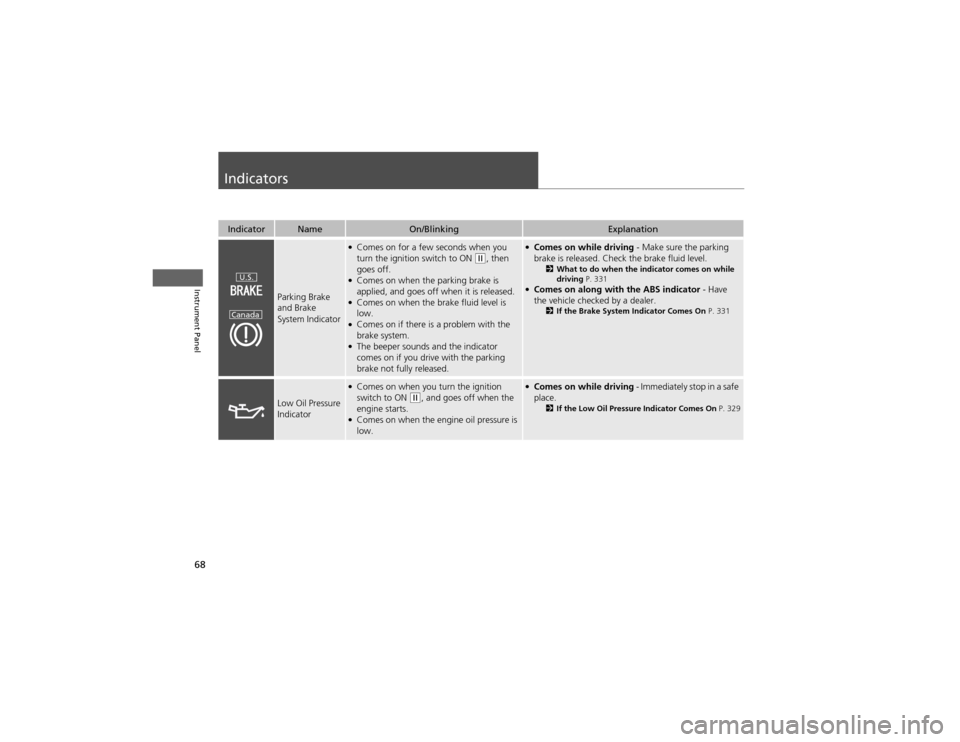
Parking Brake and Brake
System Indicator
●Comes on for a few seconds when you
turn the ignition switch to ON
(w , then
goes off.
● Comes on when the parking brake is
applied, and goes off when it is released.
● Comes on when the brake fluid level is
low.
● Comes on if there is a problem with the
brake system.
● The beeper sounds and the indicator
comes on if you drive with the parking
brake not fully released.
● Comes on while driving - Make sure the parking
brake is released. Check the brake fluid level. 2What to do when the indicator comes on while
driving P. 331
● Comes on along with the ABS indicator - Have
the vehicle checked by a dealer. 2If the Brake System Indicator Comes On P. 331
Low Oil Pressure
Indicator
●
Comes on when you turn the ignition
switch to ON
(w , and goes off when the
engine starts.
● Comes on when the engine oil pressure is
low.
● Comes on while driving - Immediately stop in a safe
place. 2If the Low Oil Pressure Indicator Comes On P. 329
U.S.
Canada
Page 115 of 361
114
uuOperating the Switches Around the Steering WheeluFog Lights*
Controls
Fog Lights *
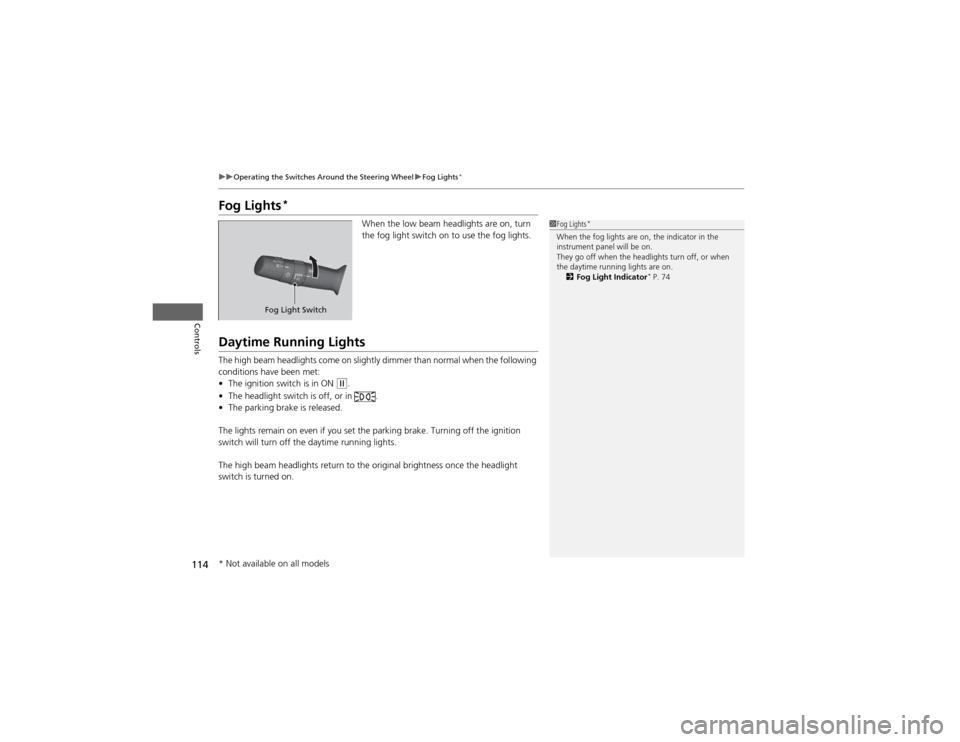
When the low beam headlights are on, turn
the fog light switch on to use the fog lights.
Daytime Running Lights
The high beam headlights come on slightly dimmer than normal when the following
conditions have been met:•The ignition switch is in ON
(w .
• The headlight switch is off, or in .
• The parking brake is released.
The lights remain on even if you set the parking brake. Turning off the ignition
switch will turn off the daytime running lights.
The high beam headlights return to the origin al brightness once the headlight
switch is turned on.
1Fog Lights *
When the fog lights are on, the indicator in the
instrument panel will be on.
They go off when the headlights turn off, or when
the daytime running lights are on. 2 Fog Light Indicator *
P. 74
Fog Light Switch
* Not available on all models
Page 226 of 361
225
Driving
This chapter discusses driving, refueling, and information on items such as accessories.
Before Driving Driving Preparation .......................... 226
Maximum Load Limit........................ 229
Towing a Trailer Towing Preparation .......................... 231
Driving Safely with a Trailer .............. 234
Towing Your Vehicle ........................ 235
Off-Highway Driving Guidelines General Information ......................... 237
Important Safety Precautions............ 237
Avoiding Trouble ............................. 238
When Driving Starting the Engine .......................... 239
Precautions While Driving................. 241 Automatic Transmission ................... 242
Shifting ............................................ 243
Cruise Control ................................. 245
VSA® (Vehicle Stability Assist), aka ESC
(Electronic Stability Control), System ...... 248
REAL TIME AWD with Intelligent Control System™ *
......................................... 250
TPMS (Tire Pressure Monitoring System) ... 250Tire Pressure Monitoring System (TPMS) -
Required Federal Explanation ......... 251
Braking Brake System ................................... 253
ABS (Anti-lock Brake System) ........... 255 Brake Assist System ......................... 256
Parking Your Vehicle When Stopped ................................ 257
Parking ............................................ 257
Multi-View Rear Camera .................. 258
Refueling
Fuel Information .............................. 259
How to Refuel ................................. 260
Fuel Economy .................................... 262
Improving Fuel Economy .................. 262
Accessories and Modifications Accessories ...................................... 263
Modifications................................... 263
* Not available on all models
Page 235 of 361
234
uuTowing a TraileruDriving Safely with a Trailer
Driving
Driving Safely with a Trailer •Have the trailer properly serviced and keep it in good condition.
• Make sure that all the weights and load in the vehicle and trailer are within limits.
2 Towing Load Limits P. 231
• Securely attach the hitch, safety chains, and other necessary parts to the trailer.
• Securely store all the items in and on the trailer so that they do not shift while
driving.
• Check if the lights and brakes on the trailer are working properly.
• Check the pressures of the trailer tires, including the spare.
• Drive slower than normal.
• Obey posted speed limits for vehicles with trailers.
• Use the
(D position when towing a trailer on level roads.
• Turn more slowly and with a wider turning arc than normal.
• Allow more time and distance for braking.
• Do not brake or turn suddenly.
• Monitor your temperature gauge. If it nears the red (Hot) mark, turn off the
heating and cooling system *
/climate control system *
and reduce speed. Pull to the
side of the road safely to cool down the engine if necessary.
• Shift to the
(d position if the transmission shifts frequently.
■Things You Need To Know Before Towing a Trailer
■Towing Speeds and Gears
■Turning and Braking
■Driving in Hilly Terrain
1Driving Safely with a Trailer
Parking
In addition to the normal precautions, place wheel
chocks at each of the trailer's tires.
* Not available on all models
Page 236 of 361
235
uuTowing a TraileruTowing Your Vehicle
Continued
Driving
Towing Your Vehicle
Your vehicle can be towed behind a motorhome.
Perform the following procedure before towing your vehicle. 1.Check the transmission fluid level.
uMake sure the fluid level is between the upper and lower marks.
2. Start the engine.
3. Depress the brake pedal. Move the shift lever through all its positions.
4. Shift to
(D and hold for five seconds, then to (N. Let the engine run for three
minutes, then turn it off.
5. Release the parking brake.
6. Leave the ignition switch in ACCESSORY
(q .uMake sure the steering wheel does not lock.
7. Turn off all the electric devices. Do not use any accessory power sockets.
uThis can prevent the battery from running down.
■When Your Vehicle is Towed Behind a Motorhome
1Towing Your Vehicle
NOTICEFailure to follow the recommended instructions
exactly will result in severe automatic transmission
damage. If you cannot shift the transmission or start
the engine, your vehicle must be transported on a
flat-bed truck or trailer.
Do not exceed 65 mph (100 km/h).
To avoid damage to the AWD system, your vehicle
must be towed with all four wheels on the ground.
Consult your towing parts sales or rental agency if
any other items are recommended or required for
your towing situation.
If you tow your vehicle behind a motorhome, the
transmission fluid must be changed every 2 years or
30,000 miles (48,000 km), whichever comes first.
AWD models
1When Your Vehicle is Towed Behind a Motorhome
NOTICESevere transmission damage will occur if the vehicle is
shifted from (R to (N and then towed with the drive
wheels on the ground.
Page 240 of 361
239
Continued
Driving
When Driving
Starting the Engine
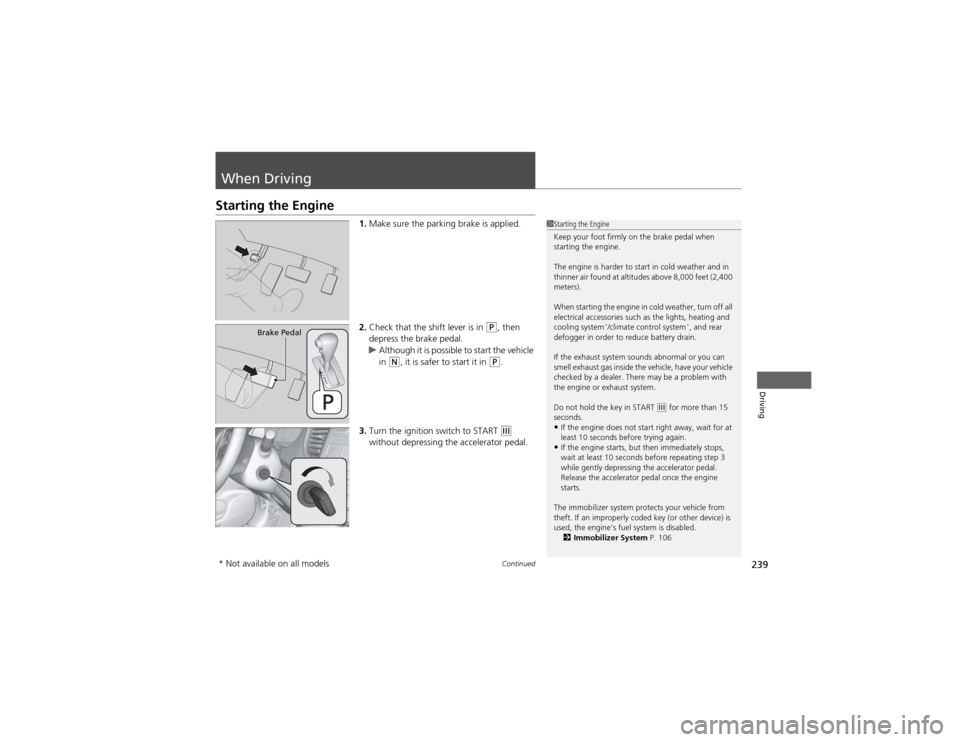
1.Make sure the parking brake is applied.
2. Check that the shift lever is in
(P , then
depress the brake pedal.
uAlthough it is possible to start the vehicle
in (N , it is safer to start it in (P.
3. Turn the ignition switch to START
(e
without depressing the accelerator pedal.
1Starting the Engine
Keep your foot firmly on the brake pedal when
starting the engine.
The engine is harder to start in cold weather and in
thinner air found at altitudes above 8,000 feet (2,400 meters).
When starting the engine in cold weather, turn off all
electrical accessories such as the lights, heating and
cooling system *
/climate control system *
, and rear
defogger in order to reduce battery drain.
If the exhaust system sounds abnormal or you can
smell exhaust gas inside the vehicle, have your vehicle
checked by a dealer. There may be a problem with
the engine or exhaust system.
Do not hold the key in START
(e for more than 15
seconds.
• If the engine does not start right away, wait for at
least 10 seconds before trying again.
• If the engine starts, but then immediately stops,
wait at least 10 seconds before repeating step 3
while gently depressing the accelerator pedal.
Release the accelerator pedal once the engine starts.
The immobilizer system protects your vehicle from
theft. If an improperly coded key (or other device) is
used, the engine's fuel system is disabled. 2 Immobilizer System P. 106
Brake Pedal
* Not available on all models