door lock HONDA CR-V 2013 RM1, RM3, RM4 / 4.G User Guide
[x] Cancel search | Manufacturer: HONDA, Model Year: 2013, Model line: CR-V, Model: HONDA CR-V 2013 RM1, RM3, RM4 / 4.GPages: 361, PDF Size: 6.58 MB
Page 87 of 361
86
uuGauges and DisplaysuMulti-Information Display
Instrument Panel
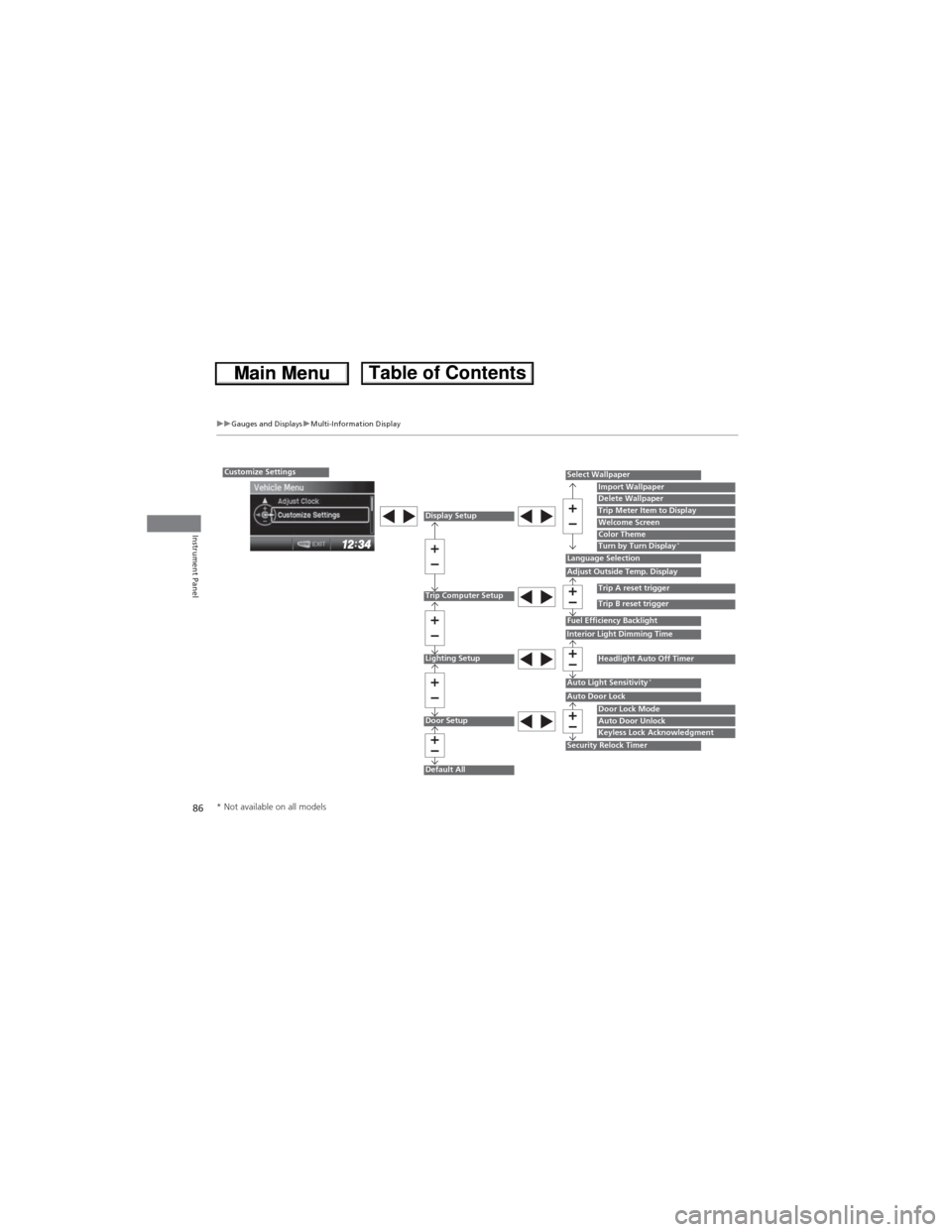
Customize Settings
Display Setup
Trip Computer Setup
Lighting Setup
Door Setup
Default All
Select Wallpaper
Language SelectionAdjust Outside Temp. Display
Fuel Efficiency BacklightInterior Light Dimming Time
Auto Light Sensitivity*
Auto Door Lock
Security Relock Timer
Import WallpaperDelete WallpaperTrip Meter Item to DisplayWelcome ScreenColor ThemeTurn by Turn Display*
Trip A reset trigger
Trip B reset trigger
Headlight Auto Off Timer
Door Lock ModeAuto Door UnlockKeyless Lock Acknowledgment
* Not available on all models
Page 90 of 361
89
uuGauges and DisplaysuMulti-Information Display
Continued
Instrument Panel
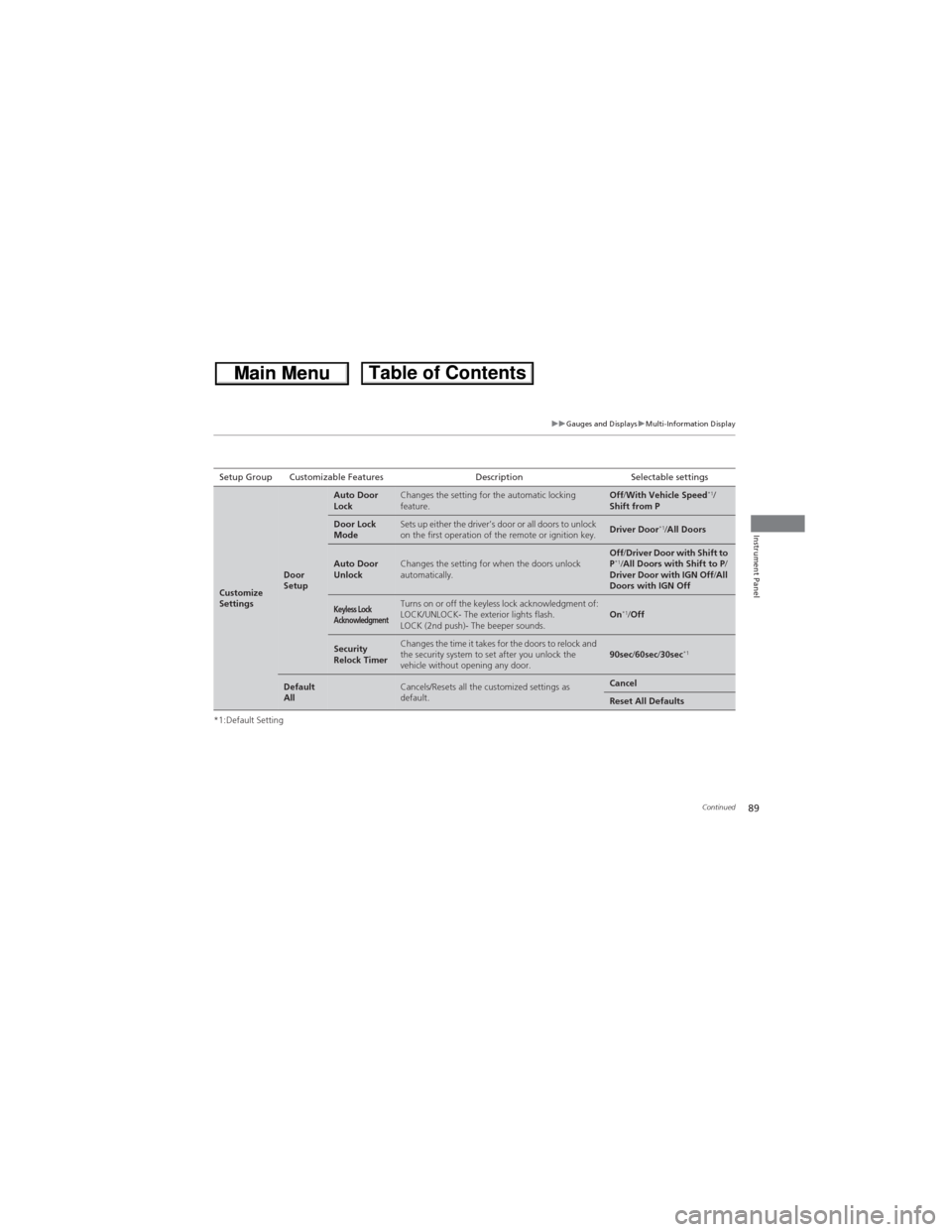
*1:Default SettingSetup Group Customizable Features Description Selectable settings
Customize
Settings
Door
Setup
Auto Door
LockChanges the setting for the automatic locking
feature.Off/With Vehicle Speed*1/
Shift from P
Door Lock
ModeSets up either the driver’s door or all doors to unlock
on the first operation of the remote or ignition key.Driver Door*1/All Doors
Auto Door
UnlockChanges the setting for when the doors unlock
automatically.Off/Driver Door with Shift to
P*1/All Doors with Shift to P/
Driver Door with IGN Off/All
Doors with IGN Off
Keyless Lock
AcknowledgmentTurns on or off the keyless lock acknowledgment of:
LOCK/UNLOCK- The exterior lights flash.
LOCK (2nd push)- The beeper sounds.On*1/Off
Security
Relock TimerChanges the time it takes for the doors to relock and
the security system to set after you unlock the
vehicle without opening any door.90sec/60sec/30sec*1
Default
AllCancels/Resets all the customized settings as
default.Cancel
Reset All Defaults
Page 96 of 361
95
Controls
This chapter explains how to operate the various controls necessary for driving.
Clock.................................................... 96
Locking and Unlocking the Doors
Key Types and Functions .................... 97
Locking/Unlocking the Doors from the
Outside ............................................ 99
Locking/Unlocking the Doors from the
Inside ............................................. 101
Childproof Door Locks ..................... 102
Auto Door Locking/Unlocking .......... 103
Opening and Closing the Tailgate... 104
Security System................................ 106
Immobilizer System .......................... 106
Security System Alarm
*.................... 106Opening and Closing the Windows..... 108
Opening and Closing the Moonroof*.. 110Operating the Switches Around the
Steering Wheel
Ignition Switch ................................. 111
Turn Signals ..................................... 112
Light Switches.................................. 112
Fog Lights
*...................................... 114
Daytime Running Lights ................... 114
Wipers and Washers ........................ 115
Brightness Control ........................... 117
Rear Defogger/Heated Door Mirror
*
Button ........................................... 118
Adjusting the Steering Wheel........... 119Adjusting the Mirrors....................... 120
Interior Rearview Mirror ................... 120
Power Door Mirrors ......................... 121
Adjusting the Seats.......................... 122
Adjusting the Seat Positions ............. 122
Interior Lights/Interior Convenience
Items................................................ 132
Interior Lights .................................. 132
Interior Convenience Items .............. 133
Heating and Cooling System*......... 142
Using Vents, Heating and A/C.......... 142
Climate Control System*.................. 145
Using Automatic Climate Control .... 145
Automatic Climate Control Sensors ... 148
* Not available on all models
Page 98 of 361
97Continued
Controls
Locking and Unlocking the Doors
Key Types and Functions
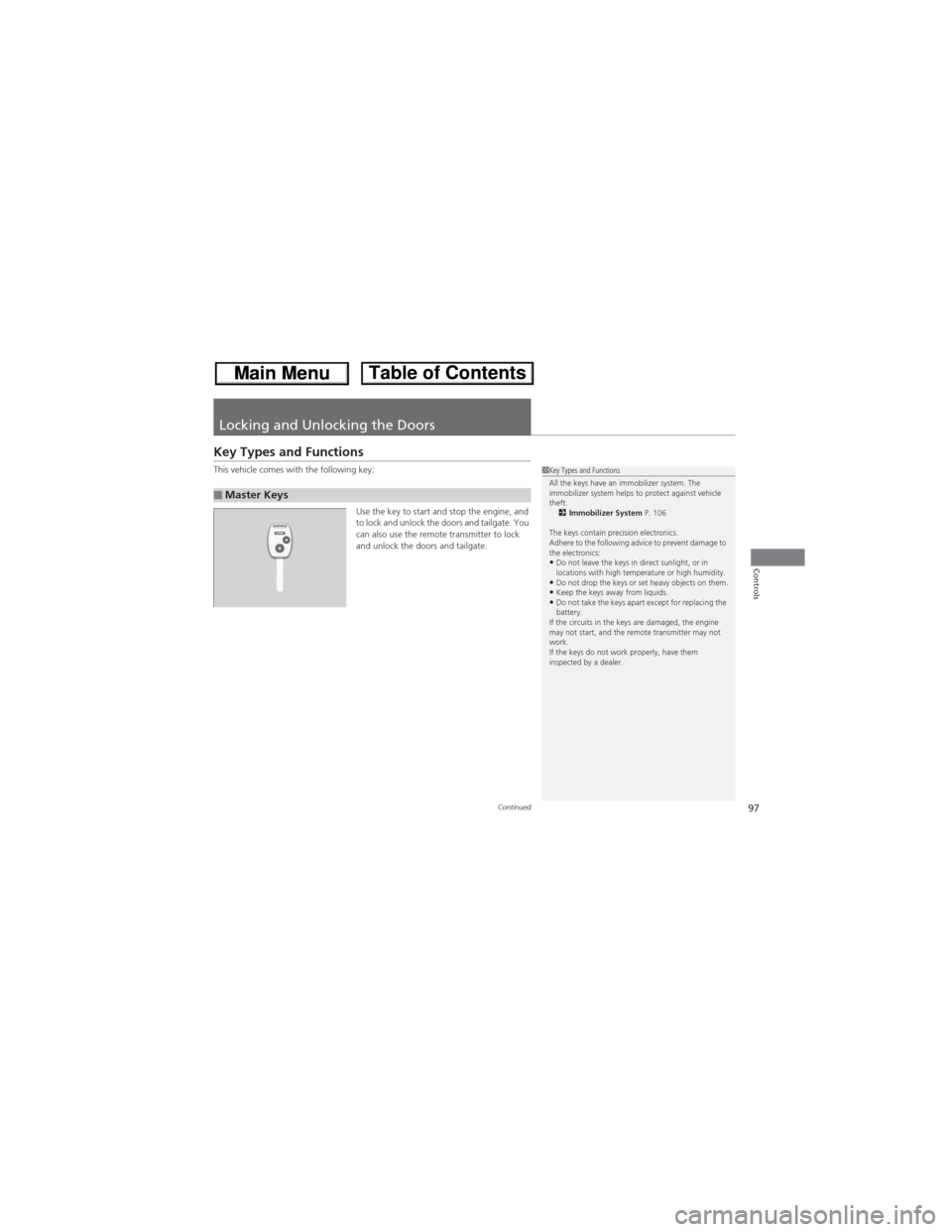
This vehicle comes with the following key:
Use the key to start and stop the engine, and
to lock and unlock the doors and tailgate. You
can also use the remote transmitter to lock
and unlock the doors and tailgate.
■Master Keys
1Key Types and Functions
All the keys have an immobilizer system. The
immobilizer system helps to protect against vehicle
theft.
2Immobilizer System P. 106
The keys contain precision electronics.
Adhere to the following advice to prevent damage to
the electronics:
•Do not leave the keys in direct sunlight, or in
locations with high temperature or high humidity.
•Do not drop the keys or set heavy objects on them.•Keep the keys away from liquids.•Do not take the keys apart except for replacing the
battery.
If the circuits in the keys are damaged, the engine
may not start, and the remote transmitter may not
work.
If the keys do not work properly, have them
inspected by a dealer.
Page 99 of 361
uuLocking and Unlocking the DoorsuKey Types and Functions
98
Controls
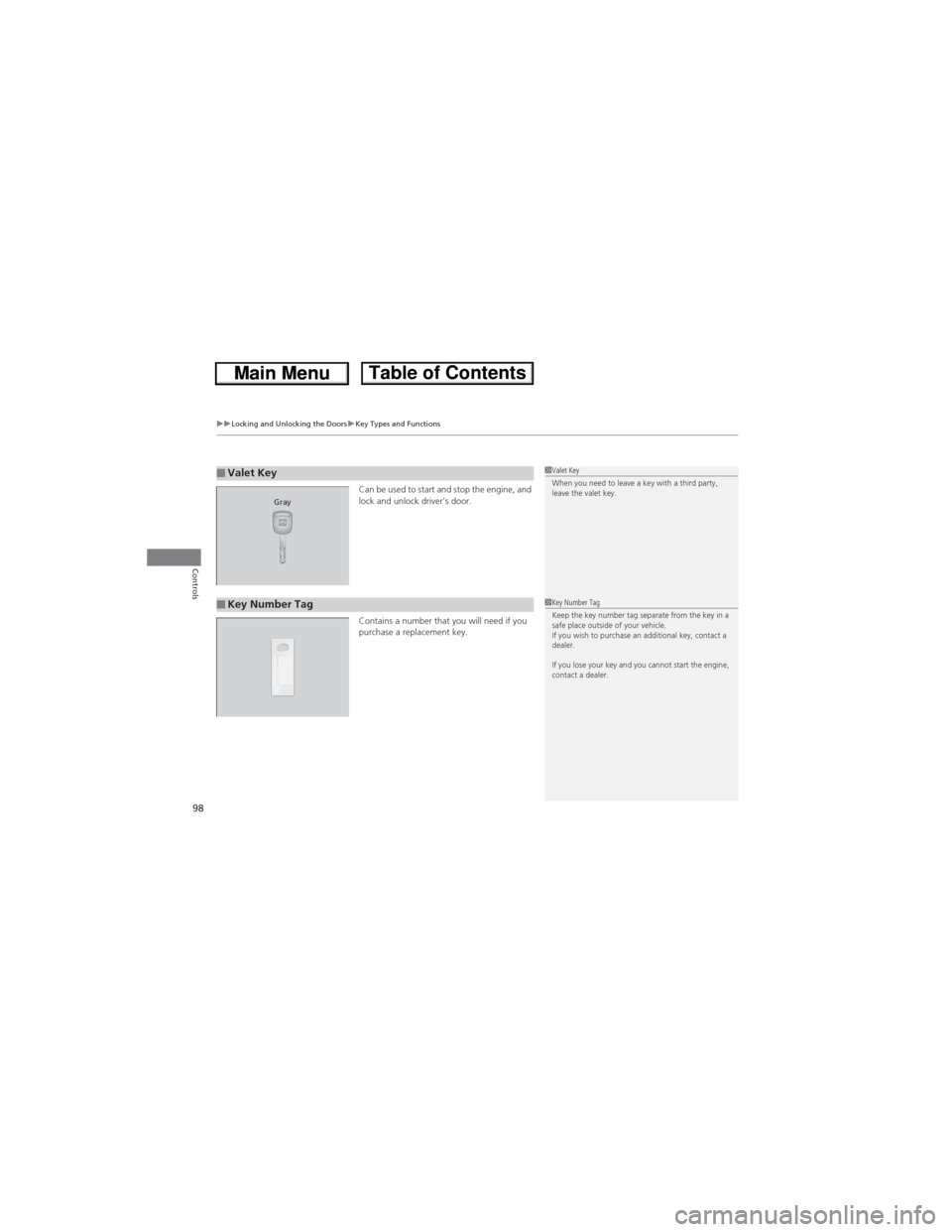
Can be used to start and stop the engine, and
lock and unlock driver's door.
Contains a number that you will need if you
purchase a replacement key.■Valet Key1Valet Key
When you need to leave a key with a third party,
leave the valet key.
Gray
■Key Number Tag1Key Number Tag
Keep the key number tag separate from the key in a
safe place outside of your vehicle.
If you wish to purchase an additional key, contact a
dealer.
If you lose your key and you cannot start the engine,
contact a dealer.
Page 100 of 361
99
uuLocking and Unlocking the DoorsuLocking/Unlocking the Doors from the Outside
Continued
Controls
Locking/Unlocking the Doors from the Outside
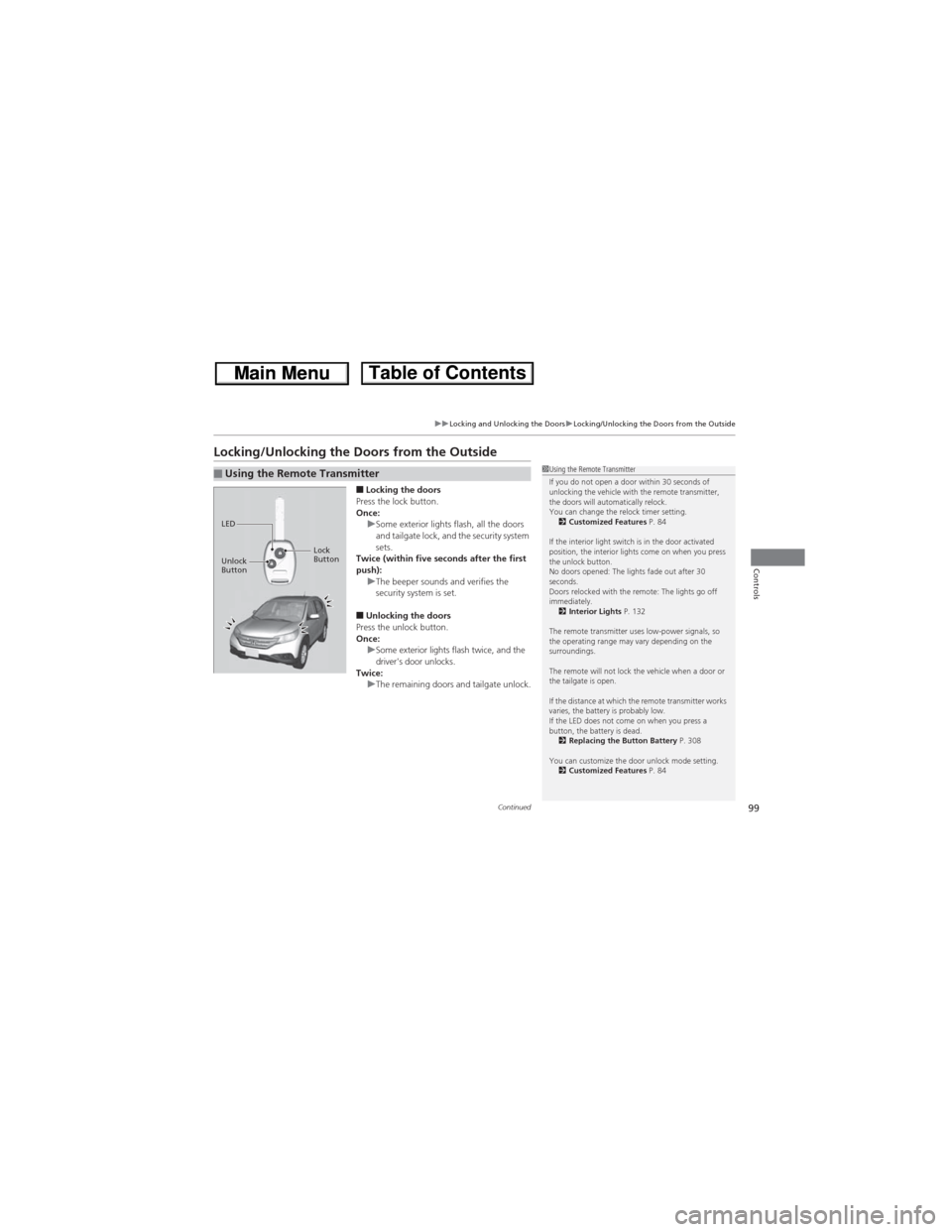
■Locking the doors
Press the lock button.
Once:
uSome exterior lights flash, all the doors
and tailgate lock, and the security system
sets.
Twice (within five seconds after the first
push):
uThe beeper sounds and verifies the
security system is set.
■Unlocking the doors
Press the unlock button.
Once:
uSome exterior lights flash twice, and the
driver's door unlocks.
Twice:
uThe remaining doors and tailgate unlock.
■Using the Remote Transmitter1Using the Remote Transmitter
If you do not open a door within 30 seconds of
unlocking the vehicle with the remote transmitter,
the doors will automatically relock.
You can change the relock timer setting.
2Customized Features P. 84
If the interior light switch is in the door activated
position, the interior lights come on when you press
the unlock button.
No doors opened: The lights fade out after 30
seconds.
Doors relocked with the remote: The lights go off
immediately.
2Interior Lights P. 132
The remote transmitter uses low-power signals, so
the operating range may vary depending on the
surroundings.
The remote will not lock the vehicle when a door or
the tailgate is open.
If the distance at which the remote transmitter works
varies, the battery is probably low.
If the LED does not come on when you press a
button, the battery is dead.
2Replacing the Button Battery P. 308
You can customize the door unlock mode setting.
2Customized Features P. 84
LED
Unlock
ButtonLock
Button
Page 101 of 361
uuLocking and Unlocking the DoorsuLocking/Unlocking the Doors from the Outside
100
Controls
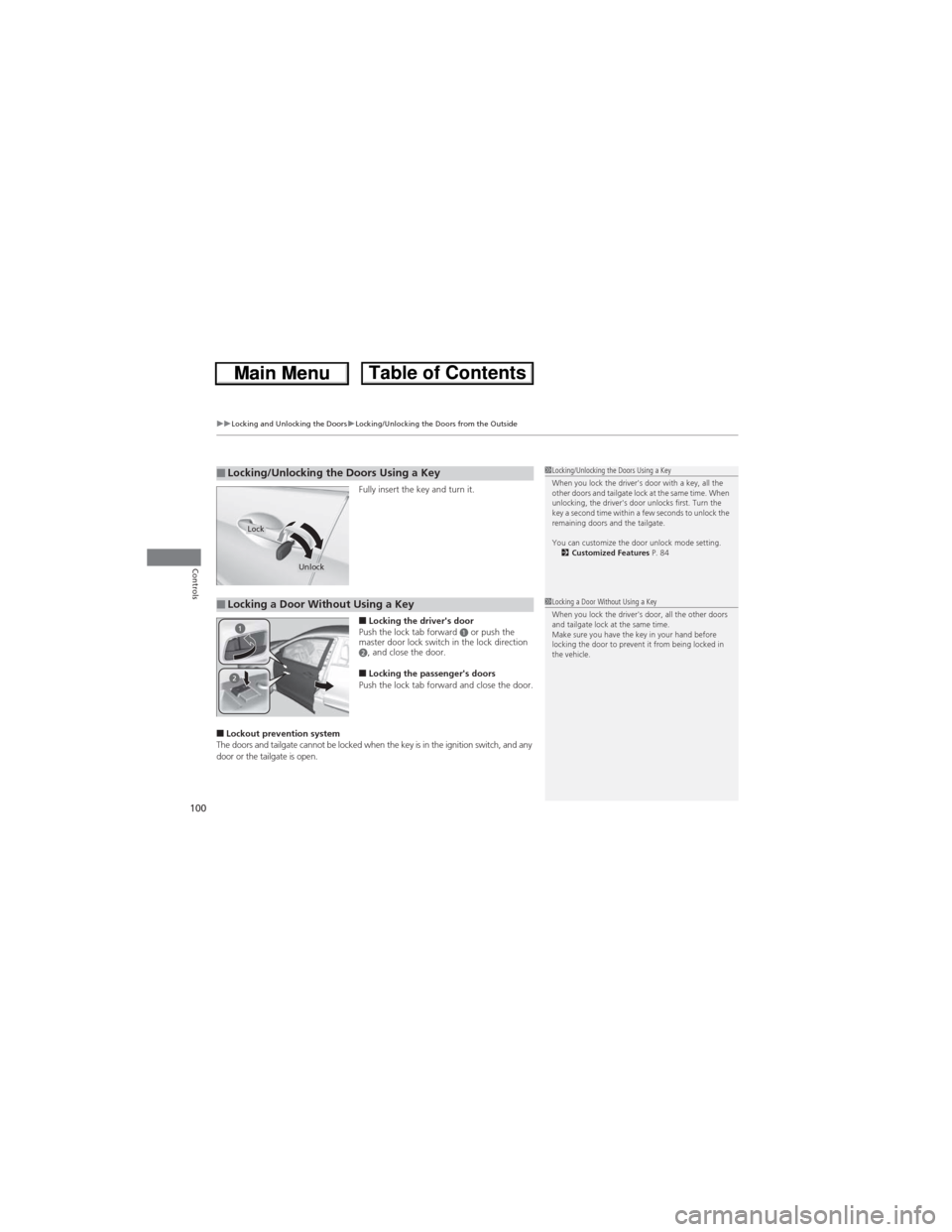
Fully insert the key and turn it.
■Locking the driver's door
Push the lock tab forward a or push the
master door lock switch in the lock direction
b, and close the door.
■Locking the passenger's doors
Push the lock tab forward and close the door.
■Lockout prevention system
The doors and tailgate cannot be locked when the key is in the ignition switch, and any
door or the tailgate is open.
■Locking/Unlocking the Doors Using a Key1Locking/Unlocking the Doors Using a Key
When you lock the driver's door with a key, all the
other doors and tailgate lock at the same time. When
unlocking, the driver's door unlocks first. Turn the
key a second time within a few seconds to unlock the
remaining doors and the tailgate.
You can customize the door unlock mode setting.
2Customized Features P. 84
Lock
Unlock
■Locking a Door Without Using a Key1Locking a Door Without Using a Key
When you lock the driver's door, all the other doors
and tailgate lock at the same time.
Make sure you have the key in your hand before
locking the door to prevent it from being locked in
the vehicle.
Page 102 of 361
101
uuLocking and Unlocking the DoorsuLocking/Unlocking the Doors from the Inside
Continued
Controls
Locking/Unlocking the Doors from the Inside
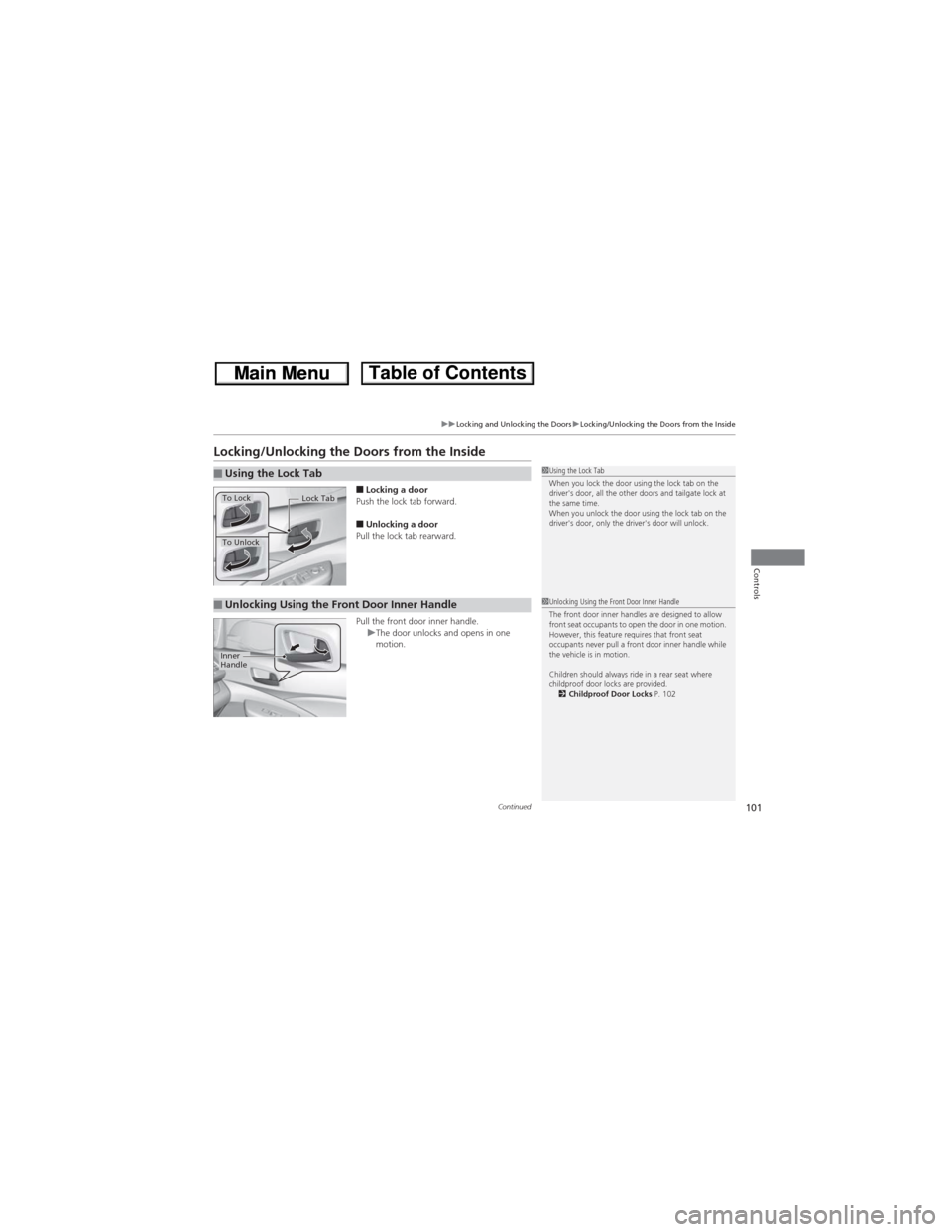
■Locking a door
Push the lock tab forward.
■Unlocking a door
Pull the lock tab rearward.
Pull the front door inner handle.
uThe door unlocks and opens in one
motion.
■Using the Lock Tab1Using the Lock Tab
When you lock the door using the lock tab on the
driver's door, all the other doors and tailgate lock at
the same time.
When you unlock the door using the lock tab on the
driver's door, only the driver's door will unlock.
To Unlock
Lock TabTo Lock
■Unlocking Using the Front Door Inner Handle1Unlocking Using the Front Door Inner Handle
The front door inner handles are designed to allow
front seat occupants to open the door in one motion.
However, this feature requires that front seat
occupants never pull a front door inner handle while
the vehicle is in motion.
Children should always ride in a rear seat where
childproof door locks are provided.
2Childproof Door Locks P. 102
Inner
Handle
Page 103 of 361
uuLocking and Unlocking the DoorsuChildproof Door Locks
102
Controls
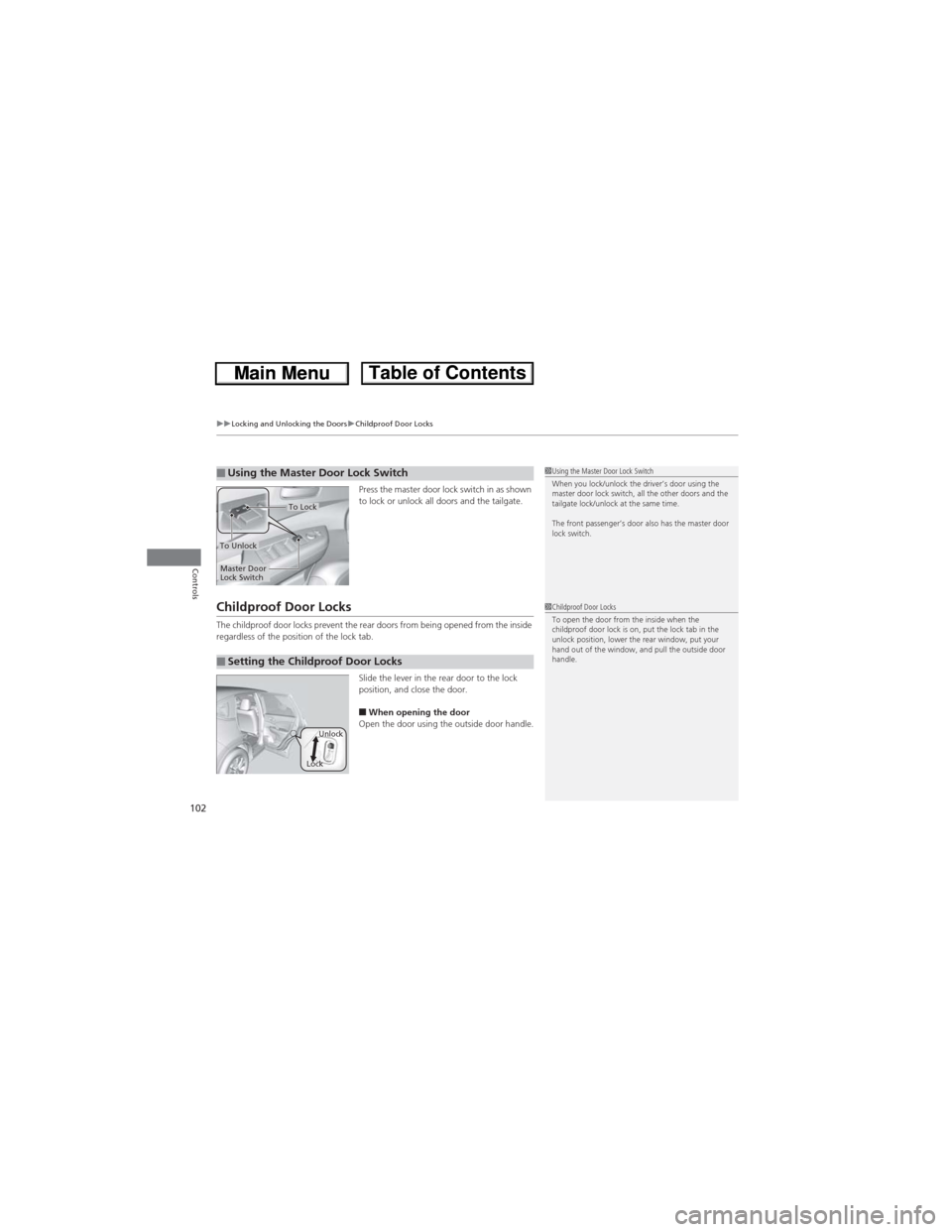
Press the master door lock switch in as shown
to lock or unlock all doors and the tailgate.
Childproof Door Locks
The childproof door locks prevent the rear doors from being opened from the inside
regardless of the position of the lock tab.
Slide the lever in the rear door to the lock
position, and close the door.
■When opening the door
Open the door using the outside door handle.
■Using the Master Door Lock Switch1Using the Master Door Lock Switch
When you lock/unlock the driver’s door using the
master door lock switch, all the other doors and the
tailgate lock/unlock at the same time.
The front passenger’s door also has the master door
lock switch.
To Unlock
Master Door
Lock Switch
To Lock
■Setting the Childproof Door Locks
1Childproof Door Locks
To open the door from the inside when the
childproof door lock is on, put the lock tab in the
unlock position, lower the rear window, put your
hand out of the window, and pull the outside door
handle.
LockUnlock
Page 104 of 361
103
uuLocking and Unlocking the DoorsuAuto Door Locking/Unlocking
Controls
Auto Door Locking/Unlocking
Your vehicle locks all doors and unlocks the driver’s door automatically when a
certain condition is met.
■Drive lock modeAll doors and tailgate lock when the vehicle’s speed reaches about 10 mph (15 km/h).
■Park unlock mode
The driver’s door unlocks when the shift lever is moved into (P with the brake pedal
depressed.
■Auto Door Locking
■Auto Door Unlocking
1Auto Door Locking/Unlocking
You can turn off or change to another auto door
locking/unlocking setting using the multi-information
display.
2Customized Features P. 84