oil pressure HONDA CR-V 2013 RM1, RM3, RM4 / 4.G Owners Manual
[x] Cancel search | Manufacturer: HONDA, Model Year: 2013, Model line: CR-V, Model: HONDA CR-V 2013 RM1, RM3, RM4 / 4.GPages: 361, PDF Size: 6.58 MB
Page 10 of 361
9
Quick Reference Guide
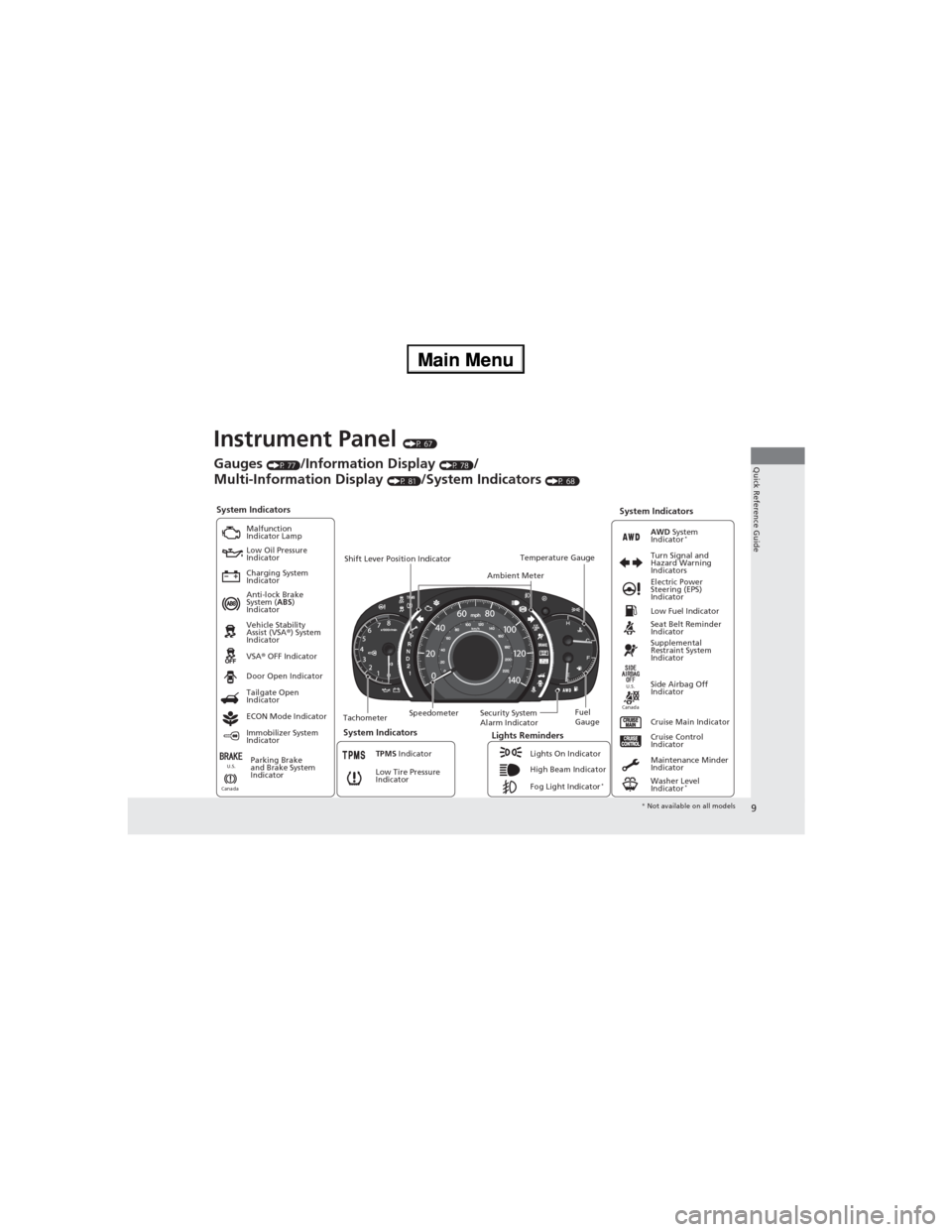
Instrument Panel (P 67)
System Indicators
Malfunction
Indicator Lamp
Low Oil Pressure
Indicator
Charging System
Indicator
Anti-lock Brake
System (ABS)
Indicator
Vehicle Stability
Assist (VSA®) System
Indicator
VSA® OFF Indicator
Low Tire Pressure
Indicator
Lights Reminders
Lights On Indicator
High Beam Indicator
Fog Light Indicator
*
Immobilizer System
IndicatorSeat Belt Reminder
Indicator
System Indicators
Cruise Control
Indicator
Parking Brake
and Brake System
IndicatorSupplemental
Restraint System
Indicator
Side Airbag Off
Indicator Door Open Indicator
Cruise Main Indicator TachometerSpeedometerFuel
Gauge Security System
Alarm Indicator Shift Lever Position Indicator
Low Fuel Indicator
Gauges (P 77)/Information Display (P 78)/
Multi-Information Display
(P 81)/System Indicators (P 68)
Tailgate Open
Indicator
ECON Mode Indicator
TPMS Indicator
Maintenance Minder
Indicator
Washer Level
Indicator
*
Ambient MeterTemperature GaugeElectric Power
Steering (EPS)
Indicator Turn Signal and
Hazard Warning
Indicators
AWD System
Indicator*
System Indicators
CanadaU.S.
CanadaU.S.
* Not available on all models
Page 18 of 361
17
Quick Reference Guide
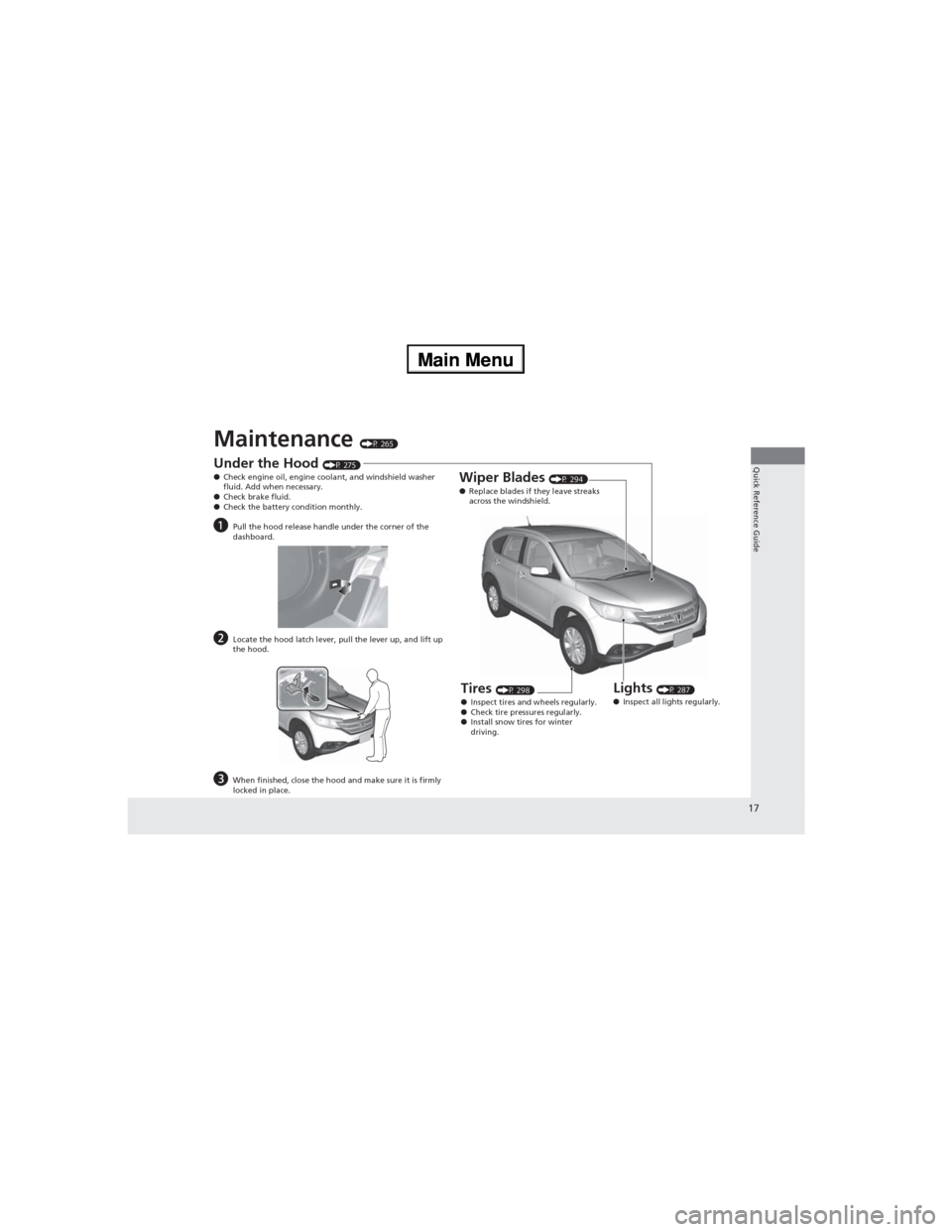
Maintenance (P 265)
Under the Hood (P 275)
●Check engine oil, engine coolant, and windshield washer
fluid. Add when necessary.
●Check brake fluid.
●Check the battery condition monthly.
aPull the hood release handle under the corner of the
dashboard.
bLocate the hood latch lever, pull the lever up, and lift up
the hood.
cWhen finished, close the hood and make sure it is firmly
locked in place.
Lights (P 287)
●Inspect all lights regularly.
Wiper Blades (P 294)
●Replace blades if they leave streaks
across the windshield.
Tires (P 298)
●Inspect tires and wheels regularly.
●Check tire pressures regularly.
●Install snow tires for winter
driving.
Page 69 of 361
68
Instrument Panel
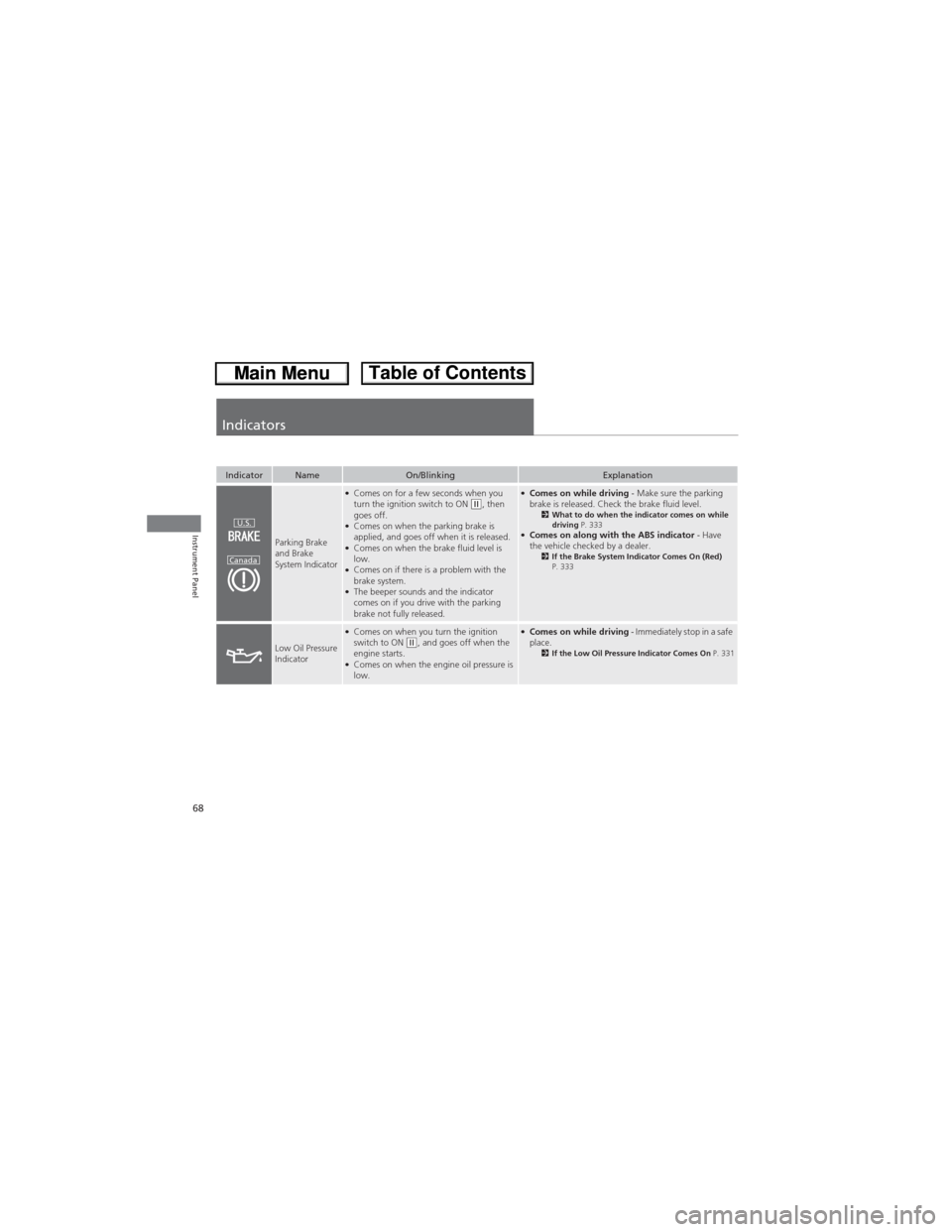
Indicators
IndicatorNameOn/BlinkingExplanation
Parking Brake
and Brake
System Indicator
●Comes on for a few seconds when you
turn the ignition switch to ON (w, then
goes off.
●Comes on when the parking brake is
applied, and goes off when it is released.
●Comes on when the brake fluid level is
low.
●Comes on if there is a problem with the
brake system.
●The beeper sounds and the indicator
comes on if you drive with the parking
brake not fully released.
●Comes on while driving - Make sure the parking
brake is released. Check the brake fluid level.
2What to do when the indicator comes on while
driving P. 333
●Comes on along with the ABS indicator - Have
the vehicle checked by a dealer.
2If the Brake System Indicator Comes On (Red)
P. 333
Low Oil Pressure
Indicator
●Comes on when you turn the ignition
switch to ON (w, and goes off when the
engine starts.
●Comes on when the engine oil pressure is
low.
●Comes on while driving - Immediately stop in a safe
place.
2If the Low Oil Pressure Indicator Comes On P. 331
U.S.
Canada
Page 264 of 361
263
Driving
Fuel Economy
Improving Fuel Economy
Fuel economy depends on several conditions, including driving conditions, your
driving habits, the condition of your vehicle, and loading. Depending on these and
other conditions, you may or may not achieve the rated fuel economy of this vehicle.
You can optimize your fuel economy with proper maintenance of your vehicle.
Always maintain your vehicle in accordance with the messages displayed on the
information display/multi-information display.
•Use the recommended viscosity engine oil, displaying the API Certification Seal.
•Maintain the specified tire pressure.
•Do not load the vehicle with excess cargo.
•Keep your vehicle clean. A buildup of snow or mud on your vehicle's underside
adds weight and increases wind resistance.
■Maintenance and Fuel Economy
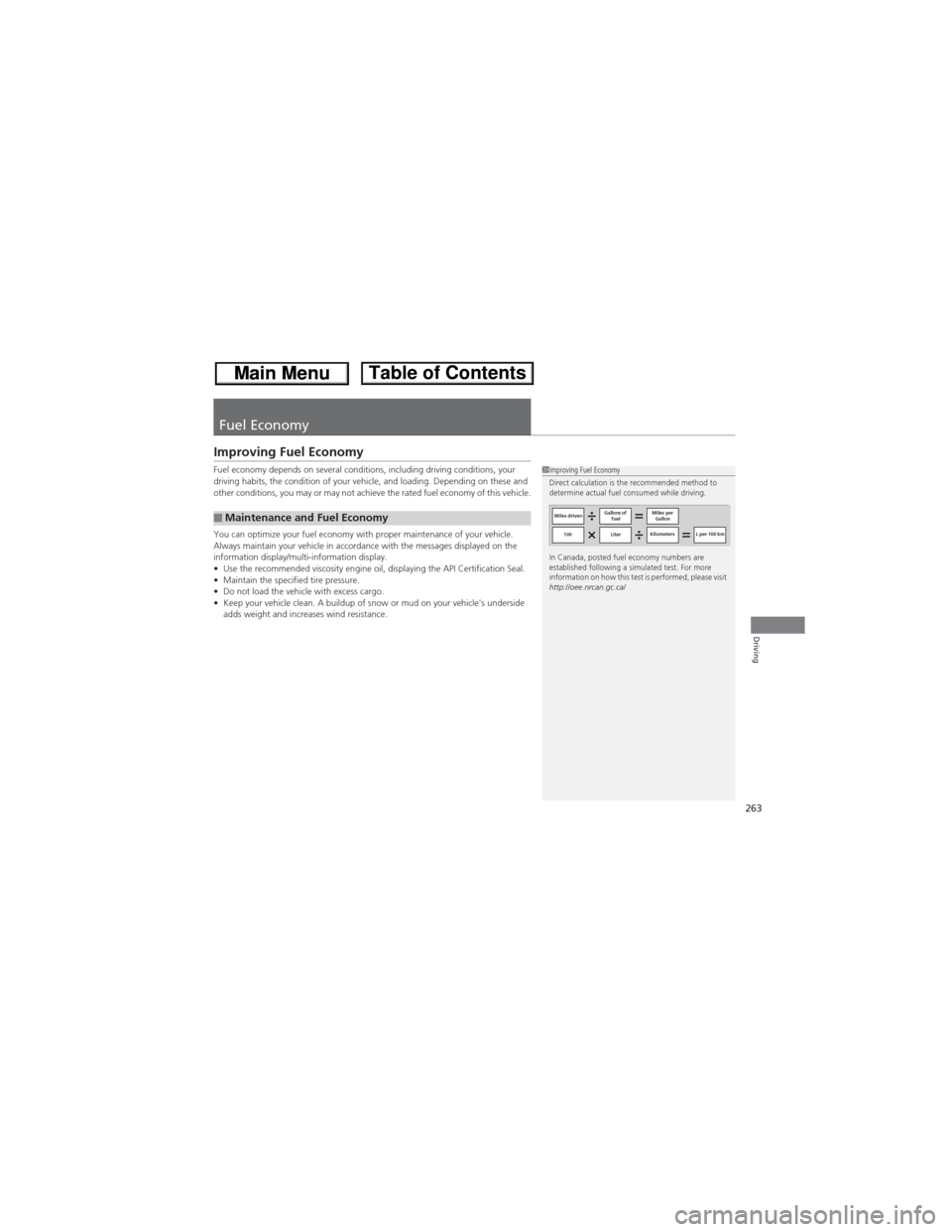
1Improving Fuel Economy
Direct calculation is the recommended method to
determine actual fuel consumed while driving.
In Canada, posted fuel economy numbers are
established following a simulated test. For more
information on how this test is performed, please visit
http://oee.nrcan.gc.ca/
Miles drivenGallons of
fuelMiles per
Gallon
100 LiterKilometers L per 100 km
Page 267 of 361
266
Maintenance
Before Performing Maintenance
Inspection and Maintenance
For your safety, perform all listed inspections and maintenance to keep your vehicle
in good condition. If you become aware of any abnormality (noise, smell, insufficient
brake fluid, oil residue on the ground, etc.), have your vehicle inspected by a dealer.
(Note, however, that service at a dealer is not mandatory to keep your warranties in
effect.) Refer to the separate maintenance booklet for detailed maintenance and
inspection information.
■Daily inspections
Perform inspections before long distance trips, when washing the vehicle, or when
refueling.
■Periodic inspections
•Check the automatic transmission fluid level monthly.
2Automatic Transmission Fluid P. 284•Check the brake fluid level monthly.2Checking the Brake Fluid P. 285•Check the tire pressure monthly. Examine the tread for wear and foreign objects.2Checking and Maintaining Tires P. 298•Check the operation of the exterior lights monthly.2Replacing Light Bulbs P. 287•Check the condition of the wiper blades at least every six months.2Checking and Maintaining Wiper Blades P. 294
■Types of Inspection and Maintenance
1Inspection and Maintenance
Maintenance, replacement, or repair of
emissions control devices and systems may be
done by any automotive repair establishment or
individuals using parts that are “certified” to
EPA standards.
According to state and federal regulations, failure to
perform maintenance on the maintenance main
items marked with # will not void your emissions
warranties. However, all maintenance services should
be performed in accordance with the intervals
indicated by the information display/multi-
information display.
2Maintenance Service Items P. 272
If you want to perform complex maintenance tasks
that require more skills and tools, you can purchase a
subscription to the Service Express website at
www.techinfo.honda.com.
2Authorized Manuals P. 351
If you want to perform maintenance yourself, make
sure that you have the necessary tools and skills first.
After performing maintenance, update the records in
the separate maintenance booklet.U.S. models
Page 282 of 361
281
uuMaintenance Under the HooduChanging the Engine Oil and Oil Filter
Maintenance
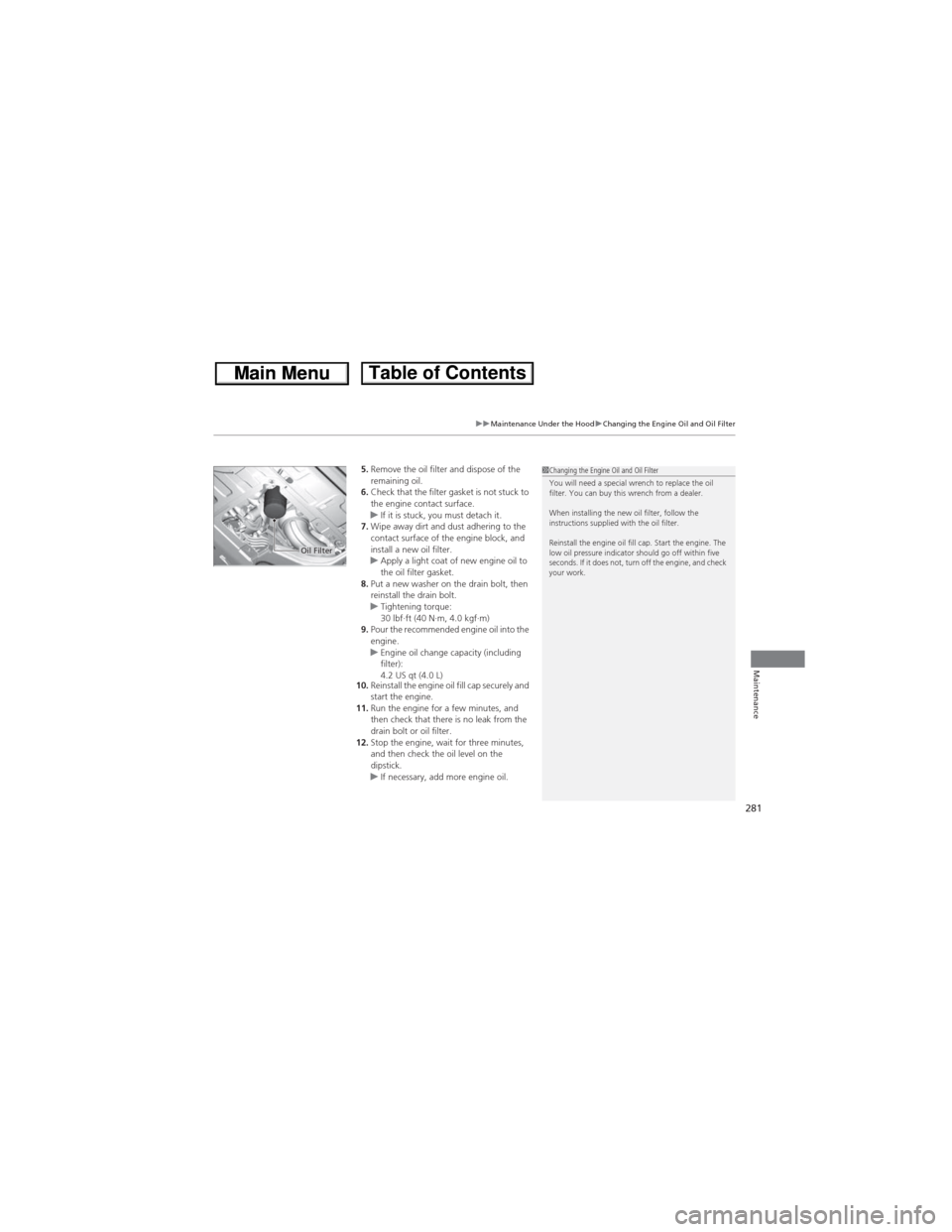
5.Remove the oil filter and dispose of the
remaining oil.
6.Check that the filter gasket is not stuck to
the engine contact surface.
uIf it is stuck, you must detach it.
7.Wipe away dirt and dust adhering to the
contact surface of the engine block, and
install a new oil filter.
uApply a light coat of new engine oil to
the oil filter gasket.
8.Put a new washer on the drain bolt, then
reinstall the drain bolt.
uTightening torque:
30 lbf∙ft (40 N∙m, 4.0 kgf∙m)
9.Pour the recommended engine oil into the
engine.
uEngine oil change capacity (including
filter):
4.2 US qt (4.0 L)
10.Reinstall the engine oil fill cap securely and
start the engine.
11.Run the engine for a few minutes, and
then check that there is no leak from the
drain bolt or oil filter.
12.Stop the engine, wait for three minutes,
and then check the oil level on the
dipstick.
uIf necessary, add more engine oil.1Changing the Engine Oil and Oil Filter
You will need a special wrench to replace the oil
filter. You can buy this wrench from a dealer.
When installing the new oil filter, follow the
instructions supplied with the oil filter.
Reinstall the engine oil fill cap. Start the engine. The
low oil pressure indicator should go off within five
seconds. If it does not, turn off the engine, and check
your work.
Oil Filter
Page 318 of 361
317
Handling the Unexpected
This chapter explains how to handle unexpected troubles.
Tools
Types of Tools .................................. 318
If a Tire Goes Flat
Changing a Flat Tire ......................... 319
Engine Does Not Start
Checking the Engine ........................ 325
Jump Starting.................................... 326
Shift Lever Does Not Move.............. 328
Overheating
How to Handle Overheating ............. 329Indicator, Coming On/BlinkingIf the Low Oil Pressure Indicator Comes
On ............................................. 331
If the Charging System Indicator Comes
On ................................................. 331
If the Malfunction Indicator Lamp Comes
On or Blinks ................................... 332
If the Brake System Indicator Comes On
(Red) .............................................. 333
If the EPS System Indicator Comes On ... 333If the Low Tire Pressure Indicator Comes
On ................................................. 334If the TPMS Indicator Comes On ...... 334
Fuses
Fuse Locations ................................. 335
Inspecting and Changing Fuses ........ 337
Emergency Towing........................... 338
When You Cannot Open the Tailgate.. 339
Page 332 of 361
331
Handling the Unexpected
Indicator, Coming On/Blinking
If the Low Oil Pressure Indicator Comes On
■Reasons for the indicator to come on
Comes on when the engine oil pressure is low.
■What to do as soon as the indicator comes on
1.Immediately park the vehicle on level ground in a safe place.
2.If necessary, turn the hazard warning lights on.
■What to do after parking the vehicle
1.Stop the engine and let it sit for about three minutes.
2.Open the hood and check the oil level.
2Oil Check P. 2783.Start the engine and check the low oil pressure indicator.
uThe indicator goes off: Start driving again.
uThe indicator does not go off within 10 seconds: Stop the engine
and contact a dealer for repairs immediately.
If the Charging System Indicator Comes On
■Reasons for the indicator to come on
Comes on when the battery is not being charged.
■What to do when the indicator comes on
Turn off the heating and cooling system*/climate control system*, rear
defogger, and other electrical systems, and immediately contact a dealer
for repairs.
1If the Low Oil Pressure Indicator Comes OnNOTICERunning the engine with low oil pressure can cause
serious mechanical damage almost immediately.
1If the Charging System Indicator Comes On
If you need to stop temporarily, do not turn off the
engine. Restarting the engine may rapidly discharge
the battery.
* Not available on all models
Page 344 of 361
343
uuSpecificationsu
Information
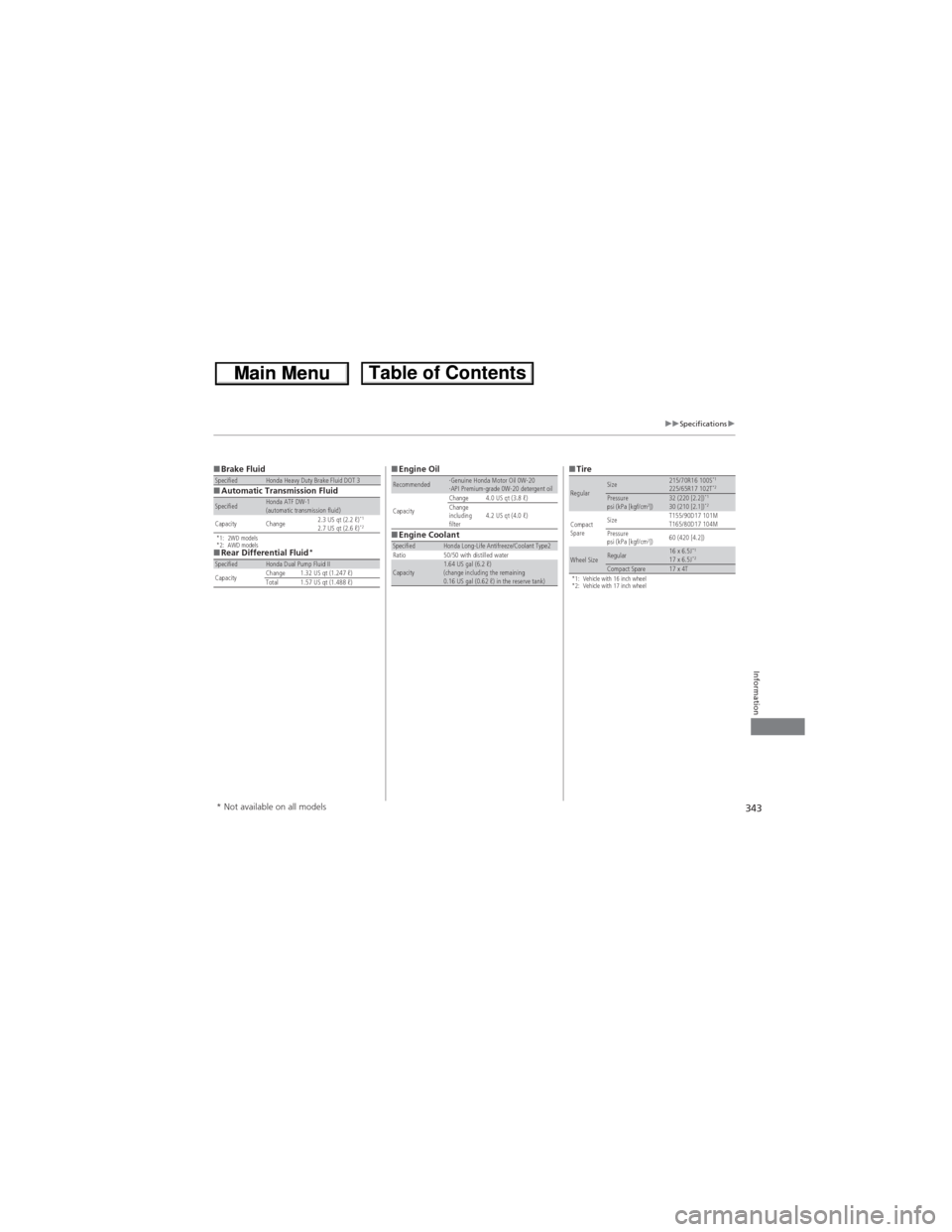
■Brake Fluid
■Automatic Transmission Fluid
*1: 2WD models
*2: AWD models
■Rear Differential Fluid*
SpecifiedHonda Heavy Duty Brake Fluid DOT 3
SpecifiedHonda ATF DW-1
(automatic transmission fluid)
Capacity Change2.3 US qt (2.2 ℓ)
*12.7 US qt (2.6 ℓ)*2
SpecifiedHonda Dual Pump Fluid II
CapacityChange 1.32 US qt (1.247 ℓ)
Total 1.57 US qt (1.488 ℓ)
■Engine Oil
■Engine CoolantRecommended·Genuine Honda Motor Oil 0W-20
·API Premium-grade 0W-20 detergent oil
CapacityChange 4.0 US qt (3.8 ℓ)
Change
including
filter4.2 US qt (4.0 ℓ)
SpecifiedHonda Long-Life Antifreeze/Coolant Type2
Ratio 50/50 with distilled water
Capacity1.64 US gal (6.2 ℓ)
(change including the remaining
0.16 US gal (0.62 ℓ) in the reserve tank)
■Tire
*1: Vehicle with 16 inch wheel
*2: Vehicle with 17 inch wheel
RegularSize215/70R16 100S*1225/65R17 102T*2Pressure
psi (kPa [kgf/cm2])32 (220 [2.2])*130 (210 [2.1])*2
Compact
SpareSizeT155/90D17 101M
T165/80D17 104M
Pressure
psi (kPa [kgf/cm2])60 (420 [4.2])
Wheel SizeRegular16 x 6.5J*117 x 6.5J*2Compact Spare17 x 4T
* Not available on all models
Page 354 of 361
Index
353
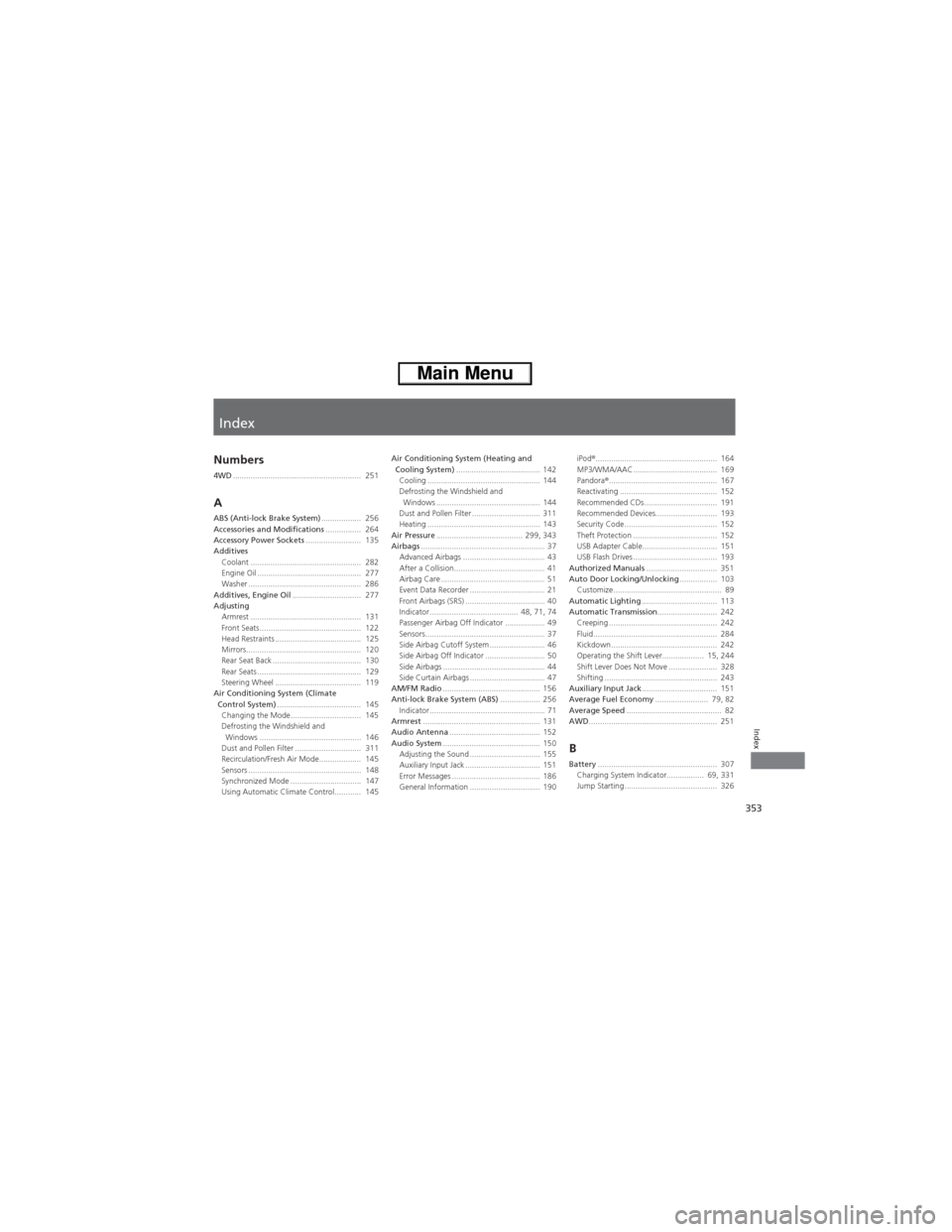
Index
Index
Numbers
4WD.......................................................... 251
AABS (Anti-lock Brake System).................. 256
Accessories and Modifications................ 264
Accessory Power Sockets......................... 135
Additives
Coolant .................................................. 282
Engine Oil ............................................... 277
Washer ................................................... 286
Additives, Engine Oil............................... 277
Adjusting
Armrest .................................................. 131
Front Seats.............................................. 122
Head Restraints ....................................... 125
Mirrors.................................................... 120
Rear Seat Back ........................................ 130
Rear Seats ............................................... 129
Steering Wheel ....................................... 119
Air Conditioning System (Climate
Control System)...................................... 145
Changing the Mode................................ 145
Defrosting the Windshield and
Windows .............................................. 146
Dust and Pollen Filter .............................. 311
Recirculation/Fresh Air Mode................... 145
Sensors ................................................... 148
Synchronized Mode ................................ 147
Using Automatic Climate Control............ 145Air Conditioning System (Heating and
Cooling System)...................................... 142
Cooling ................................................... 144
Defrosting the Windshield and
Windows ............................................... 144
Dust and Pollen Filter ............................... 311
Heating ................................................... 143
Air Pressure....................................... 299, 343
Airbags........................................................ 37
Advanced Airbags ..................................... 43
After a Collision......................................... 41
Airbag Care ............................................... 51
Event Data Recorder .................................. 21
Front Airbags (SRS) .................................... 40
Indicator ........................................ 48, 71, 74
Passenger Airbag Off Indicator .................. 49
Sensors...................................................... 37
Side Airbag Cutoff System ......................... 46
Side Airbag Off Indicator ........................... 50
Side Airbags .............................................. 44
Side Curtain Airbags .................................. 47
AM/FM Radio............................................ 156
Anti-lock Brake System (ABS).................. 256
Indicator .................................................... 71
Armrest..................................................... 131
Audio Antenna......................................... 152
Audio System............................................ 150
Adjusting the Sound ................................ 155
Auxiliary Input Jack .................................. 151
Error Messages ........................................ 186
General Information ................................ 190iPod®....................................................... 164
MP3/WMA/AAC ...................................... 169
Pandora®................................................. 167
Reactivating ............................................ 152
Recommended CDs ................................. 191
Recommended Devices............................ 193
Security Code .......................................... 152
Theft Protection ...................................... 152
USB Adapter Cable.................................. 151
USB Flash Drives ...................................... 193
Authorized Manuals................................ 351
Auto Door Locking/Unlocking................. 103
Customize ................................................. 89
Automatic Lighting.................................. 113
Automatic Transmission........................... 242
Creeping ................................................. 242
Fluid ........................................................ 284
Kickdown ................................................ 242
Operating the Shift Lever................... 15, 244
Shift Lever Does Not Move ...................... 328
Shifting ................................................... 243
Auxiliary Input Jack.................................. 151
Average Fuel Economy........................ 79, 82
Average Speed........................................... 82
AWD.......................................................... 251
BBattery...................................................... 307
Charging System Indicator................. 69, 331
Jump Starting .......................................... 326