dead battery HONDA CR-V 2017 RM1, RM3, RM4 / 4.G Owners Manual
[x] Cancel search | Manufacturer: HONDA, Model Year: 2017, Model line: CR-V, Model: HONDA CR-V 2017 RM1, RM3, RM4 / 4.GPages: 657
Page 29 of 657
28
Quick Reference Guide
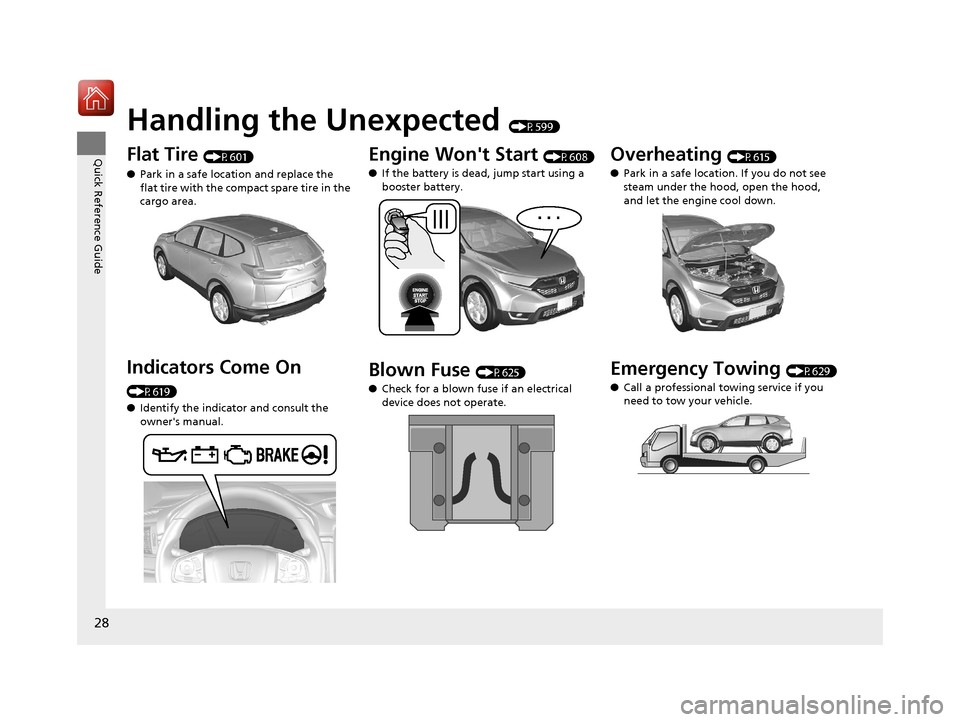
Handling the Unexpected (P599)
Flat Tire (P601)
● Park in a safe location and replace the
flat tire with the compact spare tire in the
cargo area.
Indicators Come On
(P619)
●Identify the indicator and consult the
owner's manual.
Engine Won't Start (P608)
● If the battery is dead, jump start using a
booster battery.
Blown Fuse (P625)
● Check for a blown fuse if an electrical
device does not operate.
Overheating (P615)
● Park in a safe location. If you do not see
steam under the hood, open the hood,
and let the engine cool down.
Emergency Towing (P629)
● Call a professional towing service if you
need to tow your vehicle.
17 CR-V-31TLA6000.book 28 ページ 2016年10月11日 火曜日 午後6時37分
Page 142 of 657
Continued141
uuLocking and Unlocking the Doors uLocking/Unlocking the Doors from the Outside
Controls
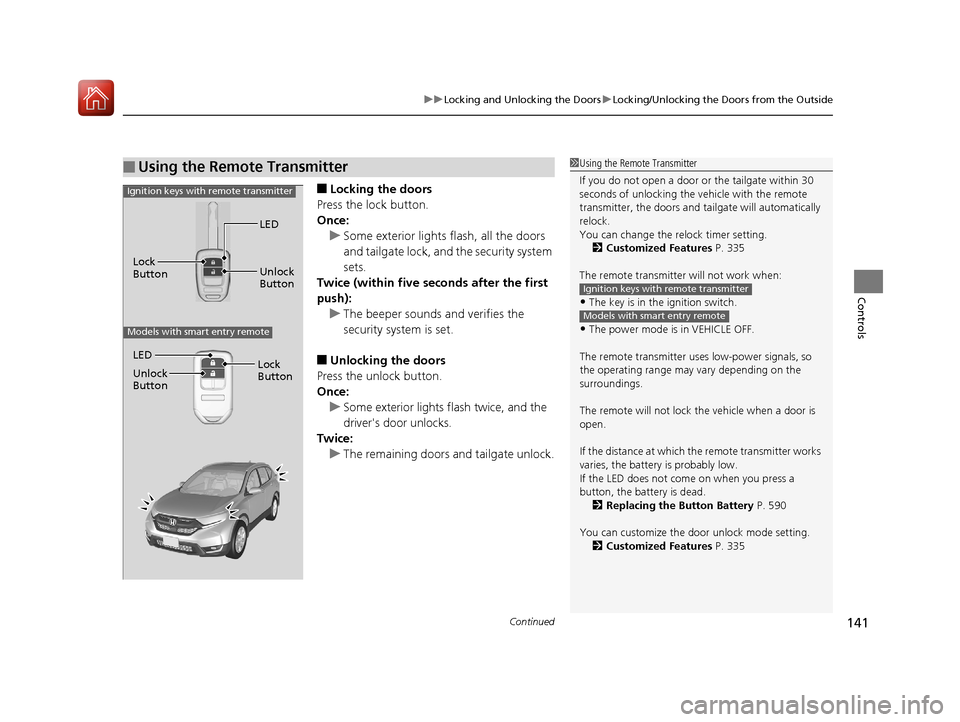
■Locking the doors
Press the lock button.
Once: u Some exterior lights flash, all the doors
and tailgate lock, and the security system
sets.
Twice (within five se conds after the first
push):
u The beeper sounds and verifies the
security system is set.
■Unlocking the doors
Press the unlock button.
Once: u Some exterior lights flash twice, and the
driver's door unlocks.
Twice:
u The remaining doors and tailgate unlock.
■Using the Remote Transmitter1Using the Remote Transmitter
If you do not open a door or the tailgate within 30
seconds of unlocking the vehicle with the remote
transmitter, the doors and ta ilgate will automatically
relock.
You can change the relock timer setting. 2 Customized Features P. 335
The remote transmitter will not work when:
•The key is in the ignition switch.
•The power mode is in VEHICLE OFF.
The remote transmitter us es low-power signals, so
the operating range may vary depending on the
surroundings.
The remote will not lock th e vehicle when a door is
open.
If the distance at which the remote transmitter works
varies, the batter y is probably low.
If the LED does not come on when you press a
button, the battery is dead. 2 Replacing the Button Battery P. 590
You can customize the door unlock mode setting. 2 Customized Features P. 335
Ignition keys with remote transmitter
Models with smart entry remote
LED
Unlock
Button
Lock
Button
Ignition keys with remote transmitter
Models with smart entry remote
LED
Unlock
Button
Lock
Button
17 CR-V-31TLA6000.book 141 ページ 2016年10月11日 火曜日 午後6時37分
Page 143 of 657
uuLocking and Unlocking the Doors uLocking/Unlocking the Doors from the Outside
142
Controls
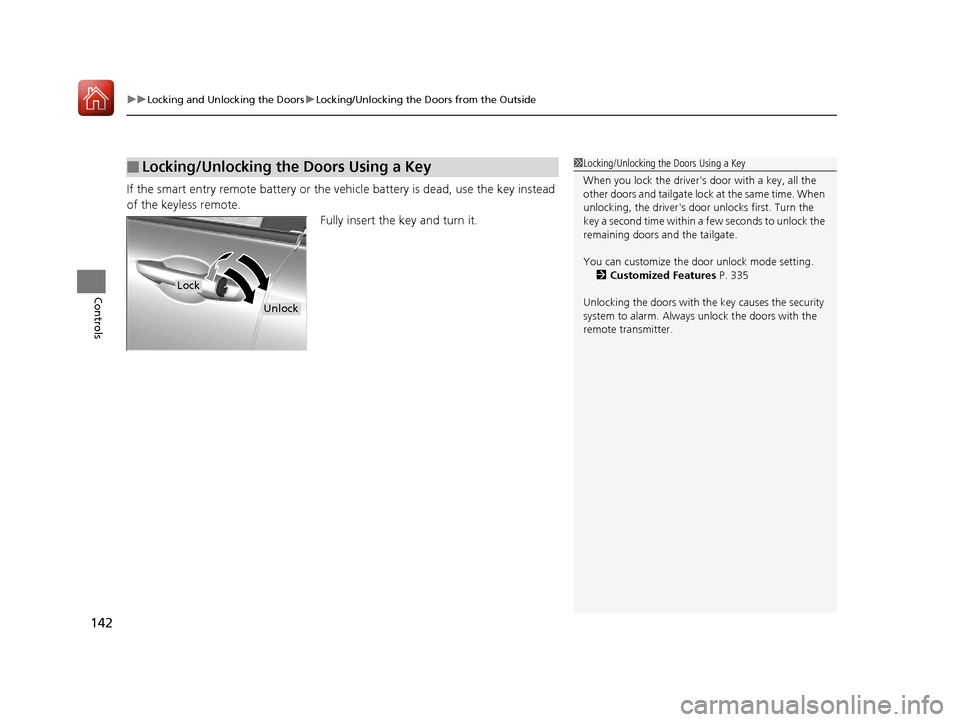
If the smart entry remote battery or the ve hicle battery is dead, use the key instead
of the keyless remote. Fully insert the key and turn it.
■Locking/Unlocking the Doors Using a Key1Locking/Unlocking the Doors Using a Key
When you lock the driver's door with a key, all the
other doors and tail gate lock at the same time. When
unlocking, the driver's door unlocks first. Turn the
key a second time within a few seconds to unlock the
remaining doors a nd the tailgate.
You can customize the door unlock mode setting. 2 Customized Features P. 335
Unlocking the doors with the key causes the security
system to alarm. Always unlock the doors with the
remote transmitter.
Lock
Unlock
17 CR-V-31TLA6000.book 142 ページ 2016年10月11日 火曜日 午後6時37分
Page 160 of 657
Continued159
uuSecurity System uSecurity System Alarm*
Controls
■To deactivate the security system alarm
Unlock the vehicle using the remote transmi tter or smart entry system. The system,
along with the horn and flashing lights, is deactivated.
■Setting the security system alarm
The security system alarm automatically sets when the following conditions have
been met:
• The power mode is set to VEHICLE OFF (LOCK).
• The hood and tailgate are closed.
• All doors and tailgate are locked with the key or the remote transmitter.
■When the security system alarm sets
The security system alarm indicator in the instrument panel blinks. When the
blinking interval changes after about 15 se conds, the security system alarm is set.
■To cancel the security system alarm
The security system is canceled when the vehicle is unlocked using the key, remote
transmitter, smart entry system, or the power mode is set to ON. The security system
alarm indicator goes off at the same time.
1 Security System Alarm*
Do not set the security system alarm when someone
is in the vehicle or a window is open. The system can
accidentally activate when:
•Unlocking the door with the lock tab.•Opening the hood with the hood release handle.
•Moving the shift lever out of ( P.
If the battery goes dead after you have set the
security system alarm, the security alarm may go off
once the battery is re charged or replaced.
If this occurs, deactivate the security system alarm by
unlocking a door using the ke y or remote transmitter.
Do not attempt to alter th is system or add another
device to it.
* Not available on all models
17 CR-V-31TLA6000.book 159 ページ 2016年10月11日 火曜日 午後6時37分
Page 231 of 657
230
uuAudio System uAudio System Theft Protection
Features
Audio System Theft Protection
The audio system is disabled when it is di sconnected from the power source, such as
when the battery is disconnected or goes dead. In certain conditions, the system
may display a code entry screen. If this occurs, reactivate the audio system.
■Reactivating the audio system
1. Turn the ignition switch to ON
(w*1.
2. Turn on the audio system.
3. Press and hold the audio system power button for more than two seconds.
u The audio system is reac tivated when the audio co ntrol unit establishes a
connection with the vehicle control unit. If the control unit fails to recognize
the audio unit, you must go to a dealer and have the audio unit checked.
*1: Models with the smart entry system have an ENGINE START/STOP button instead of an
ignition switch.
17 CR-V-31TLA6000.book 230 ページ 2016年10月11日 火曜日 午後6時37分
Page 507 of 657
506
Driving
Braking
Brake System
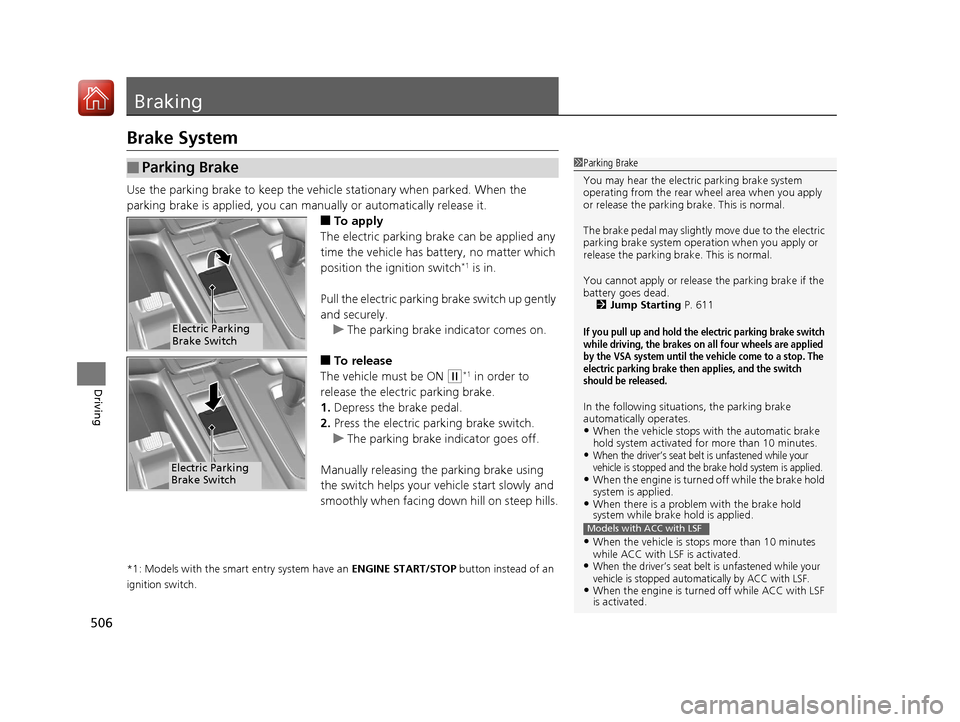
Use the parking brake to keep the vehicle stationary when parked. When the
parking brake is applied, you can manually or automatically release it.
■To apply
The electric parking brake can be applied any
time the vehicle has battery, no matter which
position the ignition switch
*1 is in.
Pull the electric parkin g brake switch up gently
and securely. u The parking brake indicator comes on.
■To release
The vehicle must be ON
(w*1 in order to
release the electric parking brake.
1. Depress the brake pedal.
2. Press the electric parking brake switch.
u The parking brake indicator goes off.
Manually releasing the parking brake using
the switch helps your ve hicle start slowly and
smoothly when facing down hill on steep hills.
*1: Models with the smart entry system have an ENGINE START/STOP button instead of an
ignition switch.
■Parking Brake1 Parking Brake
You may hear the electric parking brake system
operating from the rear wh eel area when you apply
or release the parking brake. This is normal.
The brake pedal may slightly move due to the electric
parking brake system opera tion when you apply or
release the parking br ake. This is normal.
You cannot apply or release the parking brake if the
battery goes dead. 2 Jump Starting P. 611
If you pull up and hold the electric parking brake switch
while driving, the brakes on all four wheels are applied
by the VSA system until the vehicle come to a stop. The
electric parking brake then applies, and the switch
should be released.
In the following situations, the parking brake
automatically operates.
•When the vehicle stops with the automatic brake
hold system activated for more than 10 minutes.
•When the driver’s seat belt is unfastened while your
vehicle is stopped and the brake hold system is applied.
•When the engine is turned off while the brake hold
system is applied.
•When there is a problem with the brake hold
system while brake hold is applied.
•When the vehicle is stops more than 10 minutes
while ACC with LSF is activated.
•When the driver’s seat belt is unfastened while your
vehicle is stopped automatically by ACC with LSF.
•When the engine is turned off while ACC with LSF
is activated.
Models with ACC with LSF
Electric Parking
Brake Switch
Electric Parking
Brake Switch
17 CR-V-31TLA6000.book 506 ページ 2016年10月11日 火曜日 午後6時37分
Page 589 of 657
588
Maintenance
Battery
Checking the Battery
The condition of the battery is monitored by a sensor located on the negative
terminal of the battery. If there is a problem with this sensor, the driver information
interface will display a warning message. If this happens, have you vehicle inspected
by a dealer.
Check the battery terminal s for corrosion monthly.
If your vehicle's battery is disconnected or goes dead:
• The audio system is disabled.
2 Audio System Theft Protection P. 230
•The clock resets.
2 Clock P. 132
•Canadian models only: The immob ilizer system needs to be reset.
2Immobilizer System Indicator P. 91
1Battery
WARNING: Battery post, terminals,
and related accessories contain lead
and lead compounds.
Wash your hands after handling.
3WARNING
The battery gives off explosive hydrogen
gas during normal operation.
A spark or flame can cause the battery to
explode with enough force to kill or
seriously hurt you.
When conducting any battery
maintenance, wear prot ective clothing and
a face shield, or have a skilled technician do
it.
17 CR-V-31TLA6000.book 588 ページ 2016年10月11日 火曜日 午後6時37分
Page 609 of 657
608
Handling the Unexpected
Engine Does Not Start
Checking the Engine
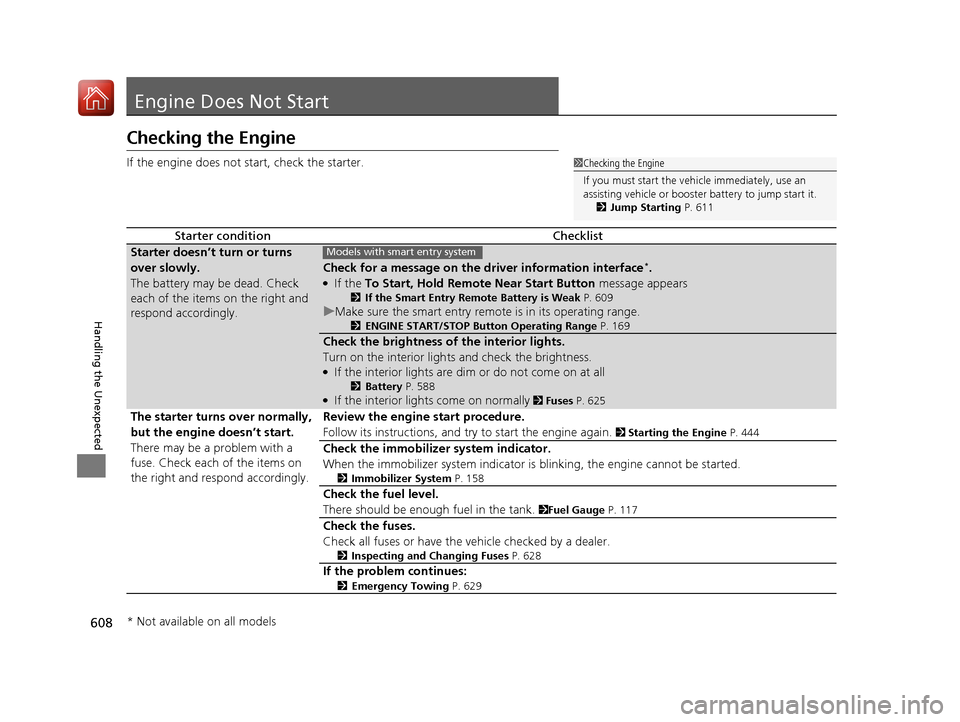
If the engine does not start, check the starter.
Starter conditionChecklist
Starter doesn’t turn or turns
over slowly.
The battery may be dead. Check
each of the items on the right and
respond accordingly.
Check for a message on the dr iver information interface*.
●If the To Start, Hold Remote Near Start Button message appears
2If the Smart Entry Remote Battery is Weak P. 609
uMake sure the smart entry remote is in its operating range.
2 ENGINE START/STOP Button Operating Range P. 169
Check the brightness of the interior lights.
Turn on the interior lights and check the brightness.
●If the interior lights are dim or do not come on at all
2Battery P. 588●If the interior lights come on normally 2 Fuses P. 625
The starter turns over normally,
but the engine doesn’t start.
There may be a problem with a
fuse. Check each of the items on
the right and resp ond accordingly. Review the engine start procedure.
Follow its instructions, and try to start the engine again.
2
Starting the Engine P. 444
Check the immobilizer system indicator.
When the immobilizer system indicator is blinking, the engine cannot be started.
2Immobilizer System P. 158
Check the fuel level.
There should be enough fuel in the tank.
2Fuel Gauge P. 117
Check the fuses.
Check all fuses or have the vehicle checked by a dealer.
2Inspecting and Changing Fuses P. 628
If the problem continues:
2Emergency Towing P. 629
1Checking the Engine
If you must start the vehi cle immediately, use an
assisting vehicle or booster battery to jump start it.
2 Jump Starting P. 611
Models with smart entry system
* Not available on all models
17 CR-V-31TLA6000.book 608 ページ 2016年10月11日 火曜日 午後6時37分
Page 641 of 657
640
Information
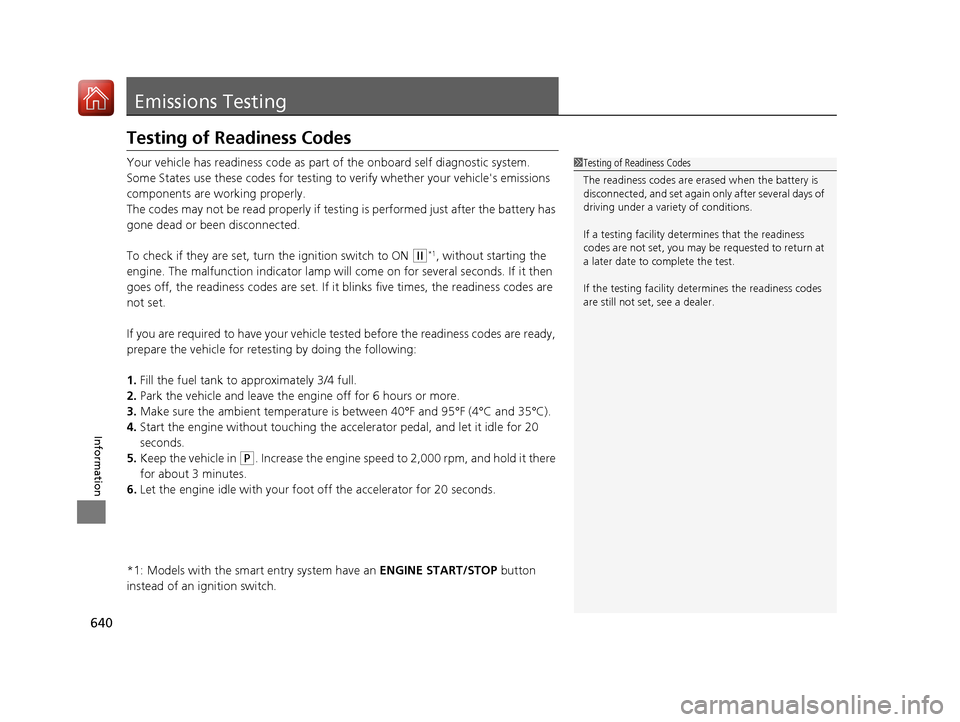
Emissions Testing
Testing of Readiness Codes
Your vehicle has readiness code as part of the onboard self diagnostic system.
Some States use these codes for testing to verify whether your vehicle's emissions
components are working properly.
The codes may not be read properly if testing is performed just after the battery has
gone dead or been disconnected.
To check if they are set, turn the ignition switch to ON
(w*1, without starting the
engine. The malfunction indicator lamp will come on for several seconds. If it then
goes off, the readiness codes are set. If it blinks five times, the readiness codes are
not set.
If you are required to have your vehicle te sted before the readiness codes are ready,
prepare the vehicle for retesting by doing the following:
1. Fill the fuel tank to approximately 3/4 full.
2. Park the vehicle and leave the engine off for 6 hours or more.
3. Make sure the ambient temperature is between 40°F and 95°F (4°C and 35°C).
4. Start the engine without touching the accelerator pedal, and let it idle for 20
seconds.
5. Keep the vehicle in
(P. Increase the engine speed to 2,000 rpm, and hold it there
for about 3 minutes.
6. Let the engine idle with your foot off the accelerator for 20 seconds.
*1: Models with the smart entry system have an ENGINE START/STOP button
instead of an ignition switch.
1 Testing of Readiness Codes
The readiness codes are erased when the battery is
disconnected, and set again only after several days of
driving under a variety of conditions.
If a testing facility determines that the readiness
codes are not set, you may be requested to return at
a later date to complete the test.
If the testing facility determines the readiness codes
are still not set, see a dealer.
17 CR-V-31TLA6000.book 640 ページ 2016年10月11日 火曜日 午後6時37分
Page 650 of 657
649
Index
Shifting ................................................... 453
Controls .................................................... 131
Coolant (Engine) .............................. 561, 563
Adding the Coolant ................................ 562
Adding to the Radiator ........................... 564
Adding to the Reserve Tank .................... 563
Overheating ............................................ 615
Creeping (Continuously Variable
Transmission) .......................................... 452
Cross Traffic Monitor ............................... 525
Cruise Control .................................. 456, 459
Indicator ................................................... 93
Cup Holders .............................................. 210
Customer Service Information ................ 645
Customized Features ............................... 335
D
Daytime Running Lights .......................... 181
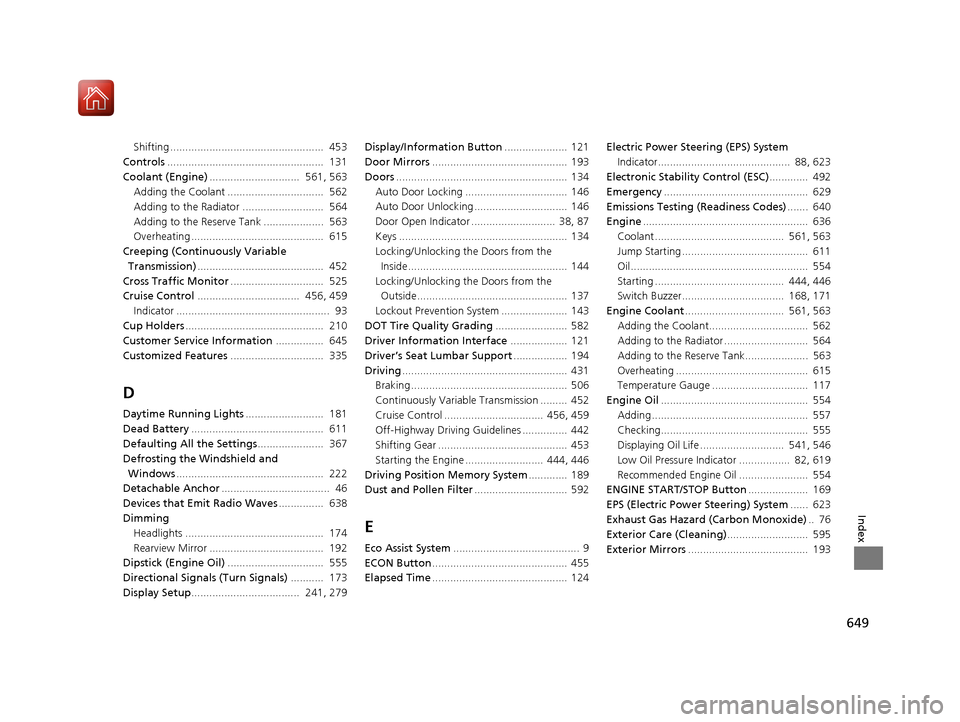
Dead Battery ............................................ 611
Defaulting All the Settings ...................... 367
Defrosting the Windshield and Windows ................................................. 222
Detachable Anchor .................................... 46
Devices that Emit Radio Waves ............... 638
Dimming Headlights .............................................. 174
Rearview Mirror ...................................... 192
Dipstick (Engine Oil) ................................ 555
Directional Signals (Turn Signals) ........... 173
Display Setup .................................... 241, 279 Display/Information Button
..................... 121
Door Mirrors ............................................. 193
Doors ......................................................... 134
Auto Door Locking .................................. 146
Auto Door Unlocking ............................... 146
Door Open Indicator ............................ 38, 87
Keys ........................................................ 134
Locking/Unlocking the Doors from the
Inside..................................................... 144
Locking/Unlocking the Doors from the Outside.................................................. 137
Lockout Prevention System ...................... 143
DOT Tire Quality Grading ........................ 582
Driver Information Interface ................... 121
Driver’s Seat Lumbar Support .................. 194
Driving ....................................................... 431
Braking .................................................... 506
Continuously Variable Transmission ......... 452
Cruise Control ................................. 456, 459
Off-Highway Driving Guidelines ............... 442
Shifting Gear ........................................... 453
Starting the Engine .......................... 444, 446
Driving Position Memory System ............. 189
Dust and Pollen Filter ............................... 592
E
Eco Assist System.......................................... 9
ECON Button ............................................. 455
Elapsed Time ............................................. 124 Electric Power Steering (EPS) System
Indicator............................................ 88, 623
Electronic Stability Control (ESC) ............. 492
Emergency ................................................ 629
Emissions Testing (Readiness Codes) ....... 640
Engine ....................................................... 636
Coolant ........................................... 561, 563
Jump Starting .......................................... 611
Oil ........................................................... 554
Starting ........................................... 444, 446
Switch Buzzer.................................. 168, 171
Engine Coolant ................................. 561, 563
Adding the Coolant................................. 562
Adding to the Radiator ............................ 564
Adding to the Reserve Tank..................... 563
Overheating ............................................ 615
Temperature Gauge ................................ 117
Engine Oil ................................................. 554
Adding .................................................... 557
Checking................................................. 555
Displaying Oil Life ............................ 541, 546
Low Oil Pressure Indicator ................. 82, 619
Recommended Engine Oil ....................... 554
ENGINE START/STOP Button .................... 169
EPS (Electric Power Steering) System ...... 623
Exhaust Gas Hazard (Carbon Monoxide) .. 76
Exterior Care (Cleaning) ........................... 595
Exterior Mirrors ........................................ 193
17 CR-V-31TLA6000.book 649 ページ 2016年10月11日 火曜日 午後6時37分