climate control HONDA CR-V 2019 (in English) User Guide
[x] Cancel search | Manufacturer: HONDA, Model Year: 2019, Model line: CR-V, Model: HONDA CR-V 2019Pages: 675, PDF Size: 36.01 MB
Page 115 of 675
113
uuIndicators uDriver Information Interface Wa rning and Information Messages*
Continued
Instrument Panel
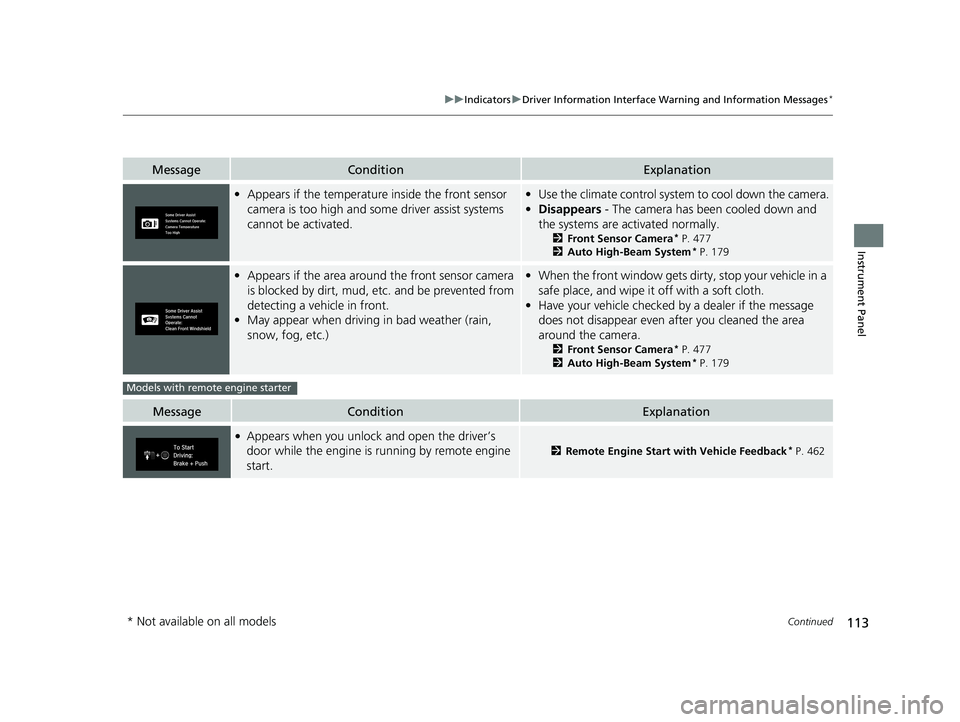
•Appears if the temperature inside the front sensor
camera is too high and some driver assist systems
cannot be activated.• Use the climate control system to cool down the camera.
• Disappears - The camera has been cooled down and
the systems are activated normally.
2 Front Sensor Camera* P. 477
2 Auto High-Beam System* P. 179
•Appears if the area around the front sensor camera
is blocked by dirt, mud, etc. and be prevented from
detecting a vehicle in front.
• May appear when driving in bad weather (rain,
snow, fog, etc.)• When the front window gets dirty, stop your vehicle in a
safe place, and wipe it off with a soft cloth.
• Have your vehicle checked by a dealer if the message
does not disappear even after you cleaned the area
around the camera.
2 Front Sensor Camera* P. 477
2 Auto High-Beam System* P. 179
MessageConditionExplanation
●Appears when you unlock and open the driver’s
door while the engine is running by remote engine
start.
2Remote Engine Start with Vehicle Feedback* P. 462
MessageConditionExplanation
Models with remote engine starter
* Not available on all models
19 CR-V ELP HCM MAP HMIN-31TLA6200.book 113 ページ 2018年8月22日 水曜日 午後2時59分
Page 131 of 675
129
Controls
This chapter explains how to operate the various controls necessary for driving.
Clock.................................................. 130
Locking and Unlocking the Doors
Key Types and Functions .................. 132
Low Smart Entry Remote Signal Strength*...134Locking/Unlocking the Doors from the Outside .......................................... 135
Locking/Unlocking the Doors from the Inside ... 142Childproof Door Locks ..................... 143
Auto Door Locking/Unlocking .......... 144
Customizing the Auto Door Locking/Unlocking Setting ........................... 145
Opening and Closing the Tailgate ... 148
Security System Immobilizer System .......................... 159 Security System Alarm
*.................... 159Opening and Closing the Windows
.... 162Moonroof*.............................................. 165Panoramic Roof*1.................................... 166Operating the Switches Around the Steering WheelIgnition Switch*............................... 169
ENGINE START/STOP Button*........... 170
Ignition Switch and Power Mode
Comparison ................................... 173
Turn Signals ..................................... 174
Light Switches.................................. 175
Fog Lights
*...................................... 178
Auto High-Beam System*................ 179
Daytime Running Lights ................... 182 Wipers and Washers ........................ 183
Brightness Control ........................... 186
Defogger/Heated Door Mirror
*........ 188
Driving Position Memory System*.... 190
Adjusting the Steering Wheel .......... 192
Adjusting the Mirrors ....................... 193
Adjusting the Seats .......................... 195
Interior Lights/Interior Convenience Items.. 205Climate Control System
Using Automatic Climate Control .... 224
Synchronization Mode
*................... 227Automatic Climate Control Sensors ...... 228
(*1: Canadian models only, if equipped)
* Not available on all models
19 CR-V ELP HCM MAP HMIN-31TLA6200.book 129 ページ 2018年8月22日 水曜日 午後2時59分
Page 182 of 675
uuOperating the Switches Around the Steering Wheel uAuto High-Beam System*
180
Controls
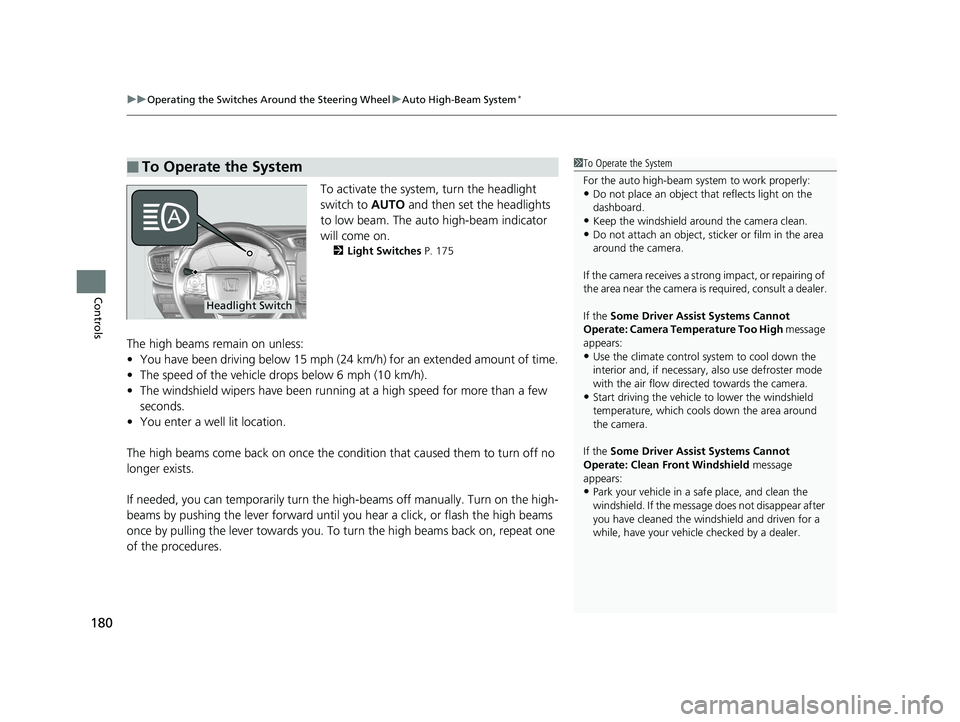
To activate the system, turn the headlight
switch to AUTO and then set the headlights
to low beam. The auto high-beam indicator
will come on.
2 Light Switches P. 175
The high beams remain on unless:
•You have been driving below 15 mph (24 km/h) for an extended amount of time.
• The speed of the vehicle drops below 6 mph (10 km/h).
• The windshield wipers have been running at a high speed for more than a few
seconds.
• You enter a well lit location.
The high beams come back on once the condition that caused them to turn off no
longer exists.
If needed, you can temporarily turn the high-beams off manually. Turn on the high-
beams by pushing the lever forward until yo u hear a click, or flash the high beams
once by pulling the lever towards you. To turn the high beams back on, repeat one
of the procedures.
■To Operate the System1 To Operate the System
For the auto high-beam system to work properly:
•Do not place an object that reflects light on the
dashboard.
•Keep the windshield around the camera clean.•Do not attach an object, sticker or film in the area
around the camera.
If the camera receives a st rong impact, or repairing of
the area near the camera is required, consult a dealer.
If the Some Driver Assist Systems Cannot
Operate: Camera Temperature Too High message
appears:
•Use the climate control system to cool down the
interior and, if necessary, also use defroster mode
with the air flow directed towards the camera.
•Start driving the vehicle to lower the windshield
temperature, which cool s down the area around
the camera.
If the Some Driver Assist Systems Cannot
Operate: Clean Front Windshield message
appears:
•Park your vehicle in a sa fe place, and clean the
windshield. If the message does not disappear after
you have cleaned the winds hield and driven for a
while, have your vehicle checked by a dealer.
Headlight Switch
19 CR-V ELP HCM MAP HMIN-31TLA6200.book 180 ページ 2018年8月22日 水曜日 午後2時59分
Page 226 of 675
224
Controls
Climate Control System
Using Automatic Climate Control
The automatic climate control system maintains the interior temperature you select.
The system also selects the proper mix of heated or cooled air that raises or lowers
the interior temperature to your pr eference as quickly as possible.
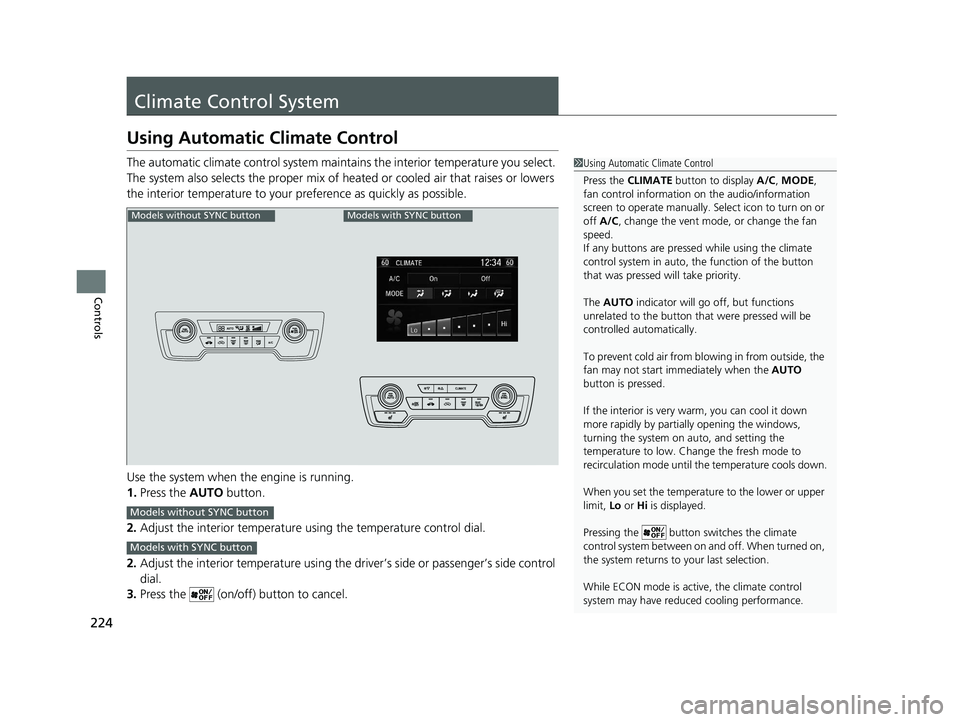
Use the system when the engine is running.
1. Press the AUTO button.
2. Adjust the interior temperature us ing the temperature control dial.
2. Adjust the interior temperature using the dr iver’s side or passenger’s side control
dial.
3. Press the (on/off) button to cancel.1Using Automatic Climate Control
Press the CLIMATE button to display A/C, MODE,
fan control information on the audio/information
screen to operate manually. Select ic on to turn on or
off A/C , change the vent mode , or change the fan
speed.
If any buttons are presse d while using the climate
control system in auto, the function of the button
that was pressed will take priority.
The AUTO indicator will go off, but functions
unrelated to the button that were pressed will be
controlled automatically.
To prevent cold air from bl owing in from outside, the
fan may not start i mmediately when the AUTO
button is pressed.
If the interior is very warm, you can cool it down
more rapidly by partial ly opening the windows,
turning the system on auto, and setting the
temperature to low. Change the fresh mode to
recirculation mode until the temperature cools down.
When you set the temperat ure to the lower or upper
limit, Lo or Hi is displayed.
Pressing the button switches the climate
control system between on and off. When turned on,
the system returns to your last selection.
While ECON mode is active, the climate control
system may have reduced cooling performance.
Models without SYNC buttonModels with SYNC button
Models without SYNC button
Models with SYNC button
19 CR-V ELP HCM MAP HMIN-31TLA6200.book 224 ページ 2018年8月22日 水曜日 午後2時59分
Page 227 of 675
Continued225
uuClimate Control System uUsing Automatic Climate Control
Controls
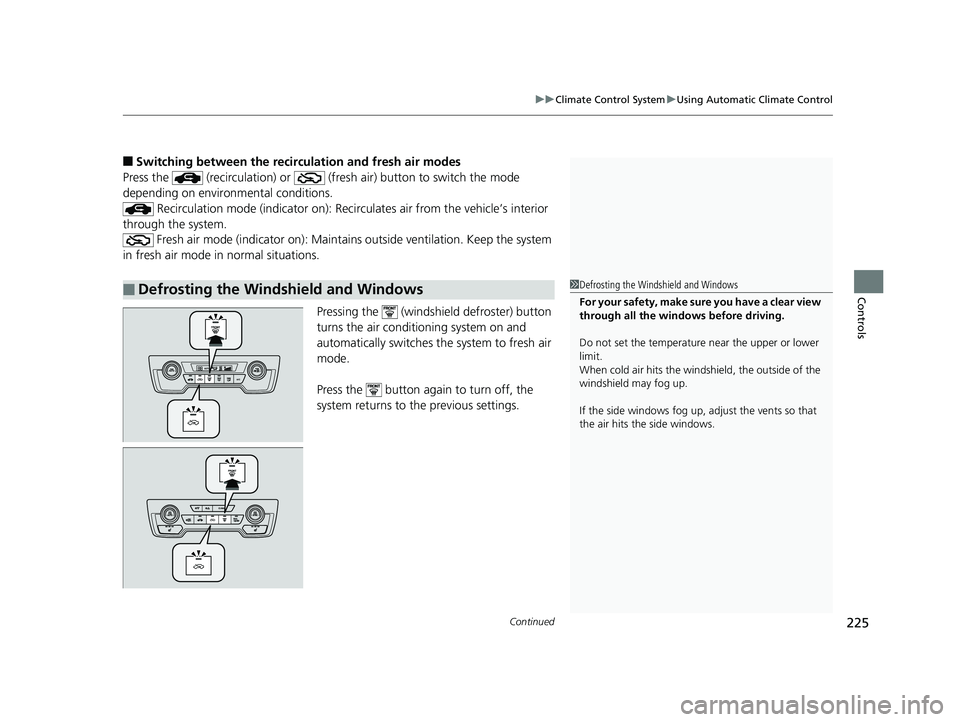
■Switching between the recirc ulation and fresh air modes
Press the (recirculation) or (fre sh air) button to switch the mode
depending on environmental conditions.
Recirculation mode (indicator on): Recirculates air from the vehicle’s interior
through the system. Fresh air mode (indicator on): Maintain s outside ventilation. Keep the system
in fresh air mode in normal situations.
Pressing the (windshield defroster) button
turns the air conditioning system on and
automatically switches the system to fresh air
mode.
Press the button again to turn off, the
system returns to the previous settings.
■Defrosting the Windshield and Windows1 Defrosting the Windshield and Windows
For your safety, make sure you have a clear view
through all the windows before driving.
Do not set the temperatur e near the upper or lower
limit.
When cold air hits the windshield, the outside of the
windshield may fog up.
If the side windows fog up, adjust the vents so that
the air hits th e side windows.
19 CR-V ELP HCM MAP HMIN-31TLA6200.book 225 ページ 2018年8月22日 水曜日 午後2時59分
Page 228 of 675
uuClimate Control System uUsing Automatic Climate Control
226
Controls
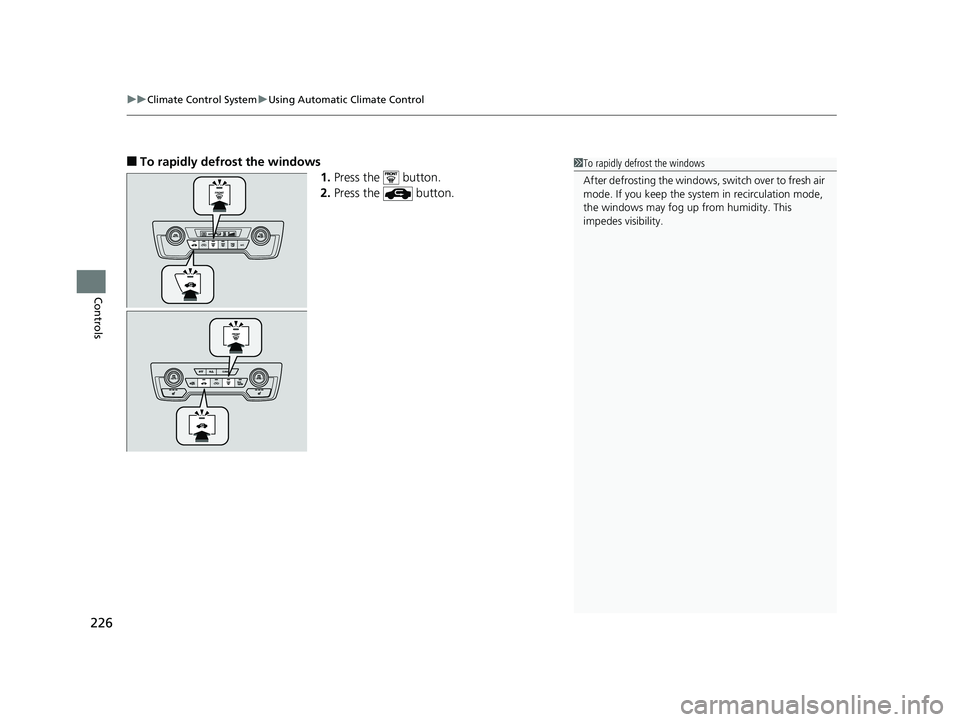
■To rapidly defrost the windows
1.Press the button.
2. Press the button.1To rapidly defrost the windows
After defrosting the windows, switch over to fresh air
mode. If you keep the syst em in recirculation mode,
the windows may fog up from humidity. This
impedes visibility.
19 CR-V ELP HCM MAP HMIN-31TLA6200.book 226 ページ 2018年8月22日 水曜日 午後2時59分
Page 229 of 675
227
uuClimate Control System uSynchronization Mode*
Controls
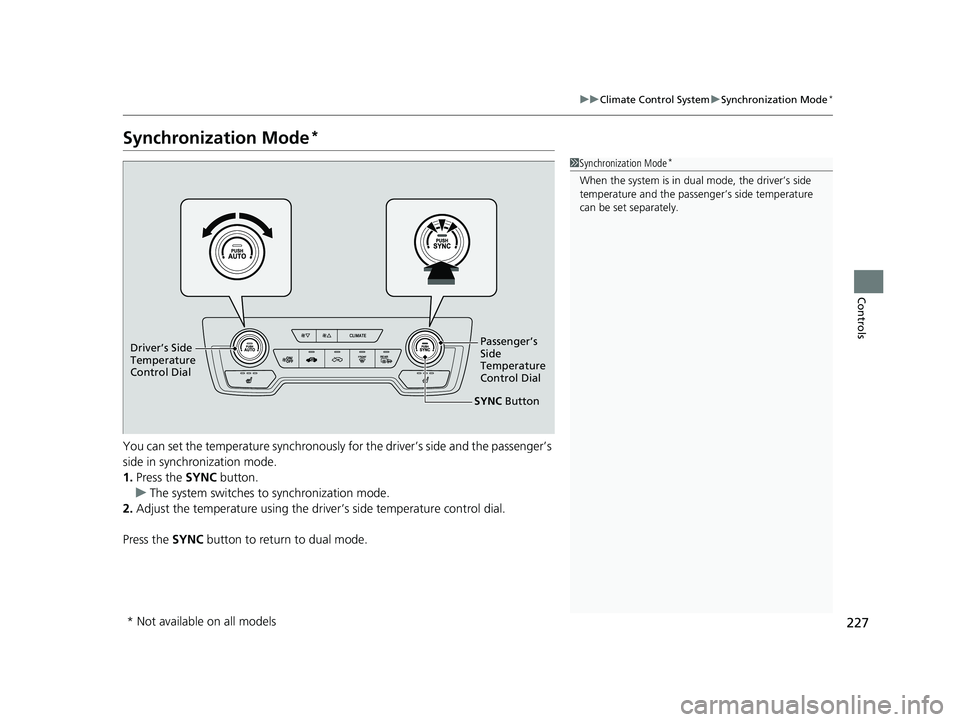
Synchronization Mode*
You can set the temperature synchronously for the driver’s side and the passenger’s
side in synchronization mode.
1. Press the SYNC button.
u The system switches to synchronization mode.
2. Adjust the temperature using the driv er’s side temperature control dial.
Press the SYNC button to return to dual mode.
1Synchronization Mode*
When the system is in dua l mode, the driver’s side
temperature and the passe nger’s side temperature
can be set separately.
SYNC Button
Driver’s Side
Temperature
Control Dial
Passenger’s
Side
Temperature
Control Dial
* Not available on all models
19 CR-V ELP HCM MAP HMIN-31TLA6200.book 227 ページ 2018年8月22日 水曜日 午後2時59分
Page 230 of 675
228
uuClimate Control System uAutomatic Climate Control Sensors
Controls
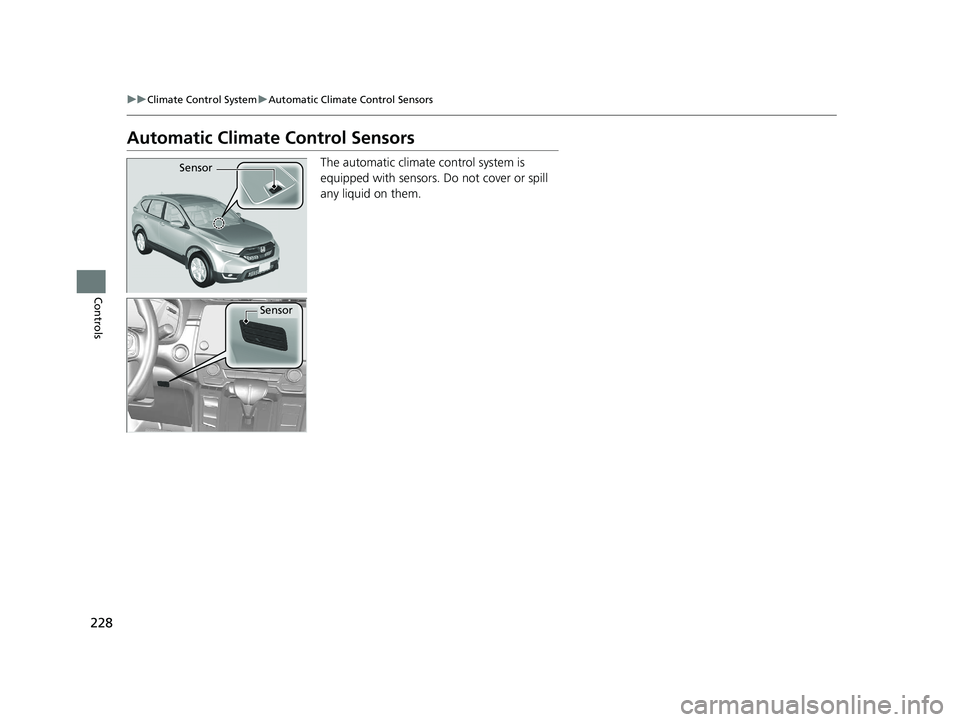
Automatic Climate Control Sensors
The automatic climate control system is
equipped with sensors. Do not cover or spill
any liquid on them.Sensor
Sensor
19 CR-V ELP HCM MAP HMIN-31TLA6200.book 228 ページ 2018年8月22日 水曜日 午後2時59分
Page 286 of 675
284
uuAudio System Basic Operation uVoice Control Operation
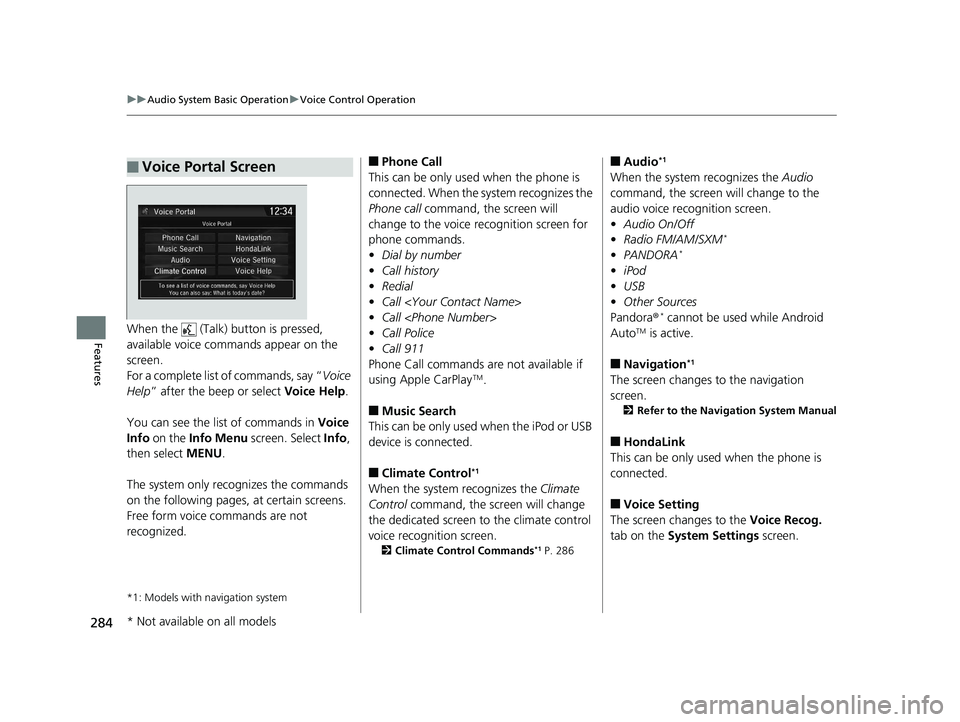
FeaturesWhen the (Talk) button is pressed,
available voice commands appear on the
screen.
For a complete list of commands, say “ Voice
Help ” after the beep or select Voice Help.
You can see the list of commands in Voice
Info on the Info Menu screen. Select Info,
then select MENU.
The system only reco gnizes the commands
on the following pages, at certain screens.
Free form voice commands are not
recognized.
*1: Models with navigation system
■Voice Portal Screen■Phone Call
This can be only used when the phone is
connected. When the sy stem recognizes the
Phone call command, the screen will
change to the voice recognition screen for
phone commands.
• Dial by number
• Call history
• Redial
• Call
• Call
• Call Police
• Call 911
Phone Call commands are not available if
using Apple CarPlay
TM.
■Music Search
This can be only used when the iPod or USB
device is connected.
■Climate Control*1
When the system recognizes the Climate
Control command, the screen will change
the dedicated screen to the climate control
voice recognition screen.
2 Climate Control Commands*1 P. 286
■Audio*1
When the system recognizes the Audio
command, the screen will change to the
audio voice recognition screen.
• Audio On/Off
• Radio FM/AM/SXM
*
•PANDORA*
•iPod
• USB
• Other Sources
Pandora ®
* cannot be used while Android
AutoTM is active.
■Navigation*1
The screen changes to the navigation
screen.
2 Refer to the Navigation System Manual
■HondaLink
This can be only used when the phone is
connected.
■Voice Setting
The screen changes to the Voice Recog.
tab on the System Settings screen.
* Not available on all models
19 CR-V ELP HCM MAP HMIN-31TLA6200.book 284 ページ 2018年8月22日 水曜日 午後2時59分
Page 287 of 675
285
uuAudio System Basic Operation uVoice Control Operation
Continued
Features
■Voice Help
You can see a list of the available
commands on the screen.
• Useful Commands
• Phone Commands
• Audio Commands
• Climate Control Commands
• General Commands
• Music Search Commands
• On Screen Commands
The system accepts these commands on the
voice portal top screen.
• Call
• Call
• What time is it?
• What is today’s date?
*1: Models with navigation system
■Useful Commands
The system accepts these commands on the
dedicated screen for the voice recognition
of the phone.
• Call by number
• Call by name
• Call
• Call
The system accepts these commands on the
dedicated screen for the voice recognition
of the audio.
■Radio FM Commands
• Radio tune to <87.7-107.9> FM
• Radio tune to <87.7 -107.9> HD <1-8>
FM
• Radio FM preset # (#:1-12)
■Radio AM Commands
• Radio tune to <530-1710> AM
• Radio AM preset # (#:1-6)
■Radio SXM Commands*
•SXM channel <1-999>
■Phone Commands
■Audio Commands*1
•SXM channel
sports team name>
• Radio SXM preset <1-12>
■Pandora ® Commands*
• PANDORA play
■iPod Commands
• iPod play
• iPod play track # (#:1-30)
• Music Search
• What album is this?
• What am I listening to?
■USB Commands
• USB play
• USB play track # (#:1-30)
• Music Search
• What album is this?
• What am I listening to?
■Bluetooth ® audio Commands
• Bluetooth audio play
NOTE:
Bluetooth ® Audio commands may not work
on some phones or Bluetooth® Audio
devices.
* Not available on all models
19 CR-V ELP HCM MAP HMIN-31TLA6200.book 285 ページ 2018年8月22日 水曜日 午後2時59分