lights HONDA CR-Z 2011 1.G Owner's Manual
[x] Cancel search | Manufacturer: HONDA, Model Year: 2011, Model line: CR-Z, Model: HONDA CR-Z 2011 1.GPages: 333, PDF Size: 9.97 MB
Page 119 of 333
118
Controls
Adjusting the Mirror
Interior Rearview Mirror
Adjust the angle of the rearview mirror when you are sitting in the correct driving posture.Rearview Mirror with Day and Night Positions
■
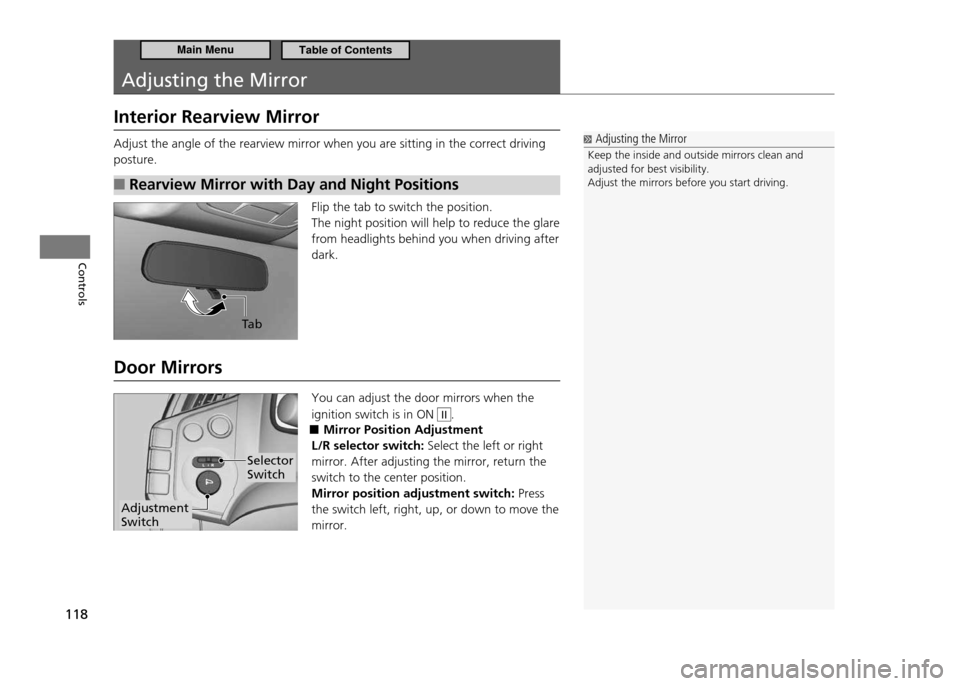
Flip the tab to switch the position. The night position will help to reduce the glare from headlights behind you when driving after dark.
Door Mirrors You can adjust the door mirrors when the ignition switch is in ON
II.
Mirror Position Adjustment
■
L/R selector switch: Select the left or right
mirror. After adjusting the mirror, return the switch to the center position. Mirror position adjustment switch: Press
the switch left, right, up, or down to move the mirror.
Adjusting the Mirror
Keep the inside and outside mirrors clean and adjusted for best visibility.Adjust the mirrors before you start driving.
Ta b
Adjustment Switch
Selector Switch
Main MenuTable of Contents
Page 124 of 333
123
Controls
Interior Lights/Interior Convenience Items
Interior Lights
Interior Light Switch
■
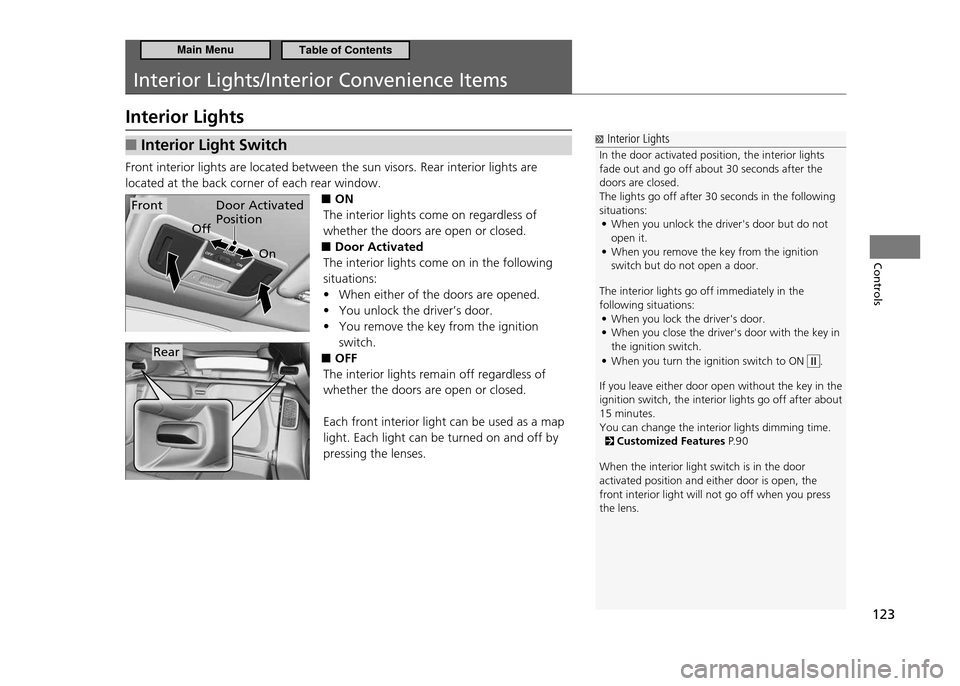
Front interior lights are located between the sun visors. Rear interior lights are located at the back corner of each rear window.
■ON
The interior lights come on regardless of whether the doors are open or closed. Door Activated
■
The interior lights come on in the following situations:
When either of the doors are opened.
•
You unlock the driver’s door.
•
You remove the key from the ignition
•
switch.
OFF
■
The interior lights remain off regardless of whether the doors are open or closed. Each front interior light can be used as a map light. Each light can be turned on and off by pressing the lenses.
Interior Lights
In the door activated position, the interior lights fade out and go off about 30 seconds after the doors are closed.The lights go off after 30 seconds in the following situations: When you unlock the driver's door but do not
•
open it.When you remove the key from the ignition
•
switch but do not open a door.
The interior lights go off immediately in the following situations: When you lock the driver's door.
•
When you close the driver's door with the key in
•
the ignition switch. When you turn the ignition switch to ON
•
.
If you leave either door open without the key in th e
ignition switch, the interior lights go off after a bout
15 minutes. You can change the interior lights dimming time.
Customized Features P. 9 0
When the interior light switch is in the door activated position and either door is open, the front interior light will not go off when you press the lens.
Door Activated Position
On
OffFront
Rear
Main MenuTable of Contents
Page 125 of 333
124
Controls
Interior Lights/Interior Convenience Items Interior Lights
Cargo Area Light
■
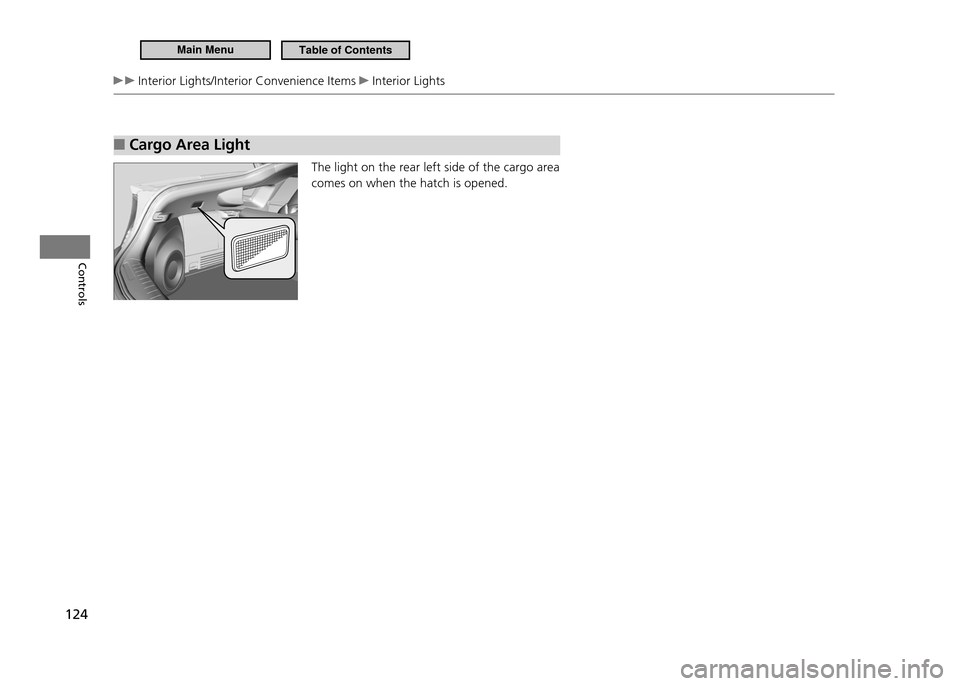
The light on the rear left side of the cargo area comes on when the hatch is opened.
Main MenuTable of Contents
Page 126 of 333
125
Controls
Interior Lights/Interior Convenience Items Interior Convenience Items
Interior Convenience Items
Glove Box
■
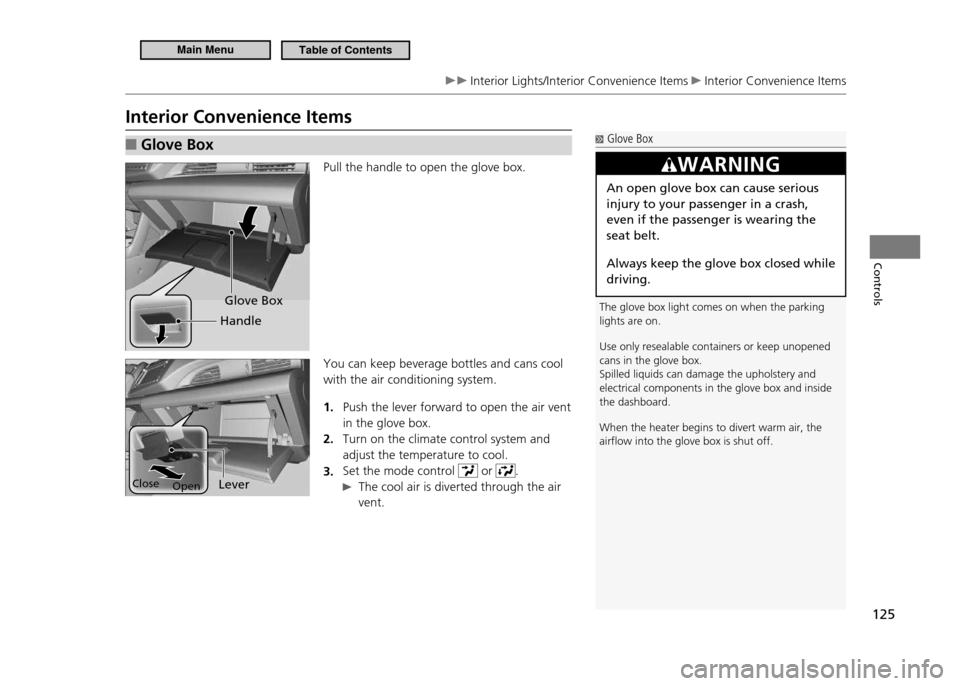
Pull the handle to open the glove box. You can keep beverage bottles and cans cool with the air conditioning system.
Push the lever forward to open the air vent
1.
in the glove box.Turn on the climate control system and
2.
adjust the temperature to cool.Set the mode control
3.
or .
The cool air is diverted through the air
vent.
Glove Box
The glove box light comes on when the parking lights are on. Use only resealable containers or keep unopened cans in the glove box.Spilled liquids can damage the upholstery and electrical components in the glove box and inside the dashboard. When the heater begins to divert warm air, the airlow into the glove box is shut off.
WARNING
An open glove box can cause serious injury to your passenger in a crash, even if the passenger is wearing the seat belt.
Always keep the glove box closed while driving.
Glove Box
Handle
Lever
Open
Close
Main MenuTable of Contents
Page 127 of 333
126
Controls
Interior Lights/Interior Convenience Items Interior Convenience Items
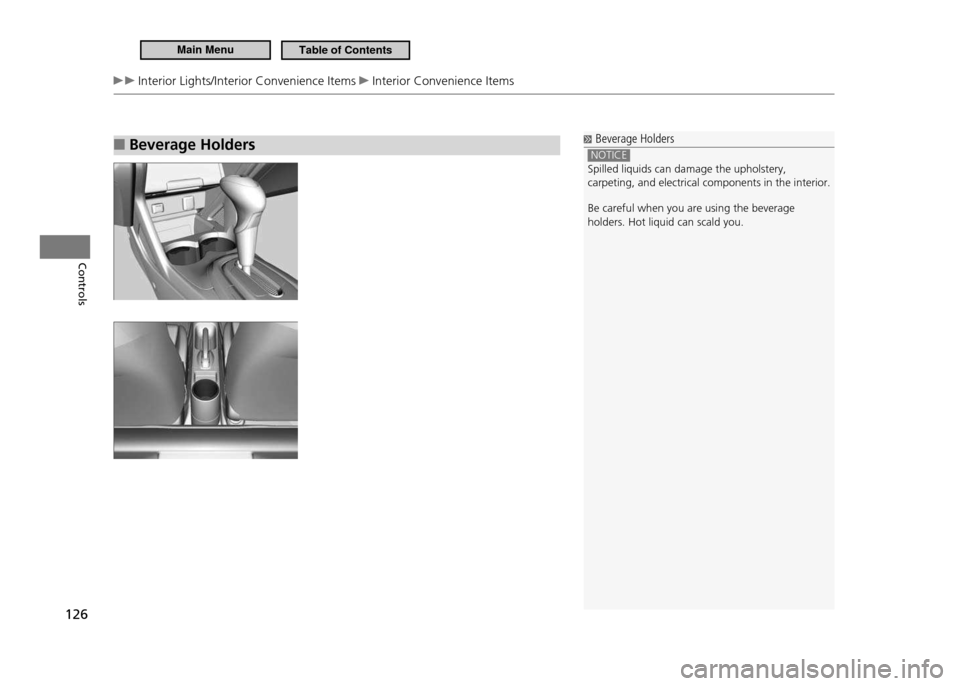
Beverage Holders
■ Beverage Holders
NOTICE Spilled liquids can damage the upholstery, carpeting, and electrical components in the interior. Be careful when you are using the beverage holders. Hot liquid can scald you.
Main MenuTable of Contents
Page 128 of 333
127
Controls
Interior Lights/Interior Convenience Items Interior Convenience Items
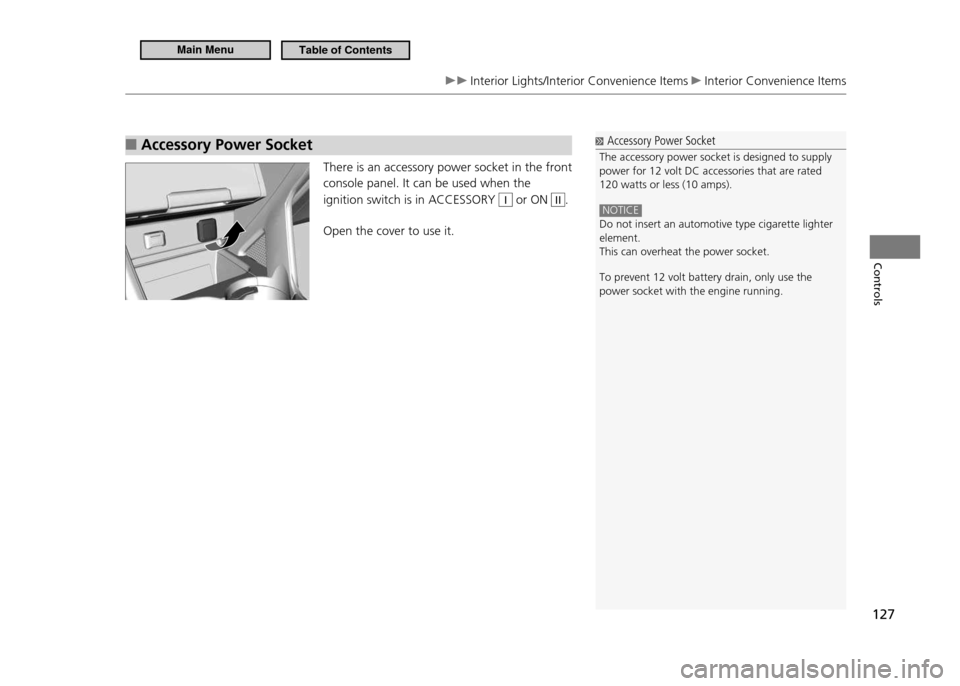
Accessory Power Socket
■
There is an accessory power socket in the front console panel. It can be used when the ignition switch is in ACCESSORY
I or ON II.
Open the cover to use it.
Accessory Power Socket
The accessory power socket is designed to supply power for 12 volt DC accessories that are rated 120 watts or less (10 amps).
NOTICE Do not insert an automotive type cigarette lighter element.This can overheat the power socket. To prevent 12 volt battery drain, only use the power socket with the engine running.
Main MenuTable of Contents
Page 129 of 333
128
Controls
Interior Lights/Interior Convenience Items Interior Convenience Items
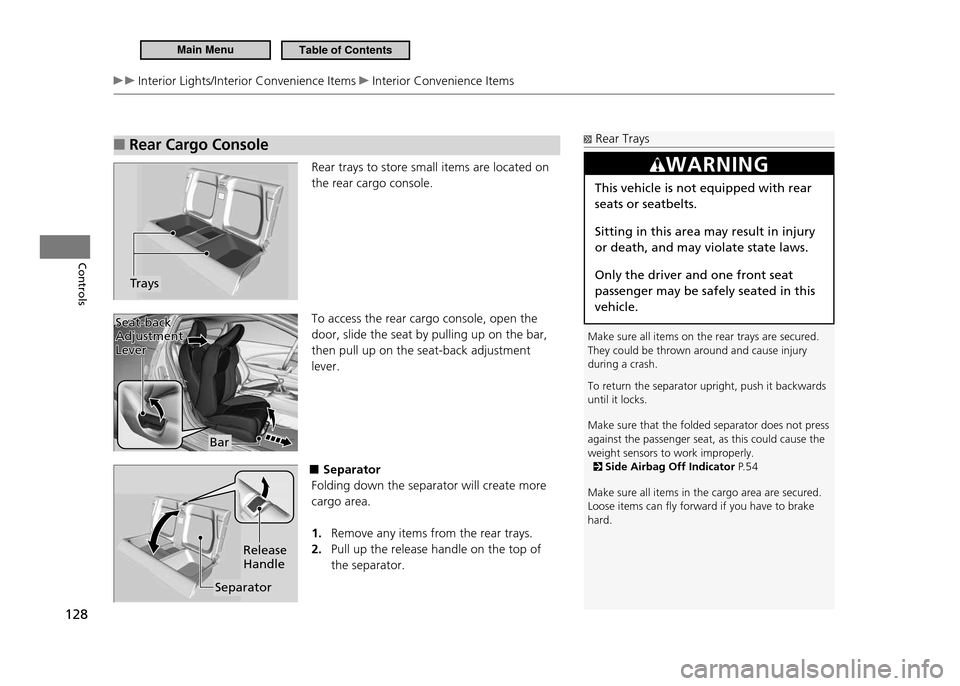
Rear Cargo Console
■
Rear trays to store small items are located on the rear cargo console. To access the rear cargo console, open the door, slide the seat by pulling up on the bar, then pull up on the seat-back adjustment lever.
■Separator
Folding down the separator will create more cargo area.
Remove any items from the rear trays.
1.
Pull up the release handle on the top of
2.
the separator.
Trays
Rear Trays
Make sure all items on the rear trays are secured. They could be thrown around and cause injury during a crash. To return the separator upright, push it backwards until it locks. Make sure that the folded separator does not press against the passenger seat, as this could cause the weight sensors to work improperly.
Side Airbag Off Indicator P. 5 4
Make sure all items in the cargo area are secured. Loose items can ly forward if you have to brake hard.
WARNING
This vehicle is not equipped with rear seats or seatbelts. Sitting in this area may result in injury or death, and may violate state laws. Only the driver and one front seat passenger may be safely seated in this vehicle.
Bar
Seat-back
Adjustment Lever
Seat-back Adjustment Lever
Separator Release Handle
Main MenuTable of Contents
Page 130 of 333
129
Controls
Interior Lights/Interior Convenience Items Interior Convenience Items
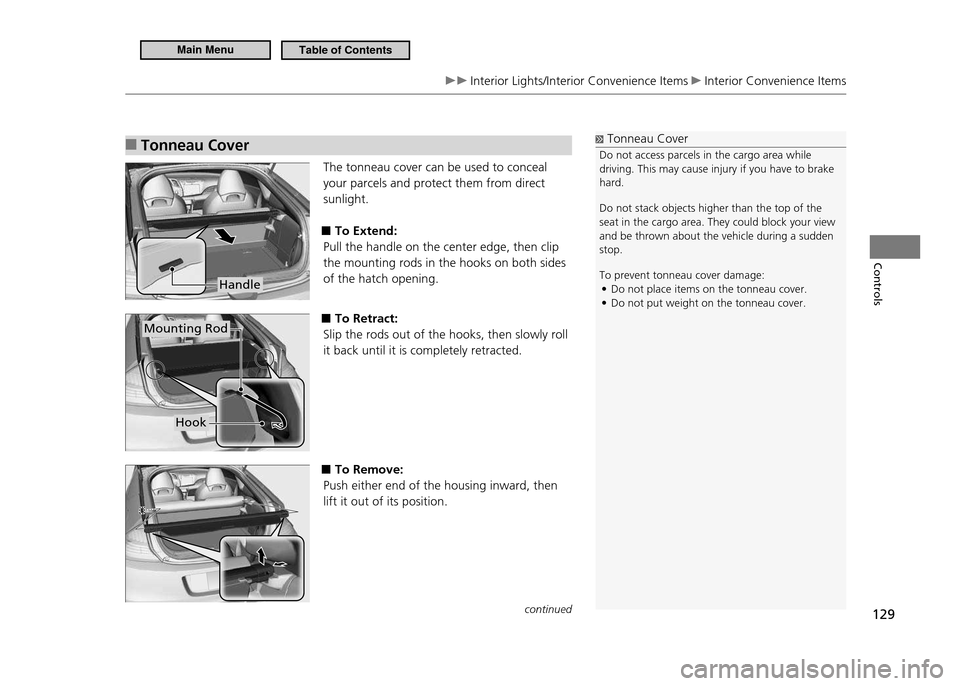
Tonneau Cover
■
The tonneau cover can be used to conceal your parcels and protect them from direct sunlight.
To Extend:
■
Pull the handle on the center edge, then clip the mounting rods in the hooks on both sides of the hatch opening.
■To Retract:
Slip the rods out of the hooks, then slowly roll it back until it is completely retracted.
■To Remove:
Push either end of the housing inward, then lift it out of its position.
Tonneau Cover
Do not access parcels in the cargo area while driving. This may cause injury if you have to brake hard. Do not stack objects higher than the top of the seat in the cargo area. They could block your view and be thrown about the vehicle during a sudden stop. To prevent tonneau cover damage: Do not place items on the tonneau cover.
•
Do not put weight on the tonneau cover.
•
Handle
Mounting Rod
Hook
continued
Main MenuTable of Contents
Page 131 of 333

130
Controls
Interior Lights/Interior Convenience Items Interior Convenience Items
■ To Store:
The housing unit can be stored on the cargo area floor to make more space available. Push one end of the unit into the hole on one side panel, then insert the other end into the hole on the other side. After storing the unit, rock it up and down to make sure it is securely placed. Reverse this procedure to install the housing unit in place.
■To Separate the Cargo Area into two:
Pull out the tonneau cover from its housing
1.
while it is stored on the cargo area floor.Clip the mounting rods in the hooks at
2.
both sides of the hatch opening.
Main MenuTable of Contents
Page 193 of 333
192
Driving
Before Driving
Driving Preparation
Check the following items before you start driving.Check Items Before Getting In the Vehicle
■
Make sure there is no obstruction on the windows, door mirrors, exterior lights,
•
or other parts of the vehicle.
Remove any frost, snow, or ice.
Remove any snow on the roof, as this can slip down and obstruct your field of
vision while driving. When frozen hard, remove ice once it has softened.
When removing ice from around the wheels, be sure not to damage the wheel or wheel components.
Make sure the hood is securely closed.
•
If the hood opens while driving, your front view will be blocked.
Make sure the tires are in good condition.
•
Check air pressures, and check for damage and excessive wear.
Checking and Maintaining Tires P.269
Make sure there is no person or object behind or around the vehicle.
•
There are blind spots from the inside.
Check Items in the Compartment
■
Store or secure all items on board properly.
•
Carrying too much cargo, or improperly storing it, can affect your vehicle’s
handling, stability, stopping distance, and tires, and make it unsafe.
Maximum Load Limit P.194
Do not pile items higher than the seat height.
•
They can block your view and may be thrown forward in the event of sudden
braking.
Check Items Before Getting On the Vehicle
NOTICE If the doors are frozen shut, use warm water around the door edges to melt any ice. Do not try to force them open, as this can damage the rubber trim around the doors. When done, wipe dry to avoid further freezing. Do not pour warm water into the key cylinder. You will be unable to insert key if the hole freezes.
Check Items in the Compartment
The headlight aim is set by the factory, and typically does not need to be adjusted. However, if you regularly carry heavy items in the cargo area, have the aiming readjusted at your dealer or by a qualiied technician.
Main MenuTable of Contents