ignition HONDA CR-Z 2013 1.G Owner's Manual
[x] Cancel search | Manufacturer: HONDA, Model Year: 2013, Model line: CR-Z, Model: HONDA CR-Z 2013 1.GPages: 325, PDF Size: 11.73 MB
Page 76 of 325
75
uuIndicatorsu
Continued
Instrument Panel
IndicatorNameOn/BlinkingExplanationMessage
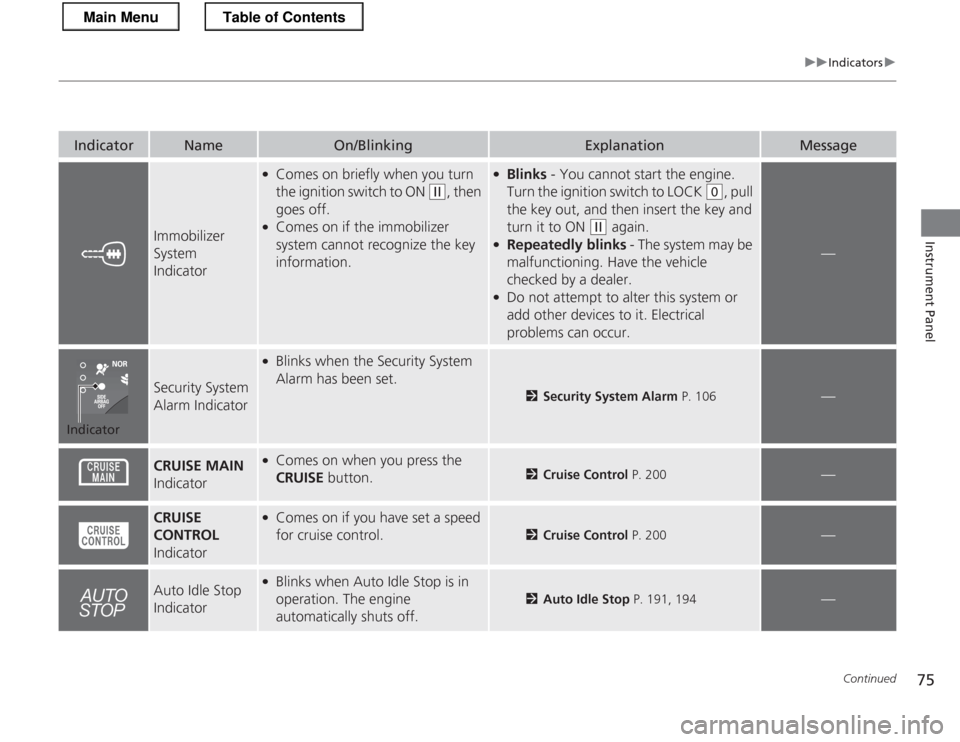
Immobilizer System
Indicator
●Comes on briefly when you turn
the ignition switch to ON
(w , then
goes off.
● Comes on if the immobilizer
system cannot recognize the key
information.
●Blinks - You cannot start the engine.
Turn the ignition switch to LOCK
(0 , pull
the key out, and then insert the key and
turn it to ON
(w again.
● Repeatedly blinks - The system may be
malfunctioning. Have the vehicle
checked by a dealer.
● Do not attempt to alter this system or
add other devices to it. Electrical
problems can occur.
—
Security System
Alarm Indicator
●
Blinks when the Security System Alarm has been set.
2 Security System Alarm P. 106—
CRUISE MAIN
Indicator● Comes on when you press the CRUISE button.
2Cruise Control P. 200—
CRUISE
CONTROL
Indicator● Comes on if you have set a speed
for cruise control.
2 Cruise Control P. 200—
Auto Idle Stop
Indicator●
Blinks when Auto Idle Stop is in
operation. The engine
automatically shuts off.
2 Auto Idle Stop P. 191, 194—
Indicator
Main MenuTable of Contents
Page 77 of 325
76
uuIndicatorsu
Instrument Panel
*1:The driving mode message on the multi-information display appears for a few seconds when you press the appropriate mode button.
IndicatorNameOn/BlinkingExplanationMessage
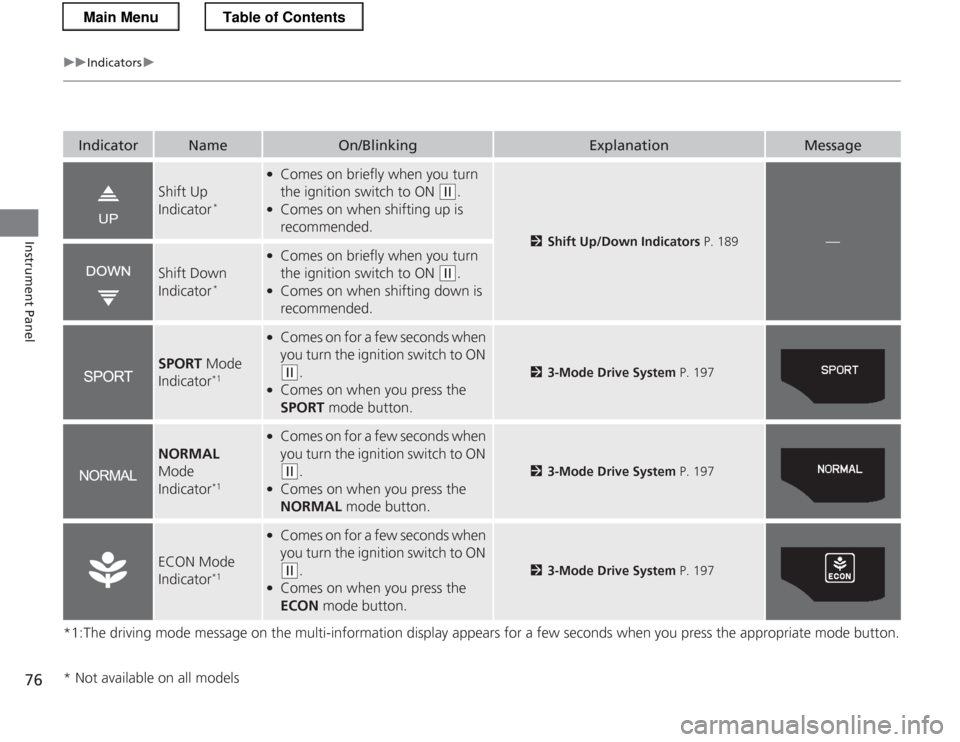
Shift Up
Indicator*
●
Comes on briefly when you turn
the ignition switch to ON
(w .
● Comes on when shifting up is
recommended.
2 Shift Up/Down Indicators P. 189—
Shift Down
Indicator*
●
Comes on briefly when you turn
the ignition switch to ON
(w .
● Comes on when shifting down is
recommended.
SPORT Mode
Indicator *1
●
Comes on for a few seconds when
you turn the ignition switch to ON
(w .
● Comes on when you press the
SPORT mode button.23-Mode Drive System P. 197
NORMAL
Mode
Indicator *1
●
Comes on for a few seconds when
you turn the ignition switch to ON
(w .
● Comes on when you press the
NORMAL mode button.23-Mode Drive System P. 197
ECON Mode
Indicator*1
●
Comes on for a few seconds when
you turn the ignition switch to ON
(w .
● Comes on when you press the
ECON mode button.23-Mode Drive System P. 197
* Not available on all models
Main MenuTable of Contents
Page 79 of 325
78
uuIndicatorsuMulti-Information Display Warning and Information Messages
Instrument Panel
Multi-Information Display Warning and Information Messages
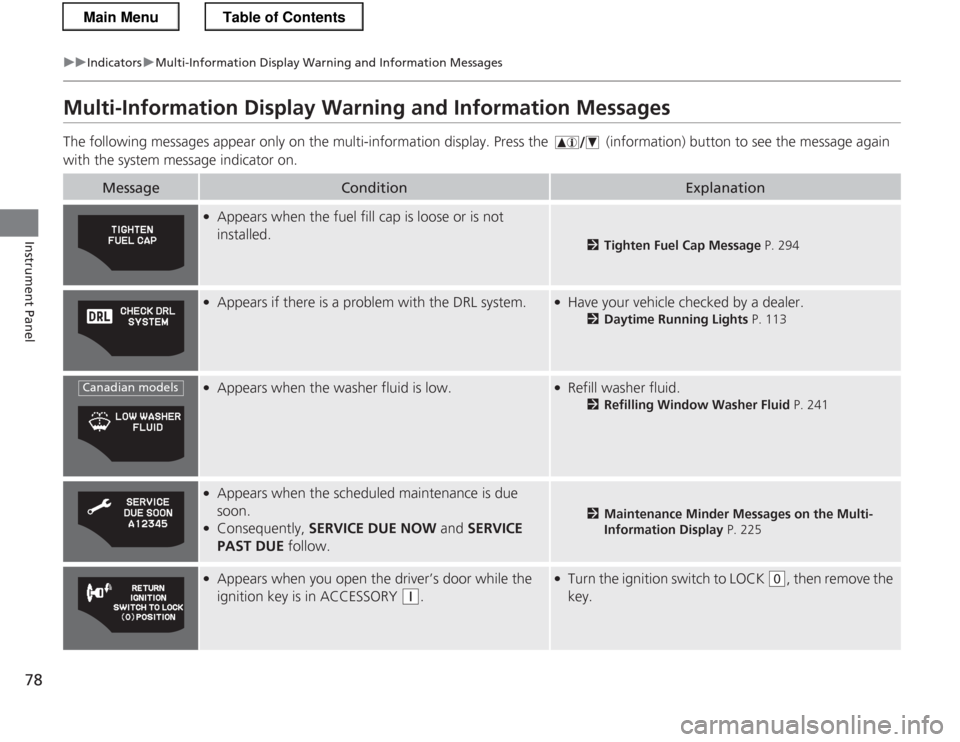
The following messages appear only on the multi-information display. Pres s the (information) button to see the message again
with the system message indicator on.
MessageConditionExplanation
● Appears when the fuel fill cap is loose or is not installed.
2 Tighten Fuel Cap Message P. 294
●
Appears if there is a problem with the DRL system.●Have your vehicle checked by a dealer.
2Daytime Running Lights P. 113
●
Appears when the washer fluid is low.●Refill washer fluid.
2Refilling Window Washer Fluid P. 241
●
Appears when the scheduled maintenance is due
soon.
● Consequently, SERVICE DUE NOW and SERVICE
PAST DUE follow.
2Maintenance Minder Messages on the Multi-
Information Display P. 225
●
Appears when you open the driver’s door while the
ignition key is in ACCESSORY
(q .
●
Turn the ignition switch to LOCK (0 , then remove the
key.
Canadian models
Main MenuTable of Contents
Page 80 of 325
79
uuIndicatorsuMulti-Information Display Warning and Information Messages
Continued
Instrument Panel
MessageConditionExplanation
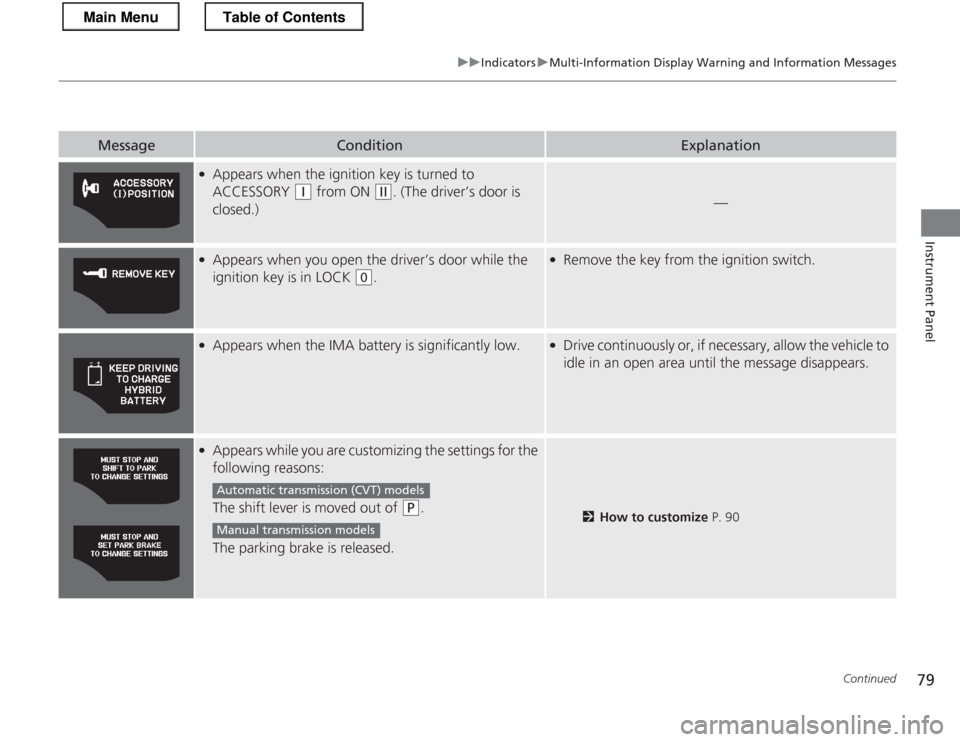
●Appears when the ignition key is turned to
ACCESSORY
(q from ON (w. (The driver’s door is
closed.)—
● Appears when you open the driver’s door while the
ignition key is in LOCK
(0 .
●
Remove the key from the ignition switch.
●
Appears when the IMA battery is significantly low.●Drive continuously or, if necessary, allow the vehicle to
idle in an open area until the message disappears.
●Appears while you are customizing the settings for the
following reasons:
The shift lever is moved out of
(P .
The parking brake is released.2 How to customize P. 90
Automatic transmiss ion (CVT) models
Manual transmission models
Main MenuTable of Contents
Page 82 of 325
81
Continued
Instrument Panel
Gauges and Multi-Information Display
Gauges
Gauges include the speedometer, tachometer, fuel gauge, and related indicators.
They are displayed when the ignition switch is in ON
(w
.
Displays your driving speed in mph or km/h.
Shows the number of engine revolutions per minute.
Displays the amount of fuel left in the fuel tank.
Shows the instant fuel economy as a bar graph in mpg or l/100km.
■Speedometer
■Tachometer
■Fuel Gauge
■Instant Fuel Economy Gauge
1Gauges
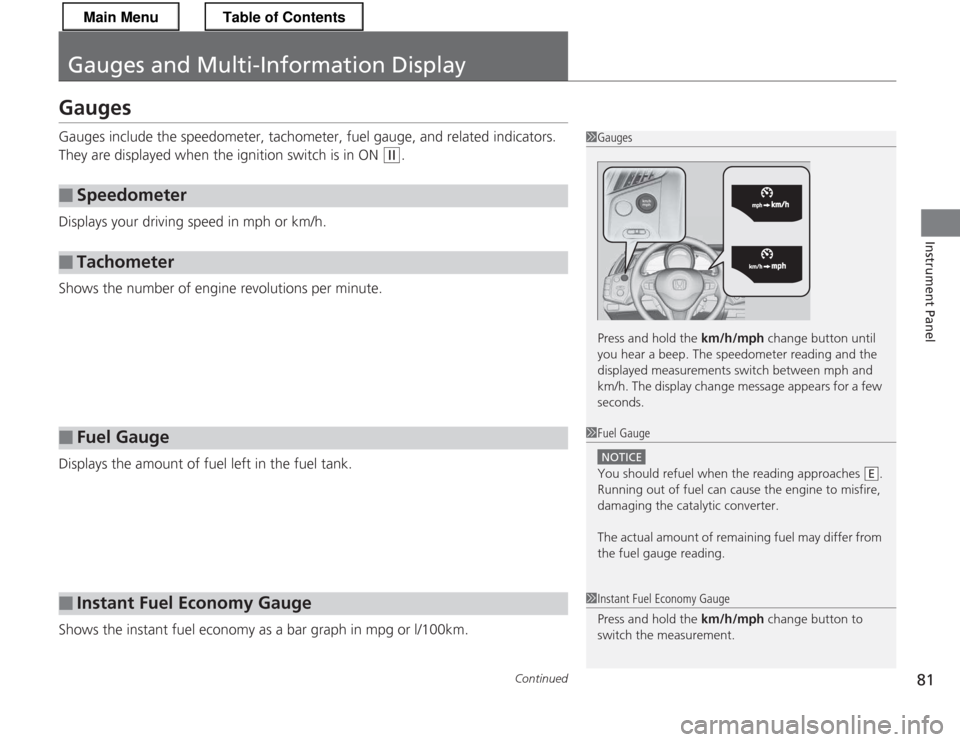
Press and hold the km/h/mph change button until
you hear a beep. The speedometer reading and the
displayed measurements switch between mph and
km/h. The display change message appears for a few
seconds.
1Fuel Gauge
NOTICE
You should refuel when the reading approaches .
Running out of fuel can cause the engine to misfire,
damaging the catalytic converter.
The actual amount of remaining fuel may differ from
the fuel gauge reading.E
1Instant Fuel Economy Gauge
Press and hold the km/h/mph change button to
switch the measurement.
Main MenuTable of Contents
Page 87 of 325
uuGauges and Multi-Information DisplayuMulti-Information Display
86
Instrument Panel
■ Real-Time score
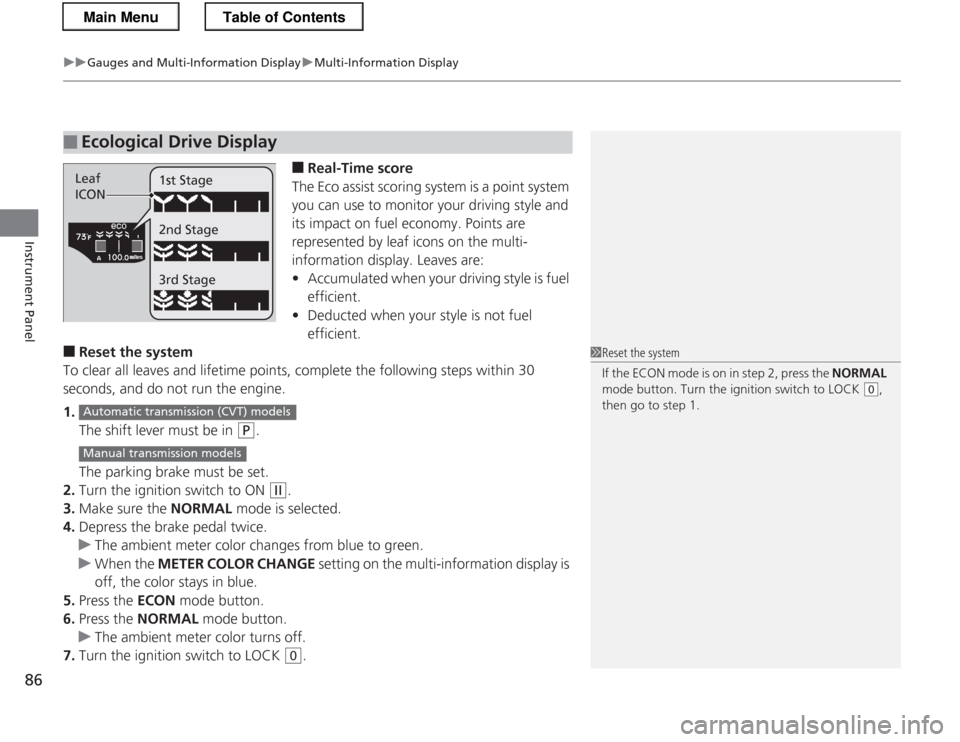
The Eco assist scoring system is a point system
you can use to monitor your driving style and
its impact on fuel economy. Points are
represented by leaf icons on the multi-
information display. Leaves are:• Accumulated when your driving style is fuel
efficient.
• Deducted when your style is not fuel efficient.
■ Reset the system
To clear all leaves and lifetime points, complete the following steps within 30
seconds, and do not run the engine. 1. The shift lever must be in
(P .
The parking brake must be set.
2. Turn the ignition switch to ON
(w .
3. Make sure the NORMAL mode is selected.
4. Depress the brake pedal twice.
uThe ambient meter color changes from blue to green.
uWhen the METER COLOR CHANGE setting on the multi-information display is
off, the color stays in blue.
5. Press the ECON mode button.
6. Press the NORMAL mode button.
uThe ambient meter color turns off.
7. Turn the ignition switch to LOCK
(0 .
■Ecological Drive Display
Leaf
ICON 1st Stage 2nd Stage 3rd Stage
1Reset the system
If the ECON mode is on in step 2, press the
NORMAL
mode button. Turn the ignition switch to LOCK
(0 ,
then go to step 1.
Automatic transmiss ion (CVT) models
Manual transmission models
Main MenuTable of Contents
Page 89 of 325
uuGauges and Multi-Information DisplayuMulti-Information Display
88
Instrument Panel
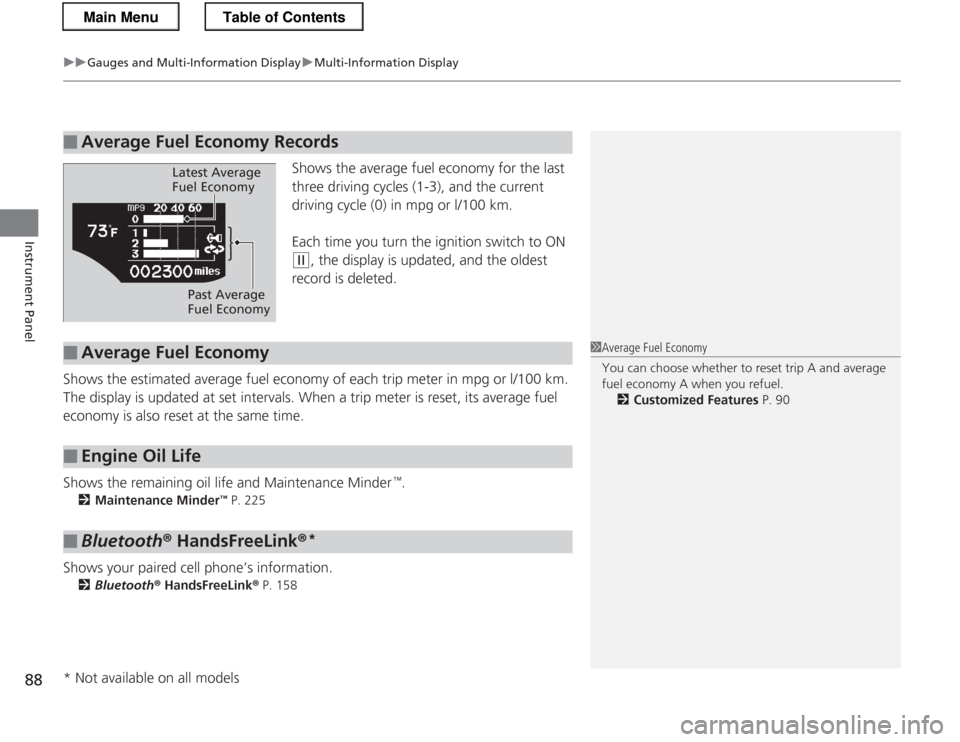
Shows the average fuel economy for the last
three driving cycles (1-3), and the current
driving cycle (0) in mpg or l/100 km.
Each time you turn the ignition switch to ON
(w , the display is updated, and the oldest
record is deleted.
Shows the estimated average fuel economy of each trip meter in mpg or l/100 km.
The display is updated at set intervals. When a trip meter is reset, its average fuel
economy is also reset at the same time.
Shows the remaining oil life and Maintenance Minder
Page 91 of 325
uuGauges and Multi-Information DisplayuMulti-Information Display
90
Instrument Panel
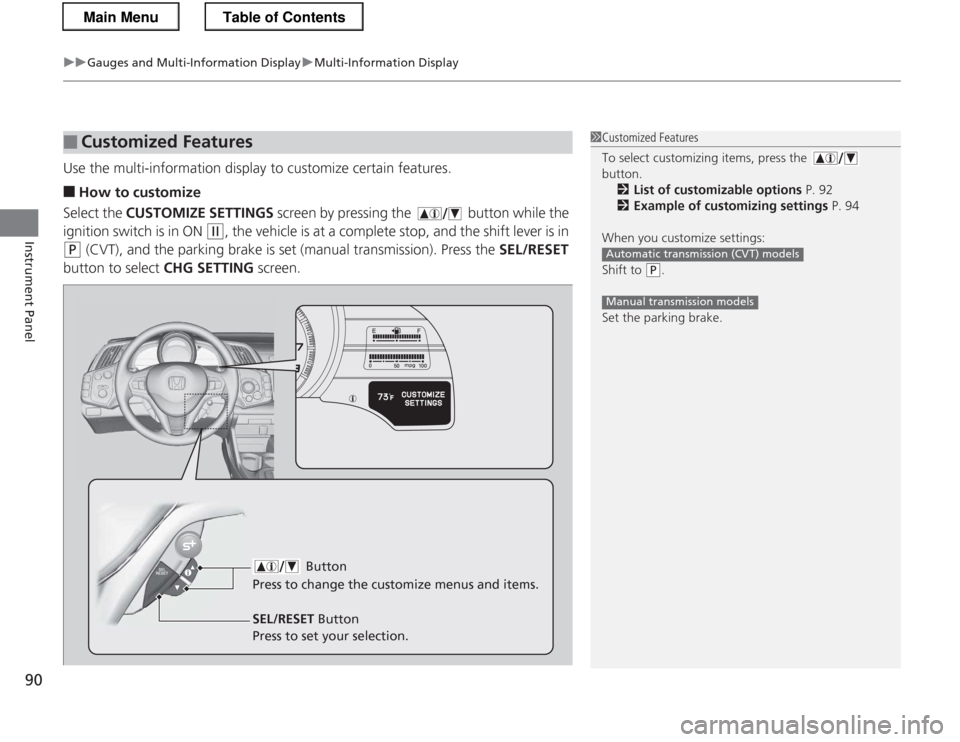
Use the multi-information display to customize certain features. ■ How to customize
Select the CUSTOMIZE SETTINGS screen by pressing the button while the
ignition switch is in ON
(w , the vehicle is at a complete stop, and the shift lever is in
(P (CVT), and the parking brake is set (manual transmission). Press the SEL/RESET
button to select CHG SETTING screen.
■Customized Features1Customized Features
To select customizing items, press the button.
2 List of customizable options P. 92
2 Example of customizing settings P. 94
When you customize settings:
Shift to
(P .
Set the parking brake.
Automatic transmission (CVT) models
Manual transmission models
Button
Press to change the cu stomize menus and items.
SEL/RESET Button
Press to set your selection.
Main MenuTable of Contents
Page 98 of 325
97
Controls
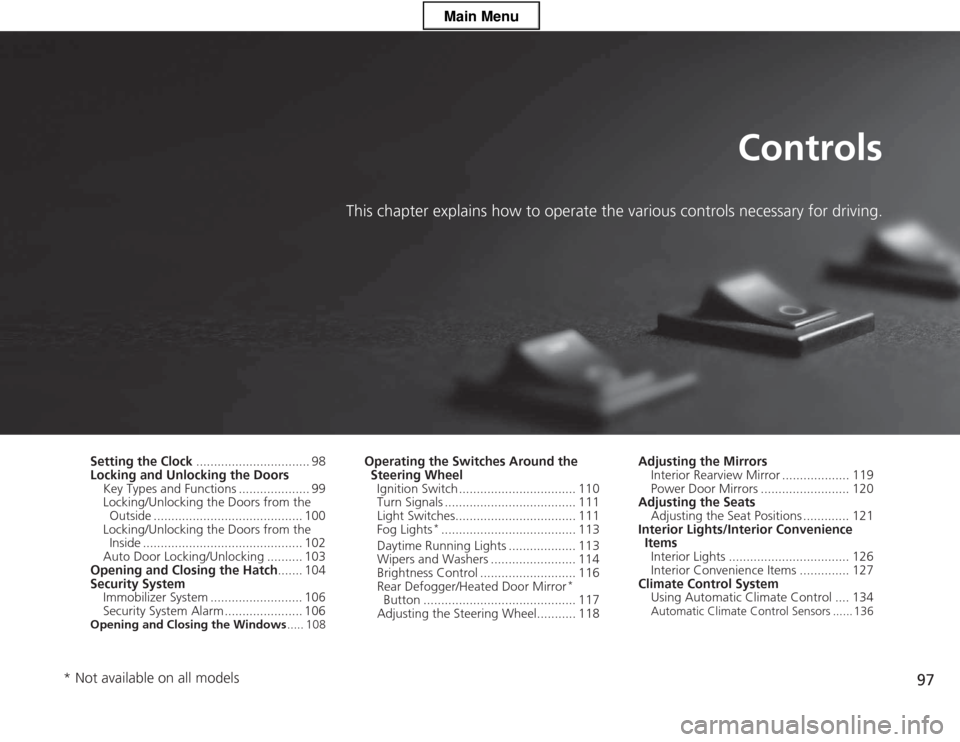
This chapter explains how to operate the various controls necessary for driving.
Setting the Clock................................ 98
Locking and Unlocking the Doors
Key Types and Functions .................... 99
Locking/Unlocking the Doors from the Outside .......................................... 100
Locking/Unlocking the Doors from the Inside ............................................. 102
Auto Door Locking/Unlocking .......... 103
Opening and Closing the Hatch ....... 104
Security System Immobilizer System .......................... 106
Security System Alarm ...................... 106
Opening and Closing the Windows ..... 108Operating the Switches Around the
Steering Wheel
Ignition Switch ................................. 110
Turn Signals ..................................... 111
Light Switches.................................. 111 Fog Lights *
...................................... 113
Daytime Running Lights ................... 113
Wipers and Washers ........................ 114
Brightness Control ........................... 116
Rear Defogger/Heated Door Mirror *
Button ........................................... 117
Adjusting the Steering Wheel........... 118 Adjusting the Mirrors
Interior Rearview Mirror ................... 119
Power Door Mirrors ......................... 120
Adjusting the Seats Adjusting the Seat Positions ............. 121
Interior Lights/Interior Convenience ItemsInterior Lights .................................. 126
Interior Convenience Items .............. 127
Climate Control System Using Automatic Climate Control .... 134
Automatic Climate Control Sensors ...... 136
* Not available on all models
Main Menu
Page 99 of 325

98
Controls
Setting the Clock
Clock
You can adjust the time in the clock display, using the CLOCK (AM /FM ) button with
the ignition switch in ON
(w .
1. Press and hold the CLOCK button until the clock dis play begins to blink.
2. Press the
(1 (Hour) button to change the hours.
3. Press the
(2 (Minute) button to change the minutes.
4. Press the CLOCK button to go back to the normal display.
■Adjusting the Time
1Clock
To set the time to the nearest hour:
Press and hold the CLOCK button until the clock
display begins to blink, then press the
(3 (Reset)
button.
Depending on the displayed time, the clock sets
forward or backward.
Example: 1:06 will reset to 1:001:53 will reset to 2:00
The clock is automatically updated through the navigation system, so the time does not need to be
adjusted.
Models with navigation system
Models without navigation system
(2 Button
(1 Button
(3 Button
CLOCK ButtonClock Display
Main MenuTable of Contents