engine HONDA CR-Z 2015 1.G Owner's Manual
[x] Cancel search | Manufacturer: HONDA, Model Year: 2015, Model line: CR-Z, Model: HONDA CR-Z 2015 1.GPages: 329, PDF Size: 17.44 MB
Page 87 of 329
uuGauges and Multi-Information Display uMulti-Information Display
86
Instrument Panel
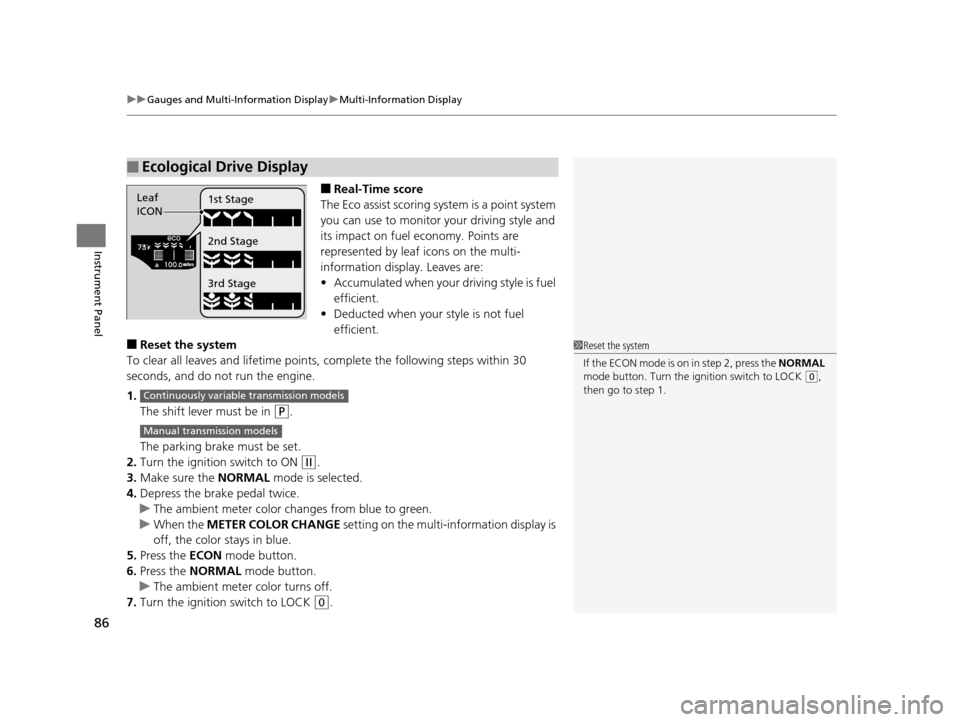
■Real-Time score
The Eco assist scoring system is a point system
you can use to monitor your driving style and
its impact on fuel economy. Points are
represented by leaf icons on the multi-
information displa y. Leaves are:
• Accumulated when your driving style is fuel
efficient.
• Deducted when your style is not fuel
efficient.
■Reset the system
To clear all leaves and lifetime points, complete the following steps within 30
seconds, and do not run the engine.
1. The shift lever must be in
(P.
The parking brake must be set.
2. Turn the ignition switch to ON
(w.
3. Make sure the NORMAL mode is selected.
4. Depress the brake pedal twice.
u The ambient meter color ch anges from blue to green.
u When the METER COLOR CHANGE setting on the multi-information display is
off, the color stays in blue.
5. Press the ECON mode button.
6. Press the NORMAL mode button.
u The ambient meter color turns off.
7. Turn the ignition switch to LOCK
(0.
■Ecological Drive Display
Leaf
ICON1st Stage
2nd Stage
3rd Stage
1
Reset the system
If the ECON mode is on in step 2, press the NORMAL
mode button. Turn the ignition switch to LOCK
( 0,
then go to step 1.
Continuously variable transmission models
Manual transmission models
15 CR-Z-31SZT6400.book 86 ページ 2014年8月1日 金曜日 午後1時59分
Page 89 of 329
uuGauges and Multi-Information Display uMulti-Information Display
88
Instrument Panel
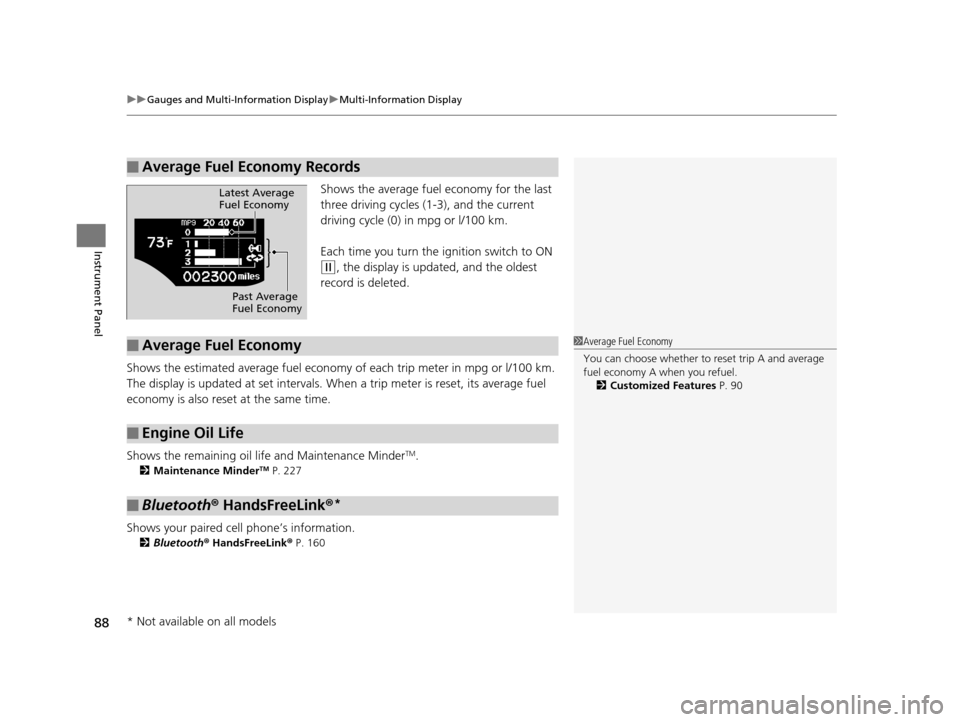
Shows the average fuel economy for the last
three driving cycles (1-3), and the current
driving cycle (0) in mpg or l/100 km.
Each time you turn the ig nition switch to ON
(w, the display is updated, and the oldest
record is deleted.
Shows the estimated average fuel economy of each trip meter in mpg or l/100 km.
The display is updated at set intervals. Wh en a trip meter is reset, its average fuel
economy is also reset at the same time.
Shows the remaining oil life and Maintenance Minder
TM.
2 Maintenance MinderTM P. 227
Shows your paired cell phone’s information.
2Bluetooth ® HandsFreeLink ® P. 160
■Average Fuel Economy Records
Latest Average
Fuel Economy
Past Average
Fuel Economy
■Average Fuel Economy
■Engine Oil Life
■Bluetooth® HandsFreeLink ®*
1Average Fuel Economy
You can choose whether to reset trip A and average
fuel economy A when you refuel.
2 Customized Features P. 90
* Not available on all models
15 CR-Z-31SZT6400.book 88 ページ 2014年8月1日 金曜日 午後1時59分
Page 90 of 329
Continued89
uuGauges and Multi-Information Display uMulti-Information Display
Instrument Panel
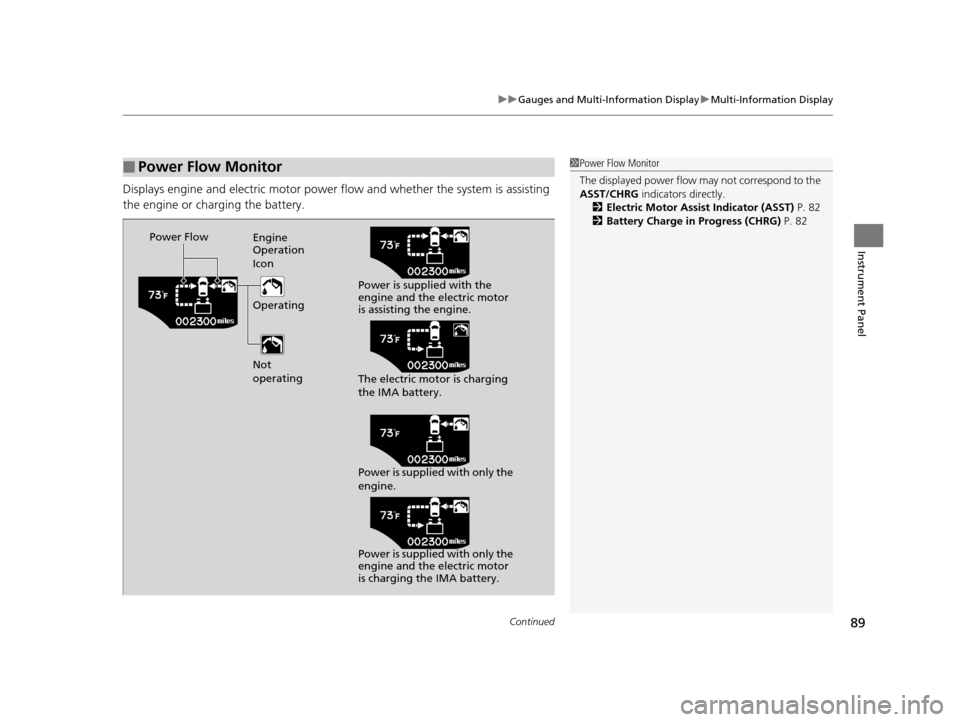
Displays engine and electric motor power flow and whether the system is assisting
the engine or charging the battery.
■Power Flow Monitor1Power Flow Monitor
The displayed power flow may not correspond to the
ASST/CHRG indicators directly.
2 Electric Motor Assist Indicator (ASST) P. 82
2 Battery Charge in Progress (CHRG) P. 82
Power Flow
Engine
Operation
Icon
Operating
Not
operating Power is supplied with the
engine and the electric motor
is assisting the engine.
The electric motor is charging
the IMA battery.
Power is supplied with only the
engine.
Power is supplied with only the
engine and the electric motor
is charging the IMA battery.
15 CR-Z-31SZT6400.book 89 ページ 2014年8月1日 金曜日 午後1時59分
Page 100 of 329
99
Controls
Locking and Unlocking the Doors
Key Types and Functions
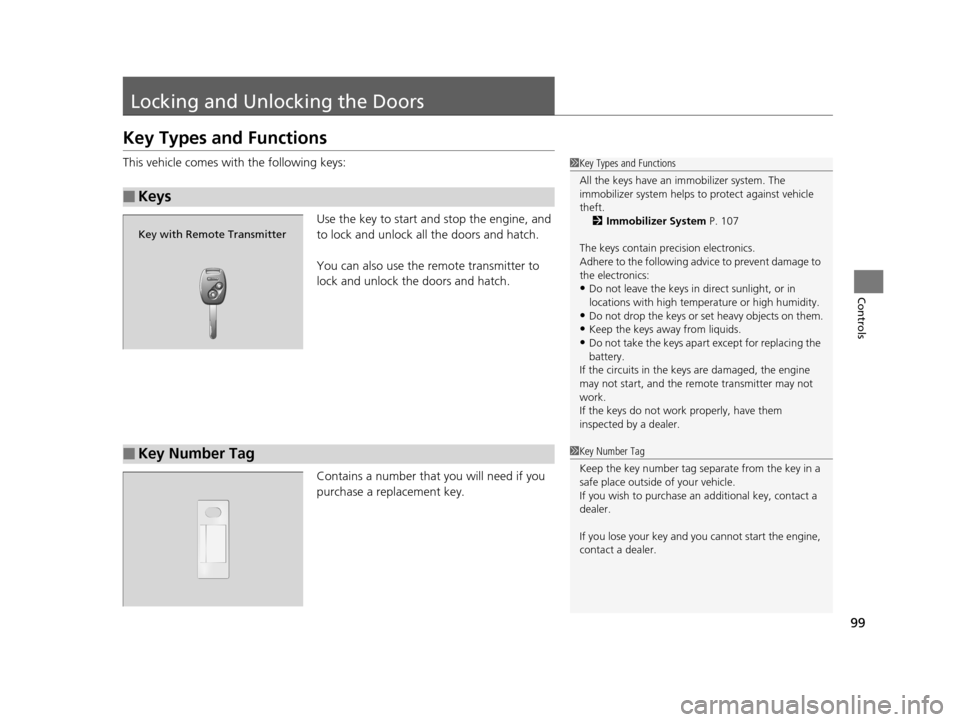
This vehicle comes with the following keys:
Use the key to start and stop the engine, and
to lock and unlock all the doors and hatch.
You can also use the remote transmitter to
lock and unlock the doors and hatch.
Contains a number that you will need if you
purchase a replacement key.
■Keys
1 Key Types and Functions
All the keys have an immobilizer system. The
immobilizer system helps to protect against vehicle
theft. 2 Immobilizer System P. 107
The keys contain precision electronics.
Adhere to the following advi ce to prevent damage to
the electronics:
•Do not leave the keys in direct sunlight, or in
locations with high temperature or high humidity.
•Do not drop the keys or set heavy objects on them.
•Keep the keys away from liquids.
•Do not take the keys apart except for replacing the
battery.
If the circuits in the keys are damaged, the engine
may not start, and the remote transmitter may not
work.
If the keys do not work properly, have them
inspected by a dealer.
Key with Remote Transmitter
■Key Number Tag1 Key Number Tag
Keep the key number tag separate from the key in a
safe place outside of your vehicle.
If you wish to purchase an additional key, contact a
dealer.
If you lose your key and you cannot start the engine,
contact a dealer.
15 CR-Z-31SZT6400.book 99 ページ 2014年8月1日 金曜日 午後1時59分
Page 106 of 329
105
Controls
Opening and Closing the Hatch
Precautions for Opening/Closing the Hatch
Always make sure individuals and objects are clear of the hatch before opening or
closing it.
■Opening the hatch
• Open the hatch all the way.
u If it is not fully opened, the hatch may come down accidentally by its own
weight.
• Be careful when it is windy. The wind may cause the hatch to close.
■Closing the hatch
Keep the hatch closed while driving to: u Avoid possible damage.
u Prevent exhaust gas from leaking into the vehicle.
2 Carbon Monoxide Gas P. 62
1Precautions for Opening/Closing the Hatch
Be careful not to hit your head on the hatch or to put
your hands between the ha tch and the cargo area
when closing the hatch.
When you are storing or pi cking up luggage from the
cargo area while the engine is idling, do not stand in
front of the exhaust pipe. You may get burned.
Do not allow any passenger in the cargo space.
They may get hurt during ha rd braking, a sudden
acceleration, or a crash.
15 CR-Z-31SZT6400.book 105 ページ 2014年8月1日 金曜日 午後1時59分
Page 108 of 329
107Continued
Controls
Security System
Immobilizer System
The immobilizer system prevents a key that has not been pre-registered from
starting the engine. Each key contains electronic transmitters that use electronic
signals to verify the key.
Pay attention to the following when inse rting the key into the ignition switch:
• Do not allow objects that emit strong radio waves near the ignition switch.
• Make sure the key is not covered by or touching a metal object.
• Do not bring a key from another vehicle's immobilizer system near the ignition
switch.
Security System Alarm
The security system alarm activates when the doors, hatch, or hood are opened
without the key, or remote transmitter.
■When the security system alarm activates
The horn sounds intermittently, an d all of the exterior lights flash.
■To deactivate the security system alarm
Unlock the vehicle using the key or remote tr ansmitter or turn the ignition switch to
ON
(w. The system, along with the horn and flashing lights, is deactivated.
1 Immobilizer System
NOTICE
Leaving the ignition key in the vehicle can result in
theft or accidental move ment of the vehicle.
Always take the ignition key with you whenever you
leave the vehicle unattended.
Do not alter the system or add other devices to it.
Doing so may damage the system and make your
vehicle inoperable.
1 Security System Alarm
The security alarm continues for a maximum of two
minutes until the security system alarm deactivates.
15 CR-Z-31SZT6400.book 107 ページ 2014年8月1日 金曜日 午後1時59分
Page 112 of 329
111
Controls
Operating the Switches Around the Steering Wheel
Ignition Switch
1Ignition Switch
You cannot take the key out unless the shift lever is
in
( P.
If you open the driver's door when the key is in LOCK
(0 or ACCESSORY (q, a warning buzzer will sound
to remind you to take the key out.
When this happens, the fo llowing messages appear
on the multi-information display:
•In LOCK ( 0: REMOVE KEY
•In ACCESSORY (q: RETURN IGNITION SWITCH
TO LOCK (0) POSITION
The buzzer will stop when you take the key out.
If the key won't turn from LOCK
( 0 to ACCESSORY
(q, turn the key while moving the steering wheel left
and right. The steering wh eel will unlock, allowing
the key to turn.
3WARNING
Removing the key from the ignition switch
while driving locks the steering. This can
cause you to lose control of the vehicle.
Remove the key from the ignition switch
only when parked.
Manual transmission models
Continuously variable transmission models
All models
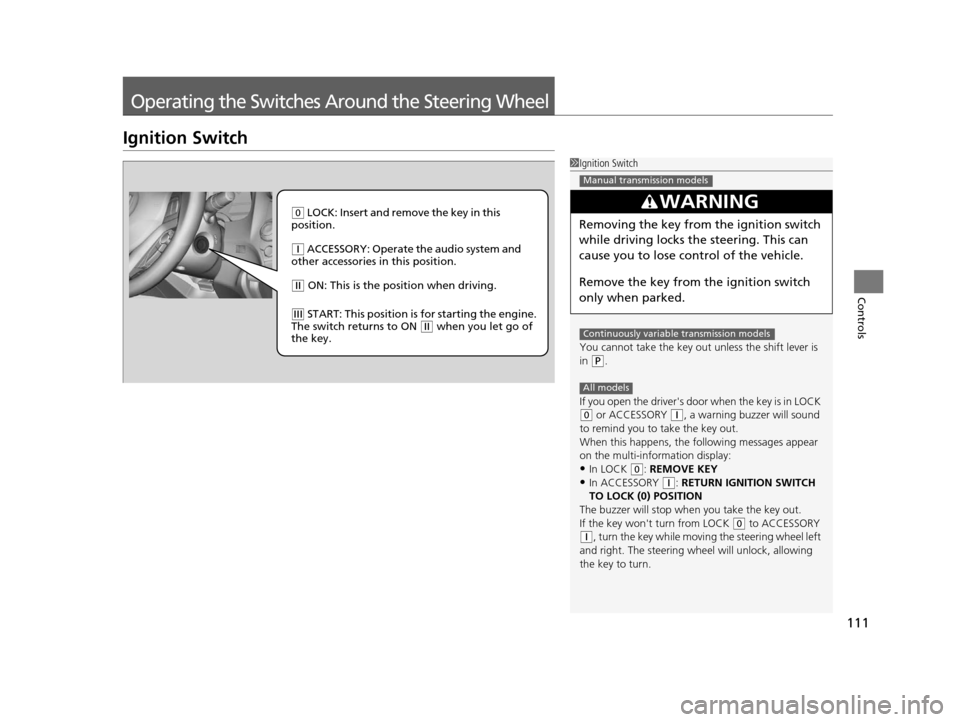
( 0 LOCK: Insert and remove the key in this
position.
( q ACCESSORY: Operate the audio system and
other accessories in this position.
( w ON: This is the position when driving.
(e START: This position is for starting the engine.
The switch returns to ON ( w when you let go of
the key.
15 CR-Z-31SZT6400.book 111 ページ 2014年8月1日 金曜日 午後1時59分
Page 113 of 329
112
uuOperating the Switches Around the Steering Wheel uTurn Signals
Controls
Turn Signals
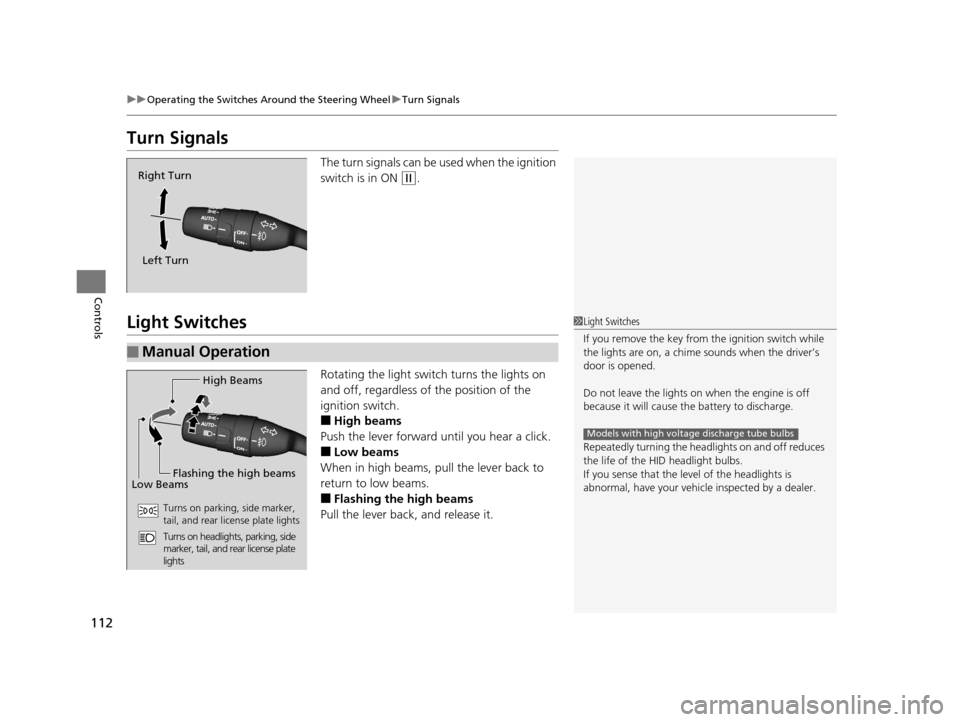
The turn signals can be used when the ignition
switch is in ON
(w.
Light Switches
Rotating the light switch turns the lights on
and off, regardless of the position of the
ignition switch.
■High beams
Push the lever forward until you hear a click.
■Low beams
When in high beams, pull the lever back to
return to low beams.
■Flashing the high beams
Pull the lever back, and release it.
Right Turn
Left Turn
■Manual Operation
1 Light Switches
If you remove the key from the ignition switch while
the lights are on, a chime sounds when the driver’s
door is opened.
Do not leave the lights on when the engine is off
because it will cause the battery to discharge.
Repeatedly turning the headlights on and off reduces
the life of the HI D headlight bulbs.
If you sense that the le vel of the headlights is
abnormal, have your vehicle inspected by a dealer.
Models with high voltage discharge tube bulbs
High Beams
Flashing the high beams
Low Beams
Turns on parking, side marker,
tail, and rear license plate lights
Turns on headlights, parking, side
marker, tail, and rear license plate
lights
15 CR-Z-31SZT6400.book 112 ページ 2014年8月1日 金曜日 午後1時59分
Page 119 of 329
118
uuOperating the Switches Around the Steering Wheel uRear Defogger/Heated Door Mirror* Button
Controls
Rear Defogger/Heated Door Mirror* Button
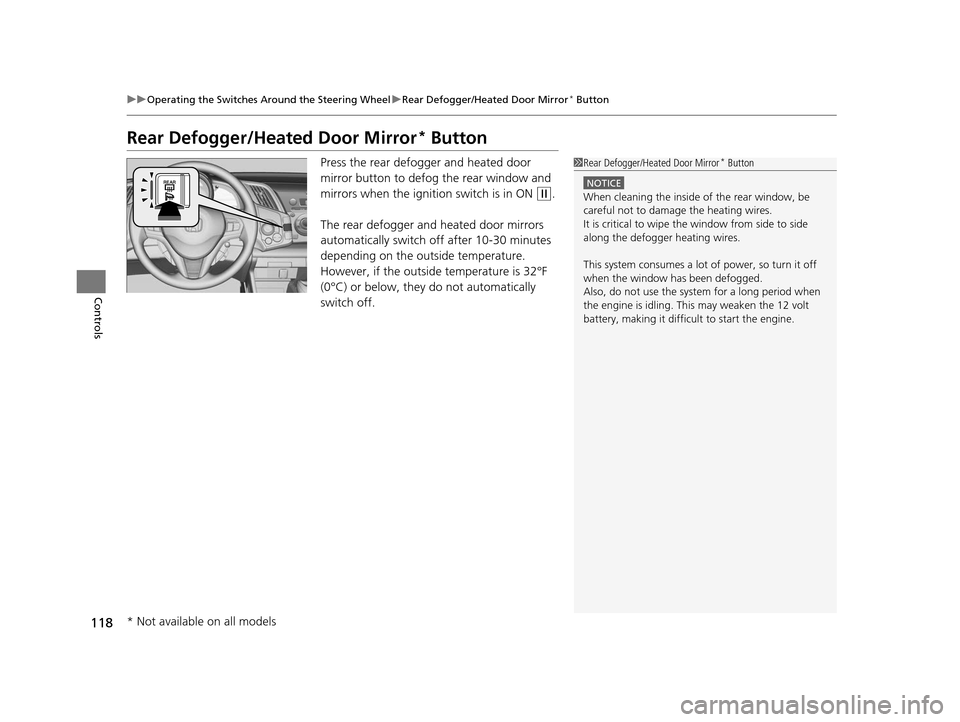
Press the rear defogger and heated door
mirror button to defog the rear window and
mirrors when the ignition switch is in ON
(w.
The rear defogger and heated door mirrors
automatically switch off after 10-30 minutes
depending on the outside temperature.
However, if the outside temperature is 32°F
(0°C) or below, they do not automatically
switch off.
1 Rear Defogger/Heated Door Mirror* Button
NOTICE
When cleaning the inside of the rear window, be
careful not to damage the heating wires.
It is critical to wipe the window from side to side
along the defogger heating wires.
This system consumes a lot of power, so turn it off
when the window has been defogged.
Also, do not use the system for a long period when
the engine is idling. This may weaken the 12 volt
battery, making it difficult to start the engine.
* Not available on all models
15 CR-Z-31SZT6400.book 118 ページ 2014年8月1日 金曜日 午後1時59分
Page 126 of 329
Continued125
uuAdjusting the Seats uAdjusting the Seat Positions
Controls
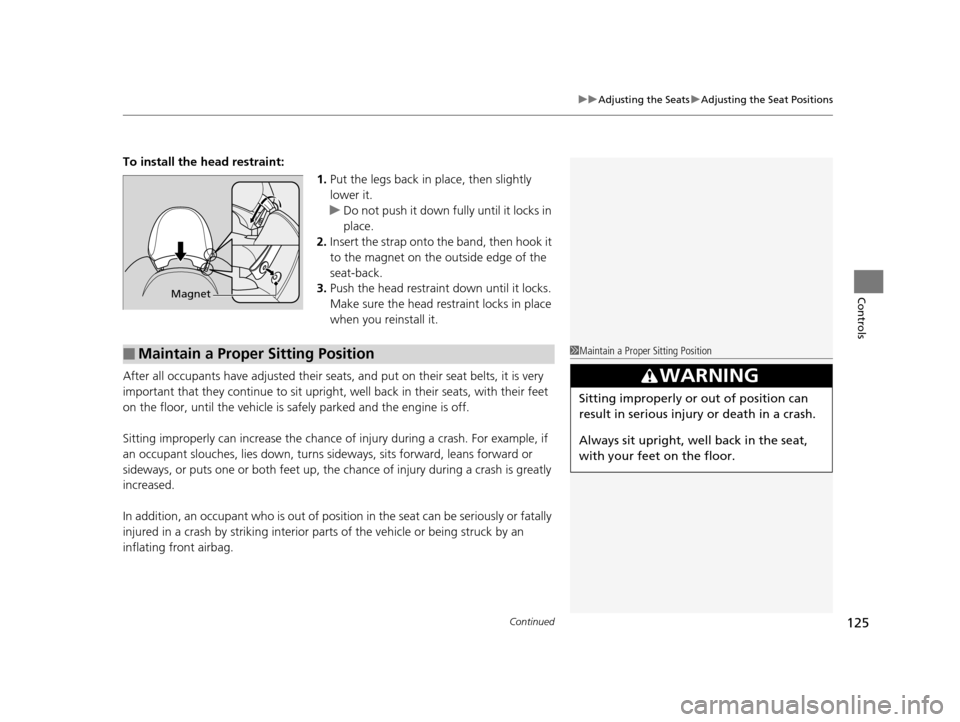
To install the head restraint:
1.Put the legs back in place, then slightly
lower it.
u Do not push it down fully until it locks in
place.
2. Insert the strap onto the band, then hook it
to the magnet on the outside edge of the
seat-back.
3. Push the head restraint down until it locks.
Make sure the head restraint locks in place
when you reinstall it.
After all occupants have adjusted their seats, and put on their seat belts, it is very
important that they continue to sit upright, well back in their seats, with their feet
on the floor, until the vehicle is safely parked and the engine is off.
Sitting improperly can increase the chance of injury during a crash. For example, if
an occupant slouches, lies down, turns si deways, sits forward, leans forward or
sideways, or puts one or both feet up, the chance of injury during a crash is greatly
increased.
In addition, an occupant who is out of position in the seat can be seriously or fatally
injured in a crash by striking interior parts of the vehicle or being struck by an
inflating front airbag.
Magnet
■Maintain a Proper Sitting Position1 Maintain a Proper Sitting Position
3WARNING
Sitting improperly or out of position can
result in serious injury or death in a crash.
Always sit upright, well back in the seat,
with your feet on the floor.
15 CR-Z-31SZT6400.book 125 ページ 2014年8月1日 金曜日 午後1時59分