window HONDA CR-Z 2016 1.G User Guide
[x] Cancel search | Manufacturer: HONDA, Model Year: 2016, Model line: CR-Z, Model: HONDA CR-Z 2016 1.GPages: 409, PDF Size: 19.68 MB
Page 84 of 409
83
uuIndicators uMulti-Information Display Warning and Information Messages
Continued
Instrument Panel
Multi-Information Display Warn ing and Information Messages
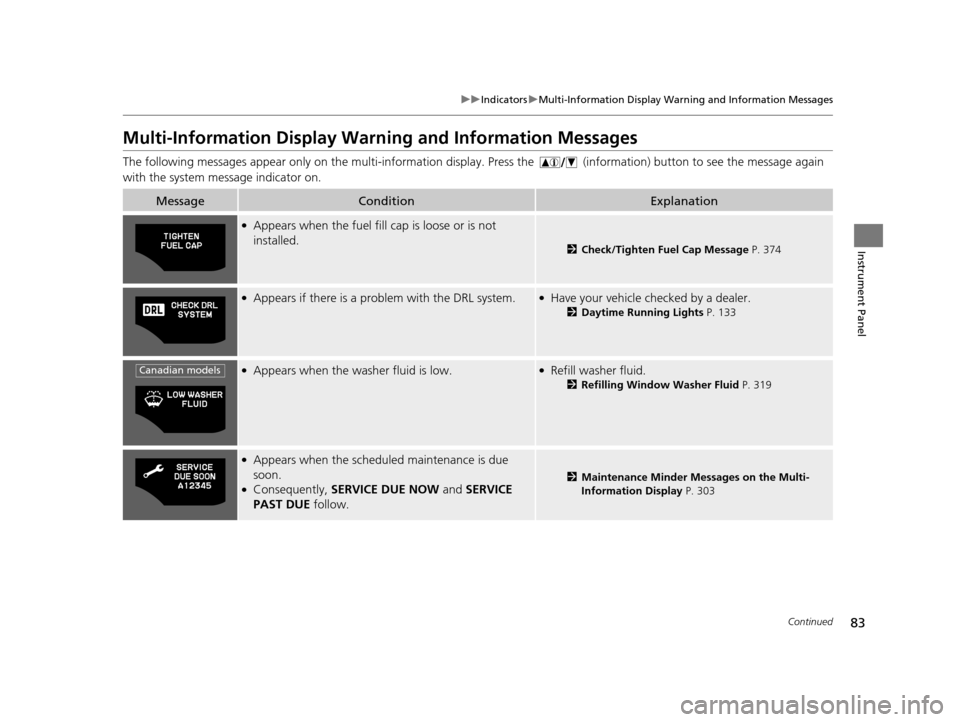
The following messages appear only on th e multi-information display. Press the (i nformation) button to see the message again
with the system message indicator on.
MessageConditionExplanation
●Appears when the fuel fill cap is loose or is not
installed.
2 Check/Tighten Fuel Cap Message P. 374
●Appears if there is a problem with the DRL system.●Have your vehicle checked by a dealer.
2Daytime Running Lights P. 133
●Appears when the washer fluid is low.●Refill washer fluid.
2Refilling Window Washer Fluid P. 319
●Appears when the scheduled maintenance is due
soon.
●Consequently, SERVICE DUE NOW and SERVICE
PAST DUE follow.2Maintenance Minder Messages on the Multi-
Information Display P. 303
Canadian models
16 CR-Z-31SZT6500.book 83 ページ 2015年9月11日 金曜日 午前11時47分
Page 108 of 409
107
Controls
This chapter explains how to operate the various controls necessary for driving.
Clock.................................................. 108
Locking and Unlocking the Doors
Key Types and Functions .................. 109
Locking/Unlocking the Doors from the Outside .......................................... 112
Locking/Unlocking the Doors from the Inside ............................................. 116
Auto Door Locking/Unlocking .......... 118
Opening and Closing the Hatch....... 119
Security System Immobilizer System .......................... 122
Security System Alarm ...................... 122
Opening and Closing the Windows ..... 124
Operating the Switches Around the
Steering Wheel
ENGINE START/STOP Button............. 126
Turn Signals ..................................... 129
Light Switches.................................. 129
Fog Lights
*...................................... 133
Daytime Running Lights ................... 133
Wipers and Washers ........................ 134
Brightness Control ........................... 136
Rear Defogger/Heat ed Door Mirror
*
Button ........................................... 137
Adjusting the Steering Wheel........... 138 Adjusting the Mirrors
Interior Rearview Mirror ................... 139
Power Door Mirrors ......................... 140
Adjusting the Seats Adjusting the Seat Positions ............. 141
Interior Lights/Interior Convenience ItemsInterior Lights .................................. 146
Interior Convenience Items .............. 147
Climate Control System Using Automatic Climate Control .... 155
Automatic Climate Control Sensors ...... 157
* Not available on all models
16 CR-Z-31SZT6500.book 107 ページ 2015年9月11日 金曜日 午前11時47分
Page 124 of 409
123
uuSecurity System uSecurity System Alarm
Controls
■Setting the security system alarm
The security system alarm automatically sets when the following conditions have
been met:
• The power mode is set to VEHICLE OFF (LOCK).
• The hood is closed.
• Both doors and the hatch are locked with the key or the remote transmitter, or
smart entry system.
■When the security system alarm sets
The security system alarm indicator in the instrument panel blinks. When the
blinking interval changes after about 15 se conds, the security system alarm is set.
■To cancel the security system alarm
The security system alarm is canceled when the vehicle is unlocked using the key or
remote transmitter, or the power mode is set to ON. The security system alarm
indicator goes off at the same time or the power mode is set to ON.
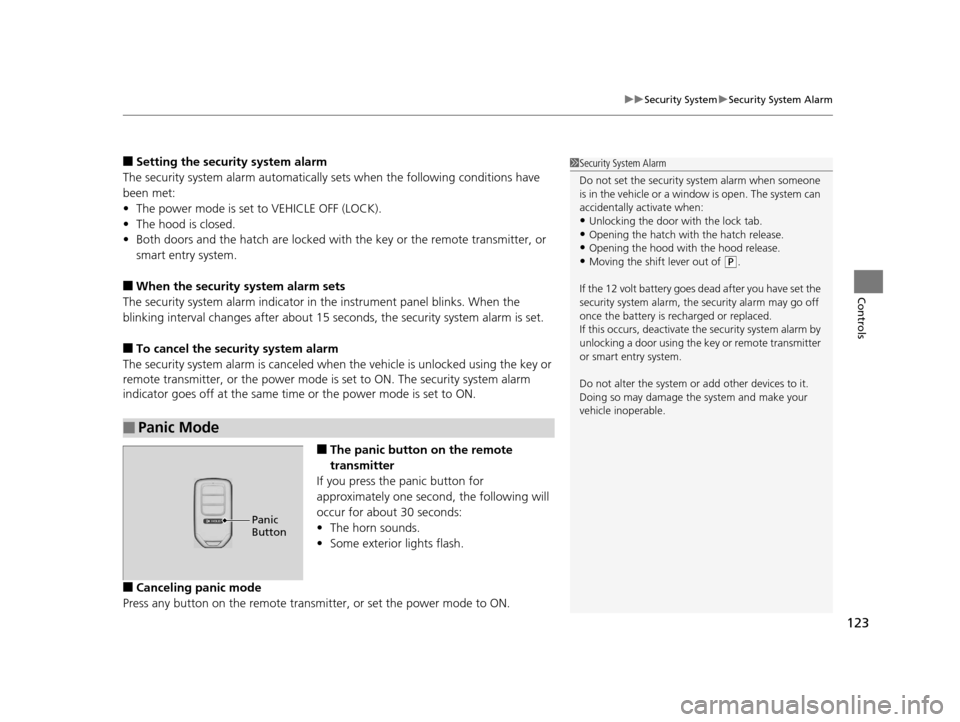
■The panic button on the remote
transmitter
If you press the panic button for
approximately one second, the following will
occur for about 30 seconds:
• The horn sounds.
• Some exterior lights flash.
■Canceling panic mode
Press any button on the remote transmi tter, or set the power mode to ON.
■Panic Mode
1Security System Alarm
Do not set the security system alarm when someone
is in the vehicle or a window is open. The system can
accidentally activate when:
•Unlocking the door with the lock tab.•Opening the hatch with the hatch release.
•Opening the hood with the hood release.
•Moving the shift lever out of ( P.
If the 12 volt battery goes dead after you have set the
security system alarm, the security alarm may go off
once the battery is re charged or replaced.
If this occurs, deactivate the security system alarm by
unlocking a door using the ke y or remote transmitter
or smart entry system.
Do not alter the system or add other devices to it.
Doing so may damage the system and make your
vehicle inoperable.
Panic
Button
16 CR-Z-31SZT6500.book 123 ページ 2015年9月11日 金曜日 午前11時47分
Page 125 of 409
124
Controls
Opening and Closing the Windows
Opening/Closing the Power Windows
The power windows can be opened and closed when the power mode is in ON,
using the switches on the doors. The driver's side switches can be used to open and
close all the windows.
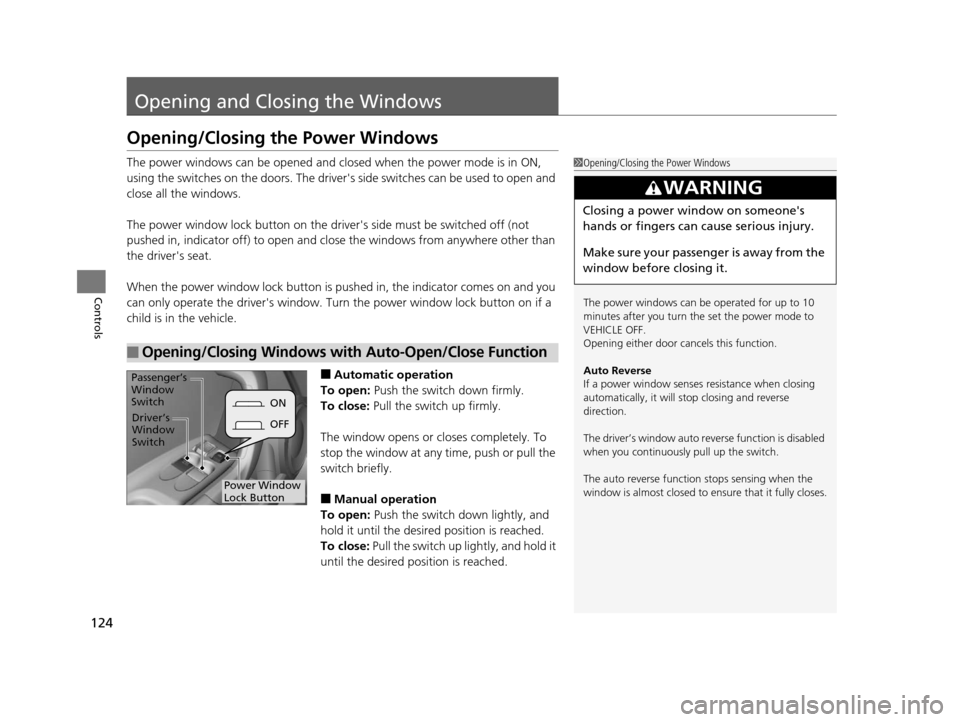
The power window lock button on the driver's side must be switched off (not
pushed in, indicator off) to open and close the windows from anywhere other than
the driver's seat.
When the power window lock button is pu shed in, the indicator comes on and you
can only operate the driver's window. Turn the power window lock button on if a
child is in the vehicle.
■Automatic operation
To open: Push the switch down firmly.
To close: Pull the switch up firmly.
The window opens or cl oses completely. To
stop the window at any time, push or pull the
switch briefly.
■Manual operation
To open: Push the switch down lightly, and
hold it until the desired position is reached.
To close: Pull the switch up lightly, and hold it
until the desired position is reached.
■Opening/Closing Windows with Auto-Open/Close Function
1 Opening/Closing the Power Windows
The power windows can be operated for up to 10
minutes after you turn the set the power mode to
VEHICLE OFF.
Opening either door cancels this function.
Auto Reverse
If a power window senses resistance when closing
automatically, it will stop closing and reverse
direction.
The driver’s window auto re verse function is disabled
when you continuously pull up the switch.
The auto reverse function stops sensing when the
window is almost closed to en sure that it fully closes.
3WARNING
Closing a power window on someone's
hands or fingers can cause serious injury.
Make sure your passenger is away from the
window before closing it.
ON
OFF
Power Window
Lock Button
Driver’s
Window
Switch
Passenger’s
Window
Switch
16 CR-Z-31SZT6500.book 124 ページ 2015年9月11日 金曜日 午前11時47分
Page 126 of 409
125
uuOpening and Closing the Windows uOpening/Closing the Power Windows
Controls
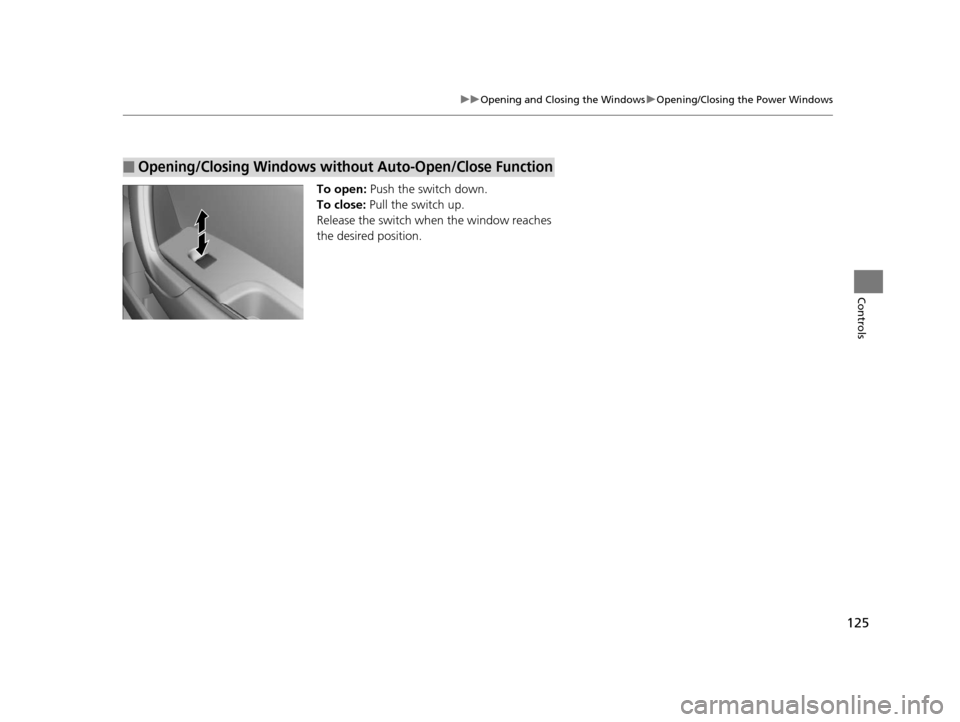
To open: Push the switch down.
To close: Pull the switch up.
Release the switch when the window reaches
the desired position.
■Opening/Closing Windows without Auto-Open/Close Function
16 CR-Z-31SZT6500.book 125 ページ 2015年9月11日 金曜日 午前11時47分
Page 127 of 409
126
Controls
Operating the Switches Around the Steering Wheel
ENGINE START/STOP Button
*1:Except U.S. models with continuously Variable Transmission
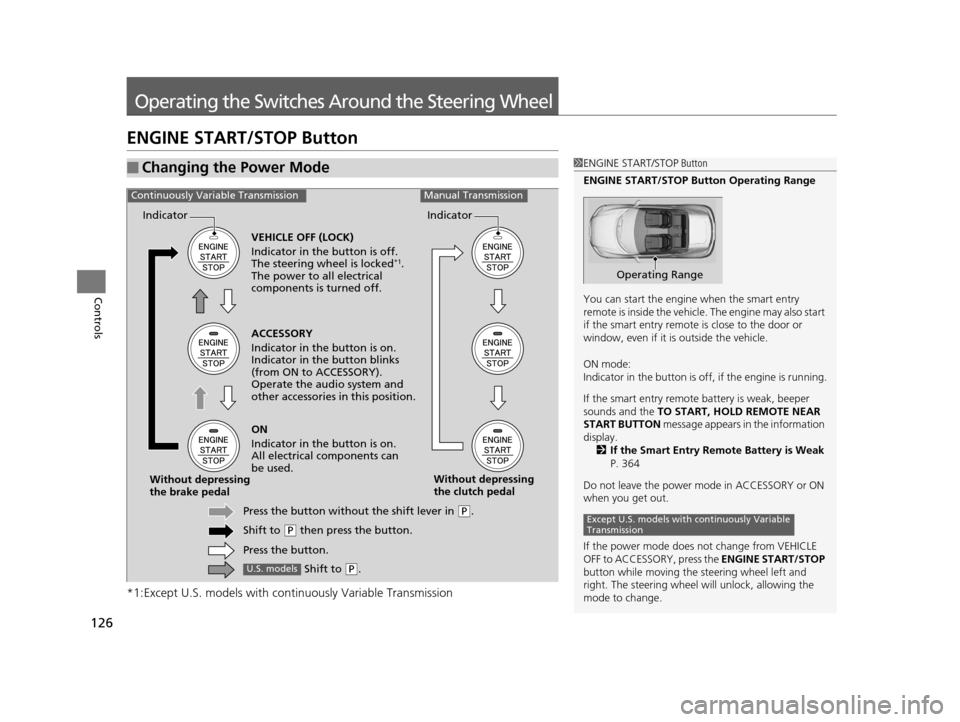
■Changing the Power Mode1ENGINE START/STOP Button
ENGINE START/STOP Button Operating Range
You can start the engine when the smart entry
remote is inside the vehicle. The engine may also start
if the smart entry remote is close to the door or
window, even if it is outside the vehicle.
ON mode:
Indicator in the button is of f, if the engine is running.
If the smart entry remote battery is weak, beeper
sounds and the TO START, HOLD REMOTE NEAR
START BUTTON message appears in the information
display.
2 If the Smart Entry Remote Battery is Weak
P. 364
Do not leave the power mode in ACCESSORY or ON
when you get out.
If the power mode does not change from VEHICLE
OFF to ACCESSORY, press the ENGINE START/STOP
button while moving the st eering wheel left and
right. The steering wheel will unlock, allowing the
mode to change.
Operating Range
Except U.S. models with continuously Variable
Transmission
ACCESSORY
Indicator in the button is on.
Indicator in th e button blinks
(from ON to ACCESSORY).
Operate the audio system and
other accessories in this position.
Continuously Variable TransmissionManual Transmission
VEHICLE OFF (LOCK)
Indicator in the button is off.
The steering wheel is locked
*1.
The power to all electrical
components is turned off.
ON
Indicator in the button is on.
All electrical components can
be used.
Press the button withou t the shift lever in
(P.
Shift to
( P then press the button.
Press the button.
Without depressing
the brake pedal
Without depressing
the clutch pedal
Indicator Indicator
Shift to (
P.U.S. models
16 CR-Z-31SZT6500.book 126 ページ 2015年9月11日 金曜日 午前11時47分
Page 129 of 409
uuOperating the Switches Around the Steering Wheel uENGINE START/STOP Button
128
Controls
If you open the driver’s doo r when the power mode is set to ACCESSORY, a warning
buzzer sounds.
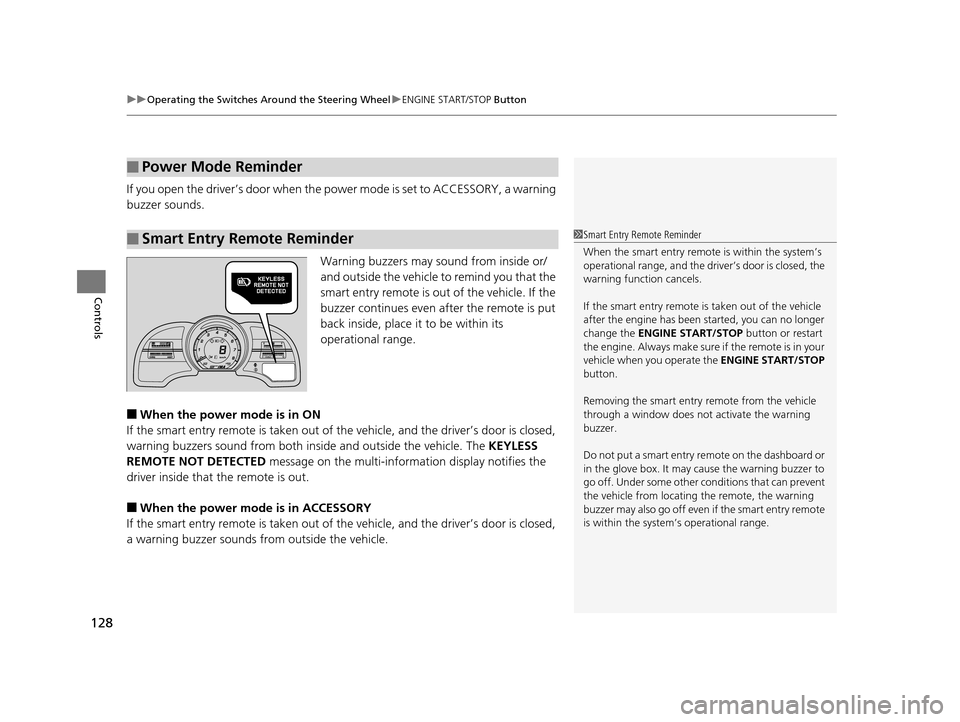
Warning buzzers may sound from inside or/
and outside the vehicle to remind you that the
smart entry remote is out of the vehicle. If the
buzzer continues even after the remote is put
back inside, place it to be within its
operational range.
■When the power mode is in ON
If the smart entry remote is taken out of th e vehicle, and the driver’s door is closed,
warning buzzers sound from both insi de and outside the vehicle. The KEYLESS
REMOTE NOT DETECTED message on the multi-information display notifies the
driver inside that the remote is out.
■When the power mode is in ACCESSORY
If the smart entry remote is taken out of th e vehicle, and the driver’s door is closed,
a warning buzzer sounds from outside the vehicle.
■Power Mode Reminder
■Smart Entry Remote Reminder1Smart Entry Remote Reminder
When the smart entry remote is within the system’s
operational range, and the driv er’s door is closed, the
warning function cancels.
If the smart entry remote is taken out of the vehicle
after the engine has been started, you can no longer
change the ENGINE START/STOP button or restart
the engin e. Always make sure if the remote is in your
vehicle when you operate the ENGINE START/STOP
button.
Removing the smart entry remote from the vehicle
through a window does not activate the warning
buzzer.
Do not put a smart entry re mote on the dashboard or
in the glove box. It may cause the warning buzzer to
go off. Under some other c onditions that can prevent
the vehicle from locating the remote, the warning
buzzer may also go off even if the smart entry remote
is within the system’s operational range.
16 CR-Z-31SZT6500.book 128 ページ 2015年9月11日 金曜日 午前11時47分
Page 138 of 409
137
uuOperating the Switches Around the Steering Wheel uRear Defogger/Heated Door Mirror * Button
Controls
Rear Defogger/Heated Door Mirror * Button
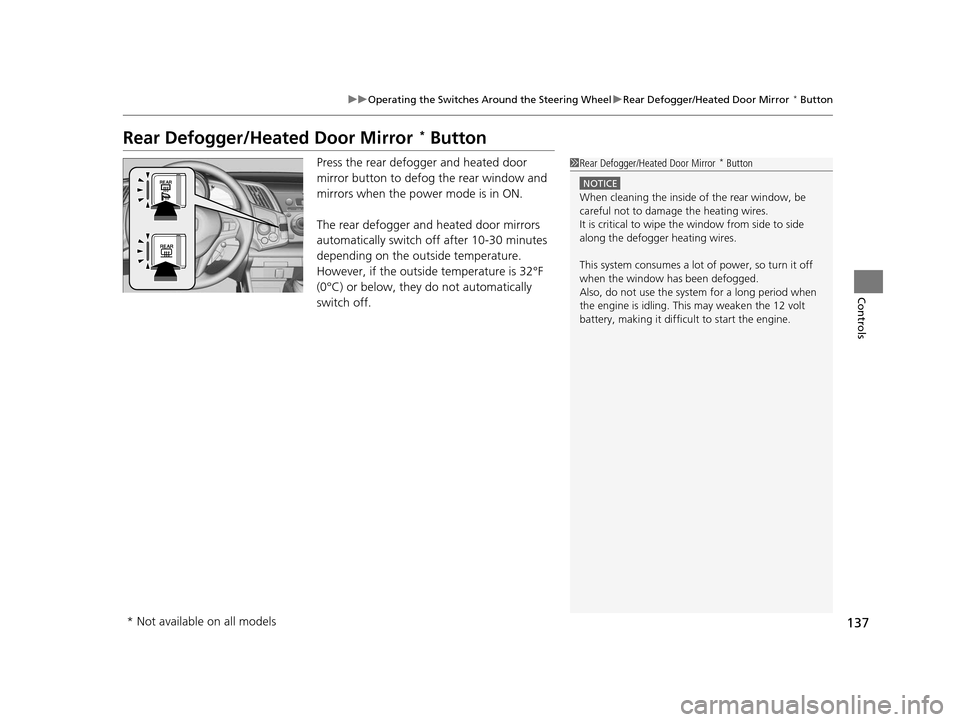
Press the rear defogger and heated door
mirror button to defog the rear window and
mirrors when the power mode is in ON.
The rear defogger and heated door mirrors
automatically switch of f after 10-30 minutes
depending on the outside temperature.
However, if the outside temperature is 32°F
(0°C) or below, they do not automatically
switch off.1 Rear Defogger/Heated Door Mirror * Button
NOTICE
When cleaning the inside of the rear window, be
careful not to damage the heating wires.
It is critical to wipe the window from side to side
along the defogger heating wires.
This system consumes a lot of power, so turn it off
when the window has been defogged.
Also, do not use the system for a long period when
the engine is idling. This may weaken the 12 volt
battery, making it difficult to start the engine.
* Not available on all models
16 CR-Z-31SZT6500.book 137 ページ 2015年9月11日 金曜日 午前11時47分
Page 156 of 409
155Continued
Controls
Climate Control System
Using Automatic Climate Control
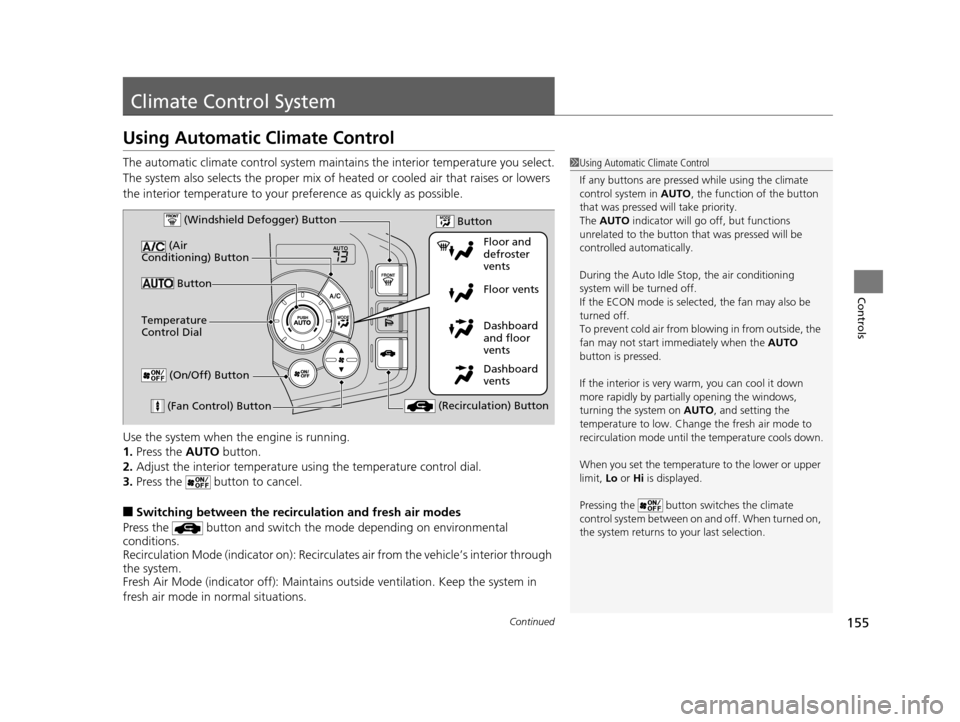
The automatic climate control system maintains the interior temperature you select.
The system also selects the proper mix of heat ed or cooled air that raises or lowers
the interior temperature to your pr eference as quickly as possible.
Use the system when the engine is running.
1. Press the AUTO button.
2. Adjust the interior temperature us ing the temperature control dial.
3. Press the button to cancel.
■Switching between the recirc ulation and fresh air modes
Press the button and switch the mode depending on environmental
conditions.
Recirculation Mode (indicator on): Recirculates air from the vehicle’s interior through
the system.
Fresh Air Mode (indicator off): Maintains outside ventilation. Keep the system in
fresh air mode in normal situations.
1 Using Automatic Climate Control
If any buttons are presse d while using the climate
control system in AUTO, the function of the button
that was pressed will take priority.
The AUTO indicator will go off, but functions
unrelated to the button th at was pressed will be
controlled automatically.
During the Auto Idle Stop, the air conditioning
system will be turned off.
If the ECON mode is selected, the fan may also be
turned off.
To prevent cold air from bl owing in from outside, the
fan may not start i mmediately when the AUTO
button is pressed.
If the interior is very warm, you can cool it down
more rapidly by partial ly opening the windows,
turning the system on AUTO, and setting the
temperature to low. Change the fresh air mode to
recirculation mode until the temperature cools down.
When you set the temperature to the lower or upper
limit, Lo or Hi is displayed.
Pressing the button switches the climate
control system between on and off. When turned on,
the system returns to your last selection.
Dashboard
vents Dashboard
and floor
vents Floor vents Floor and
defroster
vents
Button
(Air
Conditioning) Button
(Fan Control) Button (Recirculation) Button
Temperature
Control Dial (Windshield Defogger) Button
(On/Off) Button
Button
16 CR-Z-31SZT6500.book 155 ページ 2015年9月11日 金曜日 午前11時47分
Page 157 of 409
uuClimate Control System uUsing Automatic Climate Control
156
Controls
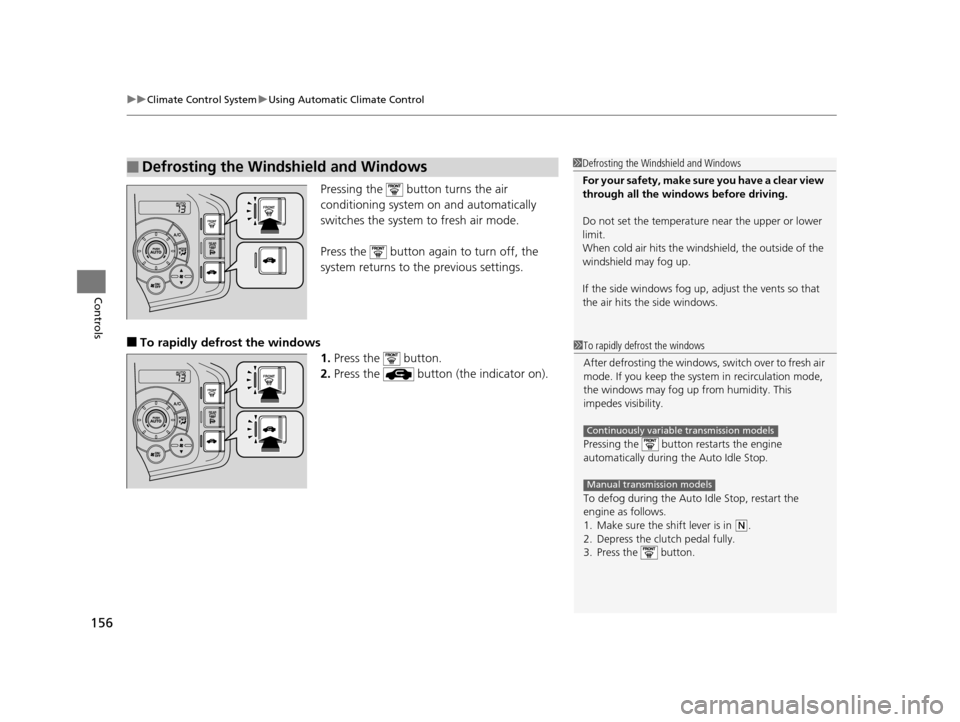
Pressing the button turns the air
conditioning system on and automatically
switches the system to fresh air mode.
Press the button again to turn off, the
system returns to the previous settings.
■To rapidly defrost the windows 1.Press the button.
2. Press the button (the indicator on).
■Defrosting the Windshield and Windows1Defrosting the Windshield and Windows
For your safety, make sure you have a clear view
through all the windows before driving.
Do not set the temperatur e near the upper or lower
limit.
When cold air hits the windshield, the outside of the
windshield may fog up.
If the side windows fog up, adjust the vents so that
the air hits th e side windows.
1To rapidly defrost the windows
After defrosting the windows, switch over to fresh air
mode. If you keep the syst em in recirculation mode,
the windows may fog up from humidity. This
impedes visibility.
Pressing the button re starts the engine
automatically during the Auto Idle Stop.
To defog during the Auto Idle Stop, restart the
engine as follows.
1. Make sure the shift lever is in
( N.
2. Depress the clutch pedal fully.
3. Press the button.
Continuously variable transmission models
Manual transmission models
16 CR-Z-31SZT6500.book 156 ページ 2015年9月11日 金曜日 午前11時47分