battery HONDA CRV 2023 Manual PDF
[x] Cancel search | Manufacturer: HONDA, Model Year: 2023, Model line: CRV, Model: HONDA CRV 2023Pages: 719, PDF Size: 13.43 MB
Page 649 of 719
uuCleaning uExterior Care
648
Maintenance
The inside lenses of exterior lights (headli ghts, brake lights, etc.) may fog temporarily
if you have driven in the rain, or after the vehicle has been run through a car wash.
Dew condensation also may build up inside the lenses when there is a significant
enough difference between the ambient and inside lens temperatures (similar to
vehicle windows fogging up in rainy conditions). These conditions are natural
processes, not structural design problems in the exterior lights.
Lens design characteristics may result in mo isture developing on the light lens frame
surfaces. This also is not a malfunction.
However, if you see large amounts of wa ter accumulation, or large water drops
building up inside the lenses, have your vehicle inspected by a dealer.
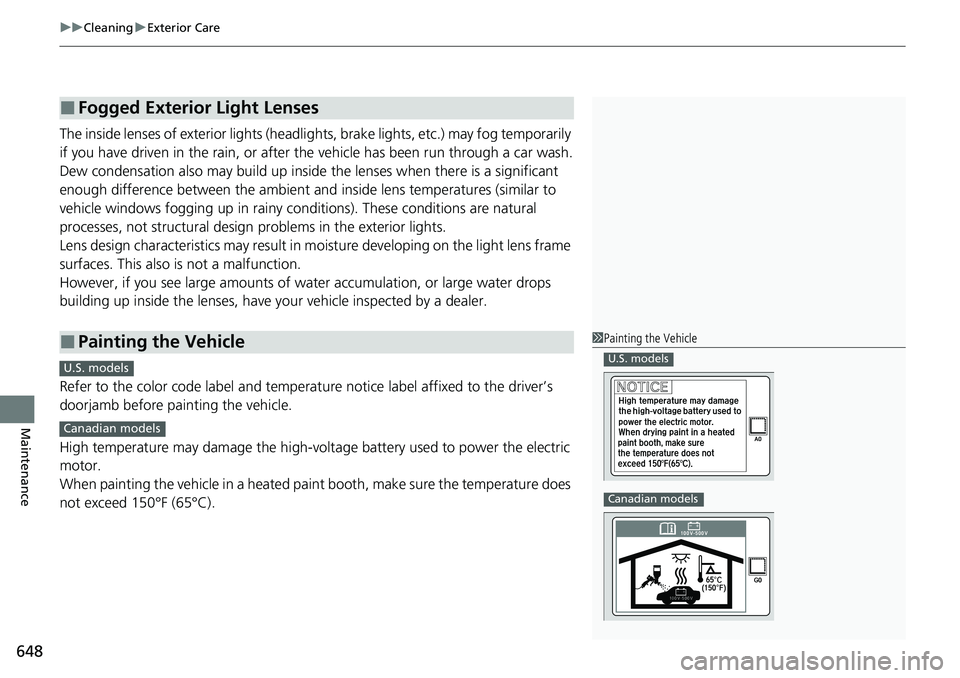
Refer to the color code label and temperat ure notice label affixed to the driver’s
doorjamb before painting the vehicle.
High temperature may damage the high-volt age battery used to power the electric
motor.
When painting the vehicle in a heated paint booth, make sure the temperature does
not exceed 150°F (65°C).
■Fogged Exterior Light Lenses
■Painting the Vehicle1 Painting the Vehicle
U.S. models
Canadian models
C
U.S. models
Canadian models
Page 650 of 719
649
Maintenance
Accessories and Modifications
Accessories
When installing accessories, check the following:
• Do not install accessories on the windsh ield. They can obstruct your view and
delay your reaction to driving conditions.
• Do not install any accessories over areas marked SRS Airbag, on the sides or backs
of the front seats, on the sides of the rear seats, on front or side pillars, or near
the side windows.
Accessories installed in these areas may interfere with proper operation of the
vehicle’s airbags or may be propelled into you or another occupant if the airbags
deploy.
• Be sure electronic accessories do not overload electrical circuits or interfere with
proper operation of your vehicle.
2 Fuses P. 683
•Before installing any electro nic accessory, have the installer contact a dealer for
assistance. If possible, have a deal er inspect the final installation.
1Accessories and Modifications
Honda Genuine accessor ies are recommended to
ensure proper operati on on your vehicle.
3WARNING
Improper accessories or modifications can
affect your vehicle's handling, stability, and
performance, and cause a crash in which
you can be seriously hurt or killed.
Follow all instruction s in this owner's
manual regarding accessories and
modifications.
3WARNING
Use of improperly designed, engineered or
manufactured high-voltage battery
assemblies could cause a fire in your
vehicle.
A vehicle fire could result in a crash or
injury.
Only use a genuine Honda high-voltage
battery assembly, or it s equivalent, in your
vehicle.
Page 651 of 719
650
uuAccessories and Modifications uModifications
Maintenance
Modifications
Do not modify your vehicle in a manner that may affect its handling, stability, or
reliability, or install non-genuine Honda parts or accessories that may have a similar
effect.
Even minor modifications to vehicle system s can affect overall vehicle performance.
Always make sure all equipment is prop erly installed and maintained, and do not
make any modification to your vehicle or its systems that might cause your vehicle
to no longer meet federal, state, province, territory, and local regulations.
The on-board diagnostic port (OBD-II/SAE J1962 connector) installed on this vehicle
is intended to be used with automobile system diagnostic devices or with other
devices that Honda has approved. Use of any other type of device may adversely
affect the vehicle’s electronic systems or allow them to be compromised, possibly
resulting in a system malfunction, draine d battery, or other unexpected problems.
Do not modify or attempt to repair your vehicle’s high-voltage hybrid power system
or otherwise modify vehicle electrical systems. Disassemb ling or modifying electrical
equipment can result in a crash or a fire.
If you ever need to replace your vehicle’s high-voltage battery assembly outside of
warranty coverage, we highly recommend that you only use a genuine Honda high-
voltage battery assembly. Genuine Honda high-voltage battery assemblies are
designed to work with your vehicle’s hybr id power system and have been designed,
engineered and manufactured to avoid overcharging situations. Non-genuine high-
voltage battery assemblies may not have be en similarly designed, engineered and
manufactured, and installation of such assemblies could result in overcharging, fires,
loss of power, or other conditions that may increase the likelihood of a crash or
injury.
Page 652 of 719
651
Handling the Unexpected
This chapter explains how to handle unexpected troubles.
ToolsTypes of Tools .................................. 652
If a Tire Goes Flat
Temporarily Repairi ng a Flat Tire....... 653
Handling of the Jack ......................... 666
Power System Won’t Start Checking the Procedure ................... 667
If the Keyless Remote Battery is Weak ... 668Emergency Power System On ........... 669
Emergency Power System Off........... 670
If the 12-Volt Battery Is Dead .......... 671
Shift Lever Does Not Move .............. 673
Overheating How to Handle Overheating ............. 674 Indicator, Coming On/Blinking
If the Engine oil pressure low Warning Appears ......................................... 676
If the 12-Volt Battery Charging System Indicator Comes On ....................... 677
If the Limited stopping power Warning
Appears ......................................... 677
If the Malfunction Indicator Lamp Comes On or Blinks ................................... 678
If the Brake System Indicator (Red) Comes On or Blinks ................................... 679
If the Brake System Indicator (Red) Comes On
or Blinks at the Same Time When the Brake
System Indicator (Amber) Comes On.... 680
If the Electric Power Steering (EPS) System
Indicator Comes On ....................... 681
If the Low Tire Pressure/TPMS Indicator Comes On or Blinks ....................... 682
Fuses Fuse Locations ................................. 683
Inspecting and Changing Fuses ........ 687
Emergency Towing ........................... 689
If You Cannot Unlock the Fuel Fill Door... 690If You Cannot Open the Tailgate.......... 691Refueling................................................. 692
U.S. models
Page 668 of 719
667
Handling the Unexpected
Power System Won’t Start
Checking the Procedure
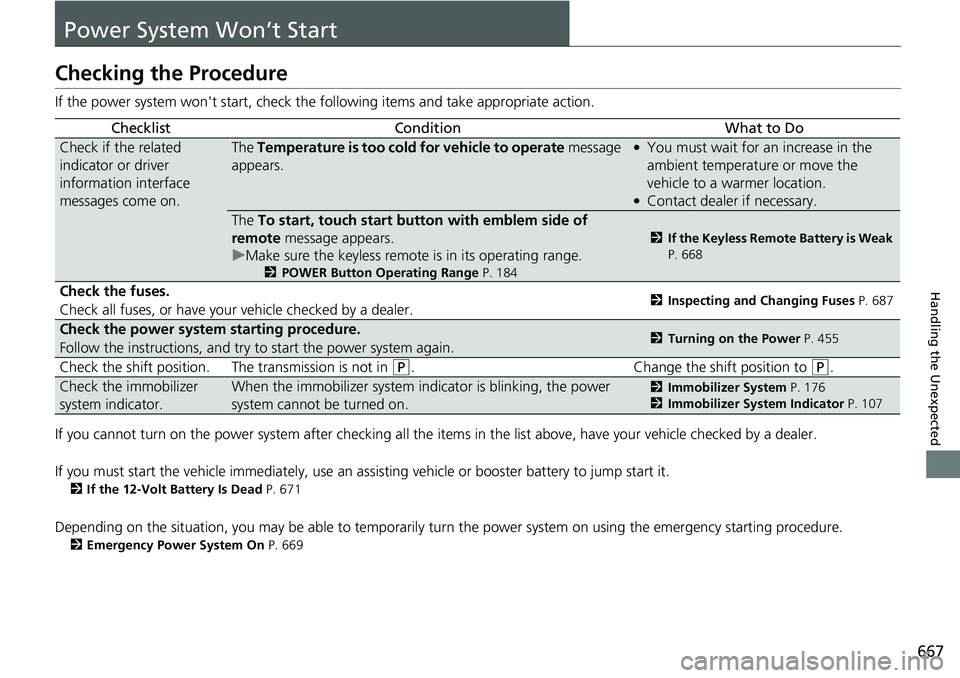
If the power system won't start, check the following items and take appropriate action.
If you cannot turn on the power system after checking all the it ems in the list above, have your vehicle checked by a dealer.
If you must start the vehicle immediately, use an as sisting vehicle or booster battery to jump start it.
2If the 12-Volt Battery Is Dead P. 671
Depending on the situation, you may be able to temporarily turn the power system on using the emergency starting procedure.
2Emergency Power System On P. 669
ChecklistConditionWhat to Do
Check if the related
indicator or driver
information interface
messages come on.The Temperature is too cold for vehicle to operate message
appears.●You must wait for an increase in the
ambient temperature or move the
vehicle to a warmer location.
●Contact dealer if necessary.
The To start, touch start butto n with emblem side of
remote message appears.
u Make sure the keyless remote is in its operating range.
2 POWER Button Operating Range P. 184
2If the Keyless Remote Battery is Weak
P. 668
Check the fuses.
Check all fuses, or have your vehicle checked by a dealer.2Inspecting and Changing Fuses P. 687
Check the power system starting procedure.
Follow the instructions, and try to start the power system again.2Turning on the Power P. 455
Check the shift position. The transmission is not in (P. Change the shift position to (P.
Check the immobilizer
system indicator.When the immobilizer system indicator is blinking, the power
system cannot be turned on.2Immobilizer System P. 176
2 Immobilizer System Indicator P. 107
Page 669 of 719
668
uuPower System Won’t Start uIf the Keyless Remote Battery is Weak
Handling the Unexpected
If the Keyless Remote Battery is Weak
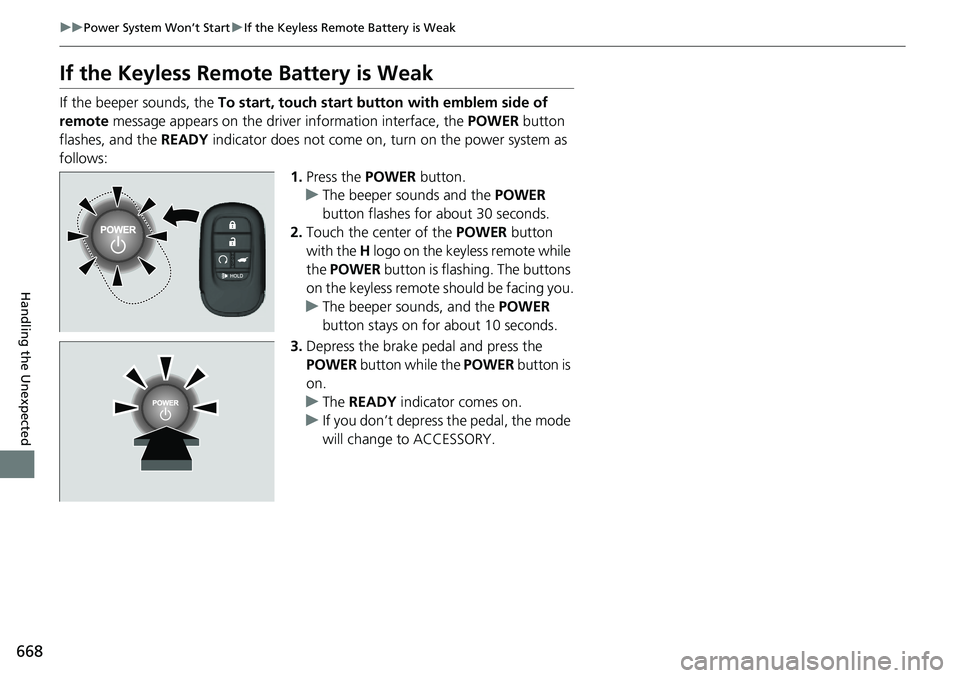
If the beeper sounds, the To start, touch start butto n with emblem side of
remote message appears on the driver information interface, the POWER button
flashes, and the READY indicator does not come on, tu rn on the power system as
follows: 1.Press the POWER button.
u The beeper sounds and the POWER
button flashes for about 30 seconds.
2. Touch the center of the POWER button
with the H logo on the keyless remote while
the POWER button is flashing. The buttons
on the keyless remote should be facing you.
u The beeper sounds, and the POWER
button stays on for about 10 seconds.
3. Depress the brake pedal and press the
POWER button while the POWER button is
on.
u The READY indicator comes on.
u If you don’t depress the pedal, the mode
will change to ACCESSORY.
Page 672 of 719
671Continued
Handling the Unexpected
If the 12-Volt Battery Is Dead
Jump Starting Procedure
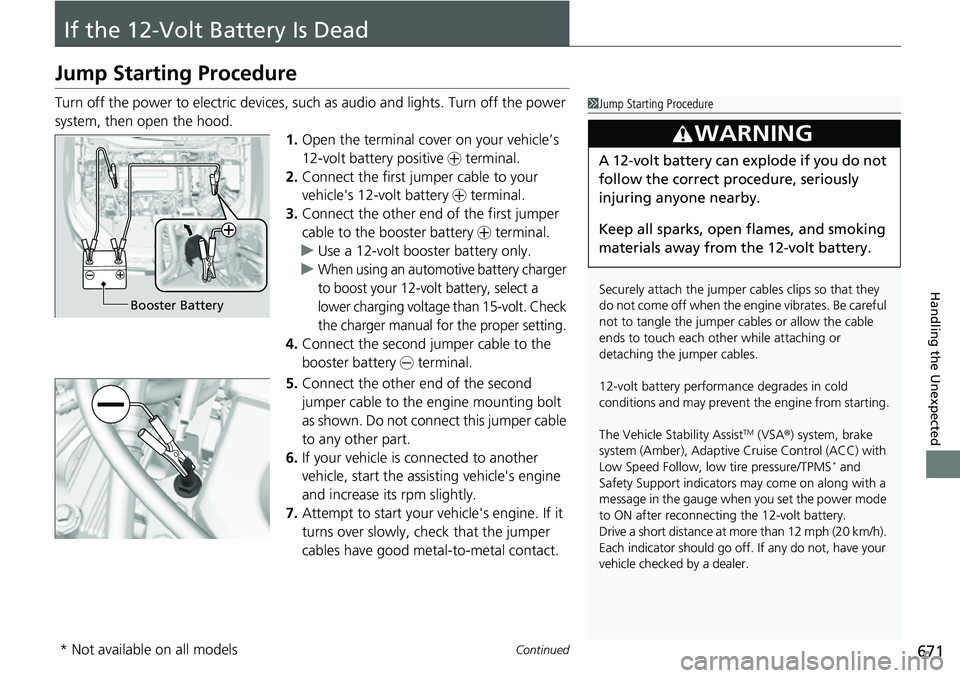
Turn off the power to electric devices, such as audio and lights. Turn off the power
system, then open the hood. 1.Open the terminal cover on your vehicle’s
12-volt battery positive + terminal.
2. Connect the first jumper cable to your
vehicle's 12-volt battery + terminal.
3. Connect the other end of the first jumper
cable to the booster battery + terminal.
u Use a 12-volt booster battery only.
u
When using an automotive battery charger
to boost your 12-volt battery, select a
lower charging voltage than 15-volt. Check
the charger manual for the proper setting.
4. Connect the second jumper cable to the
booster battery - terminal.
5. Connect the other end of the second
jumper cable to the engine mounting bolt
as shown. Do not connect this jumper cable
to any other part.
6. If your vehicle is connected to another
vehicle, start the assisting vehicle's engine
and increase its rpm slightly.
7. Attempt to start your ve hicle's engine. If it
turns over slowly, check that the jumper
cables have good metal-to-metal contact.
1 Jump Starting Procedure
Securely attach the jumper cables clips so that they
do not come off when the e ngine vibrates. Be careful
not to tangle the jumper cables or allow the cable
ends to touch each other while attaching or
detaching the jumper cables.
12-volt battery performa nce degrades in cold
conditions and may prevent the engine from starting.
The Vehicle Stability Assist
TM (VSA ®) system, brake
system (Amber), Adaptive Cruise Control (ACC) with
Low Speed Follow, low tire pressure/TPMS
* and
Safety Support indicators may come on along with a
message in the gauge when you set the power mode
to ON after reconnecting the 12-volt battery.
Drive a short distance at more than 12 mph (20 km/h).
Each indicator should go off. If any do not, have your
vehicle checked by a dealer.
3WARNING
A 12-volt battery can explode if you do not
follow the correct procedure, seriously
injuring anyone nearby.
Keep all sparks, open flames, and smoking
materials away from the 12-volt battery.
Booster Battery
* Not available on all models
Page 673 of 719
672
uuIf the 12-Volt Battery Is Dead uJump Starting Procedure
Handling the Unexpected
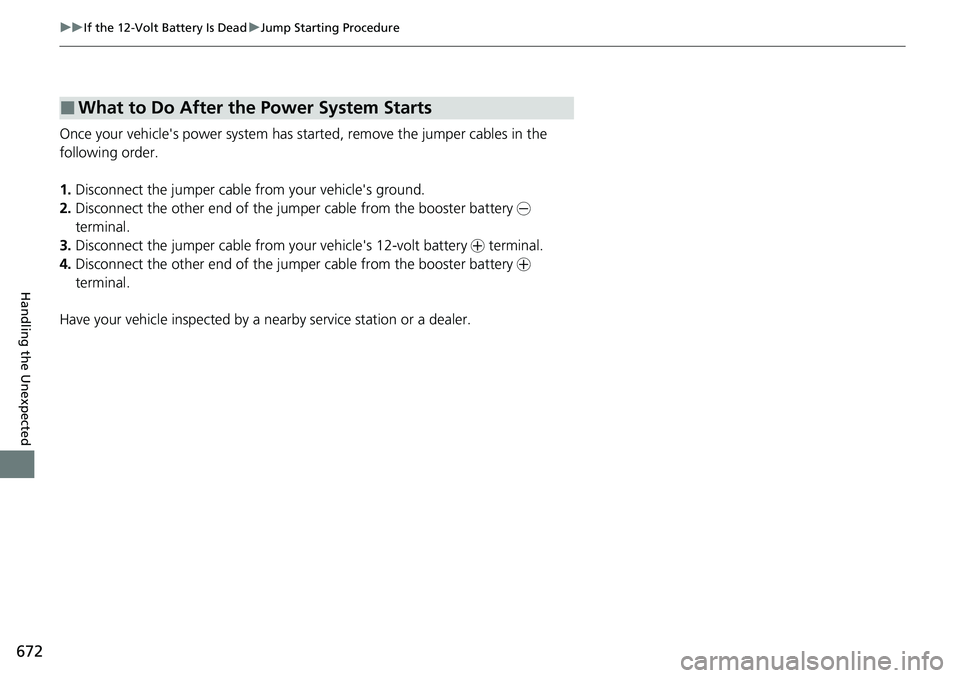
Once your vehicle's power system has sta rted, remove the jumper cables in the
following order.
1. Disconnect the jumper cable from your vehicle's ground.
2. Disconnect the other end of the jumper cable from the booster battery -
terminal.
3. Disconnect the jumper cable from your vehicle's 12-volt battery + terminal.
4. Disconnect the other end of the jumper cable from the booster battery +
terminal.
Have your vehicle inspected by a n earby service station or a dealer.
■What to Do After the Power System Starts
Page 678 of 719
677
uuIndicator, Coming On/Blinking uIf the 12-Volt Battery Charging System Indicator Comes On
Handling the Unexpected
If the 12-Volt Battery Cha rging System Indicator
Comes On
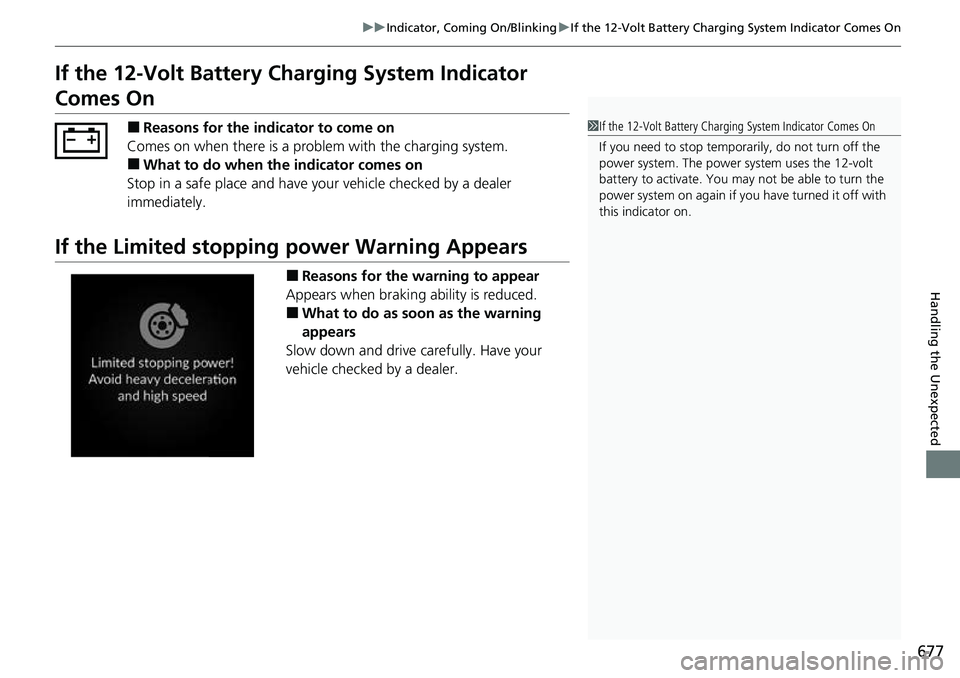
■Reasons for the indicator to come on
Comes on when there is a prob lem with the charging system.
■What to do when the indicator comes on
Stop in a safe place and have y our vehicle checked by a dealer
immediately.
If the Limited stopping power Warning Appears
■Reasons for the warning to appear
Appears when braking ability is reduced.
■What to do as soon as the warning
appears
Slow down and drive carefully. Have your
vehicle checked by a dealer.
1 If the 12-Volt Battery Chargi ng System Indicator Comes On
If you need to stop temporarily, do not turn off the
power system. The power system uses the 12-volt
battery to activate. You may not be able to turn the
power system on again if you have turned it off with
this indicator on.
Page 684 of 719
683Continued
Handling the Unexpected
Fuses
Fuse Locations
If any electrical devices are not working, set the power mode to VEHICLE OFF and
check to see if any applicable fuse is blown.
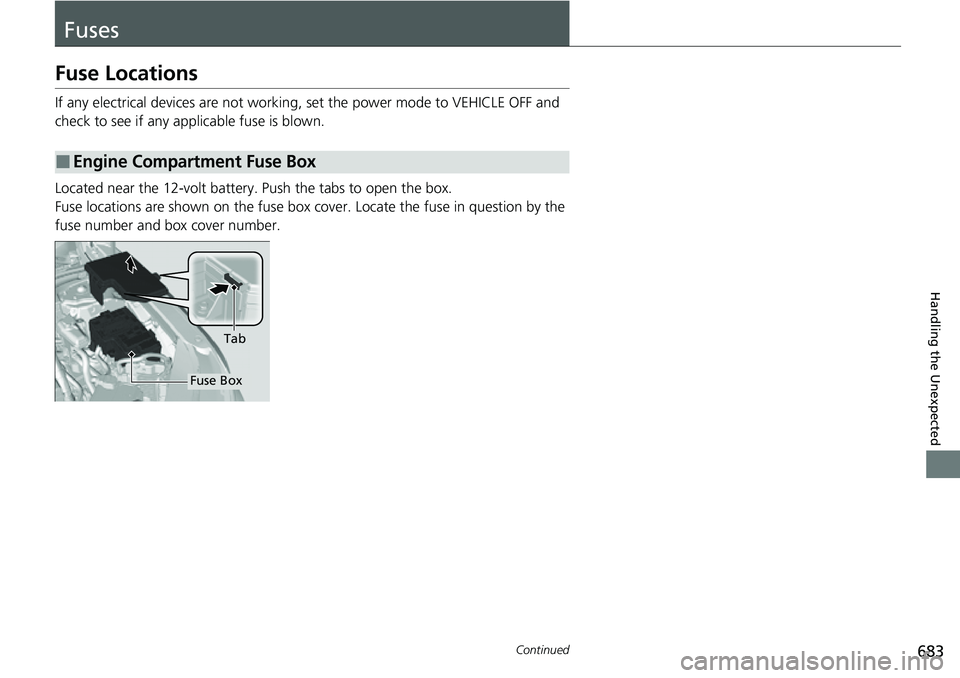
Located near the 12-volt battery. Push the tabs to open the box.
Fuse locations are shown on the fuse box co ver. Locate the fuse in question by the
fuse number and box cover number.
■Engine Compartment Fuse Box
Tab
Fuse Box