change time HONDA ELEMENT 2009 1.G User Guide
[x] Cancel search | Manufacturer: HONDA, Model Year: 2009, Model line: ELEMENT, Model: HONDA ELEMENT 2009 1.GPages: 345, PDF Size: 18.9 MB
Page 170 of 345
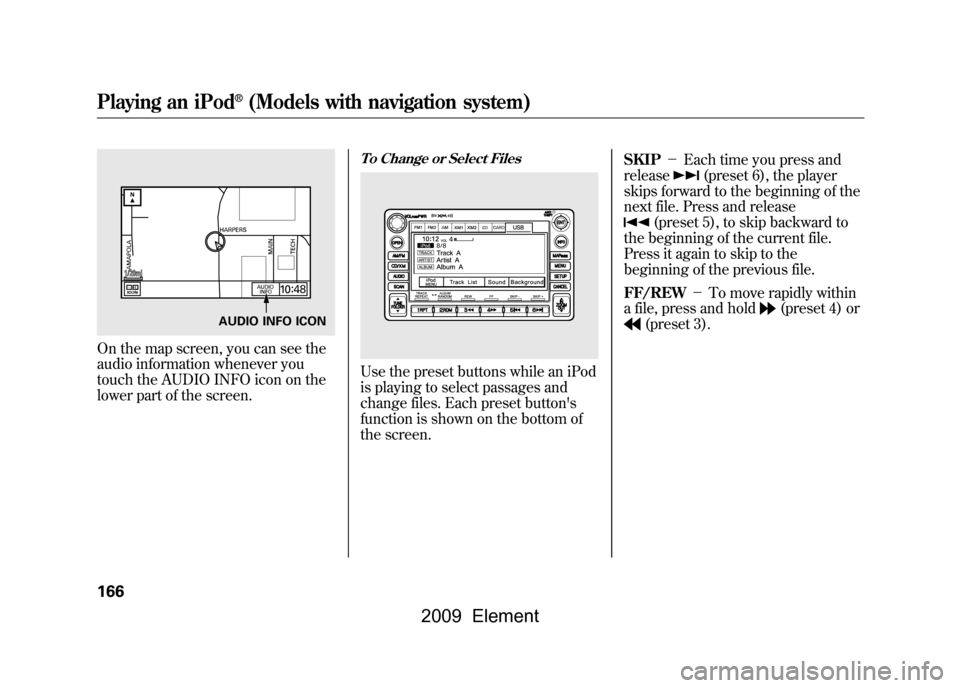
On the map screen, you can see the
audio information whenever you
touch the AUDIO INFO icon on the
lower part of the screen.
To Change or Select FilesUse the preset buttons while an iPod
is playing to select passages and
change files. Each preset button's
function is shown on the bottom of
the screen.SKIP
-Each time you press and
release
(preset 6), the player
skips forward to the beginning of the
next file. Press and release
(preset 5), to skip backward to
the beginning of the current file.
Press it again to skip to the
beginning of the previous file.
FF/REW -To move rapidly within
a file, press and hold
(preset 4) or
(preset 3).
AUDIO INFO ICON
Playing an iPod
®(Models with navigation system)
166
2009 Element
Page 173 of 345
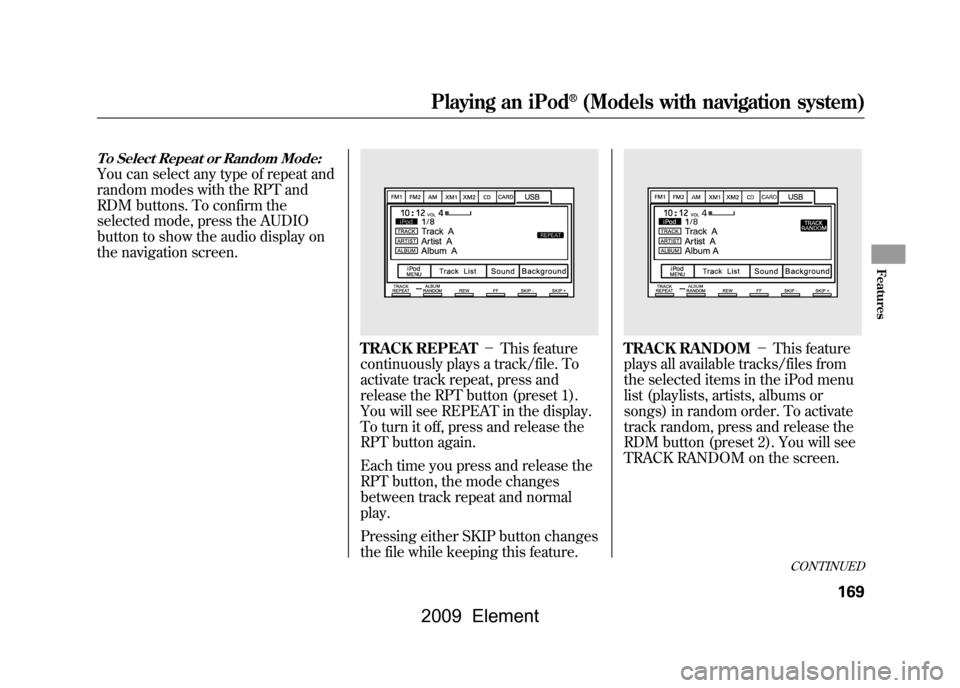
To Select Repeat or Random Mode:You can select any type of repeat and
random modes with the RPT and
RDM buttons. To confirm the
selected mode, press the AUDIO
button to show the audio display on
the navigation screen.
TRACK REPEAT-This feature
continuously plays a track/file. To
activate track repeat, press and
release the RPT button (preset 1).
You will see REPEAT in the display.
To turn it off, press and release the
RPT button again.
Each time you press and release the
RPT button, the mode changes
between track repeat and normal
play.
Pressing either SKIP button changes
the file while keeping this feature.
TRACK RANDOM -This feature
plays all available tracks/files from
the selected items in the iPod menu
list (playlists, artists, albums or
songs) in random order. To activate
track random, press and release the
RDM button (preset 2). You will see
TRACK RANDOM on the screen.
CONTINUED
Playing an iPod
®(Models with navigation system)
169
Features
2009 Element
Page 182 of 345
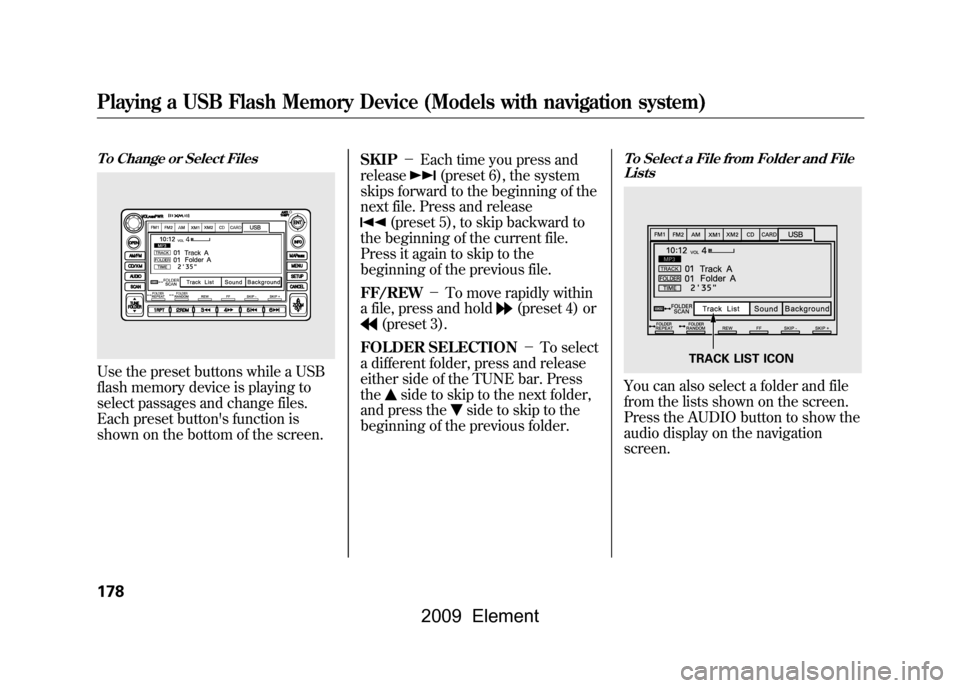
To Change or Select FilesUse the preset buttons while a USB
flash memory device is playing to
select passages and change files.
Each preset button's function is
shown on the bottom of the screen.SKIP
-Each time you press and
release
(preset 6), the system
skips forward to the beginning of the
next file. Press and release
(preset 5), to skip backward to
the beginning of the current file.
Press it again to skip to the
beginning of the previous file.
FF/REW -To move rapidly within
a file, press and hold
(preset 4) or
(preset 3).
FOLDER SELECTION -To select
a different folder, press and release
either side of the TUNE bar. Press
the
side to skip to the next folder,
and press the
side to skip to the
beginning of the previous folder.
To Select a File from Folder and File ListsYou can also select a folder and file
from the lists shown on the screen.
Press the AUDIO button to show the
audio display on the navigation
screen.
TRACK LIST ICON
Playing a USB Flash Memory Device (Models with navigation system)178
2009 Element
Page 193 of 345
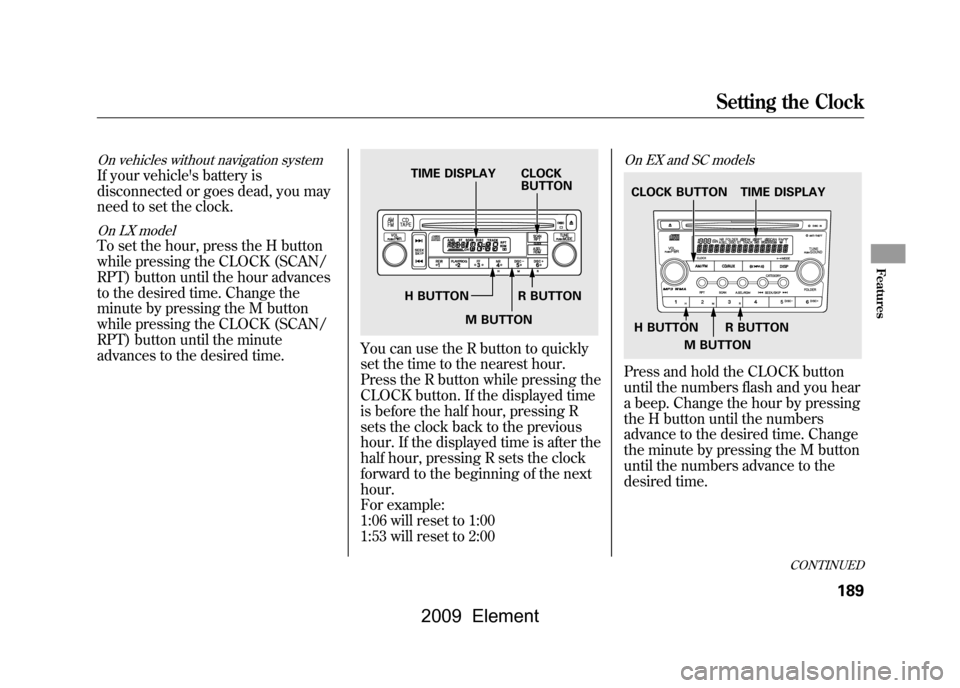
On vehicles without navigation systemIf your vehicle's battery is
disconnected or goes dead, you may
need to set the clock.On LX modelTo set the hour, press the H button
while pressing the CLOCK (SCAN/
RPT) button until the hour advances
to the desired time. Change the
minute by pressing the M button
while pressing the CLOCK (SCAN/
RPT) button until the minute
advances to the desired time.
You can use the R button to quickly
set the time to the nearest hour.
Press the R button while pressing the
CLOCK button. If the displayed time
is before the half hour, pressing R
sets the clock back to the previous
hour. If the displayed time is after the
half hour, pressing R sets the clock
forward to the beginning of the next
hour.
For example:
1:06 will reset to 1:00
1:53 will reset to 2:00
On EX and SC modelsPress and hold the CLOCK button
until the numbers flash and you hear
a beep. Change the hour by pressing
the H button until the numbers
advance to the desired time. Change
the minute by pressing the M button
until the numbers advance to the
desired time.
TIME DISPLAY CLOCKBUTTON
H BUTTON R BUTTON M BUTTON
TIME DISPLAY
CLOCK BUTTON
H BUTTON R BUTTON
M BUTTON
CONTINUED
Setting the Clock
189
Features
2009 Element
Page 195 of 345
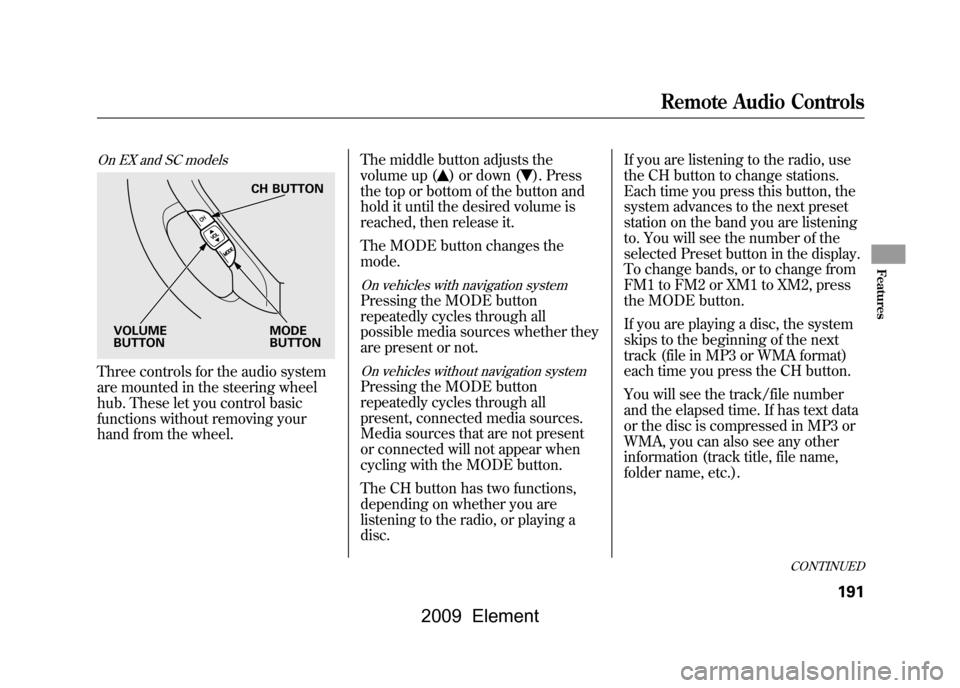
On EX and SC modelsThree controls for the audio system
are mounted in the steering wheel
hub. These let you control basic
functions without removing your
hand from the wheel.The middle button adjusts the
volume up (
) or down (
). Press
the top or bottom of the button and
hold it until the desired volume is
reached, then release it.
The MODE button changes the
mode.
On vehicles with navigation systemPressing the MODE button
repeatedly cycles through all
possible media sources whether they
are present or not.On vehicles without navigation systemPressing the MODE button
repeatedly cycles through all
present, connected media sources.
Media sources that are not present
or connected will not appear when
cycling with the MODE button.
The CH button has two functions,
depending on whether you are
listening to the radio, or playing a
disc. If you are listening to the radio, use
the CH button to change stations.
Each time you press this button, the
system advances to the next preset
station on the band you are listening
to. You will see the number of the
selected Preset button in the display.
To change bands, or to change from
FM1 to FM2 or XM1 to XM2, press
the MODE button.
If you are playing a disc, the system
skips to the beginning of the next
track (file in MP3 or WMA format)
each time you press the CH button.
You will see the track/file number
and the elapsed time. If has text data
or the disc is compressed in MP3 or
WMA, you can also see any other
information (track title, file name,
folder name, etc.).
CH BUTTON
MODE
BUTTON
VOLUME
BUTTON
CONTINUED
Remote Audio Controls
191
Features
2009 Element
Page 202 of 345

Break-in Period
Help assure your vehicle's future
reliability and performance by paying
extra attention to how you drive
during the first 600 miles (1,000 km).
During this period:●Avoid full-throttle starts and rapid
acceleration.●Do not change the oil until the
scheduled maintenance time.●Avoid hard braking for the first 200
miles (300 km).●Do not tow a trailer.
You should also follow these
recommendations with an
overhauled or exchanged engine, or
when the brakes are replaced. Fuel Recommendation
Your vehicle is designed to operate
on unleaded gasoline with a pump
octane number of 87 or higher. Use
of a lower octane gasoline can cause
a persistent, heavy metallic rapping
noise that can lead to engine
damage.
On vehicles with manual transmissionYou may hear a knocking noise from
the engine if you drive the vehicle at
low engine speed (below about 1,000
rpm) in a higher gear. To stop this,
raise the engine speed by shifting to
a lower gear.
We recommend using quality
gasoline containing detergent
additives that help prevent fuel
system and engine deposits.In addition, in order to maintain good
performance, fuel economy, and
emissions control, we strongly
recommend, in areas where it is
available, the use of gasoline that
does NOT contain manganese-based
fuel additives such as MMT.
Use of gasoline with these additives
may adversely affect performance,
and cause the malfunction indicator
lamp on your instrument panel to
come on. If this happens, contact
your authorized dealer for service.
Some gasoline today is blended with
oxygenates such as ethanol or
MTBE. Your vehicle is designed to
operate on oxygenated gasoline
containing up to 10% ethanol by
volume and up to 15% MTBE by
volume. Do not use gasoline
containing methanol.
Break-in Period, Fuel Recommendation198
2009 Element
Page 230 of 345
ABS Indicator
If this indicator comes on, the anti-
lock function of the braking system
has shut down. The brakes still work
like a conventional system, but
without anti-lock. You should have
your dealer inspect your vehicle as
soon as possible.
If the indicator comes on while
driving, test the brakes as instructed
on page297.
If the ABS indicator and the brake
system indicator come on together,
and the parking brake is fully
released, the EBD system may also
be shut down. Test your brakes as instructed on
page297.If the brakes feel normal,
drive slowly and have your vehicle
repaired by your dealer as soon as
possible. Avoid sudden hard braking
which could cause the rear wheels to
lock up and possibly lead to a loss of
control.
The VSA indicator will come on
along with the ABS indicator.
Important Safety Reminders
ABS does not reduce the time or
distance it takes to stop the
vehicle.
It only helps with steering
control during braking. ABS will not prevent a skid that
results from changing direction
abruptly,
such as trying to take a
corner too fast or making a sudden
lane change. Always drive at a safe
speed for the road and weather
conditions.
ABS cannot prevent a loss of
stability. Always steer moderately
when you are braking hard. Severe
or sharp steering wheel movement
can still cause your vehicle to veer
into oncoming traffic or off the road.
A vehicle with ABS may require a
longer distance to stop on loose or
uneven surfaces, such as gravel or
snow, than a vehicle without anti-
lock.
Anti-lock Brakes (ABS)226
2009 Element
Page 237 of 345
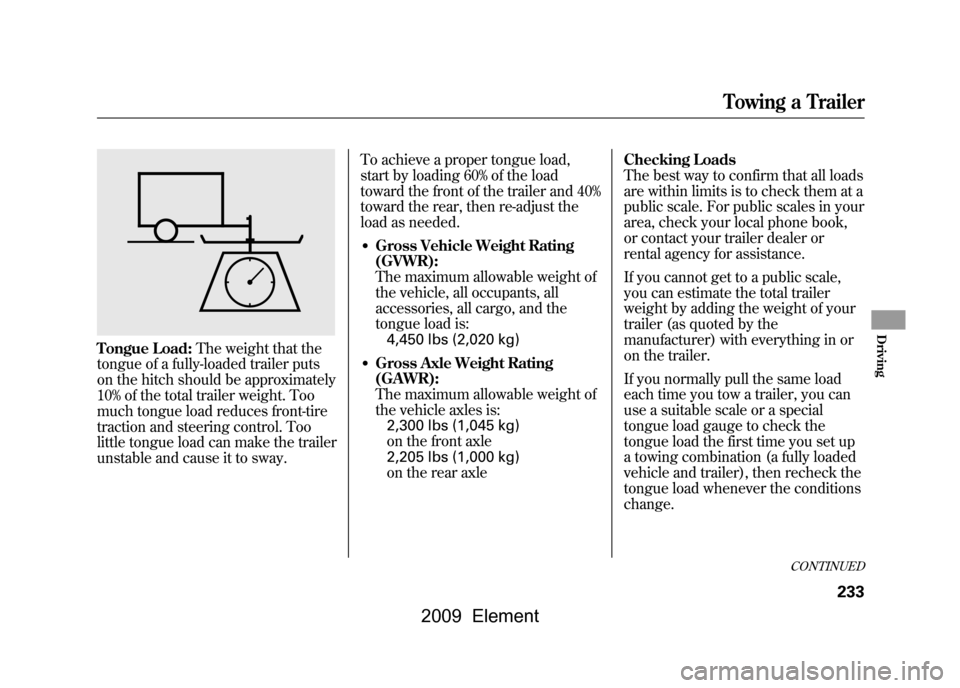
Tongue Load:The weight that the
tongue of a fully-loaded trailer puts
on the hitch should be approximately
10% of the total trailer weight. Too
much tongue load reduces front-tire
traction and steering control. Too
little tongue load can make the trailer
unstable and cause it to sway. To achieve a proper tongue load,
start by loading 60% of the load
toward the front of the trailer and 40%
toward the rear, then re-adjust the
load as needed.
●Gross Vehicle Weight Rating
(GVWR):
The maximum allowable weight of
the vehicle, all occupants, all
accessories, all cargo, and the
tongue load is:
4,450 lbs (2,020 kg)●Gross Axle Weight Rating
(GAWR):
The maximum allowable weight of
the vehicle axles is:2,300 lbs (1,045 kg)
on the front axle
2,205 lbs (1,000 kg)
on the rear axle Checking Loads
The best way to confirm that all loads
are within limits is to check them at a
public scale. For public scales in your
area, check your local phone book,
or contact your trailer dealer or
rental agency for assistance.
If you cannot get to a public scale,
you can estimate the total trailer
weight by adding the weight of your
trailer (as quoted by the
manufacturer) with everything in or
on the trailer.
If you normally pull the same load
each time you tow a trailer, you can
use a suitable scale or a special
tongue load gauge to check the
tongue load the first time you set up
a towing combination (a fully loaded
vehicle and trailer), then recheck the
tongue load whenever the conditions
change.
CONTINUED
Towing a Trailer
233
Driving
2009 Element
Page 249 of 345
The maintenance item code or codes
indicate the main and sub items
required at the time of the oil change
(see page246).
You can switch the information
display from the engine oil life
display to the odometer or the trip
meter. Press and release the select/
reset knob on the instrument panel.
When the engine oil life is 15 to 1
percent, the maintenance minder
indicator (
) comes on every time
you turn the ignition switch to the
ON (II) position, then it goes out if
you switch the information display.
When you see this message, have
the indicated maintenance performed
by your dealer as soon as possible.
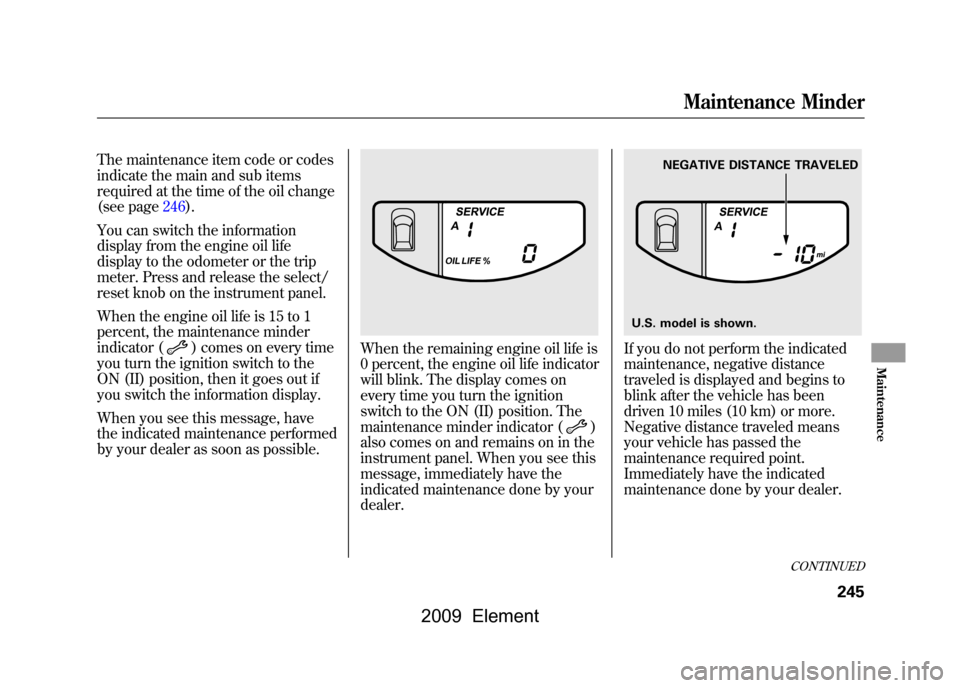
When the remaining engine oil life is
0 percent, the engine oil life indicator
will blink. The display comes on
every time you turn the ignition
switch to the ON (II) position. The
maintenance minder indicator (
)
also comes on and remains on in the
instrument panel. When you see this
message, immediately have the
indicated maintenance done by your
dealer.
If you do not perform the indicated
maintenance, negative distance
traveled is displayed and begins to
blink after the vehicle has been
driven 10 miles (10 km) or more.
Negative distance traveled means
your vehicle has passed the
maintenance required point.
Immediately have the indicated
maintenance done by your dealer.
NEGATIVE DISTANCE TRAVELED
U.S. model is shown.
CONTINUED
Maintenance Minder
245
Maintenance
2009 Element
Page 250 of 345
To change the information display
from the engine oil life display to the
odometer or the trip meter, press and
release the select/reset knob.
When the engine oil life is 0 percent
or negative distance traveled, the
maintenance minder indicator (
)
remains on even if you change the
information display.
Immediately have the service
performed, and make sure to reset
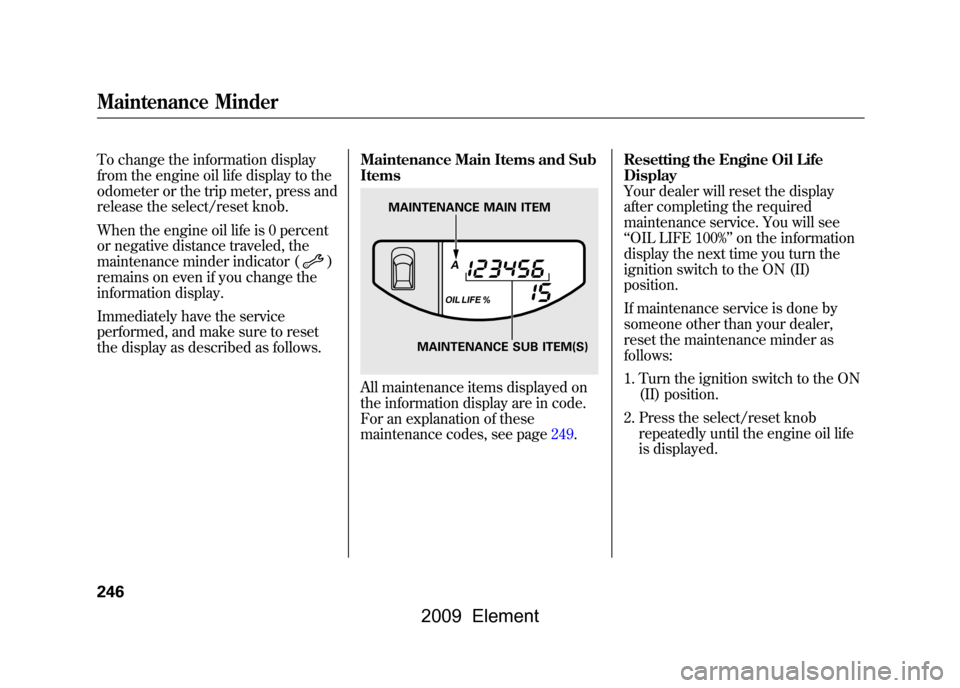
the display as described as follows. Maintenance Main Items and Sub
Items
All maintenance items displayed on
the information display are in code.
For an explanation of these
maintenance codes, see page249.Resetting the Engine Oil Life
Display
Your dealer will reset the display
after completing the required
maintenance service. You will see
‘‘
OIL LIFE 100% ’’on the information
display the next time you turn the
ignition switch to the ON (II)
position.
If maintenance service is done by
someone other than your dealer,
reset the maintenance minder as
follows:
1. Turn the ignition switch to the ON (II) position.
2. Press the select/reset knob repeatedly until the engine oil life
is displayed.
MAINTENANCE MAIN ITEM
MAINTENANCE SUB ITEM(S)
Maintenance Minder246
2009 Element