light HONDA ELEMENT 2009 1.G Owner's Manual
[x] Cancel search | Manufacturer: HONDA, Model Year: 2009, Model line: ELEMENT, Model: HONDA ELEMENT 2009 1.GPages: 345, PDF Size: 18.9 MB
Page 104 of 345
Accessory Power Sockets
Your vehicle has one, two, or three
accessory power sockets, depending
on the model. All models have a front
accessory power socket on the
dashboard above the glove box.
EX and SC models have an accessory
power socket in the cargo area on
the passenger's side.
The SC model has one additional
socket in the center console.
These sockets are intended to supply
power for 12 volt DC accessories that
are rated 120 watts or less (10 amps).
None of the sockets will power an
automotive type cigarette lighter
element. When more than one
socket is being used, the combined
power rating of the accessories
should be 120 watts or less (10
amps).Glove Box
Open the glove box by pulling the
bottom of the handle. Close it with a
firm push. Lock or unlock the glove
box with the master key.
An open glove box can cause
serious injury to your passenger
in a crash, even if the
passenger is wearing the seat
belt.
Always keep the glove box
closed while driving.
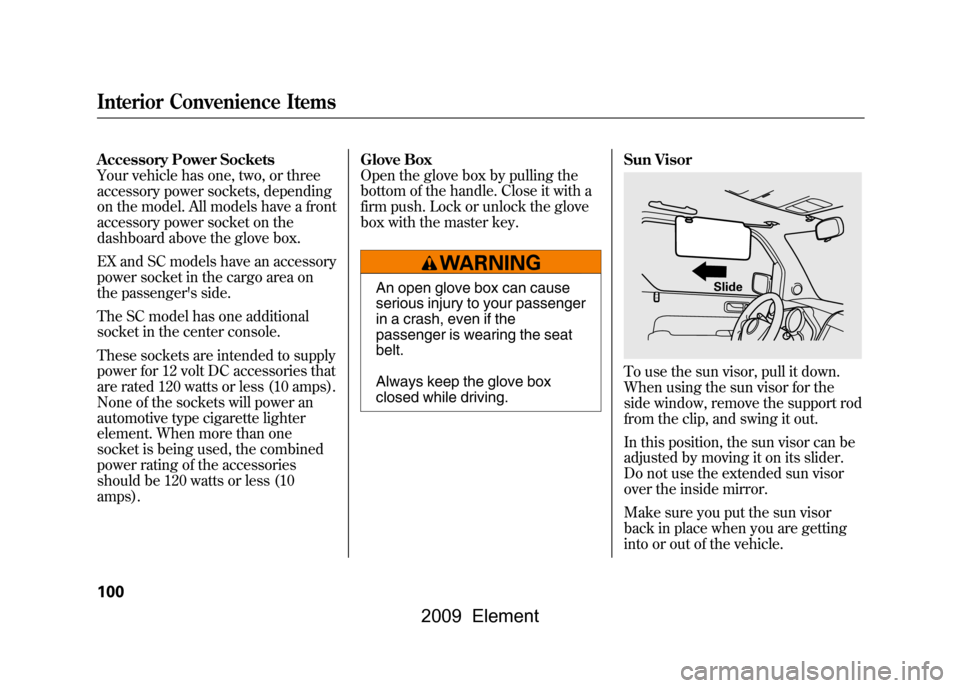
Sun Visor
To use the sun visor, pull it down.
When using the sun visor for the
side window, remove the support rod
from the clip, and swing it out.
In this position, the sun visor can be
adjusted by moving it on its slider.
Do not use the extended sun visor
over the inside mirror.
Make sure you put the sun visor
back in place when you are getting
into or out of the vehicle.
Slide
Interior Convenience Items100
2009 Element
Page 135 of 345
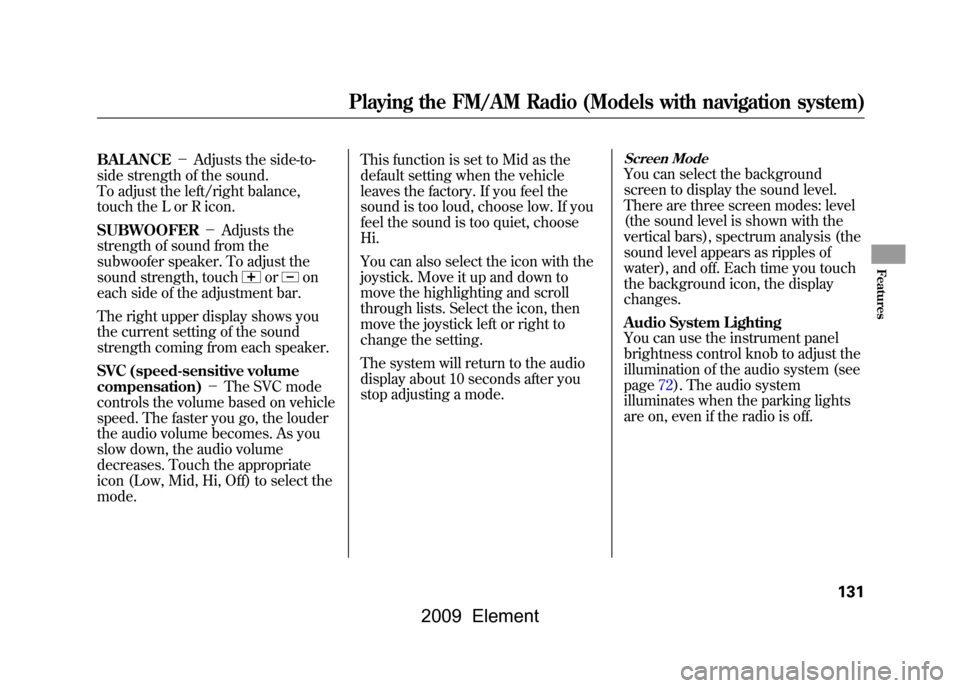
BALANCE-Adjusts the side-to-
side strength of the sound.
To adjust the left/right balance,
touch the L or R icon.
SUBWOOFER -Adjusts the
strength of sound from the
subwoofer speaker. To adjust the
sound strength, touch
or
on
each side of the adjustment bar.
The right upper display shows you
the current setting of the sound
strength coming from each speaker.
SVC (speed-sensitive volume
compensation) -The SVC mode
controls the volume based on vehicle
speed. The faster you go, the louder
the audio volume becomes. As you
slow down, the audio volume
decreases. Touch the appropriate
icon (Low, Mid, Hi, Off) to select the
mode. This function is set to Mid as the
default setting when the vehicle
leaves the factory. If you feel the
sound is too loud, choose low. If you
feel the sound is too quiet, choose
Hi.
You can also select the icon with the
joystick. Move it up and down to
move the highlighting and scroll
through lists. Select the icon, then
move the joystick left or right to
change the setting.
The system will return to the audio
display about 10 seconds after you
stop adjusting a mode.
Screen ModeYou can select the background
screen to display the sound level.
There are three screen modes: level
(the sound level is shown with the
vertical bars), spectrum analysis (the
sound level appears as ripples of
water), and off. Each time you touch
the background icon, the display
changes.
Audio System Lighting
You can use the instrument panel
brightness control knob to adjust the
illumination of the audio system (see
page72).The audio system
illuminates when the parking lights
are on, even if the radio is off.
Playing the FM/AM Radio (Models with navigation system)
131
Features
2009 Element
Page 147 of 345
Push the AUDIO button beside the
screen to show the audio display and
operate the disc player.
You can also operate the audio
system without using the control
icons on the audio screen. Press the
CD/XM button. The status bar
appears on the bottom of the screen.
On the navigation screen, you can
see the audio information whenever
you touch the AUDIO INFO icon on
the lower portion of the screen.
When playing a CD recorded with
text data, the track, album, and artist
name are shown on the audio
display. When playing a disc in MP3
or WMA, the folder number and
name, the file number and name, the
artist name, and the elapsed time are
shown. The system will continuously
play a disc until you change modes.
If the disc was not recorded with text
data, it will not be displayed.
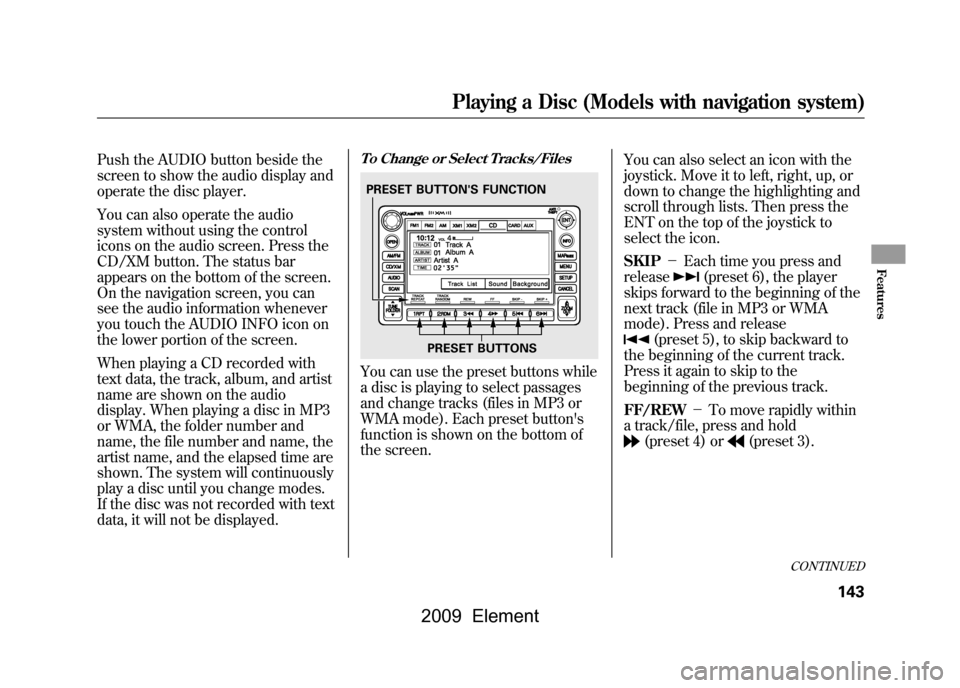
To Change or Select Tracks/FilesYou can use the preset buttons while
a disc is playing to select passages
and change tracks (files in MP3 or
WMA mode). Each preset button's
function is shown on the bottom of
the screen.You can also select an icon with the
joystick. Move it to left, right, up, or
down to change the highlighting and
scroll through lists. Then press the
ENT on the top of the joystick to
select the icon.
SKIP
-Each time you press and
release
(preset 6), the player
skips forward to the beginning of the
next track (file in MP3 or WMA
mode). Press and release
(preset 5), to skip backward to
the beginning of the current track.
Press it again to skip to the
beginning of the previous track.
FF/REW -To move rapidly within
a track/file, press and hold(preset 4) or
(preset 3).
PRESET BUTTON'S FUNCTION
PRESET BUTTONS
CONTINUED
Playing a Disc (Models with navigation system)
143
Features
2009 Element
Page 154 of 345

To Play a PC Card
You operate the PC card player with
the same controls used for the radio
and the disc player. To load or play a
card, the ignition switch must be in
the ACCESSORY (I) or ON (II)
position.
The PC card player reads and plays
cards in MP3 or WMA formats.
Depending on the format, the screen
will indicate‘‘MP3 ’’or ‘‘WMA ’’when
a card is playing. The card limit of
the player is 99 folders and 999
tracks. If the card has a complex
structure, it takes some time for the
system to begin playing it.
Based on PCMCIA 2.1/JEIDA 4.2,
the recommended PC cards for the
PC card reader are:
CompactFlash
Flash ATA
SD memory card Always use the recommended
memory card with the appropriate
adapter (if an adapter is needed).
Some memory cards will not work in
this unit.
NOTE:
●When you insert a PC card into the
slot, make sure you put it in
straight. If you cannot insert it,
remove it, and insert again.●Do not keep PC cards in the
vehicle. Direct sunlight and high
heat will damage them.●To avoid damaging the card
reader, do not insert hard disc
drive cards into the PC card slot.●You cannot close the screen (move
it to the upright position) until the
PC card is inserted all the way into
its slot or removed.
●Never insert foreign objects into
the PC card slot.
The specifications for compatible
MP3 files are: – Sampling frequency:
32/44.1/48 kHz (MPEG1)
16/22.05/24 kHz (MPEG2)
– Bitrate:
32/40/48/56/64/80/96/112/128/
160/192/224/256/320 kbps
(MPEG1)
8/16/24/32/40/48/56/64/80/96/
112/128/160 kbps (MPEG2)
– Compatible with variable bitrate
and multi-session
– Maximum layers
(including ROOT): 8 layers
Playing a PC Card (Models with navigation system)150
2009 Element
Page 156 of 345
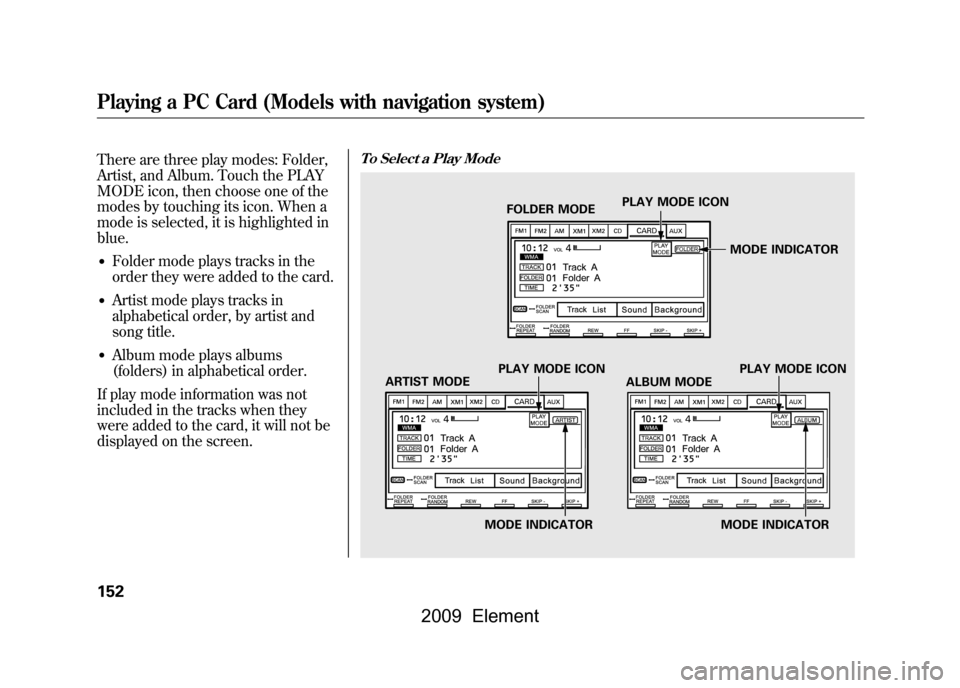
There are three play modes: Folder,
Artist, and Album. Touch the PLAY
MODE icon, then choose one of the
modes by touching its icon. When a
mode is selected, it is highlighted in
blue.●Folder mode plays tracks in the
order they were added to the card.●Artist mode plays tracks in
alphabetical order, by artist and
song title.●Album mode plays albums
(folders) in alphabetical order.
If play mode information was not
included in the tracks when they
were added to the card, it will not be
displayed on the screen.
To Select a Play Mode
ARTIST MODE PLAY MODE ICONFOLDER MODE
PLAY MODE ICON
ALBUM MODE PLAY MODE ICON
MODE INDICATOR MODE INDICATORMODE INDICATOR
Playing a PC Card (Models with navigation system)152
2009 Element
Page 158 of 345
If you select‘‘Play a new track list, ’’
the system goes into the selected
play mode immediately and begins to
play the files in order to the new list.
To go back to the previous screen,
press the CANCEL button on the
right side of the screen. To exit the
play mode screens, press the AUDIO
button.
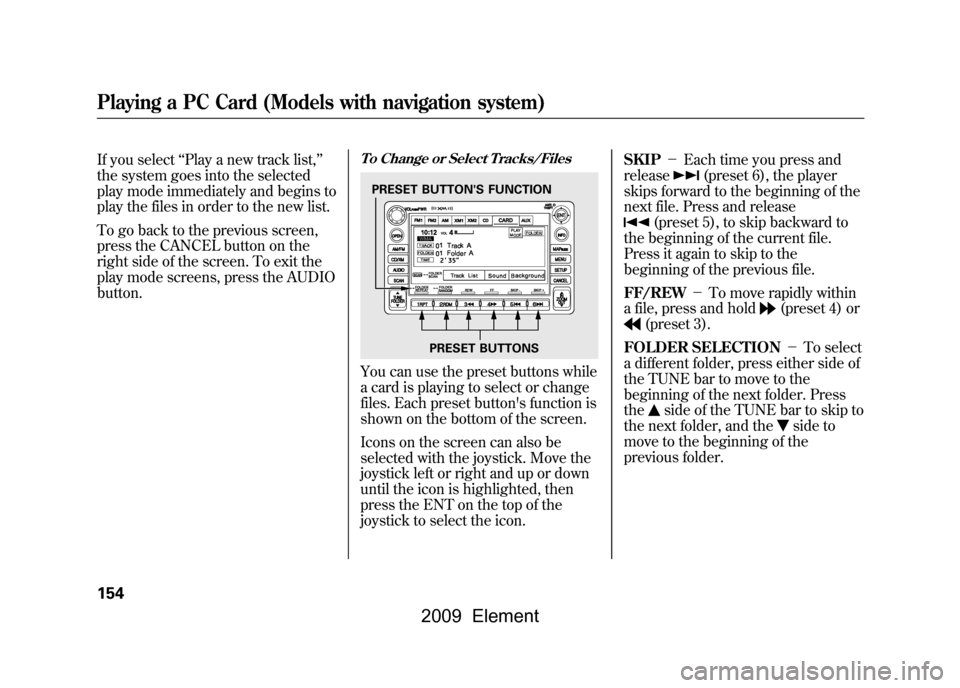
To Change or Select Tracks/FilesYou can use the preset buttons while
a card is playing to select or change
files. Each preset button's function is
shown on the bottom of the screen.
Icons on the screen can also be
selected with the joystick. Move the
joystick left or right and up or down
until the icon is highlighted, then
press the ENT on the top of the
joystick to select the icon. SKIP
-Each time you press and
release
(preset 6), the player
skips forward to the beginning of the
next file. Press and release
(preset 5), to skip backward to
the beginning of the current file.
Press it again to skip to the
beginning of the previous file.
FF/REW -To move rapidly within
a file, press and hold
(preset 4) or
(preset 3).
FOLDER SELECTION -To select
a different folder, press either side of
the TUNE bar to move to the
beginning of the next folder. Press
the
side of the TUNE bar to skip to
the next folder, and the
side to
move to the beginning of the
previous folder.
PRESET BUTTON'S FUNCTION
PRESET BUTTONS
Playing a PC Card (Models with navigation system)154
2009 Element
Page 161 of 345
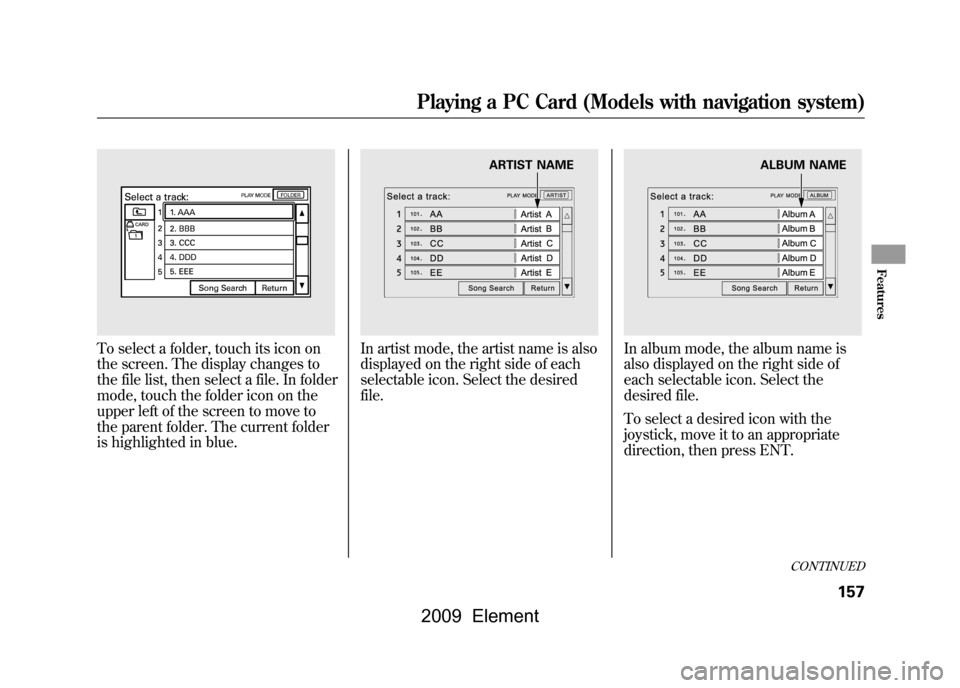
To select a folder, touch its icon on
the screen. The display changes to
the file list, then select a file. In folder
mode, touch the folder icon on the
upper left of the screen to move to
the parent folder. The current folder
is highlighted in blue.
In artist mode, the artist name is also
displayed on the right side of each
selectable icon. Select the desired
file.
In album mode, the album name is
also displayed on the right side of
each selectable icon. Select the
desired file.
To select a desired icon with the
joystick, move it to an appropriate
direction, then press ENT.
ARTIST NAME
ALBUM NAME
CONTINUED
Playing a PC Card (Models with navigation system)
157
Features
2009 Element
Page 167 of 345

To Play an iPod
ꭂ
This audio system can select and
play the audio files on the iPod
®with
the same controls used for the
in-dash disc player. To play an iPod,
connect it to the USB adapter cable
in the glove box by using your dock
connector. Press the AUDIO button
beside the screen to show the audio
display and touch the AUX icon. The
ignition switch must be in the
ACCESSORY (I) or ON (II) position.
The iPod will also be recharged with
the ignition switch in these positions.
You can also select an icon by
moving the joystick. Move it to left,
right, up, or down to change the
highlighting and scroll through lists,
then press ENT on the top of the
joystick to set your selection. To select the USB mode without
using the icon, press the CD/XM
button repeatedly. The status bar
appears on the bottom of the screen.
The audio system reads and plays
sound files to be playable on the
iPod. The system cannot operate an
iPod as a mass storage device. The
system will only play songs stored on
the iPod with iTunes.
iPod and iTunes are registered
trademarks owned by Apple Inc.
Voice Control SystemYou can select the AUX mode by
using the navigation system voice
control buttons, but cannot operate
the play mode functions.
iPods that are compatible with your
audio system are listed below.
Model
Firmware
ꭧ
iPod 5G Ver. 1.2 or more
iPod classic Ver. 1.0 or more
iPod nano Ver. 1.2 or more
iPod nano 2nd
generation Ver. 1.1.2 or more
iPod nano 3rd
generation Ver. 1.0 or more
iPod touch Ver. 1.1.1 or more
iPhone Ver. 1.1.1 or moreꭧ: Use the latest firmware.
Use only compatible iPods with the
latest firmware. iPods that are not
compatible will not work in this audio
unit.
CONTINUED
Playing an iPod
®(Models with navigation system)
163
Features
2009 Element
Page 168 of 345
NOTE:●Do not connect your iPod using a
HUB.●Do not keep the iPod in the
vehicle. Direct sunlight and high
heat will damage it.●Do not use an extension cable
between the USB adapter cable
equipped with your vehicle and
your dock connector.●We recommend backing up your
data before playing it.
In AAC format, DRM (digital rights
management) files cannot be played.
If the system finds a DRM file, the
audio unit displays UNPLAYABLE,
and then skips to the next file.
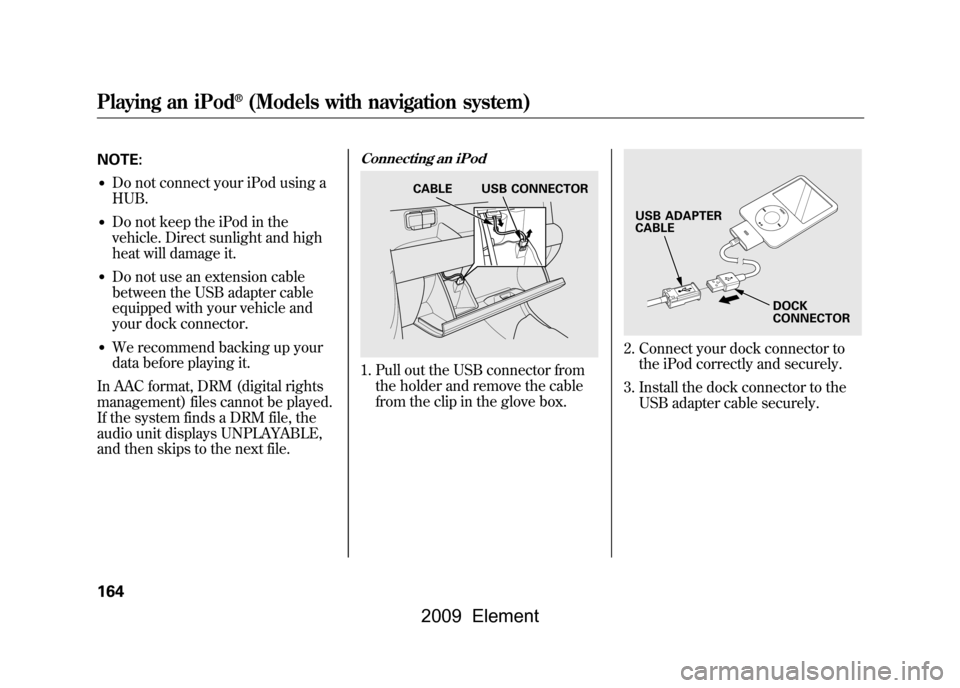
Connecting an iPod1. Pull out the USB connector from the holder and remove the cable
from the clip in the glove box.
2. Connect your dock connector tothe iPod correctly and securely.
3. Install the dock connector to the USB adapter cable securely.
CABLE USB CONNECTOR
USB ADAPTER
CABLE
DOCK
CONNECTOR
Playing an iPod
®(Models with navigation system)
164
2009 Element
Page 178 of 345

To Play a USB Flash Memory
Device
This audio system can select and
play the audio files from a USB flash
memory device with the same
controls used for the in-dash disc
player. To play a USB flash memory
device, connect it to the USB adapter
cable in the glove box. The ignition
switch must be in the ACCESSORY
(I) or ON (II) position. Press the
AUDIO button beside the screen to
show the audio display and touch the
AUX icon.
You can also select an icon by
moving the joystick. Move it to left,
right, up, or down to change the
highlighting and scroll through lists,
then press ENT on the top of the
joystick to set your selection.To select the USB mode without
using the icon, press the CD/XM
button repeatedly. The status bar
appears on the bottom of the screen.
The audio system reads and plays
the audio files on the USB flash
memory device in MP3, WMA or
AAC
ꭧformats. Depending on the
format, the display shows MP3,
WMA or AAC when a USB flash
memory device is playing. The USB
flash memory device limit is up to
700 folders or up to 65535 files.
ꭧ : Only AAC format files recorded
with iTunes are playable on this
audio unit. The recommended USB flash
memory devices are 256 Mbyte or
higher. Some digital audio players
may be compatible as well.
Some USB flash memory device
(such as devices with security lock-
out features, etc.) will not work in
this audio unit.
Playing a USB Flash Memory Device (Models with navigation system)174
2009 Element