ECO mode HONDA FIT 2009 2.G User Guide
[x] Cancel search | Manufacturer: HONDA, Model Year: 2009, Model line: FIT, Model: HONDA FIT 2009 2.GPages: 352, PDF Size: 17.67 MB
Page 88 of 352
CONTINUED
Door Locks
85
Instruments and Controls
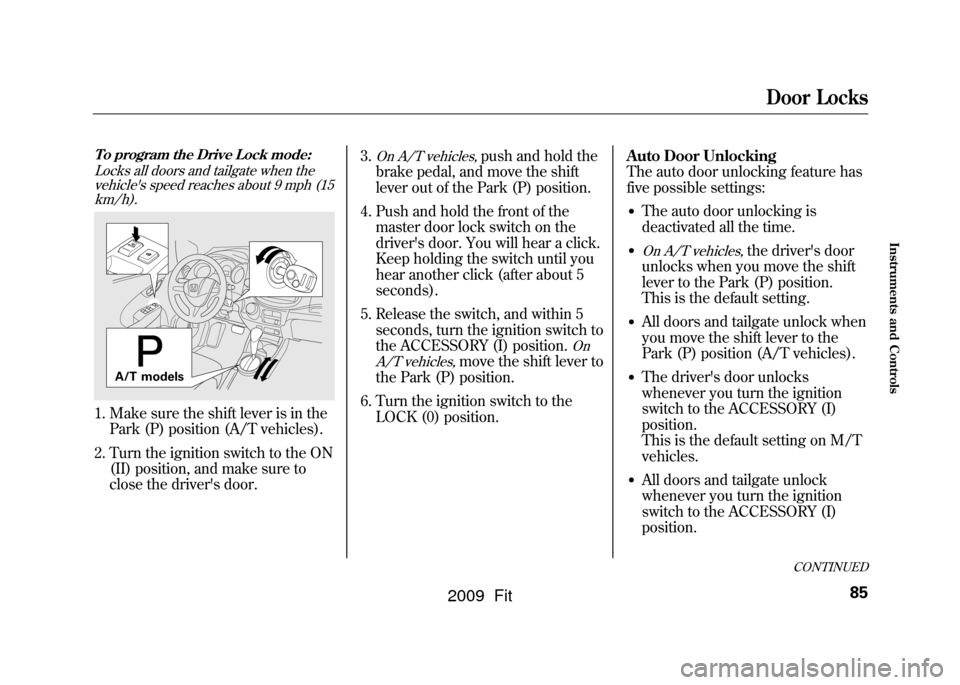
To program the Drive Lock mode:Locks all doors and tailgate when thevehicle's speed reaches about 9 mph (15km/h).1. Make sure the shift lever is in the Park (P) position (A/T vehicles).
2. Turn the ignition switch to the ON (II) position, and make sure to
close the driver's door. 3.
On A/T vehicles,
push and hold the
brake pedal, and move the shift
lever out of the Park (P) position.
4. Push and hold the front of the master door lock switch on the
driver's door. You will hear a click.
Keep holding the switch until you
hear another click (after about 5
seconds).
5. Release the switch, and within 5 seconds, turn the ignition switch to
the ACCESSORY (I) position.
On
A/T vehicles,
move the shift lever to
the Park (P) position.
6. Turn the ignition switch to the LOCK (0) position. Auto Door Unlocking
The auto door unlocking feature has
five possible settings:
●The auto door unlocking is
deactivated all the time.●On A/T vehicles,
the driver's door
unlocks when you move the shift
lever to the Park (P) position.
This is the default setting.
●All doors and tailgate unlock when
you move the shift lever to the
Park (P) position (A/T vehicles).●The driver's door unlocks
whenever you turn the ignition
switch to the ACCESSORY (I)
position.
This is the default setting on M/T
vehicles.●All doors and tailgate unlock
whenever you turn the ignition
switch to the ACCESSORY (I)
position.
A/T models
2009 Fit
Page 89 of 352
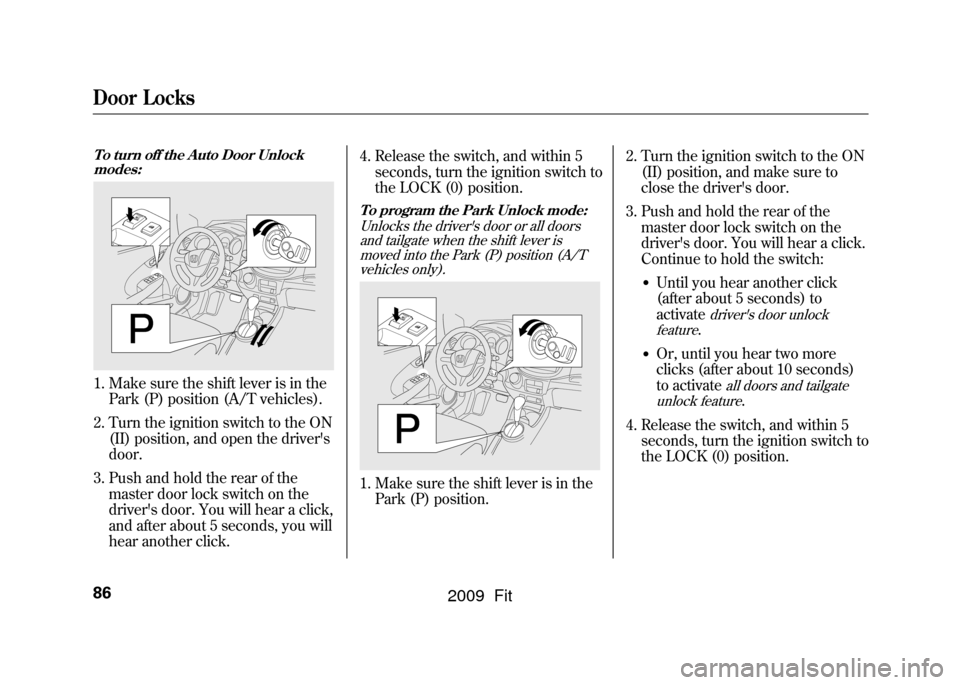
Door Locks86To turn off the Auto Door Unlockmodes:1. Make sure the shift lever is in the Park (P) position (A/T vehicles).
2. Turn the ignition switch to the ON (II) position, and open the driver's
door.
3. Push and hold the rear of the master door lock switch on the
driver's door. You will hear a click,
and after about 5 seconds, you will
hear another click. 4. Release the switch, and within 5
seconds, turn the ignition switch to
the LOCK (0) position.
To program the Park Unlock mode:
Unlocks the driver's door or all doorsand tailgate when the shift lever is
moved into the Park (P) position (A/Tvehicles only).1. Make sure the shift lever is in the Park (P) position. 2. Turn the ignition switch to the ON
(II) position, and make sure to
close the driver's door.
3. Push and hold the rear of the master door lock switch on the
driver's door. You will hear a click.
Continue to hold the switch:
●Until you hear another click
(after about 5 seconds) to
activate
driver's door unlock
feature.
●Or, until you hear two more
clicks (after about 10 seconds)
to activate
all doors and tailgate
unlock feature
.
4. Release the switch, and within 5 seconds, turn the ignition switch to
the LOCK (0) position.
2009 Fit
Page 90 of 352
Door Locks
87
Instruments and Controls
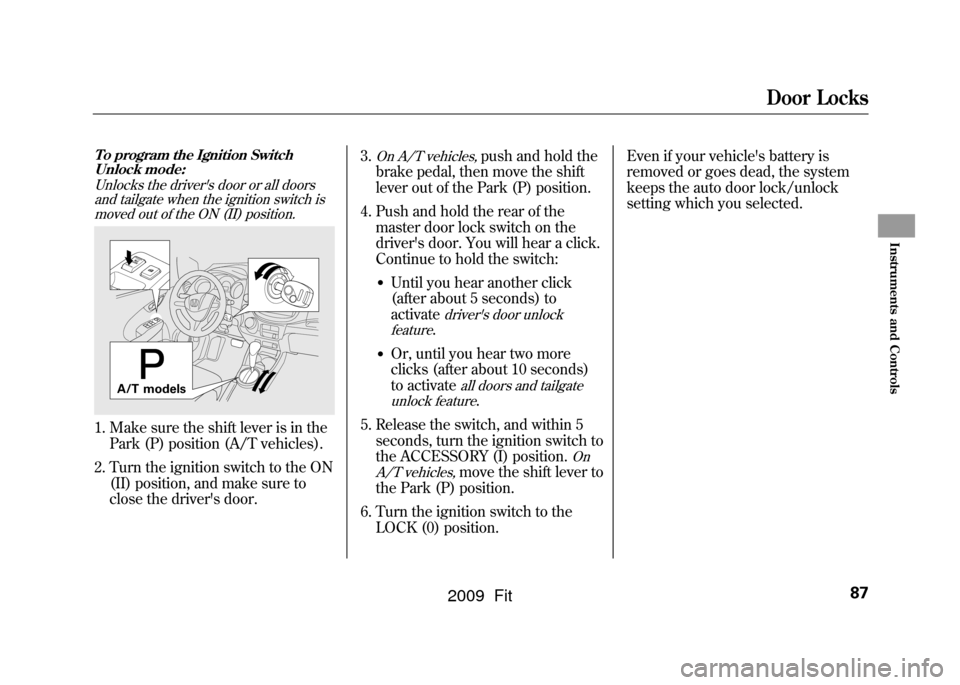
To program the Ignition SwitchUnlock mode:
Unlocks the driver's door or all doorsand tailgate when the ignition switch ismoved out of the ON (II) position.1. Make sure the shift lever is in the Park (P) position (A/T vehicles).
2. Turn the ignition switch to the ON (II) position, and make sure to
close the driver's door. 3.
On A/T vehicles,
push and hold the
brake pedal, then move the shift
lever out of the Park (P) position.
4. Push and hold the rear of the master door lock switch on the
driver's door. You will hear a click.
Continue to hold the switch:
●Until you hear another click
(after about 5 seconds) to
activate
driver's door unlock
feature.
●Or, until you hear two more
clicks (after about 10 seconds)
to activate
all doors and tailgate
unlock feature
.
5. Release the switch, and within 5 seconds, turn the ignition switch to
the ACCESSORY (I) position.
On
A/T vehicles,
move the shift lever to
the Park (P) position.
6. Turn the ignition switch to the LOCK (0) position. Even if your vehicle's battery is
removed or goes dead, the system
keeps the auto door lock/unlock
setting which you selected.
A/T models
2009 Fit
Page 93 of 352
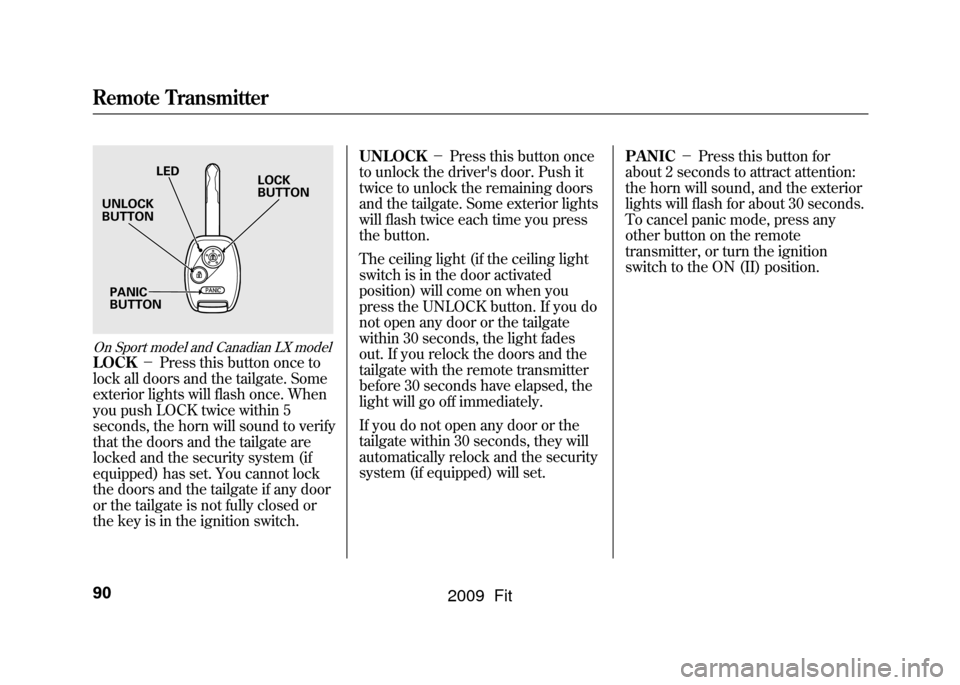
On Sport model and Canadian LX modelLOCK-Press this button once to
lock all doors and the tailgate. Some
exterior lights will flash once. When
you push LOCK twice within 5
seconds, the horn will sound to verify
that the doors and the tailgate are
locked and the security system (if
equipped) has set. You cannot lock
the doors and the tailgate if any door
or the tailgate is not fully closed or
the key is in the ignition switch. UNLOCK
-Press this button once
to unlock the driver's door. Push it
twice to unlock the remaining doors
and the tailgate. Some exterior lights
will flash twice each time you press
the button.
The ceiling light (if the ceiling light
switch is in the door activated
position) will come on when you
press the UNLOCK button. If you do
not open any door or the tailgate
within 30 seconds, the light fades
out. If you relock the doors and the
tailgate with the remote transmitter
before 30 seconds have elapsed, the
light will go off immediately.
If you do not open any door or the
tailgate within 30 seconds, they will
automatically relock and the security
system (if equipped) will set. PANIC
-Press this button for
about 2 seconds to attract attention:
the horn will sound, and the exterior
lights will flash for about 30 seconds.
To cancel panic mode, press any
other button on the remote
transmitter, or turn the ignition
switch to the ON (II) position.
LED
UNLOCK
BUTTON
PANIC
BUTTON LOCK
BUTTON
Remote Transmitter90
2009 Fit
Page 117 of 352

To Remove Exterior Frost or Ice
From the Windows
1. Set the fan and temperaturecontrols to maximum level.
2. Select
. The system
automatically turns on the A/C (if
equipped). The A/C indicator does
not come on if it was previously off.
3. Select.
To clear the windows faster, you can
close the dashboard corner vents by
rotating each vent. This sends more
warm air to the windshield defroster
vents. Once the windshield is clear,
select fresh air mode to avoid
fogging the windows.
For your safety, make sure you have
a clear view through all the windows
before driving. To Turn Everything Off
Turning the fan speed control dial all
the way to the left shuts the system
off.
●Keep the system off for short
periods only.●To keep stale air and mustiness
from collecting, you should have
the fan running at all times.
Vents, Heating, and A/C114
2009 Fit
Page 119 of 352

To Play the FM/AM Radio
The ignition switch must be in the
ACCESSORY (I) or ON (II) position.
Turn the system on by pushing the
FM/AM button. Adjust the volume
by turning the VOL/SELECT knob.
The band and frequency that the
radio was last tuned to are displayed.
To change bands, press the FM/AM
button. On the FM band, ST will be
displayed if the station is
broadcasting in stereo. Stereo
reproduction in AM is not available.
To Select a Station
You can use any of five methods to
find radio stations on the selected
band: tune, seek, scan, the preset
buttons, and auto select.TUNE
-Use the TUNE/SEEK
button to tune to a desired
frequency. Press the
button to
tune to a higher frequency, and the
button to tune to a lower
frequency.
You can also operate the tune
function by using the VOL/SELECT
knob.
Press the VOL/ SELECT knob and
you will see ‘‘SEL ’’in the display.
Turn the knob right to tune to a
higher frequency, or left to tune to a
lower frequency.
To turn it off, press the VOL/
SELECT knob or
button, or
PLAY button.
The system will return to the normal
display about 10 seconds after you
stop adjusting the tune mode. SEEK
-The SEEK function
searches up and down from the
current frequency to find a station
with a strong signal. To activate it,
press and hold the
or
side of
the TUNE/SEEK button until you
hear a beep, then release it.
SCAN -The scan function samples
all stations with strong signals on the
selected band. To activate it, press
the SCAN button, then release it.
You will see SCAN in the display.
The system will scan for a station
with a strong signal. When it finds
one, it will stop and play that station
for about 10 seconds.
If you do nothing, the system will
then scan for the next strong station
and play it for 10 seconds. When it
plays a station you want to listen to,
press the SCAN button again.
Playing the FM/AM Radio (Models without navigation system)116
2009 Fit
Page 120 of 352

PRESET-Each preset button (1-
6) can store one frequency on AM,
and two frequencies on FM.
1. Select the desired band, AM or
FM. FM1 and FM2 let you store
two frequencies with each preset
button.
2. Use the tune, seek, or scan function to tune the radio to a
desired station.
3. Pick a preset number (1 -6), and
hold it until you hear a beep.
4. Repeat steps 1 through 3 to store a total of six stations on AM and
twelve stations on FM. AUTO SELECT
-If you are
traveling far from home and can no
longer receive your preset stations,
you can use the auto select feature to
find stations in the local area.
Press the A. SEL button. ‘‘A. SEL ’’
flashes in the display, and the system
goes into scan mode for several
seconds. It stores the frequencies of
six AM and twelve FM stations in the
preset buttons. You will see a
‘‘0 ’’displayed after
pressing a preset button if auto select
cannot find a strong station for that
preset button.
If you do not like the stations auto
select has stored, you can store other
frequencies on the preset buttons as
previously described.
To turn off auto select
, press the A.
SEL (auto select) button. This
restores the presets you originally
set.
For information on FM/AM radio
frequencies and reception, see page
184.
CONTINUED
Playing the FM/AM Radio (Models without navigation system)
117
Features
2009 Fit
Page 122 of 352
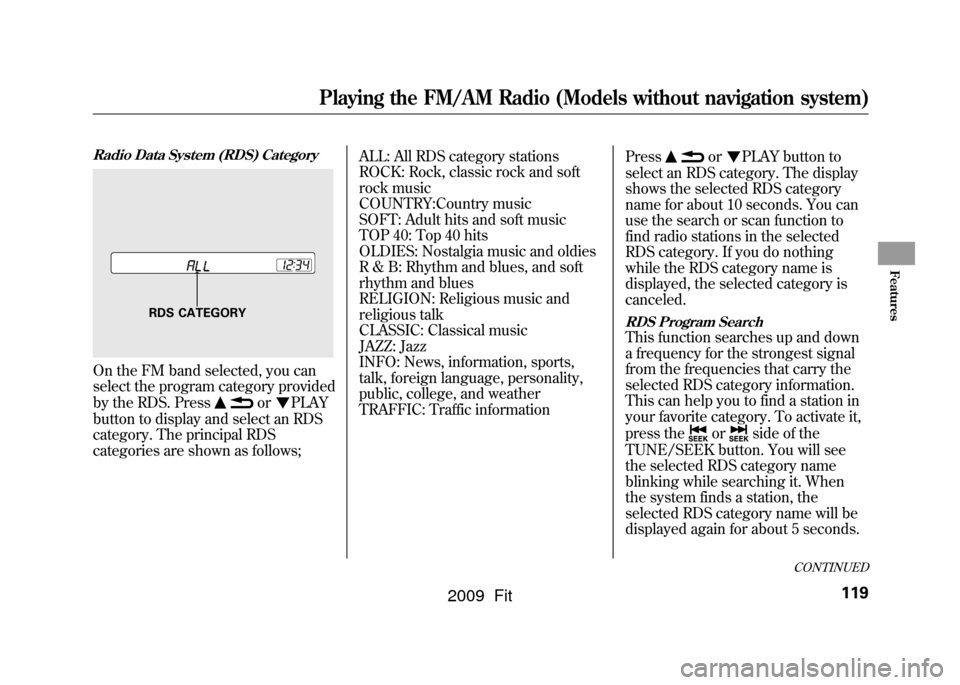
Radio Data System (RDS) CategoryOn the FM band selected, you can
select the program category provided
by the RDS. Press
or
PLAY
button to display and select an RDS
category. The principal RDS
categories are shown as follows; ALL: All RDS category stations
ROCK: Rock, classic rock and soft
rock music
COUNTRY:Country music
SOFT: Adult hits and soft music
TOP 40: Top 40 hits
OLDIES: Nostalgia music and oldies
R & B: Rhythm and blues, and soft
rhythm and blues
RELIGION: Religious music and
religious talk
CLASSIC: Classical music
JAZZ: Jazz
INFO: News, information, sports,
talk, foreign language, personality,
public, college, and weather
TRAFFIC: Traffic information
Press
or
PLAY button to
select an RDS category. The display
shows the selected RDS category
name for about 10 seconds. You can
use the search or scan function to
find radio stations in the selected
RDS category. If you do nothing
while the RDS category name is
displayed, the selected category is
canceled.
RDS Program SearchThis function searches up and down
a frequency for the strongest signal
from the frequencies that carry the
selected RDS category information.
This can help you to find a station in
your favorite category. To activate it,
press the
or
side of the
TUNE/SEEK button. You will see
the selected RDS category name
blinking while searching it. When
the system finds a station, the
selected RDS category name will be
displayed again for about 5 seconds.
RDS CATEGORY
CONTINUED
Playing the FM/AM Radio (Models without navigation system)
119
Features
2009 Fit
Page 123 of 352

If the system does not find a station,
‘‘NOTHING ’’will be blinking for
about 5 seconds, then the system
goes back to the last selected station.
RDS Program SCANThe scan function samples all
stations with strong signals on the
selected RDS category. To activate it,
press the SCAN button. You will see
‘‘ SCAN ’’in the display. The system
will scan for a station with a strong
signal in the selected RDS category.
You will also see the selected RDS
category name blinking while
searching it. When it finds one, it will
stop and play that station for about 10
seconds.
If you do nothing, the system will
scan for the next strong station and
play it for 10 seconds. When it plays
a station that you want to listen to,
press the SCAN button again.
If the system does not find a station,
‘‘ NOTHING ’’will be blinking for
about 5 seconds, then the system
goes back to the last selected station. You can use the RDS program search
or scan function even if the PS name
display function is off. In this case,
the display shows a frequency in
place of a PS name.
Playing the FM/AM Radio (Models without navigation system)120
2009 Fit
Page 124 of 352

Adjusting the Sound
Press the SOUND (
) button to
select an appropriate setting: bass,
treble, fader, balance, and SVC
(speed-sensitive volume
compensation). Turn the VOL/
SELECT knob to adjust the setting.
BASS -Adjusts the bass.
TREBLE -Adjusts the treble.
FADER -Adjusts the front-to-back
strength of the sound.
BALANCE -Adjusts the side-to-
side strength of the sound.
Each mode is shown in the display as
it changes. Turn the VOL/SELECT
knob to adjust the setting to your
liking. When the level reaches the
center, you will see ‘‘C ’’in the
display. SVC
-Adjusts the volume level
based on the vehicle speed.
The system will return to the audio
display about 10 seconds after you
stop adjusting a mode.
Speed-sensitive Volume
Compensation (SVC)The SVC mode controls the volume
based on vehicle speed. The faster
you go, the louder the audio volume
becomes. As you slow down, the
audio volume decreases.
The SVC has four modes; SVC OFF,
SVC LOW, SVC MID, and SVC
HIGH. Turn the VOL/SELECT knob
to adjust the setting to your liking. If
you feel the sound is too loud,
choose low. If you feel the sound is
too quiet, choose high.
This function is set to MID as the
default setting when the vehicle
leaves the factory. Audio System Lighting
You can use the instrument panel
brightness control knob to adjust the
illumination of the audio system (see
page76).The audio system
illuminates when the parking lights
are on, even if the system is turned
off.
Playing the FM/AM Radio (Models without navigation system)
121
Features
2009 Fit