sport HONDA FIT 2010 2.G User Guide
[x] Cancel search | Manufacturer: HONDA, Model Year: 2010, Model line: FIT, Model: HONDA FIT 2010 2.GPages: 351, PDF Size: 5.67 MB
Page 97 of 351
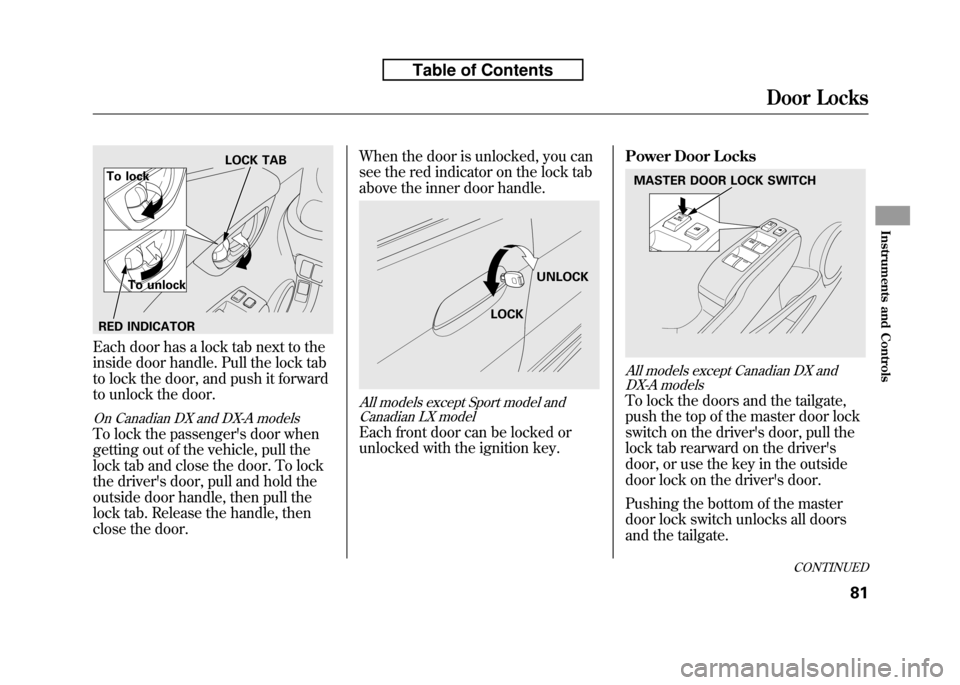
Each door has a lock tab next to the
inside door handle. Pull the lock tab
to lock the door, and push it forward
to unlock the door.
On Canadian DX and DX-A models
To lock the passenger's door when
getting out of the vehicle, pull the
lock tab and close the door. To lock
the driver's door, pull and hold the
outside door handle, then pull the
lock tab. Release the handle, then
close the door.When the door is unlocked, you can
see the red indicator on the lock tab
above the inner door handle.
All models except Sport model and
Canadian LX model
Each front door can be locked or
unlocked with the ignition key. Power Door Locks
All models except Canadian DX and
DX-A models
To lock the doors and the tailgate,
push the top of the master door lock
switch on the driver's door, pull the
lock tab rearward on the driver's
door, or use the key in the outside
door lock on the driver's door.
Pushing the bottom of the master
door lock switch unlocks all doors
and the tailgate.
LOCK TAB
To lock
To unlock
RED INDICATOR
LOCK UNLOCK
MASTER DOOR LOCK SWITCH
CONTINUED
Door Locks
81
Instruments and Controls
Table of Contents
Page 104 of 351
All models except Canadian DX andDX-A models
The tailgate will lock or unlock when
you lock or unlock the driver's door
by using the key, the lock tab on the
driver's door, the master door lock
switch or the remote transmitter (ifequipped).
All models except Sport model and
Canadian LX model
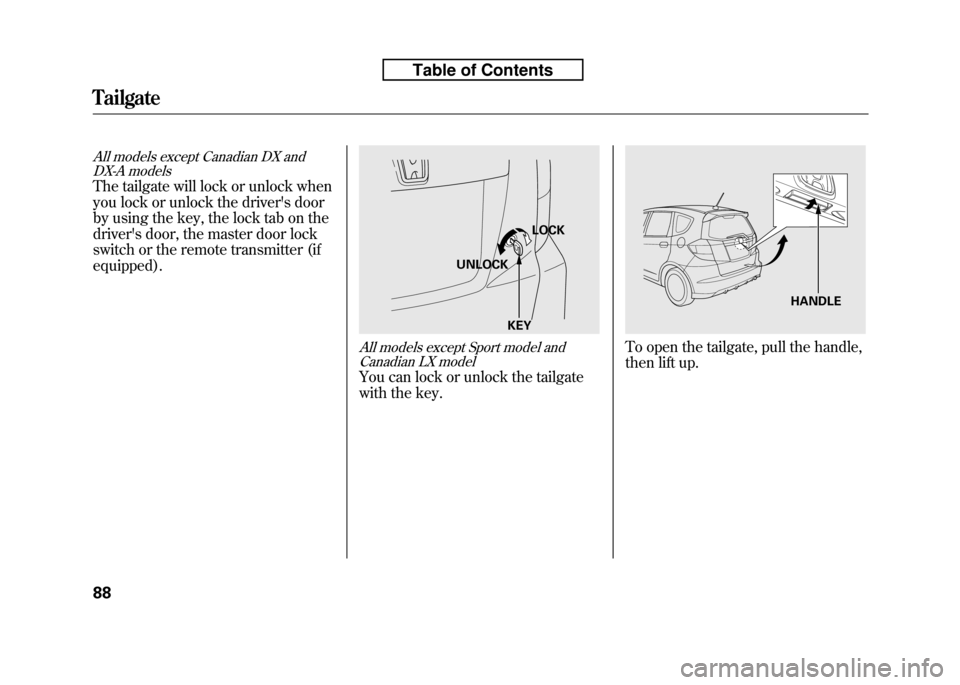
You can lock or unlock the tailgate
with the key.
To open the tailgate, pull the handle,
then lift up.
LOCK
UNLOCK
KEY
HANDLE
Tailgate
88
Table of Contents
Page 105 of 351

To close the tailgate, hold the tailgate
handle, lower the tailgate, then press
down on the back edge.
Keep the tailgate closed at all times
while driving to avoid damaging the
tailgate and to prevent exhaust gas
from getting into the interior. See
Carbon Monoxide Hazardon page
53. Unlocking the Tailgate
On Sport model and Canadian LX model
If the power door lock system cannot
unlock the tailgate, unlock itmanually.
Place a cloth on the edge of the cover
to prevent scratches, then use a
small flat-tip screwdriver to remove
the cover on the back of the tailgate.
Push the release lever to the right as shown.
If you need to unlock the tailgate
manually, it means there is a
problem with the tailgate. Have the
vehicle checked by your dealer.
TAILGATE HANDLE
Lock
Unlock
Tailgate
89
Instruments and Controls
Table of Contents
Page 106 of 351
On Sport model and Canadian LX model
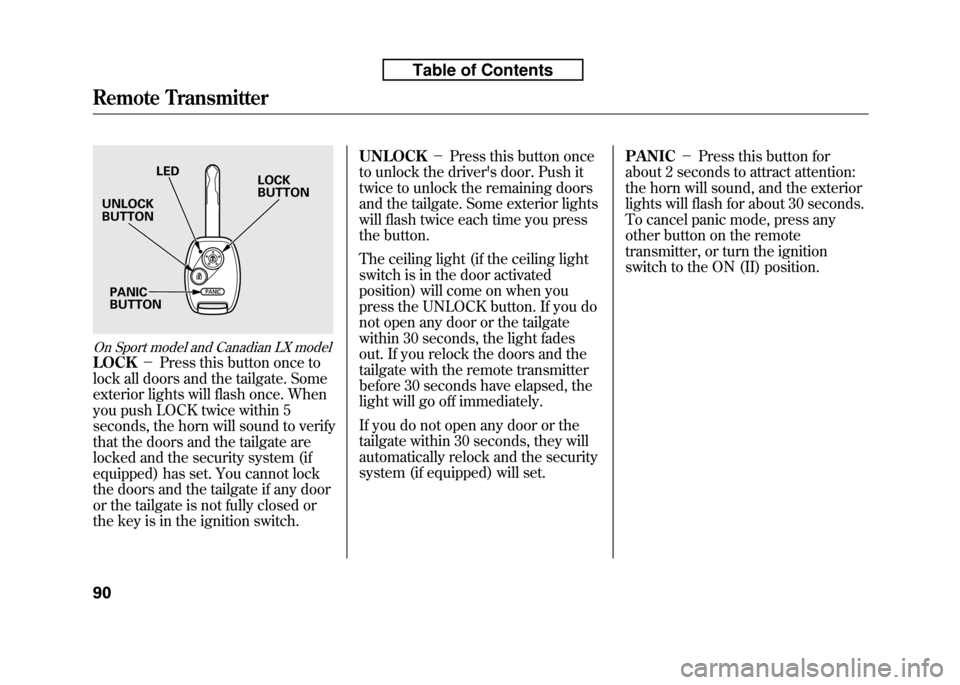
LOCK-Press this button once to
lock all doors and the tailgate. Some
exterior lights will flash once. When
you push LOCK twice within 5
seconds, the horn will sound to verify
that the doors and the tailgate are
locked and the security system (if
equipped) has set. You cannot lock
the doors and the tailgate if any door
or the tailgate is not fully closed or
the key is in the ignition switch. UNLOCK
-Press this button once
to unlock the driver's door. Push it
twice to unlock the remaining doors
and the tailgate. Some exterior lights
will flash twice each time you press
the button.
The ceiling light (if the ceiling light
switch is in the door activated
position) will come on when you
press the UNLOCK button. If you do
not open any door or the tailgate
within 30 seconds, the light fades
out. If you relock the doors and the
tailgate with the remote transmitter
before 30 seconds have elapsed, the
light will go off immediately.
If you do not open any door or the
tailgate within 30 seconds, they will
automatically relock and the security
system (if equipped) will set. PANIC
-Press this button for
about 2 seconds to attract attention:
the horn will sound, and the exterior
lights will flash for about 30 seconds.
To cancel panic mode, press any
other button on the remote
transmitter, or turn the ignition
switch to the ON (II) position.
LED
UNLOCK BUTTON
PANICBUTTON LOCKBUTTON
Remote Transmitter
90
Table of Contents
Page 110 of 351
Armrest
On Sport model and Canadian LX model
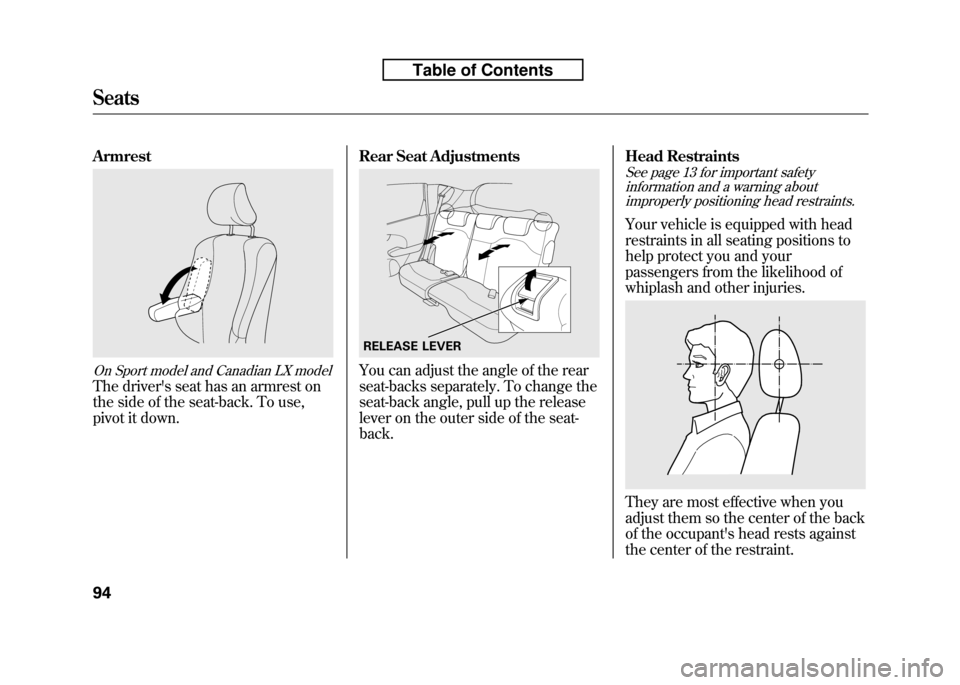
The driver's seat has an armrest on
the side of the seat-back. To use,
pivot it down.Rear Seat Adjustments
You can adjust the angle of the rear
seat-backs separately. To change the
seat-back angle, pull up the release
lever on the outer side of the seat-back.Head Restraints
See page 13 for important safety
information and a warning aboutimproperly positioning head restraints.
Your vehicle is equipped with head
restraints in all seating positions to
help protect you and your
passengers from the likelihood of
whiplash and other injuries.
They are most effective when you
adjust them so the center of the back
of the occupant's head rests against
the center of the restraint.
RELEASE LEVER
Seats
94
Table of Contents
Page 118 of 351
3. Push the appropriate edge of theadjustment switch to move the
mirror right, left, up, or down.
4. When you finish, move the selector switch to the center (off)
position. This turns the adjustment
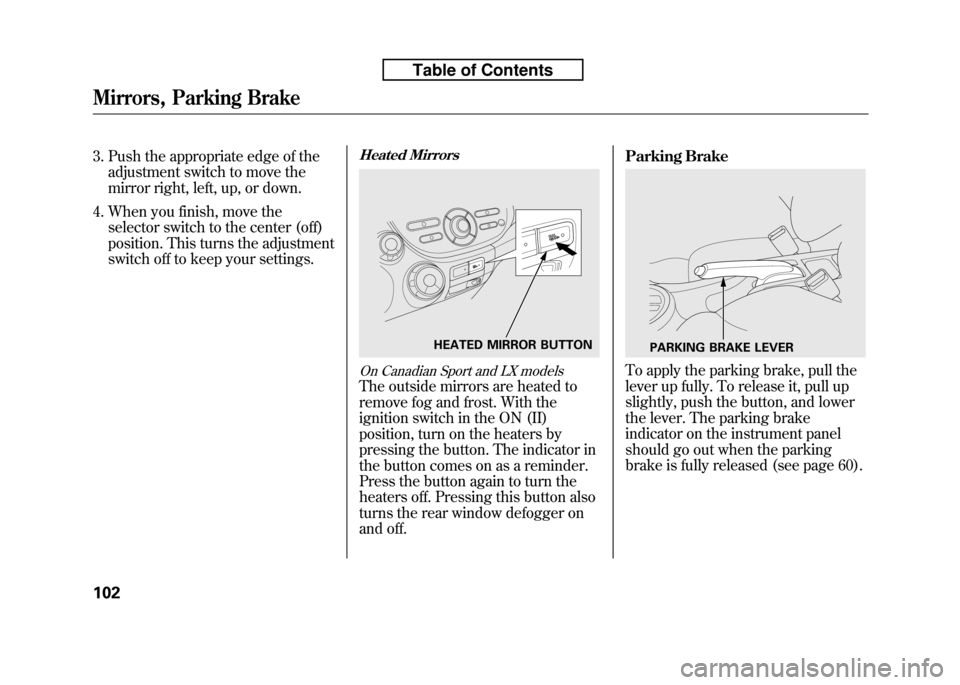
switch off to keep your settings.Heated Mirrors
On Canadian Sport and LX models
The outside mirrors are heated to
remove fog and frost. With the
ignition switch in the ON (II)
position, turn on the heaters by
pressing the button. The indicator in
the button comes on as a reminder.
Press the button again to turn the
heaters off. Pressing this button also
turns the rear window defogger on
and off. Parking Brake
To apply the parking brake, pull the
lever up fully. To release it, pull up
slightly, push the button, and lower
the lever. The parking brake
indicator on the instrument panel
should go out when the parking
brake is fully released (see page 60).
HEATED MIRROR BUTTONPARKING BRAKE LEVER
Mirrors, Parking Brake
102
Table of Contents
Page 134 of 351
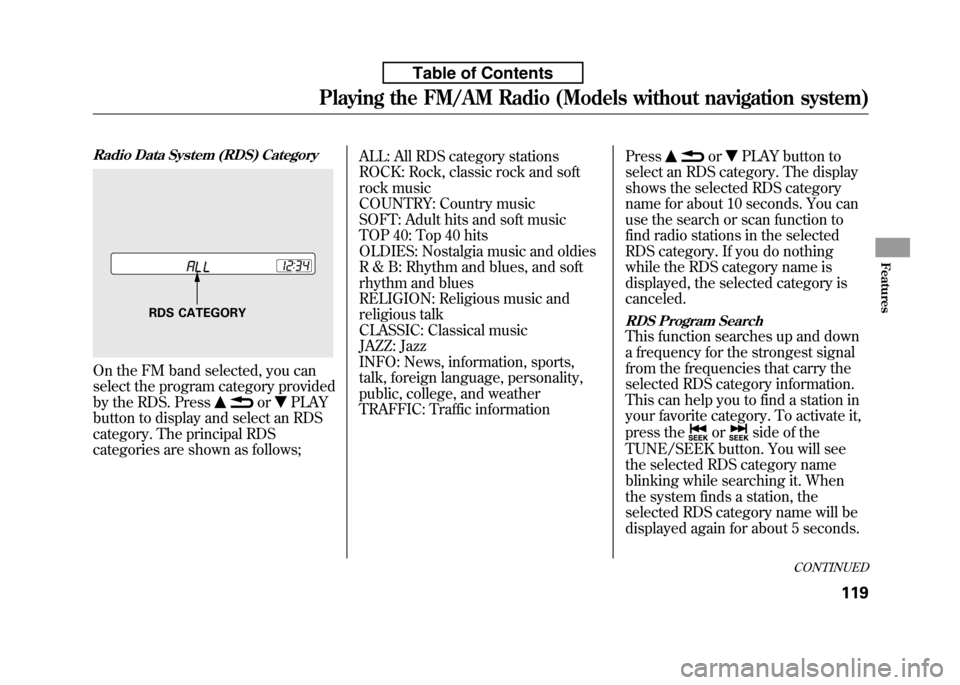
Radio Data System (RDS) Category
On the FM band selected, you can
select the program category provided
by the RDS. Press
orPLAY
button to display and select an RDS
category. The principal RDS
categories are shown as follows; ALL: All RDS category stations
ROCK: Rock, classic rock and soft
rock music
COUNTRY: Country music
SOFT: Adult hits and soft music
TOP 40: Top 40 hits
OLDIES: Nostalgia music and oldies
R & B: Rhythm and blues, and soft
rhythm and blues
RELIGION: Religious music and
religious talk
CLASSIC: Classical music
JAZZ: Jazz
INFO: News, information, sports,
talk, foreign language, personality,
public, college, and weather
TRAFFIC: Traffic information
Press
orPLAY button to
select an RDS category. The display
shows the selected RDS category
name for about 10 seconds. You can
use the search or scan function to
find radio stations in the selected
RDS category. If you do nothing
while the RDS category name is
displayed, the selected category iscanceled.
RDS Program Search
This function searches up and down
a frequency for the strongest signal
from the frequencies that carry the
selected RDS category information.
This can help you to find a station in
your favorite category. To activate it,
press the
orside of the
TUNE/SEEK button. You will see
the selected RDS category name
blinking while searching it. When
the system finds a station, the
selected RDS category name will be
displayed again for about 5 seconds.
RDS CATEGORY
CONTINUED
Playing the FM/AM Radio (Models without navigation system)
119
Features
Table of Contents
Page 144 of 351
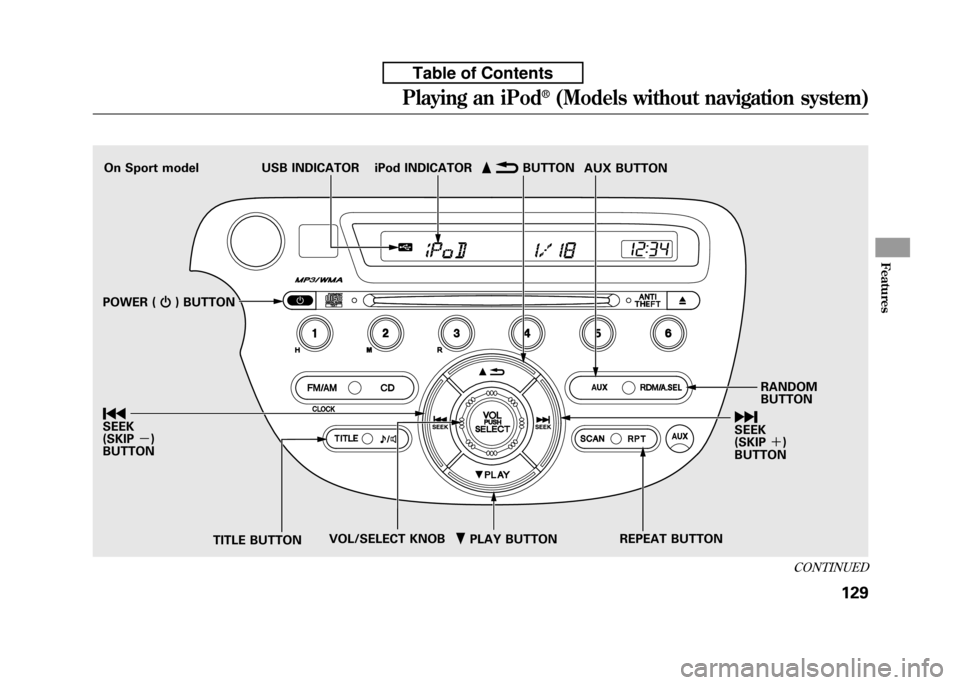
ꂺPLAY BUTTON
USB INDICATOR
RANDOM BUTTON
ꀽ
SEEK
(SKIP +)
BUTTON
TITLE BUTTON AUX BUTTON
ꂹꂾ
BUTTON
VOL/SELECT KNOB REPEAT BUTTON
ꀾ SEEK (SKIP
-)
BUTTON iPod INDICATOR
POWER ( ꂻ) BUTTON
On Sport model
CONTINUED
Playing an iPod®(Models without navigation system)
129
Features
Table of Contents
Page 151 of 351
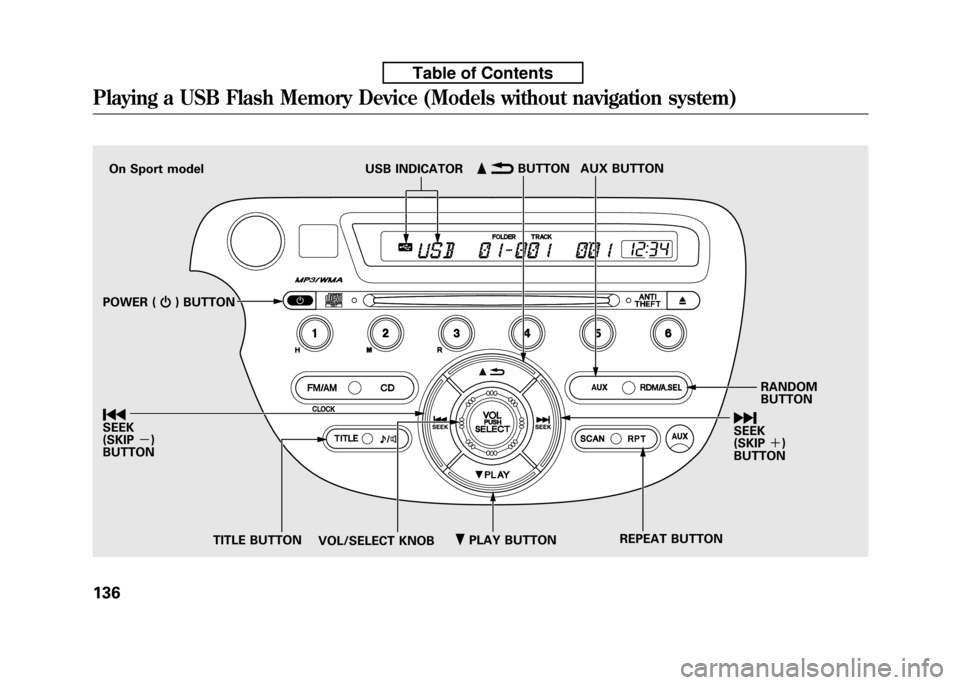
ꂺPLAY BUTTON
USB INDICATOR
RANDOM BUTTON
ꀽSEEK (SKIP +)
BUTTON
TITLE BUTTON AUX BUTTON
ꂹꂾ
BUTTON
VOL/SELECT KNOB REPEAT BUTTON
ꀾ SEEK (SKIP
-)
BUTTON
POWER (
ꂻ) BUTTON
On Sport model
Playing a USB Flash Memory Device (Models without navigation system)
136
Table of Contents
Page 208 of 351
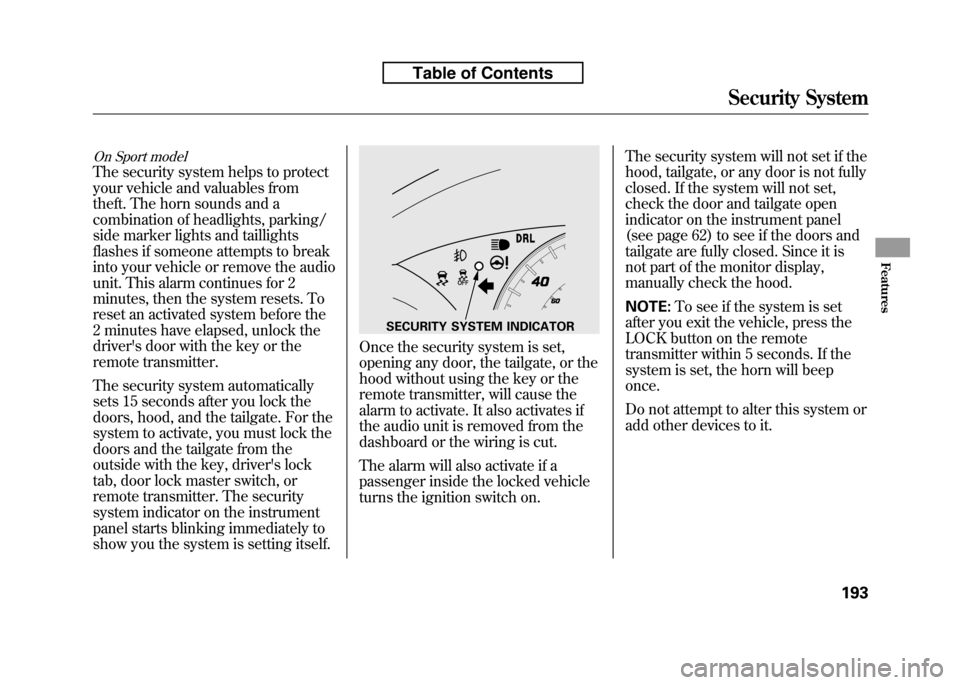
On Sport model
The security system helps to protect
your vehicle and valuables from
theft. The horn sounds and a
combination of headlights, parking/
side marker lights and taillights
flashes if someone attempts to break
into your vehicle or remove the audio
unit. This alarm continues for 2
minutes, then the system resets. To
reset an activated system before the
2 minutes have elapsed, unlock the
driver's door with the key or the
remote transmitter.
The security system automatically
sets 15 seconds after you lock the
doors, hood, and the tailgate. For the
system to activate, you must lock the
doors and the tailgate from the
outside with the key, driver's lock
tab, door lock master switch, or
remote transmitter. The security
system indicator on the instrument
panel starts blinking immediately to
show you the system is setting itself.
Once the security system is set,
opening any door, the tailgate, or the
hood without using the key or the
remote transmitter, will cause the
alarm to activate. It also activates if
the audio unit is removed from the
dashboard or the wiring is cut.
The alarm will also activate if a
passenger inside the locked vehicle
turns the ignition switch on.The security system will not set if the
hood, tailgate, or any door is not fully
closed. If the system will not set,
check the door and tailgate open
indicator on the instrument panel
(see page 62) to see if the doors and
tailgate are fully closed. Since it is
not part of the monitor display,
manually check the hood. NOTE:
To see if the system is set
after you exit the vehicle, press the
LOCK button on the remote
transmitter within 5 seconds. If the
system is set, the horn will beeponce.
Do not attempt to alter this system or
add other devices to it.
SECURITY SYSTEM INDICATOR
Security System
193
Features
Table of Contents