key HONDA FIT 2013 3.G User Guide
[x] Cancel search | Manufacturer: HONDA, Model Year: 2013, Model line: FIT, Model: HONDA FIT 2013 3.GPages: 286, PDF Size: 9.38 MB
Page 91 of 286
90
Controls
Security System
Immobilizer System
The immobilizer system prevents a key that has not been pre-registered from
starting the engine. Each key contains electronic transmitters that use electronic
signals to verify the key.
Pay attention to the following when inserting the key into the ignition switch: •Do not allow objects that emit strong radio waves near the ignition switch.
• Make sure the key is not covered by or touching a metal object.
• Do not bring a key from another ve hicle’s immobilizer system near the ignition
switch.
Security System Alarm *
The security system alarm activates when the doors, tailgate, or hood are opened
without the key, or remote transmitter. ■ When the security system alarm activates
The horn sounds intermittently and all of the exterior lights flash. ■ To deactivate the security system alarm
Unlock the vehicle using the key, or remote transmitter. The system, along with the
horn and flashing lights, is deactivated.
1Immobilizer System
NOTICE
Leaving the ignition key in the vehicle can result in
theft or accidental movement of the vehicle.
Always take the ignition key with you whenever you
leave the vehicle unattended.
Do not alter the system or add other devices to it.
Doing so may damage the system and make your
vehicle inoperable.
1Security System Alarm *
The security alarm continues for a maximum of two
minutes until the security system deactivates.
* Not available on all models
Main Menu
Main MenuTable of Contents
Page 92 of 286
91
uuSecurity SystemuSecurity System Alarm*
Controls
■
Setting the security system alarm
The security system alarm automatically sets when the following conditions have
been met: • The ignition switch is in LOCK
(0 , and the key has been removed from the
ignition switch.
• The hood is closed.
• All doors and the tailgate are locked with the key or the remote transmitter.
■ When the security system alarm sets
The security system alarm indicator in the instrument panel blinks. When the
blinking interval changes after about 15 seconds, the security system alarm is set. ■ To cancel the security system alarm
The security system alarm is canceled when the vehicle is unlocked using the key or
remote transmitter. The security system alarm indicator goes off at the same time.
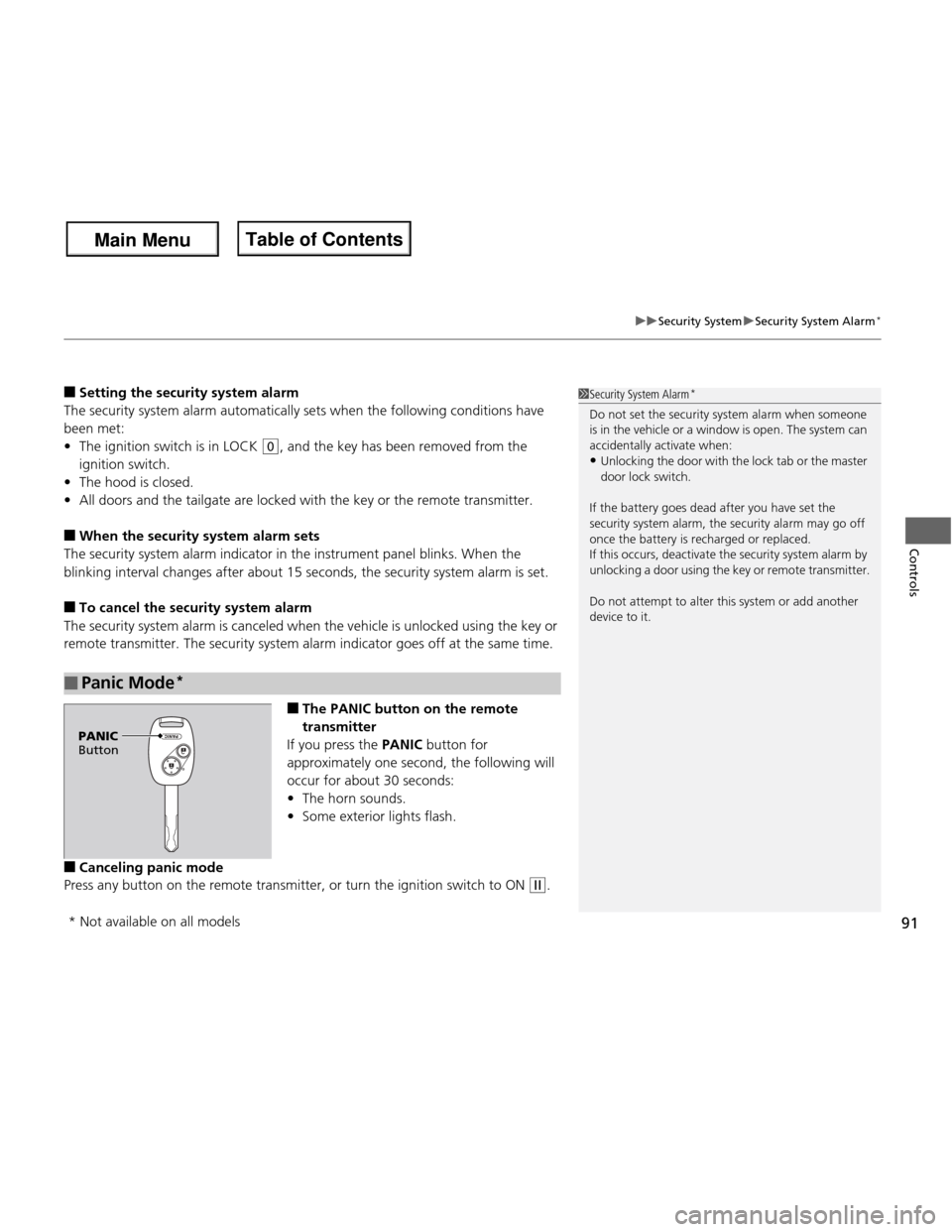
■The PANIC button on the remote
transmitter
If you press the PANIC button for
approximately one second, the following will
occur for about 30 seconds:• The horn sounds.
• Some exterior lights flash.
■ Canceling panic mode
Press any button on the remote transmitter, or turn the ignition switch to ON
(w .
■Panic Mode *
1Security System Alarm
*
Do not set the security system alarm when someone
is in the vehicle or a window is open. The system can
accidentally activate when: • Unlocking the door with the lock tab or the master
door lock switch.
If the battery goes dead after you have set the
security system alarm, the security alarm may go off
once the battery is recharged or replaced.
If this occurs, deactivate the security system alarm by
unlocking a door using the key or remote transmitter.
Do not attempt to alter this system or add another
device to it.
PANIC
Button
* Not available on all models
Main Menu
Main MenuTable of Contents
Page 95 of 286
94
Controls
Operating the Switches Around the Steering Wheel
Ignition Switch
1Ignition Switch
You cannot take the key out unless the shift lever is
in
(P.
If you open the driver’s door when the key is in LOCK
(0 or ACCESSORY (q, a warning buzzer will sound
to remind you to take the key out.
If the key won’t turn from LOCK
(0 to ACCESSORY
(q, turn the key while moving the steering wheel left
and right. The steering wheel will unlock, allowing
the key to turn.
3WARNING
Removing the key from the ignition switch
while driving locks the steering. This can
cause you to lose co ntrol of the vehicle.
Remove the key from the ignition switch
only when parked.
Manual transmission models
Automatic transmission models
All models
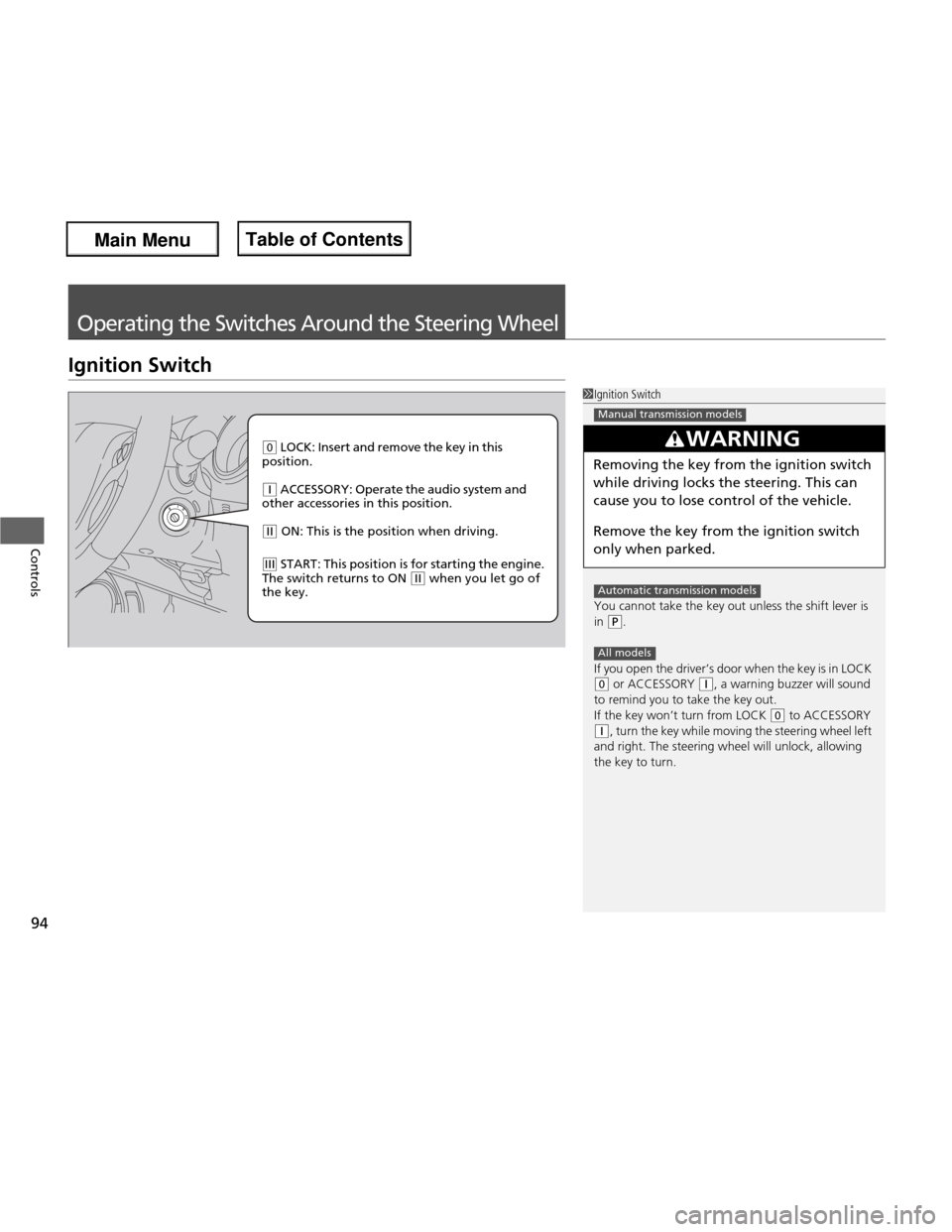
(0 LOCK: Insert and remove the key in this
position.
(q ACCESSORY: Operate the audio system and
other accessories in this position.
(w ON: This is the position when driving.
(e START: This position is for starting the engine.
The switch returns to ON (w when you let go of
the key.
Main Menu
Main MenuTable of Contents
Page 96 of 286
95
uuOperating the Switches Around the Steering WheeluTurn Signals
Controls
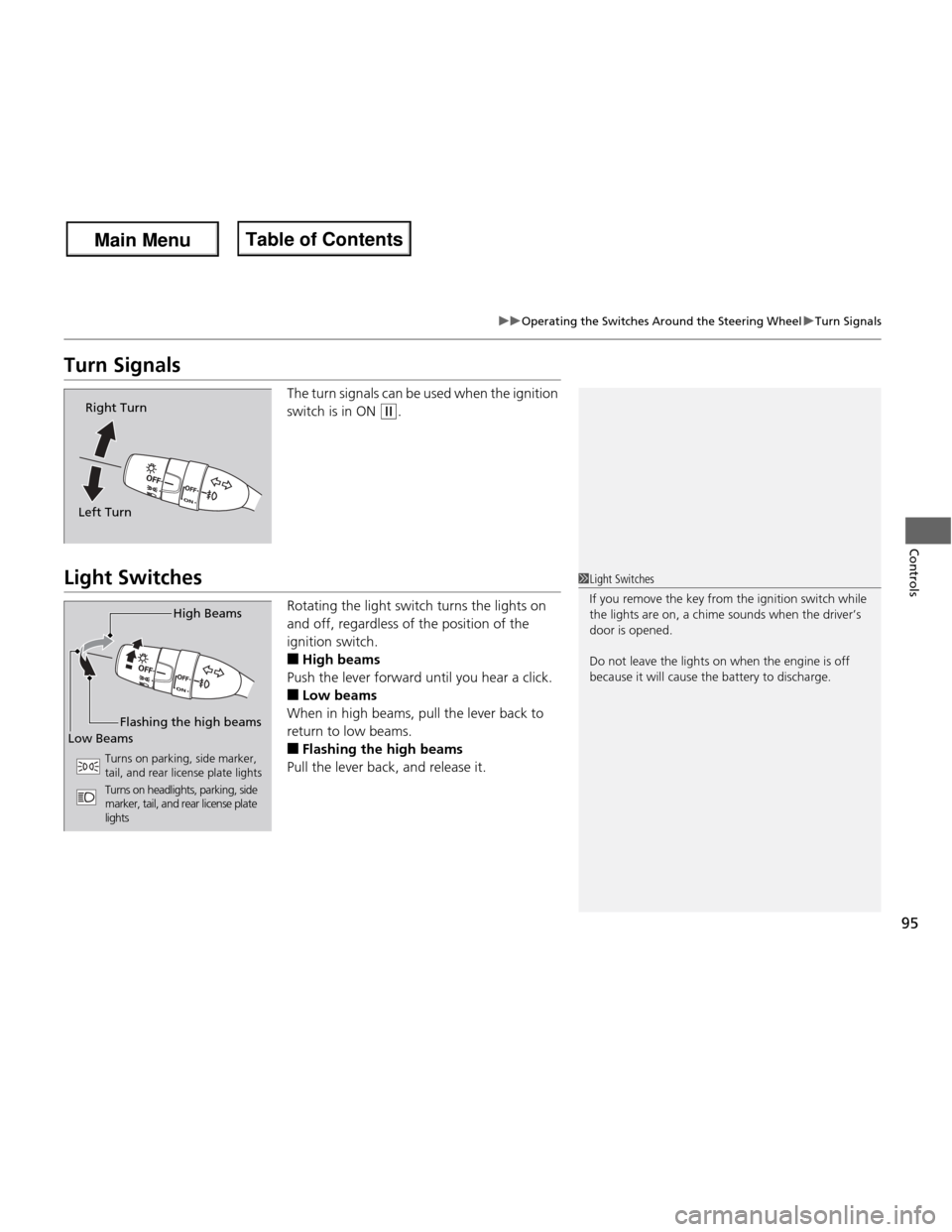
Turn SignalsThe turn signals can be used when the ignition
switch is in ON
(w.
Light Switches
Rotating the light switch turns the lights on
and off, regardless of the position of the
ignition switch. ■High beams
Push the lever forward until you hear a click.■ Low beams
When in high beams, pull the lever back to
return to low beams. ■ Flashing the high beams
Pull the lever back, and release it.
Right Turn
Left Turn
1Light Switches
If you remove the key fr om the ignition switch while
the lights are on, a chime sounds when the driver’s door is opened.
Do not leave the lights on when the engine is off
because it will cause the battery to discharge.
High Beams
Flashing the high beams
Low Beams
Turns on parking, side marker,
tail, and rear license plate lights
Turns on headlights, parking, side
marker, tail, and rear license plate
lights
Main Menu
Main MenuTable of Contents
Page 112 of 286
111
Continued
Controls
Interior Lights/Interior Convenience Items
Interior Lights
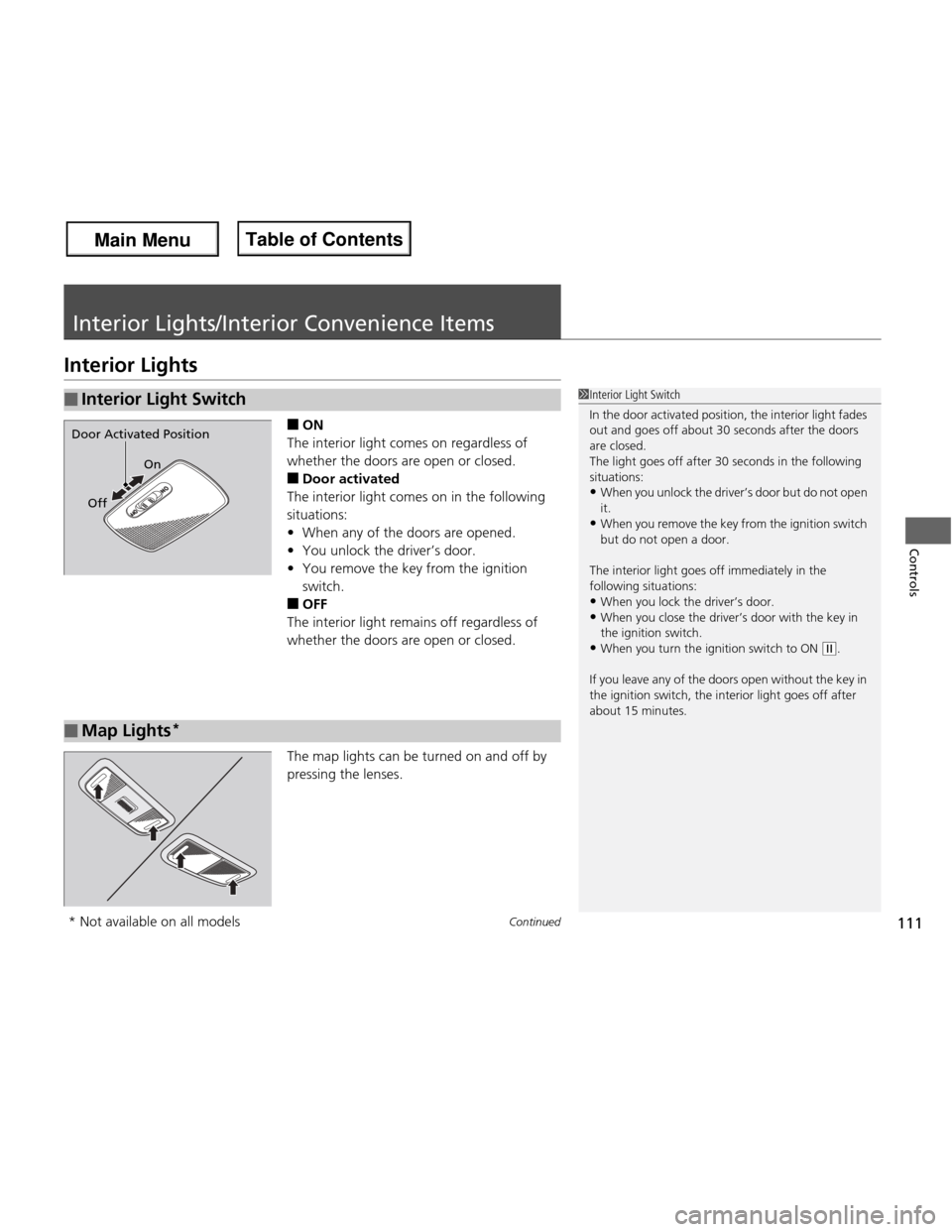
■ON
The interior light comes on regardless of
whether the doors are open or closed. ■ Door activated
The interior light comes on in the following situations: • When any of the doors are opened.
• You unlock the driver’s door.
• You remove the key from the ignition
switch.
■ OFF
The interior light remains off regardless of
whether the doors are open or closed.
The map lights can be turned on and off by
pressing the lenses.
■Interior Light Switch1Interior Light Switch
In the door activated position, the interior light fades
out and goes off about 30 seconds after the doors
are closed.
The light goes off after 30 seconds in the following
situations: • When you unlock the driver’s door but do not open
it.
• When you remove the key from the ignition switch
but do not open a door.
The interior light goes off immediately in the following situations:
• When you lock the driver’s door.
• When you close the driver’s door with the key in
the ignition switch.
• When you turn the ignition switch to ON
(w .
If you leave any of the doors open without the key in
the ignition switch, the interior light goes off after
about 15 minutes.
On
Off
Door Activated Position
■Map Lights *
* Not available on all models
Main Menu
Main MenuTable of Contents
Page 144 of 286

143
uuBluetooth® HandsFreeLink ®*uHFL Menus
Continued
Features
“Change passcode”
Store a phonebook entry.
Edit the number of an existing phonebook entry. Delete a phonebook entry.
Hear a list of all stored phonebook entries.Transfer contacts from your phone to HFL.
Apply a security passcode to the system that must be input at each key
cycle to access the system.
Change your security passcode.
Set how you want to be notified of an incoming call.
Set to automatically transfer calls from your phone to HFL when you
enter the vehicle.
Switch the system language between English and French.
Hear a tutorial for general rules on using the system.
Hear a list of available commands and additional information describing each command. “Store”
“Edit”
“Delete”
“List”
“Receive contact”
*
“Security”
“Call notification”
“Auto transfer”
“Phonebook”
“System setup”
“Change language”
“Tutorial”
“Hands-free help”
Clear the system of all paired phones, phonebook entries, and security passcode.
“Clear”
* Not available on all models
Main Menu
Main MenuTable of Contents
Page 155 of 286
154
Driving
Before Driving
Driving Preparation
Check the following items before you start driving. •Make sure there are no obstructions on the windows, door mirrors, exterior
lights, or other parts of the vehicle.
uRemove any frost, snow, or ice.
uRemove any snow on the roof, as this can slip down and obstruct your field of
vision while driving. If frozen solid, remove ice once it has softened.
uWhen removing ice from around the wheels, be sure not to damage the wheel
or wheel components.
• Make sure the hood is securely closed.
uIf the hood opens while driving, your front view will be blocked.
• Make sure the tires are in good condition.
uCheck air pressure, check for damage and excessive wear.
2 Checking and Maintaining Tires P. 222
• Make sure there are no people or objects behind or around the vehicle.
uThere are blind spots from the inside.
■Exterior Checks1Exterior Checks
NOTICE
When doors are frozen shut, use warm water around
the door edges to melt any ice. Do not try to force
them open, as this can damage the rubber trim
around the doors. When done, wipe dry to avoid further freezing.
Do not pour warm water into the key cylinder.
You will be unable to insert key if the water freezes in
the hole.
Heat from the engine and exhaust can ignite
flammable materials left under the hood, causing a
fire. If you've parked your vehicle for an extended
period, inspect and remove any debris that may have
collected, such as dried grass and leaves that have
fallen or have been carried in for use as a nest by a
small animal. Also check under the hood for leftover
flammable materials after you or someone else has
performed maintenance on your vehicle.
Main Menu
Main MenuTable of Contents
Page 163 of 286
uuWhen DrivinguStarting the Engine
162
Driving
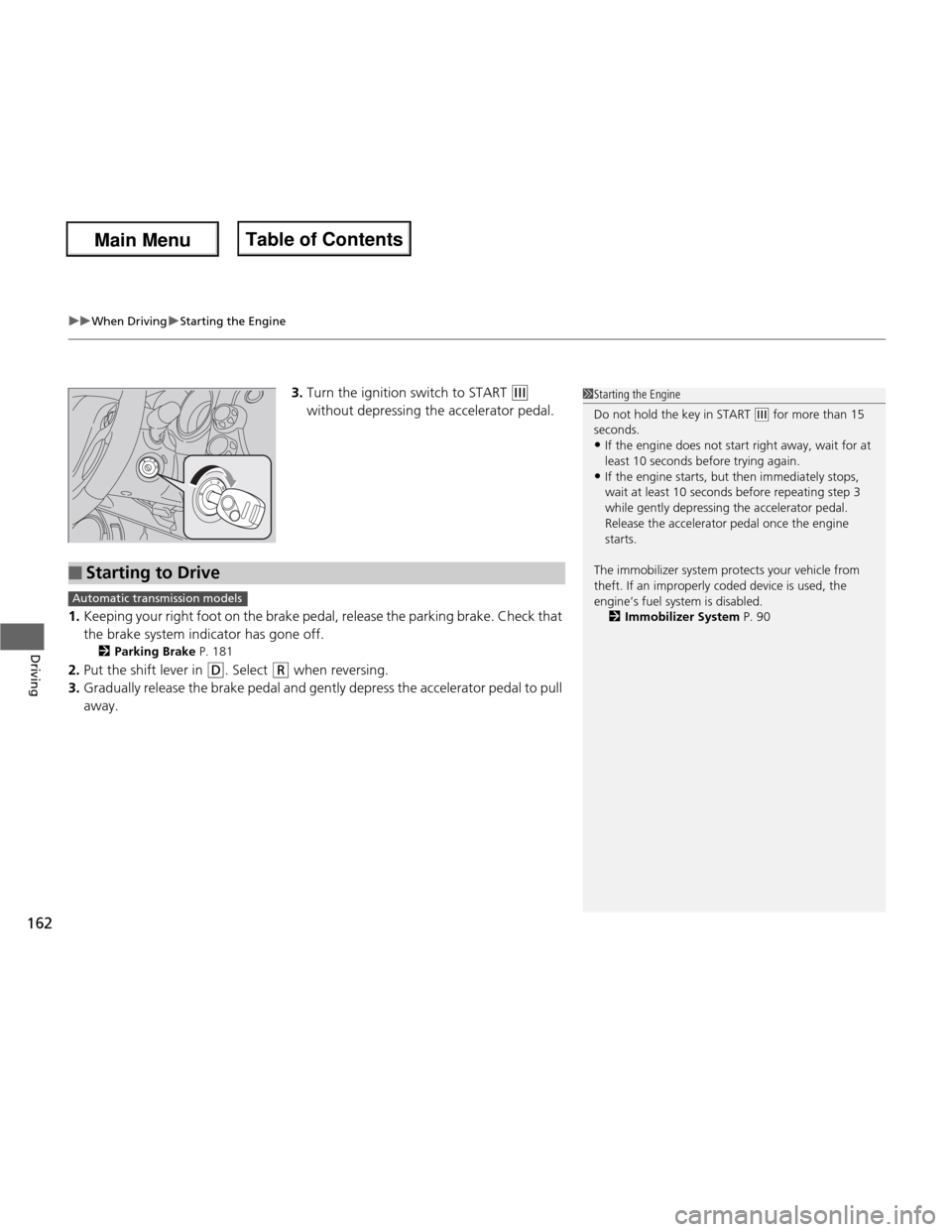
3. Turn the ignition switch to START (e
without depressing the accelerator pedal.
1. Keeping your right foot on the brake pedal, release the parking brake. Check that
the brake system indicator has gone off.
2 Parking Brake P. 181
2. Put the shift lever in
(D . Select (R when reversing.
3. Gradually release the brake pedal and gently depress the accelerator pedal to pull away.
1Starting the Engine
Do not hold the key in START
(e for more than 15
seconds.
• If the engine does not start right away, wait for at least 10 seconds before trying again.
• If the engine starts, but then immediately stops,
wait at least 10 seconds before repeating step 3
while gently depressing the acce lerator pedal.
Release the accelerator pedal once the engine
starts.
The immobilizer system protects your vehicle from
theft. If an improperly coded device is used, the
engine’s fuel system is disabled. 2 Immobilizer System P. 90
■Starting to Drive
Automatic transmission models
Main Menu
Main MenuTable of Contents
Page 166 of 286
165
uuWhen DrivinguShifting
Continued
Driving
Shifting
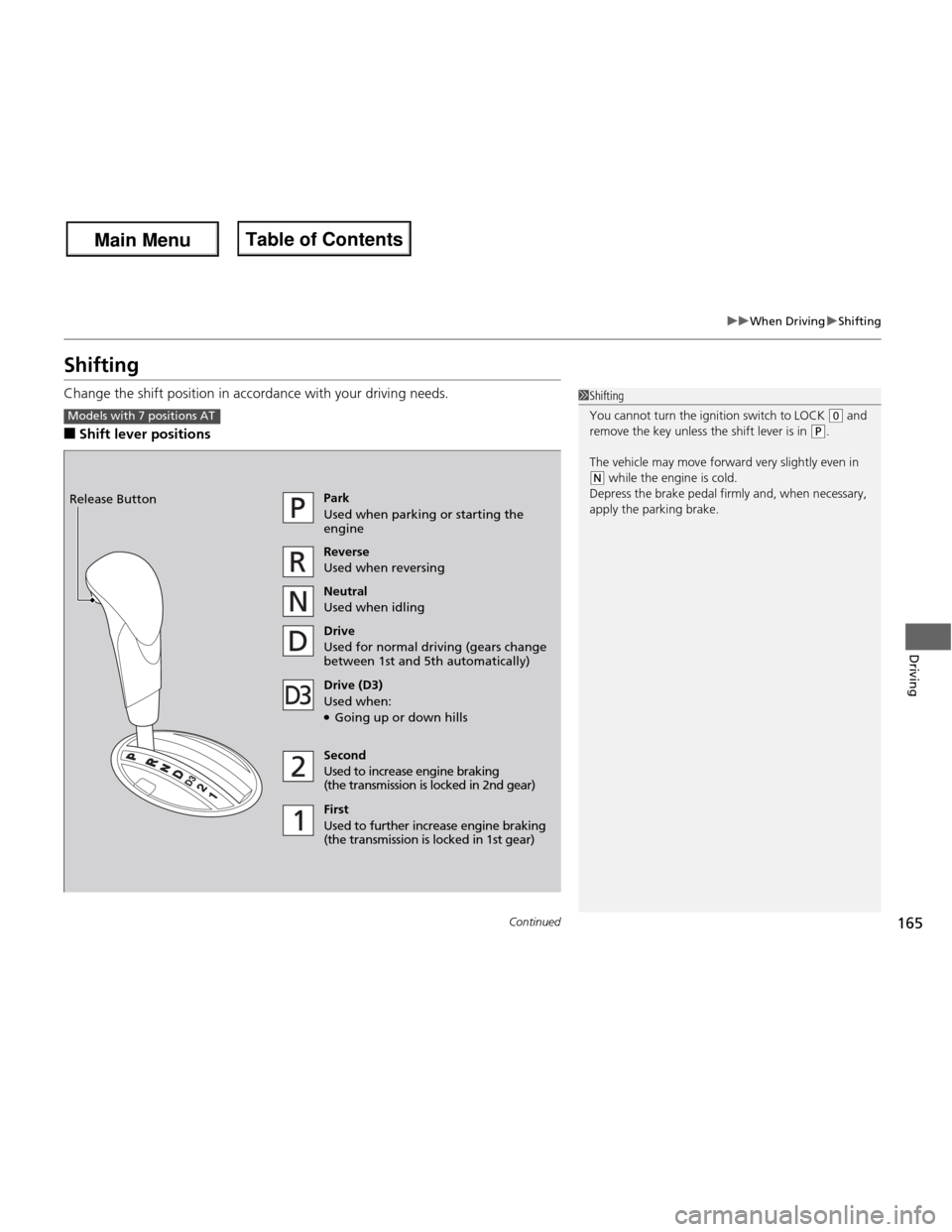
Change the shift position in accordance with your driving needs. ■Shift lever positions
1Shifting
You cannot turn the ignition switch to LOCK
(0 and
remove the key unless the shift lever is in
(P.
The vehicle may move forward very slightly even in
(N while the engine is cold.
Depress the brake pedal firmly and, when necessary,
apply the parking brake.
Models with 7 positions AT
Park
Used when parking or starting the engine Reverse
Used when reversing
Neutral
Used when idling
Drive
Used for normal driving (gears change
between 1st and 5th automatically)
Drive (D3)
Used when: ● Going up or down hills
Second
Used to increase engine braking
(the transmission is lo cked in 2nd gear)
First
Used to further increase engine braking
(the transmission is locked in 1st gear)
Release Button
Main Menu
Main MenuTable of Contents
Page 168 of 286
167
uuWhen DrivinguShifting
Continued
Driving
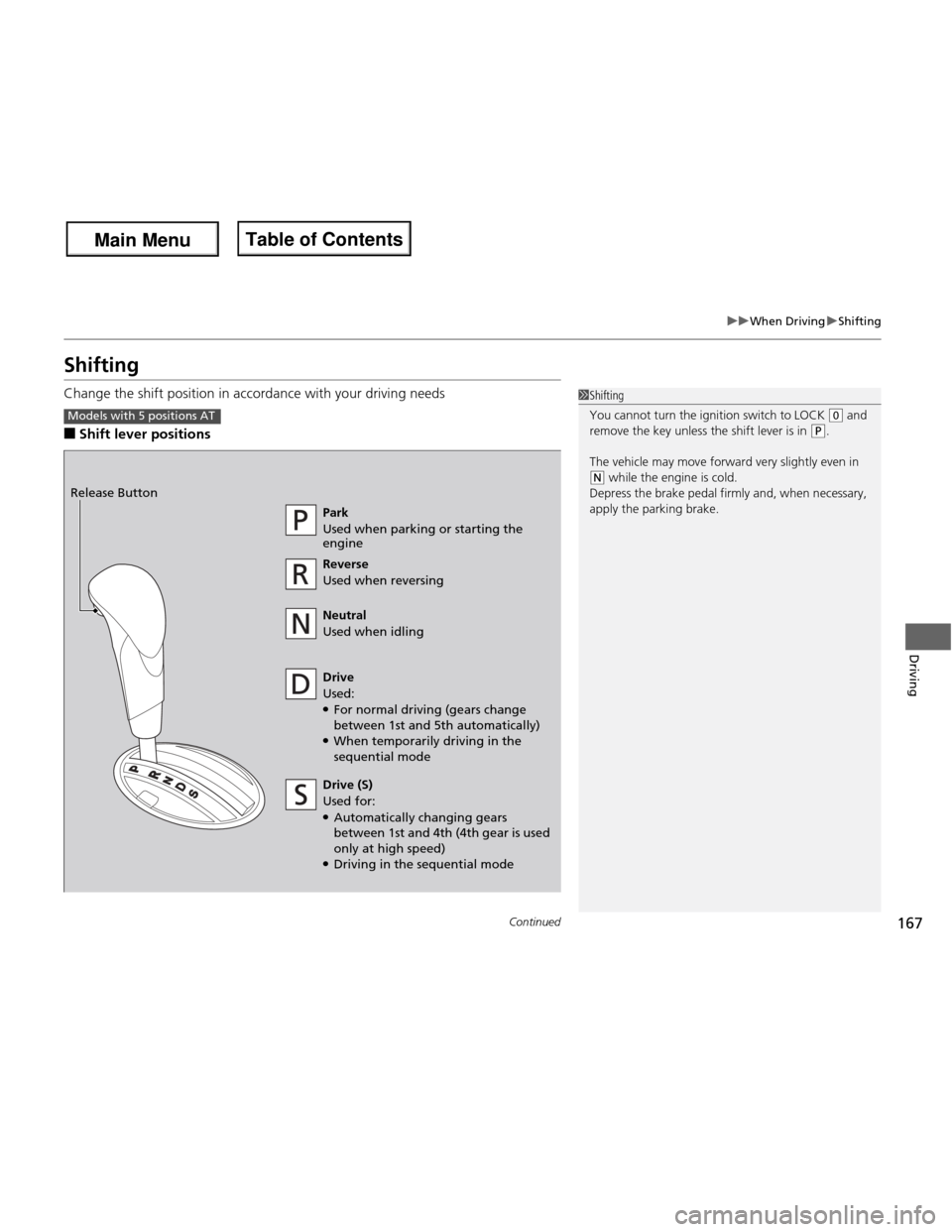
Shifting
Change the shift position in accordance with your driving needs ■Shift lever positions
1Shifting
You cannot turn the ignition switch to LOCK
(0 and
remove the key unless the shift lever is in (P.
The vehicle may move forward very slightly even in
(N while the engine is cold.
Depress the brake pedal firmly and, when necessary,
apply the parking brake.
Models with 5 positions AT
Park
Used when parking or starting the engine Reverse
Used when reversing
Neutral
Used when idling
Drive
Used: ● For normal driving (gears change
between 1st and 5th automatically)
● When temporarily driving in the sequential mode
Release Button
Drive (S)
Used for:
● Automatically changing gears
between 1st and 4th (4th gear is used only at high speed)
● Driving in the sequential mode
Main Menu
Main MenuTable of Contents