display HONDA FIT 2013 3.G Owner's Manual
[x] Cancel search | Manufacturer: HONDA, Model Year: 2013, Model line: FIT, Model: HONDA FIT 2013 3.GPages: 286, PDF Size: 9.38 MB
Page 133 of 286
uuAudio System Basic OperationuPlaying an iPod®*
132
Features
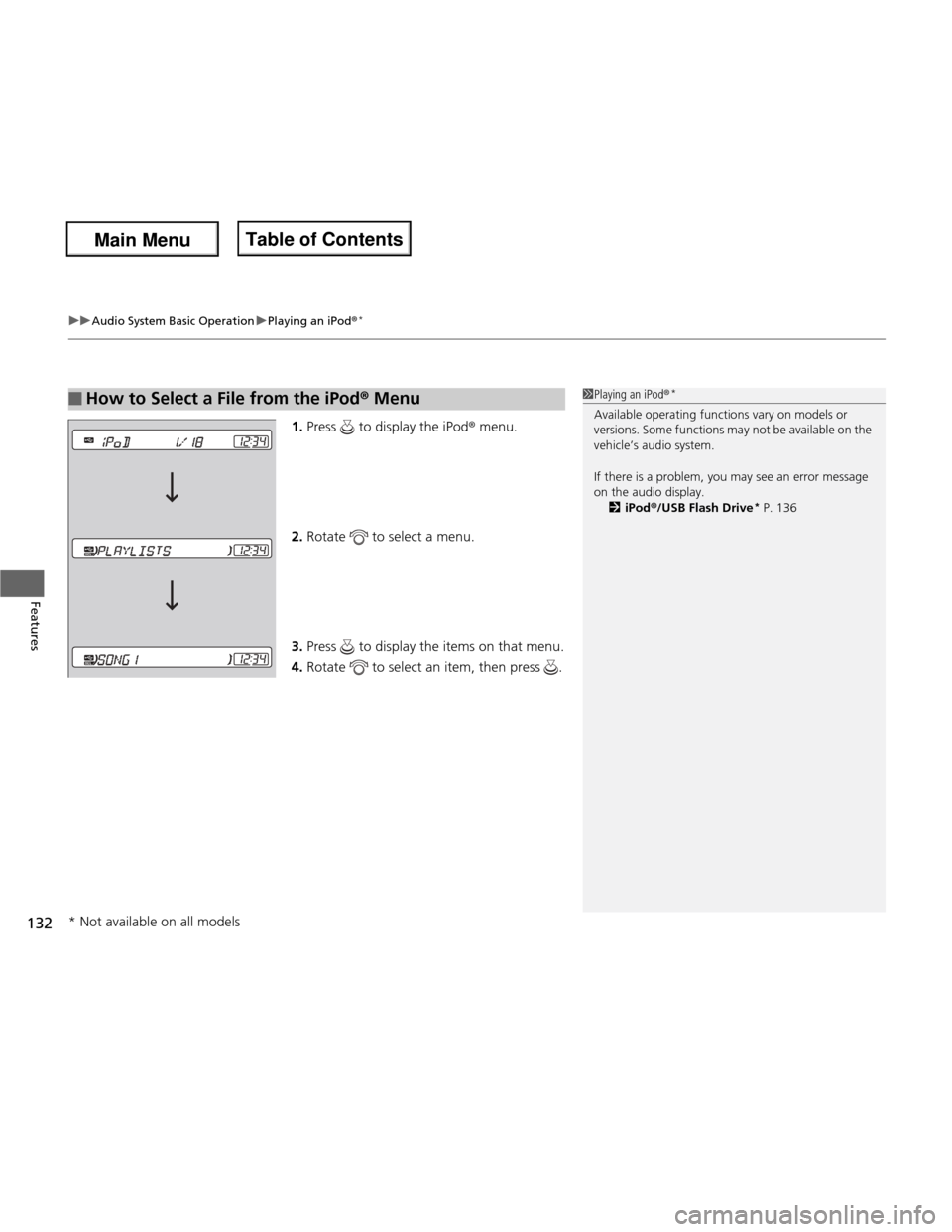
1. Press to display the iPod ® menu.
2. Rotate to select a menu.
3. Press to display the items on that menu.
4. Rotate to select an item, then press .
■How to Select a File from the iPod ® Menu1Playing an iPod ®*
Available operating functions vary on models or
versions. Some functions may not be available on the
vehicle’s audio system.
If there is a problem, you may see an error message
on the audio display. 2 iPod ®/USB Flash Drive *
P. 136
* Not available on all models
Main Menu
Main MenuTable of Contents
Page 135 of 286
uuAudio System Basic OperationuPlaying a USB Flash Drive*
134
Features
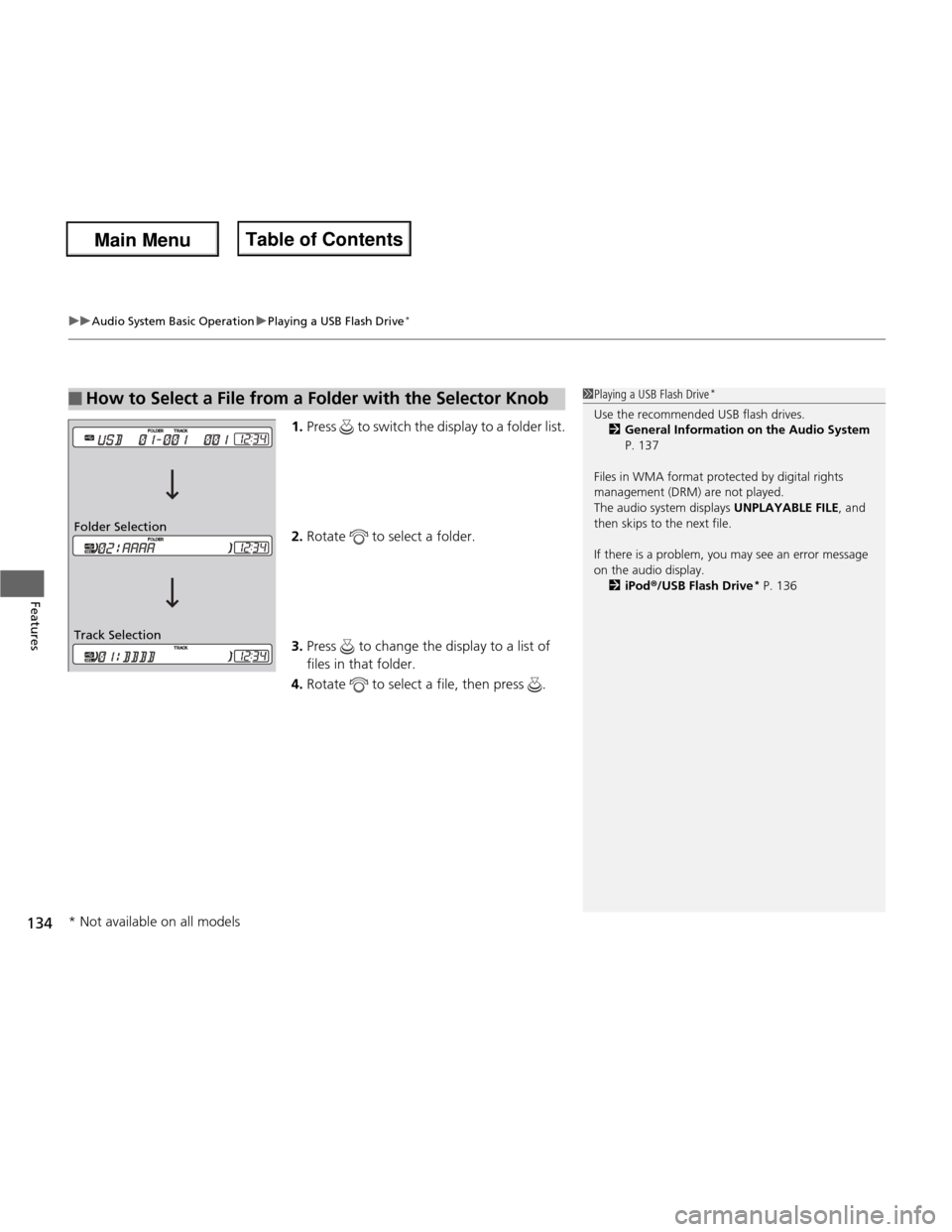
1. Press to switch the display to a folder list.
2. Rotate to select a folder.
3. Press to change the display to a list of
files in that folder.
4. Rotate to select a file, then press .
■How to Select a File from a Folder with the Selector Knob1Playing a USB Flash Drive *
Use the recommended USB flash drives. 2 General Information on the Audio System
P. 137
Files in WMA format protected by digital rights
management (DRM) are not played.
The audio system displays UNPLAYABLE FILE, and
then skips to the next file.
If there is a problem, you may see an error message
on the audio display.
2 iPod ®/USB Flash Drive *
P. 136
Track Selection
Folder Selection
* Not available on all models
Main Menu
Main MenuTable of Contents
Page 138 of 286
137
Continued
Features
General Information on the Audio System
Recommended CDs •
Use only high-quality CD-R or CD-RW discs labeled for audio use.
• Use only CD-R or CD-RW discs on which the recordings are closed.
• Play only standard round-shaped CDs.
• Some software files may not allow for audio play or text data display.
• Some versions of MP3 or WMA formats may be unsupported.
1Recommended CDs
A Dual-disc cannot play on this audio unit. If recorded
under certain conditions, a CD-R or CD-RW may not
play either.
■CDs with MP3 or WMA files
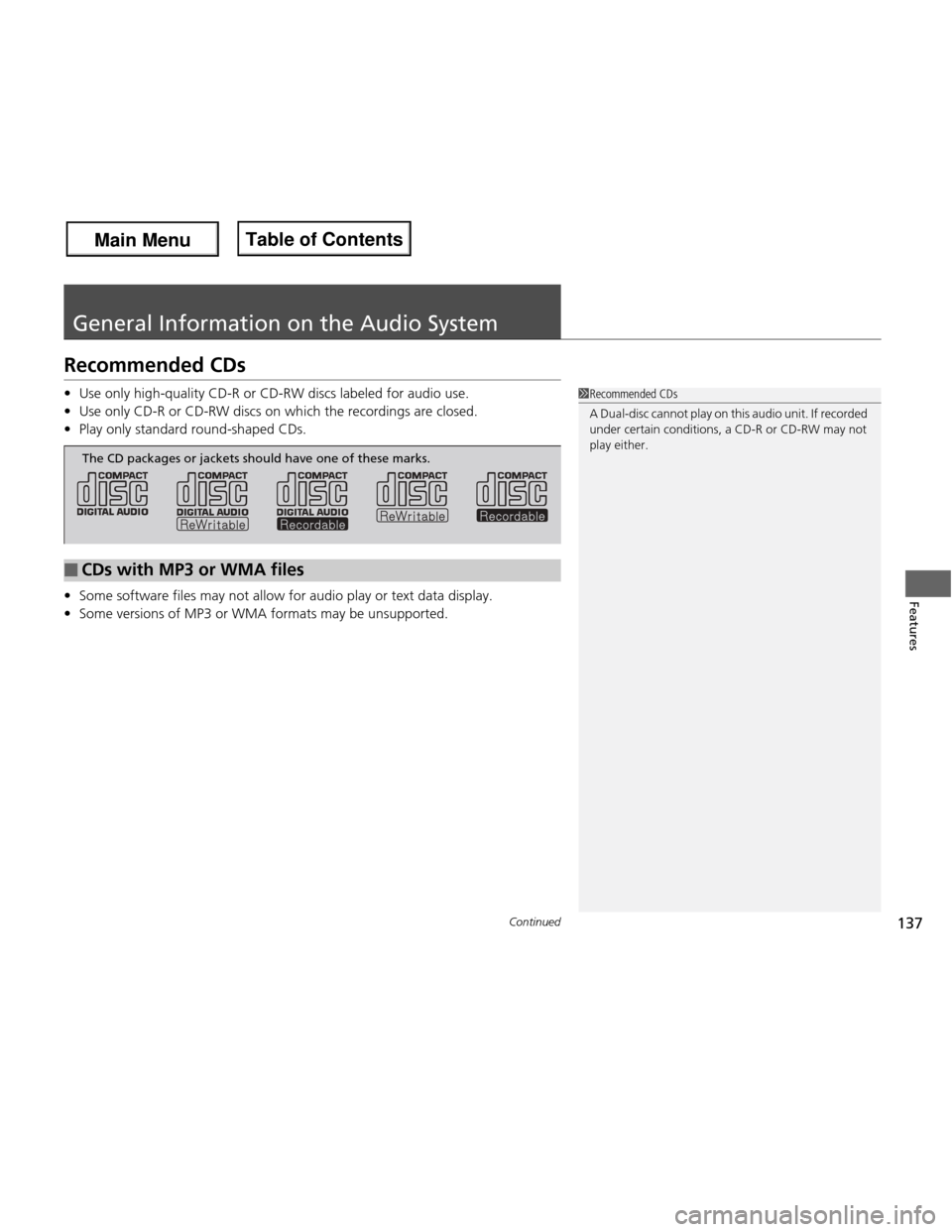
The CD packages or jackets should have one of these marks.
Main Menu
Main MenuTable of Contents
Page 140 of 286
139
uuGeneral Information on the Audio SystemuCompatible iPod® and USB Flash Drives *
Features
Compatible iPod
® and USB Flash Drives *
• Use a recommended USB flash drive of 256 MB or higher.
• Some digital audio players may not be compatible.
• Some USB flash drives (e.g., a device with security lockout) may not work.
• Some software files may not allow for audio play or text data display.
• Some versions of MP3, WMA, or AAC formats may be unsupported.
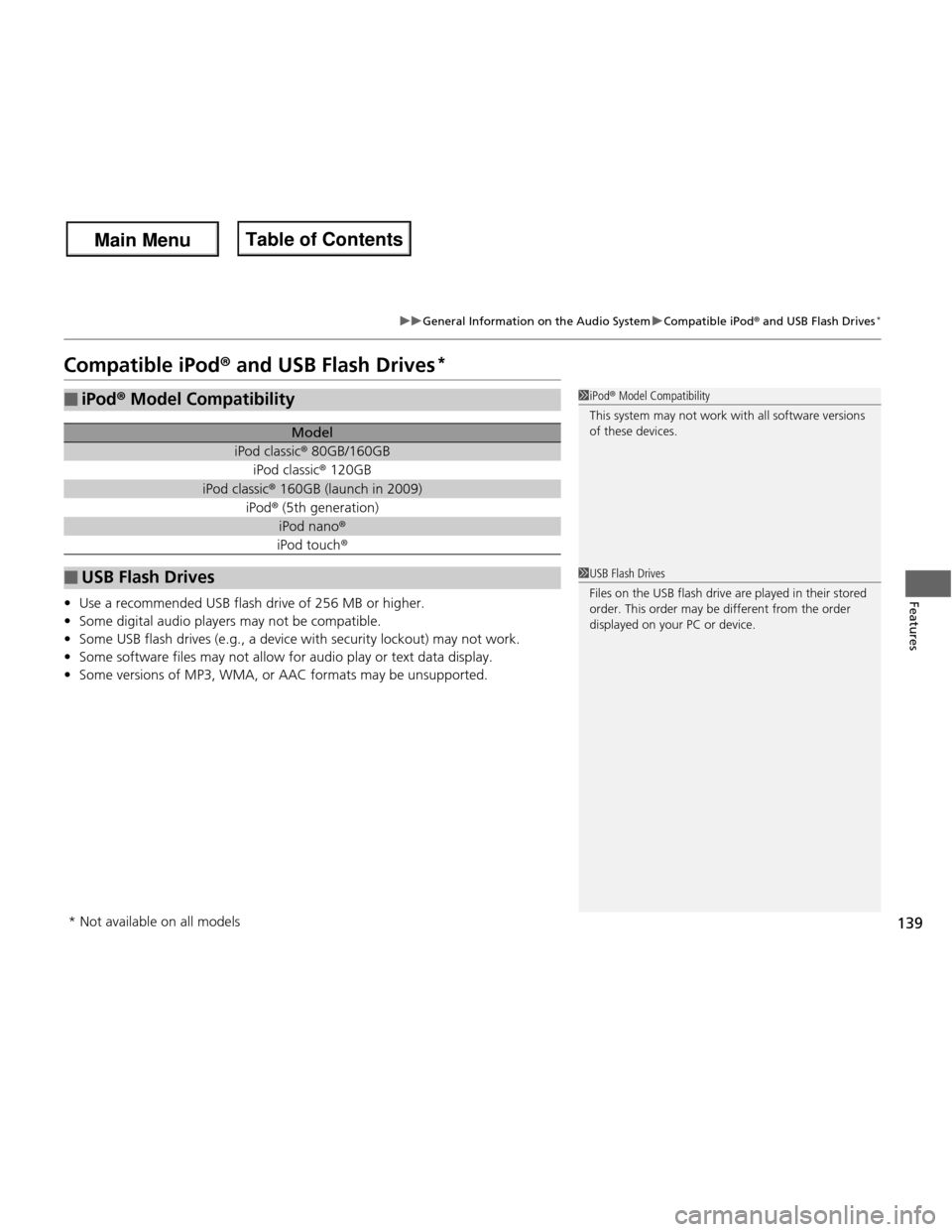
■iPod ® Model Compatibility
Model
iPod classic ® 80GB/160GB
iPod classic ® 120GB
iPod classic ® 160GB (launch in 2009)
iPod ® (5th generation)
iPod nano ®
iPod touch ®
■USB Flash Drives
1iPod® Model Compatibility
This system may not work with all software versions
of these devices.
1USB Flash Drives
Files on the USB flash drive are played in their stored
order. This order may be different from the order
displayed on your PC or device.
* Not available on all models
Main Menu
Main MenuTable of Contents
Page 148 of 286
Continued147
uuBluetooth® HandsFreeLink ®*uHFL Menus
Features
Press the button to answer the call, or the button to hang up. When there
is an incoming call, a call notification (if activated) sounds and a message appears on the display.
You can transfer a call from HFL to your phone, or from your phone to HFL. Press the
button and say “Transfer.
Page 181 of 286
180
uuWhen DrivinguTire Pressure Monitoring System (TPMS) - Required Federal Explanation
Driving
Please note that the TPMS is not a substitute for proper tire
maintenance, and it is the driver’s responsibility to maintain correct tire pressure, even if under-inflation has not reached the
level to trigger illumination of the TPMS low tire pressure telltale. Your vehicle has also been equippe d with a TPMS malfunction
indicator to indicate when the system is not operating properly. The TPMS malfunction indicator is provided by a separate telltale,
which displays the symbol “TPMS” when illuminated. When the malfunction indicator is illuminated,
the system may not be able to detect or signal low tire pressure as intended.
TPMS malfunctions may occur for a variety of reasons, including the installation of replacement or alternate tires or wheels on the
vehicle that prevent the TPMS from functioning properly.
Always check the TPMS malfunction telltale after replacing one or more tires or wheels on your vehicle to ensure that the
replacement or alternate tires and wheels allow the TPMS to continue to function properly.
Main Menu
Main MenuTable of Contents
Page 190 of 286
189
Driving
Fuel Economy
Improving Fuel Economy
Fuel economy depends on several conditions, including driving conditions, your
driving habits, the condition of your vehicle, and loading. Depending on these and
other conditions, you may or may not achieve the rated fuel economy of this vehicle.
You can optimize your fuel economy with proper maintenance of your vehicle.
Always maintain your vehicle in accordance with the messages displayed on the
information display. • Use the recommended viscosity engine oil, displaying the API Certification Seal.
• Maintain the specified tire pressure.
• Do not load the vehicle with excess cargo.
• Keep your vehicle clean. A buildup of snow or mud on your vehicle’s underside adds weight and increases wind resistance.
■Maintenance and Fuel Economy
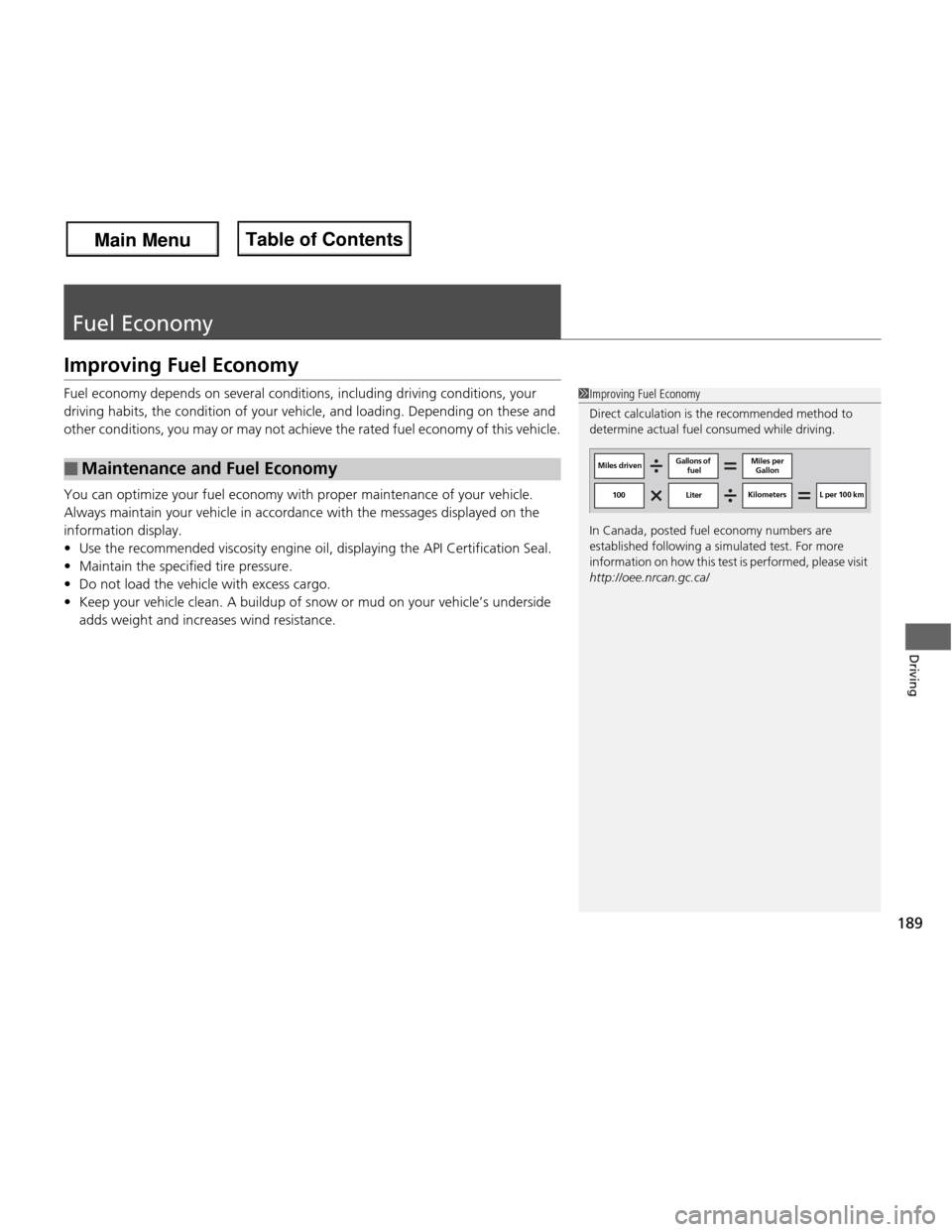
1Improving Fuel Economy
Direct calculation is the recommended method to
determine actual fuel consumed while driving.
In Canada, posted fuel economy numbers are
established following a simulated test. For more
information on how this test is performed, please visit http://oee.nrcan.gc.ca/
Miles driven Gallons of
fuel Miles per
Gallon
100 Liter Kilometers L per 100 km
Main Menu
Main MenuTable of Contents
Page 196 of 286
195
Continued
Maintenance
Maintenance Minder TM
If the engine oil life is less than 15%, you will see the Maintenance Minder messages
appear on the information display every time you turn the ignition switch to ON
(w
.
The messages notify you when to change the engine oil, or when to bring your
vehicle to a dealer for indicated maintenance services.
To Use Maintenance Minder TM
1. Turn the ignition switch to ON
(w .
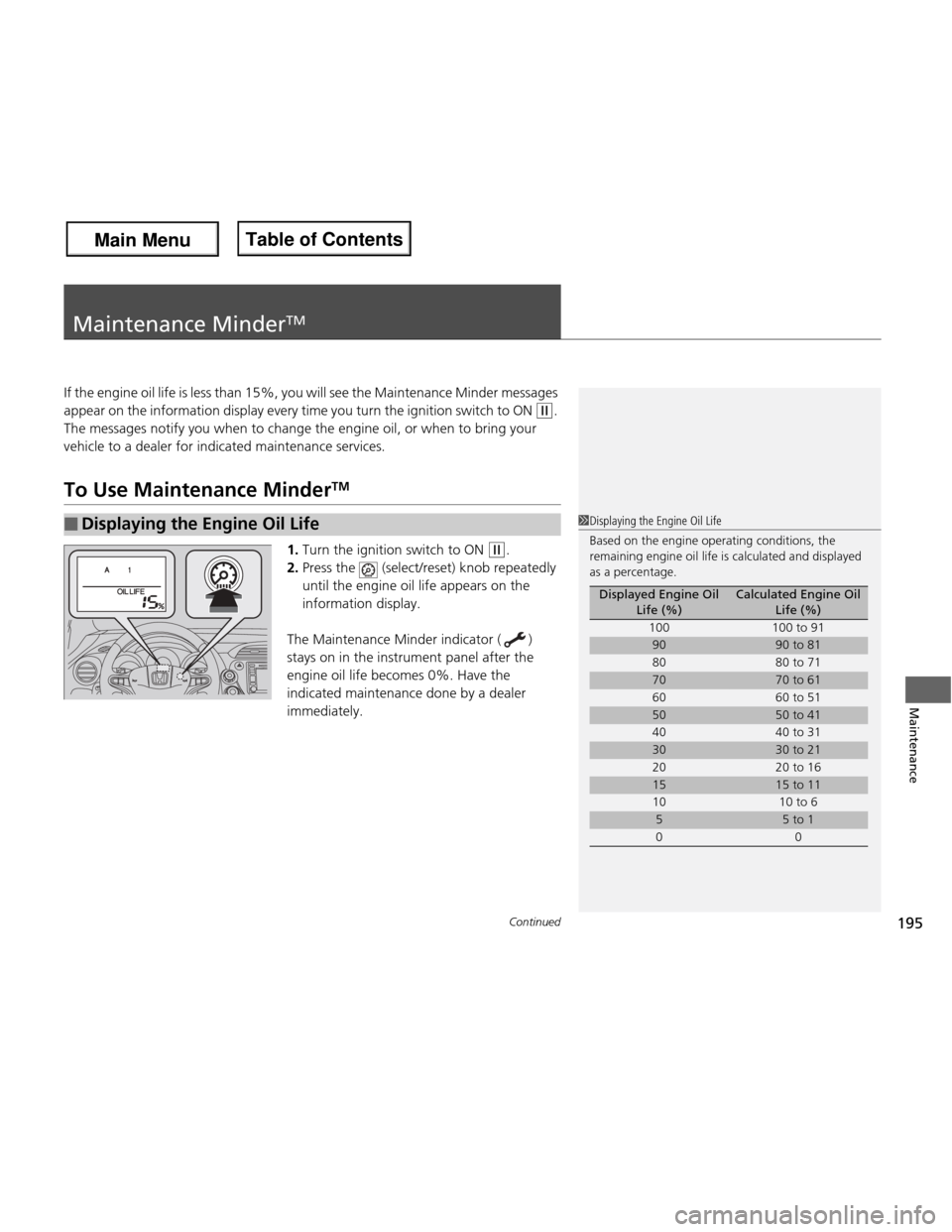
2. Press the (select/reset) knob repeatedly
until the engine oil life appears on the
information display.
The Maintenance Minder indicator ( )
stays on in the instrument panel after the
engine oil life becomes 0%. Have the
indicated maintenance done by a dealer immediately.
■Displaying the Engine Oil Life1Displaying the Engine Oil Life
Based on the engine operating conditions, the
remaining engine oil life is calculated and displayed
as a percentage.
Displayed Engine Oil Life (%)Calculated Engine Oil Life (%)
100 100 to 91
9090 to 81
80 80 to 71
7070 to 61
60 60 to 51
5050 to 41
40 40 to 31
3030 to 21
20 20 to 16
1515 to 11
10 10 to 6
55 to 1
00
Main Menu
Main MenuTable of Contents
Page 197 of 286
196
uuMaintenance MinderTMuTo Use Maintenance Minder TM
Maintenance
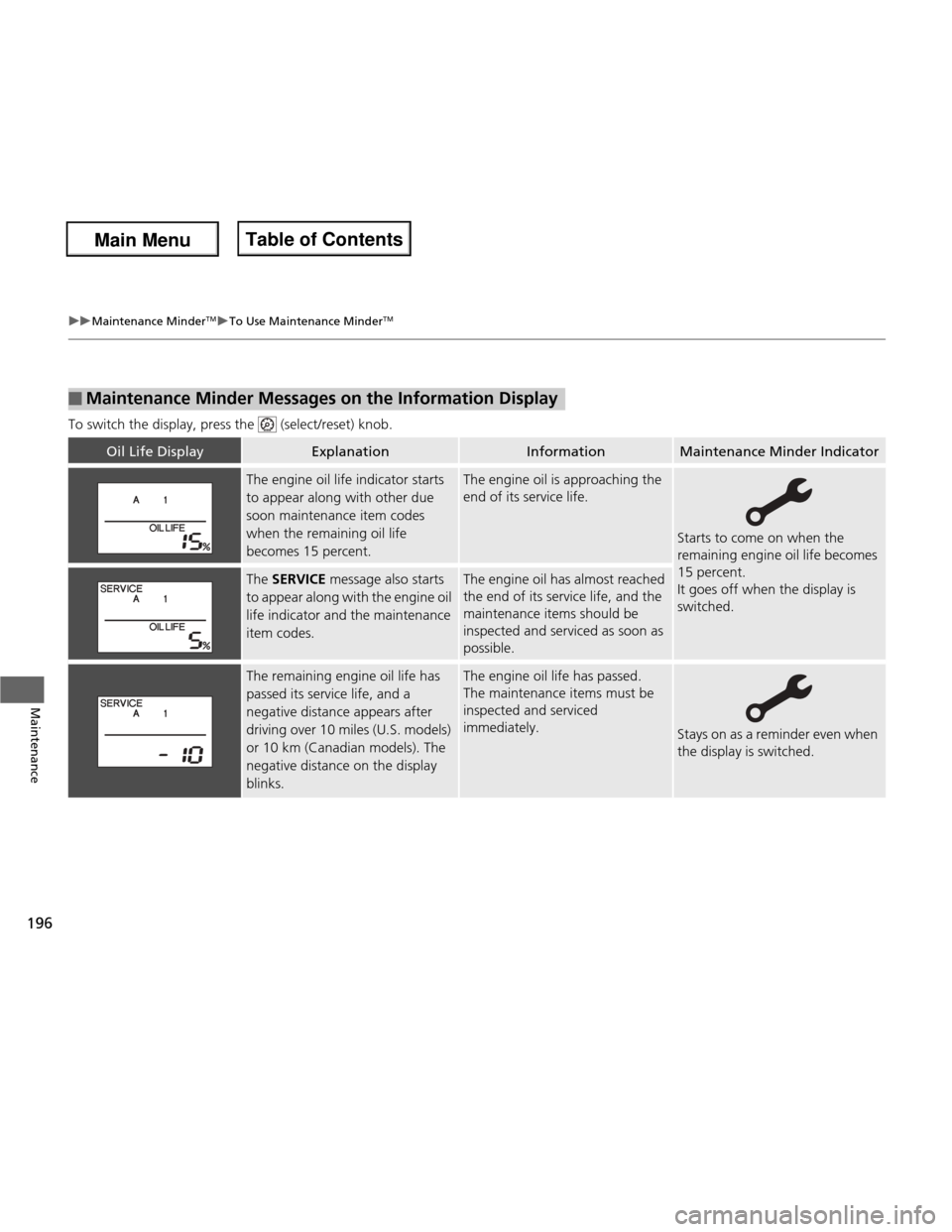
To switch the display, press the (select/reset) knob.
■Maintenance Minder Messages on the Information Display
Oil Life DisplayExplanationInformationMaintenance Minder Indicator
The engine oil life indicator starts
to appear along with other due
soon maintenance item codes
when the remaining oil life
becomes 15 percent.The engine oil is approaching the
end of its service life.
Starts to come on when the
remaining engine oil life becomes 15 percent.
It goes off when the display is switched.
The
SERVICE message also starts
to appear along with the engine oil
life indicator and the maintenance item codes.The engine oil has almost reached
the end of its service life, and the
maintenance items should be inspected and serviced as soon as
possible.
The remaining engine oil life has
passed its service life, and a
negative distance appears after
driving over 10 miles (U.S. models)
or 10 km (Canadian models). The
negative distance on the display
blinks.The engine oil life has passed.
The maintenance items must be inspected and serviced
immediately.
Stays on as a reminder even when
the display is switched.
Main Menu
Main MenuTable of Contents
Page 198 of 286
197
uuMaintenance MinderTMuTo Use Maintenance Minder TM
Continued
Maintenance
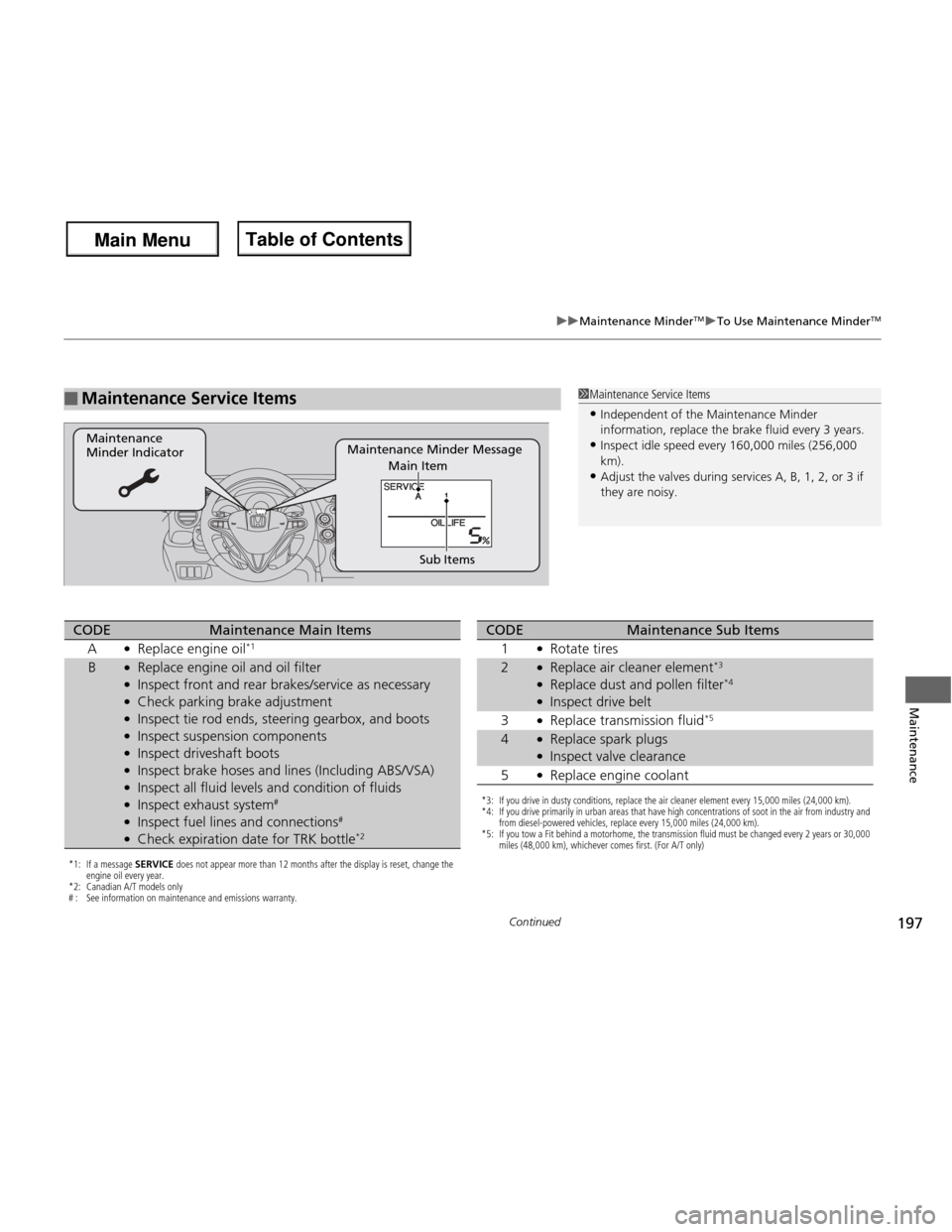
■Maintenance Service Items1Maintenance Service Items
• Independent of the Maintenance Minder
information, replace the brake fluid every 3 years.
• Inspect idle speed every 160,000 miles (256,000 km).
• Adjust the valves during services A, B, 1, 2, or 3 if they are noisy.
Maintenance Minder Message
Maintenance Minder Indicator
Sub Items
Main Item
*1: If a message SERVICE does not appear more than 12 months after the display is reset, change the
engine oil every year.
*2: Canadian A/T models only
# : See information on maintenance and emissions warranty.
CODEMaintenance Main Items
A ●
Replace engine oil *1
B●
Replace engine oil and oil filter
● Inspect front and rear brakes/service as necessary
● Check parking brake adjustment
● Inspect tie rod ends, steering gearbox, and boots
● Inspect suspension components
● Inspect driveshaft boots
● Inspect brake hoses and lines (Including ABS/VSA)
● Inspect all fluid levels and condition of fluids
● Inspect exhaust system #
● Inspect fuel lines and connections #
● Check expiration date for TRK bottle *2
*3: If you drive in dusty conditions, replace the air cleaner element every 15,000 miles (24,000 km).
*4: If you drive primarily in urban areas that have high concentrations of soot in the air from industry and
from diesel-powered vehicles, replace every 15,000 miles (24,000 km).
*5: If you tow a Fit behind a motorhome, the transmission fluid must be changed every 2 years or 30,000 miles (48,000 km), whichever comes first. (For A/T only)
CODEMaintenance Sub Items
1 ●
Rotate tires
2●Replace air cleaner element *3
● Replace dust and pollen filter *4
● Inspect drive belt
3 ●
Replace transmission fluid *5
4●
Replace spark plugs
● Inspect valve clearance
5 ●
Replace engine coolant
Main Menu
Main MenuTable of Contents